
css3动画水波纹、波浪
<!DOCTYPE html>

<html lang="en">

<head>

    <meta charset="UTF-8">

    <title>Document</title>

    <style type="text/css">

    html{

        font-size: 20px;

    }

      body{

          background:#444;

      }

    @-webkit-keyframes opac{

        from {

            opacity: 1;

            width:0;

            height:0;

            top:50%;

            left:50%;

        }

        to {

            opacity : 0;

            width:100%;

            height:100%;

            top:0;

            left:0;

        }

    }

    .animate .w2{

        /*延迟1s*/

        -webkit-animation-delay:1s;

    }

    .animate .w3{

        -webkit-animation-delay:2s;

    }

    .animate .w4{

        -webkit-animation-delay:3s;

    }

    .wave{

        width: 22.7rem;

        height: 22.7rem;

        position: absolute;

        top: 0;

        left: 0;

        right: 0;

        margin: 0 auto;

    }

    .wave *{

        border:1px solid #fff;

        position:absolute;

        border-radius:50%;

        -webkit-animation:opac 4s infinite;

    }

    </style>

</head>

<body>

    <div class="animate wave">

        <div class="w1"></div>

        <div class="w2"></div>

        <div class="w3"></div>

        <div class="w4"></div>

    </div>

</body>

</html>
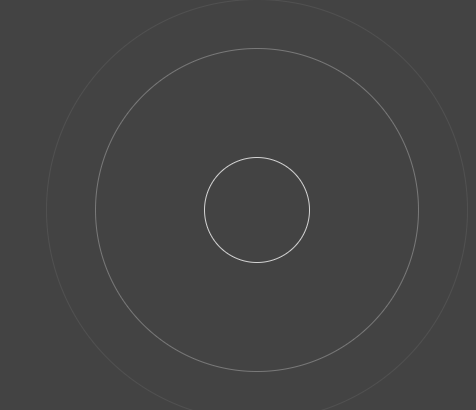
效果图:
2.波浪
<!DOCTYPE html>

<html lang="en">

<head>

    <meta charset="UTF-8">

    <title>Document</title>

    <style>

    *{margin:0;padding:0;}

    body{ background-color: #522350 }

    .water {

        position: relative;

        width: 200px;

        height: 200px;

        background-color: rgb(118, 218, 255);

        border-radius: 50%;

        margin:200px auto 0;

        overflow: hidden;

    }

    .water:before,.water:after{

           content: "";

           position: absolute;

           width: 400px;

           height: 400px;

           top: 0;

           left: 50%;

           background-color: rgba(255, 255, 255, .4);

           border-radius: 45%;

           transform: translate(-50%, -70%) rotate(0);

           animation: rotate 6s linear infinite;

           z-index: 10;

    }

    .water:after {

           border-radius: 47%;

           background-color: rgba(255, 255, 255, .9);

           transform: translate(-50%, -70%) rotate(0);

           animation: rotate 10s linear -5s infinite;

           z-index: 20;

    }

    @keyframes rotate {

        50% {

            transform: translate(-50%, -70%) rotate(180deg);

        } 100% {

            transform: translate(-50%, -70%) rotate(360deg);

        }

    }

    </style>

</head>

<body>

    <div class="water"></div>

</body>

</html>
效果:

3.波浪
<!DOCTYPE html>
<html lang="en"> <head>
<meta charset="UTF-8">
<title>Document</title>
<style type="text/css">
* {
padding: 0px;
margin: 0px;
font-family: "微软雅黑";
font-size: 100%;
font-style: normal
} dd,
dl,
dt,
em,
i,
p,
textarea,
a,
div {
padding: 0px;
margin: 0px;
} a {
text-decoration: none;
} img {
border: 0px;
} ul,
li {
padding: 0px;
margin: 0px;
list-style: none;
} .fl {
float: left
} .fr {
float: right
} body {
margin: 0px;
padding: 0px;
color: #000;
background: #fff;
} a {
-webkit-tap-highlight-color: rgba(0, 0, 0, 0);
-webkit-tap-highlight-color: transparent;
} .none {
display: none
} .fensug {
width: 168px;
height: 168px;
background: #fff;
border: 9px #5576ac solid;
margin: 100px auto;
padding: 5px;
-webkit-border-radius: 25em;
-moz-border-radius: 25em;
border-radius: 25em;
overflow: hidden;
position: relative
} .fensug .wavenum {
width: 168px;
height: 168px;
overflow: hidden;
-webkit-border-radius: 50%;
border-radius: 50%;
text-align: center;
display: table-cell;
vertical-align: middle;
position: absolute;
left: 5px;
top: 5px;
z-index: 5;
display: flex;
align-items: center;
justify-content: center;
flex-direction: column;
} .fensug .wavenum b {
color: #fff;
font-size: 43px;
text-align: center;
display: block;
position: relative;
z-index: 2;
line-height: 45px;
} .fensug .wavenum tt {
color: #fff;
font-size: 20px;
text-align: center;
display: block;
position: relative;
z-index: 2;
font-weight: bold;
width: 140px;
border-top: 2px #fff solid;
margin: 3px auto;
line-height: 35px;
} .waven {
width: 168px;
height: 168px;
webkit-border-radius: 25em;
-moz-border-radius: 25em;
border-radius: 25em;
background: #5576ac;
overflow: hidden;
position: relative
} .wave {
width: 408px;
height: 80%;
position: absolute;
left: 0px;
bottom: 0;
background: url(http://www.17sucai.com/preview/5730/2018-09-20/images/images/wave.png) no-repeat;
animation: move_wave 1s linear infinite;
-webkit-animation: move_wave 1s linear infinite;
} @-webkit-keyframes move_wave {
0% {
-webkit-transform: translateX(0)
} 50% {
-webkit-transform: translateX(-25%)
} 100% {
-webkit-transform: translateX(-50%)
}
} @keyframes move_wave {
0% {
transform: translateX(0)
} 50% {
transform: translateX(-25%)
} 100% {
transform: translateX(-50%)
}
}
</style>
</head> <body>
<div class="fensug">
<div class="wavenum "><b id="denfenjs">61%</b><tt>2018 Q1</tt></div>
<div class="waven">
<div class="wave" style="height: 60%;"> </div>
</div>
</div>
<script src="http://apps.bdimg.com/libs/jquery/1.9.1/jquery.min.js" type="text/javascript"></script>
<script type="text/javascript">
var waveHeight = 0;
var waveNum = 61; function waves() {
if (waveHeight < waveNum) {
$(".wave").css("height", waveHeight + "%");
waveHeight++;
}
setTimeout(function() { waves() }, 15);
} $(function() {
$("#denfenjs").html(waveNum + "%");
waves();
})
</script>
</body> </html>
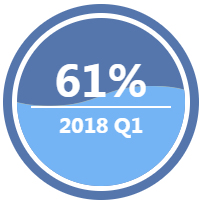
效果图:
css3动画水波纹、波浪的更多相关文章
- html5 +css3 点击后水波纹扩散效果 兼容移动端
<!DOCTYPE html> <html> <head> <meta http-equiv="Content-Type" content ...
- css3动画图片波纹效果
这里的图片很有特点,下面有演示图片样式 <!DOCTYPE html PUBLIC "-//W3C//DTD XHTML 1.0 Transitional//EN" &quo ...
- css 实现水波纹,波浪动画效果
<div class="wave"> 水波纹效果 <div class="wave1"></div> <div cla ...
- Android -- 贝塞尔实现水波纹动画(划重点!!)
1,昨天看到了一个挺好的ui效果,是使用贝塞尔曲线实现的,就和大家来分享分享,还有,在写博客的时候我经常会把自己在做某种效果时的一些问题给写出来,而不是像很多文章直接就给出了解决方法,这里给大家解释一 ...
- CSS3 水波纹
css3 动画设置水波纹,效果如下图: 源码: <!DOCTYPE html> <html lang="en"> <head> <meta ...
- HTML5 Canvas水波纹动画特效
HTML5的Canvas特性非常实用,我们不仅可以在Canvas画布上绘制各种图形,也可以制作绚丽的动画,比如这次介绍的水波纹动画特效.以前我们也分享过一款基于HTML5 WebGL的水波荡漾动画,让 ...
- 用path动画绘制水波纹
用path动画绘制水波纹 效果 源码 // // ViewController.m // PathAnimation // // Created by YouXianMing on 15/7/3. / ...
- css3+jQuery实现按钮水波纹效果
<!DOCTYPE html> <html> <head> <meta charset="UTF-8"> <meta name ...
- 8个超震撼的HTML5和纯CSS3动画源码
HTML5和CSS3之所以强大,不仅因为现在大量的浏览器的支持,更是因为它们已经越来越能满足现代开发的需要.Flash在几年之后肯定会消亡,那么HTML5和CSS3将会替代Flash.今天我们要给大家 ...
随机推荐
- VB.Net与C# 的语法比较
最近看代码或写代码时,经常把VB与C#的基本语法搞混,为方便查看,特对其异同进行对比: 變數初始化 VB.NET 自動將所有的變數初始化成 0 或 nothing.C# 在你未初始化變數之前不准你用該 ...
- Git----远程仓库01
到目前为止,我们已经掌握了如何在Git仓库里对一个文件进行时光穿梭,你再也不用担心文件备份或者丢失的问题了 可是用过集中式版本控制系统SVN的童鞋们会站出来说,这些功能在SVN里早就有了,没看出Git ...
- SpringMVC 学习笔记(处理器映射器的配置)
前端控制器(dispatchServlet) 在web.xml中配置前端控制器,在服务器启动时就被创建,用来对请求和响应进行接收 和 分发处理,其在配置时可以设置一个初始化参数,用来定位SpringM ...
- U3D+SVN: 两份相同资源放在不同目录下导致META的更改
U3D+SVN: 两份相同资源放在不同目录下导致META的更改. 实际情形:将地图文件map拷一份放在其它目录,回到UNITY编辑器,载入完成后加到磁盘,看到map文件夹下的所有meta都变红了. r ...
- 关于Url传递参数
Url传递参数时,后台取值会直接取等号后面的内容,包括引号在内. 比如: http://localhost:8080/user?name='admin' 这是错误的做法,后台获取到的参数是包括引号 ...
- 6-Collision-hdu5114(小球碰撞)
Collision Time Limit: 15000/15000 MS (Java/Others) Memory Limit: 512000/512000 K (Java/Others)Tot ...
- 11-基于dev的bug(还没想通)
十六进制转八进制 http://lx.lanqiao.cn/problem.page?gpid=T51 问题描述 给定n个十六进制正整数,输出它们对应的八进制数. 输入格式 输入的第一行为一个正整数n ...
- rabbitmq的延迟消息队列实现
第一部分:延迟消息的实现原理和知识点 使用RabbitMQ来实现延迟任务必须先了解RabbitMQ的两个概念:消息的TTL和死信Exchange,通过这两者的组合来实现上述需求. 消息的TTL(Tim ...
- ESXi系统命令行下启动虚拟机
从命令行启动虚拟机: 用命令列出虚拟机的ID:vim-cmd vmsvc/getallvms |grep <vm name>注意: 第一列输出是vmid. 用命令查看虚拟机启动状态:vim ...
- [Selenium]How to click on a hidden link ,move to the drop down menu and click submenu
<table id="_paid_19" class="GOMainTable" cellspacing="0" cellpaddin ...