
计算Pan手势到指定点的角度
计算Pan手势到指定点的角度
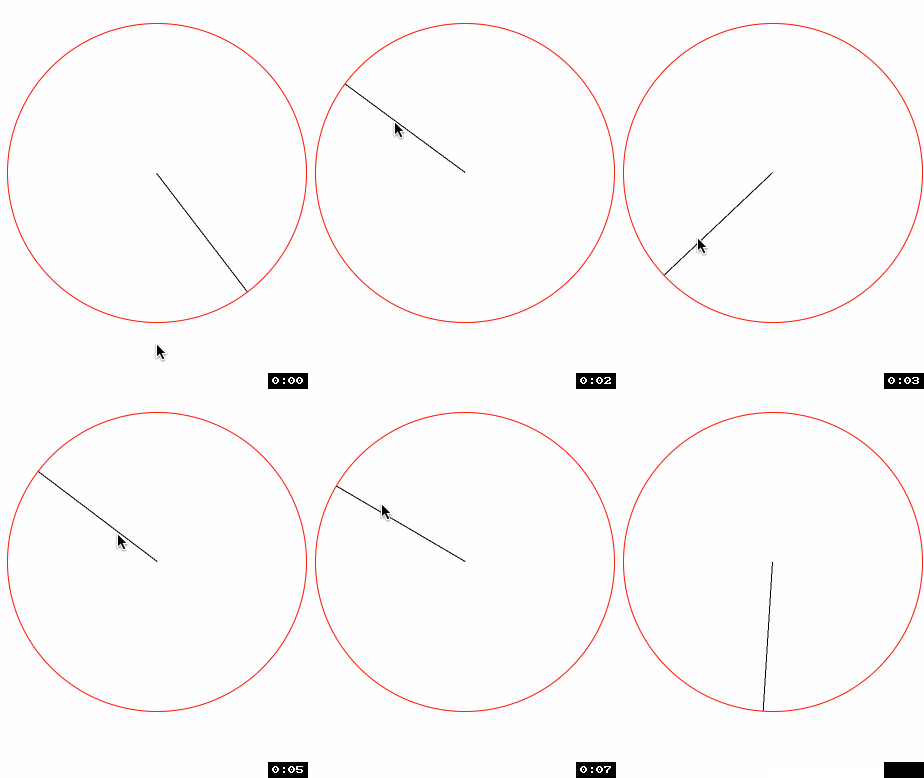
效果图:
源码:
//

//  RootViewController.m

//  Circle

//

//  Copyright (c) 2014年 Y.X. All rights reserved.

//

#import "RootViewController.h"

#import "Radian.h"

#import "FrameAccessor.h"

@interface RootViewController ()

@property (nonatomic, strong) CALayer *layer;

@end

@implementation RootViewController

- (void)viewDidLoad

{

    [super viewDidLoad];

    // 显示参考用的view

    UIView *showView = [[UIView alloc] initWithFrame:CGRectMake(, , , )];

    showView.layer.borderWidth = .f;

    showView.layer.cornerRadius = .f;

    showView.layer.borderColor = [UIColor redColor].CGColor;

    showView.center = self.view.center;

    [self.view addSubview:showView];

    // 新建layer

    _layer = [CALayer layer];

    _layer.backgroundColor = [UIColor blackColor].CGColor;

    // 重置锚点

    _layer.anchorPoint = CGPointMake(.f, .f);

    // 设置layer的frame值(在showView正中间摆放)

    _layer.frame = CGRectMake(showView.middleX, showView.middleY, , );

    // 添加进showView中

    [showView.layer addSublayer:_layer];

    // 给showView添加手势

    UIPanGestureRecognizer *panGesture = [[UIPanGestureRecognizer alloc] initWithTarget:self action:@selector(handlePan:)];

    [panGesture setMaximumNumberOfTouches:];

    [showView addGestureRecognizer:panGesture];

}

- (void)handlePan:(UIPanGestureRecognizer *)recognizer

{

    // 获取触摸点点

    CGPoint translation = [recognizer locationInView:self.view];

    // 计算触摸点到中心点的弧度

    CGFloat angleInRadians = [Radian tanA:translation.y - self.view.center.y

                                        B:translation.x - self.view.center.x];

    // layer的动画

    [CATransaction setDisableActions:YES];

    _layer.transform = CATransform3DMakeRotation(angleInRadians, 0.0, 0.0, 1.0);

}

@end
以下3步非常关键:

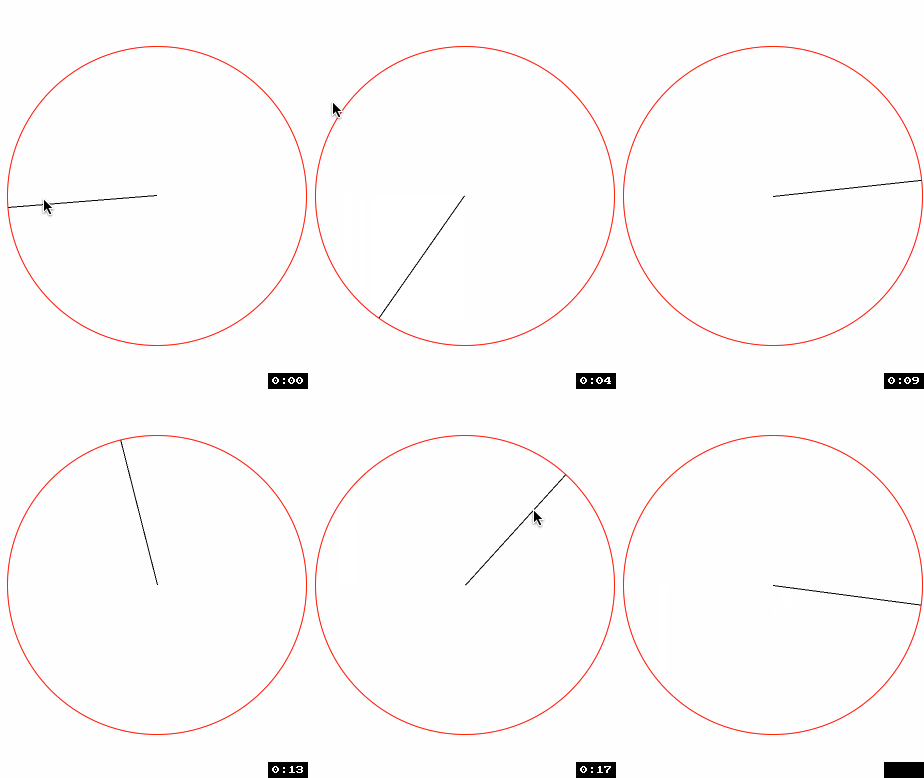
引入POP库设计阻尼动画
效果如下:
//

//  RootViewController.m

//  Circle

//

//  Copyright (c) 2014年 Y.X. All rights reserved.

//

#import "RootViewController.h"

#import "Radian.h"

#import "FrameAccessor.h"

#import "POP.h"

@interface RootViewController ()

@property (nonatomic, strong) CALayer *layer;

@end

@implementation RootViewController

- (void)viewDidLoad

{

    [super viewDidLoad];

    // 显示参考用的view

    UIView *showView = [[UIView alloc] initWithFrame:CGRectMake(, , , )];

    showView.layer.borderWidth = .f;

    showView.layer.cornerRadius = .f;

    showView.layer.borderColor = [UIColor redColor].CGColor;

    showView.center = self.view.center;

    [self.view addSubview:showView];

    // 新建layer

    _layer = [CALayer layer];

    _layer.backgroundColor = [UIColor blackColor].CGColor;

    // 重置锚点

    _layer.anchorPoint = CGPointMake(.f, .f);

    // 设置layer的frame值(在showView正中间摆放)

    _layer.frame = CGRectMake(showView.middleX, showView.middleY, , );

    // 添加进showView中

    [showView.layer addSublayer:_layer];

    // 给showView添加手势

    UIPanGestureRecognizer *panGesture = [[UIPanGestureRecognizer alloc] initWithTarget:self action:@selector(handlePan:)];

    [panGesture setMaximumNumberOfTouches:];

    [showView addGestureRecognizer:panGesture];

}

- (void)handlePan:(UIPanGestureRecognizer *)recognizer

{

    // 获取触摸点点

    CGPoint translation = [recognizer locationInView:self.view];

    // 将度数转换为弧度

#define   RADIAN(degrees)  ((M_PI * (degrees))/ 180.f)

    // 将弧度转换为度数

#define   DEGREES(radian)  ((radian) * 180.f / M_PI)

    if(recognizer.state == UIGestureRecognizerStateChanged)

    {

        // 计算触摸点到中心点的弧度

        CGFloat angleInRadians = [Radian tanA:translation.y - self.view.center.y

                                            B:translation.x - self.view.center.x];

        POPBasicAnimation *positionAnimation = \

        [POPBasicAnimation animationWithPropertyNamed:kPOPLayerRotation];

        // 设置速度动画

        positionAnimation.toValue = @(angleInRadians);

        positionAnimation.duration = 0.01f;

        // 添加动画

        [_layer pop_removeAnimationForKey:@"kPOPLayerRotation"];

        [_layer pop_addAnimation:positionAnimation

                          forKey:@"kPOPLayerRotation"];

    }

    // 拖拽动作结束

    if(recognizer.state == UIGestureRecognizerStateEnded)

    {

        // 计算触摸点到中心点的弧度

        CGFloat angleInRadians = [Radian tanA:translation.y - self.view.center.y

                                            B:translation.x - self.view.center.x];

        // 计算出移动的速度

        CGPoint velocity = [recognizer velocityInView:self.view];

        CGFloat x = velocity.x;

        CGFloat y = velocity.y;

        // 衰退减速动画

        POPDecayAnimation *positionAnimation = \

        [POPDecayAnimation animationWithPropertyNamed:kPOPLayerRotation];

        positionAnimation.velocity = @(+(x*ABS(cosf(angleInRadians)/.f) +

                                         y*ABS(sinf(angleInRadians)/.f)));

        // 添加动画

        [_layer pop_removeAnimationForKey:@"kPOPLayerRotation"];

        [_layer pop_addAnimation:positionAnimation

                          forKey:@"layerPositionAnimation"];

    }

}

@end
重点地方:
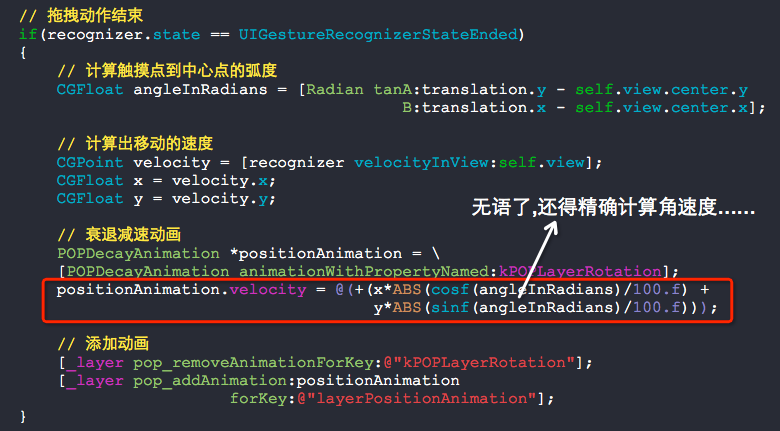
其实,实现这个效果真心挺难的......
计算Pan手势到指定点的角度的更多相关文章
- 限定pan手势只能在圆内移动view
限定pan手势只能在圆内移动view 效果: 虽然看起来很简单,但实现原理还是稍微有点复杂-_-!! 核心的地方,就是需要计算pan手势的点与指定点的距离,不能超过这个距离,超过了就让动画还原,很容易 ...
- PHP计算二维数组指定元素的和
array_sum(array_column($arr, 'num')); //计算二维数组指定元素的和 $arr = [ [ 'id'=>1, 'num'=>3, ], [ 'id'=& ...
- C#_计算目前时间到指定的周X、指定的时间X 还有多少秒
比如:当前时间到下周二 05:00:00还剩下多少秒? /// <summary> /// 计算距离下一个 周XX XX时XX分XX秒,还剩下多少秒 /// </summary> ...
- [微信小程序]计算自己手机到指定位置的距离
目的: 根据目的地的坐标计算自己手机的位置离目的地的距离的 核心思路: 后续操作必须等所有异步请求都返回了才能继续 使用 const qqmap = require("../../utils ...
- ios计算字符串宽高,指定字符串变色,获取URL参数集合
#import <Foundation/Foundation.h> @interface NSString (Extension) - (CGFloat)heightWithLimitWi ...
- 【Python小试】计算蛋白序列中指定氨基酸所占的比例
编码 from __future__ import division def get_aa_percentage(protein, aa_list=['A','I','L','M','F','W',' ...
- iOS开发 在scrollView上增加滑动手势(Pan)
view上有一个scrollView,现在想在view上加一个Pan手势,需求是:当向下划的时候,整个view动,但是scrollView不动:其它情况下scrollView动而view不动. -(B ...
- ios手势
iOS 手势操作:拖动.捏合.旋转.点按.长按.轻扫.自定义 大 中 小 1.UIGestureRecognizer 介绍 手势识别在 iOS 中非常重要,他极大地提高了移动设备的使用便捷性. i ...
- iOS 手势操作:拖动、捏合、旋转、点按、长按、轻扫、自定义
1.UIGestureRecognizer 介绍 手势识别在 iOS 中非常重要,他极大地提高了移动设备的使用便捷性. iOS 系统在 3.2 以后,他提供了一些常用的手势(UIGestureReco ...
随机推荐
- JVM-类加载过程(Java类的生命周期)
什么是类加载 类的加载指的是将类的.class文件中的二进制数据读入到内存中,将其放在运行时数据区的方法区内,然后在堆区创建一个java.lang.Class对象,用来封装类在方法区内的数据结构.类的 ...
- transition过渡效果
语法:transition: property duration timing-function delay; transition-property 规定设置过渡效果的 CSS 属性的名称.tran ...
- 【LESS系列】内置函数说明
本文转自 http://www.cnblogs.com/zfc2201/p/3493335.html escape(@string); // 通过 URL-encoding 编码字符串 e(@stri ...
- C 扩展库 - sqlite3 API CRUD
CRUD struct student typedef struct STUDENT { unsigned int id; unsigned char name[16]; unsigned int a ...
- Weblogic Maven
从weblogic 10.3.4开始支持maven deploy部署 步骤如下: 1.构建weblogic-maven-plugin jar 在D:\oracle\Middleware\wlser ...
- Maven 打包的时候报 Failed to execute goal org.codehaus.mojo:native2ascii-maven-plugin
错误信息: [ERROR] Failed to execute goal org.codehaus.mojo:native2ascii-maven-plugin:1.0-alpha-1:native2 ...
- springBoot启动时让方法自动执行的几种实现方式
一.开篇名义 在springBoot中我们有时候需要让项目在启动时提前加载相应的数据或者执行某个方法,那么实现提前加载的方式有哪些呢?接下来我带领大家逐个解答 1.实现ServletContextAw ...
- XmlSerializer序列化
XmlSerializer在命名空间using System.Xml.Serialization下. 序列化和反序列化的代码: using System.IO; using System.Xml; u ...
- 十一、信号量控制Semaphore
一.简介 有时候我们需要对一个资源的访问做线程数控制,以防雪崩等问题. JDK中,信号量可以处理这样的问题:Semaphore JDK文档:http://tool.oschina.net/upload ...
- 判断php变量是否定义,是否为空,是否为真的一览表
分类: 使用 PHP 函数对变量 $x 进行比较 表达式 gettype() empty() is_null() isset() boolean : if($x) $x = ""; ...