
计算Pan手势到指定点的角度
计算Pan手势到指定点的角度
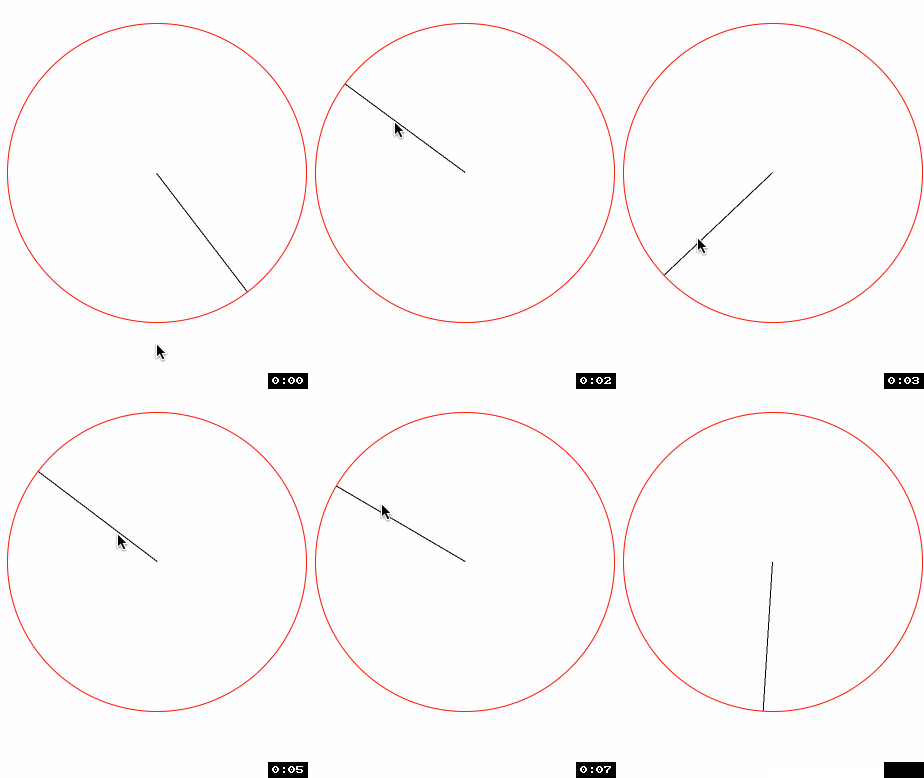
效果图:
源码:
//

//  RootViewController.m

//  Circle

//

//  Copyright (c) 2014年 Y.X. All rights reserved.

//

#import "RootViewController.h"

#import "Radian.h"

#import "FrameAccessor.h"

@interface RootViewController ()

@property (nonatomic, strong) CALayer *layer;

@end

@implementation RootViewController

- (void)viewDidLoad

{

    [super viewDidLoad];

    // 显示参考用的view

    UIView *showView = [[UIView alloc] initWithFrame:CGRectMake(, , , )];

    showView.layer.borderWidth = .f;

    showView.layer.cornerRadius = .f;

    showView.layer.borderColor = [UIColor redColor].CGColor;

    showView.center = self.view.center;

    [self.view addSubview:showView];

    // 新建layer

    _layer = [CALayer layer];

    _layer.backgroundColor = [UIColor blackColor].CGColor;

    // 重置锚点

    _layer.anchorPoint = CGPointMake(.f, .f);

    // 设置layer的frame值(在showView正中间摆放)

    _layer.frame = CGRectMake(showView.middleX, showView.middleY, , );

    // 添加进showView中

    [showView.layer addSublayer:_layer];

    // 给showView添加手势

    UIPanGestureRecognizer *panGesture = [[UIPanGestureRecognizer alloc] initWithTarget:self action:@selector(handlePan:)];

    [panGesture setMaximumNumberOfTouches:];

    [showView addGestureRecognizer:panGesture];

}

- (void)handlePan:(UIPanGestureRecognizer *)recognizer

{

    // 获取触摸点点

    CGPoint translation = [recognizer locationInView:self.view];

    // 计算触摸点到中心点的弧度

    CGFloat angleInRadians = [Radian tanA:translation.y - self.view.center.y

                                        B:translation.x - self.view.center.x];

    // layer的动画

    [CATransaction setDisableActions:YES];

    _layer.transform = CATransform3DMakeRotation(angleInRadians, 0.0, 0.0, 1.0);

}

@end
以下3步非常关键:

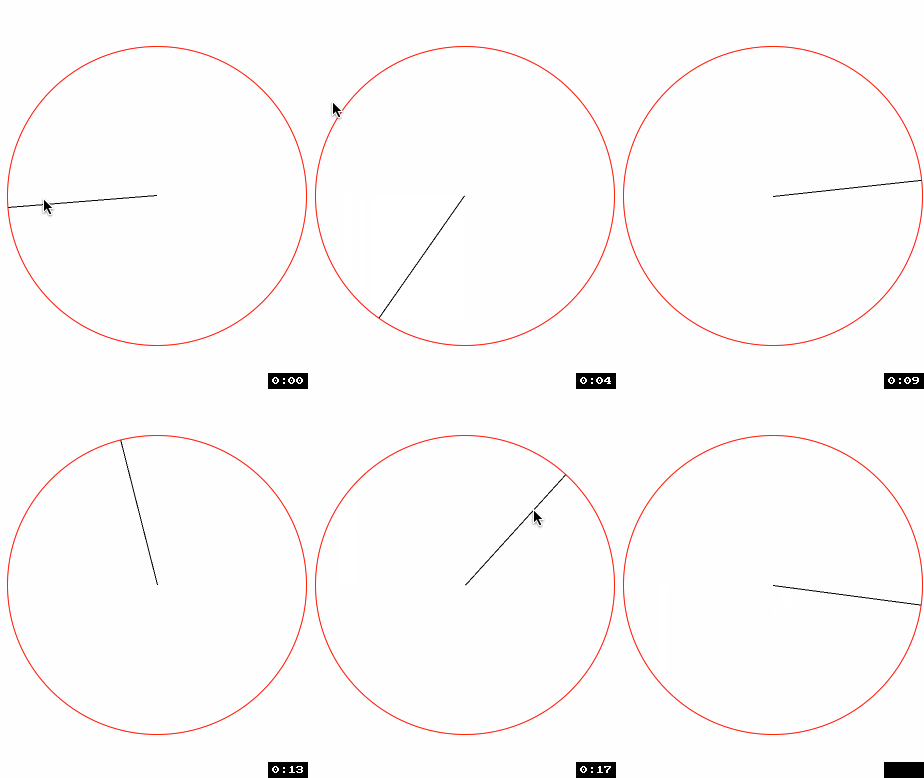
引入POP库设计阻尼动画
效果如下:
//

//  RootViewController.m

//  Circle

//

//  Copyright (c) 2014年 Y.X. All rights reserved.

//

#import "RootViewController.h"

#import "Radian.h"

#import "FrameAccessor.h"

#import "POP.h"

@interface RootViewController ()

@property (nonatomic, strong) CALayer *layer;

@end

@implementation RootViewController

- (void)viewDidLoad

{

    [super viewDidLoad];

    // 显示参考用的view

    UIView *showView = [[UIView alloc] initWithFrame:CGRectMake(, , , )];

    showView.layer.borderWidth = .f;

    showView.layer.cornerRadius = .f;

    showView.layer.borderColor = [UIColor redColor].CGColor;

    showView.center = self.view.center;

    [self.view addSubview:showView];

    // 新建layer

    _layer = [CALayer layer];

    _layer.backgroundColor = [UIColor blackColor].CGColor;

    // 重置锚点

    _layer.anchorPoint = CGPointMake(.f, .f);

    // 设置layer的frame值(在showView正中间摆放)

    _layer.frame = CGRectMake(showView.middleX, showView.middleY, , );

    // 添加进showView中

    [showView.layer addSublayer:_layer];

    // 给showView添加手势

    UIPanGestureRecognizer *panGesture = [[UIPanGestureRecognizer alloc] initWithTarget:self action:@selector(handlePan:)];

    [panGesture setMaximumNumberOfTouches:];

    [showView addGestureRecognizer:panGesture];

}

- (void)handlePan:(UIPanGestureRecognizer *)recognizer

{

    // 获取触摸点点

    CGPoint translation = [recognizer locationInView:self.view];

    // 将度数转换为弧度

#define   RADIAN(degrees)  ((M_PI * (degrees))/ 180.f)

    // 将弧度转换为度数

#define   DEGREES(radian)  ((radian) * 180.f / M_PI)

    if(recognizer.state == UIGestureRecognizerStateChanged)

    {

        // 计算触摸点到中心点的弧度

        CGFloat angleInRadians = [Radian tanA:translation.y - self.view.center.y

                                            B:translation.x - self.view.center.x];

        POPBasicAnimation *positionAnimation = \

        [POPBasicAnimation animationWithPropertyNamed:kPOPLayerRotation];

        // 设置速度动画

        positionAnimation.toValue = @(angleInRadians);

        positionAnimation.duration = 0.01f;

        // 添加动画

        [_layer pop_removeAnimationForKey:@"kPOPLayerRotation"];

        [_layer pop_addAnimation:positionAnimation

                          forKey:@"kPOPLayerRotation"];

    }

    // 拖拽动作结束

    if(recognizer.state == UIGestureRecognizerStateEnded)

    {

        // 计算触摸点到中心点的弧度

        CGFloat angleInRadians = [Radian tanA:translation.y - self.view.center.y

                                            B:translation.x - self.view.center.x];

        // 计算出移动的速度

        CGPoint velocity = [recognizer velocityInView:self.view];

        CGFloat x = velocity.x;

        CGFloat y = velocity.y;

        // 衰退减速动画

        POPDecayAnimation *positionAnimation = \

        [POPDecayAnimation animationWithPropertyNamed:kPOPLayerRotation];

        positionAnimation.velocity = @(+(x*ABS(cosf(angleInRadians)/.f) +

                                         y*ABS(sinf(angleInRadians)/.f)));

        // 添加动画

        [_layer pop_removeAnimationForKey:@"kPOPLayerRotation"];

        [_layer pop_addAnimation:positionAnimation

                          forKey:@"layerPositionAnimation"];

    }

}

@end
重点地方:
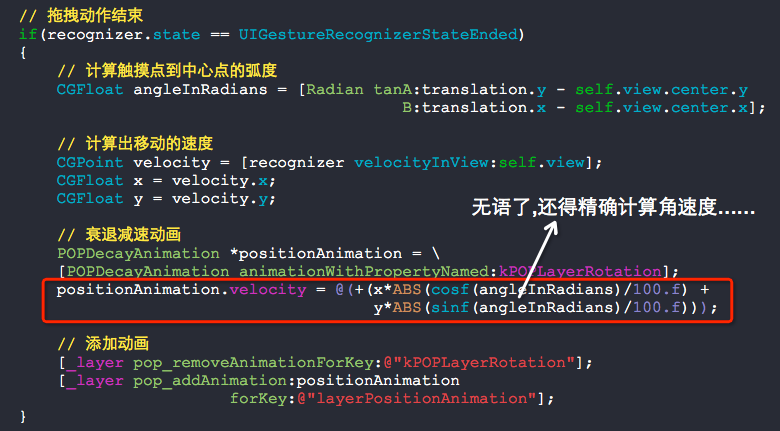
其实,实现这个效果真心挺难的......
计算Pan手势到指定点的角度的更多相关文章
- 限定pan手势只能在圆内移动view
限定pan手势只能在圆内移动view 效果: 虽然看起来很简单,但实现原理还是稍微有点复杂-_-!! 核心的地方,就是需要计算pan手势的点与指定点的距离,不能超过这个距离,超过了就让动画还原,很容易 ...
- PHP计算二维数组指定元素的和
array_sum(array_column($arr, 'num')); //计算二维数组指定元素的和 $arr = [ [ 'id'=>1, 'num'=>3, ], [ 'id'=& ...
- C#_计算目前时间到指定的周X、指定的时间X 还有多少秒
比如:当前时间到下周二 05:00:00还剩下多少秒? /// <summary> /// 计算距离下一个 周XX XX时XX分XX秒,还剩下多少秒 /// </summary> ...
- [微信小程序]计算自己手机到指定位置的距离
目的: 根据目的地的坐标计算自己手机的位置离目的地的距离的 核心思路: 后续操作必须等所有异步请求都返回了才能继续 使用 const qqmap = require("../../utils ...
- ios计算字符串宽高,指定字符串变色,获取URL参数集合
#import <Foundation/Foundation.h> @interface NSString (Extension) - (CGFloat)heightWithLimitWi ...
- 【Python小试】计算蛋白序列中指定氨基酸所占的比例
编码 from __future__ import division def get_aa_percentage(protein, aa_list=['A','I','L','M','F','W',' ...
- iOS开发 在scrollView上增加滑动手势(Pan)
view上有一个scrollView,现在想在view上加一个Pan手势,需求是:当向下划的时候,整个view动,但是scrollView不动:其它情况下scrollView动而view不动. -(B ...
- ios手势
iOS 手势操作:拖动.捏合.旋转.点按.长按.轻扫.自定义 大 中 小 1.UIGestureRecognizer 介绍 手势识别在 iOS 中非常重要,他极大地提高了移动设备的使用便捷性. i ...
- iOS 手势操作:拖动、捏合、旋转、点按、长按、轻扫、自定义
1.UIGestureRecognizer 介绍 手势识别在 iOS 中非常重要,他极大地提高了移动设备的使用便捷性. iOS 系统在 3.2 以后,他提供了一些常用的手势(UIGestureReco ...
随机推荐
- Git学习系列之Git基本操作推送项目(图文详解)
前面博客 Git学习系列之Git基本操作提交项目(图文详解) 如果完成到一定程度,那么可以推送到远端在线仓库. 推送之前,请确保你已经设置了全局的 user.name 和 user.email, 如果 ...
- spring中redistemplate不能用通配符keys查出相应Key的问题
有个业务中需要删除某个前缀的所有Redis缓存,于是用RedisTemplate的keys方法先查出所有合适的key,再遍历删除.但是在keys(patten+"*")时每次取出的 ...
- JavaScript设计模式-11.桥梁模式
<!DOCTYPE html> <html> <head> <meta charset="UTF-8"> <title> ...
- git提交代码到远程仓库
1.仓库初始化 git init 2.连接仓库 git remote add origin 仓库地址 3.查看状态 git status 4.将文件添加到暂存区 git add 状态里的新文件 5.将 ...
- C#控制台程序,运行完窗口不退出的方法
.... static void Main(string[] args){ Console.WriteLine("运行完后不退出窗口"); Console.ReadKey();// ...
- 图解ARP协议(四)代理ARP原理与实践(“善意的欺骗”)
一.代理ARP概述 我:当电脑要访问互联网上的服务器,目标MAC是什么? 很多小伙伴在刚学习网络协议的时候,经常这样直接回应:不就是服务器的MAC嘛! 这时我会反问:那电脑怎么拿到这个服务器的MAC地 ...
- [C语言] 数据结构概述
1.数据结构概述 定义 我们如何把现实中大量而复杂的问题以特定的数据类型和特定的存储结构保存到主存储器(内存)中, 以及在此基础上为实现某个功能(比如查找.删除.查找.某个元素,对所有元素进行排序)而 ...
- [javaSE] IO流(RandomAccessFile)
随机访问文件,可以看作一个大型的byte[]数组,不算是IO体系中的一员,内部封装了字节输入输出流,可以设置权限,可以调整指针的位置 获取RandomAccessFile对象,构造参数:String文 ...
- Kinect1驱动 PCL OpenCV ROS 安装
1. OpenCV安装 1)在终端安装依赖项sudo apt-get install build-essential libgtk2.0-dev libjpeg-dev libtiff4-dev li ...
- java模式之一------代理模式
代理模式的概念:对其他对象提供一种代理以控制对这个对象的访问 代理模式的三种实现 (1)静态代理 静态代理在使用时,需要定义接口或者父类,被代理对象与代理对象一起实现相同的接口或者是继承相同父类. e ...