
ZooKeeper教程(一)----Centos7下安装ZooKeeper(单机版)
1、下载源码
官网下载地址: http://mirrors.hust.edu.cn/apache/zookeeper/ 选择最新的版本进行下载
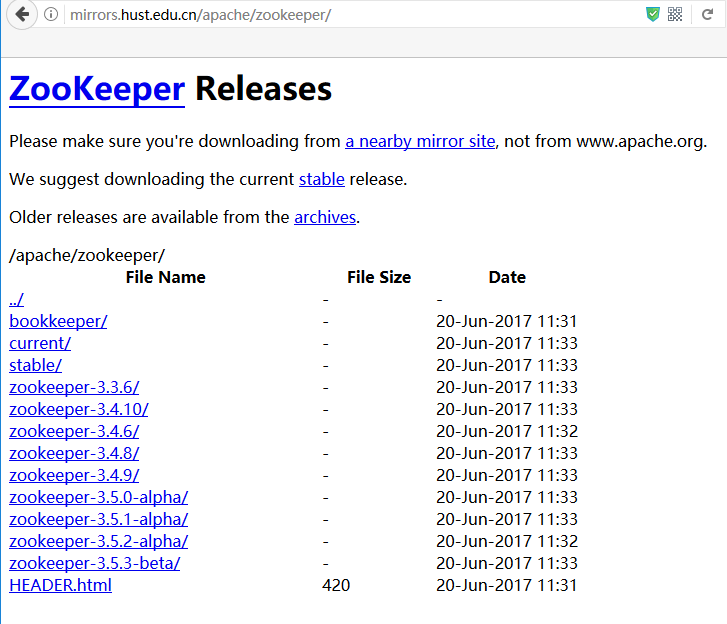
这里选择3.4.10进行下载:
wget http://mirrors.hust.edu.cn/apache/zookeeper/zookeeper-3.4.10/zookeeper-3.4.10.tar.gz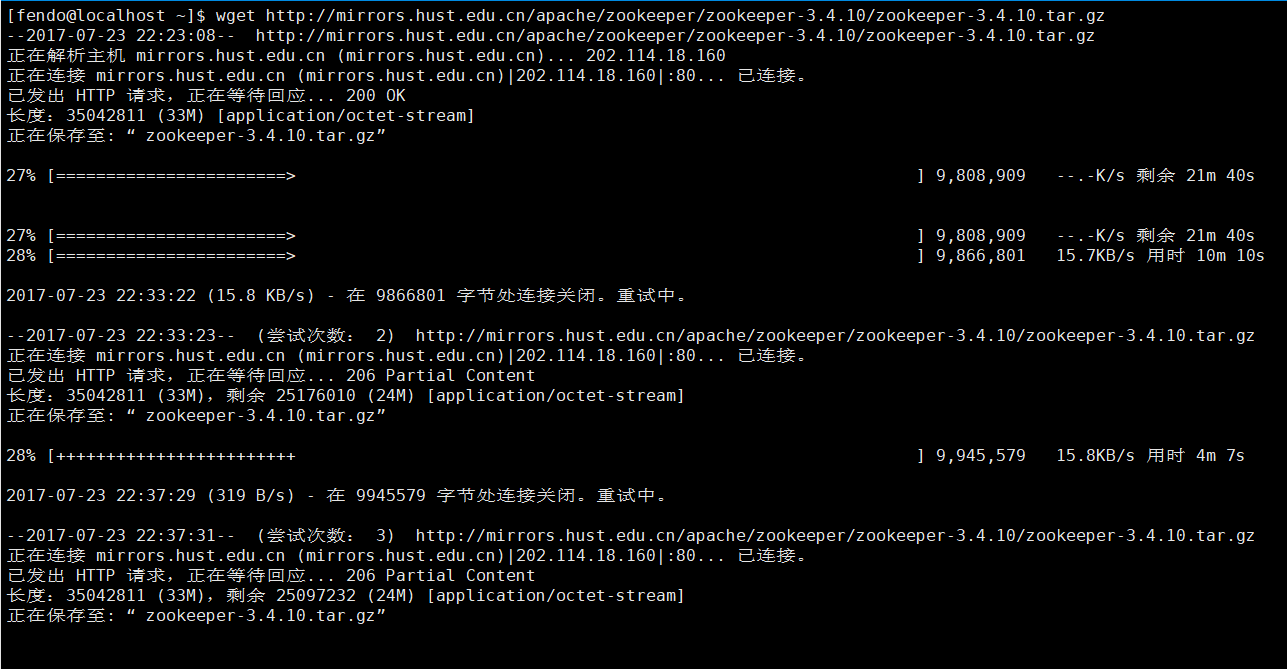
下载完成后执行以下命令进行解压:
tar -zxvf zookeeper-3.4.10.tar.gz2、配置Zookeeper
解压之后,在zookeeper目录下创建以下目录:
- [fendo@localhost ~]$ cd zookeeper-3.4.10/
- [fendo@localhost zookeeper-3.4.10]$ mkdir data
- [fendo@localhost zookeeper-3.4.10]$ mkdir logs
将zookeeper-3.4.10/conf目录下的zoo_sample.cfg文件拷贝一份,命名为zoo.cfg
[fendo@localhost conf]$ cp zoo_sample.cfg zoo.cfg然后修改zoo.cfg文件
vim zoo.cfg修改成如下
- # The number of milliseconds of each tick
- tickTime=2000
- # The number of ticks that the initial
- # synchronization phase can take
- initLimit=10
- # The number of ticks that can pass between
- # sending a request and getting an acknowledgement
- syncLimit=5
- # the directory where the snapshot is stored.
- # do not use /tmp for storage, /tmp here is just
- # example sakes.
- dataDir=/home/fendo/zookeeper-3.4.10/data
- dataLogDir=/home/fendo/zookeeper-3.4.10/logs
- # the port at which the clients will connect
- clientPort=2181
- # the maximum number of client connections.
- # increase this if you need to handle more clients
- #maxClientCnxns=60
- server.1=192.168.84.130:2888:3888
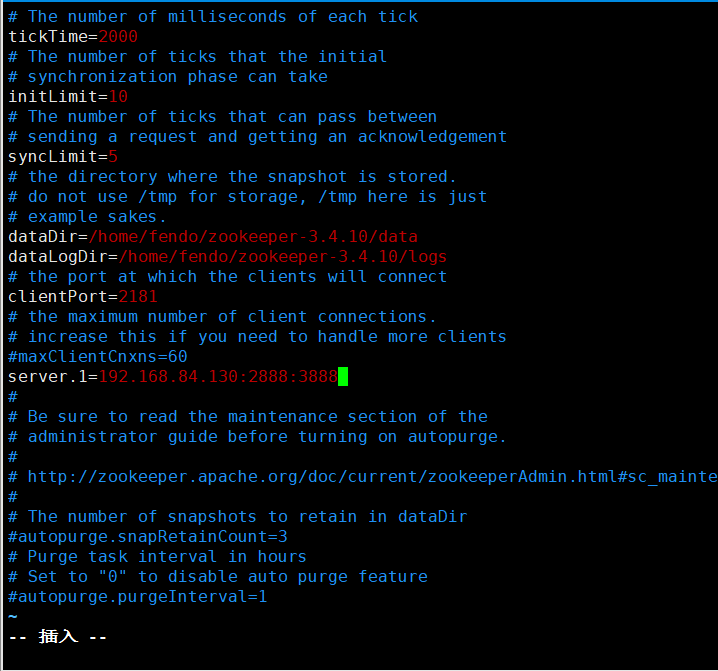
其中:
2888端口号是zookeeper服务之间通信的端口。
3888是zookeeper与其他应用程序通信的端口。
然后在dataDir=/home/fendo/zookeeper-3.4.10/data下创建myid文件(编辑myid文件,并在对应的IP的机器上输入对应的编号。如在zookeeper上,myid 文件内容就是1。如果只在单点上进行安装配置,那么只有一个server.1)
vim myid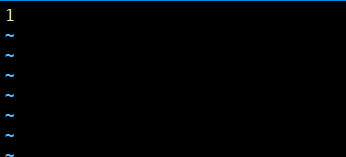
fendo用户下修改.bash_profile,增加zookeeper配置:
vim /home/fendo/.bash_profile
- # zookeeper env export
- ZOOKEEPER_HOME=/home/fendo/zookeeper-3.4.10 export
- PATH=$ZOOKEEPER_HOME/bin:$PATH
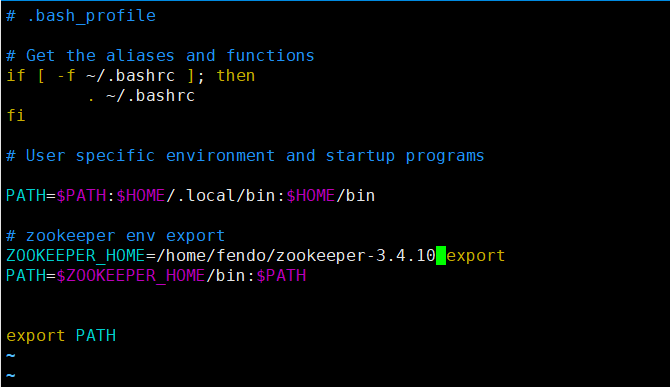
使配置文件生效
source /home/fendo/.bash_profile关闭防火墙
切换到root用户下,执行以下命令:
systemctl stop firewalld.service3、测试Zookeeper
启动并测试zookeeper(要用普通用户启动,不要用root):
- #使用fendo用户到/home/fendo/zookeeper-3.4.10/bin目录中执行
- ./zkServer.sh start
- #查看进程
- jps
- 其中,QuorumPeerMain是zookeeper进程,启动正常。
- #查看状态
- ./zkServer.sh status
- #服务器输出信息
- tail -500f zookeeper.out
- #停止zookeeper进程
- ./zkServer.sh stop
设置zookeeper服务开机启动
- # 切换到/etc/rc.d/init.d/目录下
- cd /etc/rc.d/init.d
- # 创建zookeeper文件
- touch zookeeper
- #更新权限
- chmod +x zookeeper
- #编辑文件,在zookeeper里面输入如下内容
- #!/bin/bash
- #chkconfig:2345 20 90
- #description:zookeeper
- #processname:zookeeper
- export JAVA_HOME=/user/local/java/jdk1.7.0_79
- export PATH=$JAVA_HOME/bin:$PATH
- case $1 in
- start)su root /home/fendo/zookeeper-3.4.10/bin/zkServer.sh start;;
- stop)su root /home/fendo/zookeeper-3.4.10/bin/zkServer.sh stop;;
- status)su root /home/fendo/zookeeper-3.4.10/bin/zkServer.sh status;;
- restart)su root /home/fendo/zookeeper-3.4.10/bin/zkServer.sh restart;;
- *) echo "require start|stop|status|restart" ;;
- esac
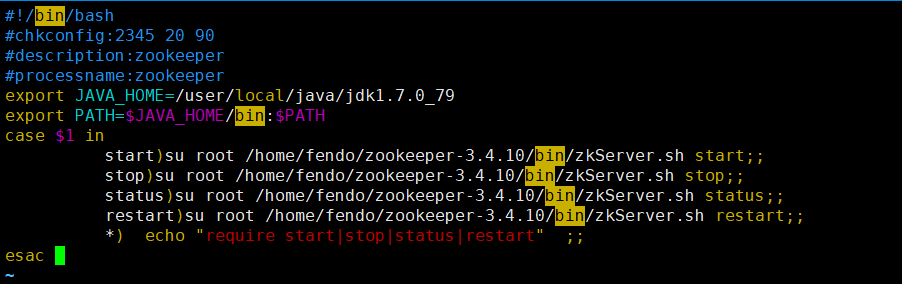
然后我们就可以用service zookeeper start/stop来启动停止zookeeper服务了
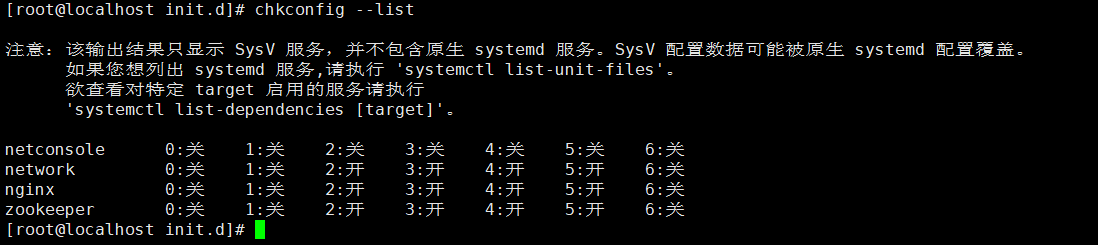
使用命令把zookeeper添加到开机启动里面
- chkconfig zookeeper on
- chkconfig --add zookeeper
添加完成之后接这个使用chkconfig --list 来看看我们添加的zookeeper是否在里面。
ZooKeeper教程(一)----Centos7下安装ZooKeeper(单机版)的更多相关文章
- centos7下安装zookeeper&zookeeper集群的搭建
一.centos7下安装zookeeper 1.zookeeper 下载地址 https://mirrors.tuna.tsinghua.edu.cn/apache/zookeeper/ 2.安装步骤 ...
- Linux(Centos7)下安装 zookeeper docker版 集群
为了省去麻烦的软件安装,现在开发环境需要的软件越来越习惯于docker安装了,先看下安装后的截图,开发环境正在启动的容器 1.首先系统需要先支持docker …… 由于之前安装几次都没有做流程记录,在 ...
- Centos7下安装ZooKeeper
1.下载源码 zookeeper 需要jdk的支持,需要先安装jdk 官网下载地址: http://mirrors.hust.edu.cn/apache/zookeeper/ 选择最新的版本进行下载 ...
- centos7上安装zookeeper
centos7上安装zookeeper 1 准备工作 1.准备服务器,本次安装采用 centos7系统.内存2G.存储60G的虚拟机服务器一台: 2.服务器安装java环境: 参考文章<cent ...
- Windows下安装ZooKeeper
Windows下安装ZooKeeper 一.简介 ZooKeeper是一个分布式的,开放源码的分布式应用程序协调服务,是Google的Chubby一个开源的实现,是Hadoop和Hbase的重要组 ...
- Linux下安装Zookeeper
Zookeeper是一个协调服务,可以用它来作为配置维护.名字服务.分布式部署: 下面,我来分享一下在Linux下安装Zookeeper的整个步骤,让大家少走弯路. 一.Zookeeper下载 [ro ...
- 如何在Centos7上安装zookeeper 多实例
一.如何在Centos7上安装zookeeper 多实例 cd /usr/local/src/ wget https://mirrors.tuna.tsinghua.edu.cn/apache/zoo ...
- Storm(1)-centos7下安装单机版Strom
1.所需软件: jdk8.zookeeper.storm 2.安装zookeeper单机版 下载:http://zookeeper.apache.org/releases.html#download ...
- Win10下安装zookeeper
Win10下安装zookeeper 注册中心zookeeper的安装 0.去Apache官网下载zookeeper http://zookeeper.apache.org/ 2.找到解压路径的conf ...
随机推荐
- NUmericupdown控件
Numericupdown控件是由system.windows.froms.Numericupdown类提供的,主要作用是将一个数按一定的值进行增加或减少.它主要有四个常用属性 Increment ...
- 非常不错的js 屏蔽类加验证类
1 >屏蔽功能类 1.1 屏蔽键盘所有键 <script language="javascript"><!--function document.onkey ...
- [PHP] PHP的纯CPU基准测试(PHP5.5.9 vs PHP7.2.1)
PHP的纯CPU基准测试(PHP5.5.9 vs PHP7.2.1): 1.bench.php 可在PHP源代码的 php-src/Zend 目录 2.micro_bench.php 也可以在 PHP ...
- 十一、信号量控制Semaphore
一.简介 有时候我们需要对一个资源的访问做线程数控制,以防雪崩等问题. JDK中,信号量可以处理这样的问题:Semaphore JDK文档:http://tool.oschina.net/upload ...
- Spark Pregel参数说明
Pregel是个强大的基于图的迭代算法,也是Spark中的一个迭代应用aggregateMessage的典型案例,用它可以在图中方便的迭代计算,如最短路径.关键路径.n度关系等.然而对于之前对图计算接 ...
- golang产生guid
labix.org/v2/mgo/bson 包虽然是MongoDB的golang实现,其中产生唯一ID的算法是独立的,不依赖MongoDB, 提炼这部分的代码如下: package main im ...
- HDU 3306 Another kind of Fibonacci ---构造矩阵***
Another kind of Fibonacci Time Limit: 3000/1000 MS (Java/Others) Memory Limit: 65536/65536 K (Jav ...
- BZOJ2656 [Zjoi2012]数列
Description 小白和小蓝在一起上数学课,下课后老师留了一道作业,求下面这个数列的通项公式: $$\begin{aligned}A_0 &= 0\\A_1 &= 1\\A_{2 ...
- Win10安装docker步骤
最近使用docker部署spring boot项目,写篇文章记录下步骤. 1. 确保本机win10系统虚拟化已启动启动,否则需要去BIOS设置(方法可百度) 2. 到docker网站下载DockerT ...
- Vuex2.0边学边记+两个小例子
最近在研究Vuex2.0,搞了好几天终于有点头绪了. 首先vuex概念比较多,一定要搞懂里面的概念,可以参考官网Vuex2.0概念,我写此文的目的是希望能对前端爱好者提供个参考,加深对vuex2.0各 ...