
给react-native添加图标和启动屏
react native 项目默认是没有图标,并且启动页面只有文字。这个样子并不能算是一个完整的APP,现在就给APP加一个图标和一个适应所有屏幕尺寸的启动图,并且设置启动图遮住项目启动时候的白色闪屏。
首先我们来创建一个新项目
react-native init splashExample
首先我们修改应用名称
Android
编辑 android/app/src/main/res/values/strings.xml 文件:
<resources>

    <!-- <string name="app_name">splashExample</string> -->

    <string name="app_name">测试程序</string>

</resources>
接下来是图片的准备
先从图标开始,一套图标需要各种大大小小的尺寸。
如果没有设计师朋友的话,我们可以用工具批量生成,现在需要一张1024*1024的母版即可。
图片链接
https://raw.githubusercontent.com/kk412027247/splashExample/master/image/icon.png
图片处理工具
https://icon.wuruihong.com/
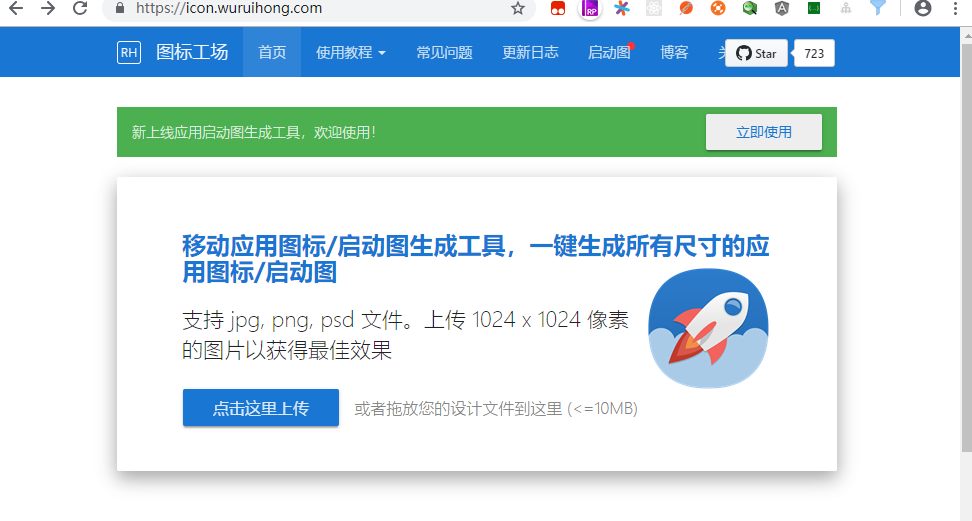
上传之后处理之后,会下载得到一个压缩包,解压之后会看到得到了一堆各种尺寸的图标文件。

我们可以直接用生成好的内容替换默认的图标即可。
1.Android
替换 android/app/src/main/res 下对应的图标。
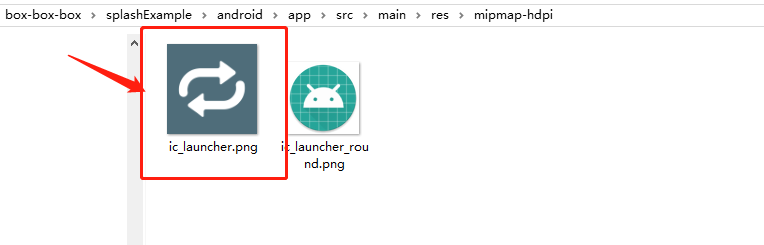
运行项目看我们的图标改了没有
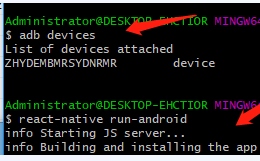
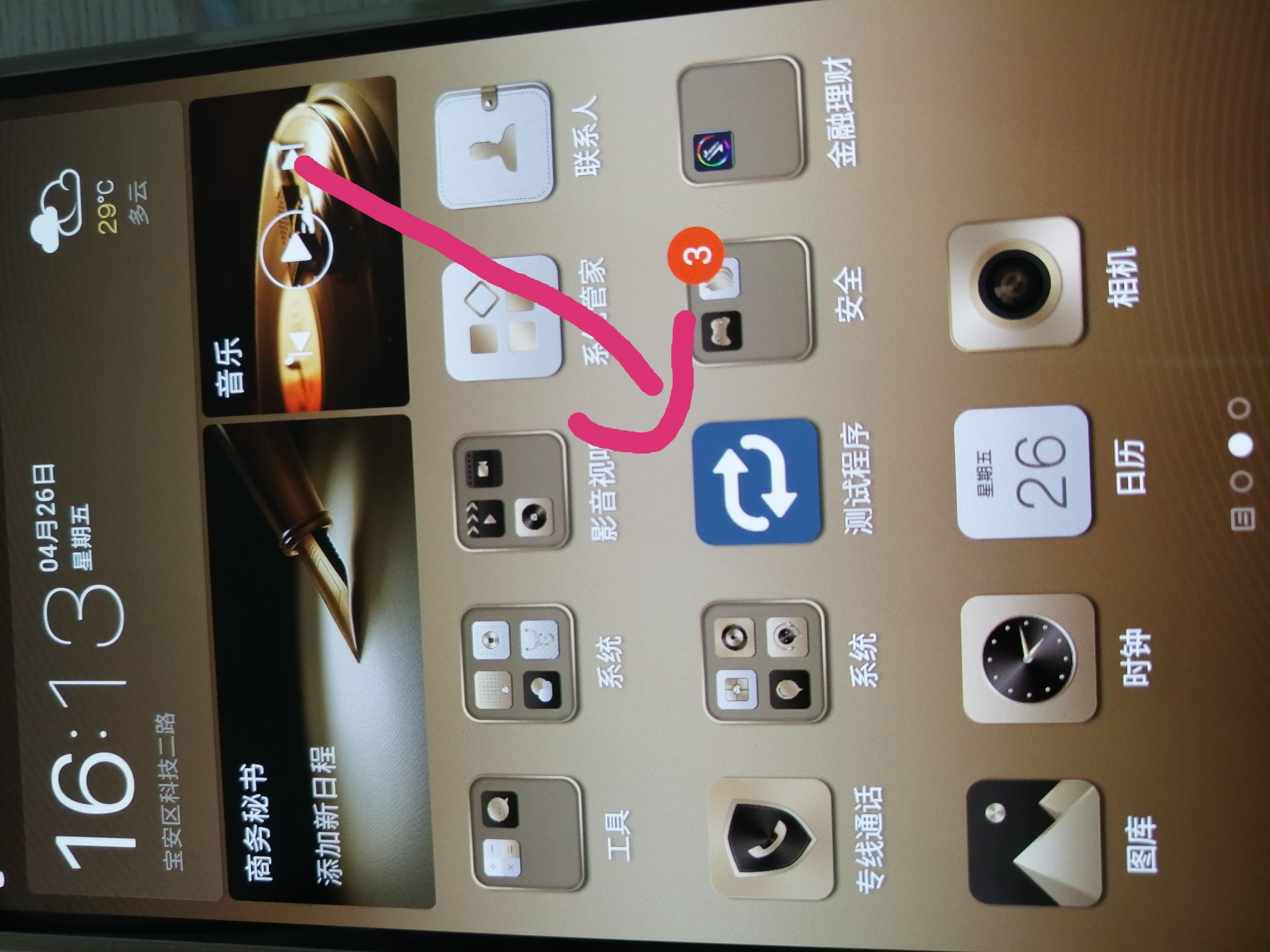
我们会发现测试机上面出现了APP图标,并且更改了名字为测试程序
接下来我们给react-native项目添加启动页
Android
添加启动页可以使用 react-native-splash-screen 库,通过它可以控制启动页的显示和隐藏。
第一步:安装$ yarn add react-native-splash-screen
第二步:编辑 MainActivity.java,添加显示启动页的代码:

整理启动屏图片
现在开始添加启动页面,启动页面的操作需要写IOS与安卓的源码,但是也没太复杂,跟着一步步来即可。
这里提供了三张不同分辨率,但是和图标一样的启动图,这样用户在点击图标的时候,视觉上感觉是进入了app。
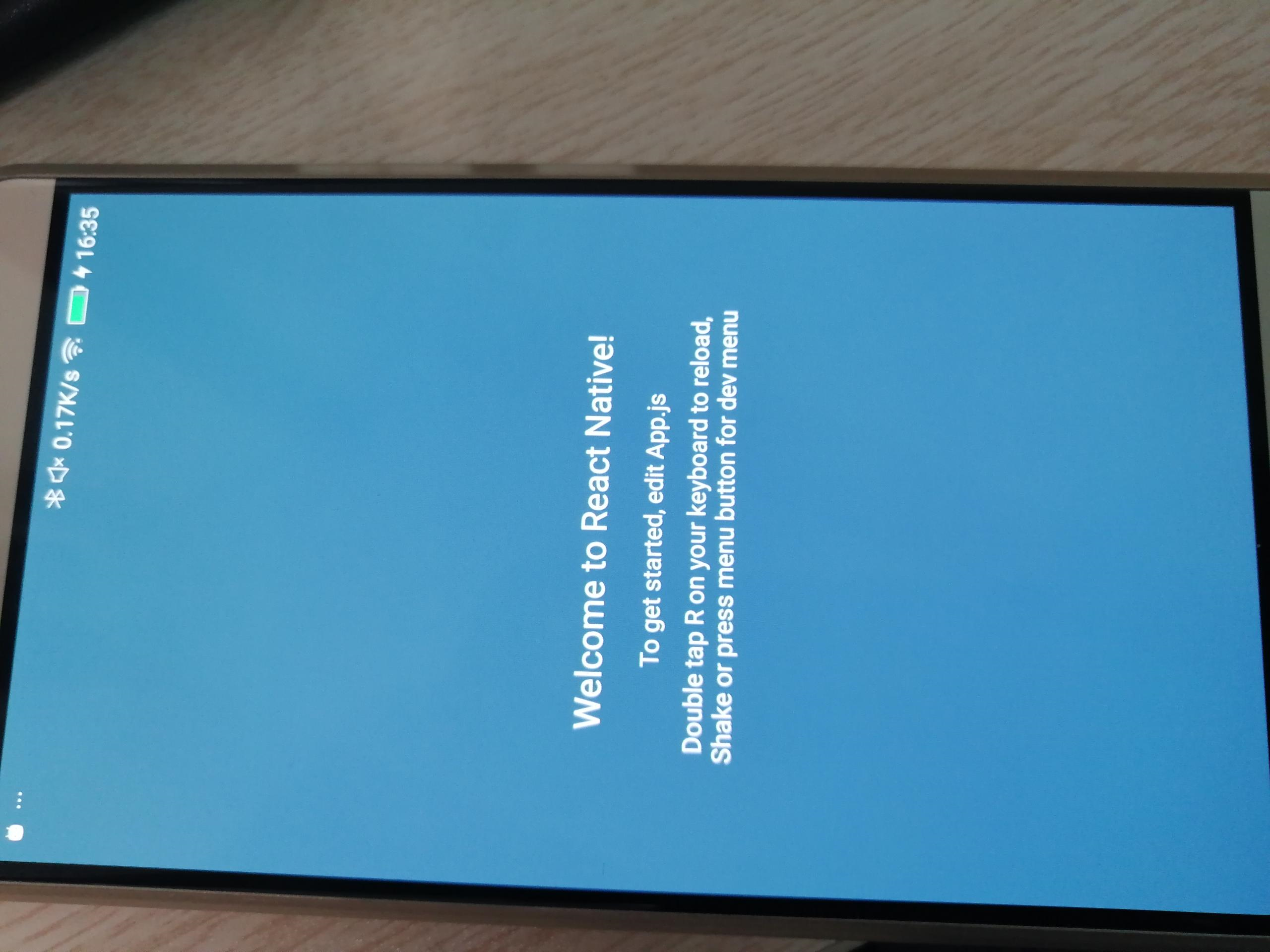
我们先改一下app页面的背景颜色,以及状态栏的颜色,编辑 app.js,整体代码如下
/**

 * Sample React Native App

 * https://github.com/facebook/react-native

 *

 * @format

 * @flow

 */

import React, {Component} from 'react';

import {Platform, StyleSheet, Text, View,StatusBar} from 'react-native';

const instructions = Platform.select({

  ios: 'Press Cmd+R to reload,\n' + 'Cmd+D or shake for dev menu',

  android:

    'Double tap R on your keyboard to reload,\n' +

    'Shake or press menu button for dev menu',

});

type Props = {};

export default class App extends Component<Props> {

  render() {

    return (

      <View style={styles.container}>

         <StatusBar

          backgroundColor={'#4f6d7a'}

          barStyle={'light-content'}

        />

        <Text style={styles.welcome}>Welcome to React Native!</Text>

        <Text style={styles.instructions}>To get started, edit App.js</Text>

        <Text style={styles.instructions}>{instructions}</Text>

      </View>

    );

  }

}

const styles = StyleSheet.create({

  container: {

    flex: 1,

    justifyContent: 'center',

    alignItems: 'center',

    backgroundColor: '#4f6d7a',

  },

  welcome: {

    fontSize: 20,

    textAlign: 'center',

    margin: 10,

    color: '#f5fcff',

  },

  instructions: {

    textAlign: 'center',

    color: '#f5fcff',

    marginBottom: 5,

  },

});
修改好的页面如下
添加安卓启动屏
首先需要先把不同尺寸的图片放到资源文件夹。
splashExample/android/app/src/main/res 目录下有几个mipmap文件夹,根据以下的规则把图片拖进去,然后把文件名统一改成splash.png。
mipmap-mdpi = splash.png

mipmap-hdpi = splash@2x.png

mipmap-xhdpi = splash@3x.png

mipmap-xxhdpi = splash@3x.png
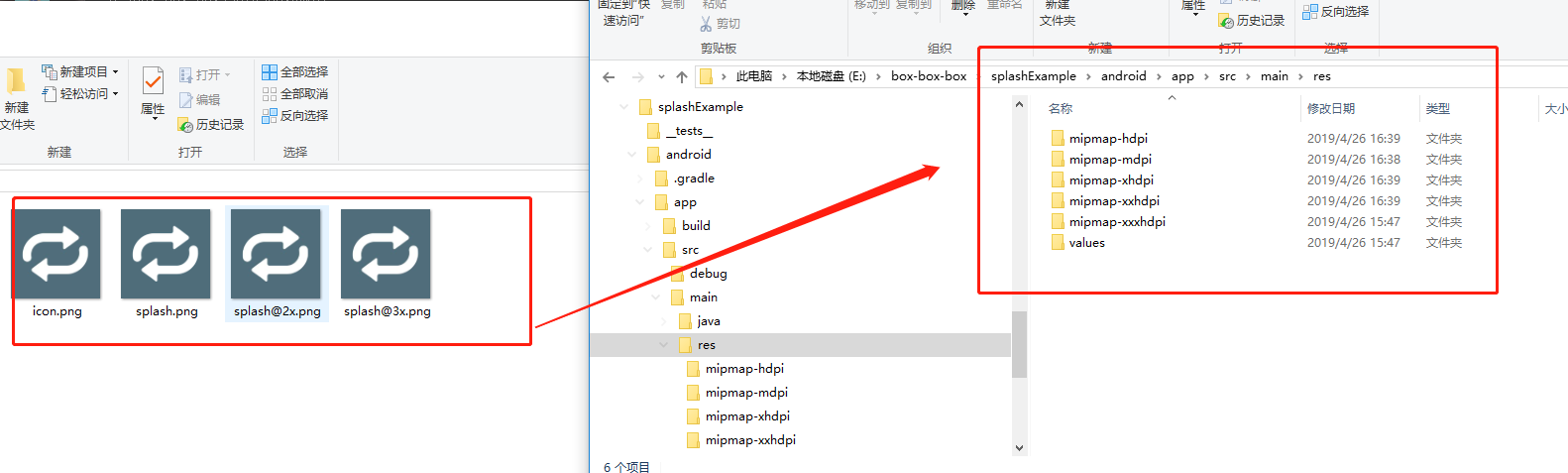
在splashExample/android/app/src/main/res文件夹下新建layout文件夹,在layout文件夹中新建launch_screen.xml
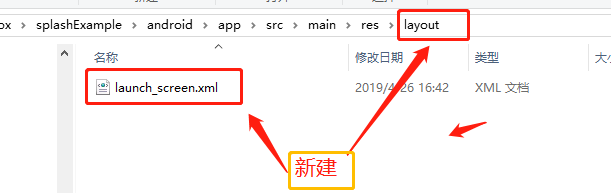
编辑launch_screen.xml
<?xml version="1.0" encoding="utf-8"?>

<LinearLayout xmlns:android="http://schemas.android.com/apk/res/android"

    android:orientation="vertical"

    android:layout_width="match_parent"

    android:layout_height="match_parent"

    android:background="@color/blue"

    android:gravity="center">

    <ImageView

        android:layout_width="200dp"

        android:layout_height="200dp"

        android:src="@mipmap/splash"

        />

</LinearLayout>
这个页面也就是启动屏。
如果要调整页面填充拉伸之类的,可以在Android Atudio 的Design可视化模式调整。
在splashExample/android/app/src/main/res/values文件夹下新建colors.xml,并编辑。
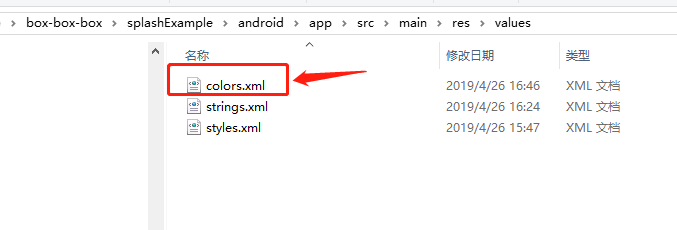
到这里定义一个和背景颜色一样的颜色名。
<?xml version="1.0" encoding="utf-8"?>

<resources>

    <color name="blue">#4F6D7A</color>

</resources>
编辑splashExample/android/app/src/main/res/values/styles.xm文件,增加以下代码。
<resources>

    <!-- Base application theme. -->

    <style name="AppTheme" parent="Theme.AppCompat.Light.NoActionBar">

        <!-- Customize your theme here. -->

        <!--设置透明背景-->

        <item name="android:windowIsTranslucent">true</item>

    </style>

</resources>
这个页面会和启动页一起弹起,并且挡在启动页前面,所以要把这页设成透明。
编辑android/app/src/main/java/com/splashexample/MainActivity.java
package com.splashexample;

import android.os.Bundle;

import com.facebook.react.ReactActivity;

import org.devio.rn.splashscreen.SplashScreen;

public class MainActivity extends ReactActivity {

    @Override

    protected void onCreate(Bundle savedInstanceState) {

        // 这里定义了在加载js的时候,同时弹起启动屏

        // 第二个参数true,是启动页全屏显示,隐藏了状态栏。

        SplashScreen.show(this, true);

        super.onCreate(savedInstanceState);

    }

    /**

     * Returns the name of the main component registered from JavaScript.

     * This is used to schedule rendering of the component.

     */

    @Override

    protected String getMainComponentName() {

        return "splashExample";

    }

}
最后一步运行项目
即可
给react-native添加图标和启动屏的更多相关文章
- react native 添加第三方插件react-native-orientation(横竖屏设置功能 android)
Installation 1.install rnpm Run npm install -g rnpm 2.via rnpm Run rnpm install react-native-orien ...
- React Native学习-控制横竖屏第三方组件:react-native-orientation
在项目中,有时候可能会想使不同的页面显示的横竖屏也不一样,比如前一段我做的<广播体操>的项目,在首页面,肯定是想使页面为竖屏显示,但是播放页面要为横屏显示,即使用户的手机可以转屏,我们的播 ...
- React Native 首次加载白屏优化
RN首次加载都会有个白屏过程,一般都会有500ms+的白屏时间,原生页面开发同样的页面会能够快速显示而在RN页面中有个明显的等待过程,这个会影响用户体验. 1.使用过渡页面 简单处理可以在白屏过程中加 ...
- React Native踩坑之启动android模拟器失败
报错 Could not install the app on the device, read the error above for details.Make sure you have an A ...
- React native 之 图标库ECharts的使用
github地址:https://github.com/somonus/react-native-echarts 官网:https://www.echartsjs.com/zh/tutorial.ht ...
- React Native 之项目的启动
运行项目有两种方法 1. 到根目录,执行 react-native run-ios 命令 会开启一个本地服务,加载jsbundle文件,然后是去index.js文件 import {AppRegist ...
- react native 添加mobx
"babel-plugin-transform-decorators-legacy": "^1.3.5", "babel-preset-react-n ...
- 腾讯优测优分享 | 探索react native首屏渲染最佳实践
腾讯优测是专业的移动云测试平台,旗下的优分享不定时提供大量移动研发及测试相关的干货~ 此文主要与以下内容相关,希望对大家有帮助. react native给了我们使用javascript开发原生app ...
- 探索react native首屏渲染最佳实践
文 / 腾讯 龚麒 0.前言 react native给了我们使用javascript开发原生app的能力,在使用react native完成兴趣部落安卓端发现tab改造后,我们开始对由react n ...
随机推荐
- 操作系统:修改VirtualBox for Mac的虚拟硬盘大小
我安装的是Mac版的VirtualBox,不能从GUI上修改硬盘大小,但是实在是大小不够用了. 百度后得知,可以用命令行修改. 1.打开终端,输入sudo su,取得管理员权限 $ sudo su P ...
- MongoDB 常用的数据备份梳理汇总
1.基于数据文件的备份 直接将原始的数据文件Copy至备份的地方,这个方法的优点是比较快,因为备份和恢复都不需要转换数据格式.缺点就是需要锁住数据库服务器,但是此方案通常备份是在从节点上进行,备份过程 ...
- Jenkins系统监测(转)
Jenkins系统监测 Jenkins 是一个开源项目,提供了一种易于使用的持续集成系统,使开发者从繁杂的集成中解脱出来,专注于更为重要的业务逻辑实现上.同时 Jenkins 能实施监控集成中存在 ...
- 自动化测试之路2---python安装
借鉴这位老哥的文章http://www.cnblogs.com/shabbylee/p/6792555.html
- Java学习笔记记录(二)
1.复合语句 if条件语句 使用场景:boolean类型判断.一个范围的判断.几个常量值的判断 有左大括号就没有分号,有分号就没有左大括号. 如下: public class demo1 { stat ...
- hadoop dfs.datanode.du.reserved 预留空间配置方法
对于datanode配置预留空间的方法 为:在hdfs-site.xml添加如下配置 <property> <name>dfs.datanode.du.reserved< ...
- Vue父组件向子组件传递一个动态的值,子组件如何保持实时更新实时更新?
原文:https://blog.csdn.net/zhouweixue_vivi/article/details/78550738 2017年11月16日 14:22:50 zhouweixue_vi ...
- 【转】VUE 爬坑之旅-- 如何对公共JS,CSS进行统一管理,全局调用
原文:https://blog.csdn.net/zgh0711/article/details/78664262 vue 中,将页面分为了各个组件,我们写好组件,就可以将这个组件运用到其他各个页面中 ...
- mysql partition分区
(转) 自5.1开始对分区(Partition)有支持 = 水平分区(根据列属性按行分)=举个简单例子:一个包含十年发票记录的表可以被分区为十个不同的分区,每个分区包含的是其中一年的记录. === 水 ...
- 前端学习-基础部分-css(二)
开始今日份整理,今日主要是CSS中很重要的一部分,就是盒模型,浮动,定位属性 1.盒模型 1.1 特性: 当对一个文档(网页)进行布局的时候,浏览器渲染引擎会根据CSS-Box模型(盒子模型)将所有元 ...