方法2  当程序已经运行了 再运行这个程序时,则显示当前这个窗体  http://code.3rbang.com/cshape-run-one/
 
 
.NET 已经提供一个 类 System.Threading.Mutex 所以不采用API CreateMutex
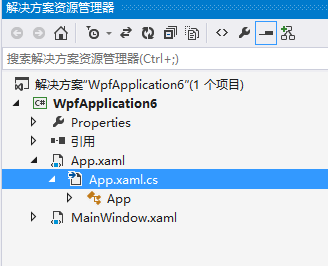
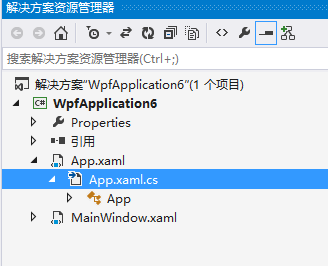
在 App.xaml.cs 中实现代码,重这写 OnStartup
 
 
using System;
using System.Collections.Generic;
using System.Configuration;
using System.Data;
using System.Windows;
 
namespace WpfApplication7
{
    /// <summary>
    /// App.xaml 的交互逻辑
    /// </summary>
    public partial class App : Application
    {
        #region DllImport...
 
        [System.Runtime.InteropServices.DllImport("User32.dll")]
        private static extern bool SetForegroundWindow(IntPtr hWnd);
 
 
        [System.Runtime.InteropServices.DllImport("User32.dll")]
        private static extern bool ShowWindowAsync(IntPtr hWnd, int cmdShow);
 
        private const int SW_SHOW = 1;
        #endregion


        bool createdNew;
        protected override void OnStartup(StartupEventArgs e)
        {
            System.Threading.Mutex mutex = new System.Threading.Mutex(true, "HelloRoman", out createdNew);
            if (!createdNew)
            {
                System.Diagnostics.Process progress1 = GetExistProcess();
                if (progress1 != null)
                {
                    ShowMainWindow(progress1);
                    Environment.Exit(0);
                }
 
            }
        }
 
 
        /// <summary>
        /// 最前端显示主窗体
        /// </summary>
        /// <param name="process"></param>
        private void ShowMainWindow(System.Diagnostics.Process process)
        {
            IntPtr mainWindowHandle1 = process.MainWindowHandle;
            if (mainWindowHandle1 != IntPtr.Zero)
            {
                ShowWindowAsync(mainWindowHandle1, SW_SHOW);
                SetForegroundWindow(mainWindowHandle1);
            }
        }
 
        /// <summary>
        /// 查看程序是否已经运行
        /// </summary>
        /// <returns></returns>
        private static System.Diagnostics.Process GetExistProcess()
        {
            System.Diagnostics.Process currentProcess = System.Diagnostics.Process.GetCurrentProcess();
            foreach (System.Diagnostics.Process process1 in System.Diagnostics.Process.GetProcessesByName(currentProcess.ProcessName))
            {
                if ((process1.Id != currentProcess.Id) &&
                     (System.Reflection.Assembly.GetExecutingAssembly().Location == currentProcess.MainModule.FileName))
                {
                    return process1;
                }
            }
            return null;
        }
 
 
    }
}

方法1
 
using System;
using System.Collections.Generic;
using System.Configuration;
using System.Data;
using System.Linq;
using System.Windows;
 
 
namespace WpfApplication6
{


    /// <summary>
    /// App.xaml 的交互逻辑
    /// </summary>
    public partial class App : Application
    {
 
        [System.Runtime.InteropServices.DllImport("kernel32.dll", EntryPoint = "CreateMutex")]
        public static extern IntPtr CreateMutex(int lpSecurityAttributes, bool bInitialOwner, string lpName);
 
        [System.Runtime.InteropServices.DllImport("kernel32.dll", EntryPoint = "GetLastError")]
        public static extern int GetLastError();
        private const int ERROR_ALREADY_EXISTS = 183;


        protected override void OnStartup(StartupEventArgs e)
        {
            string appTitle = "2014年5月31日7:28:29";
            IntPtr hMutex = CreateMutex(0, true, appTitle);
            if (GetLastError() == ERROR_ALREADY_EXISTS)
            {
                MessageBox.Show("程序已经运行!");
                Application.Current.Shutdown();
            }
        }
 
    }
}
 

WPF 同一个程序 只允许 同时运行一个的更多相关文章

  1. [VC]在VC++中实现让程序只运行一个实例的方法且实现该实例

    方法一: 有时候在开发应用程序时,希望控制程序运行唯一的实例.例如,最常用的mp3播放软 件Winamp,由于它需要独占计算机中的音频设备,因此该程序只允许自身运行唯一的一个例程.在Visual C+ ...

  2. Qt之运行一个实例进程

    简述 发布程序的时候,我们往往会遇到这种情况: 只需要用户运行一个实例进程 用户可以同时运行多个实例进程 一个实例进程的软件有很多,例如:360.酷狗- 多个实例进程的软件也很多,例如:Visual ...

  3. WPF 之 WPF应用程序事件

    当新建一个wpf应用程序,会自动生成一个App.xaml和MainWindow.xaml文件. 其中 App.xam 用来设置Application,应用程序的起始文件和资源及应用程序的一些属性和事件 ...

  4. Oracle 远程访问配置 在 Windows Forms 和 WPF 应用中使用 FontAwesome 图标 C#反序列化XML异常:在 XML文档(0, 0)中有一个错误“缺少根元素” C#[Win32&WinCE&WM]应用程序只能运行一个实例:MutexHelper Decimal类型截取保留N位小数向上取, Decimal类型截取保留N位小数并且不进行四舍五入操作

    Oracle 远程访问配置   服务端配置 如果不想自己写,可以通过 Net Manager 来配置. 以下配置文件中的 localhost 改为 ip 地址,否则,远程不能访问. 1.网络监听配置 ...

  5. VC 实现程序只运行一个实例,并激活已运行的程序

    转载:http://blog.sina.com.cn/s/blog_4b44e1c00100bh69.html 进程的互斥运行:CreateMutex函数实现只运行一个程序实例 正常情况下,一个进程的 ...

  6. VC只运行一个程序实例

    方法有很多,以下只是提供一种用的多的 一. 单文档程序 在程序App类的InitInstance中添加如下代码 BOOL CDDZApp::InitInstance() { /*只运行一个实例*/ / ...

  7. C# JabLib系列之如何保证只运行一个应用程序的实现

    保证只运行一个应用程序的C#实现: using System;using System.Collections.Generic;using System.Linq;using System.Windo ...

  8. 如何让Windows程序只运行一个程序实例?

    要实现VC++或者MFC只运行一个程序实例,一般采用互斥量来实现,即首先用互斥量封装一个只运行一个程序实例的函数接口: HANDLE hMutex = NULL; void MainDlg::RunS ...

  9. wpf只运行一个实例

    原文:wpf只运行一个实例 在winform下,只运行一个实例只需这样就可以: 1. 首先要添加如下的namespace: using System.Threading; 2. 修改系统Main函数, ...

随机推荐

  1. 最小生成树-克鲁斯卡尔算法(kruskal's algorithm)实现

    算法描述 克鲁斯卡尔算法是一种贪心算法,因为它每一步都挑选当前最轻的边而并不知道全局路径的情况. 算法最关键的一个步骤是要判断要加入mst的顶点是否会形成回路,我们可以利用并查集的技术来做. 并查集的 ...

  2. servlet注入service业务bean

    项目中用到spring容器来管理业务bean,在servlet中就收到前台传递来的请求参数后,调用业务bean,老是出错 部门代码如下 <span style="font-size:1 ...

  3. STM32F4: GENERATING A SINE WAVE

    http://amarkham.com/?p=49

  4. The sigrok project

    http://www.sigrok.org/wiki/Main_Page The sigrok project aims at creating a portable, cross-platform, ...

  5. SCSI Pass-Through Interface Tool

    http://code.msdn.microsoft.com/SCSI-Pass-Through-a906ceef/sourcecode?fileId=59048&pathId=1919073 ...

  6. DataTable添加行的方法

    方法一: DataTable  tblDatas = new DataTable("Datas");DataColumn dc = null;dc = tblDatas.Colum ...

  7. iOS开发里的Bundle是个啥玩意?!

    初学iOS开发的同学,不管是自己写的,还是粘贴的代码,或多或少都写过下面的代码 [[NSBundle mainBundle] pathForResource:@"someFileName&q ...

  8. Microsoft Composition (MEF 2)

    This packages provides a version of the Managed Extensibility Framework (MEF) that is lightweight an ...

  9. Eclipse:引用一个项目作为类库(图文教程)

    前言:项目TestRoid要引用Volley项目作为类库 步骤如下:   一:选择导入Android项目 二:选择Volley项目路径导入   三:右击Volley项目,点击Properties 四: ...

  10. Android 性能优化之使用MAT分析内存泄露

    转载请注明本文出自xiaanming的博客(http://blog.csdn.net/xiaanming/article/details/42396507),请尊重他人的辛勤劳动成果,谢谢! 我们平常 ...