
第十二周java实验作业
实验十二 图形程序设计
实验时间 2018-11-14
1、实验目的与要求
(1) 掌握Java GUI中框架创建及属性设置中常用类的API;
Java的集合框架实现了对各种数据结构的封装。
java.awt.Component 1.0
Boolean isVisible() 检查组件是否可见
void setVisible(boolean b)设置组件可见
void setSize(int width ,int height) 把组件缩放到指定宽度和高度
void setBounds(int x,int y,int width)移动并缩放组件
Dimension getSize() 得到组件的大小
Void setSize(Dimsion d) 把组件缩小到指定的大小
java.awt.Window 1.0
void toFront() 放在其他窗口面前
void toBack() 放在其他窗口后面
void setLocationByPlatfrom(blooean b)有平台选择一个合适的位置
java.awt.Frame 1.0
void setResizable(boolaen b) 缩放框架
void setTitle(String s) 设置框架标题
void setIconImage(Image image) 将Image用作框架图标
java.awt.Toolkit 1.0
Static Toolkit getdefaultToolkit() 返回默认工具箱
Demension getScreenSize() 得到用户屏幕大小
(2) 掌握Java GUI中2D图形绘制常用类的API;
java.awt.geom.Retangle2D.Double 1.2
Retangle2D.Double(double x,double y,double w,double h)
利用给定的左上角、宽和高,构造一个矩形。
java.awt.geom.Retangle2D.Float 1.2
Retangle2D.Float(float x,float y,float w,float h)
利用给定的左上角、宽和高,构造一个矩形。
java.awt.geom.Ellipse2D.Double 1.2
Ellipse2D.Double(double x,double y,double w,double h)
利用给定的左上角、宽和高的外界矩形,构造一个椭圆。
java.awt.geom.Point2D.Double 1.2
Point2D.Double(double x,double y)
利用给定坐标构造一个点
java.awt.geom.Line2D.Double 1.2
Line2D.Double(Point2D start,Point2D end)
Line2D.Double(Point2D startX,Point2D startY,Point2D endX ,Point2D endX)
使用给定的起点和终点,构造一条直线。
(3) 了解Java GUI中2D图形中字体与颜色的设置方法;
java.awt.Color 1.0
Color(int r,int g,int b)
创建一个颜色对象
参数:r 红色值(0-255)
g 绿色值(0-255)
b 蓝色值(0-255)
java.awt.Graphics 1.0
Color getColor()
Color setColor(Color c)
获得的改变当前的颜色。所有后续的绘图操作都使用这个新颜色
参数:c 新颜色
java.awt.Graphics 1.2
Color getPaint()
Color setPaint(Paint p)
获取或设置这个图形环境的绘制属性。Color类实现了Paint接口。因此,可以使用这个方法绘制属性设置为纯色。
void fill(Shaps s) 用当前颜料填充该图形
java.awt.Component 1.0
Color getBackground()
Color setBackground(Color c)
获取或设置背景颜色。
参数:c 新背景颜色
Color getForeground()
Color setForeground(Color c)
获取或设置前景颜色。
参数:c 新前景颜色
2、实验内容和步骤
实验1: 导入第10章示例程序,测试程序并进行代码注释。
测试程序1:
l 运行下列程序,观察程序运行结果。
package 小陈;

import javax.swing.*;

public class SimpleFrameTest

{

   public static void main(String[] args)//框架

   {

     JFrame  frame = new JFrame();

     frame.setBounds(0, 0,300, 300);//四个参数:位置坐标(左上角),宽,高

     frame.setDefaultCloseOperation(JFrame.EXIT_ON_CLOSE);//设置默认的关闭操作

     frame.setVisible(true); //获得或设置visible属性,值为true,可见,false,不可见

   }

}
运行结果:
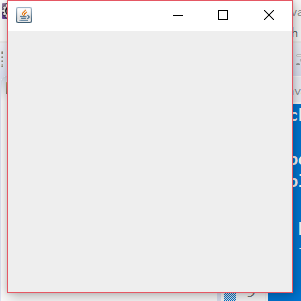
l 在elipse IDE中调试运行教材407页程序10-1,结合程序运行结果理解程序;与上面程序对比,思考异同;
l 掌握空框架创建方法;
l 了解主线程与事件分派线程概念;
l 掌握GUI顶层窗口创建技术。
package simpleFrame;

import java.awt.*;

import javax.swing.*;

/**

 * @version 1.33 2015-05-12

 * @author Cay Horstmann

 */

public class SimpleFrameTest

{

   public static void main(String[] args)

   {

      EventQueue.invokeLater(() ->   //lambda表达式,通过线程去开启一个对象

         {

            SimpleFrame frame = new SimpleFrame();//设置frame类对象

            frame.setDefaultCloseOperation(JFrame.EXIT_ON_CLOSE);

            //设置默认的关闭操作,值为3,退出并关闭

            frame.setVisible(true);//获得或设置visible属性,值为true,可见,false,不可见

         });

   }

}

//自定义组建类

class SimpleFrame extends JFrame//JFrame:框架类

{

    private static final int DEFAULT_WIDTH = 300;//设置窗口宽度

    private static final int DEFAULT_HEIGHT = 200;//设置窗口高度,(静态、私有)

   public SimpleFrame()

  {

      setSize(DEFAULT_WIDTH, DEFAULT_HEIGHT);//获得当前组件的size属性

  }

}
运行结果:

测试程序2:
l 在elipse IDE中调试运行教材412页程序10-2,结合程序运行结果理解程序;
l 掌握确定框架常用属性的设置方法。
package simpleFrame;

import java.awt.*;

import javax.swing.*;

/**

 * @version 1.34 2015-06-16

 * @author Cay Horstmann

 */

public class SizedFrameTest

{

   public static void main(String[] args)

   {

      EventQueue.invokeLater(() ->

         {

            JFrame frame = new SizedFrame();

            frame.setTitle("SizedFrame");

            frame.setDefaultCloseOperation(JFrame.EXIT_ON_CLOSE);

            frame.setVisible(true);

         });

   }

}

//确定合适的框架大小

class SizedFrame extends JFrame

{

   public SizedFrame()

   {

      // 获取屏幕尺寸

      Toolkit kit = Toolkit.getDefaultToolkit();

      Dimension screenSize = kit.getScreenSize();

      int screenHeight = screenSize.height;

      int screenWidth = screenSize.width;

      // set frame width, height and let platform pick screen location

      // 设置框架宽度、高度,并让平台拾取屏幕位置

      setSize(screenWidth / 2, screenHeight / 2);

      //将框架大小设置为屏幕宽高的50%

      setLocationByPlatform(true);//告知系统定位框架

      // set frame icon  设置框架图标

      Image img = new ImageIcon("icon.gif").getImage();

      setIconImage(img);

   }

}
运行结果:
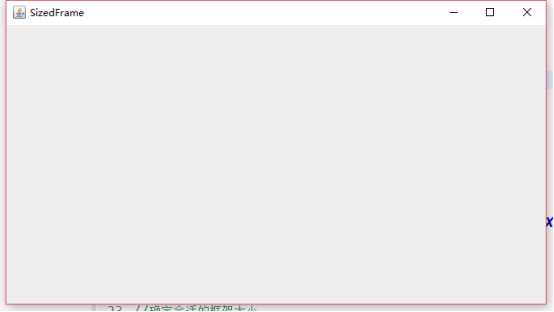
测试程序3:
l 在elipse IDE中调试运行教材418页程序10-3,结合运行结果理解程序;
l 掌握在框架中添加组件;
l 掌握自定义组件的用法。
package simpleFrame;

import javax.swing.*;

import java.awt.*;

/**

 * @version 1.33 2015-05-12

 * @author Cay Horstmann

 */

public class NotHelloWorld

{

   public static void main(String[] args)

   {

      EventQueue.invokeLater(() ->

         {

            JFrame frame = new NotHelloWorldFrame();

            frame.setTitle("NotHelloWorld");

            frame.setDefaultCloseOperation(JFrame.EXIT_ON_CLOSE);

            frame.setVisible(true);

         });

   }

}

/**

 * A frame that contains a message panel

 */

class NotHelloWorldFrame extends JFrame

{

   public NotHelloWorldFrame()

   {

      add(new NotHelloWorldComponent());//添加一个给定组件到给定框架的内容窗格中

      pack();//调整窗口大小

   }

}

/**

 * A component that displays a message.

 */

class NotHelloWorldComponent extends JComponent

{

   public static final int MESSAGE_X = 75;

   public static final int MESSAGE_Y = 100;

//位置坐标

   private static final int DEFAULT_WIDTH = 300;

   private static final int DEFAULT_HEIGHT = 200;

//确定大小

   public void paintComponent(Graphics g)

   {

      g.drawString("Not a Hello, World program", MESSAGE_X, MESSAGE_Y);

   }

   public Dimension getPreferredSize() { return new Dimension(DEFAULT_WIDTH, DEFAULT_HEIGHT); }

}
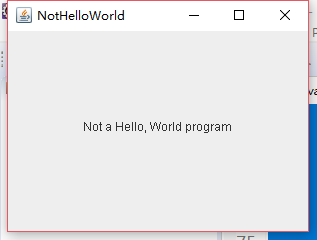
运行结果:

测试程序4:
l 在elipse IDE中调试运行教材424 -425页程序10-4,结合程序运行结果理解程序;
l 掌握2D图形的绘制方法。
package simpleFrame;

import java.awt.*;

import java.awt.geom.*;

import javax.swing.*;

/**

 * @version 1.33 2007-05-12

 * @author Cay Horstmann

 */

public class DrawTest

{

   public static void main(String[] args)

   {

      EventQueue.invokeLater(() ->

         {

            JFrame frame = new DrawFrame();

            frame.setTitle("DrawTest");

            frame.setDefaultCloseOperation(JFrame.EXIT_ON_CLOSE);

            frame.setVisible(true);

         });

   }

}

/**

 * A frame that contains a panel with drawings

 */

class DrawFrame extends JFrame

{

   public DrawFrame()

   {

      add(new DrawComponent());

      pack();

   }

}

/**

 * A component that displays rectangles and ellipses.

 */

class DrawComponent extends JComponent

{

   private static final int DEFAULT_WIDTH = 400;

   private static final int DEFAULT_HEIGHT = 400;

   //由paintComponent方法自动获得一个Graphics2D类对象

   public void paintComponent(Graphics g)

   {

      Graphics2D g2 = (Graphics2D) g;//类型转换

      // draw a rectangle 画一个矩形

      double leftX = 100;

      double topY = 100;

      double width = 200;

      double height = 150;

      Rectangle2D rect = new Rectangle2D.Double(leftX, topY, width, height);

      g2.draw(rect);//调用Graphics2D类中的draw方法

      // draw the enclosed ellipse 画出封闭的椭圆

      Ellipse2D ellipse = new Ellipse2D.Double();

      ellipse.setFrame(rect);

      g2.draw(ellipse);

      // draw a diagonal line 画出封闭的椭圆

      g2.draw(new Line2D.Double(leftX, topY, leftX + width, topY + height));

      // draw a circle with the same center  画一个圆心相同的圆

      double centerX = rect.getCenterX();

      double centerY = rect.getCenterY();

      double radius = 150;

      Ellipse2D circle = new Ellipse2D.Double();

      circle.setFrameFromCenter(centerX, centerY, centerX + radius, centerY + radius);

      g2.draw(circle);

   }

   public Dimension getPreferredSize() {

       return new Dimension(DEFAULT_WIDTH, DEFAULT_HEIGHT);

       }

}
运行结果:

测试程序5:
l 在elipse IDE中调试运行教材432页-433程序10-5,结合程序运行结果理解程序;
l 了解2D图形中字体的设置的方法;
package simpleFrame;

import java.awt.*;

import java.awt.font.*;

import java.awt.geom.*;

import javax.swing.*;

/**

 * @version 1.34 2015-05-12

 * @author Cay Horstmann

 */

public class FontTest

{

   public static void main(String[] args)

   {

      EventQueue.invokeLater(() ->////lambda表达式,通过线程去开启一个对象

         {

            JFrame frame = new FontFrame();//创建frame类对象

            frame.setTitle("FontTest");//设置框架标题

            frame.setDefaultCloseOperation(JFrame.EXIT_ON_CLOSE);

            frame.setVisible(true);

         });

   }

}

/**

 * A frame with a text message component

 */

class FontFrame extends JFrame

{

   public FontFrame()//构造器,与类名同

   {

      add(new FontComponent());//在框架中多添加一个组件

      pack();//调整窗口大小,要考虑其组建的首选大小

   }

}

/**

 * A component that shows a centered message in a box.

 */

class FontComponent extends JComponent

{

   private static final int DEFAULT_WIDTH = 300;

   private static final int DEFAULT_HEIGHT = 200;

//执行将Hello world 字段画上去,画出来的文字是以图形的形式显示的

   public void paintComponent(Graphics g)

   {

      Graphics2D g2 = (Graphics2D) g;

      String message = "Hello, World!";

      Font f = new Font("Serif", Font.BOLD, 36);

      g2.setFont(f);

      // measure the size of the message

      FontRenderContext context = g2.getFontRenderContext();

      Rectangle2D bounds = f.getStringBounds(message, context);

      // set (x,y) = top left corner of text

      double x = (getWidth() - bounds.getWidth()) / 2;

      double y = (getHeight() - bounds.getHeight()) / 2;

      // add ascent to y to reach the baseline

      double ascent = -bounds.getY();

      double baseY = y + ascent;

      // draw the message

      g2.drawString(message, (int) x, (int) baseY);

      g2.setPaint(Color.LIGHT_GRAY);

      // draw the baseline

      g2.draw(new Line2D.Double(x, baseY, x + bounds.getWidth(), baseY));

      // draw the enclosing rectangle

      Rectangle2D rect = new Rectangle2D.Double(x, y, bounds.getWidth(), bounds.getHeight());

      g2.draw(rect);

   }

   public Dimension getPreferredSize() { return new Dimension(DEFAULT_WIDTH, DEFAULT_HEIGHT); }

}
运行结果:
测试程序6:
l 在elipse IDE中调试运行教材436页-437程序10-6,结合程序运行结果理解程序;
l 了解2D图形图像的显示方法。
package simpleFrame;

import java.awt.*;

import javax.swing.*;

/**

 * @version 1.34 2015-05-12

 * @author Cay Horstmann

 */

public class ImageTest

{

   public static void main(String[] args)

   {

      EventQueue.invokeLater(() ->

         {

            JFrame frame = new ImageFrame();

            frame.setTitle("ImageTest");

            frame.setDefaultCloseOperation(JFrame.EXIT_ON_CLOSE);

            frame.setVisible(true);

         });

   }

}

/**

 * A frame with an image component

 */

class ImageFrame extends JFrame

{

   public ImageFrame()

   {

      add(new ImageComponent());

      pack();

   }

}

/**

 * A component that displays a tiled image

 */

class ImageComponent extends JComponent

{

   private static final int DEFAULT_WIDTH = 1920;

   private static final int DEFAULT_HEIGHT = 1080;

   private Image image;

   public ImageComponent()

   {

      image = new ImageIcon("楚商郁雪.gif").getImage();

   }

   public void paintComponent(Graphics g)

   {

      if (image == null) return;

      int imageWidth = image.getWidth(null);

      int imageHeight = image.getHeight(null);

      // draw the image in the upper-left corner

      g.drawImage(image, 0, 0, null);

      // tile the image across the component

      for (int i = 0; i * imageWidth <= getWidth(); i++)

         for (int j = 0; j * imageHeight <= getHeight(); j++)

            if (i + j > 0)

               g.copyArea(0, 0, imageWidth, imageHeight, i * imageWidth, j * imageHeight);

   }

   public Dimension getPreferredSize() { return new Dimension(DEFAULT_WIDTH, DEFAULT_HEIGHT); }

}
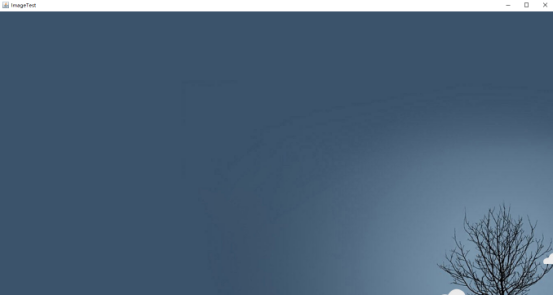
运行结果:
总结:本周主要学习了java的图形程序设计。通过本周的学习,我对图形创建过程中一些常用的API有了一定的了解。学会了框架的创建等知识。对swing类和awt类有了一定的区分。还需要继续深入学习。
第十二周java实验作业的更多相关文章
- 第十八周java实验作业
实验十八 总复习 实验时间 2018-12-30 1.实验目的与要求 (1) 综合掌握java基本程序结构: (2) 综合掌握java面向对象程序设计特点: (3) 综合掌握java GUI 程序设 ...
- 第十六周Java实验作业
实验十六 线程技术 实验时间 2017-12-8 1.实验目的与要求 (1) 掌握线程概念: 多线程是进程执行过程中产生的多条执行线索,线程是比进程执行更小的单位. 线程不能独立存在,必须存在于进程 ...
- 第十五周java实验作业
实验十五 GUI编程练习与应用程序部署 实验时间 2018-12-6 1.实验目的与要求 (1) 掌握Java应用程序的打包操作: Java程序的打包,程序编译完成后,程序员将.class文件压缩打 ...
- 20155301第十二周java课程程序
20155301第十二周java课程程序 内容一:在IDEA中以TDD的方式对String类和Arrays类进行学习 测试相关方法的正常,错误和边界情况 String类 charAt split Ar ...
- 第十二周博客作业 <西北师范大学| 周安伟>
第十二周作业 助教博客链接https://home.cnblogs.com/u/zaw-315/ 作业要求链接https://www.cnblogs.com/nwnu-daizh/p/10831971 ...
- 第十周Java实验作业
实验十 泛型程序设计技术 实验时间 2018-11-1 1.实验目的与要求 (1) 理解泛型概念: 泛型:也称参数化类型,就是在定义类,接口和方法时,通过类型参数只是将要处理的类型对象.(如Arra ...
- 20135316王剑桥 linux第十二周课实验笔记
第十二章并发编程 1.如果逻辑控制流在时间上重叠,那么它们就是并发的.这种现象,称为并发(concurrency). 2.为了允许服务器同时为大量客户端服务,比较好的方法是:创建并发服务器,为每个客户 ...
- 第十七周Java实验作业
实验十七 线程同步控制 实验时间 2018-12-10 1.实验目的与要求 (1) 掌握线程同步的概念及实现技术: 多线程并发运行不确定性问题解决方案:引入线程同步机制,使得另一线程使用该方法,就只 ...
- 第十一周Java实验作业
实验十一 集合 实验时间 2018-11-8 1.实验目的与要求 (1) 掌握Vetor.Stack.Hashtable三个类的用途及常用API: Vector类类似长度可变的数组,其中只能存放对 ...
随机推荐
- 从Note 5看三星大招 究竟能不能秒杀iPhone
5看三星大招 究竟能不能秒杀iPhone" title="从Note 5看三星大招 究竟能不能秒杀iPhone"> 从当年HTC发布第一代Android手机G1开始 ...
- 单点登录CAS系列第06节之客户端配置单点登录
原理 纯web.xml 借助Spring 注意 代码 测试 原理 这里用的是:cas-client-core-3.4.0.jar(2015-07-21发布的) 下载地址为:http://mvnrepo ...
- drbd配置
DRBD就是网络RAID1,可以通过网络同步两个主机上的硬盘,drbd每次只允许对一个节点进行读写访问. 一.安装DRBD CentOS 6.x rpm -ivh http://www.elrepo. ...
- PM2.5如何引发心脏病的?
过去的几十年里,科学家们一点一滴地积累起关于空气污染如何威胁人类健康的新认识.他们的注意力大多集中在肺部疾病,包括癌症上面.对空气污染具体危害的认识越来越多,但是对污染的控制和治理却显得举步维艰.面对 ...
- 用java实现的微信公众号爬虫
Published: 2016-11-23 In Spider. tags: Spider 版权声明:本文为博主原创文章,未经博主允许不得转载. 思路: 直接从chuansong.me爬取,由于微信公 ...
- python 保存两位小数
一.代码 import decimal decimal.getcontext().rounding = decimal.ROUND_HALF_UP def index(number): n = str ...
- http面试问题集锦
1.http的请求报文和响应报文? http请求报文:请求行(请求方法+url).请求头,请求体 http响应报文:状态行(http版本+状态码).响应头.响应体 2.常用的http请求类型? 请 ...
- Web网页布局的主要方式
一.静态布局(static layout) 即传统Web设计,网页上的所有元素的尺寸一律使用px作为单位. 1.布局特点 不管浏览器尺寸具体是多少,网页布局始终按照最初写代码时的布局来显示.常规的pc ...
- Python知识点 - Xpath提取某个标签,需要转换为HTML。
# lxml转Html from lxml import etree from HTMLParser import HTMLParser def lxml_to_html(text:etree ...
- Win10系统下安装tensorflow(cpu)+keras+jupyter notebook运行环境
记录,自用 1.安装Anaconda(这里安装的是python3.6版本) 2.创建tensorflow的conda环境 conda create -n tensorflow python=3.6 3 ...