
SpringCloud系列使用Eureka进行服务治理
1. 什么是微服务?
“微服务”一词来自国外的一篇博文,网站:https://martinfowler.com/articles/microservices.html
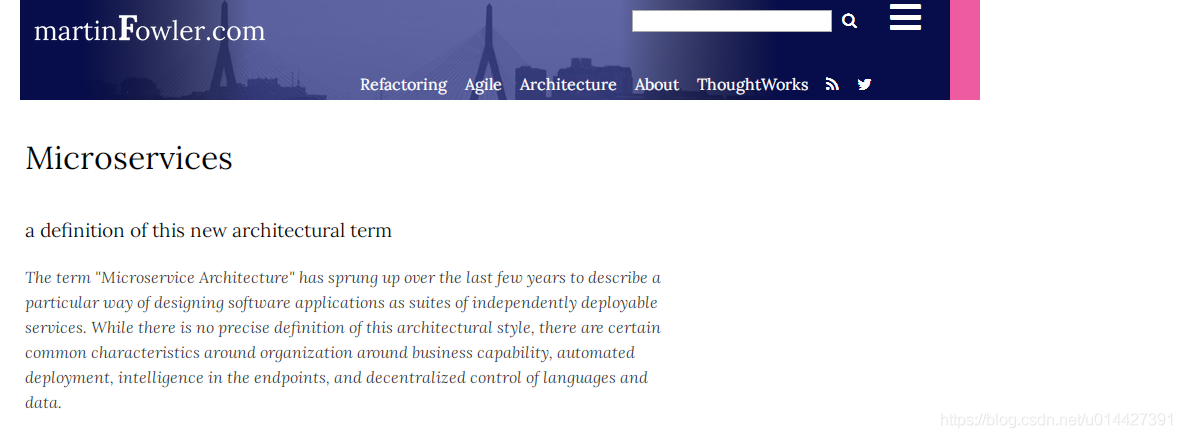
如果您不能看懂英文文档,可以跳转到搜简体中文的文档
这是国人翻译的文档,可以学习参考:
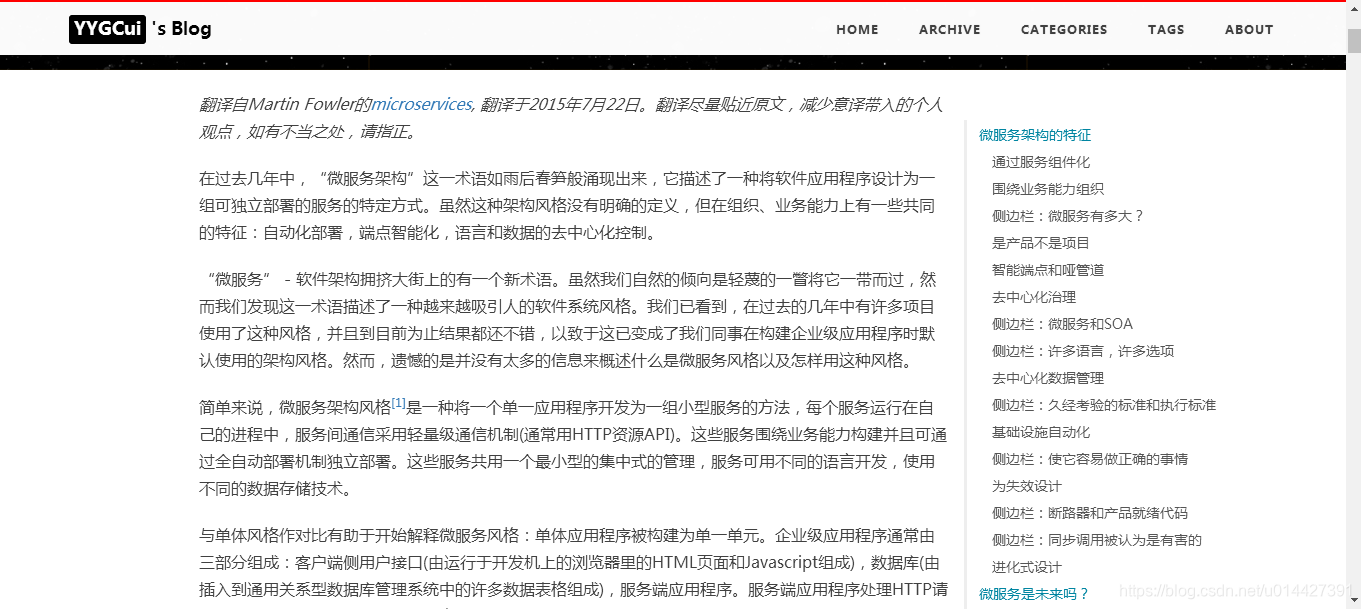
引用官方文档解释:
简单来说,微服务架构风格[1]是一种将一个单一应用程序开发为一组小型服务的方法,每个服务运行在自己的进程中,服务间通信采用轻量级通信机制(通常用HTTP资源API)。这些服务围绕业务能力构建并且可通过全自动部署机制独立部署。这些服务共用一个最小型的集中式的管理,服务可用不同的语言开发,使用不同的数据存储技术。

2. 什么是Spring Cloud?
- Spring Cloud是一个分布式的整体解决方案的框架。基于Spring Boot开发。Spring Cloud 为开发者提供了在分布式系统(配置管理,服务发现,负载,网关,消息总线,集群管理,安全管理,分布式锁,分布式事务等等)中快速构建的工具,使用Spring Cloud的开发者可以快速的启动服务或构建应用、同时能够快速和云平台资源进行对接。
3. 什么是Spring Cloud Eureka?
Spring Cloud Eureka 是 Spring Cloud Netflix 微服务套件的一部分,基于 Netflix Eureka 做了二次封装,主要负责实现微服务架构中的服务治理功能。
Spring Cloud Eureka 是一个基于 REST 的服务,并且提供了基于 Java 的客户端组件,能够非常方便地将服务注册到 Spring Cloud Eureka 中进行统一管理。
4. Eureka服务注册中心
Eureka server:创建服务注册中心
环境准备:
- JDK 1.8
- SpringBoot2.2.1
- SpringCloud(Hoxton.SR6)
- Maven 3.2+
- 开发工具
- IntelliJ IDEA
- smartGit
创建一个SpringBoot Initialize项目,详情可以参考我之前博客:SpringBoot系列之快速创建项目教程

pom,加上spring-cloud-starter-netflix-eureka-server
<dependency>

            <groupId>org.springframework.cloud</groupId>

            <artifactId>spring-cloud-starter-netflix-eureka-server</artifactId>

        </dependency>
@EnableEurekaServer配置Eureka服务端:
package com.example.springcloud.server;

import org.springframework.boot.SpringApplication;

import org.springframework.boot.autoconfigure.SpringBootApplication;

import org.springframework.cloud.netflix.eureka.server.EnableEurekaServer;

@SpringBootApplication

@EnableEurekaServer

public class SpringcloudEurekaServerApplication {

    public static void main(String[] args) {

        SpringApplication.run(SpringcloudEurekaServerApplication.class, args);

    }

}
eureka服务端配置:
spring:

  application:

    name: eurka-server

server:

  port: 8761

eureka:

  instance:

    hostname: localhost

  client:

    register-with-eureka: false

    fetch-registry: false

    service-url:

      defaultZone: http://localhost:8761/eureka/

启动项目,访问:http://localhost:8761

5. Eureka服务提供者
在Eureka中,服务提供者和服务消费者是Eureka client提供的,使用注解@EnableEurekaClient标明
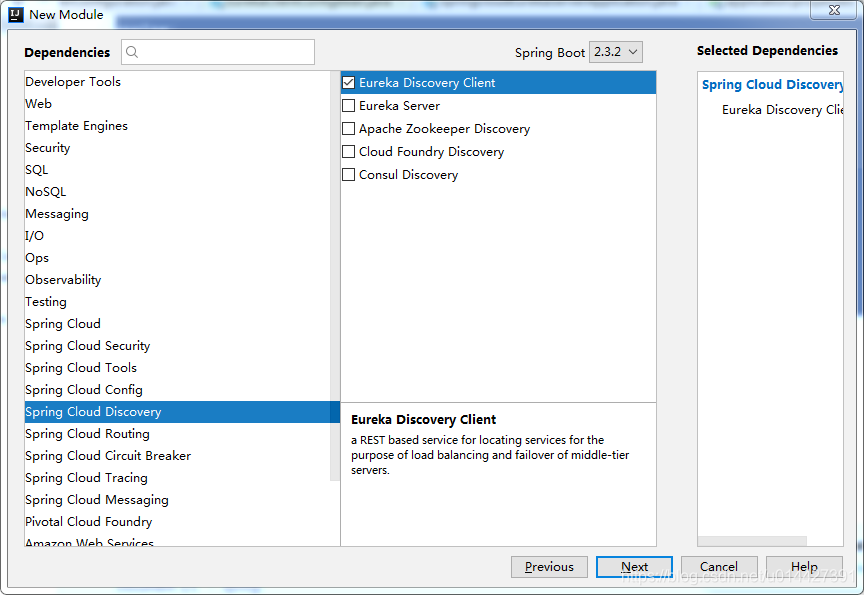
新建SpringBoot Initializer项目
server:

  port: 8081

spring:

  application:

    name: eureka-service-provider

eureka:

  client:

    service-url:

      defaultZone: http://localhost:8761/eureka/

    register-with-eureka: true

    fetch-registry: true

    healthcheck:

      enabled: false

  instance:

    status-page-url-path: http://localhost:8761/actuator/info

    health-check-url-path: http://localhost:8761/actuator//health

    prefer-ip-address: true

    instance-id: eureka-service-provider8081

写个例子,以github用户为例:
package com.example.springcloud.provider.bean;

import com.fasterxml.jackson.annotation.JsonIgnoreProperties;

import lombok.Data;

import java.io.Serializable;

/**

 * <pre>

 *  Github User

 * </pre>

 *

 * <pre>

 * @author mazq

 * 修改记录

 *    修改后版本:     修改人:  修改日期: 2020/07/27 17:38  修改内容:

 * </pre>

 */

@JsonIgnoreProperties(ignoreUnknown = true)

@Data

public class User implements Serializable {

    private String name;

    private String blog;

    @Override

    public String toString() {

        return "User{" +

                "name='" + name + '\'' +

                ", blog='" + blog + '\'' +

                '}';

    }

}
读取github用户信息:
package com.example.springcloud.provider.service;

import com.example.springcloud.provider.bean.User;

import lombok.extern.slf4j.Slf4j;

import org.springframework.boot.web.client.RestTemplateBuilder;

import org.springframework.stereotype.Service;

import org.springframework.web.client.RestTemplate;

/**

 * <pre>

 *  UserService

 * </pre>

 *

 * <pre>

 * @author mazq

 * 修改记录

 *    修改后版本:     修改人:  修改日期: 2020/07/27 17:42  修改内容:

 * </pre>

 */

@Service

@Slf4j

public class UserService {

    private final RestTemplate restTemplate;

    public UserService(RestTemplateBuilder restTemplateBuilder) {

        this.restTemplate = restTemplateBuilder.build();

    }

    public User findUser(String user) throws InterruptedException {

        log.info("username[{}]" , user);

        String url = String.format("https://api.github.com/users/%s", user);

        User results = restTemplate.getForObject(url, User.class);

        return results;

    }

}
@EnableEurekaClient指定eureka client:
package com.example.springcloud.provider;

import com.example.springcloud.provider.bean.User;

import com.example.springcloud.provider.service.UserService;

import org.springframework.beans.factory.annotation.Autowired;

import org.springframework.boot.SpringApplication;

import org.springframework.boot.autoconfigure.SpringBootApplication;

import org.springframework.cloud.netflix.eureka.EnableEurekaClient;

import org.springframework.web.bind.annotation.GetMapping;

import org.springframework.web.bind.annotation.PathVariable;

import org.springframework.web.bind.annotation.ResponseBody;

import org.springframework.web.bind.annotation.RestController;

@SpringBootApplication

@EnableEurekaClient

@RestController

public class SpringcloudServiceProviderApplication {

    @Autowired

    UserService userService;

    public static void main(String[] args) {

        SpringApplication.run(SpringcloudServiceProviderApplication.class, args);

    }

    @GetMapping({"/api/users/{username}"})

    @ResponseBody

    public User findUser(@PathVariable("username")String username) throws InterruptedException{

        User user=  userService.findUser(username);

        return user;

    }

}
部署后,注册信息发布到eureka server:

服务注册信息打印到控制台

访问接口:http://localhost:8081/api/users/mojombo,能访问就是注册成功
提示:EMERGENCY! EUREKA MAY BE INCORRECTLY CLAIMING INSTANCES ARE UP WHEN THEY'RE NOT. RENEWALS ARE LESSER THAN THRESHOLD AND HENCE THE INSTANCES ARE NOT BEING EXPIRED JUST TO BE SAFE.

SpringCloud警告(Eureka):EMERGENCY! EUREKA MAY BE INCORRECTLY CLAIMING INSTANCES ARE UP WHEN THEY'RE NOT. RENEWALS ARE LESSER THAN THRESHOLD AND HENCE THE INSTANCES ARE NOT BEING EXPIRED JUST TO BE SAFE.
警告!Eureka可能存在维护了错误的实例列表(当它们没有启动的时候,Eureka却把它当成启动的了);Renews值小于Threshold值,因此剩下未过期的都是安全的。
方法:参考博客https://www.cnblogs.com/gudi/p/8645370.html,可以关了eureka的自我保护模式eureka.server.enableSelfPreservation=false
eureka也引用SpringBoot actuator监控管理,SpringBoot actuator可以参考我之前博客: SpringBoot系列之actuator监控管理极速入门与实践

具体可以进行配置,配置成eureka server的ip,加上actuator
eureka:

  instance:

    status-page-url-path: http://localhost:8761/actuator/info

    health-check-url-path: http://localhost:8761/actuator/health
显示ip和实例id配置:


6. Eureka服务消费者
server:

  port: 8082

spring:

  application:

    name: eureka-service-consumer

eureka:

  client:

    service-url:

      defaultZone: http://localhost:8761/eureka/

    fetch-registry: true

    register-with-eureka: false

    healthcheck:

      enabled: false

  instance:

    status-page-url-path: http://localhost:8761/actuator/info

    health-check-url-path: http://localhost:8761/actuator//health

    prefer-ip-address: true

    instance-id: eureka-service-consumer8082
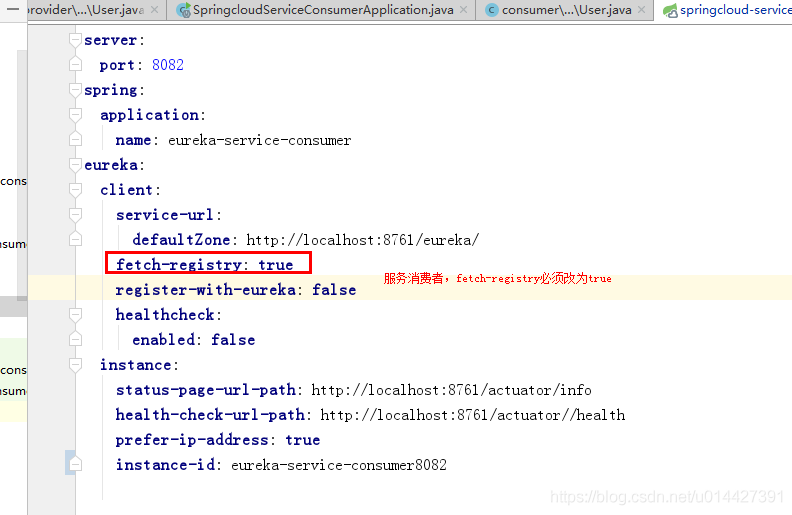
关键点,使用SpringCloud的@LoadBalanced,才能调http://EUREKA-SERVICE-PROVIDER/api/users/? 接口的数据,浏览器是不能直接调的
package com.example.springcloud.consumer;

import com.example.springcloud.consumer.bean.User;

import org.springframework.boot.SpringApplication;

import org.springframework.boot.autoconfigure.SpringBootApplication;

import org.springframework.cloud.client.loadbalancer.LoadBalanced;

import org.springframework.cloud.netflix.eureka.EnableEurekaClient;

import org.springframework.context.annotation.Bean;

import org.springframework.web.bind.annotation.GetMapping;

import org.springframework.web.bind.annotation.PathVariable;

import org.springframework.web.bind.annotation.RestController;

import org.springframework.web.client.RestTemplate;

@SpringBootApplication

@EnableEurekaClient

@RestController

public class SpringcloudServiceConsumerApplication {

    @Bean

    @LoadBalanced

    public RestTemplate restTemplate(){

        return new RestTemplate();

    }

    public static void main(String[] args) {

        SpringApplication.run(SpringcloudServiceConsumerApplication.class, args);

    }

    @GetMapping("/findUser/{username}")

    public User index(@PathVariable("username")String username){

        return restTemplate().getForObject("http://EUREKA-SERVICE-PROVIDER/api/users/"+username,User.class);

    }

}
附录:
ok,本博客参考官方教程进行实践,仅仅作为入门的学习参考资料,详情可以参考Spring Cloud官方文档https://cloud.spring.io/spring-cloud-netflix/reference/html/#registering-with-eureka
代码例子下载:code download
优质学习资料参考:
方志鹏大佬系列Spring Cloud博客:https://www.fangzhipeng.com/spring-cloud.html
使用Spring Cloud与Docker实战微服务:https://eacdy.gitbooks.io/spring-cloud-book/content/
程序员DD大佬系列Spring Cloud博客:http://blog.didispace.com/spring-cloud-learning/
SpringCloud系列使用Eureka进行服务治理的更多相关文章
- 《springCloud系列》——Eureka 进行服务治理
整理一下: @EnableEurekaServer 注册中心 @EnableDiscoveryClient 提供服务 @EnableFeignClients 消费者(Feign特有的,而且他自带断路器 ...
- spring cloud 入门系列二:使用Eureka 进行服务治理
服务治理可以说是微服务架构中最为核心和基础的模块,它主要用来实现各个微服务实例的自动化注册和发现. Spring Cloud Eureka是Spring Cloud Netflix 微服务套件的一部分 ...
- 基于Eureka的服务治理
代码地址如下:http://www.demodashi.com/demo/11927.html 一.服务的注册与发现 关系调用说明: 服务生产者启动时,向服务注册中心注册自己提供的服务 服务消费者启动 ...
- Spring Cloud 系列之 Eureka 实现服务注册与发现
如果你对 Spring Cloud 体系还不是很了解,可以先读一下 Spring Cloud 都有哪些模块 Eureka 是 Netflix 开源的服务注册发现组件,服务发现可以说是微服务架构的核心功 ...
- springcloud系列11 整合微服务网关zuul
这个模块是一个独立的模块所以需要建立一个模块, 首先引入: 依赖pom.xml <?xml version="1.0" encoding="UTF-8"? ...
- SpringCloud系列一:微服务理解
1. 单体架构 一个归档包(例如war格式)包含所有功能的应用程序,通常称为单体应用. > 复杂性高:模块多,模块的边界模糊,依赖关系不清楚,代码质量参差不齐. > 技术债务:随着时间推移 ...
- Spring Cloud Netflix Eureka【服务治理】
一.简介 二.使用 一.源码分析
- 【SpringCloud微服务实战学习系列】服务治理Spring Cloud Eureka
Spring Cloud Eureka是Spring Cloud Netflix微服务中的一部分,它基于NetFlix Sureka做了二次封装,主要负责完成微服务架构中的服务治理功能. 一.服务治理 ...
- SpringCloud开发学习总结(三)—— 服务治理Eureka
在最初开始构建微服务系统的时候可能服务并不多,我们可以通过做一些静态配置来完成服务的调用.比如,有两个服务A和B,其中服务A需要调用服务B来完成一个业务操作时,为了实现服务B的高可用,不论采用服务端负 ...
随机推荐
- Spring Boot — 运行应用程序5种方式
1. 从IDE中的Run 按钮运行 你可以从IDE中运行Spring Boot应用, 就像一个简单的Java应用, 但是, 你首先需要导入项目. 导入步骤跟你的IDE和构建系统有关. 大多数IDEs能 ...
- 七.数据分页原理,paginator与page对象
1.分页: Paginator对象 Page对象 2.Paginator: class Paginator(object_list, per_page, orphans=0, allow_empty_ ...
- Linux中more和less的区别
more的源码量大约2000行: less的源码量大约27000行: more历史比less久: less功能比more多: 其实本质没啥太大区别,都是为了查看文件方便. (完)
- 基础-Junit单元测试_反射_注解
一.Junit单元测试 1.1 测试分类: 黑盒测试:不需要写代码,给输入值,看程序是否能够输出期望的值. 白盒测试:需要写代码的.关注程序具体的执行流程. 1.2 Junit使用(白盒测试) 使用步 ...
- centos彻底删除文件夹创建文件
centos彻底删除文件夹.文件命令(centos 新建.删除.移动.复制等命令: 1.新建文件夹 mkdir 文件名 新建一个名为test的文件夹在home下 view source1 mkdir ...
- 【MySQL】Merge Index导致死锁
水稻:最近有个朋友生产环境出现MySQL死锁问题,一听是死锁,那必须去看看啊,于是饶(si)有(qu)兴(huo)致(lai)的研究了好几天 菜瓜:MySQL死锁,赶紧分享一下 水稻:能否先让我装完X ...
- python之爬虫(九)PyQuery库的使用
PyQuery库也是一个非常强大又灵活的网页解析库,如果你有前端开发经验的,都应该接触过jQuery,那么PyQuery就是你非常绝佳的选择,PyQuery 是 Python 仿照 jQuery 的严 ...
- Spring Bean前置后置处理器的使用
Spirng中BeanPostProcessor和InstantiationAwareBeanPostProcessorAdapter两个接口都可以实现对bean前置后置处理的效果,那这次先讲解一下B ...
- Database Identifiers - SID
These options include your global database name and system identifier (SID). The SID is a unique ide ...
- day10 python之函数的参数
函数的基本属性 1.1 函数的含义 # 1.功能 :包裹代码,实现功能,达到目的 # 2.特点 :反复调用,提高开发效率,便于代码维护 1.1.2 函数的基本格式 # 函数名 :变量命名规则 # 函数 ...