
ZedGraph5.1.5源码分析去掉鼠标悬浮内容闪烁问题(附源码下载)
场景
在使用ZedGraph绘制曲线图时,将鼠标悬浮时内容闪烁,且频率很高。
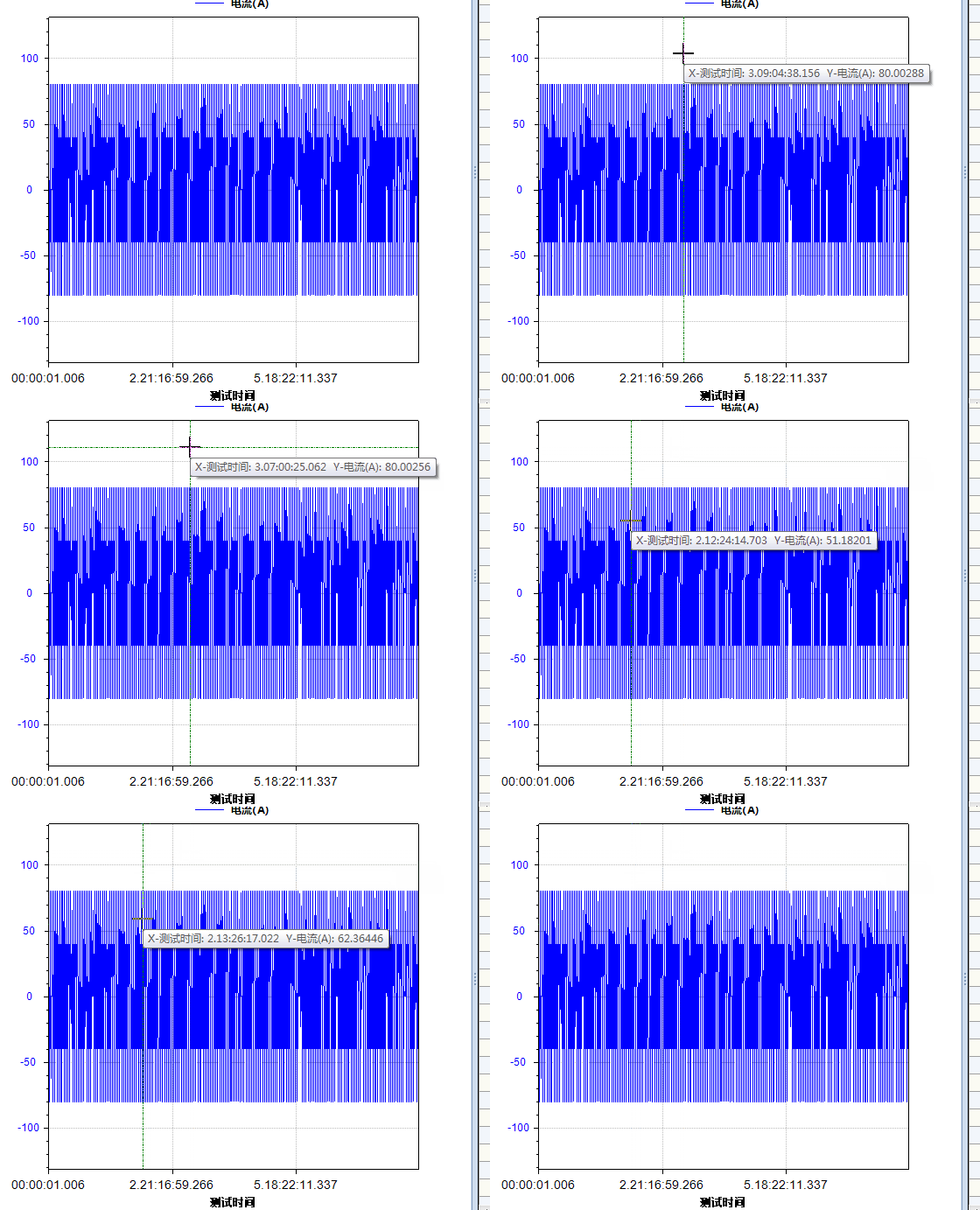
找到其源码,发现不论鼠标移动的范围大小,甚至乎不论鼠标是否移动,都要刷新一次Tooltip。
注:
博客主页:
https://blog.csdn.net/badao_liumang_qizhi
关注公众号
霸道的程序猿
获取编程相关电子书、教程推送与免费下载。
实现
首先来到ZedGraph的官网
https://sourceforge.net/projects/zedgraph/
然后点击File下的zedgraph source
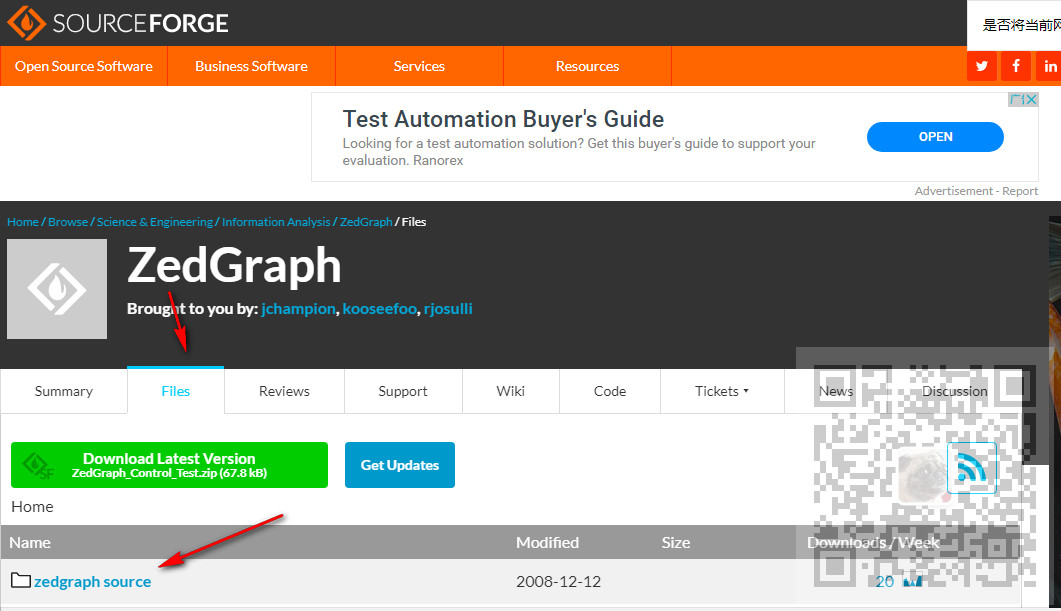
选择对应版本,这里是5.1.5

下载成功后,将zip解压
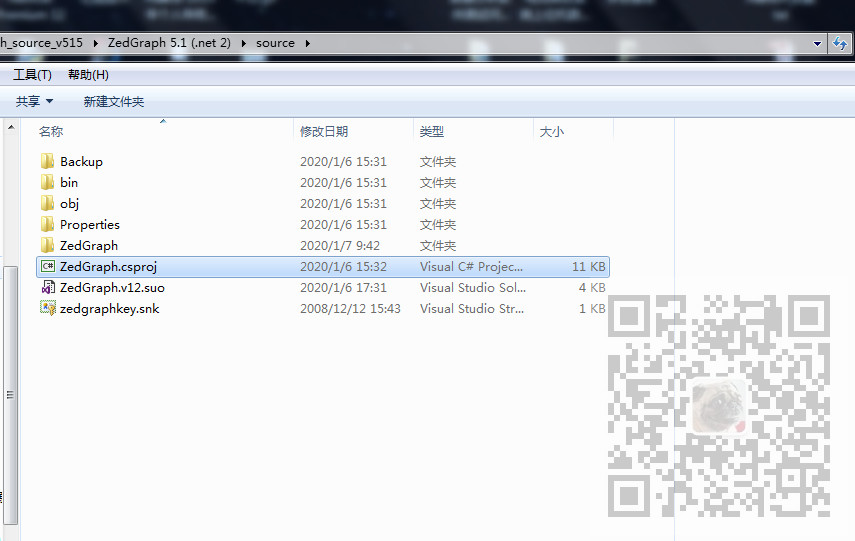
找到source下的工程文件,双击使用VS打开
然后找到ZedGraphControl.Events.cs
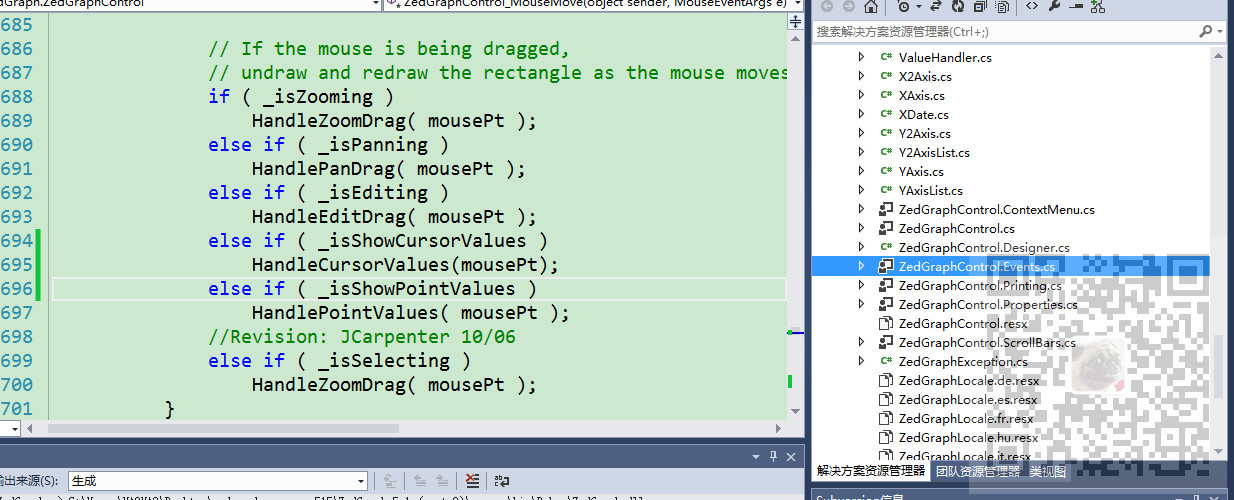
找到其ZedGraphControl_MouseMove方法此方法是鼠标移动时的事件处理
可以看到其对两个方法的处理,一个是HandlePointValues,这是对显示线上的点的坐标时的处理,一个是HandleCursorValues这是对获取最近曲线上的点的坐标时的处理。
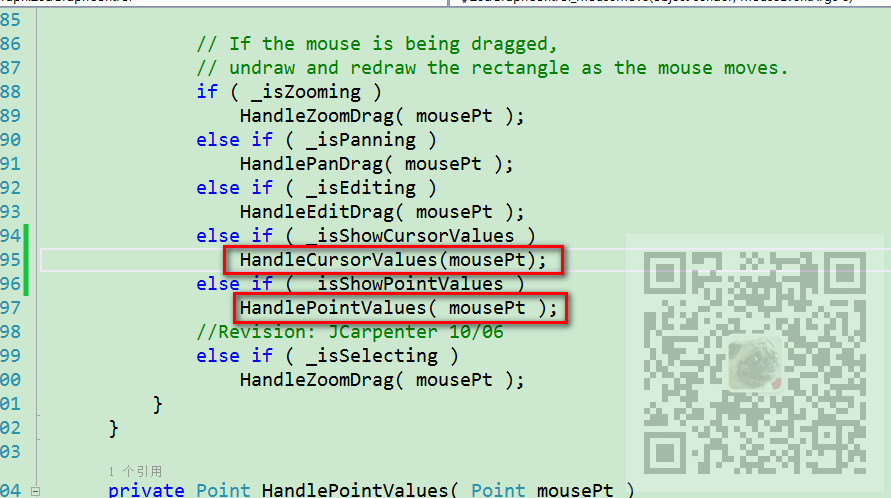
这样看你的ZedGraph是开启的哪样设置。
假如是设置经过线上点时才显示
zgc.IsShowPointValues = true;
那么就要修改
HandlePointValues( mousePt );
这个方法
首先声明一个类变量
private object lastObj;
用来存储上一次使用的对象,然后找到其判断条件,添加当前是否与上一次是同一对象
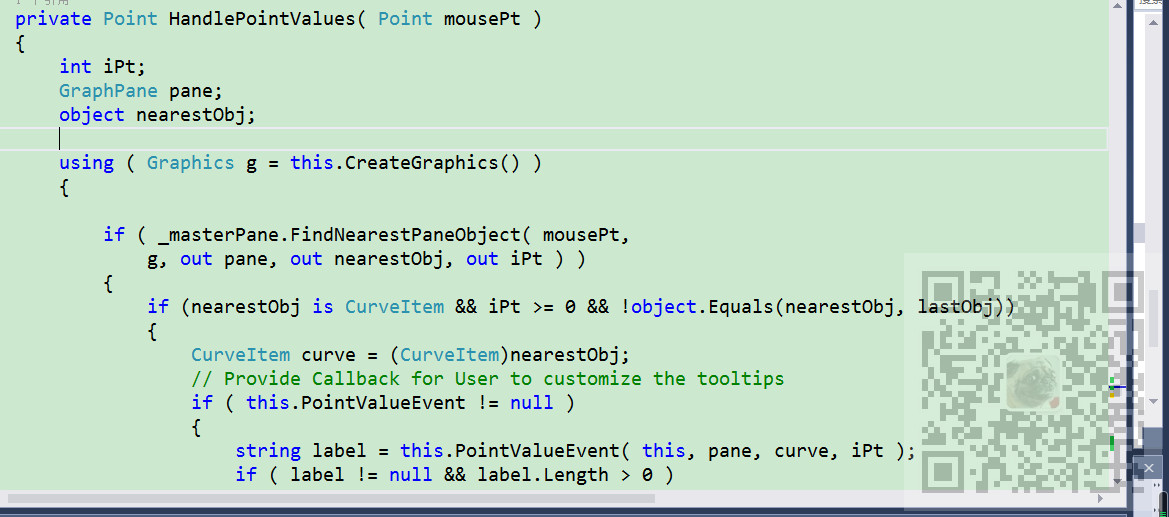
然后在最后方法返回时将当前对象赋值给上一次对象。
lastObj = nearestObj;
完整参考代码
private Point HandlePointValues( Point mousePt )

  {

   int iPt;

   GraphPane pane;

   object nearestObj;

   using ( Graphics g = this.CreateGraphics() )

   {

    if ( _masterPane.FindNearestPaneObject( mousePt,

     g, out pane, out nearestObj, out iPt ) )

    {

                    if (nearestObj is CurveItem && iPt >=  && !object.Equals(nearestObj, lastObj))

     {

      CurveItem curve = (CurveItem)nearestObj;

      // Provide Callback for User to customize the tooltips

      if ( this.PointValueEvent != null )

      {

       string label = this.PointValueEvent( this, pane, curve, iPt );

       if ( label != null && label.Length >  )

       {

        this.pointToolTip.SetToolTip( this, label );

        this.pointToolTip.Active = true;

       }

       else

        this.pointToolTip.Active = false;

      }

      else

      {

       if ( curve is PieItem )

       {

        this.pointToolTip.SetToolTip( this,

         ( (PieItem)curve ).Value.ToString( _pointValueFormat ) );

       }

       //       else if ( curve is OHLCBarItem || curve is JapaneseCandleStickItem )

       //       {

       //        StockPt spt = (StockPt)curve.Points[iPt];

       //        this.pointToolTip.SetToolTip( this, ( (XDate) spt.Date ).ToString( "MM/dd/yyyy" ) + "\nOpen: $" +

       //        spt.Open.ToString( "N2" ) +

       //        "\nHigh: $" +

       //        spt.High.ToString( "N2" ) + "\nLow: $" +

       //        spt.Low.ToString( "N2" ) + "\nClose: $" +

       //        spt.Close.ToString

       //        ( "N2" ) );

       //       }

       else

       {

        PointPair pt = curve.Points[iPt];

        if ( pt.Tag is string )

         this.pointToolTip.SetToolTip( this, (string)pt.Tag );

        else

        {

         double xVal, yVal, lowVal;

         ValueHandler valueHandler = new ValueHandler( pane, false );

         if ( ( curve is BarItem || curve is ErrorBarItem || curve is HiLowBarItem )

           && pane.BarSettings.Base != BarBase.X )

          valueHandler.GetValues( curve, iPt, out yVal, out lowVal, out xVal );

         else

          valueHandler.GetValues( curve, iPt, out xVal, out lowVal, out yVal );

         string xStr = MakeValueLabel( curve.GetXAxis( pane ), xVal, iPt,

          curve.IsOverrideOrdinal );

         string yStr = MakeValueLabel( curve.GetYAxis( pane ), yVal, iPt,

          curve.IsOverrideOrdinal );

         this.pointToolTip.SetToolTip( this, "( " + xStr + ", " + yStr + " )" );

         //this.pointToolTip.SetToolTip( this,

         // curve.Points[iPt].ToString( this.pointValueFormat ) );

        }

       }

       this.pointToolTip.Active = true;

      }

     }

     else

      this.pointToolTip.Active = false;

    }

    else

     this.pointToolTip.Active = false;

    //g.Dispose();

   }

            lastObj = nearestObj;

   return mousePt;

  }
具体其他优化与功能修改可自行发掘。
如果在ZedGraph中设置的是显示最近曲线上的点的坐标,即
zgc.IsShowCursorValues = true;
那么就要修改源码的HandleCursorValues方法
同样声明一个类变量存储上次获得的点
private Point lastMovedPoint;
然后在方法中加上判断并通过
this.pointToolTip.AutomaticDelay = ;
设置提示延迟1秒。最后再将当前点赋值给类变量。
lastMovedPoint = mousePt;
完整示例代码
private Point HandleCursorValues( Point mousePt )

  {

            GraphPane pane = _masterPane.FindPane(mousePt);

            if (pane != null && pane.Chart._rect.Contains(mousePt) && !mousePt.Equals(lastMovedPoint))

            {

                // Provide Callback for User to customize the tooltips

                if (this.CursorValueEvent != null)

                {

                    string label = this.CursorValueEvent(this, pane, mousePt);

                    if (label != null && label.Length > )

                    {

                        this.pointToolTip.AutomaticDelay = ;

                        this.pointToolTip.SetToolTip(this, label);

                        this.pointToolTip.Active = true;

                    }

                    else

                    {

                        this.pointToolTip.Active = false;

                    }

                    lastMovedPoint = mousePt;

                }

                else

                {

                    double x, x2, y, y2;

                    pane.ReverseTransform(mousePt, out x, out x2, out y, out y2);

                    string xStr = MakeValueLabel(pane.XAxis, x, -, true);

                    string yStr = MakeValueLabel(pane.YAxis, y, -, true);

                    string y2Str = MakeValueLabel(pane.Y2Axis, y2, -, true);

                    this.pointToolTip.AutomaticDelay = ;

                    this.pointToolTip.SetToolTip(this, "( " + xStr + ", " + yStr + ", " + y2Str + " )");

                    this.pointToolTip.Active = true;

                }

            }

            else

                this.pointToolTip.Active = false;

            return mousePt;

  }
注:
这里只着重修改当用户重写此事件的情况下,即this.CursorValueEvent !=
null时,具体情况可跟据自己需要进行修改。
ZedGraph5.1.5源码与修改版源码下载
关注公众号:
霸道的程序猿
回复:
ZedGraph源码修改
ZedGraph5.1.5源码分析去掉鼠标悬浮内容闪烁问题(附源码下载)的更多相关文章
- Spring源码分析之IOC的三种常见用法及源码实现(二)
Spring源码分析之IOC的三种常见用法及源码实现(二) 回顾上文 我们研究的是 AnnotationConfigApplicationContext annotationConfigApplica ...
- [源码分析]Java1.8中StringJoiner的使用以及源码分析
[源码分析]StringJoiner的使用以及源码分析 StringJoiner是Java里1.8新增的类, 或许有一部分人没有接触过. 所以本文将从使用例子入手, 分析StringJoiner的源码 ...
- HDFS源码分析之FSImage文件内容(一)总体格式
FSImage文件是HDFS中名字节点NameNode上文件/目录元数据在特定某一时刻的持久化存储文件.它的作用不言而喻,在HA出现之前,NameNode因为各种原因宕机后,若要恢复或在其他机器上重启 ...
- Spring源码分析之IOC的三种常见用法及源码实现(一)
1.ioc核心功能bean的配置与获取api 有以下四种 (来自精通spring4.x的p175) 常用的是前三种 第一种方式 <?xml version="1.0" enc ...
- DRF cbv源码分析 restful规范10条 drf:APIView的源码 Request的源码 postman的安装和使用
CBV 执行流程 路由配置:url(r'^test/',views.Test.as_view()), --> 根据路由匹配,一旦成功,会执行后面函数(request) --> 本质就是执 ...
- 源码分析 Kafka 消息发送流程(文末附流程图)
温馨提示:本文基于 Kafka 2.2.1 版本.本文主要是以源码的手段一步一步探究消息发送流程,如果对源码不感兴趣,可以直接跳到文末查看消息发送流程图与消息发送本地缓存存储结构. 从上文 初识 Ka ...
- Spring事务源码分析专题(一)JdbcTemplate使用及源码分析
Spring中的数据访问,JdbcTemplate使用及源码分析 前言 本系列文章为事务专栏分析文章,整个事务分析专题将按下面这张图完成 对源码分析前,我希望先介绍一下Spring中数据访问的相关内容 ...
- Java源码分析:Guava之不可变集合ImmutableMap的源码分析
一.案例场景 遇到过这样的场景,在定义一个static修饰的Map时,使用了大量的put()方法赋值,就类似这样-- public static final Map<String,String& ...
- Spring源码分析之IOC的三种常见用法及源码实现(三)
上篇文章我们分析了AnnotationConfigApplicationContext的构造器里refresh方法里的invokeBeanFactoryPostProcessors,了解了@Compo ...
随机推荐
- webdriver高级应用 -更改一个对象界面的属性值
#-*- coding=utf-8 -*- #更改一个对象界面的属性值 from selenium import webdriver import unittest def addAttribute( ...
- 痞子衡嵌入式:Ethos-U55,ARM首款面向Cortex-M的microNPU
大家好,我是痞子衡,是正经搞技术的痞子.今天痞子衡给大家介绍的是ARM Ethos-U55. ARM 前几天刚发布了 Cortex-M 家族最新一款内核 - Cortex-M55 以及首款面向 Cor ...
- HDU_3853_区间dp
http://acm.hdu.edu.cn/showproblem.php?pid=3853 dp[i][j]表示由空白串刷成b的从i到j位所需要的最小次数. 然后在比较a和b的每一位,再次更新dp表 ...
- Unity酱~ 卡通渲染技术分析(一)
前面的话 unitychan是日本unity官方团队提供的一个Demo,里面有很好的卡通渲染效果,值得参考学习 上图是我整理出来的shader结构,可以看到Unity娘被拆分成了很多个小的部件,我想主 ...
- Flink系统之Table API 和 SQL
Flink提供了像表一样处理的API和像执行SQL语句一样把结果集进行执行.这样很方便的让大家进行数据处理了.比如执行一些查询,在无界数据和批处理的任务上,然后将这些按一定的格式进行输出,很方便的让大 ...
- java程序设计原则知多少
程序设计七大原则 一.开闭原则 针对我们设计的功能模块对扩展开放,对修改关闭:利用面向接口(抽象)编程(多态的特性),实现对功能需求扩展的同时,不允许更改原来的代码.提高对象的可复用性.可维护性. ...
- 杭电-------2047阿牛的eof牛肉串(C语言写)
/* 主要看最后一个是否为O,若为O,则倒数第二个不能为O,则为a[n-2]*1*2; 若不为O,则最后一个有两个选择则为a[n-1]*2 */ #include<stdio.h> ] = ...
- 【转载】SPI总线和I2C总线的异同点
来源:https://blog.csdn.net/lishun1422840684/article/details/77776763 总结的简单.明了.适用! 一:SPI接口的全称是"Ser ...
- table-cell设置宽高、居中
table-cell默认宽高由内容决定 <style type="text/css" rel="stylesheet"> .content { co ...
- 解读前端js中签名算法伪造H5游戏加分
信息安全在我们日常开发中息息相关,稍有忽视则容易产生安全事故.对安全测试也提出更高要求.以下是笔者亲自实践过程: 一. 打开某个数钱游戏HTML5页面,在浏览器 F12 开发工具中,查看的js,如下, ...