
hadoop2.6.0的eclipse插件安装
1.安装插件
下载插件hadoop-eclipse-plugin-2.6.0.jar并将其放到eclips安装目录->plugins(插件)文件夹下。然后启动eclipse。
配置 hadoop 安装目录

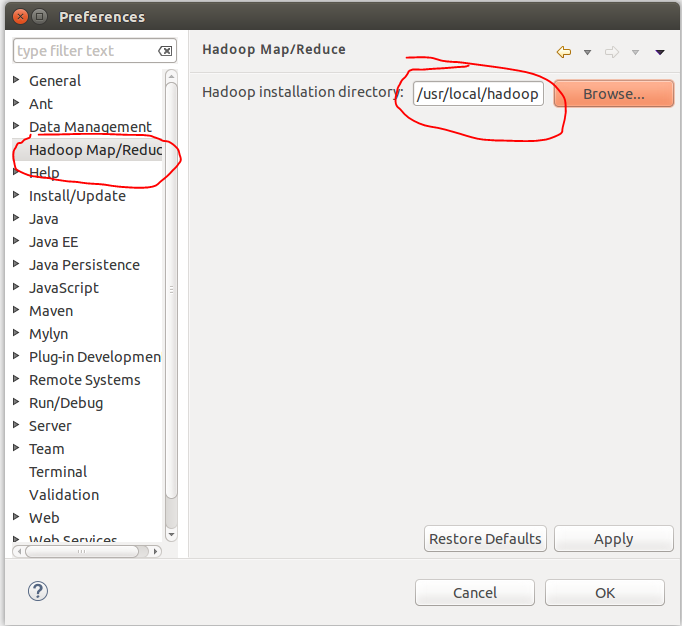
配置Map/Reduce 视图

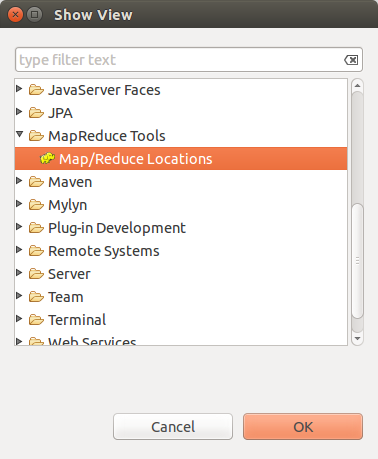
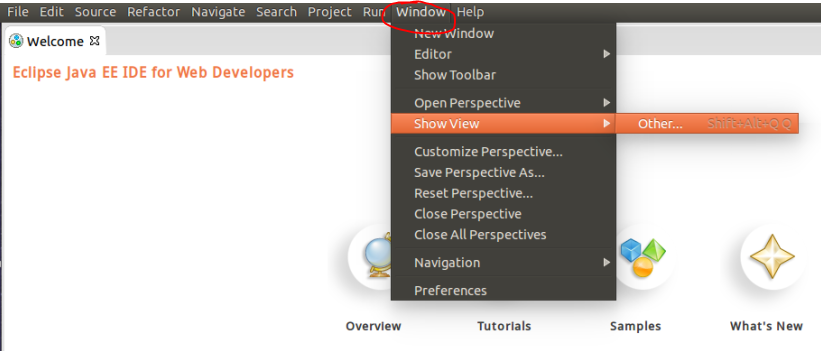

- 点击"大象"
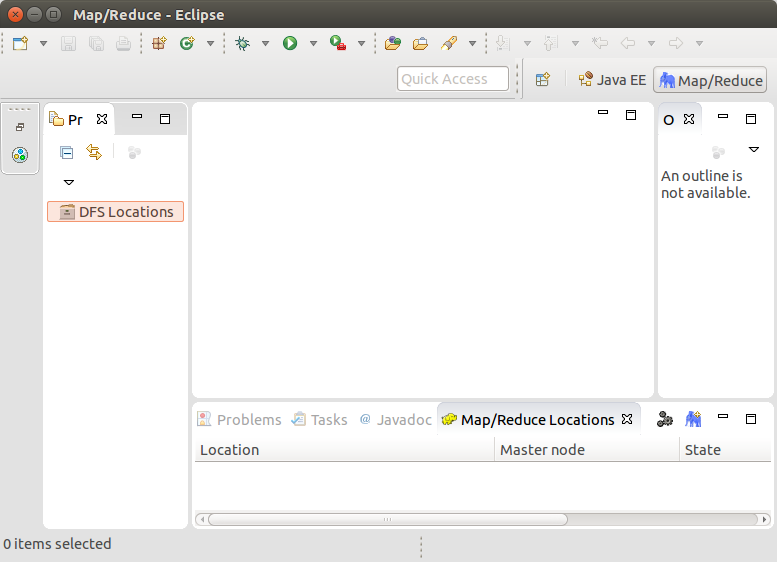
- 在“Map/Reduce Locations” Tab页 点击图标“大象”,选择“New Hadoop location…”,弹出对话框“New hadoop location…”。填写Location name和右边的Port:9000(与配置文件core-site.xml中的保持一致)。

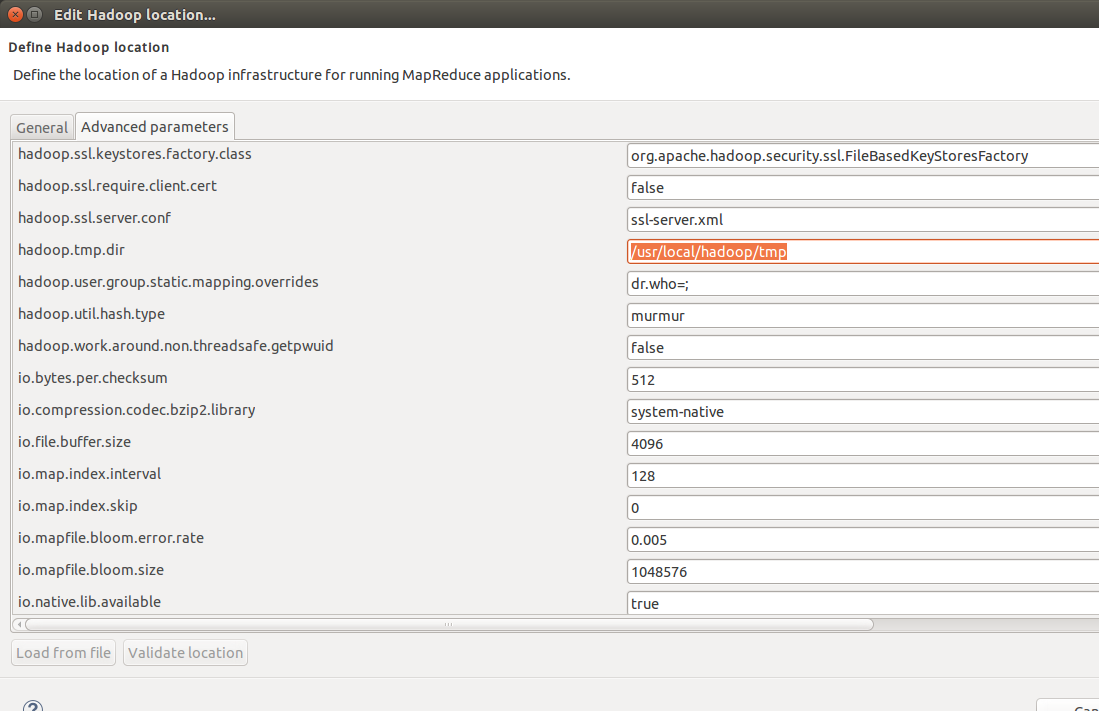
- 在Advanced paramenters中如下图所示找到hadoop.tmp.dir选项,与配置文件core-site.xml保持一致。
以及dfs.namenode.name.dir和dfs.datanode.data.dir与配置文件hdfs-site.xml保持一致
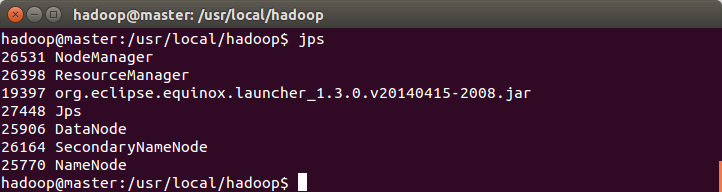
启动hadoop: sbin/start-all.sh 然后执行 jps。多一个org.eclipse.equinox.launcher...
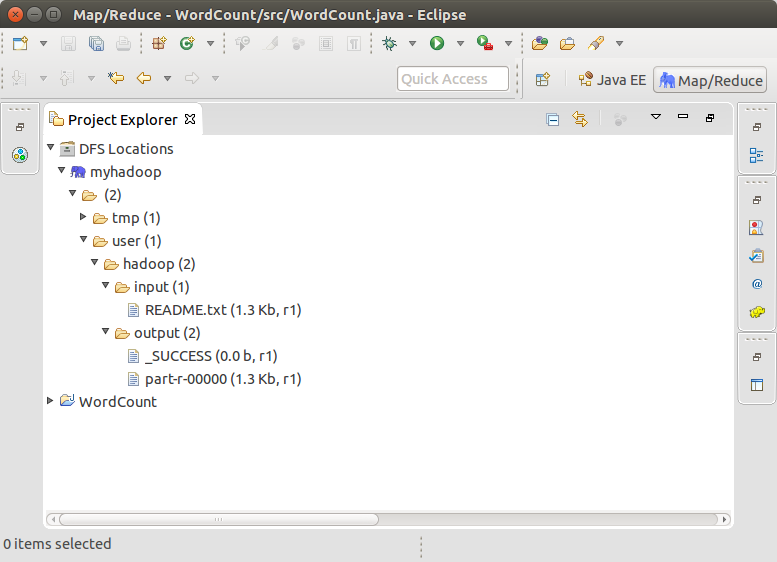
- 打开Project Explorer,查看HDFS文件系统。这是前篇文章中配置hadoop中的运行的结果。传送门
2.运行WordCount的例子
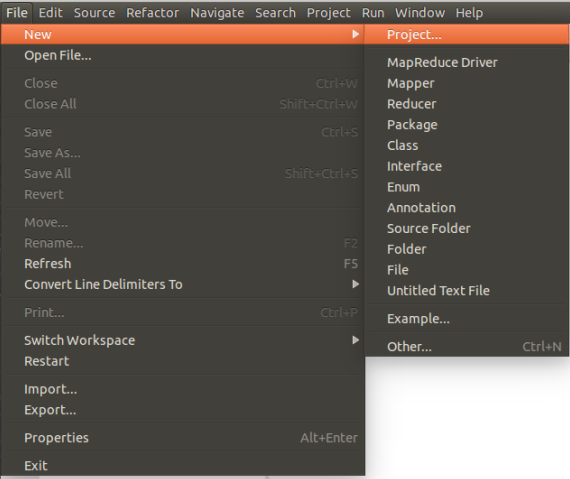
- 新建Map/Reduce任务
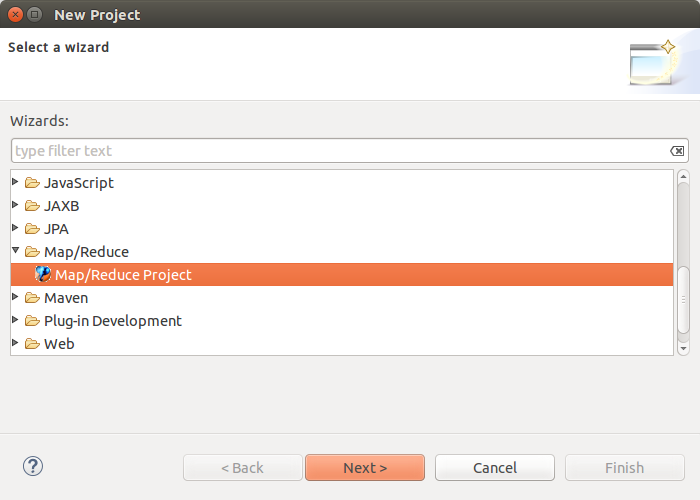
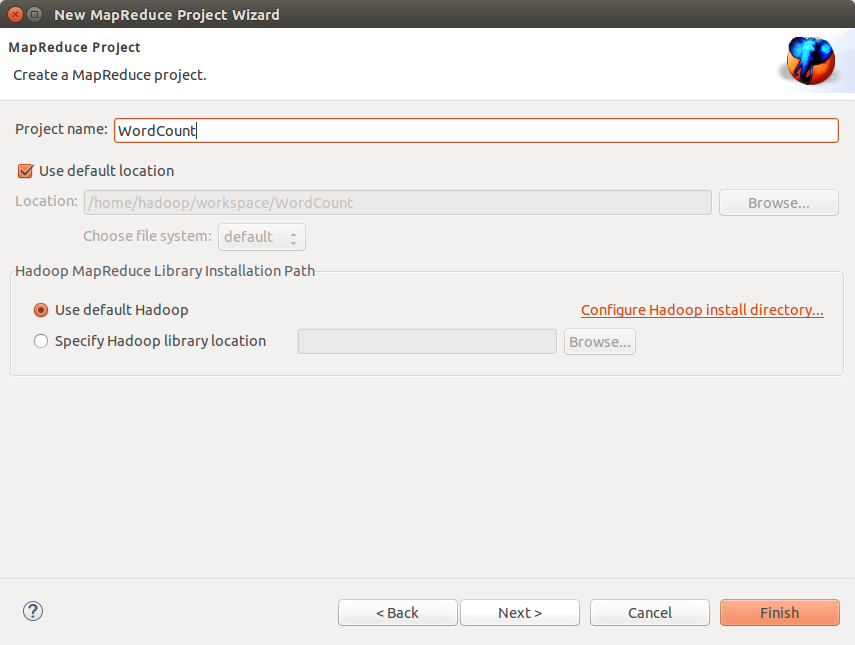
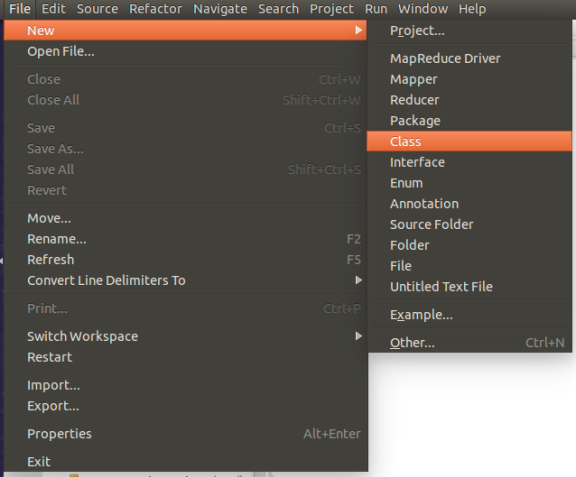
- 编写WordCount
import java.io.IOException;

import java.util.*;

import org.apache.hadoop.fs.Path;

import org.apache.hadoop.conf.*;

import org.apache.hadoop.io.*;

import org.apache.hadoop.mapred.*;

import org.apache.hadoop.util.*;

public class WordCount {

public static class Map extends MapReduceBase implements Mapper<LongWritable, Text, Text, IntWritable> {

private final static IntWritable one = new IntWritable(1);

private Text word = new Text();

public void map(LongWritable key, Text value, OutputCollector<Text, IntWritable> output, Reporter reporter) throws IOException {

 String line = value.toString();

 StringTokenizer tokenizer = new StringTokenizer(line);

 while (tokenizer.hasMoreTokens()) {

   word.set(tokenizer.nextToken());

   output.collect(word, one);

 }

}

}

public static class Reduce extends MapReduceBase implements Reducer<Text, IntWritable, Text, IntWritable> {

public void reduce(Text key, Iterator<IntWritable> values, OutputCollector<Text, IntWritable> output, Reporter reporter) throws IOException {

 int sum = 0;

 while (values.hasNext()) {

   sum += values.next().get();

 }

 output.collect(key, new IntWritable(sum));

}

}

public static void main(String[] args) throws Exception {

JobConf conf = new JobConf(WordCount.class);

conf.setJobName("wordcount");

conf.setOutputKeyClass(Text.class);

conf.setOutputValueClass(IntWritable.class);

conf.setMapperClass(Map.class);

conf.setReducerClass(Reduce.class);

conf.setInputFormat(TextInputFormat.class);

conf.setOutputFormat(TextOutputFormat.class);

FileInputFormat.setInputPaths(conf, new Path(args[0]));

FileOutputFormat.setOutputPath(conf, new Path(args[1]));

JobClient.runJob(conf);

}

}
- 添加log4j.properties文件,很重要。

内容:
log4j.rootLogger=INFO, stdout

log4j.appender.stdout=org.apache.log4j.ConsoleAppender

log4j.appender.stdout.layout=org.apache.log4j.PatternLayout

log4j.appender.stdout.layout.ConversionPattern=%d %p [%c] - %m%n

log4j.appender.logfile=org.apache.log4j.FileAppender

log4j.appender.logfile.File=target/spring.log

log4j.appender.logfile.layout=org.apache.log4j.PatternLayout

log4j.appender.logfile.layout.ConversionPattern=%d %p [%c] - %m%n
结果如下

- 空白处右键,配置运行时参数

output写成hdfs://localhost:9000/user/hadoop/output 或者其他名,下面并没有写错。
注意:output文件夹在HDFS文件系统每次运行前必须重新删除,否则出错。或者写成其他名字亦可。
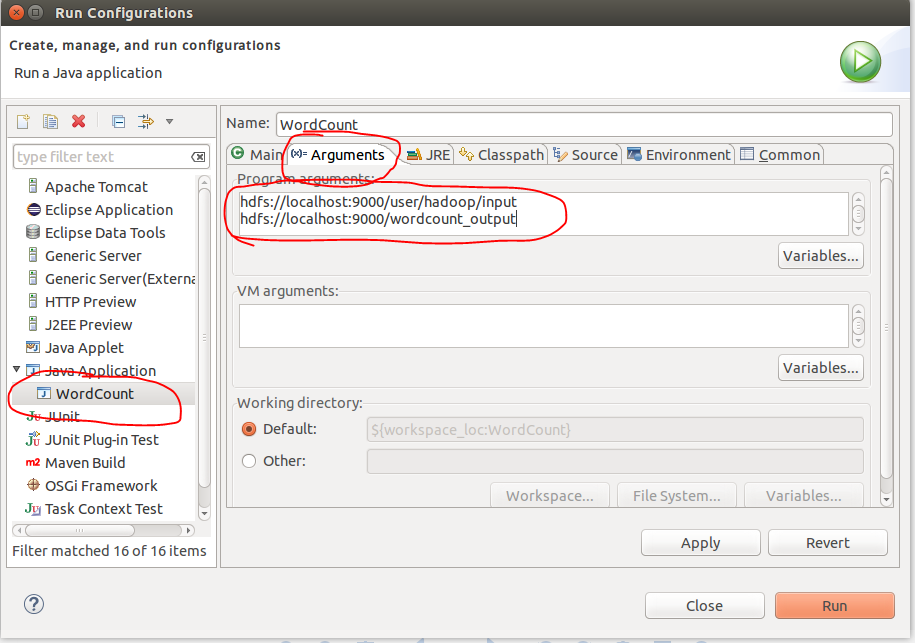
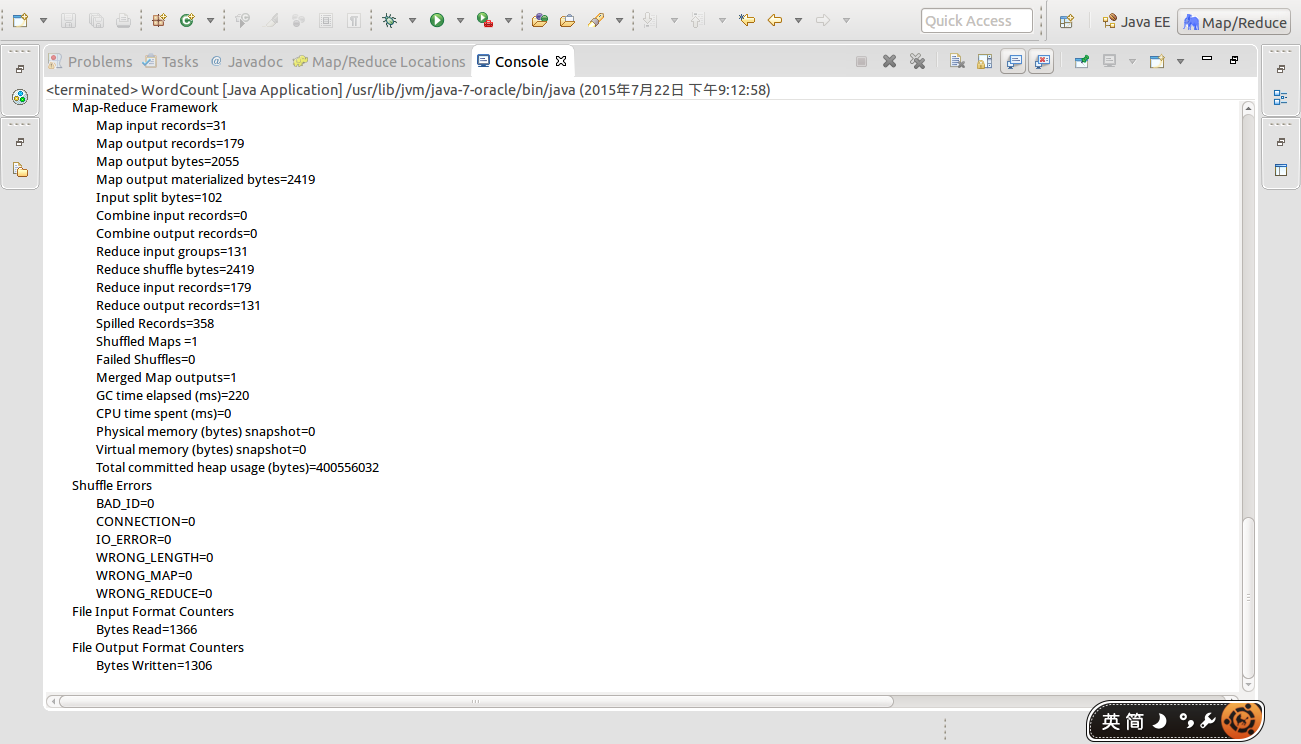
最后点Run运行。控制台输出
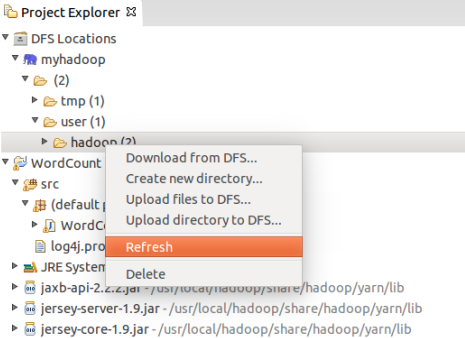
- Project Explorer反应并不及时,点击F5刷新或者:
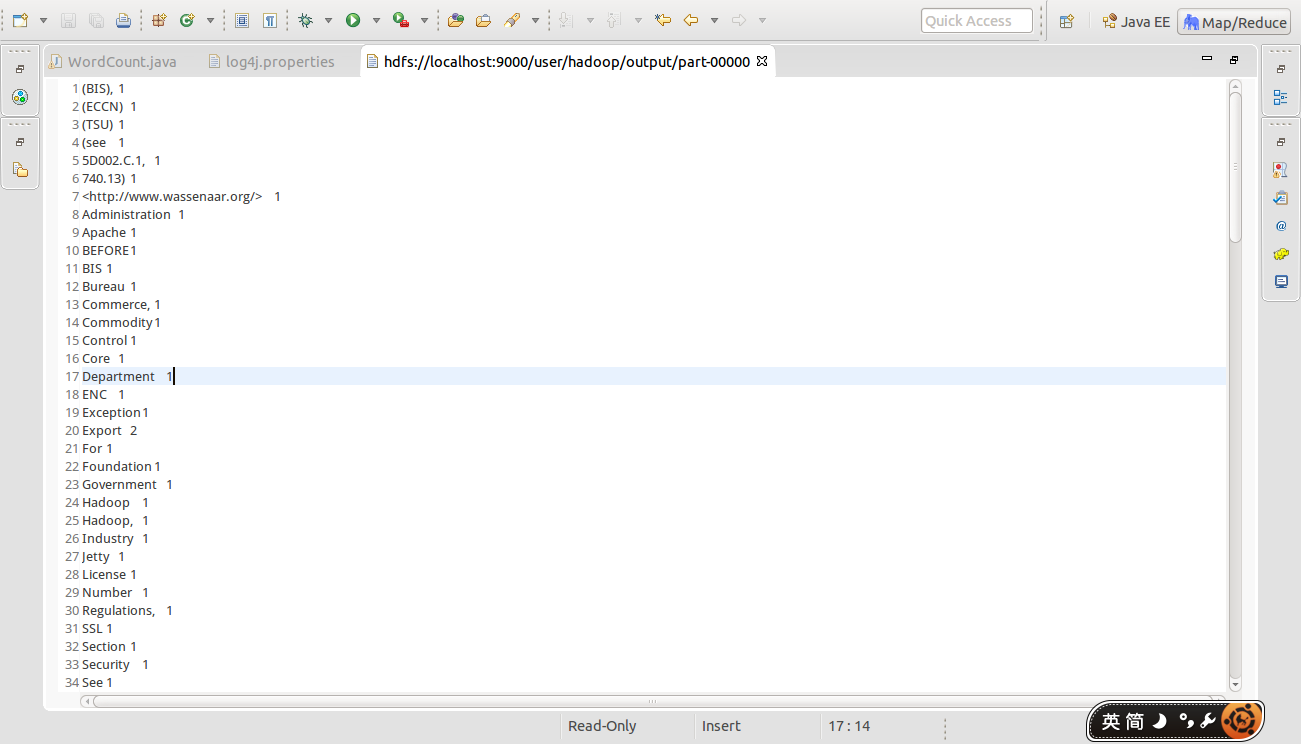
- 最后查看结果,结果放在output文件夹中(与Run Configurations中配置的地址一致)

hadoop2.6.0的eclipse插件安装的更多相关文章
- hadoop2.6.0的eclipse插件编译和设置
编译hadoop2.6.0的eclipse插件 下载源码: git clone https://github.com/winghc/hadoop2x-eclipse-plugin.git 编译源码: ...
- Hadoop-2.3.0的Eclipse插件编译
Hadoop-2.3.0的Eclipse插件编译 #cd /usr/local/src/hadoop2x-eclipse-plugin-master/src/contrib/eclipse-plugi ...
- Activiti BPMN 2.0 designer eclipse插件安装
官方网是这样说的: https://www.activiti.org/userguide/index.html#springSpringBoot The following installation ...
- 在fedora20下配置hadoop2.5.1的eclipse插件
(博客园-番茄酱原创) 在我的系统中,hadoop-2.5.1的安装路径是/opt/lib64/hadoop-2.5.1下面,然后hadoop-2.2.0的路径是/home/hadoop/下载/had ...
- Android模拟神器Genymotion eclipse插件安装问题出解决
我之前一直是打开eclipse之前直接运行Genymotion模拟器就可以连接到adb了,非常方便,但最近突然想来装个eclipse的Genymotion插件玩玩,安装时居然出错了,于是不折腾好心里不 ...
- jBPM 6 开发 eclipse 插件安装
jBPM 6 开发 eclipse 插件安装 概述 与之前的jBPM 5相比,jBPM 6 新引入的kjars及mavenized的特性,使流程开发设计与之前有了很大的不同,本文主要说明jBPM 6 ...
- 常用的4个eclipse插件安装过程及使用方法
最近整合了4个常用eclipse插件安装过程,分别是PMD.checkstyle.findbugs.sourcemonitor插件.因为我这里没有外网,所以所有的插件不是最新版,建议有网的童鞋自行在外 ...
- (转载)eclipse插件安装的四种方法
eclipse插件安装的四种方法 Eclipse插件的安装方法 1.在eclipse的主目录(ECLIPSE_HOME, 比如在我的机器上安装的目录是:D:\eclipse)有一个plugins的目录 ...
- CentOS7-64bit 编译 Hadoop-2.5.0,并分布式安装
摘要 CentOS7-64bit 编译 Hadoop-2.5.0,并分布式安装 目录[-] 1.系统环境说明 2.安装前的准备工作 2.1 关闭防火墙 2.2 检查ssh安装情况,如果没有则安装ssh ...
随机推荐
- spring MVC学习(二)---配置相关的东西
1.在上一节中我们提到过每一个DispatcherServlet都会有一个上下文 (WebApplictionContext),并且继承了这些上下文中的bean,其中以一些"特殊" ...
- 常用的系统架构 web服务器之iis,apache,tomcat三者之间的比较
常用的系统架构是: Linux + Apache + PHP + MySQL Linux + Apache + Java (WebSphere) + Oracle Windows Server 200 ...
- 前端JS复制特定区域的文本(兼容safari)
html5的webAPI接口可以很轻松的使用短短的几行代码就实现点击按钮复制区域文本的功能,不需要依赖flash. 代码如下: /* 创建range对象 */ const range = docume ...
- tomcat 连接器优化
在$CATALINA_HOME/conf/server.xml配置文件中的Connetctor节点,和连接数相关的参数配置和优化. maxThreads Tomcat使用线程来处理接收的每个请求.这个 ...
- [CLR via C#读后整理]-1.CLR的执行模型
公共语言运行时(Common Language Runtime,CLR)是一个可由多种编程语言使用的"运行时".他主要提供的功能有:程序集加载,内存管理,,安全性,异常处理,线程同 ...
- git删除本地分支和删除远程分支
引言: 切换分支的时候命令打错了,git checkout 后面没有跟分支名,结果git status,很多delete的文件,直接冒冷汗,git add ,commit 之后发现本地与远程确实是删除 ...
- qq第三方登录网站接口
网站如何实现QQ登录功能 | 浏览:11029 | 更新:2013-12-05 10:09 1 2 3 4 5 6 7 分步阅读 一键约师傅 百度师傅为你的电脑系统,选一个靠谱师傅! 如果想让网站实现 ...
- NOIP2019前的训练记录
\(April\):肛多项式,学\(FWT\)一个小时无果后背了六个公式,看来证明又得咕很久了
- 生产者消费者JAVA实现
三种实现方式: 1. Object对象的wait(),notify(),加synchronize. 2. Lock的await(),signal(). 3. BlockingQueue阻塞队列. Ob ...
- 编码解码--三种常见字符编码简介:ASCII、Unicode和UTF-8
什么是字符编码? 计算机只能处理数字,如果要处理文本,就必须先把文本转换为数字才能处理.最早的计算机在设计时采用8个比特(bit)作为一个字节(byte),所以,一个字节能表示的最大的整数就是255( ...