
java中paint repaint update 之间的关系
最近总结了一下java中的paint,repaint和updata三者之间的关系,首先咱们都知道用paint方法来绘图,用repaint重绘,用update来写双缓冲。但是他们之间是怎么来调用的呢,咱们来分析一下(想直接看结果,请跳过分析过程):
-----------------------------------------------------------------------------------------------------------------------------
1.首先咱们画在JFrame上面
import java.awt.Color;
import java.awt.Graphics;
import java.awt.Image;
import javax.swing.JFrame;
public class Jframe extends JFrame{
int x = 40,y=50;
Jframe(){
this.setSize(800,700);
this.setLocationRelativeTo(null);
this.getContentPane().setBackground(Color.GREEN);
this.setVisible(true);
this.setDefaultCloseOperation(JFrame.EXIT_ON_CLOSE);
}
public static void main(String[] args) {
new Jframe();
}
public void paint(Graphics g){
super.paint(g);//调用super.paint(g)去清除运动的痕迹
g.setColor(Color.RED);
g.fillOval(x, y, 20, 20);
y++;
repaint();//重画
try {
Thread.sleep(10);//在此处睡眠一会,要不运动太快
} catch (InterruptedException e) {
// TODO 自动生成的 catch 块
e.printStackTrace();
}
}
}
运行之后的界面
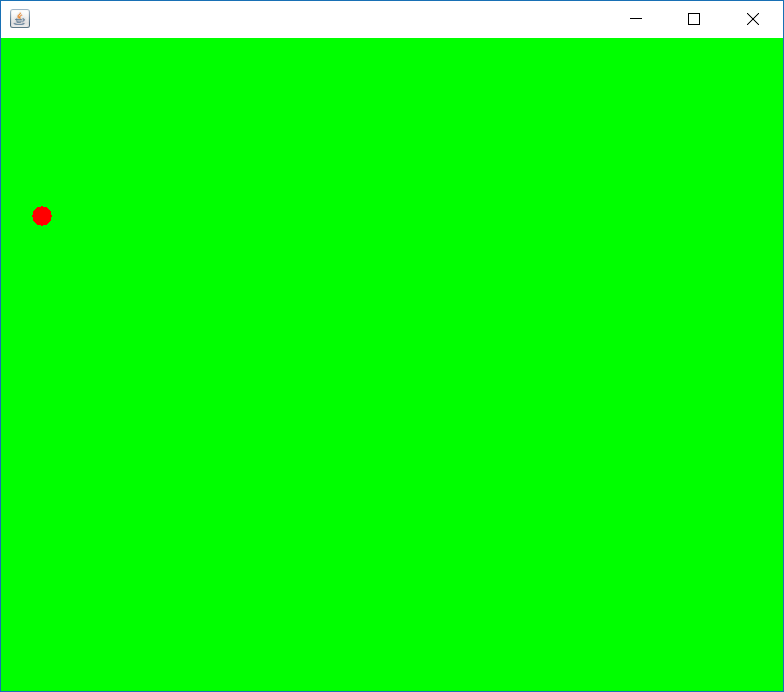
但是你仔细观察一下,会发现有闪烁现象,怎么办呢?我第一时间想到的就是加个双缓冲。那么咱们来试一下!
import java.awt.Color;
import java.awt.Graphics;
import java.awt.Image;
import javax.swing.JFrame;
public class Jframe extends JFrame{
int x = 40,y=50;
Jframe(){
this.setSize(800,700);
this.setLocationRelativeTo(null);
this.getContentPane().setBackground(Color.GREEN);
this.setVisible(true);
this.setDefaultCloseOperation(JFrame.EXIT_ON_CLOSE);
}
public static void main(String[] args) {
new Jframe();
}
Image offScreenImage = null;
public void update(Graphics g) { //双缓冲
if(offScreenImage == null) {
offScreenImage = this.createImage(800, 600);
}
Graphics gOffScreen = offScreenImage.getGraphics();
Color c = gOffScreen.getColor();
gOffScreen.setColor(Color.GREEN);
gOffScreen.fillRect(0, 0, 800, 600);
gOffScreen.setColor(c);
paint(gOffScreen);
g.drawImage(offScreenImage, 0, 0, null);
}
public void paint(Graphics g){
super.paint(g);
g.setColor(Color.RED);
g.fillOval(x, y, 20, 20);
y++;
repaint();
try {
Thread.sleep(10);
} catch (InterruptedException e) {
// TODO 自动生成的 catch 块
e.printStackTrace();
}
}
}
运行:仔细看一下,发现还是闪烁,这是什么鬼,难道双缓冲加错了么?咱们再用Frame试一下
import java.awt.Color;
import java.awt.Frame;
import java.awt.Graphics;
import java.awt.Image;
import javax.swing.JFrame;
public class Jframe extends Frame{
int x = 40,y=50;
Jframe(){
this.setSize(800,700);
this.setLocationRelativeTo(null);
this.setBackground(Color.GREEN);
this.setVisible(true);
// this.setDefaultCloseOperation(JFrame.EXIT_ON_CLOSE);
}
public static void main(String[] args) {
new Jframe();
}
Image offScreenImage = null;
public void update(Graphics g) { //双缓冲
if(offScreenImage == null) {
offScreenImage = this.createImage(800, 600);
}
Graphics gOffScreen = offScreenImage.getGraphics();
Color c = gOffScreen.getColor();
gOffScreen.setColor(Color.GREEN);
gOffScreen.fillRect(0, 0, 800, 600);
gOffScreen.setColor(c);
paint(gOffScreen);
g.drawImage(offScreenImage, 0, 0, null);
}
public void paint(Graphics g){
super.paint(g);
g.setColor(Color.RED);
g.fillOval(x, y, 20, 20);
y++;
repaint();
try {
Thread.sleep(10);
} catch (InterruptedException e) {
// TODO 自动生成的 catch 块
e.printStackTrace();
}
}
}
运行:发现不闪烁了,说明刚才加的双缓冲是没有问题的,然后我在JFrame的update方法里和Frame的update方法里都加个输出语句
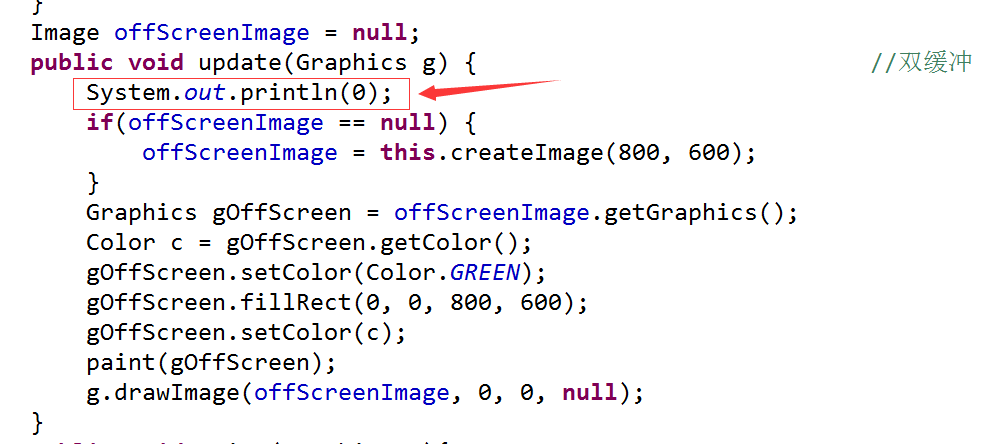
结果发现,JFrame运行后并没有输出0,而Frame在不断输出0;
看来JFrame压根没有调用update方法!!!
然后咱们用JPanel再试一下,把小球画在JPanel上面
import java.awt.Color;
import java.awt.Graphics;
import javax.swing.JFrame;
import javax.swing.JPanel;
public class Jpanel extends JPanel{
int x=40,y=40;
Jpanel(){
JFrame frame = new JFrame();
frame.setSize( 800, 600);
frame.setLayout(null);
this.setBounds(0, 0, 800, 700);
frame.setLocationRelativeTo(null);
frame.setVisible(true);
this.setBackground(Color.GREEN);
frame.add(this);
frame.setDefaultCloseOperation(JFrame.EXIT_ON_CLOSE);
}
public static void main(String[] args) {
new Jpanel();
}
public void paint(Graphics g){
super.paint(g);
g.setColor(Color.red);
g.fillOval(x, y, 20, 20);
y++;
repaint();
try {
Thread.sleep(10);
} catch (InterruptedException e) {
// TODO 自动生成的 catch 块
e.printStackTrace();
}
}
}
运行后,竟然神奇的发现小球不闪烁了!!!并且没有加双缓冲!
为什么呢?
-----------------------------------------------------------------------------------------------------------------------------
我查了API和其他资得出如下结果:
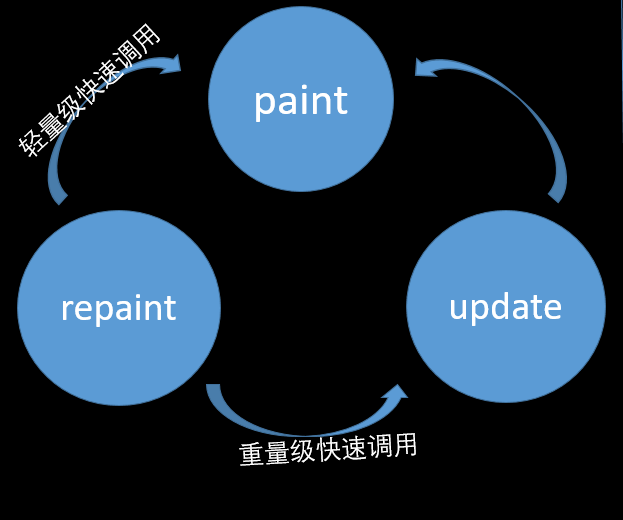
首先repaint()方法在重量级组件的时候会调用update方法,在轻量级组件的时候会调用paint方法,(重量级和轻量级的概念自查)
恰恰Frame是重量级组件,JFrame是轻量级组件,这样就能解释JFrame不运行update方法的原因了!
那JPanel为什么就不会闪烁呢?
其实是因为JPanel中的paint方法和JFrame中的paint方法不太一样
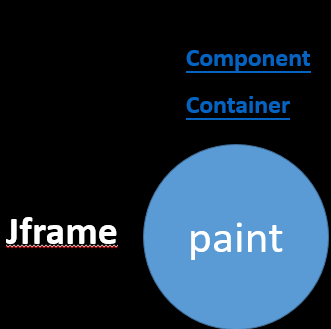
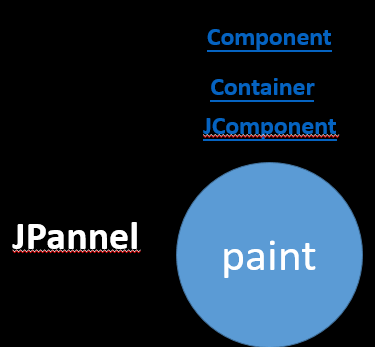
JFrame的paint方法是继承Container类中的,而JPanel的paint方法是继承JComponent类中的,看看他俩之间方法的差异:
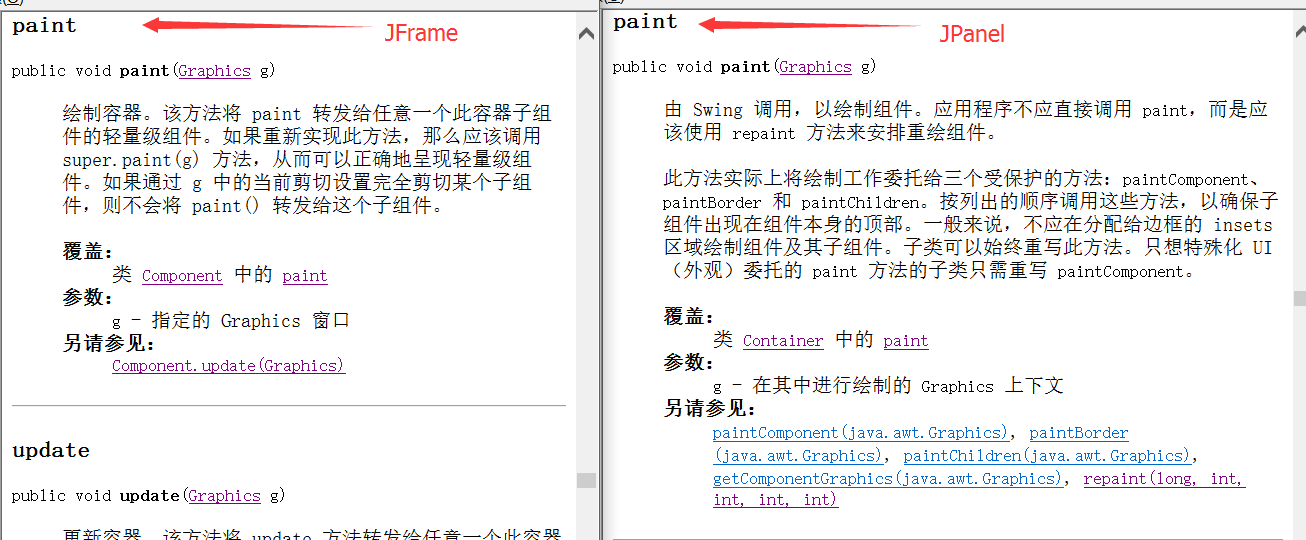
这样就明白了吧,JFrame的paint方法与JPanel中的paint方法并不一样!JPanel的paint是按顺序画的,因为Frame已经过时了,以后咱们就可以把用paint方法把东西画在JPanel(或者JLabel)上面,这样不用加双缓冲就不闪烁!
java中paint repaint update 之间的关系的更多相关文章
- Java Swing paint repaint update 方法的关系
Java Swing paint repaint update 方法的关系: 参考:http://blog.csdn.net/xiaoliangmeiny/article/details/691665 ...
- Java Servlet与Web容器之间的关系
自从计算机软件开发进入网络时代,就开始涉及到通讯问题.在客户/服务器(也叫C/S应用)时期,每个软件都有自己的客户端和服务器端软件.并且客户端和服务器端之间的通讯协议差别也很大.后来随着互联网的发展, ...
- Java中的集合类型的继承关系图
Java中的集合类型的继承关系图
- Java 中基本类型和字符串之间的转换
Java 中基本类型和字符串之间的转换 在程序开发中,我们经常需要在基本数据类型和字符串之间进行转换. 其中,基本类型转换为字符串有三种方法: 1. 使用包装类的 toString() 方法 2. 使 ...
- java中Integer 和String 之间的转换
java中Integer 和String 之间的转换 将数组转换成字符串:char[] array = {'a','b','c','d','e'};String str = new String(ar ...
- Java学习--Java 中基本类型和字符串之间的转换
Java 中基本类型和字符串之间的转换 在程序开发中,我们经常需要在基本数据类型和字符串之间进行转换. 其中,基本类型转换为字符串有三种方法: 1. 使用包装类的 toString() 方法 2. 使 ...
- Java开发学习--Java 中基本类型和包装类之间的转换
Java 中基本类型和包装类之间的转换 基本类型和包装类之间经常需要互相转换,以 Integer 为例(其他几个包装类的操作雷同哦): 在 JDK1.5 引入自动装箱和拆箱的机制后,包装类和基本类型之 ...
- Java中InputStream和String之间的转化
https://blog.csdn.net/lmy86263/article/details/60479350 在Java中InputStream和String之间的转化十分普遍,本文主要是总结一下转 ...
- Java中字节与对象之间的转换
近期公司里面用到了消息队列,而正如我们知道的是消息队列之间的是通过二进制形式的.以下就分享一下java中字节与对象之间的转换. 主要是用到了ByteArrayOutputStream和ObjectOu ...
随机推荐
- Embedded tomcat 7 servlet 3.0 annotations not working--转
Question: I have a stripped down test project which contains a Servlet version 3.0, declared with an ...
- Ubuntu下php的一些配置问题
1.php.ini的路径: phpinfo()里 Loaded Configuration File:/etc/php5/fpm/php.ini 要修改这个 在/etc/php5/fpm/cgi里也有 ...
- sql 处理以字符隔开的字符串(类似split)
sql 处理以字符隔开的字符串(类似split)的处理方法. CREATE PROCEDURE dbo.Vip_SendMails @userids varchar(MAX), ), ), @c va ...
- SpannableString的一个奇怪的问题
今天使用spannableString遇到一个奇怪的问题,就是在setspan的时候,原本可以写成 spannableString.setSpan(new RelativeSizeSpan(0.5f) ...
- Android android-common 常用功能和工具集合
本文内容 环境 android-common 项目结构 演示 android-common 参考资料 android-common 主要包括如下内容: 缓存,包括图片缓存.预取缓存.网络缓存. 公共 ...
- MySQL(13):Select-order by
1. 按照字段值进行排序: 语法: order by 字段 升序|降序(asc|desc) 允许多字段排序,指的是,先按照第一个字段排序,如果说,不能区分,才使用第二个字段,以此类推. ...
- sql循环遍历
<sql id="Example_Where_Clause" > <!-- WARNING - @mbggenerated This element is aut ...
- bootstrap初探2
控制是否显示:visible-(lg | md | sm |sx)-(block | inline | inline-block), hidden-(lg | md | sm |sx) <!DO ...
- canvas 下载
function saveFile(data, filename){ var save_link = document.createElementNS('http://www.w3.org/1999/ ...
- -webkit-appearance改变任何元素的浏览器默认风格
前段时间,公司有个紧急发布会,需要在移动端做一个邀请函的页面.但是在实现下拉框的时候,IOS和安卓展示的效果总是不一样.经过我一番查找,偶然间发现了-webkit-appearance这个样式属性.后 ...