
RHPAM 7.2安装
1.产品架构
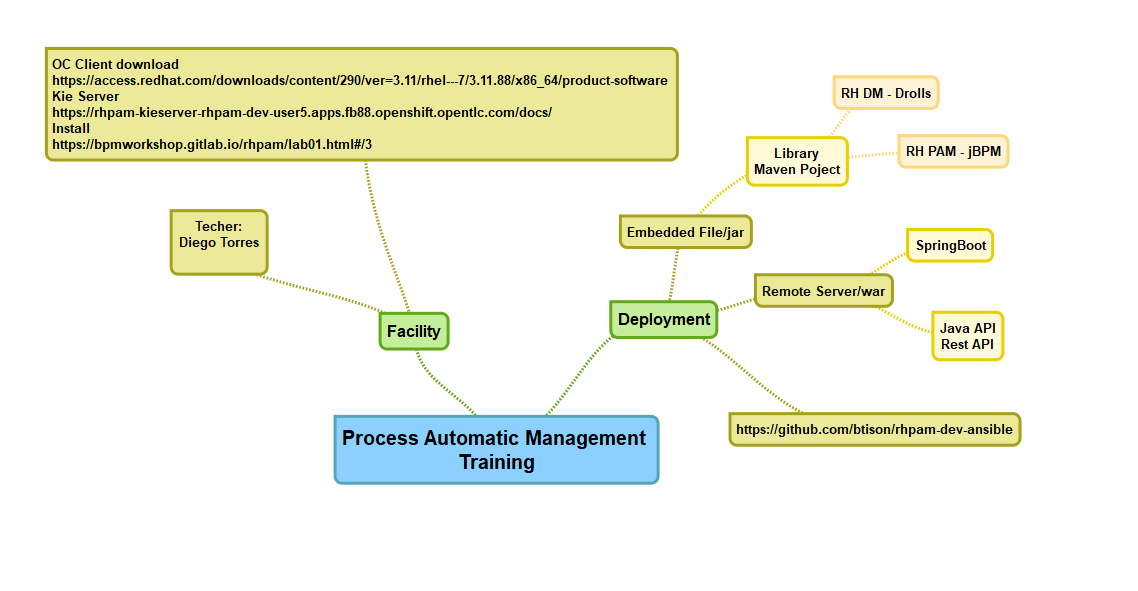

2.安装过程
下载相应介质
- JBoss EAP (jboss-eap-7.2.0.zip) 下载地址 https://developers.redhat.com/products/eap/download
- Process Automation Manager (rhpam-7.2.0-business-central-eap7-deployable.zip) 下载地址 https://developers.redhat.com/products/rhpam/download
- Process Automation Manager Kie Server (rhpam-7.2.0-kie-server-ee7.zip)
- Process Automation Manager Case Management (rhpam-7.2.0-add-ons.zip)
- Maven Repository https://developers.redhat.com/download-manager/file/rhpam-7.2.0-maven-repository.zip
克隆git快速安装
git clone https://github.com/jbossdemocentral/rhpam7-install-demo.git
将下载的包放在install目录下
$ cp jboss-eap-7.2..zip rhpam-install-demo-master/installs/

$ cp rhpam-7.2.-business-central-eap7-deployable.zip rhpam-install-demo-master/installs/

$ cp rhpam-7.2.-kie-server-ee7.zip rhpam-install-demo-master/installs/

$ cp rhpam-7.2.-add-ons.zip rhpam-install-demo-master/installs/
需要安装jdk,maven和unzip
然后运行init.sh
[root@master rhpam7-install-demo-master]# ./init.sh

######################################################################

##                                                                  ##

##  Setting up the Install Demo                                    ##

##                                                                  ##

##                                                                  ##

##     ####  #   # ####   ###   #   #   #####    #   #              ##

##     #   # #   # #   # #   # # # # #     #      # #               ##

##     ####  ##### ####  ##### #  #  #   ###       #                ##

##     # #   #   # #     #   # #     #   #        # #               ##

##     #  #  #   # #     #   # #     #  #     #  #   #              ##

##                                                                  ##

##  brought to you by,                                              ##

##             Red Hat                                              ##

##                                                                  ##

##                                                                  ##

##  git@github.com:jbossdemocentral/rhpam7-install-demo.git         ##

##                                                                  ##

######################################################################

Product sources are present...

Product sources are present...

Product sources are present...

Product sources are present...

Provisioning JBoss EAP now...

Deploying Red Hat Process Automation Manager: Business Central now...

Deploying Red Hat Process Automation Manager: Process Server now...

Deploying Red Hat Process Automation Manager: Case Management Showcase now...

  - enabling demo accounts setup...

  - setting up standalone.xml configuration adjustments...

  - setup email notification users...

  - making sure standalone.sh for server is executable...

You can now start the Red Hat Process Automation Manager with ./target/jboss-eap-7.2/bin/standalone.sh

Login to http://localhost:8080/business-central   (u:pamAdmin / p:redhatpam1!)

Login to http://localhost:8080/rhpam-case-mgmt-showcase   (u:pamAdmin / p:redhatpam1!)

Red Hat Process Automation Manager 7.2 Install Demo Setup Complete.
将rhpam-7.2.0-maven-repository.zip解压并把所有的Package解压到.m2/repository下面
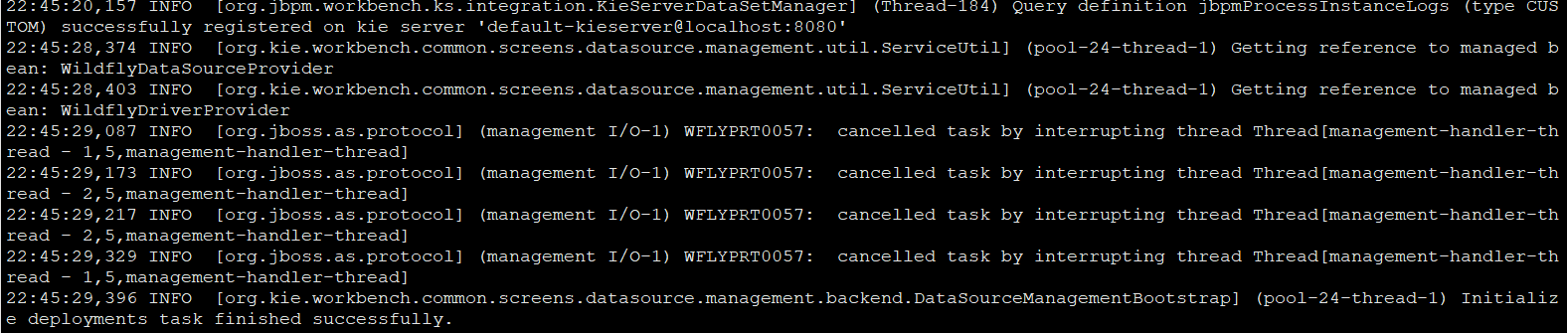
启动Process Automation Manager,直到出现initialize deployments task finished successfully!
./target/jboss-eap-7.2/bin/standalone.sh
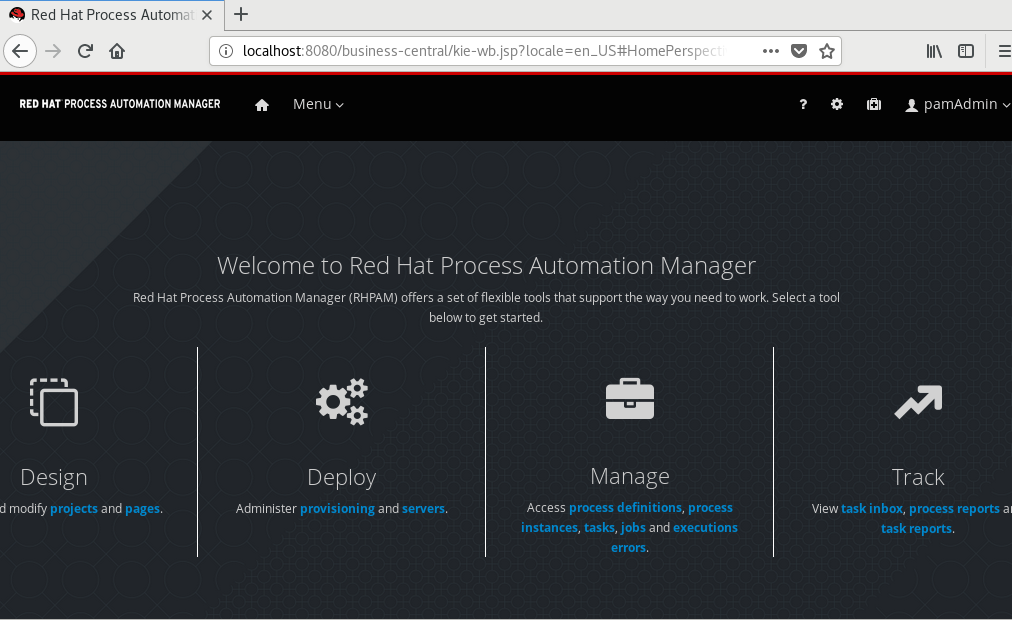
在虚拟机中登录http://localhost:8080/business-central
这里明显是没有绑定外部的ip了,待会慢慢研究怎么绑定所有ip

绑定ip启动
./target/jboss-eap-7.2/bin/standalone.sh -b 0.0.0.0
注意,因为bc和Kie Server之间的需要相互访问,如果设置一个固定的ip地址,在配置文件中,因为指定localhost:8080/kie-server而导致bc无法访问kie-server
配置文件在
/root/rhpam7-install-demo-master/target/jboss-eap-7.2/standalone/configuration 的standard.xml中
 <system-properties>

      <property name="org.kie.example" value="true"/>

      <property name="org.jbpm.designer.perspective" value="full"/>

      <property name="designerdataobjects" value="false"/>

      <!-- Store data in JBoss EAP directories. -->

      <property name="org.uberfire.nio.git.dir" value="${jboss.home.dir}/bin"/>

      <property name="org.kie.server.repo" value="${jboss.server.data.dir}"/>

      <property name="org.uberfire.metadata.index.dir" value="${jboss.home.dir}/bin"/>

      <property name="org.guvnor.m2repo.dir" value="${jboss.home.dir}/bin"/>

<!--Please uncomment the following properties to make KIE Server to be managed by Business Central

    Please also uncomment the default user and password which defined in standalone/configuration/application-roles.properties

    and application-users.properties-->

      <property name="org.kie.server.location" value="http://localhost:8080/kie-server/services/rest/server"/>

      <property name="org.kie.server.controller" value="http://localhost:8080/business-central/rest/controller"/>

      <property name="org.kie.server.controller.user" value="kieserver"/>

      <property name="org.kie.server.controller.pwd" value="kieserver1!"/>

      <property name="org.kie.server.user" value="kieserver"/>

      <property name="org.kie.server.pwd" value="kieserver1!"/>

      <property name="org.kie.server.id" value="default-kieserver"/>

   </system-properties>
会导致流程部署成功以后无法 查询以及启动流程。
创建Space,然后Add Project,发现报了一个错误Could not find artifact junit:junit:jar:4.12 in central
进入相关的目录查看,果然是没有, 目前解决办法, 把虚拟机上网,下载junit-4.12.jar的包,然后运行
mvn deploy:deploy-file -DgroupId=junit -DartifactId=junit -Dversion=4.12 -Dpackaging=jar -Dfile=/root/junit-4.12.jar -Durl=file:///root/.m2/repository
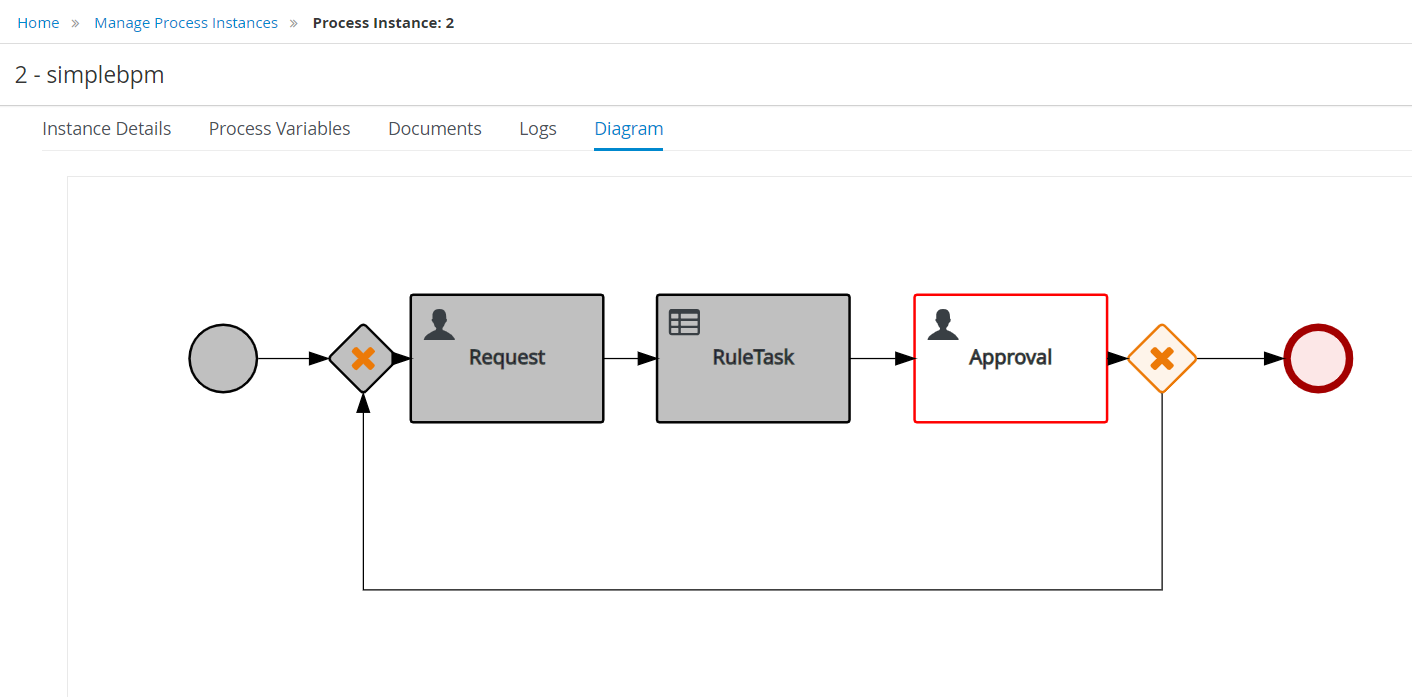
验证项目和流程建立。

创建流程步骤
1.创建Space,创建Project
2.添加Data Object,创建Business Process
3.配置Task,生成Form
4.部署然后运行
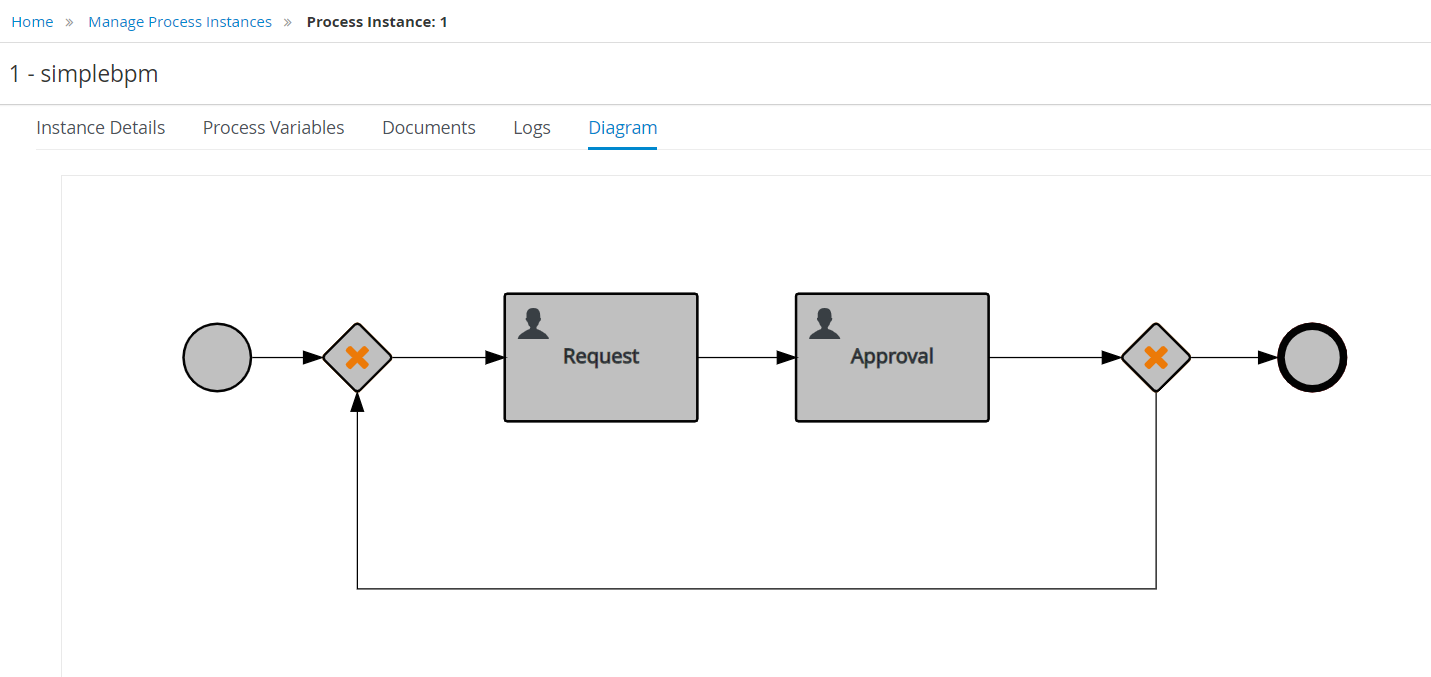
在Asset中加入一个DRL Rule,代码如下
package com.hello.firstproject;

import com.hello.firstproject.prodata

rule "SimpleRule1"

ruleflow-group "helloworldgroup"

when

   a : prodata( )

   prodata( requestID <  )

then

    System.out.println("Hello World!");

    a.setName( "EricNie" );

    a.setAddress( "ShenZhen" );

end

rule "SimpleRule2"

ruleflow-group "anothersimple"

when

   a : prodata( )

   prodata( requestID >  )

then

    System.out.println("Hello World!");

    a.setName( "Alice" );

    a.setAddress( "GuangZhou" );

end
流程中加入一个规则节点,选择相应的ruleflow-group

部署,然后测试和验证.
RHPAM 7.2安装的更多相关文章
- docker——容器安装tomcat
写在前面: 继续docker的学习,学习了docker的基本常用命令之后,我在docker上安装jdk,tomcat两个基本的java web工具,这里对操作流程记录一下. 软件准备: 1.jdk-7 ...
- 网络原因导致 npm 软件包 node-sass / gulp-sass 安装失败的处理办法
如果你正在构建一个基于 gulp 的前端自动化开发环境,那么极有可能会用到 gulp-sass ,由于网络原因你可能会安装失败,因为安装过程中部分细节会到亚马逊云服务器上获取文件.本文主要讨论在不变更 ...
- Sublime Text3安装JsHint
介绍 Sublime Text3使用jshint依赖Nodejs,SublimeLinter和Sublimelinter-jshint. NodeJs的安装省略. 安装SublimeLinter Su ...
- Fabio 安装和简单使用
Fabio(Go 语言):https://github.com/eBay/fabio Fabio 是一个快速.现代.zero-conf 负载均衡 HTTP(S) 路由器,用于部署 Consul 管理的 ...
- gentoo 安装
加载完光驱后 1进行ping命令查看网络是否通畅 2设置硬盘的标识为GPT(主要用于64位且启动模式为UEFI,还有一个是MBR,主要用于32位且启动模式为bois) parted -a optima ...
- Linux平台 Oracle 10gR2(10.2.0.5)RAC安装 Part3:db安装和升级
Linux平台 Oracle 10gR2(10.2.0.5)RAC安装 Part3:db安装和升级 环境:OEL 5.7 + Oracle 10.2.0.5 RAC 5.安装Database软件 5. ...
- Linux平台 Oracle 10gR2(10.2.0.5)RAC安装 Part1:准备工作
Linux平台 Oracle 10gR2(10.2.0.5)RAC安装 Part1:准备工作 环境:OEL 5.7 + Oracle 10.2.0.5 RAC 1.实施前准备工作 1.1 服务器安装操 ...
- 【原】nodejs全局安装和本地安装的区别
来微信支付有2年多了,从2年前的互联网模式转变为O2O模式,主要的场景是跟线下的商户去打交道,不像以往的互联网模式,有产品经理提需求,我们帮忙去解决问题. 转型后是这样的,团队成员更多需要去寻找业务的 ...
- tLinux 2.2下安装Mono 4.8
Tlinux2.2发行版基于CentOS 7.2.1511研发而成,内核版本与Tlinux2.0发行版保持完全一致,更加稳定,并保持对Tlinux2.0的完全兼容.Mono 4版本要求CentOS 7 ...
随机推荐
- day1作业:登录接口
作业一:编写登陆接口 1.输入用户名和密码 2.认证成功后显示欢迎信息 3.输错三次后锁定 思路: (1)用户输入用户名: (2)去锁定文件中验证用户名是否锁定: (3)去当前用户验证用户是否存在: ...
- Python全栈开发之12、html
从今天开始,本系列的文章会开始讲前端,从htnl,css,js等,关于python基础的知识可以看我前面的博文,至于python web框架的知识会在前端学习完后开始更新. 一.html相关概念 ht ...
- tp5总结(一)
https://github.com/ABCDdouyaer/tp5-1 1.下载composer 安装框架 也可以安装包或者git安装 composer create-project topthin ...
- Web层的Controller代码逻辑
需要做的功能: 1.数据的校验. 为什么不在后面的Service层校验呢? 原因:Service是通用的,而调用方Controller有多个,每一个Controller代表一个业务,这些业务需要校验的 ...
- 7-1 FireTruck 消防车 uva208
题意: 输入一个n <=20 个结点的无向图以及某个结点k 按照字典序从小到大顺序输出从结点1到结点k的所有路径 要求结点不能重复经过 标准回溯法 要实现从小到大字典序 现在数组中排序好即 ...
- 010 secondary namenode(同步元数据和日志)
1.格式化 首先格式化之后只剩下一个根目录. 格式化后会出现元数据 集群启动之后,元数据放在内存中的(消耗内存中) 格式化后会产生镜像文件fsimage,元数据存储 启动的时候namenode会读取镜 ...
- TI科学家谈浮点DSP未来发展
自十多年前浮点数字信号处理器(DSP)诞生以来,便为实时信号处理提供了算术上更为先进的备选方案.不过,定点器件至今仍是业界的主流.当然低成本是主要原因.定点DSP每器件产品的价格很低,这对大规 ...
- html+css制作五环(代码极简)
五环 把五环做成一个浮动,总是位于屏幕中央的效果. 难点 定位的练习 position :fixed 位于body中间的时候 left:50%:top:50%; css内部样式表的使用 style=& ...
- 【SPFA】POJ1511-Invitation Cards
[题目大意] 给出一张有向图,以1位源点,求“从源点出发到各点的距离”和“与各点返回源点的距离和”相加得到的和. [思路] 毫无疑问是最短路径,但是这数据量就算是SPFA也绝壁会超时啊,抱着必死的心态 ...
- 【10.17校内测试】【二进制数位DP】【博弈论/预处理】【玄学(?)DP】
Solution 几乎是秒想到的水题叻! 异或很容易想到每一位单独做贡献,所以我们需要统计的是区间内每一位上做的贡献,就是统计区间内每一位是1的数的数量. 所以就写数位dp辣!(昨天才做了数字统计不要 ...