
只有自己看的懂的vue 二叉树的3级联动
我是在vue做的数据
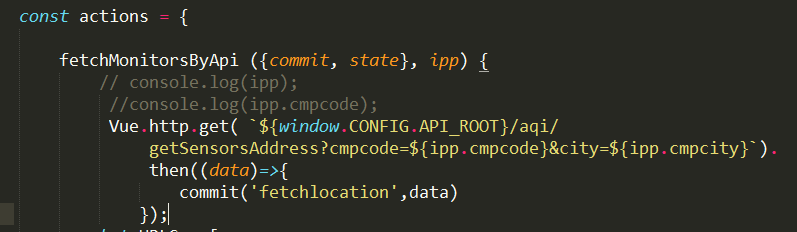
actions
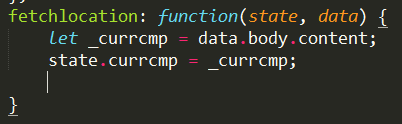
mutations
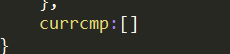
state
index页面获取值
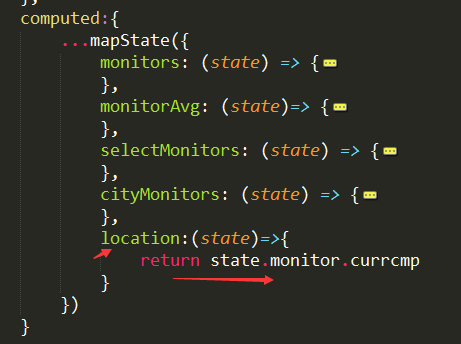
传递给子页面

子页面的操作
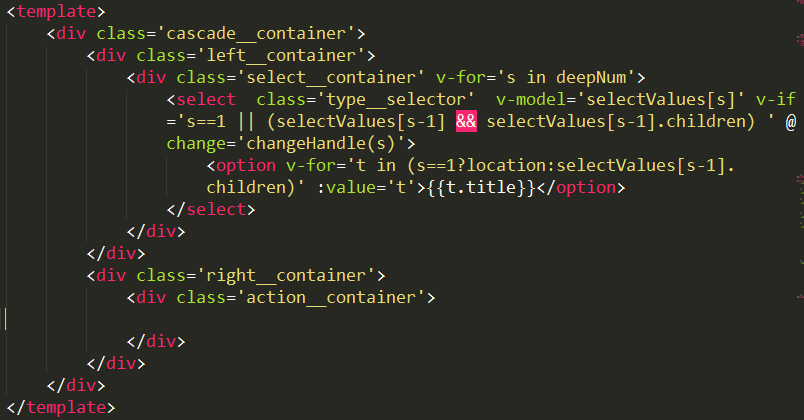
<template>
<div class='cascade__container'>
<div class='left__container'>
<div class='select__container' v-for='s in deepNum'>
<select class='type__selector' v-model='selectValues[s]' v-if='s==1 || (selectValues[s-1] && selectValues[s-1].children) ' @change='changeHandle(s)'>
<option v-for='t in (s==1?location:selectValues[s-1].children)' :value='t'>{{t.title}}</option>
</select>
</div>
</div>
<div class='right__container'>
<div class='action__container'>
</div>
</div>
</div>
</template>
<script>
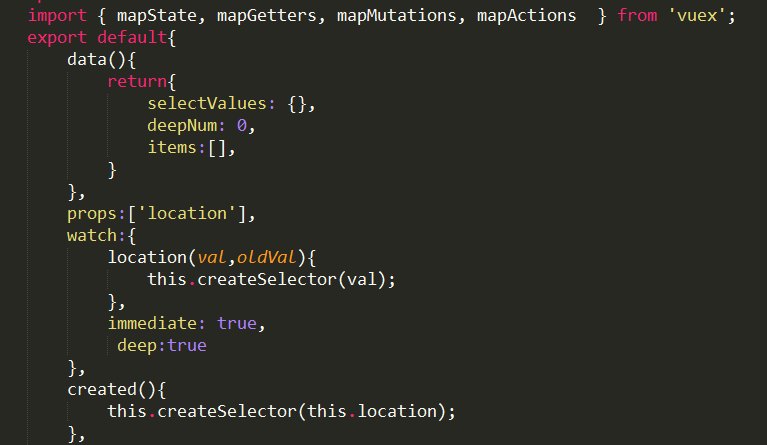
import { mapState, mapGetters, mapMutations, mapActions } from 'vuex';
export default{
data(){
return{
selectValues: {},
deepNum: 0,
items:[],
}
},
props:['location'],
watch:{
location(val,oldVal){
this.createSelector(val);
},
immediate: true,
deep:true
},
created(){
this.createSelector(this.location);
},
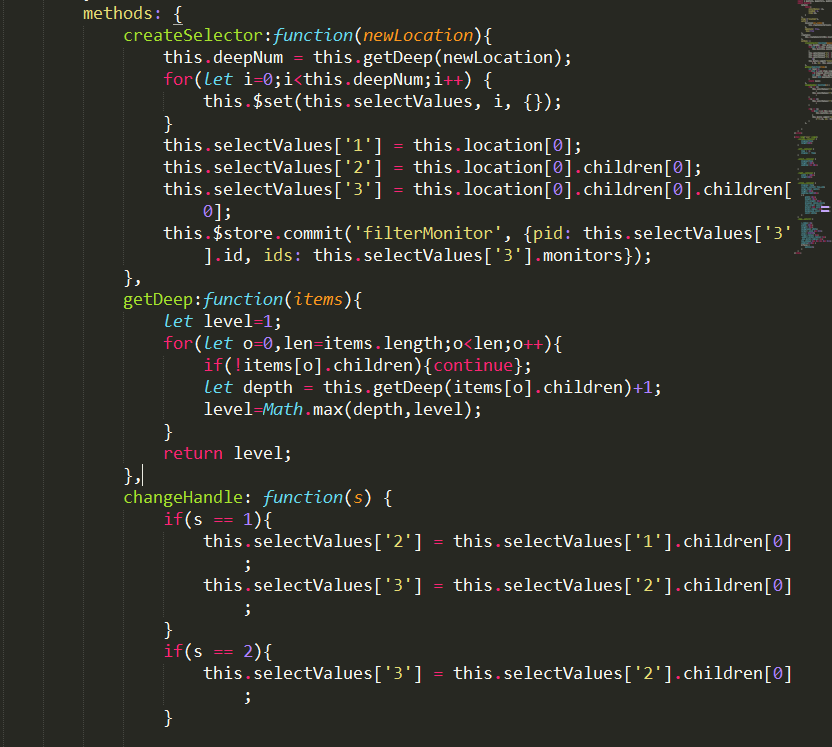
methods: {
createSelector:function(newLocation){
this.deepNum = this.getDeep(newLocation);
for(let i=0;i<this.deepNum;i++) {
this.$set(this.selectValues, i, {});
}
this.selectValues['1'] = this.location[0];
this.selectValues['2'] = this.location[0].children[0];
this.selectValues['3'] = this.location[0].children[0].children[0];
this.$store.commit('filterMonitor', {pid: this.selectValues['3'].id, ids: this.selectValues['3'].monitors});
},
getDeep:function(items){
let level=1;
for(let o=0,len=items.length;o<len;o++){
if(!items[o].children){continue};
let depth = this.getDeep(items[o].children)+1;
level=Math.max(depth,level);
}
return level;
},
changeHandle: function(s) {
if(s == 1){
this.selectValues['2'] = this.selectValues['1'].children[0];
this.selectValues['3'] = this.selectValues['2'].children[0];
}
if(s == 2){
this.selectValues['3'] = this.selectValues['2'].children[0];
}
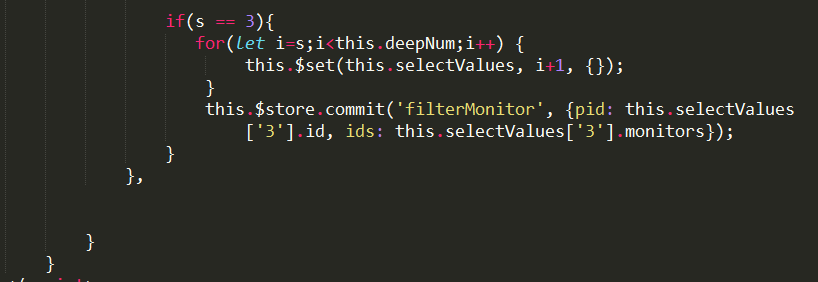
if(s == 3){
for(let i=s;i<this.deepNum;i++) {
this.$set(this.selectValues, i+1, {});
}
this.$store.commit('filterMonitor', {pid: this.selectValues['3'].id, ids: this.selectValues['3'].monitors});
}
},
}
}
</script>
<style lang='scss' scoped>
.cascade__container {
display:flex;
height:100%;
}
.left__container {
flex : 1;
display : flex;
}
.select__container {
display:flex;
height : 100%;
padding: 5px 10px;
}
.right__container {
width : 300px;
height:100%;
}
.action__container {
display: flex;
justify-content: flex-end;
align-items: center;
height: 100%;
padding-right:20px;
a {
width: 60px;
height: 30px;
line-height: 30px;
display: inline-block;
text-align: center;
border: 1px solid steelblue;
border-radius: 3px;
background-color: steelblue;
color: white;
}
}
.type__selector {
z-index: 10;
width: 130px;
height: 30px;
background: white;
border: solid 1px #CCC;
color: #3A87DB;
border-radius: 3px;
-webkit-border-radius: 3px;
-moz-border-radius: 3px;
box-shadow: 0px 0px 2px 0px #ccc;
padding:0 10px ;
&:focus {
outline:0;
}
}
</style>
只有自己看的懂的vue 二叉树的3级联动的更多相关文章
- 一看就懂的Android APP开发入门教程
一看就懂的Android APP开发入门教程 作者: 字体:[增加 减小] 类型:转载 这篇文章主要介绍了Android APP开发入门教程,从SDK下载.开发环境搭建.代码编写.APP打包等步骤 ...
- mysql取出现在的时间戳和时间时间戳转成人类看得懂的时间
mysql取出现在的时间戳和时间时间戳转成人类看得懂的时间,我们在mysql里面他封装了一个内置的时间戳转化的函数,比如我们现在的时间戳是:1458536709 ,"%Y-%m-%d&quo ...
- 一看就懂的ReactJs入门教程(精华版)
一看就懂的ReactJs入门教程(精华版) 现在最热门的前端框架有AngularJS.React.Bootstrap等.自从接触了ReactJS,ReactJs的虚拟DOM(Virtual DOM)和 ...
- JavaScript一看就懂(2)闭包
认识闭包之前需要先了解作用域,如果你对作用域还没有足够了解,请移步JavaScript一看就懂(1)作用域 什么是闭包? 我们可以先简单认为:一个函数a定义在另一个函数b里面,这个函数a就是闭包: f ...
- 小学生都看得懂的C语言入门(1): 基础/判别/循环
c基础入门, 小学生也可以都看得懂!!!! 安装一个编译器, 这方面我不太懂, 安装了DEV-C++ ,体积不大,30M左右吧, 感觉挺好用,初学者够了. 介绍下DEV 的快键键: 恢复 Ctrl+ ...
- python中和生成器协程相关的yield from之最详最强解释,一看就懂(四)
如果认真读过上文的朋友,应该已经明白了yield from实现的底层generator到caller的上传数据通道是什么了.本文重点讲yield from所实现的caller到coroutine的向下 ...
- python中和生成器协程相关yield from之最详最强解释,一看就懂(二)
一. 从列表中yield 语法形式:yield from <可迭代的对象实例> python中的列表是可迭代的, 如果想构造一个生成器逐一产生list中元素,按之前的yield语法,是在 ...
- python中和生成器协程相关的yield之最详最强解释,一看就懂(一)
yield是python中一个非常重要的关键词,所有迭代器都是yield实现的,学习python,如果不把这个yield的意思和用法彻底搞清楚,学习python的生成器,协程和异步io的时候,就会彻底 ...
- Windows进程通信之一看就懂的匿名管道通信
目录 进程通信之一看就懂的匿名管道通信 一丶匿名管道 1.1何为匿名管道 1.2创建匿名管道需要注意的事项 1.3 创建匿名管道需要的步骤 1.4代码例子 1.5代码运行截图 进程通信之一看就懂的匿名 ...
随机推荐
- Java的this和super总结
内容: 1.this和super作用 2.继承关系图 1.this和super作用 this和super的作用: this:区分本类中的成员变量和局部变量同名的情况,代指本类 super:区分子类中的 ...
- 数据库入门4 结构化查询语言SQL
知识内容: 1.了解SQL 2.库.表操作及索引 3.select语句及insert语句 4.update语句与delete语句 5.SQL常用函数 6.多表连接及组合查询 7.视图操作及数据控制 参 ...
- Selenium2+python自动化75-非input文件上传(SendKeys)
前言 不少小伙伴问非input标签如何上传文档,这个本身就是一坑,无奈很多小伙伴非要跳坑里去,那就介绍一个非主流的上传文件方法吧,用第三方库SendKeys. 只支持python2环境 python3 ...
- 返回标签数据示例 (PHP)
标签接口函数 获取标签数据 array uc_tag_get(string tagname [, array nums]) 函数参数 参数 含义 string tagname 标签名称 array n ...
- sbt的安装测试
1.下载 wget https://github.com/sbt/sbt/releases/download/v0.13.15/sbt-0.13.15.tgz 2.安装 tar -zxvf sbt-0 ...
- THREE.JS 场景世界坐标和平面二维坐标互转
<!DOCTYPE html><html lang="en"><head> <meta charset="UTF-8&qu ...
- leetcode217
public class Solution { public bool ContainsDuplicate(int[] nums) { var list = nums.Distinct(); if ( ...
- fb bin_debug下的swf不见了
fb清理了所选的项目,如果代码有错误,会自动删除bin_debug目录下的swf.这种情况,构建项目是无法自动生成swf的,只有将代码报错的地方修改正错了.选构建项目才会在bin_debug目录下生成 ...
- ActiveMQ无法启动
解决办法:activemq无法启动,端口被占用 用netstat -an无法查出61616被哪个进程占用(实践证明,netstat -ano|findstr '61616'什么也没有找到) 经过排查和 ...
- Simple2D-24 Sprite 渲染树
如果要开发游戏,单单使用 Painter 绘制图片会变得十分复杂.如果使用 Sprite 对象进行显示,可以简单地实现图片的位移.旋转和缩放,结合 Action 对象可以实现复杂的动画效果.最重要的是 ...