
03 .NET CORE 2.2 使用OCELOT -- Docker中的Consul
部署consul-docker镜像
先搜索consul的docker镜像
docker search consul
然后选择了第一个,也就是官方镜像
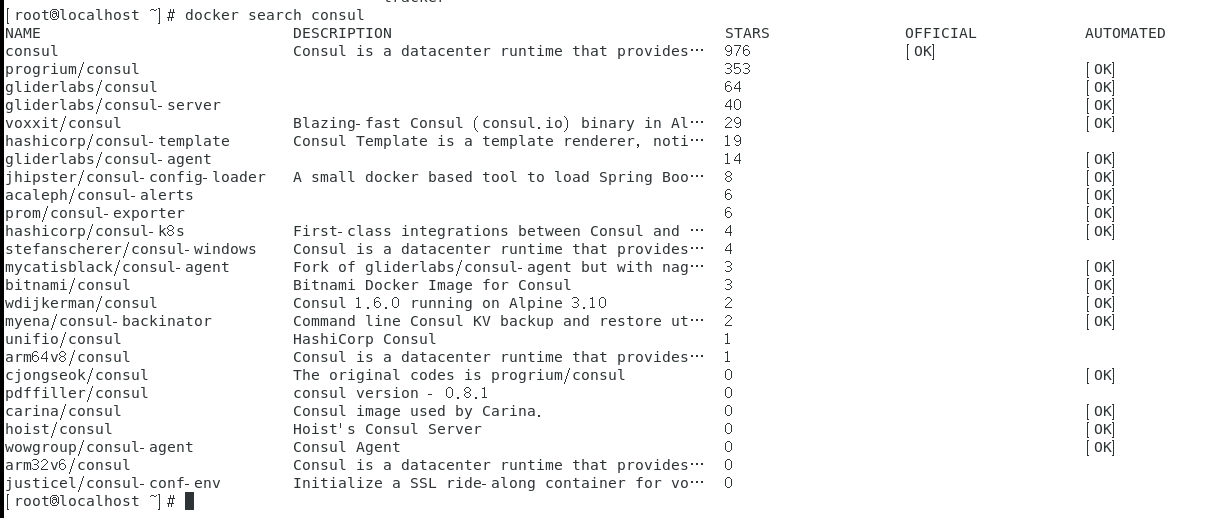
下载镜像
docker pull consul
然后运行镜像
docker run -d --name consul -v /home/root/config:/config --restart=always\
-p 8300:8300 \
-p 8301:8301 \
-p 8301:8301/udp \
-p 8302:8302 \
-p 8302:8302/udp \
-p 8400:8400 \
-p 8500:8500 \
consul agent -server \
-bootstrap-expect 1 \
-ui \
-client 0.0.0.0
consul中每个启动参数的含义,参考了以下链接:
https://www.bitdoom.com/2017/09/07/p125/
https://yq.aliyun.com/articles/536508
https://blog.csdn.net/yinwaner/article/details/80762757
https://blog.csdn.net/qq_36228442/article/details/89085373
https://www.cnblogs.com/PearlRan/p/11225953.html
https://www.cnblogs.com/magic-chenyang/p/7975677.html
注册服务
参考链接:
https://blog.csdn.net/hailang2ll/article/details/82079192
新建一个common项目
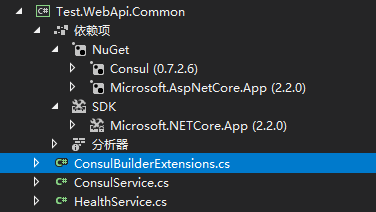
新建ConsulBuilderExtensions.cs 、ConsulService.cs、HealthService.cs
 using Consul;

 using Microsoft.AspNetCore.Builder;

 using Microsoft.AspNetCore.Hosting;

 using System;

 using System.Collections.Generic;

 using System.Linq;

 using System.Threading.Tasks;

 namespace Test.WebApi.Common

 {

     public static class ConsulBuilderExtensions

     {

         // 服务注册

         public static IApplicationBuilder RegisterConsul(this IApplicationBuilder app, IApplicationLifetime lifetime, HealthService healthService, ConsulService consulService)

         {

             var consulClient = new ConsulClient(x => x.Address = new Uri($"http://{consulService.IP}:{consulService.Port}"));//请求注册的 Consul 地址

             var httpCheck = new AgentServiceCheck()

             {

                 DeregisterCriticalServiceAfter = TimeSpan.FromSeconds(),//服务启动多久后注册

                 Interval = TimeSpan.FromSeconds(),//健康检查时间间隔,或者称为心跳间隔

                 HTTP = $"http://{healthService.IP}:{healthService.Port}/api/health",//健康检查地址

                 Timeout = TimeSpan.FromSeconds()

             };

             // Register service with consul

             var registration = new AgentServiceRegistration()

             {

                 Checks = new[] { httpCheck },

                 ID = healthService.Name + "_" + healthService.Port,

                 Name = healthService.Name,

                 Address = healthService.IP,

                 Port = healthService.Port,

                 Tags = new[] { $"urlprefix-/{healthService.Name}" }//添加 urlprefix-/servicename 格式的 tag 标签,以便 Fabio 识别

             };

             consulClient.Agent.ServiceRegister(registration).Wait();//服务启动时注册,内部实现其实就是使用 Consul API 进行注册(HttpClient发起)

             lifetime.ApplicationStopping.Register(() =>

             {

                 consulClient.Agent.ServiceDeregister(registration.ID).Wait();//服务停止时取消注册

             });

             return app;

         }

     }

 }
 namespace Test.WebApi.Common

 {

     public class ConsulService

     {

         public string IP { get; set; }

         public int Port { get; set; }

     }

 }
 namespace Test.WebApi.Common

 {

     public class HealthService

     {

         public string Name { get; set; }

         public string IP { get; set; }

         public int Port { get; set; }

     }

 }
两个webapi项目引用这个common项目
并修改各自的 startup.cs
 public void Configure(IApplicationBuilder app, IHostingEnvironment env, IApplicationLifetime lifetime)

         {

             if (env.IsDevelopment())

             {

                 app.UseDeveloperExceptionPage();

             }

             else

             {

                 // The default HSTS value is 30 days. You may want to change this for production scenarios, see https://aka.ms/aspnetcore-hsts.

                 app.UseHsts();

             }

             ConsulService consulService = new ConsulService()

             {

                 IP = Configuration["Consul:IP"],

                 Port = Convert.ToInt32(Configuration["Consul:Port"])

             };

             HealthService healthService = new HealthService()

             {

                 IP = Configuration["Service:IP"],

                 Port = Convert.ToInt32(Configuration["Service:Port"]),

                 Name = Configuration["Service:Name"],

             };

             app.RegisterConsul(lifetime, healthService, consulService);

             //app.UseConsul();

             app.UseHttpsRedirection();

             app.UseMvc();

         }
修改 appsettings.json。 192.168.2.16是本机地址。192.168.2.29是docker中consul的地址。 两个项目的配置类似,区别是本地项目的端口9001、9002。
 {

   "Logging": {

     "LogLevel": {

       "Default": "Warning"

     }

   },

   "AllowedHosts": "*",

   "Service": {

     "Name": "ApiService",

     "IP": "192.168.2.16",

     "Port": ""

   },

   "Consul": {

     "IP": "192.168.2.29",

     "Port": ""

   }

 }
IIS部署 .NET CORE 2.2
参考链接:
https://www.cnblogs.com/wxlv/p/netcore-to-iis.html
部署期间遇到过以下问题
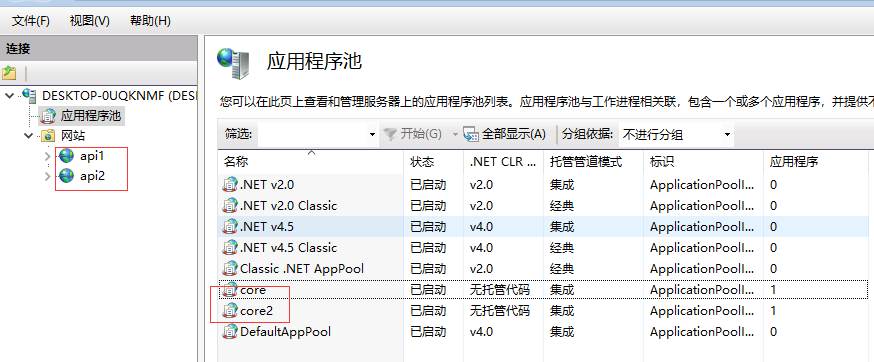
HTTP Error 500.35 - ANCM Multiple In-Process Applications in same Process ASP.NET Core 3
解决方法:两个webapi项目 用不一样的应用池。
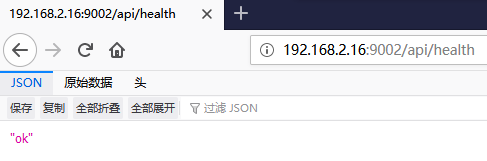
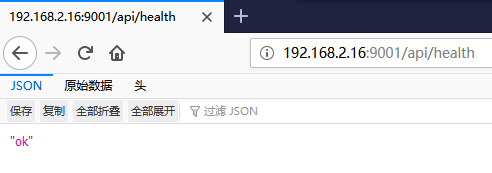
部署完成后,测试下 各自项目的 /api/health接口是否正常。
测试网关项目
修改网关项目的配置configuration.json
 {

   "ReRoutes": [

     {

       "UseServiceDiscovery": true,

       "DownstreamPathTemplate": "/{url}",

       "DownstreamScheme": "http",

       "ServiceName": "ApiService",

       "LoadBalancerOptions": {

         "Type": "RoundRobin"

       },

       "UpstreamPathTemplate": "/{url}",

       "UpstreamHttpMethod": [ "Get" ],

       "ReRoutesCaseSensitive": false

     }

   ],

   "GlobalConfiguration": {

     "ServiceDiscoveryProvider": {

       "Host": "192.168.2.29",

       "Port": ,

       "Type": "PollConsul",

       "PollingInterval":

     }

   }

 }
修改 startup.cs
 public void ConfigureServices(IServiceCollection services)

         {

             services.AddMvc().SetCompatibilityVersion(CompatibilityVersion.Version_2_2);

             services.AddOcelot(new ConfigurationBuilder()

                     .AddJsonFile("configuration.json")

                     .Build())

                     .AddConsul();

         }

         // This method gets called by the runtime. Use this method to configure the HTTP request pipeline.

         public async void Configure(IApplicationBuilder app, IHostingEnvironment env)

         {

             if (env.IsDevelopment())

             {

                 app.UseDeveloperExceptionPage();

             }

             else

             {

                 // The default HSTS value is 30 days. You may want to change this for production scenarios, see https://aka.ms/aspnetcore-hsts.

                 app.UseHsts();

             }

             await app.UseOcelot();

             app.UseHttpsRedirection();

             app.UseMvc();

         }
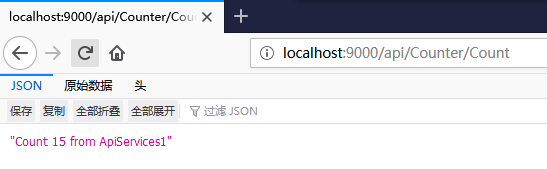
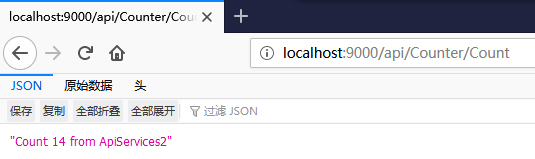
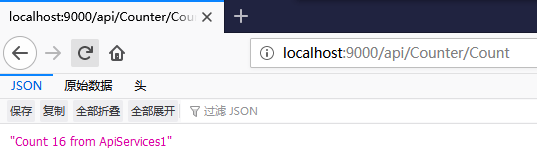
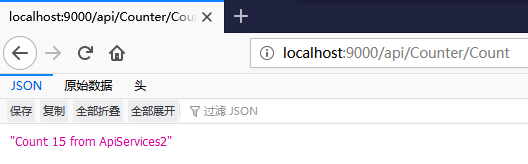
F5启动项目
03 .NET CORE 2.2 使用OCELOT -- Docker中的Consul的更多相关文章
- .NET Core Web 应用部署到 Docker 中运行
环境介绍 : 虚拟机:VirtualBox 5.1.6 系 统:Ubuntu 16.04.1 LTS 系统准备完成后可以使用 sudo apt-get udpate 和 sudo apt-get up ...
- Asp.Net Core WebAPI+PostgreSQL部署在Docker中
PostgreSQL是一个功能强大的开源数据库系统.它支持了大多数的SQL:2008标准的数据类型,包括整型.数值值.布尔型.字节型.字符型.日期型.时间间隔型和时间型,它也支持存储二进制的大对像, ...
- [Linux之旅一] .NET Core 2.2部署到Docker中
第一步,使用VS2017或者VS2019创建.NET Core 2.2或3.1的项目,如下图: 在创建项目的时候记得勾选Docker支持,这样会自动创建Dockerfile文件,这个文件用于构建Doc ...
- .net core Ocelot实现API网关并部署在docker中
基于Ocelot(http://ocelot.readthedocs.io)搭建的API网关demo 软件以及系统版本: Asp.Net Core 2.2 Ocelot 13.5.0 CentOS ...
- 在docker中运行ASP.NET Core Web API应用程序
本文是一篇指导快速演练的文章,将介绍在docker中运行一个ASP.NET Core Web API应用程序的基本步骤,在介绍的过程中,也会对docker的使用进行一些简单的描述.对于.NET Cor ...
- 将 ASP.NET Core 1.0 应用作为 docker 镜像发布 (Linux版)
var appInsights=window.appInsights||function(config){ function r(config){t[config]=function(){var i= ...
- docker中运行ASP.NET Core Web API
在docker中运行ASP.NET Core Web API应用程序 本文是一篇指导快速演练的文章,将介绍在docker中运行一个ASP.NET Core Web API应用程序的基本步骤,在介绍的过 ...
- ASP.NET Core 网站在Docker中运行
Docker作为新一代的虚拟化方式,未来肯定会得到广泛的应用,传统虚拟机的部署方式要保证开发环境.测试环境.UAT环境.生产环境的依赖一致性,需要大量的运维人力,使用Docker我们可以实现一次部署, ...
- .net core微服务之基于Docker+Consul+Registrator服务注册服务发现
一.Docker部分: 先拉最新的asp.net core的镜像: docker pull microsoft/aspnetcore 将下载下来的镜像重命名,为什么要重命名?等会讲Registrato ...
随机推荐
- 从html富文本中提取纯文本
其实从html富文本中提取纯文本很简单,富文本基本上是使用html标签给文本加上丰富多彩的样式. 所以只需要将富文本字符串中的“<.....>”标签剔除,即可得到纯文本.我们可以使用正则表 ...
- os模块,sys模块,json和pickle模块,logging模块
目录 OS模块 sys模块 json和pickle模块 序列化和反序列化 json模块 pickle logging模块 OS模块 能与操作系统交互,控制文件 / 文件夹 # 创建文件夹 import ...
- GCN 简单numpy实现
`#参考:https://blog.csdn.net/weixin_42052081/article/details/89108966 import numpy as np import networ ...
- [TCP/IP] SSL的通讯原理
SSL:位于传输层和应用层之间,专门实现在传输之前加密,在接收端给应用层之前解密;使用非对称加密技术 SSL原理 1.客户端与服务端建立连接 2.互相Hello(包含支持的版本.算法:加上随机数) 3 ...
- Apache:系统找不到指定的文件: No installed ConfigArgs for the service "Apache2"
解决方法: 将以下内容保存成FixApacheError.reg文件(其中红色粗体Apache2改成报错的系统服务名称,如"RTX_HTTPServer"),导入系统注册表 Fix ...
- Error: EACCES: permission denied, mkdir
今天在全局安装飞冰的时候,出现标题的错误 想到是权限不够的问题,其实飞冰官网也有解决的办法,就是更改npm的默认路径.我之前就是用了更改默认路径的方法,然后后来又恢复了默认路径,所以还是用默认路径加权 ...
- 201777010217-金云馨《面向对象程序设计(java)》第十三周学习
项目 内容 这个作业属于哪个课程 https://www.cnblogs.com/nwnu-daizh/ 这个作业的要求在哪里 https://www.cnblogs.com/nwnu-daizh/p ...
- COSO企业风险管理框架及其在大宗商品行业的应用
https://mp.weixin.qq.com/s/P1NDvqsz0GNObm1pb47mfg 中国期货市场交易量领先全球,期权.互换等新的衍生品工具逐步引入,场外衍生品服务商正在涌现.越来越多的 ...
- TVM:
Hello TVM 发表于 2019-06-29 TVM 是什么?A compiler stack,graph level / operator level optimization,目的是(不同框 ...
- JDOJ 2174 忠诚
JDOJ 2174 忠诚 https://neooj.com/oldoj/problem.php?id=2174 洛谷 P1816 忠诚 https://www.luogu.org/problemne ...