
nginx学习(一):基本安装
转载自http://summervast.blog.51cto.com/690507/385511
注意:可能因版本不同,个别指令不起作用,需要注意版本灵活安装,我在安装时也遇到过此问题
开始学习nginx,初步安装nginx,先熟悉一下;参考网上的资料和涨宴老师书籍。
http://nginx.org/en/download.html
下载需要的版本,0.7版本的是稳定版本,0.8的是开发版本,看个人所好,我用的是nginx-0.8.48;
一、安装
1、检查安装nginx的依赖性,nginx的模块需要第三方库的支持,检查是否安装下列库:
zlib、zlib-devel、openssl、openssl-devel、prce、prce-devel
[root@mgmserver ~]# rpm -qa |grep zlib
zlib-devel-1.2.3-3
zlib-1.2.3-3
[root@mgmserver tar_packet]# rpm -qa |grep openssl
openssl-0.9.8e-12.el5
openssl-devel-0.9.8e-12.el5
[root@mgmserver tar_packet]# rpm -qa |grep pcre
pcre-6.6-2.el5_1.7
pcre-devel-6.6-2.el5_1.7
[root@mgmserver tar_packet]# rpm -qa |grep gcc
compat-libgcc-296-2.96-138
compat-gcc-34-g77-3.4.6-4
gcc-c++-4.1.2-46.el5
libgcc-4.1.2-46.el5
compat-gcc-34-3.4.6-4
compat-gcc-34-c++-3.4.6-4
gcc-java-4.1.2-46.el5
gcc-4.1.2-46.el5
gccp-gfortran-4.1.2-46.el5
[root@mgmserver tar_packet]# rpm -qa |grep autoconf
autoconf-2.59-12
[root@mgmserver tar_packet]# rpm -qa |grep automake
automake-1.9.6-2.1
automake16-1.6.3-8
automake15-1.5-16
automake17-1.7.9-7
automake14-1.4p6-13
2、添加nginx使用的用户和组 ,
[root@mgmserver ~]# groupadd nginx #nginx使用的组;
[root@mgmserver ~]# useradd -g nginx nginx #nginx使用用户;
3、安装
[root@mgmserver ~]# cd /home/tar_packet/
[root@mgmserver tar_packet]# tar -zxvf nginx-0.8.48.tar.gz -C /home/install_packet/
[root@mgmserver tar_packet]# cd ../install_packet/
[root@mgmserver install_packet]# cd nginx-0.8.48/
[root@mgmserver nginx-0.8.48]# ls
auto CHANGES CHANGES.ru conf configure contrib html LICENSE README src
[root@mgmserver nginx-0.8.48]# ./configure --prefix=/usr/local/nginx \
> --user=nginx \
> --group=nginx \
> --with-http_stub_status_module \ #启用“server status"页
> --with-http_ssl_module #开启http ssl模块,使nginx可以支持https请求,这个模块需要已经
安装openssl
checking for OS
+ Linux 2.6.18-164.el5 i686
checking for C compiler ... found
checking for gcc builtin atomic operations ... not found
checking for C99 variadic macros ... found
checking for gcc variadic macros ... found
checking for unistd.h ... found
checking for inttypes.h ... found
checking for limits.h ... found
checking for sys/filio.h ... not found
checking for sys/param.h ... found
checking for sys/mount.h ... found
checking for sys/statvfs.h ... found
checking for crypt.h ... found
checking for Linux specific features
checking for epoll ... found
checking for sendfile() ... found
checking for sendfile64() ... found
checking for sys/prctl.h ... found
checking for prctl(PR_SET_DUMPABLE) ... found
checking for sched_setaffinity() ... found
checking for crypt_r() ... found
checking for sys/vfs.h ... found
checking for poll() ... found
checking for /dev/poll ... not found
checking for kqueue ... not found
checking for crypt() ... not found
checking for crypt() in libcrypt ... found
checking for F_READAHEAD ... not found
checking for posix_fadvise() ... found
checking for O_DIRECT ... found
checking for F_NOCACHE ... not found
checking for directio() ... not found
checking for statfs() ... found
checking for statvfs() ... found
checking for dlopen() ... not found
checking for dlopen() in libdl ... found
checking for sched_yield() ... found
checking for SO_SETFIB ... not found
checking for PCRE library ... found
checking for OpenSSL library ... found
checking for zlib library ... found
creating objs/Makefile
checking for int size ... 4 bytes
checking for long size ... 4 bytes
checking for long long size ... 8 bytes
checking for void * size ... 4 bytes
checking for uint64_t ... found
checking for sig_atomic_t ... found
checking for sig_atomic_t size ... 4 bytes
checking for socklen_t ... found
checking for in_addr_t ... found
checking for in_port_t ... found
checking for rlim_t ... found
checking for uintptr_t ... uintptr_t found
checking for system endianess ... little endianess
checking for size_t size ... 4 bytes
checking for off_t size ... 8 bytes
checking for time_t size ... 4 bytes
checking for setproctitle() ... not found
checking for pread() ... found
checking for pwrite() ... found
checking for strerror_r() ... found but is not working
checking for gnu style strerror_r() ... found
checking for sys_errlist[] ... found
checking for localtime_r() ... found
checking for posix_memalign() ... found
checking for memalign() ... found
checking for mmap(MAP_ANON|MAP_SHARED) ... found
checking for mmap("/dev/zero", MAP_SHARED) ... found
checking for System V shared memory ... found
checking for struct msghdr.msg_control ... found
checking for ioctl(FIONBIO) ... found
checking for struct tm.tm_gmtoff ... found
checking for struct dirent.d_namlen ... not found
checking for struct dirent.d_type ... found
Configuration summary
+ using system PCRE library
+ using system OpenSSL library
+ md5: using OpenSSL library
+ sha1 library is not used
+ using system zlib library
nginx path prefix: "/usr/local/nginx"
nginx binary file: "/usr/local/nginx/sbin/nginx"
nginx configuration prefix: "/usr/local/nginx/conf"
nginx configuration file: "/usr/local/nginx/conf/nginx.conf"
nginx pid file: "/usr/local/nginx/logs/nginx.pid"
nginx error log file: "/usr/local/nginx/logs/error.log"
nginx http access log file: "/usr/local/nginx/logs/access.log"
nginx http client request body temporary files: "client_body_temp"
nginx http proxy temporary files: "proxy_temp"
nginx http fastcgi temporary files: "fastcgi_temp"
nginx http uwsgi temporary files: "uwsgi_temp"
nginx http scgi temporary files: "scgi_temp"
[root@mgmserver nginx-0.8.48]#make
[root@mgmserver nginx-0.8.48]#make install
二、启动nginx
[root@mgmserver nginx]# /usr/local/webserver/nginx/sbin/nginx -c /usr/local/webserver/nginx/conf/nginx.conf
参数"-c"指定了配置文件的路径,如果不加'-c"参数, nginx,会默认加载其安装目录中conf子目录中的nginx.conf文件。

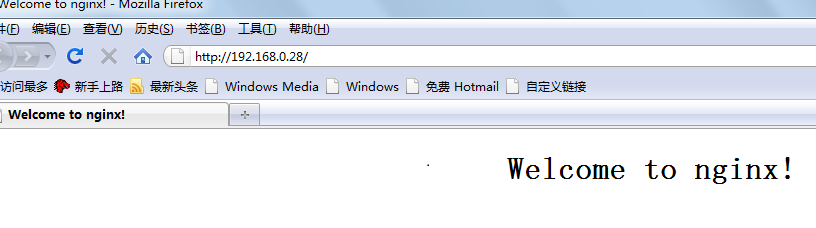
[root@mgmserver nginx-0.8.48]# ps -ef |grep nginx

可以看到一个主nginx的进程信息,一个子进程;如果在安装过程指定了“-pid-path=<path>那么该文件就指定了nginx的主进程号,如果没有指定pid文件的存放路径,nginx.pid默认存放在nginx安装目录的logs子目录下,
[root@mgmserver logs]# ls
access.log error.log nginx.pid
[root@mgmserver logs]# cat nginx.pid
6019
三、nginx的信号控制
◆ TERM,INT 快速关闭
◆ QUIT 从容关闭
◆ HUP 平滑重启,重新加载配置文件
◆ USR1 重新打开日志文件,在切割日志时用途较大;
◆ USR2 平滑升级可执行程序
◆ WINCH 从容关闭工作进程
我们可以直接通过以下命令来完成平滑重启,省下寻找nginx主进程号的步骤;
kill -"信号类型” ‘/usr/local/nginx/logs/nginx.pid'或者nginx的主进程号
(1)、从容停止nginx
[root@mgmserver ~]# kill -QUIT 6019 #nginx主进程号
[root@mgmserver logs]# kill -QUIT `cat /usr/local/nginx/logs/nginx.pid`
(2)、快速停止nginx
[root@mgmserver logs]# kill -TERM /INT nginx主进程号
[root@mgmserver logs]# kill -TERM /INT `cat /usr/local/nginx/logs/nginx.pid
(3)、强制停止所有的nginx进程
#pkill -9 nginx
(4)、平滑重启nginx
修改了nginx的配置文件要重启nginx;重启之前要检查配置文件是否正确:
[root@mgmserver html]# /usr/local/nginx/sbin/nginx -t -c /usr/local/nginx/conf/nginx.conf
the configuration file /usr/local/nginx/conf/nginx.conf syntax is ok
configuration file /usr/local/nginx/conf/nginx.conf test is successful
[root@mgmserver conf]# kill -HUP `cat /usr/local/nginx/logs/nginx.pid`
注意符号;
nginx的平滑重启
kill -HUP Nginx主进程号
或者
kill -HUP ·nginx.pid文件按存放路径·
nginx学习(一):基本安装的更多相关文章
- Nginx 学习笔记之安装篇
在windows下安装Nginx其实非常简单,只需如下几个步骤: 1. 在Nginx官网下载相应版本的安装程序,上面有最新版.稳定版等各种版本,正式运营的项目建议下载最新的稳定版 2.将下载后的压缩包 ...
- nginx学习(一):安装nginx
学习下nginx,本篇文章主要讲解下在linux下安装nginx 下载nginx 安装包 1.去官网http://nginx.org/下载对应的nginx包,推荐使用稳定版本: 2.上传tar包到li ...
- (Nginx学习一)安装和启动及对应文件夹介绍
nginx 安装和启动及对应文件夹介绍 1 安装 官网下载nginx文件 http://nginx.org/en/download.html 解压即可 2 文件夹介绍 在解压后nginx压缩包后发现 ...
- nginx学习与配置-安装与启动关闭管理
nginx服务器的安装 安装准备: nginx依赖于pcre库,要先安装pcre yum install pcre pcre-devel cd /usr/local/src/ wget wget ht ...
- nginx学习之详细安装篇(二)
1. 选择稳定版还是主线版 主线版:包含最新的功能和bug修复,但该版本可能会含有一些属于实验性的模块,同时可能会有新的bug,所以如果只是做测试使用,可以使用主线版. 稳定版:不包含最新的功能,但修 ...
- nginx学习之简化安装篇(一)
环境:CentOS 6.5 1. 安装依赖环境 [root@localhost ~]# yum install pcre-devel zlib-devel openssl-devel -y 2. 安装 ...
- Nginx学习笔记之应用篇
Nginx服务器的安装请参考Nginx学习笔记之安装篇 关于Nginx配置文档的API在这里就不一一列出,现在我们来配置第一个Nginx架构实现负载均衡的网站. 1.打开IIS,配置如下站点 重复上述 ...
- [转帖]nginx学习,看这一篇就够了:下载、安装。使用:正向代理、反向代理、负载均衡。常用命令和配置文件
nginx学习,看这一篇就够了:下载.安装.使用:正向代理.反向代理.负载均衡.常用命令和配置文件 2019-10-09 15:53:47 冯insist 阅读数 7285 文章标签: nginx学习 ...
- Windows+Nginx+Tomcat整合的安装与配置学习笔记
以下全部是nginx在window7下运行的: nginx学习总结: 我的是放在F盘 1.启动:F:\nginx-1.10.2\nginx-1.10.2>start nginx.exe(找到相应 ...
- CentOS学习笔记--Tomcat安装
Tomcat安装 通常情况下我们要配置Tomcat是很容易的一件事情,但是如果您要架设多用户多服务的Java虚拟主机就不那么容易了.其中最大的一个问题就是Tomcat执行权限.普通方式配置的Tomca ...
随机推荐
- 浅谈分治算法在OI中的应用
分治虽然是基本思想,但是OI中不会出裸分治让你一眼看出来,往往都是结合到找规律里面. 先来个简单的: 奇妙变换 (magic.pas/c/cpp) [问题描述] 为了奖励牛牛同学帮妈妈解决了大写中 ...
- zabbix修改密码
在我们刚刚安装好zabbix之后我们的管理用户是 Admin,密码是zabbix 所以我们肯定是要更改密码的,这个方法也适用于我们忘记管理员密码 首先我们登录mysql数据库 这里有一个zabbix库 ...
- org.eclipse.m2e.MAVEN2_CLASSPATH_CONTAINER
org.eclipse.m2e.MAVEN2_CLASSPATH_CONTAINER Eclipse中出现无法找到Maven包 症状:出现org.maven.ide.eclipse.MAVEN2_CL ...
- 常用的Java 架包(jar)的用途
前言:如果需要在项目中引入jar包,可以采用maven,配置方式在 http://mvnrepository.com 查询 slf4j-api 简介:slf4j并不是一种具体的日志系统,而是一个用户 ...
- Freemarker-标签使用
FreeMarker标签使用 FreeMarker模板文件主要有4个部分组成 1.文本,直接输出的部分 2.注释,即<#--...-->格式不会输出 3.插值(Interpolatio ...
- log4j2 使用说明
因近期需要编写J2EE程序,所以简单学习了Log4j2,这里把我学习的一些信息做记录: 1.从HelloWorld开始 参考:http://logging.apache.org/log4j/2.x/m ...
- awk多文件操作
awk 多文件操作2种实现方法 我们经常会将2个有关联文本文件进行合并处理.分别从不同文件获取需要的列,然后, 整体输出到一起.awk进行多文件处理时候,常常会遇到2个方面问题,第一个是怎么样合并多个 ...
- iOS关于rar解压第三方库Unrar4iOS使用总结
作者最近的公司项目要做实现rar解压的功能,在网上找了很久貌似关于rar解压的资料很少,不过有很多人推荐一个名叫“Unrar4iOS”的第三方开源框架,于是下载并尝试使用发现该开源框架并在使用过程中发 ...
- 【poj2773】 Happy 2006
http://poj.org/problem?id=2773 (题目链接) 题意 给出两个数m,k,要求求出从1开始与m互质的第k个数. Solution 数据范围很大,直接模拟显然是不行的,我们需要 ...
- TYVJ1864 守卫者的挑战
P1864 [Poetize I]守卫者的挑战 时间: 1000ms / 空间: 131072KiB / Java类名: Main 描述 打开了黑魔法师Vani的大门,队员们在迷宫般的路上漫无目的地搜 ...