
GUI之JavaFX
一、JavaFX不深究系列,目的只是为了尝试使用GUI的方式来生成桌面应用。
二、JavaFX是一个强大的图形和多媒体处理工具包集合,它允许开发者来设计、创建、测试、调试和部署富客户端程序,并且和Java一样跨平台。说白了就是利用Java的跨平台关系,做了一个图形处理工具。
三、详细学习可以参考:http://www.javafxchina.net/main/东西很多,不建议深究。
四、来点基本案例:
1)HelloWorld
import javafx.application.Application;

import javafx.scene.Scene;

import javafx.scene.control.Button;

import javafx.scene.layout.StackPane;

import javafx.stage.Stage;

public class HelloWorld extends Application{

    public void start(Stage primaryStage) throws Exception {

        //按钮绑定事件

        Button button = new Button();

        button.setText("hello world");

        button.setOnAction(event -> System.out.println("hello world!!!"));

        StackPane stackPane = new StackPane();

        stackPane.getChildren().add(button);

        //大小

        Scene scene = new Scene(stackPane, 300, 500);

        //设置显示

        primaryStage.setTitle("Hello World");

        primaryStage.setScene(scene);

        primaryStage.show();

    }

    public static void main(String[] args) {

        launch(args);

    }

}
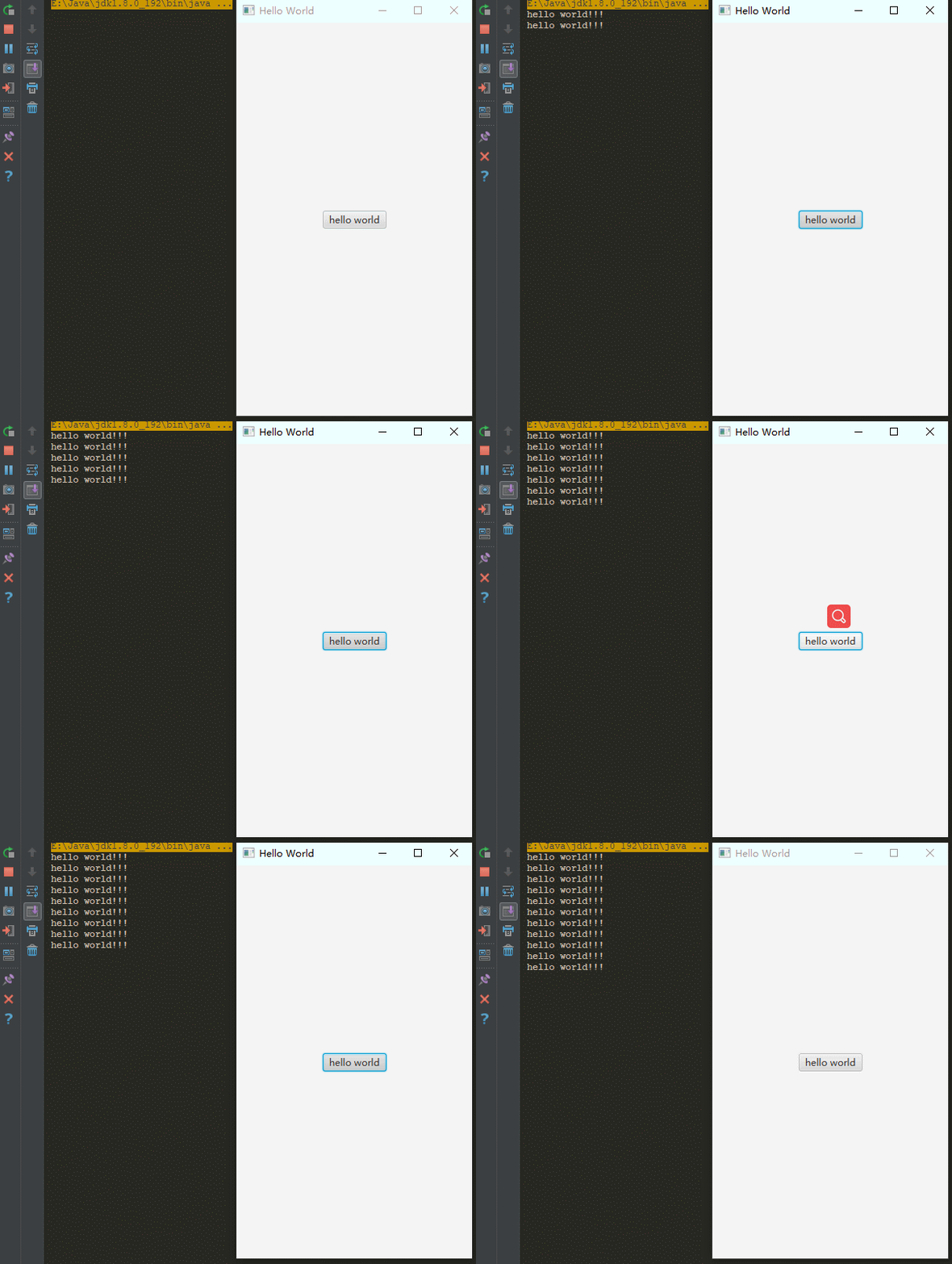
2)复杂一点,Login
import javafx.application.Application;

import javafx.geometry.Pos;

import javafx.scene.Scene;

import javafx.scene.control.Button;

import javafx.scene.control.Label;

import javafx.scene.control.TextField;

import javafx.scene.layout.GridPane;

import javafx.scene.layout.HBox;

import javafx.scene.paint.Color;

import javafx.scene.text.Font;

import javafx.scene.text.FontWeight;

import javafx.scene.text.Text;

import javafx.stage.Stage;

public class Login extends Application{

    public void start(Stage primaryStage) throws Exception {

        GridPane gridPane = new GridPane();

        gridPane.setAlignment(Pos.CENTER);

        gridPane.setHgap(10);

        gridPane.setVgap(10);

//        gridPane.setPadding(new Insets(25, 25, 25, 25));

        Text welcome = new Text("Welcome");

        welcome.setFont(Font.font("Tahoma", FontWeight.BOLD, 20));

        welcome.setId("welcome");

        gridPane.add(welcome, 0, 0, 2, 1);

        Label username = new Label("UserName:");

        gridPane.add(username, 0, 1);

        Label password = new Label("Password:");

        gridPane.add(password, 0, 2);

        TextField userNameText = new TextField();

        gridPane.add(userNameText, 1, 1);

        TextField passwordText = new TextField();

        gridPane.add(passwordText, 1, 2);

        //一个按钮Node

        Button button = new Button("Login");

        //一层box,子元素按设置的10排列

        HBox hBox = new HBox(10);

        hBox.setAlignment(Pos.BASELINE_RIGHT);

        hBox.getChildren().add(button);

        gridPane.add(hBox, 1, 4);

        final Text text = new Text();

        gridPane.add(text, 0, 4, 2, 1);

        button.setOnAction(event -> {

            text.setFill(Color.RED);

            text.setText("login button pressed");

        });

        Scene scene = new Scene(gridPane, 400, 300);

        primaryStage.setTitle("Login");

        primaryStage.setScene(scene);

        scene.getStylesheets().add(Thread.currentThread().getContextClassLoader().getResource("example/css/login.css").toExternalForm());

        primaryStage.show();

    }

    public static void main(String[] args) {

        launch(args);

    }

}

3)Fxml的写法
import javafx.application.Application;

import javafx.fxml.FXMLLoader;

import javafx.scene.Parent;

import javafx.scene.Scene;

import javafx.stage.Stage;

public class LoginFxml extends Application{

    public void start(Stage primaryStage) throws Exception {

        Parent load = FXMLLoader.load(Thread.currentThread().getContextClassLoader().getResource("example/fxml/login.fxml"));

        Scene scene = new Scene(load, 400, 300);

        scene.getStylesheets().add(Thread.currentThread().getContextClassLoader().getResource("example/css/login.css").toExternalForm());

        primaryStage.setTitle("Login Fxml");

        primaryStage.setScene(scene);

        primaryStage.show();

    }

    public static void main(String[] args) {

        launch(args);

    }

}
<?xml version="1.0" encoding="UTF-8"?>

<?import java.lang.*?>

<?import java.util.*?>

<?import javafx.scene.*?>

<?import javafx.scene.control.*?>

<?import javafx.scene.layout.*?>

<?import javafx.geometry.Insets?>

<?import javafx.scene.text.Text?>

<GridPane xmlns="http://javafx.com/javafx"

          xmlns:fx="http://javafx.com/fxml"

          fx:controller="com.cetc.example.LoginController"

          hgap="10" vgap="10" alignment="CENTER">

    <padding>

        <Insets left="25" right="25" top="25" bottom="25"/>

    </padding>

    <Text

        fx:id="welcome"

        text="Welcome"

        GridPane.columnIndex="0"

        GridPane.rowIndex="0"

        GridPane.columnSpan="2"/>

    <Label

        text="UserName"

        GridPane.columnIndex="0"

        GridPane.rowIndex="1"/>

    <TextField

        GridPane.columnIndex="1"

        GridPane.rowIndex="1"/>

    <Label

        text="Password"

        GridPane.columnIndex="0"

        GridPane.rowIndex="2"/>

    <TextField

        GridPane.columnIndex="1"

        GridPane.rowIndex="2"/>

    <HBox alignment="BOTTOM_RIGHT" GridPane.columnIndex="1" GridPane.rowIndex="4">

        <Button text="Login" onAction="#loginHandler"/>

    </HBox>

    <Text GridPane.columnIndex="0" GridPane.rowIndex="4" GridPane.columnSpan="2" fx:id="loginView"/>

</GridPane>
import javafx.event.ActionEvent;

import javafx.fxml.FXML;

import javafx.scene.paint.Color;

import javafx.scene.text.Text;

public class LoginController{

    @FXML

    private Text loginView;

    @FXML

    private void loginHandler(ActionEvent activeEvent) {

        loginView.setFill(Color.RED);

        loginView.setText("login button pressed");

    }

}
五、上面是不是感觉特你妈复杂,html写着不好吗。所以html的写法才是最正确的写法,主要是方便
import javafx.application.Application;

import javafx.scene.Scene;

import javafx.stage.Stage;

public class WebApplication extends Application {

    public void start(Stage primaryStage) throws Exception {

        primaryStage.setTitle("Browser");

        Scene scene = new Scene(new Browser(), 900, 900);

        primaryStage.setScene(scene);

        primaryStage.show();

    }

    public static void main(String[] args) {

        launch(args);

    }

}
注意:这里的方式采用的是浏览器的方式。
import javafx.application.Platform;

import javafx.geometry.HPos;

import javafx.geometry.VPos;

import javafx.scene.layout.Region;

import javafx.scene.web.WebEngine;

import javafx.scene.web.WebView;

public class Browser extends Region {

    private WebView webView = new WebView();

    private WebEngine webEngine = webView.getEngine();

    public Browser() {

        Platform.runLater(() -> {

            webEngine.load(Thread.currentThread().getContextClassLoader().getResource("browser/index.html").toExternalForm());

        });

        getChildren().add(webView);

    }

    @Override

    protected void layoutChildren() {

        layoutInArea(webView, 0, 0, getWidth(), getHeight(), 0, HPos.CENTER, VPos.CENTER);

    }

    @Override

    protected double computePrefWidth(double height) {

        return 900;

    }

    @Override

    protected double computePrefHeight(double width) {

        return 900;

    }

}
说明:这里的加载方式只能是静态页面的方式!当然可以加载已经部署好的web页面,不过那样就没啥意义了。
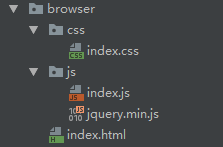
最后写了一个html的例子,简单这里不弄源码了

六、此篇源码地址:https://github.com/lilin409546297/JavaFX
七:请参考官网学习地址:http://www.javafxchina.net/main/
GUI之JavaFX的更多相关文章
- Atitit 桌面软件跨平台gui解决方案 javafx webview
Atitit 桌面软件跨平台gui解决方案 javafx webview 1.1. 双向js交互1 1.2. 新弹出窗口解决1 1.3. 3.文档对象入口dom解析1 1.4. 所以果断JavaFX, ...
- 结对作业:四则运算(Java+JavaFX)
一.简介 此程序是一个可自动生成,计算小学四则运算题目的项目. Github地址:https://github.com/czmDeRepository/SoftwareWork/tree/master ...
- Java的GUI框架如何选择? Swing、SWT、AWT、SwingX、JGoodies、JavaFX、Apache Pivot、BeautyEye框架(美观)?
AWT 是swing的基础,运行良好,但缺少高级组件.如果您打算创建丰富的应用程序,那么AWT可能不是最好的方法.但是对于不需要丰富用户界面的较小gui应用程序来说.这可能非常适合,因为它是一个久经考 ...
- JavaFX結合 JDBC, Servlet, Swing, Google Map及動態產生比例圖 (2):JavaFX建立及程式碼說明 (转帖)
說明:就如同標題一樣,前端會用到JavaFX.Swing.Java Web Start.Google Map 的技術, 後端就是JDBC.Servlet的技術,以及我們會簽署認證jar檔案,這樣才可存 ...
- java系列: 对不起,JavaFX——Java 8目前还不能救你(zz)
JavaFX 是SUN公司在2007年JavaOne大会上首次对外公布的以Java为基础构建的富客户端平台,更让开发者印象比较深刻的则是其背后的JavaFX开发团队,仅仅在两年的时间就从1.0版本完善 ...
- 写在学习Java GUI之前
Java GUI就是用Java语言开发桌面应用,而Java又有三个Java GUI库,分别为AWT,Swing和SWT/JFace. 现在要学的是Swing库. 后记:开发桌面应用,不止一种技术,现在 ...
- JavaFX 2 Dialogs
http://edu.makery.ch/blog/2012/10/30/javafx-2-dialogs/ ———————————————————————————————————————————— ...
- javaFX的控制台实现
最近做了个javaFX的工具,想弄个控制台输出信息,准备用TextArea来模拟console,但直接操纵console对象的话不依赖这个项目的地方就无法输出信息到控制台了,至于log,以前弄过一个输 ...
- JavaFX - 富互联网应用
JavaFX教程™ --必看https://www.yiibai.com/javafx /================= 富互联网应用 是那些提供与Web应用程序类似的功能,并可作为桌面应用程序体 ...
随机推荐
- 严重 [RMI TCP Connection(3)-127.0.0.1]
学习Servlet时碰到的一个bug. Connected to server [2017-01-08 04:40:33,100] Artifact jspRun:war exploded: Arti ...
- Python趣味入门01:你真的了解Python么?
小牛叔倾情出品,史上更简单有趣的Python入门系列教程,用认真.上心的原创带你飞. 0.Why Python ? 什么入门用python,其实这和它的气质有关,根据CHM(计算机历史博物馆)网站介绍 ...
- https搭建(自签名证书)
博客搬家: https搭建(自签名证书) 上一篇博客探究了https(ssl)的原理,为了贯彻理论落实于实践的宗旨,本文将记录我搭建https的实操流程,使用Apache2+ubuntu+openss ...
- Codeforces_327_C
http://codeforces.com/problemset/problem/327/C 等比求和相加,有mod的出现,所以要算逆元. #include<iostream> #incl ...
- ArrayList 并发操作 ConcurrentModificationException 异常
1.故障现象 ArrayList在迭代的时候如果同时对其进行修改就会抛出java.util.ConcurrentModificationException异常 2.故障代码 public class ...
- Python 进行目标检测
一.前言 从学单片机开始鼓捣C语言,到现在为了学CV鼓捣Python,期间在CSDN.简书.博客园和github这些地方得到了很多帮助,所以也想把自己做的一些小东西分享给大家,希望能帮助到别人.记录人 ...
- 微信小程序—Flex布局
参考教程:http://www.ruanyifeng.com/blog/2015/07/flex-grammar.html https://xluos.github.io/demo/flexb ...
- 【阿里云IoT+YF3300】14.阿里IoT Studio打造手机端APP
在上一篇<13.阿里云IoT Studio WEB监控界面构建>中,我们介绍了用阿里云IoT Studio(原Link Develop)可视化构建WEB界面程序.本篇文章将介绍用阿里云Io ...
- 《C# GDI+ 破境之道》:第一境 GDI+基础 —— 第三节:画圆形
有了上一节画矩形的基础,画圆形就不要太轻松+EZ:)所以,本节在画边线及填充上,就不做过多的讲解了,关注一下画“随机椭圆”.“正圆”.“路径填充”的具体实现就好.与画矩形相比较,画椭圆与之完全一致,没 ...
- package.json(node)中,多个命令行合并一条
1. ‘&’ 并行执行顺序,同时执行 "dev":"node test.js & webpack" 2.'&&'继发顺序,执行前 ...