
tomcat热启动没问题, 访问项目报500解决办法
新建maven项目
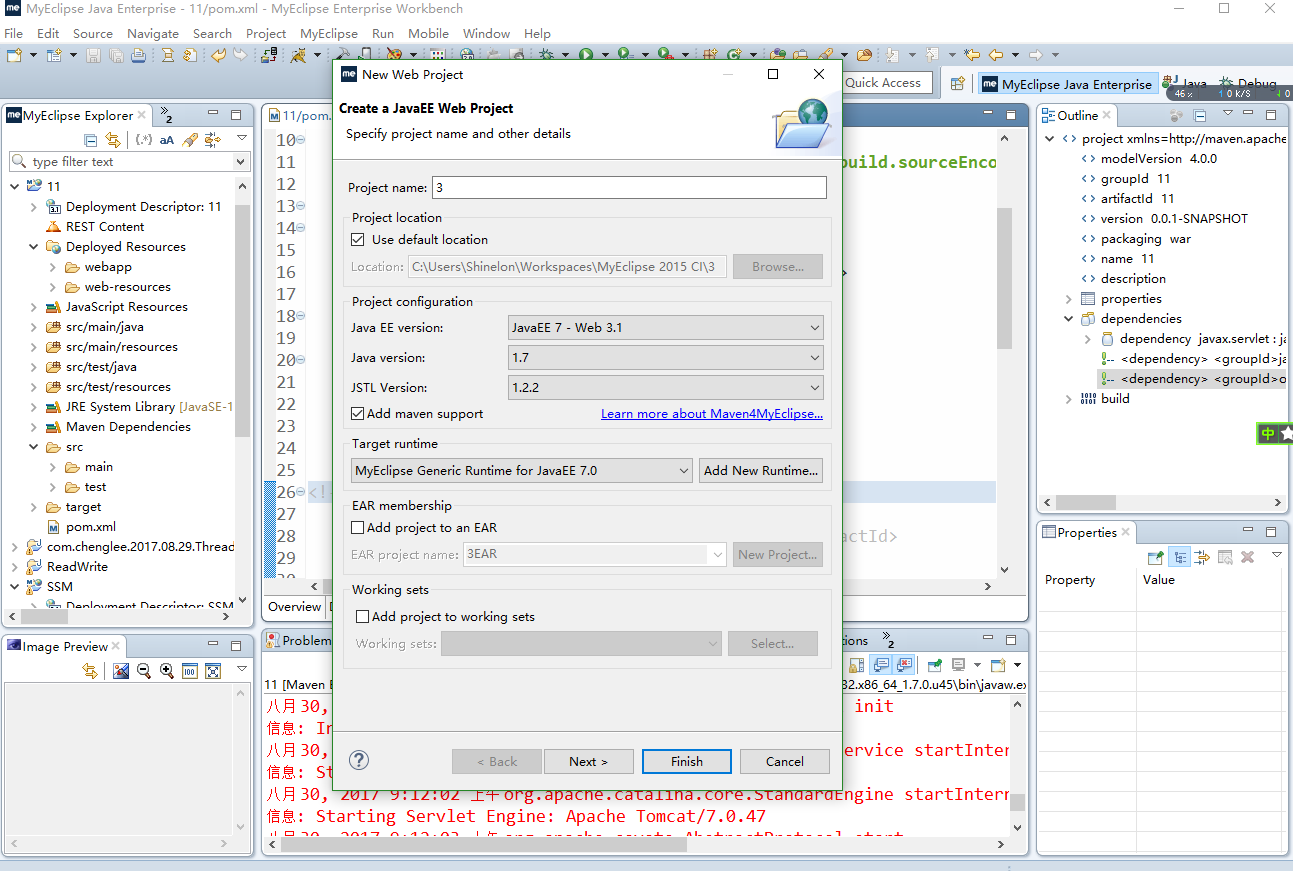
添加热启动
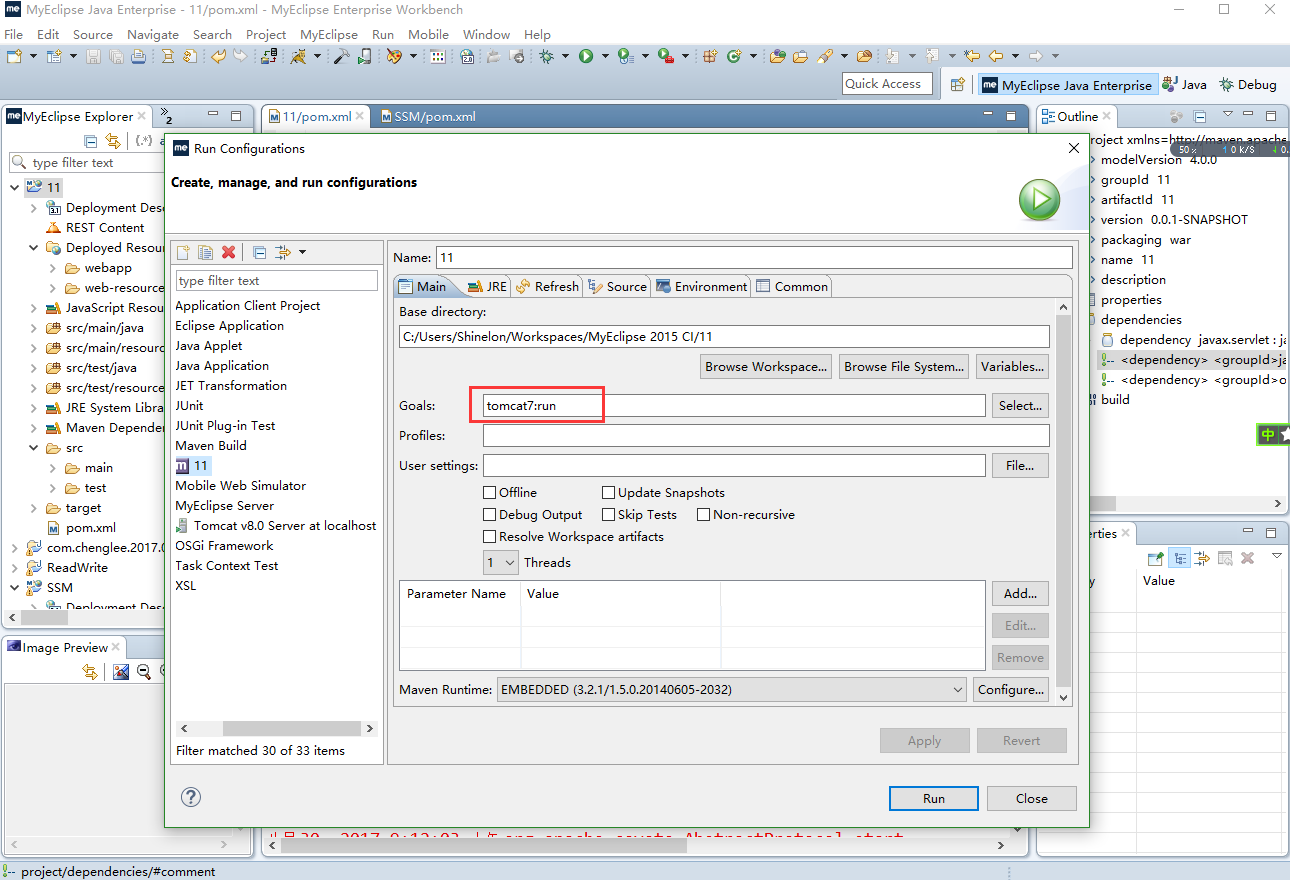
启动访问项目报错

报错提示

解决办法
思路:包冲突
在pom.xml中添加servlet

<dependency>

	<groupId>javax.servlet</groupId>

	<artifactId>javax.servlet-api</artifactId>

	<version>3.0.1</version>

	<scope>provided</scope>

</dependency>
注释
		<!-- <dependency>

			<groupId>javax</groupId>

			<artifactId>javaee-api</artifactId>

			<version>7.0</version>

			<scope>provided</scope>

		</dependency> -->

        <!-- 	 <dependency>

			<groupId>org.glassfish.web</groupId>

			<artifactId>javax.servlet.jsp.jstl</artifactId>

			<version>1.2.2</version>

		</dependency> -->
完整的pom.xml
<project xmlns="http://maven.apache.org/POM/4.0.0" xmlns:xsi="http://www.w3.org/2001/XMLSchema-instance"

	xsi:schemaLocation="http://maven.apache.org/POM/4.0.0 http://maven.apache.org/xsd/maven-4.0.0.xsd">

	<modelVersion>4.0.0</modelVersion>

	<groupId>11</groupId>

	<artifactId>11</artifactId>

	<version>0.0.1-SNAPSHOT</version>

	<packaging>war</packaging>

	<name>11</name>

	<description />

	<properties>

		<project.build.sourceEncoding>UTF-8</project.build.sourceEncoding>

	</properties>

	<dependencies>

		<dependency>

			<groupId>javax.servlet</groupId>

			<artifactId>javax.servlet-api</artifactId>

			<version>3.0.1</version>

			<scope>provided</scope>

		</dependency>

		<!-- <dependency> <groupId>javax</groupId> <artifactId>javaee-api</artifactId>

			<version>7.0</version> <scope>provided</scope> </dependency> -->

		<!-- <dependency> <groupId>org.glassfish.web</groupId> <artifactId>javax.servlet.jsp.jstl</artifactId>

			<version>1.2.2</version> </dependency> -->

	</dependencies>

	<build>

		<plugins>

			<plugin>

				<artifactId>maven-compiler-plugin</artifactId>

				<version>2.3.2</version>

				<configuration>

					<source>1.7</source>

					<target>1.7</target>

				</configuration>

			</plugin>

			<plugin>

				<artifactId>maven-war-plugin</artifactId>

				<version>2.2</version>

				<configuration>

					<version>3.1</version>

					<failOnMissingWebXml>false</failOnMissingWebXml>

				</configuration>

			</plugin>

			<plugin>

				<groupId>org.apache.tomcat.maven</groupId>

				<artifactId>tomcat7-maven-plugin</artifactId>

				<configuration>

					<port>9921</port>

					<path>/</path>

				</configuration>

			</plugin>

		</plugins>

	</build>

</project>
tomcat热启动没问题, 访问项目报500解决办法的更多相关文章
- IDEA新建SpringMVC项目报错解决办法
网页运行的错误: HTTP Status 500 - Handler processing failed; nested exception is java.lang.NoClassDefFoundE ...
- tomcat配置通过域名访问项目
tomcat配置通过域名访问项目,是修改conf/server.xml里面的配置信息实现.具体如下: (1)修改Connector节点的port属性值 <Connector port=" ...
- IDEA maven 项目报警告解决(自己的maven配置记录)
IDEA maven 项目报警告解决 应该是JDK版本太低 虽然你装的高但是默认使用maven 默认的 这里要配一下JDK版本 理解不深入只为 自己记录使用 1 配置 仓库为阿里云 配置本地储存j ...
- Sqlserver2005附加数据库时出错提示操作系统错误5(拒绝访问)错误5120的解决办法
Sqlserver2005附加数据库时出错提示操作系统错误5(拒绝访问)错误5120的解决办法 最近几天从网上找了几个asp.net的登录案例想要研究研究代码,结果在用 Sql Server2005附 ...
- sphinx :undefined reference to `libiconv' 报错解决办法
sphinx :undefined reference to `libiconv' 报错解决办法 2013-11-30 21:45:39 安装sphinx时不停报错...郁闷在make时报错,错误 ...
- SQLServer2005+附加数据库时出错提示操作系统错误5(拒绝访问)错误5120的解决办法
SQLServer2005+ 附加数据库时出错提示操作系统错误5(拒绝访问)错误5120的解决办法 我们在用Sql SQLServer2005+附加数据库文件时弹出错误信息如下图的处理办法: 方案一: ...
- 小账本APP——软件项目风险管理及解决办法案例
小账本APP——软件项目风险管理及解决办法案例 摘要 软件项目风险是指在软件开发过程中遇到的预算和进度等方面的问题以及这些问题对软件项目的影响.软件项目风险会影响项目计划的实现,如果项目风险变成现实, ...
- [经使用有效]Sqlserver2005附加数据库时出错提示操作系统错误5(拒绝访问)错误5120的解决办法
sqlserver2005附加数据库时出错提示操作系统错误5(拒绝访问)错误5120的解决办法 最近几天从网上找了几个asp.net的登录案例想要研究研究代码,结果在用 Sql Server2005附 ...
- 运行OpenGL红宝书第9版源码时Visual Studio提示“无法启动程序...ALL_BUILD。拒绝访问“的问题的解决办法
问题描述: OpenGL红宝书第9版源码采用CMake编译后,用相应的Visual Studio(如VS2012)打开“vermilion9.sln”解决方案,并运行时Visual Studio提示“ ...
随机推荐
- HDU 1789 - Doing Homework again - [贪心+优先队列]
题目链接:http://acm.hdu.edu.cn/showproblem.php?pid=1789 Time Limit: 1000/1000 MS (Java/Others) Memory Li ...
- 修改机器名、IP对arcgis server、portal的影响?
修改机器名.IP是否对ArcGIS Server .Portal等有影响? 请教赛姐:修改IP对ArcGIS Server .Portal 无影响,不过建议将ArcGIS Server .Portal ...
- 2018/04/04 每日一个Linux命令 之 ps
ps 用于查看系统内的进程状态. 这个命令比较重要,也比较长,会通过实践出常用的命令 -- 当我们敲下一个 ps 之后会发生什么? ubuntu@hong:~/nginx/sites-enabled$ ...
- KVM VCPU线程调度问题的讨论
2017-11-15 今天闲着没有突然想了想VCPU线程调度的问题,具体描述如下: 当代表VCPU的线程获得控制权后,首先会通过KVM接口进入到内核,从内核进入到非根模式,那么此时站在全局调度器的点上 ...
- 用SCSS需要小心IE对css的几个限制
IE对CSS的限制主要有两个: 一个页面中引用的CSS只读前32个 一个CSS文件中只读前4095个选择器 关于这个问题的文章有很多,我就不细讲了. 我想讲的是在用SCSS写CSS的时候非常容易超过这 ...
- Window版本 安装mysql
#1.下载:MySQL Community Server 5.7.16 http://dev.mysql.com/downloads/mysql/ 下载下来解压到指定目录 就安装完成了 #2.解压 如 ...
- mysql 内置功能 存储过程 创建无参存储过程
操作哪个数据库,就把存储过程建到那个数据库 例如 现在use db2; 应该把存储过程 建立到db2数据库里 创建无参存储过程 delimiter // # 设置mysql结束符合为// create ...
- FineReport实现java报表权限使用的效果图
Java报表-多级权限配置说明 Java报表-联合填报 Java报表-模板内容权限控制 Java报表-权限细粒度控制
- semi-consistent简介
semi-consistent简介 http://hedengcheng.com/?p=220 semi-consistent简介 1 semi-consistent实现 2 MySQL ...
- 读取Linux上图片
/** * 读取图片 * @param path * @param response * @throws Exception */ public static void showImg(String ...