
Apache 配置多个HTTPS站点
作中经常会遇到多个站点实现https访问,并指向同一个网页,本文将详解如何在Centos 环境下配置Apache多站点实现HTTPS访问。
准备工作
OS:CentOS release 6.8 (Final)
Web:Apache
安装Apache
1、安装Apache
[root@node1 ~]# yum install httpd -y
2、启动服务
[root@node1 ~]# service  httpd start

Starting httpd:                                            [  OK  ]

[root@node1 ~]#
3、修改测试页面
[root@node1 ~]# cat /var/www/html/index.html

<h1>

Apache Test Page~

</h1>
4、测试访问
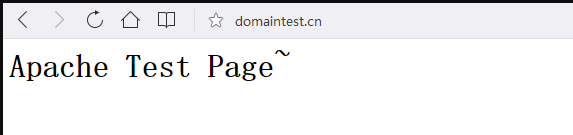
实现HTTPS访问
1、安装SSL模块
[root@node1 ~]# yum install mod_ssl -y
2、检测
[root@node1 ~]# cd /etc/httpd/modules/

[root@node1 modules]# ll | grep ssl

-rwxr-xr-x 1 root root 181872 Oct 20  2017 mod_ssl.so
3、上传证书文件
这里我们可以到各大厂商去申请免费证书,可满足个人网站的需求,如企业网站,建议购买企业收费证书;
[root@node1 ~]# cd /etc/httpd/

[root@node1 httpd]# mkdir ssl/default

[root@node1 httpd]# cd ssl/default

[root@node1 default]# rz

[root@node1 default]# ll

total 12

-rw-r--r-- 1 root root 1683 Apr 13 22:26 1_root_bundle.crt

-rw-r--r-- 1 root root 2008 Apr 13 22:26 2_domaintest.cn.crt

-rw-r--r-- 1 root root 1678 Apr 13 22:26 3_domaintest.cn.key

[root@node1 default]#
4、修改配置
[root@node1 ~]# cd /etc/httpd/conf.d/

[root@node1 conf.d]# ls

README  ssl.conf  welcome.conf

[root@node1 conf.d]# vim ssl.conf
LoadModule ssl_module modules/mod_ssl.so

Listen 443

<VirtualHost *:443>

    DocumentRoot "/var/www/html"

    ServerName domaintest.cn

    SSLEngine on

    SSLCertificateFile /etc/httpd/ssl/default/2_domaintest.cn.crt

    SSLCertificateKeyFile /etc/httpd/ssl/default/3_domaintest.cn.key

    SSLCertificateChainFile /etc/httpd/ssl/default/1_root_bundle.crt

</VirtualHost>
| 配置文件参数 | 说明 |
|---|---|
| LoadModule | 加载SSL模块 |
| Listen | 监听443端口 |
| DocumentRoot | 网页目录 |
| ServerName | 站点域名 |
| SSLEngine on | 启用SSL功能 |
| SSLCertificateFile | 证书文件 |
| SSLCertificateKeyFile | 私钥文件 |
| SSLCertificateChainFile | 证书链文件 |
5、重启服务
[root@node1 ~]# httpd -t

Syntax OK

可以先试用httpd -t 检测一下配置文件是否正确,然后再重启服务;

[root@node1 ~]# service  httpd restart

Stopping httpd:                                            [  OK  ]

Starting httpd:                                            [  OK  ]
6、检测端口是否监听
[root@node1 conf.d]# ss -ntl

State      Recv-Q Send-Q       Local Address:Port         Peer Address:Port

LISTEN     0      128                      *:80                      *:*

LISTEN     0      128                      *:22                      *:*

LISTEN     0      100              127.0.0.1:25                      *:*

LISTEN     0      128                      *:443                     *:*

[root@node1 conf.d]#
配置多个HTTPS站点
1、上传证书文件
[root@node1 ~]# cd /etc/httpd/ssl/

[root@node1 ssl]# mkdir web

[root@node1 ssl]# cd web/

[root@node1 web]# rz
2、修改配置文件
LoadModule ssl_module modules/mod_ssl.so

Listen 443

NameVirtualHost *:443

# 第一个虚拟主机

<VirtualHost *:443>

DocumentRoot "/var/www/html"

ServerName domaintest.cn

SSLEngine on

SSLCertificateFile /etc/httpd/ssl/default/2_domaintest.cn.crt

SSLCertificateKeyFile /etc/httpd/ssl/default/3_domaintest.cn.key

SSLCertificateChainFile /etc/httpd/ssl/default/1_root_bundle.crt

</VirtualHost>

#第二个虚拟主机

<VirtualHost *:443>

DocumentRoot "/var/www/html"

ServerName web.domaintest.cn

SSLEngine on

SSLCertificateFile /etc/httpd/ssl/web/2_web.domaintest.cn.crt

SSLCertificateKeyFile /etc/httpd/ssl/web/3_web.domaintest.cn.key

SSLCertificateChainFile /etc/httpd/ssl/web/1_root_bundle.crt

</VirtualHost>
3、重启服务
[root@node1 conf.d]# service  httpd restart

Stopping httpd:                                            [  OK  ]

Starting httpd:                                            [  OK  ]

[root@node1 conf.d]#
4、测试
Apache 配置多个HTTPS站点的更多相关文章
- windows apache 配置多个服务站点
原文 方法一:多个APACHE服务 更改第一个站点的根目录: 在文件Apache2.2/conf/httpd.conf中查找 DocumentRoot 属性,将后面的路径改为你的主站点的路径, 如:D ...
- Apache配置多端口多站点
配置httpd.conf 监听多个端口 复制代码 代码如下:# Listen: Allows you to bind Apache to specific IP addresses and/or # ...
- windows下apache配置ssl(https)服务器
SSl是为Http传输提供安全的协议,通过证书认证来确保客户端和网站服务器之间的数据是安全, 可以通过apache自带的openssl进行配置: 步骤如下: 1.安装有openssl模板的apache ...
- windows apache 配置多个服务 站点 Apache Service Monitor
把Apache安装为多个Window NT服务 ~~~ 可以在 services.msc中查看到1. 在DOS下跳到Apache安装目录里的bin目录(~~~或者用path命令 把apache的安装目 ...
- Linux下Apache配置SSL支持https
参考:http://www.thinksaas.cn/group/topic/280017/ 生成证书过程如下 Step :生成服务器密钥: mkdir -p /etc/pki/test cd /et ...
- Apache 配置 http 转 https
<IfModule mod_rewrite.c> RewriteEngine On RewriteBase / RewriteCond %{SERVER_PORT} !^443$ Rewr ...
- apache配置多域名多站点记录
<VirtualHost *:80> DocumentRoot "/mnt/web/www.*.cn" ServerName www.*.cn ErrorLog ...
- apache配置https重定向
apache配置https重定向 一.总结 一句话总结: 网上找不到答案的原因是因为没有精准的描述问题,没有把问题描述清楚:尽量把关键词描述清楚 1.apache将80端口重定向443的具体步骤(在 ...
- websocket + TP5.1 + apache 配置步骤
websocket + TP5.1 + apache 配置步骤 1. https ssl配置好 2. 检查php环境是否满足Workerman要求 curl -Ss http://www.worker ...
随机推荐
- JAVA知多少
读<java解惑>感觉有意思的就记录一下. 1.判断奇数还是偶数 public boolean isOdd(int i){ return i%2==1; }; 这样子看起来很对,但是考虑到 ...
- commander.js 制作简易的 MINA CLI 脚手架
出发点并不是小程序本身,是想要做一个脚手架(command-line interface),看过 VUE / REACT 脚手架,觉得很厉害,但是并不太知道里面是怎么做成的,所以最近研究了研究,看能不 ...
- Elasticsearch学习之深入聚合分析三---案例实战
1. 统计指定品牌下每个颜色的销量 任何的聚合,都必须在搜索出来的结果数据中进行,搜索结果,就是聚合分析操作的scope GET /tvs/sales/_search { , "query& ...
- Windows下Visual Studio 2013编译Lua 5.2.3
1.创建一个Visual C++的Empty Project,如果需要支持Windows XP将Platform Toolset设置为Visual Studio 2013 - Windows XP ( ...
- Python中的str与bytes之间的转换的三种方法
# bytes object b = b"example" # str object s = "example" # str to bytes sb = byt ...
- 判断String 中文混输 长度
extends:http://www.tuicool.com/articles/EB36Jv public static int calculateLength(String etString) { ...
- ArrayList迭代修改抛出ConcurrentModificationException
extends:http://www.cnblogs.com/dolphin0520/p/3933551.html Iterator<Integer> iterator = list.it ...
- OC开发_整理笔记——友盟分享(社交化组件)
0.友盟的地址 http://dev.umeng.com,进入友盟,在使用友盟之前我们需要注册账号获取key (1 进入我们的产品,添加新应用 (2 输入信息,然后就会获取到key 1.选择社会化分 ...
- thinkphp结合layui上传图片
简单示例: <script type="text/javascript"> layui.use(['form', 'layedit','element', 'layda ...
- 有向连通图增加多少边构成强联通(hdu3836,poj1236)
hdu3836 求出强分量后缩点处理得到分支图,对分支图的每个强连通分量统计出度和入度.需要的边数就是:统计 入度=0 的顶点数 和 出度=0 的顶点数,选择两者中较大的一个,才能确保一个强连通图. ...