
iOS开发 -李洪强-清除缓存
//
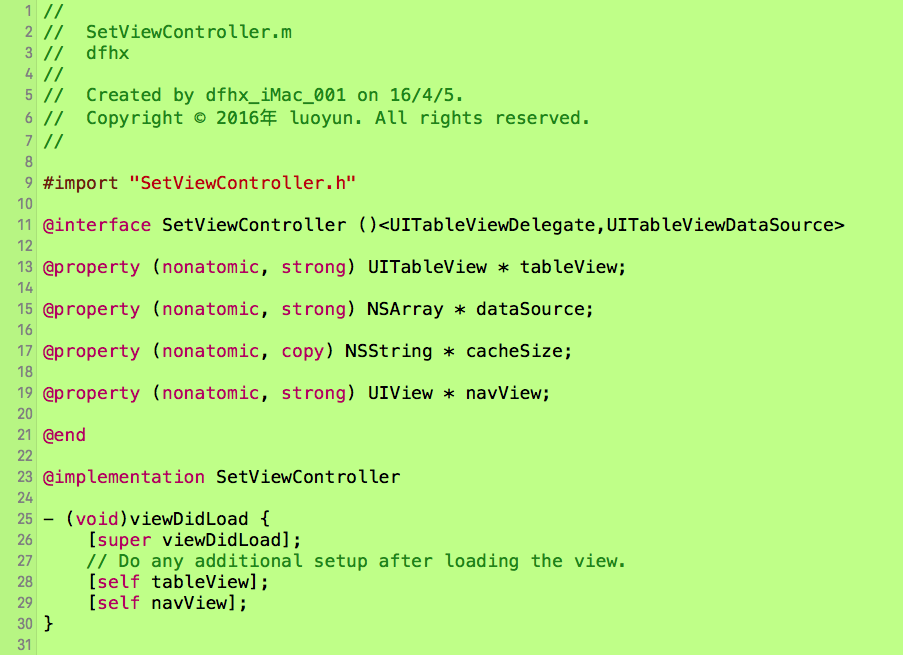
// SetViewController.m
// dfhx
//
// Created by dfhx_iMac_001 on 16/4/5.
// Copyright © 2016年 luoyun. All rights reserved.
//
#import "SetViewController.h"
@interface SetViewController ()<UITableViewDelegate,UITableViewDataSource>
@property (nonatomic, strong) UITableView * tableView;
@property (nonatomic, strong) NSArray * dataSource;
@property (nonatomic, copy) NSString * cacheSize;
@property (nonatomic, strong) UIView * navView;
@end
@implementation SetViewController
- (void)viewDidLoad {
[super viewDidLoad];
// Do any additional setup after loading the view.
[self tableView];
[self navView];
}
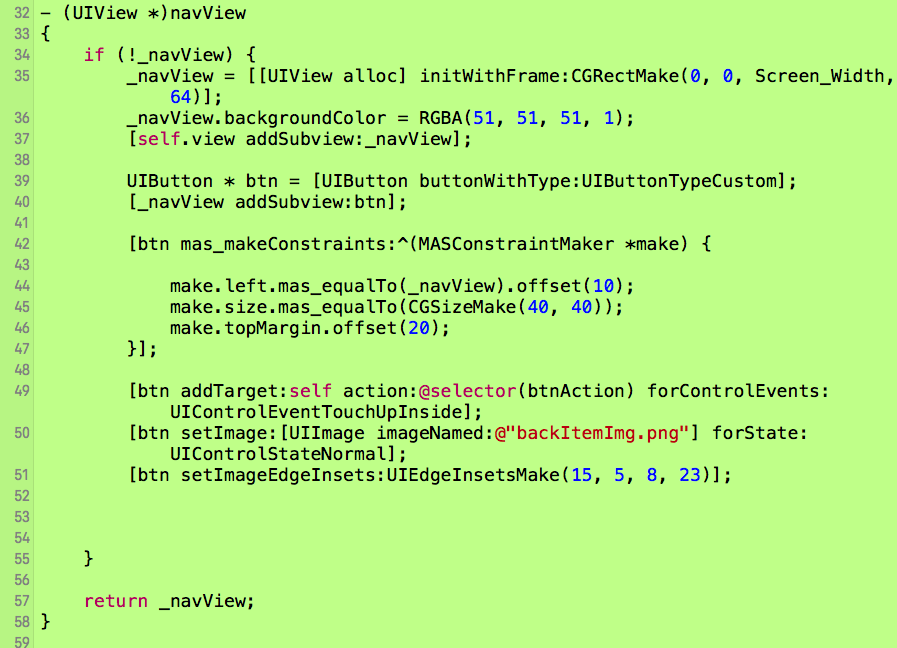
- (UIView *)navView
{
if (!_navView) {
_navView = [[UIView alloc] initWithFrame:CGRectMake(0, 0, Screen_Width, 64)];
_navView.backgroundColor = RGBA(51, 51, 51, 1);
[self.view addSubview:_navView];
UIButton * btn = [UIButton buttonWithType:UIButtonTypeCustom];
[_navView addSubview:btn];
[btn mas_makeConstraints:^(MASConstraintMaker *make) {
make.left.mas_equalTo(_navView).offset(10);
make.size.mas_equalTo(CGSizeMake(40, 40));
make.topMargin.offset(20);
}];
[btn addTarget:self action:@selector(btnAction) forControlEvents:UIControlEventTouchUpInside];
[btn setImage:[UIImage imageNamed:@"backItemImg.png"] forState:UIControlStateNormal];
[btn setImageEdgeInsets:UIEdgeInsetsMake(15, 5, 8, 23)];
}
return _navView;
}
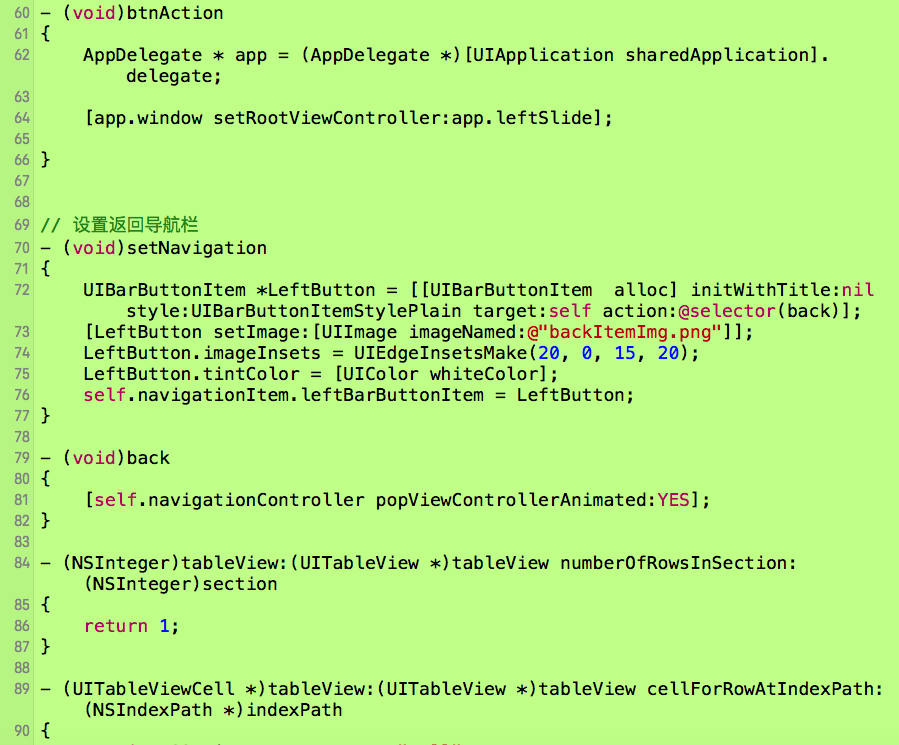
- (void)btnAction
{
AppDelegate * app = (AppDelegate *)[UIApplication sharedApplication].delegate;
[app.window setRootViewController:app.leftSlide];
}
// 设置返回导航栏
- (void)setNavigation
{
UIBarButtonItem *LeftButton = [[UIBarButtonItem alloc] initWithTitle:nil style:UIBarButtonItemStylePlain target:self action:@selector(back)];
[LeftButton setImage:[UIImage imageNamed:@"backItemImg.png"]];
LeftButton.imageInsets = UIEdgeInsetsMake(20, 0, 15, 20);
LeftButton.tintColor = [UIColor whiteColor];
self.navigationItem.leftBarButtonItem = LeftButton;
}
- (void)back
{
[self.navigationController popViewControllerAnimated:YES];
}
- (NSInteger)tableView:(UITableView *)tableView numberOfRowsInSection:(NSInteger)section
{
return 1;
}
- (UITableViewCell *)tableView:(UITableView *)tableView cellForRowAtIndexPath:(NSIndexPath *)indexPath
{
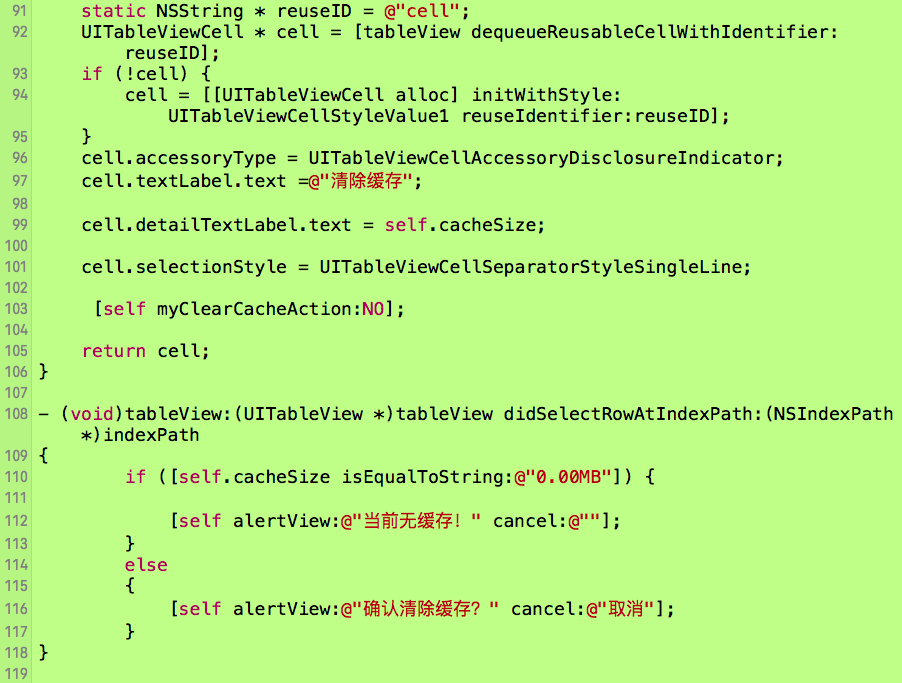
static NSString * reuseID = @"cell";
UITableViewCell * cell = [tableView dequeueReusableCellWithIdentifier:reuseID];
if (!cell) {
cell = [[UITableViewCell alloc] initWithStyle:UITableViewCellStyleValue1 reuseIdentifier:reuseID];
}
cell.accessoryType = UITableViewCellAccessoryDisclosureIndicator;
cell.textLabel.text =@"清除缓存";
cell.detailTextLabel.text = self.cacheSize;
cell.selectionStyle = UITableViewCellSeparatorStyleSingleLine;
[self myClearCacheAction:NO];
return cell;
}
- (void)tableView:(UITableView *)tableView didSelectRowAtIndexPath:(NSIndexPath *)indexPath
{
if ([self.cacheSize isEqualToString:@"0.00MB"]) {
[self alertView:@"当前无缓存!" cancel:@""];
}
else
{
[self alertView:@"确认清除缓存?" cancel:@"取消"];
}
}
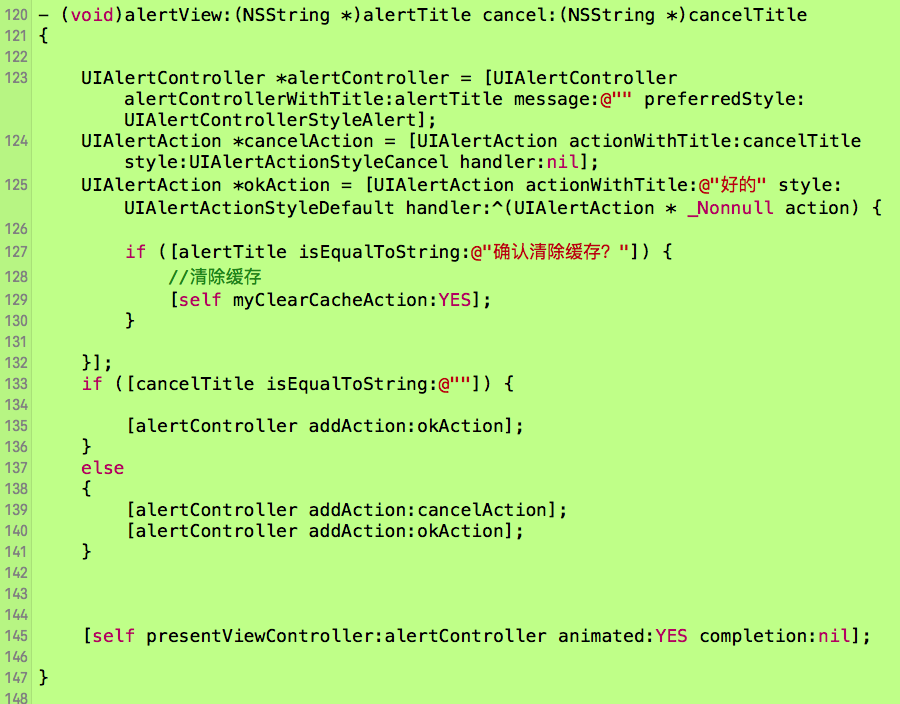
- (void)alertView:(NSString *)alertTitle cancel:(NSString *)cancelTitle
{
UIAlertController *alertController = [UIAlertController alertControllerWithTitle:alertTitle message:@"" preferredStyle:UIAlertControllerStyleAlert];
UIAlertAction *cancelAction = [UIAlertAction actionWithTitle:cancelTitle style:UIAlertActionStyleCancel handler:nil];
UIAlertAction *okAction = [UIAlertAction actionWithTitle:@"好的" style:UIAlertActionStyleDefault handler:^(UIAlertAction * _Nonnull action) {
if ([alertTitle isEqualToString:@"确认清除缓存?"]) {
//清除缓存
[self myClearCacheAction:YES];
}
}];
if ([cancelTitle isEqualToString:@""]) {
[alertController addAction:okAction];
}
else
{
[alertController addAction:cancelAction];
[alertController addAction:okAction];
}
[self presentViewController:alertController animated:YES completion:nil];
}
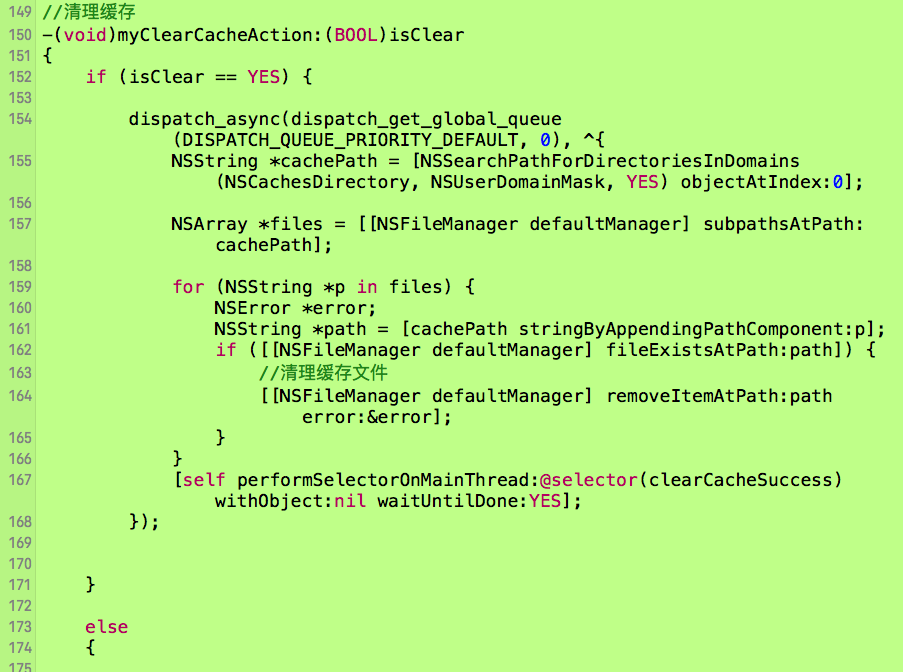
//清理缓存
-(void)myClearCacheAction:(BOOL)isClear
{
if (isClear == YES) {
dispatch_async(dispatch_get_global_queue(DISPATCH_QUEUE_PRIORITY_DEFAULT, 0), ^{
NSString *cachePath = [NSSearchPathForDirectoriesInDomains(NSCachesDirectory, NSUserDomainMask, YES) objectAtIndex:0];
NSArray *files = [[NSFileManager defaultManager] subpathsAtPath:cachePath];
for (NSString *p in files) {
NSError *error;
NSString *path = [cachePath stringByAppendingPathComponent:p];
if ([[NSFileManager defaultManager] fileExistsAtPath:path]) {
//清理缓存文件
[[NSFileManager defaultManager] removeItemAtPath:path error:&error];
}
}
[self performSelectorOnMainThread:@selector(clearCacheSuccess) withObject:nil waitUntilDone:YES];
});
}
else
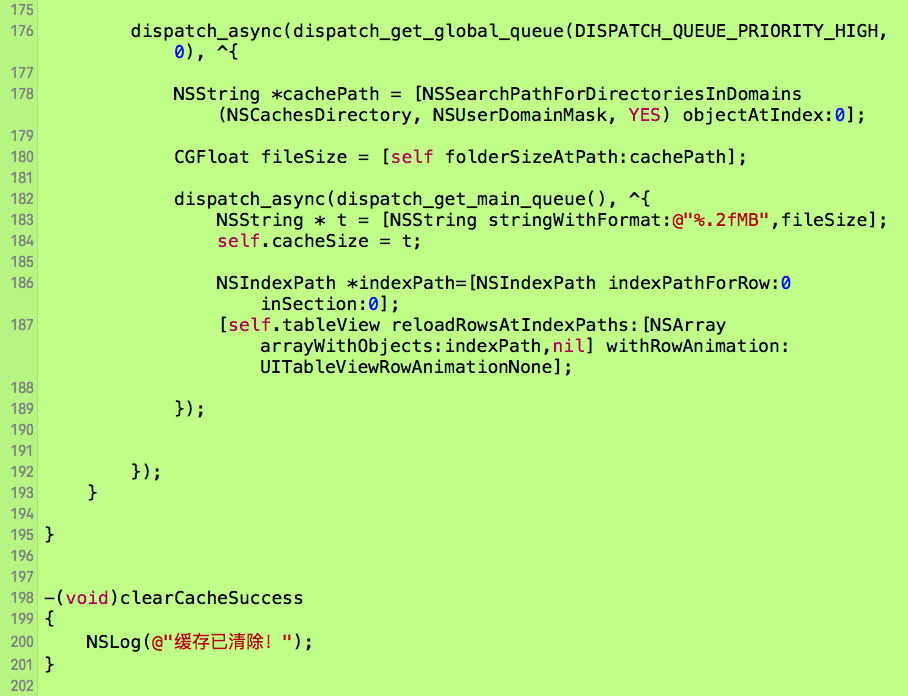
{
dispatch_async(dispatch_get_global_queue(DISPATCH_QUEUE_PRIORITY_HIGH, 0), ^{
NSString *cachePath = [NSSearchPathForDirectoriesInDomains(NSCachesDirectory, NSUserDomainMask, YES) objectAtIndex:0];
CGFloat fileSize = [self folderSizeAtPath:cachePath];
dispatch_async(dispatch_get_main_queue(), ^{
NSString * t = [NSString stringWithFormat:@"%.2fMB",fileSize];
self.cacheSize = t;
NSIndexPath *indexPath=[NSIndexPath indexPathForRow:0 inSection:0];
[self.tableView reloadRowsAtIndexPaths:[NSArray arrayWithObjects:indexPath,nil] withRowAnimation:UITableViewRowAnimationNone];
});
});
}
}
-(void)clearCacheSuccess
{
NSLog(@"缓存已清除!");
}
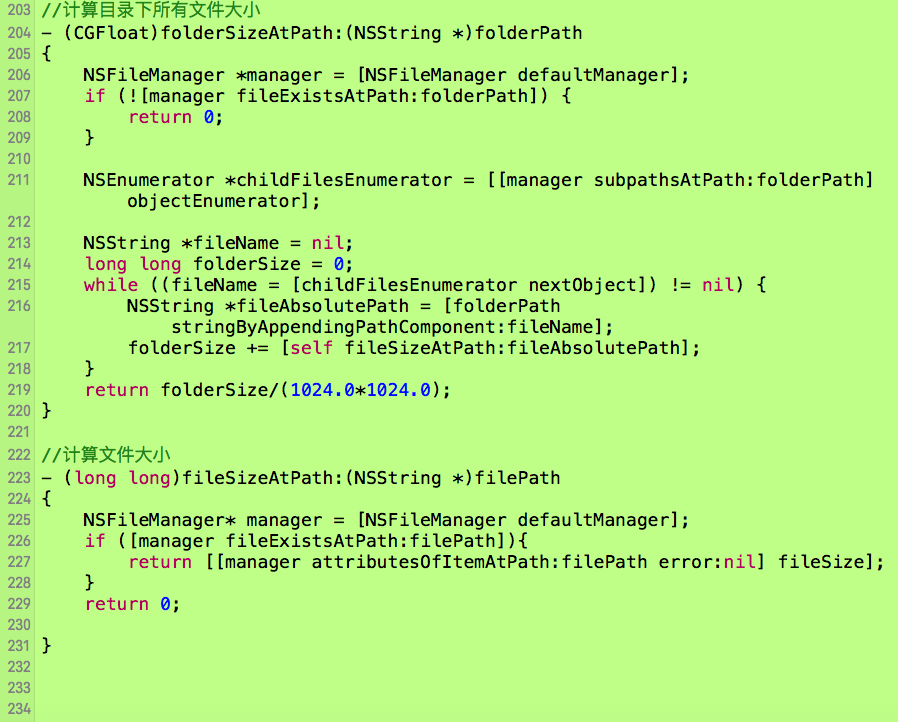
//计算目录下所有文件大小
- (CGFloat)folderSizeAtPath:(NSString *)folderPath
{
NSFileManager *manager = [NSFileManager defaultManager];
if (![manager fileExistsAtPath:folderPath]) {
return 0;
}
NSEnumerator *childFilesEnumerator = [[manager subpathsAtPath:folderPath] objectEnumerator];
NSString *fileName = nil;
long long folderSize = 0;
while ((fileName = [childFilesEnumerator nextObject]) != nil) {
NSString *fileAbsolutePath = [folderPath stringByAppendingPathComponent:fileName];
folderSize += [self fileSizeAtPath:fileAbsolutePath];
}
return folderSize/(1024.0*1024.0);
}
//计算文件大小
- (long long)fileSizeAtPath:(NSString *)filePath
{
NSFileManager* manager = [NSFileManager defaultManager];
if ([manager fileExistsAtPath:filePath]){
return [[manager attributesOfItemAtPath:filePath error:nil] fileSize];
}
return 0;
}
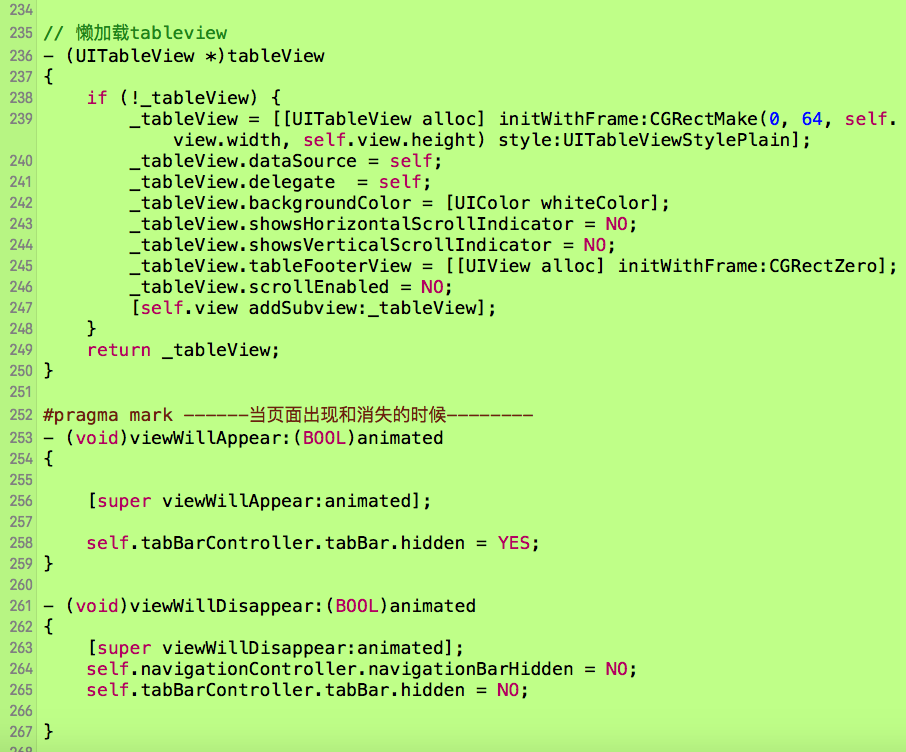
// 懒加载tableview
- (UITableView *)tableView
{
if (!_tableView) {
_tableView = [[UITableView alloc] initWithFrame:CGRectMake(0, 64, self.view.width, self.view.height) style:UITableViewStylePlain];
_tableView.dataSource = self;
_tableView.delegate = self;
_tableView.backgroundColor = [UIColor whiteColor];
_tableView.showsHorizontalScrollIndicator = NO;
_tableView.showsVerticalScrollIndicator = NO;
_tableView.tableFooterView = [[UIView alloc] initWithFrame:CGRectZero];
_tableView.scrollEnabled = NO;
[self.view addSubview:_tableView];
}
return _tableView;
}
#pragma mark ------当页面出现和消失的时候--------
- (void)viewWillAppear:(BOOL)animated
{
[super viewWillAppear:animated];
self.tabBarController.tabBar.hidden = YES;
}
- (void)viewWillDisappear:(BOOL)animated
{
[super viewWillDisappear:animated];
self.navigationController.navigationBarHidden = NO;
self.tabBarController.tabBar.hidden = NO;
}
- (void)didReceiveMemoryWarning {
[super didReceiveMemoryWarning];
// Dispose of any resources that can be recreated.
}
/*
#pragma mark - Navigation
// In a storyboard-based application, you will often want to do a little preparation before navigation
- (void)prepareForSegue:(UIStoryboardSegue *)segue sender:(id)sender {
// Get the new view controller using [segue destinationViewController].
// Pass the selected object to the new view controller.
}
*/
@end
iOS开发 -李洪强-清除缓存的更多相关文章
- 李洪强iOS开发之数据存储
李洪强iOS开发之数据存储 iOS应用数据存储的常用方式 1.lXML属性列表(plist)归档 2.lPreference(偏好设置) 3.lNSKeyedArchiver归档(NSCoding) ...
- 李洪强漫谈iOS开发[C语言-002]-开发概述程序的本质与简单执行过程
李洪强iOS开发之应用程序的本质与简单执行过程 什么叫程序? 就是一段执行指令 程序的两个状态: 保存状态(保存到硬盘上) 运行状态(由CPU执行) 代码可以执行吗? CPU(中央处理器-> ...
- 李洪强iOS开发之性能优化技巧
李洪强iOS开发之性能优化技巧 通过静态 Analyze 工具,以及运行时 Profile 工具分析性能瓶颈,并进行性能优化.结合本人在开发中遇到的问题,可以从以下几个方面进行性能优化. 一.view ...
- 李洪强漫谈iOS开发[C语言-043]-判断较早日期
李洪强漫谈iOS开发[C语言-043]-判断较早日期
- 李洪强iOS开发之添加手势
李洪强iOS开发之添加手势 02 - 添加手势
- 李洪强iOS开发之- 实现简单的弹窗
李洪强iOS开发之- 实现简单的弹窗 实现的效果: 112222222222223333333333333333
- 李洪强iOS开发之后使用XIB实现横向滚动的UIScrollView
李洪强iOS开发之后使用XIB实现横向滚动的UIScrollView 11111222
- 李洪强iOS开发之苹果使用预览截图
李洪强iOS开发之苹果使用预览截图 01 在预览的图片中选中你要截得区域 02 - command + C 03 - Command + N 04 - Command + S (保存)
- 李洪强iOS开发之通知的使用
李洪强iOS开发之通知的使用 01 - 在A中发送通知 02 - 在B中监听通知 03 - 在B中通知出发的方法 04 - 在B控制器viewDidLoad调用通知
随机推荐
- 合并table相同单元格的插件(基于jquery的)
正好项目中有个小需求, 要求把表格指定列中内容相同的单元格进行合并,本质上涉及的就是td的rowspan属性, 数出含相同内容单元格的个数, 然后给第一个与上一行内容不同的td其rowspan属性附上 ...
- iOS: 环信的推送
原文:http://m.blog.csdn.net/article/details?id=38824551 1.先创建一个apns证书,链接如下 http://developer.easemob.co ...
- android sdk下载SDK Platform失败记录
在使用android sdk manager下载的时候会遇到 下载完毕后,你可能会出现如下图一样的错误,就算重复尝试多次依然无法正常安装 Downloading SDK Platform Androi ...
- maven工程小红叉处理方法
搞了个Maven工程在Eclipse上,刚开始说JDK版本不对,编译的时候老报错误,很容易搞明白, 本地JDK版本为1.7.0_79: diamond operator is not supporte ...
- [AngularJS] $interval
$interval provides an excellent service for timed operations in your AngularJS apps. It has the adva ...
- Maven 多套环境配置
在Java开发中会配置不同环境,可通过Maven的profile指定不同的环境配置,pom.xml配置如下: <project xmlns="http://maven.apache.o ...
- MySQL数据库如何与EXCEL的XLS格式相互转换
1 将SQL导出为EXCEL方法,有如下数据库(my_impa),里面有两张表 2 如果是EXCEL格式,一定要勾选"将字段名称放在首行",否则待会儿导入的时候就需要你手工新建字段 ...
- B. Vanya and Books( Codeforces Round #308 (Div. 2) 简单题)
B. Vanya and Books time limit per test 1 second memory limit per test 256 megabytes input standard i ...
- STL源码剖析(deque)
deque是一个双向开口的容器,在头尾两端进行元素的插入跟删除操作都有理想的时间复杂度. deque使用的是分段连续线性空间,它维护一个指针数组(T** map),其中每个指针指向一块连续线性空间. ...
- msdn List sort排序 IComparable 用法
using System;using System.Collections.Generic;using System.Linq;using System.Text; namespace Console ...