
Environment Perception: 3D Truss Environment Mapping and Parametric Expression Extraction
Experiments
Preparation
roscore

rosrun pcl_ros pcd_to_pointcloud ~/.ros/wh2_lg707070_1ms0.01_filtered.pcd _frame_id:=/map
In the directory of ~/truss_ws/src/truss
rviz -d node_pole.rviz
In another terminal, open rviz -> Panels -> Selection. Choose Select, then left click the point whose position you want to know. On the **left Selection ** you can see it.
The point on the pole it's position is:
// X Y Z

0.251859

0.0151518

-0.0633736
Modify values of RES and init_x, init_y and init_z of the truss_pointcloud.cpp and skeleton_truss.cpp in the directory of /home/william/truss_ws/src/truss/src
In truss_pointcloud.cpp, it seems like:
#define RES 100 //occmap resulotion, number of cell per meter(one demention)
      init_x=0.251859;

      init_y=-0.251859;

      init_z=-0.251859;
In skeleton_truss.cpp, it seems like:
#define RES 100 //occmap resulotion, number of cell per meter(one demention)
float init_x=0.251859,init_y=-0.251859,init_z=-0.251859; // must be in the truss
Successful demo
      init_x=0.12;

      init_y=0.12;

      init_z=0.526;
Run node truss_pointcloud.
rosrun truss truss_pointcloud
Publish pointcloud
rosrun pcl_ros pcd_to_pointcloud /home/william/Documents/demos/cylinders/preprocessing/data/realSense02.pcd 10 _frame_id:=/map
output:
size 92 80 122

[ INFO] [1555152658.163952435]: n=137,DETECT_time=0,tot=10.46

[ INFO] [1555152658.235489374]: n=350,DETECT_time=1,tot=11.89

[ INFO] [1555152658.365974220]: n=734,DETECT_time=2,tot=15.27

[ INFO] [1555152658.451850002]: n=991,DETECT_time=3,tot=15.29

[ INFO] [1555152658.854427484]: n=2179,DETECT_time=4,tot=12.83

[ INFO] [1555152659.265372521]: n=3354,DETECT_time=5,tot=12.42

[ INFO] [1555152659.665302454]: n=4504,DETECT_time=6,tot=26.82

[ INFO] [1555152660.201265043]: n=6039,DETECT_time=7,tot=10.18

[ INFO] [1555152660.736159441]: collect time=678,rollback time=178

[ INFO] [1555152660.738436210]: Finish
Run node skeleton_truss
rosrun truss skeleton_truss
output:
[ INFO] [1555153870.996387804]: Skeleton start

[ INFO] [1555153911.036309147]: collect time=20

[ INFO] [1555153911.036339322]: Skeleton finish
Run node node_pole
rosrun truss node_pole
Output:
vector[1].x=0.02,y=0.12,z=0.00,size of vector[3]=77

vector[2].x=0.00,y=0.08,z=-0.04,size of vector[4]=26

vector[3].x=-0.02,y=0.00,z=0.00,size of vector[6]=97

vector[4].x=0.00,y=-0.02,z=0.02,size of vector[17]=30

vector[5].x=0.00,y=0.00,z=-0.02,size of vector[19]=46

vector[6].x=-0.04,y=0.02,z=0.00,size of vector[29]=24

vector[7].x=0.04,y=-0.04,z=0.00,size of vector[73]=24

[ INFO] [1555153941.073078888]: Type of vector=7

[ INFO] [1555153941.073190788]: Number of original pole=39

[ INFO] [1555153941.073590573]: Number of true poleos=8

[ INFO] [1555153941.826587964]: Pole 0: radius=0.07;end1.x=0.12,end1.y=-0.29,end1.z=0.64;end2.x=-0.09,end2.y=0.09,end2.z=0.68

[ INFO] [1555153941.826616263]: polenumber=2
Then Fixd Frame select map, see topic /pcl_node in rviz
Question:
- Does the position of the point on the pole will be affected whether it is near the background?
- Valify it by choosing another point it is not near by the background.
observe the scenario, noise exist near the pole, maybe should tune down the search distance.
modify truss_pointcloud.cpp line 354, init_x, init_y, init_z
save settings of rviz in node_pole.
rviz -d node_pole
In order to run node truss pointCloud once, we will run it at first. Then publish pointcloud only one time.
Update in 20190528
Tune down the values of RANGE and ADDLI when the truss is nearer to the background.
#define DIS 8  //Fisrt filtering

#define RES 100 //occmap resulotion, number of cell per meter(one demention)

// #define RES 500 //occmap resulotion, number of cell per meter(one demention)

#define SDEP 200 //depth of search, size of close list

#define RANGE 5 //range of initial search, rely on the resulotion of pointcloud

#define ADDLI 3 //limit of additional search range, rely on the Climbot max

#define ERROR 2 //allowable error

#define POSTEP 3000 //max step of search.

#define LOCALDIS 0.1 //distance for identify the local optima seperately

#define ALLOWDUP 2 //when fall into local optima, times to duplicate and escape

#define COLLECT 3000 //Sample time

#define DESCRITH 10
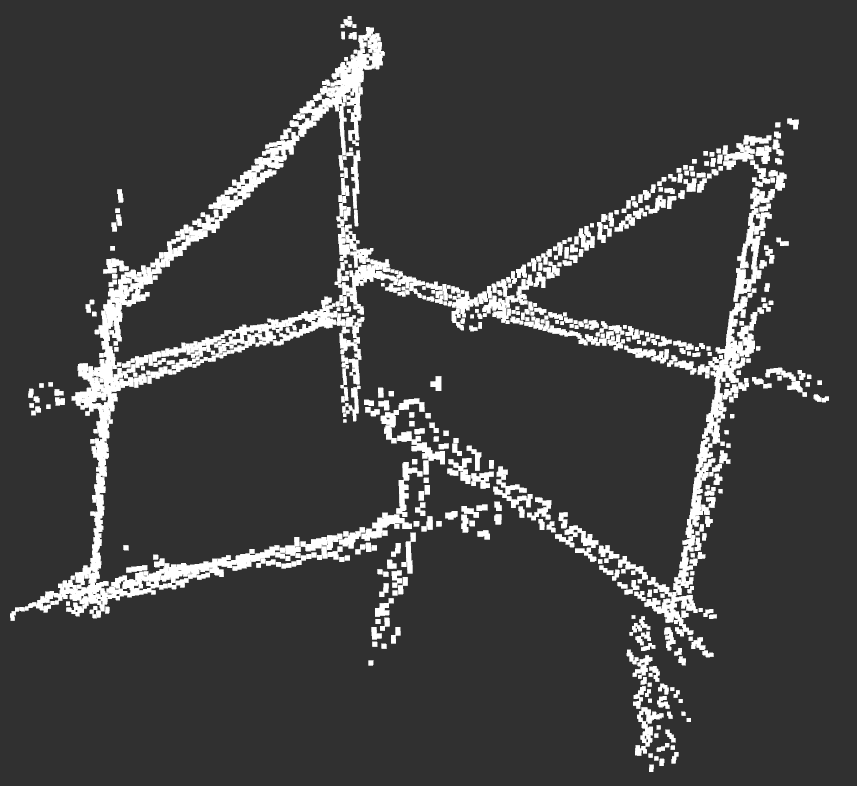
The original pointcloud:

Picture after truss_pointcloud
#define RES 100 //occmap resulotion, number of cell per meter(one demention)

#define SDEP 100 //depth of search, size of close list

#define RANGE 6 //range of initial search, rely on the max step length of Climbot

#define ADDLI 4 //limit of additional search range, to increace the search range when needed

#define ERROR 8 //allowable error, cell

#define POSTEP 300 //max step of forward search.

#define OPDIR 100 //max step of leaving search.

#define LOCALDIS 0.1 //distance for identify the local optima seperately

#define ALLOWDUP 2 //when fall into local optima, times to duplicate and escape

#define SAMPLE_TH 10   //vector size threshold 24

#define ANGLE 27       //vector angle range 27

#define POLE_LENGTH 4 //pole length threshold

#define POLE_DIS 0.5  //repeated poles check distance

#define SHOW_POLE 99   //99 means all the true poles, 999 means all the poles

#define OBB_SIZE 0.08  //the size of expand ball from one point

#define PP_SKIP  4     //the allowed breakup of pointcloud along one pole

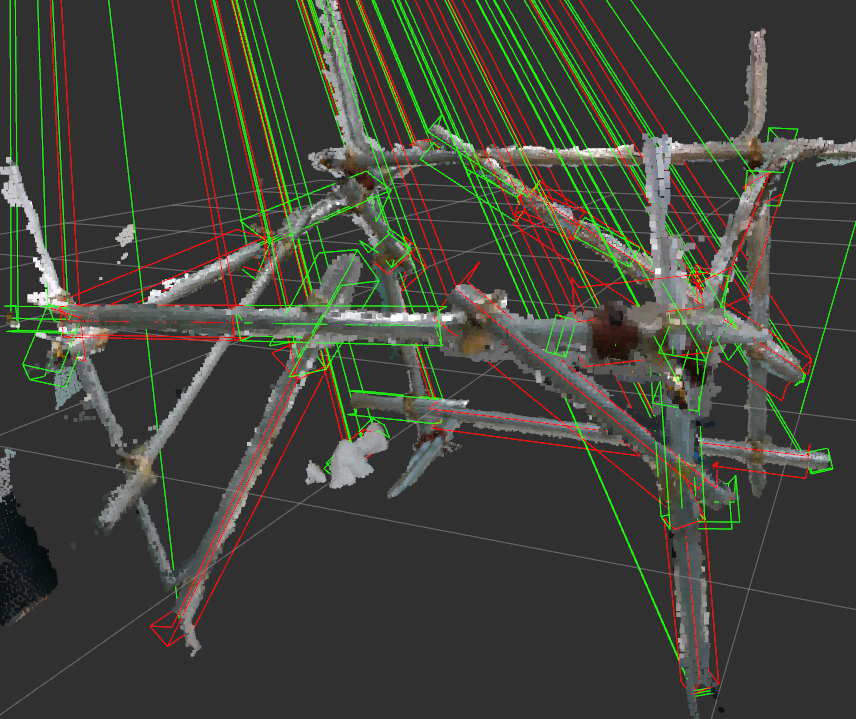
[ INFO] [1559107770.253840402]: Pole 1: radius=0.08;end1.x=-0.65,end1.y=-0.69,end1.z=-0.31;end2.x=-0.58,end2.y=-0.75,end2.z=0.34

[ INFO] [1559107770.253870503]: Pole 5: radius=0.08;end1.x=0.33,end1.y=0.02,end1.z=0.39;end2.x=0.40,end2.y=-0.09,end2.z=1.02

[ INFO] [1559107770.253906031]: Pole 12: radius=0.08;end1.x=-0.35,end1.y=0.77,end1.z=-0.14;end2.x=-1.03,end2.y=-0.06,end2.z=0.49

[ INFO] [1559107770.253920717]: Pole 15: radius=0.08;end1.x=0.37,end1.y=0.01,end1.z=0.18;end2.x=-0.32,end2.y=0.78,end2.z=0.43

[ INFO] [1559107770.253934686]: Pole 17: radius=0.07;end1.x=0.40,end1.y=-0.13,end1.z=0.98;end2.x=-0.18,end2.y=0.44,end2.z=0.71

[ INFO] [1559107770.253947612]: Pole 18: radius=0.05;end1.x=-0.81,end1.y=0.01,end1.z=0.51;end2.x=-0.69,end2.y=-0.64,end2.z=-0.16

[ INFO] [1559107770.253957812]: Pole 19: radius=0.06;end1.x=0.00,end1.y=-0.32,end1.z=0.36;end2.x=-0.47,end2.y=-0.80,end2.z=0.91

[ INFO] [1559107770.253969030]: Pole 20: radius=0.08;end1.x=-0.35,end1.y=0.77,end1.z=-0.14;end2.x=-1.03,end2.y=-0.06,end2.z=0.49

[ INFO] [1559107770.253980318]: Pole 21: radius=0.08;end1.x=-0.33,end1.y=0.82,end1.z=-0.21;end2.x=-0.26,end2.y=0.66,end2.z=0.35

[ INFO] [1559107770.253996517]: Pole 22: radius=0.07;end1.x=-0.00,end1.y=-0.35,end1.z=0.35;end2.x=-0.47,end2.y=-0.80,end2.z=0.40

[ INFO] [1559107770.254006475]: Pole 23: radius=0.08;end1.x=-0.53,end1.y=-0.87,end1.z=0.87;end2.x=-0.47,end2.y=-0.75,end2.z=0.96

[ INFO] [1559107770.254018620]: polenumber=11
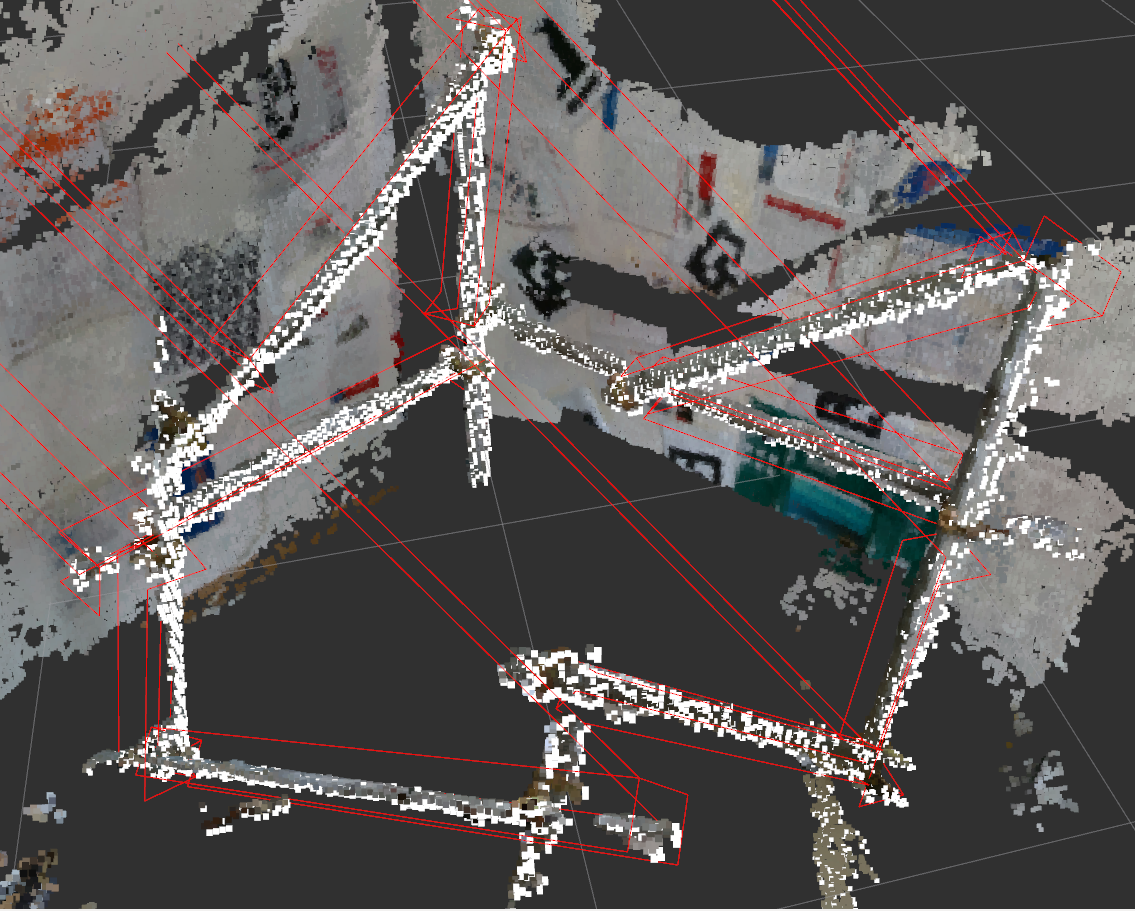
Publish topics
/allpath

/allpath2

/cube

/detectpoints

/envelopeline

/ldetectpoints

/openvelopeline

/output2_pcl

/pcl_node
truss_pointcloud
/allpath

/output2_pcl
skeleton_truss
/allpath2
node_pole
/envelopeline

/openvelopeline

/pcl_node
Updated in 190731

Updated in 190805
Environment Perception: 3D Truss Environment Mapping and Parametric Expression Extraction的更多相关文章
- 3个人一起写的EI论文可以检索到啦~ --> Exploring the use of a 3D Virtual Environment in Chinese Cultural Transmission
<a href='http://www.engineeringvillage.com/blog/document.url?mid=cpx_10ed754f14b5b7381b6M764b1017 ...
- 浩哥解析MyBatis源码(二)——Environment环境
原创作品,可以转载,但是请标注出处地址:http://www.cnblogs.com/V1haoge/p/6625612.html 本应该先开始说Configuration配置类的,但是这个类有点过于 ...
- MyBatis源码解析(二)——Environment环境
原创作品,可以转载,但是请标注出处地址:http://www.cnblogs.com/V1haoge/p/6625612.html 本应该先开始说Configuration配置类的,但是这个类有点过于 ...
- Environment中针对的读写权限判断
Android应用开发中,常使用Environment类去获取外部存储目录,在访问外部存储之前一定要先判断外部存储是否已经是可使用(已挂载&可使用)状态,并且需要在AndroidManifes ...
- Environment 类
提供有关当前环境和平台的信息以及操作它们的方法. 此类不能被继承. using System; using System.Collections; using System.Collections.G ...
- MyBatis(3.2.3) - Configuring MyBatis using XML, Environment
The key component of MyBatis is SqlSessionFactory from which we get SqlSession and execute the mappe ...
- Flask 框架下 Jinja2 模板引擎高层 API 类——Environment
Environment 类版本: 本文所描述的 Environment 类对应于 Jinja2-2.7 版本. Environment 类功能: Environment 是 Jinja2 中的一个 ...
- 016专家视图测试脚本开发- Environment对象的使用;Msgbox和Print的区别
(1)读取Built-in 'file -> settings -> Enrionment -> variable type 为 Built-in os = Environment. ...
- 类库探源——System.Environment
Environment 类: 提供有关当前环境和平台的信息以及操作它们的方法.此类不能被继承. 命名空间: System 程序集: mscorlib.dll 继承关系: 常用属性(字段)和方法: ...
随机推荐
- PHP中有多态么
PHP中有多态么 一.总结 一句话总结:封装是类的构建过程,php具有:php也具有继承的特性.唯独这个多态,php体现的十分模糊.原因是php是弱类型语言. php不具有像java那种清晰的多态,不 ...
- php 微信公众平台开发之微信群发信息
这篇文章主要为大家详细介绍了php微信公众平台开发之微信群发信息,具有一定的参考价值,感兴趣的小伙伴们可以参考一下 1.目的 完成在微信公众号中群发消息.这里只是完成简单的文字发送.也可以发送语音图片 ...
- JS中的prototype、__proto__与constructor属性
作为一名前端工程师,必须搞懂JS中的prototype.__proto__与constructor属性,相信很多初学者对这些属性存在许多困惑,容易把它们混淆,本文旨在帮助大家理清它们之间的关系并彻底搞 ...
- Windows Server 2008 R2 备份与恢复详细实例
Windows Server 2008 R2中Windows Server Backup备份与恢复 本实验是在虚拟机操作,因公司的需求,将备份存储到另一台服务器,于是我在现有linux备份服务器搭建了 ...
- Java微信开发_Exception_03_非微信官方网页-invalid signature
由于natapp免费隧道的域名是系统随机分配的,老是在变.故昨天又换了内网映射工具,分别换了ngrok和花生壳,然而在做JSSDK网页开发时,按了微信的view菜单按钮进行页面跳转时,微信官方提示“非 ...
- mybatis学习第(二)天
Mybatis第二天 高级映射 查询缓存 关于与spring的整合和反转工程我偷懒了,下次看. 使用的sql: CREATE TABLE USER( id INT PRIMARY KEY A ...
- POJ1112 Team Them Up!
Team them up! Input file teams.in Output file teams.out Your task is to divide a number of persons i ...
- Aravis 库编译方法
Aravis 库编译方法 March 21, 2015 9:40 PM 首先下载 aravis 库的源代码:aravis 库下载地址 这里我们使用的是 aravis_0_2_0,比较老的一个版本. 首 ...
- 设计模式-利用职责链模式消除if
本文是对职责链设计模式的应用(变种),所以假设读者已经掌握了职责链设计模式,职责链模式只会应景简介. 本文主要内容: 需求(ShitCode) 职责链模式简介 设计理念 代码演示(消除if) 应用总结 ...
- js基础之变量类型
1.NAN(Not a number) 不是一个数字 自身:console.log(NaN==NaN)和console.log(NaN===NaN)返回值都是false; 其他函数,isNaN()可用 ...