
Environment Perception: 3D Truss Environment Mapping and Parametric Expression Extraction
Experiments
Preparation
roscore

rosrun pcl_ros pcd_to_pointcloud ~/.ros/wh2_lg707070_1ms0.01_filtered.pcd _frame_id:=/map
In the directory of ~/truss_ws/src/truss
rviz -d node_pole.rviz
In another terminal, open rviz -> Panels -> Selection. Choose Select, then left click the point whose position you want to know. On the **left Selection ** you can see it.
The point on the pole it's position is:
// X Y Z

0.251859

0.0151518

-0.0633736
Modify values of RES and init_x, init_y and init_z of the truss_pointcloud.cpp and skeleton_truss.cpp in the directory of /home/william/truss_ws/src/truss/src
In truss_pointcloud.cpp, it seems like:
#define RES 100 //occmap resulotion, number of cell per meter(one demention)
      init_x=0.251859;

      init_y=-0.251859;

      init_z=-0.251859;
In skeleton_truss.cpp, it seems like:
#define RES 100 //occmap resulotion, number of cell per meter(one demention)
float init_x=0.251859,init_y=-0.251859,init_z=-0.251859; // must be in the truss
Successful demo
      init_x=0.12;

      init_y=0.12;

      init_z=0.526;
Run node truss_pointcloud.
rosrun truss truss_pointcloud
Publish pointcloud
rosrun pcl_ros pcd_to_pointcloud /home/william/Documents/demos/cylinders/preprocessing/data/realSense02.pcd 10 _frame_id:=/map
output:
size 92 80 122

[ INFO] [1555152658.163952435]: n=137,DETECT_time=0,tot=10.46

[ INFO] [1555152658.235489374]: n=350,DETECT_time=1,tot=11.89

[ INFO] [1555152658.365974220]: n=734,DETECT_time=2,tot=15.27

[ INFO] [1555152658.451850002]: n=991,DETECT_time=3,tot=15.29

[ INFO] [1555152658.854427484]: n=2179,DETECT_time=4,tot=12.83

[ INFO] [1555152659.265372521]: n=3354,DETECT_time=5,tot=12.42

[ INFO] [1555152659.665302454]: n=4504,DETECT_time=6,tot=26.82

[ INFO] [1555152660.201265043]: n=6039,DETECT_time=7,tot=10.18

[ INFO] [1555152660.736159441]: collect time=678,rollback time=178

[ INFO] [1555152660.738436210]: Finish
Run node skeleton_truss
rosrun truss skeleton_truss
output:
[ INFO] [1555153870.996387804]: Skeleton start

[ INFO] [1555153911.036309147]: collect time=20

[ INFO] [1555153911.036339322]: Skeleton finish
Run node node_pole
rosrun truss node_pole
Output:
vector[1].x=0.02,y=0.12,z=0.00,size of vector[3]=77

vector[2].x=0.00,y=0.08,z=-0.04,size of vector[4]=26

vector[3].x=-0.02,y=0.00,z=0.00,size of vector[6]=97

vector[4].x=0.00,y=-0.02,z=0.02,size of vector[17]=30

vector[5].x=0.00,y=0.00,z=-0.02,size of vector[19]=46

vector[6].x=-0.04,y=0.02,z=0.00,size of vector[29]=24

vector[7].x=0.04,y=-0.04,z=0.00,size of vector[73]=24

[ INFO] [1555153941.073078888]: Type of vector=7

[ INFO] [1555153941.073190788]: Number of original pole=39

[ INFO] [1555153941.073590573]: Number of true poleos=8

[ INFO] [1555153941.826587964]: Pole 0: radius=0.07;end1.x=0.12,end1.y=-0.29,end1.z=0.64;end2.x=-0.09,end2.y=0.09,end2.z=0.68

[ INFO] [1555153941.826616263]: polenumber=2
Then Fixd Frame select map, see topic /pcl_node in rviz
Question:
- Does the position of the point on the pole will be affected whether it is near the background?
- Valify it by choosing another point it is not near by the background.
observe the scenario, noise exist near the pole, maybe should tune down the search distance.
modify truss_pointcloud.cpp line 354, init_x, init_y, init_z
save settings of rviz in node_pole.
rviz -d node_pole
In order to run node truss pointCloud once, we will run it at first. Then publish pointcloud only one time.
Update in 20190528
Tune down the values of RANGE and ADDLI when the truss is nearer to the background.
#define DIS 8  //Fisrt filtering

#define RES 100 //occmap resulotion, number of cell per meter(one demention)

// #define RES 500 //occmap resulotion, number of cell per meter(one demention)

#define SDEP 200 //depth of search, size of close list

#define RANGE 5 //range of initial search, rely on the resulotion of pointcloud

#define ADDLI 3 //limit of additional search range, rely on the Climbot max

#define ERROR 2 //allowable error

#define POSTEP 3000 //max step of search.

#define LOCALDIS 0.1 //distance for identify the local optima seperately

#define ALLOWDUP 2 //when fall into local optima, times to duplicate and escape

#define COLLECT 3000 //Sample time

#define DESCRITH 10
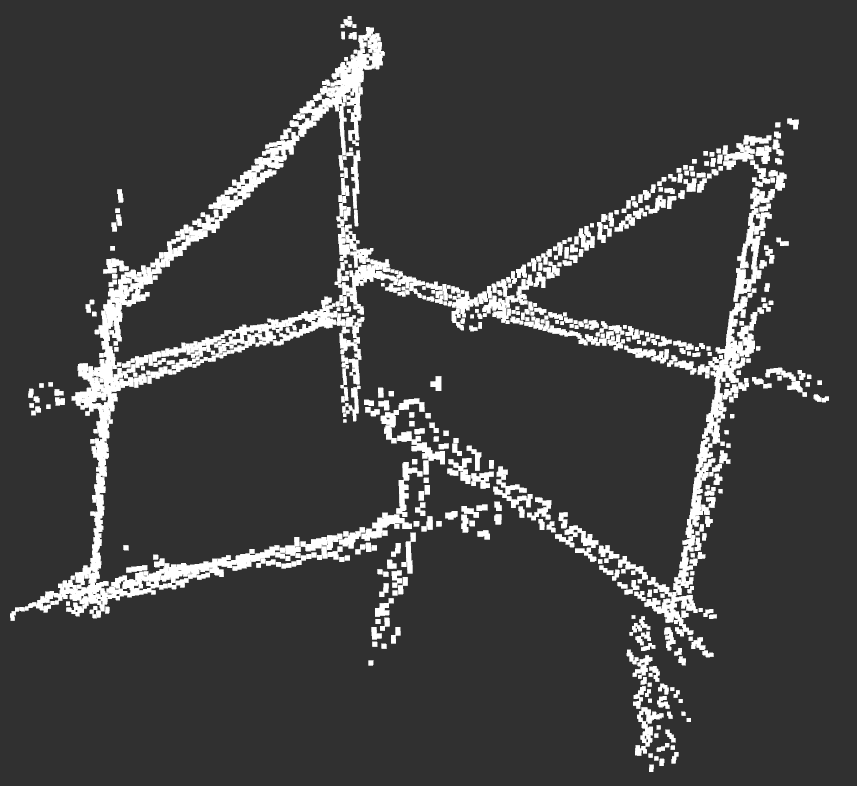
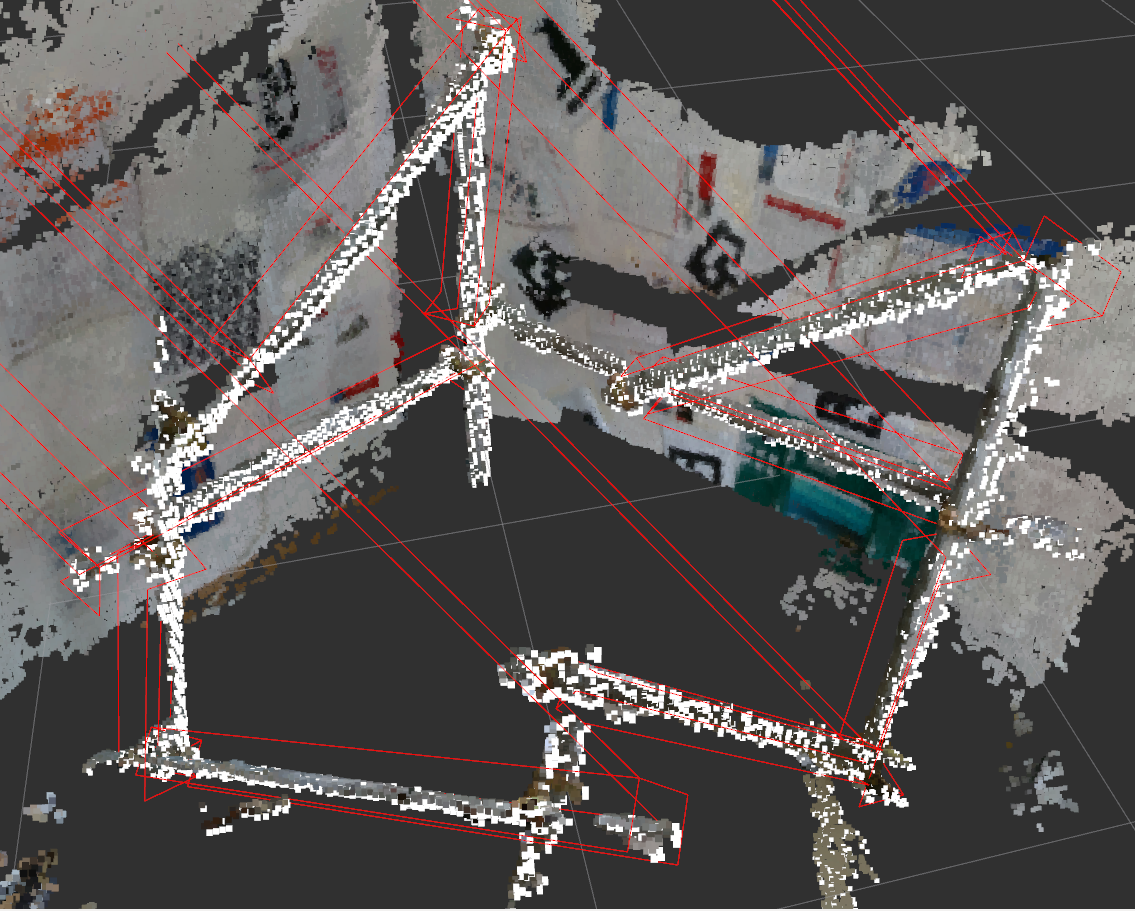
The original pointcloud:

Picture after truss_pointcloud
#define RES 100 //occmap resulotion, number of cell per meter(one demention)

#define SDEP 100 //depth of search, size of close list

#define RANGE 6 //range of initial search, rely on the max step length of Climbot

#define ADDLI 4 //limit of additional search range, to increace the search range when needed

#define ERROR 8 //allowable error, cell

#define POSTEP 300 //max step of forward search.

#define OPDIR 100 //max step of leaving search.

#define LOCALDIS 0.1 //distance for identify the local optima seperately

#define ALLOWDUP 2 //when fall into local optima, times to duplicate and escape

#define SAMPLE_TH 10   //vector size threshold 24

#define ANGLE 27       //vector angle range 27

#define POLE_LENGTH 4 //pole length threshold

#define POLE_DIS 0.5  //repeated poles check distance

#define SHOW_POLE 99   //99 means all the true poles, 999 means all the poles

#define OBB_SIZE 0.08  //the size of expand ball from one point

#define PP_SKIP  4     //the allowed breakup of pointcloud along one pole

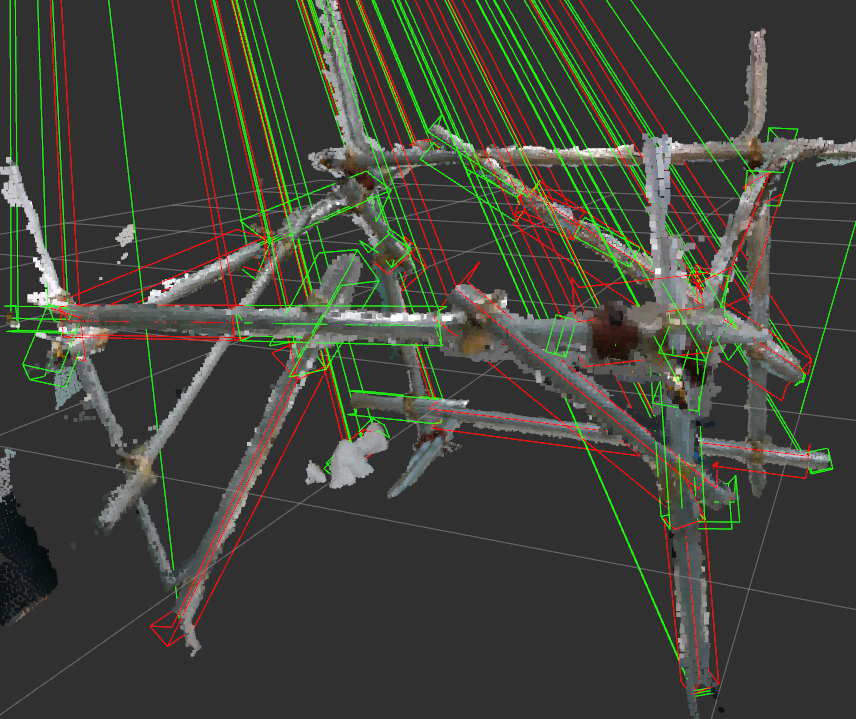
[ INFO] [1559107770.253840402]: Pole 1: radius=0.08;end1.x=-0.65,end1.y=-0.69,end1.z=-0.31;end2.x=-0.58,end2.y=-0.75,end2.z=0.34

[ INFO] [1559107770.253870503]: Pole 5: radius=0.08;end1.x=0.33,end1.y=0.02,end1.z=0.39;end2.x=0.40,end2.y=-0.09,end2.z=1.02

[ INFO] [1559107770.253906031]: Pole 12: radius=0.08;end1.x=-0.35,end1.y=0.77,end1.z=-0.14;end2.x=-1.03,end2.y=-0.06,end2.z=0.49

[ INFO] [1559107770.253920717]: Pole 15: radius=0.08;end1.x=0.37,end1.y=0.01,end1.z=0.18;end2.x=-0.32,end2.y=0.78,end2.z=0.43

[ INFO] [1559107770.253934686]: Pole 17: radius=0.07;end1.x=0.40,end1.y=-0.13,end1.z=0.98;end2.x=-0.18,end2.y=0.44,end2.z=0.71

[ INFO] [1559107770.253947612]: Pole 18: radius=0.05;end1.x=-0.81,end1.y=0.01,end1.z=0.51;end2.x=-0.69,end2.y=-0.64,end2.z=-0.16

[ INFO] [1559107770.253957812]: Pole 19: radius=0.06;end1.x=0.00,end1.y=-0.32,end1.z=0.36;end2.x=-0.47,end2.y=-0.80,end2.z=0.91

[ INFO] [1559107770.253969030]: Pole 20: radius=0.08;end1.x=-0.35,end1.y=0.77,end1.z=-0.14;end2.x=-1.03,end2.y=-0.06,end2.z=0.49

[ INFO] [1559107770.253980318]: Pole 21: radius=0.08;end1.x=-0.33,end1.y=0.82,end1.z=-0.21;end2.x=-0.26,end2.y=0.66,end2.z=0.35

[ INFO] [1559107770.253996517]: Pole 22: radius=0.07;end1.x=-0.00,end1.y=-0.35,end1.z=0.35;end2.x=-0.47,end2.y=-0.80,end2.z=0.40

[ INFO] [1559107770.254006475]: Pole 23: radius=0.08;end1.x=-0.53,end1.y=-0.87,end1.z=0.87;end2.x=-0.47,end2.y=-0.75,end2.z=0.96

[ INFO] [1559107770.254018620]: polenumber=11
Publish topics
/allpath

/allpath2

/cube

/detectpoints

/envelopeline

/ldetectpoints

/openvelopeline

/output2_pcl

/pcl_node
truss_pointcloud
/allpath

/output2_pcl
skeleton_truss
/allpath2
node_pole
/envelopeline

/openvelopeline

/pcl_node
Updated in 190731

Updated in 190805
Environment Perception: 3D Truss Environment Mapping and Parametric Expression Extraction的更多相关文章
- 3个人一起写的EI论文可以检索到啦~ --> Exploring the use of a 3D Virtual Environment in Chinese Cultural Transmission
<a href='http://www.engineeringvillage.com/blog/document.url?mid=cpx_10ed754f14b5b7381b6M764b1017 ...
- 浩哥解析MyBatis源码(二)——Environment环境
原创作品,可以转载,但是请标注出处地址:http://www.cnblogs.com/V1haoge/p/6625612.html 本应该先开始说Configuration配置类的,但是这个类有点过于 ...
- MyBatis源码解析(二)——Environment环境
原创作品,可以转载,但是请标注出处地址:http://www.cnblogs.com/V1haoge/p/6625612.html 本应该先开始说Configuration配置类的,但是这个类有点过于 ...
- Environment中针对的读写权限判断
Android应用开发中,常使用Environment类去获取外部存储目录,在访问外部存储之前一定要先判断外部存储是否已经是可使用(已挂载&可使用)状态,并且需要在AndroidManifes ...
- Environment 类
提供有关当前环境和平台的信息以及操作它们的方法. 此类不能被继承. using System; using System.Collections; using System.Collections.G ...
- MyBatis(3.2.3) - Configuring MyBatis using XML, Environment
The key component of MyBatis is SqlSessionFactory from which we get SqlSession and execute the mappe ...
- Flask 框架下 Jinja2 模板引擎高层 API 类——Environment
Environment 类版本: 本文所描述的 Environment 类对应于 Jinja2-2.7 版本. Environment 类功能: Environment 是 Jinja2 中的一个 ...
- 016专家视图测试脚本开发- Environment对象的使用;Msgbox和Print的区别
(1)读取Built-in 'file -> settings -> Enrionment -> variable type 为 Built-in os = Environment. ...
- 类库探源——System.Environment
Environment 类: 提供有关当前环境和平台的信息以及操作它们的方法.此类不能被继承. 命名空间: System 程序集: mscorlib.dll 继承关系: 常用属性(字段)和方法: ...
随机推荐
- matlat之KDTreeSearcher()函数
Create Kd-tree nearest neighbor searcher(创建kd-树最近邻搜索器). Description KDTreeSearcher model objects sto ...
- Myeclipse或者Eclipse恢复默认启动时显示选择workspace的问题
[问题描述] 不知道是不是Myeclipse8.5的Bug,我最近安装了8.5之后,前面几天打开MyEclipse的时候都是让我自己选择工作空间的,但是最近突然每次打开的时候都自己打开了C盘下面工作空 ...
- Tomcat_总结_02_单机多实例
一.tomcat下载及环境变量配置 1.tomcat下载 下载地址:tomcat官网 2.环境变量配置 只用配置一个CATALINA_HOME就可以了 二.CATALINA_HOME 与 CATALI ...
- mybatis学习第(一)天
课程安排: Mybatis和springMVC通过订单商品案例驱动 第一天:基础知识(重点,内容量多) 对原生态jdbc程序(单独使用jdbc开发)问题总结 Mybatis框架原理 Mybatis的入 ...
- PS 滤镜——水波 water wave
%%%% Water wave %%%% 制作水波效果 clc; clear all; close all; addpath('E:\PhotoShop Algortihm\Image Process ...
- [原]NYOJ-无线网络覆盖-199
大学生程序代写 /*无线网络覆盖 时间限制:3000 ms | 内存限制:65535 KB 难度:3 描述 我们的乐乐同学对于网络可算得上是情有独钟,他有一个计划,那就是用无线网覆盖郑州大学. 现 ...
- POJ3565 Ants 和 POJ2195 Going Home
Ants Language:Default Ants Time Limit: 5000MS Memory Limit: 65536K Total Submissions: 7975 Accepted: ...
- 原 requirements.txt 介绍 & 快捷生成
requirements.txt介绍 requirements.txt 文件 里面记录了当前程序的所有依赖包及其精确版本号. 这个文件有点类似与Rails的Gemfile.其作用是用来在另一台 ...
- unity中mesh属性的uv坐标讨论
http://blog.sina.com.cn/s/blog_427cf00b0102vp0j.html 之前在做连连看游戏中,也用到贴图坐标,当时我们讲到,不管是平铺(Tiling)还是偏移(Off ...
- 第二次C语言实验报告
#一.设计题目,设计思路,实现方法 ##设计题目 15-10 找最长的字符串,14-5 指定位置输出字符串,13-6 数组循环右移,12-5 查找指定字符,11-5 打印杨辉三角. ##设计思路 15 ...