
noVNC
noNVC基础用法:
1、下载noVNC
git clone https://github.com/novnc/noVNC.git
2、编辑qemu.conf配置文件
Vim /etc/libvirt/qemu.conf
将配置文件中的vnc_listen = "0.0.0.0" 启用
3、查看虚拟机vnc端口
Virsh vncdisplay vm001
:0 // 表示5900
也可以在创建虚拟机xml文件是指定vm的vnc端口
<graphics type='vnc' port='' autoport='no' listen='0.0.0.0'>

           <listen type='address' address='0.0.0.0'/>

</graphics>
4、启动noVNC
.noVNC/utils/launch.sh --vnc host_ip:5910
noVNC高级用法:
在基础用法用需要为每启用一个代理,在实际应用中不可能为每台虚拟机都架一个代理,这种方式对端口号的消耗也是巨大的。
因此我们需要做的是使用一个端口来使用多个代理,因此需要引入Token的概念。
这里需要用的是websockify,在 Github 上 noVNC 和 websockify 本来就是独立的两个项目。
在我们第一次运行./noVNC/utils/launch.sh时会自动下载websockify

目录结构:
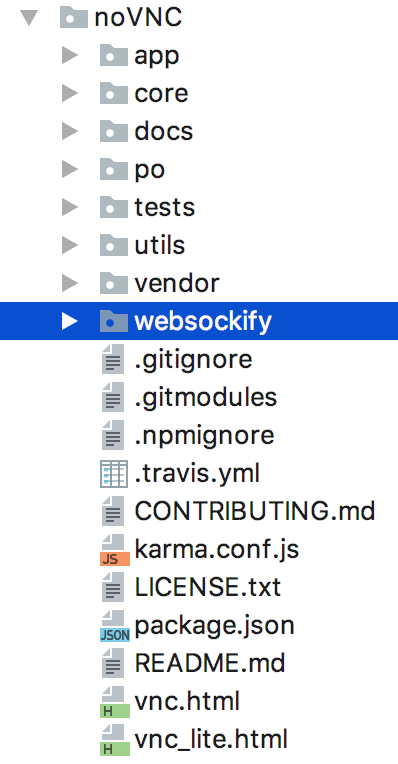
1、创建token文件
在websockify目录中创建目录token,并在该目录下创建token文件,写入以下内容:
token: host_ip:port
这里需要注意的坑是token:后面是有一个空格的(少了这个空格让我调试了一个夜晚)。
2、启动websockify
进入websockify目录 --web ../ 是为了使用noVNC的vnc.html和vnc_lite.html文件
./run --web ../ --target-config ./token/token localhost:8888
3、浏览器测试
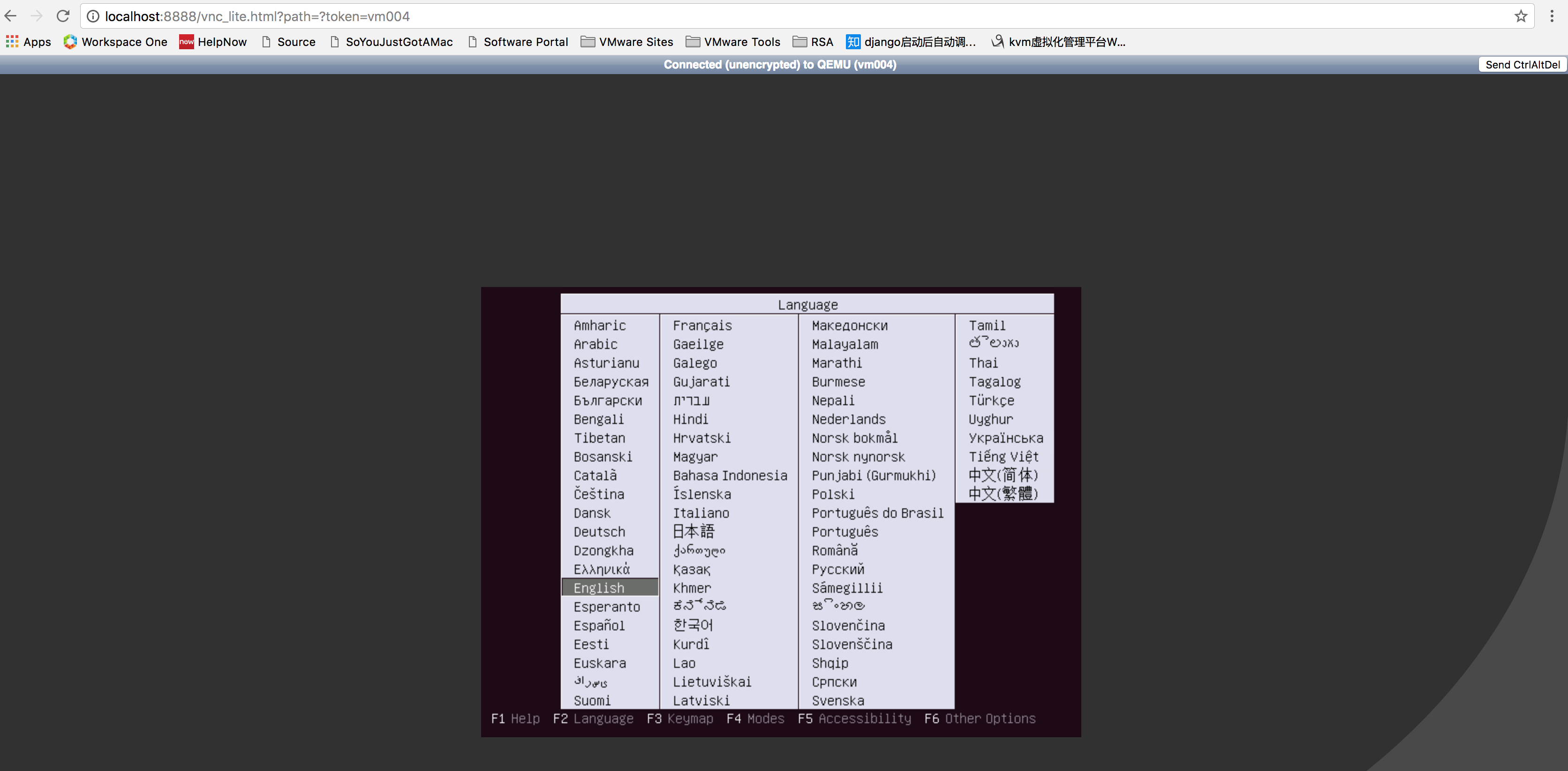
http://localhost:8888/vnc_lite.html?path=?token=vm004 (这里我直接使用的是虚拟机vm004的名称来作为Token,只需要修改Token就能够访问相应的虚拟机)
扩展Token类型
Custom plugins should match the format of the BasePlugin class found in websockify/token_plugins.py. Namely, they should implement an __init__(self, src) method (where src is the value of --token-source), and a lookup(self, token) method which either returns a (host, port) tuple, or None.
The plugin can be placed in any module that's importable by websockify, and then be used as such:
$ ./run ... --token-plugin some.module.TokenClass --token-source 'some information here'
Example:
import memcache

import simplejson

class TokenMemc(object):

    def __init__(self, src):

        self._server = src

    def lookup(self, token):

        client = memcache.Client([self._server], debug=0)

        stuff = client.get(token)

        combo = simplejson.loads(stuff)

        pair = combo["host"]

        return pair.split(':')
noVNC的更多相关文章
- webvnc利器-noVNC集成实战
我们在做一个虚拟机管理平台,底层虚拟化使用KVM,我们希望在网页上操作虚拟机. 一开始用applet嵌在网页内实现webvnc,不过由于applet的在浏览器上运行安全性限制,我们需要一个新的方案.此 ...
- noVNC支持手机自带键盘输入
代码修改说明 novnc的web链接类似为:http://192.168.1.177:6080/vnc_auto.html?token=105356fa-bbe3-43e4-a0ce-7703dc42 ...
- CentOS安装noVNC,以Web方式交付VNC远程连接
什么是noVNC noVNC 是一个 HTML5 VNC 客户端,采用 HTML 5 WebSockets, Canvas 和 JavaScript 实现,noVNC 被普遍用在各大云计算.虚拟机控制 ...
- 配置Nginx反向代理WebSocket,以代理noVNC为例
什么是Nginx Nginx (engine x) 是一个高性能的HTTP和反向代理服务器,也是一个IMAP/POP3/SMTP服务器. Nginx是一款轻量级的Web 服务器/反向代理服务器及电子邮 ...
- novnc安装教程
适配于centos7 1.安装vncserver # stop selinux and iptables setenforce systemctl stop firewalld systemctl d ...
- noVNC连接CentOS,以Web方式交付VNC远程连接
什么是noVNC? noVNC 是一个 HTML5 VNC 客户端,采用 HTML 5 WebSockets, Canvas 和 JavaScript 实现,noVNC 被普遍用在各大云计算.虚拟机控 ...
- Centos 6.X noVNC+websockify 实现webvnc
文章参考:https://github.com/kanaka/noVNC http://www.cnblogs.com/yanghuahui/p/3574388.html 工作原理: noVNC 可以 ...
- noVNC 搭建
安装VNCSERVER 在使用noVNC之前,必须得先装vncserver,方法如下: yum -y install vnc-server 安装完成后,执行vncserver配置密码 命令:vncse ...
- noVNC使用——访问多台vnc
一.模拟实验环境 1.CentOS6.8系统2.KVM环境3.使用KVM环境的两个系统(Windows,Linux)4.noVNC5.vncserver 二.实验过程1.在kvm的环境下,通过xml创 ...
随机推荐
- js正则表达式的分组提取
- vi/vim复制粘贴命
1. 选定文本块.使用v进入可视模式,移动光标键选定内容. 2.复制的命令是y,即yank(提起) ,常用的命令如下: y 在使用v模式选定了某一块的时候,复制选定块到缓冲区用: ...
- java数字签名算法之RSA
© 版权声明:本文为博主原创文章,转载请注明出处 实例 1.项目结构 2.pom.xml <project xmlns="http://maven.apache.org/POM/4.0 ...
- Atitit.rust语言特性 attilax 总结
Atitit.rust语言特性 attilax 总结 1. 创建这个新语言的目的是为了解决一个顽疾:软件的演进速度大大低于硬件的演进,软件在语言级别上无法真正利用多核计算带来的性能提升.1 2. 不会 ...
- start with git
Start with git 1.what is GitHub? GitHub is a code hosting platform for version control and collabora ...
- Android Studio中查看类的继承关系
查看类的继承关系的快捷键F4.在Android Studio经常使用快捷键这篇文章中.有写了.今天主要是讲一些关于这个快捷键出来的界面的一些配置.这块功能相对偏冷一些,可能非常多人都会用不到.可是关于 ...
- android 布局特点
<LinearLayout android:layout_width="wrap_content" android:layout_height="wrap_cont ...
- Django安装和启动
1.django安装 在http://www.djangoproject.com/download/这个网站上可以下载django的最新版本.在下载时,要注意django版本和本机安装的Python版 ...
- CF#256(Div.2) A. Rewards
A. Rewards time limit per test 1 second memory limit per test 256 megabytes input standard input out ...
- easyUI参数传递Long型时,前台解析出错的问题——SKY
果发现datagrid在显示Long类型数据时有问题.问题如下:比如一个数据ID为20121229101239002,经过转换之后的JSON数据也没有问题,但是在显示的时候就会显示为201212291 ...