
使用Timer组件制作左右飘动的窗体
实现效果:
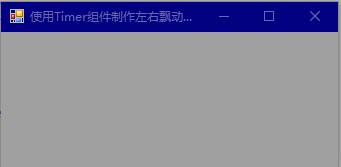
知识运用:
Form类的Left和Top属性
实现代码:
        private void timer1_Tick(object sender, EventArgs e)

        {

            Rectangle rec = Screen.GetWorkingArea(this);

            if ((rec.Width - this.Width) != this.Left)

            {

                this.Left++;

                this.Top += 1;

            }

            else

            {

                timer1.Enabled = false;

                timer2.Enabled = true;

            }

        }

        private void timer2_Tick(object sender, EventArgs e)

        {

            Rectangle rec = Screen.GetWorkingArea(this);

            if (this.Left ==0)

            {

                timer2.Enabled = false;

                timer1.Enabled = true;

            }

            else

            {

                this.Left--;

                this.Top -= 1;

            }

        }
使用Timer组件制作左右飘动的窗体的更多相关文章
- 使用Timer组件_实现定时更改窗体颜色
1 向窗体拖入Timer组件 2 更改其Enable属性为true 3 其interval属性为300 4 在Tick事件中写入随机变色代码 private void timer1_Tick(obje ...
- 使用Timer组件制作计时器
实现效果: 知识运用: Timer组件的interval属性 //获取或设置Timer组件Tick事件发生的时间间隔 public int Interval {get;set} NumericUpDo ...
- Timer组件
1.常用属性 Interval 用于获取或设置Timer组件Tick事件发生的时间间隔,属性值不能小于1 制作左右飘摇窗体 private void timer1_Tick(object sender ...
- 编写Java程序,使用菜单组件制作一个记事本编辑器
返回本章节 返回作业目录 需求说明: 使用菜单组件制作一个记事本编辑器 实现思路: 创建记事本菜单工具栏JMenuBar. 创建多个菜单条JMenu. 创建多个菜单项JMenuItem. 将菜单添加至 ...
- 使用Timer组件实现倒计时
实现效果: 知识运用: Timer组件的Enabed属性 实现代码: private void timer1_Tick(object sender, EventArgs e) { DateTime ...
- 使用ImageList组件制作动画图片
实现效果: 知识运用: Timer组件的Enabled属性 Tick事件 PictureBox控件的Image属性 ImageList组件的Images属性 实现代码: private void F ...
- Flutter实战视频-移动电商-13.首页_广告Banner组件制作
13.首页_广告Banner组件制作 主要是做这个小广告条. 其实就是读取一个图片做一个widget放到这里 使用stlessW快速生成 定义一个变量存放图片的url地址: 这样我们的广告条就写完了 ...
- ReactNative: 将自定义的ReactNative组件制作成第三方库的详细流程(制作-->发布)
一.简介 在讲本篇博文之前,需要你熟知怎么自定义ReactNative组件,然后才好学习将自定义的ReactNative组件制作成第三方库.本文中的自定义的ReactNative组件LoginMana ...
- DevExpress - 使用 GaugeControl 标尺组件制作抽奖程序 附源码
前不久,公司举办了15周年庆,其中添加了一个抽奖环节,要从在读学员中随机抽取幸运学员,当然,这个任务就分到了我这里. 最后的效果如下,启动有个欢迎页面,数据是来自Excel的,点击开始则上面的学号及姓 ...
随机推荐
- URL辅助方法
URL辅助方法则负责用来产生url地址,那什么时候需要呢,以输出超链接来说,使用Html.ActionLink()辅助方法一定会产生超链接的a标签,如果只是想单纯的输出asp.net mvc的某个网址 ...
- FZU 2218【状压】
题意: 给出长为n的字符串,含有前k种小写字母,求两个不含重复元素的连续子串,使得他们的长度乘积最大. 思路: 字符种类16 ->(套路) 状压 暴力2000*2000得所有连续子串的长度,得每 ...
- codevs2924 数独挑战
2924 数独挑战 时间限制: 1 s 空间限制: 1000 KB 题目等级 : 钻石 Diamond 题解 题目描述 Description "芬兰数学家因卡拉,花费3个月时间设计出了世界 ...
- 重启centOS丢失nginx.pid导致无法启动nginx的解决方法
目录 找到nginx 找到nginx的配置文件 拼接命令,启动nginx Nginx指令拓展知识(中英对照): tags: centOS linux nginx categories: 服务器 找到n ...
- B-Tree深入理解
定义: 根节点至少包括两个孩子 树中每个节点最多含有m个孩子(m>=2) 除根节点和叶子节点外,其他每个节点字少有(ceil(m/2):去上线),个孩子. 所有叶子节点都位于同一高度 假设每个非 ...
- PJzhang:kali linux安装网易云音乐、Visual Studio Code、skype
猫宁!!! 参考链接:https://blog.csdn.net/cloudatlasm/article/details/79183583 https://code.visualstudio.com/ ...
- python爬虫——web前端基础(4)
CSS,指层叠样式表,用来定义如何显示HTML元素,一般和HTML配合使用. 在HTML中使用CSS样式的方法: 内联样式表:CSS代码直接写在现有的HTML标记中,直接使用style属性改变样式.例 ...
- WC-第二次作业
WordCount 第二次作业 码云地址:https://gitee.com/lgcj1218/WordCount/tree/master 一.解题思路 本次作业采用的c#语言 按功能分为了三个类 , ...
- Androidstudio坑
1.intel haxm sdkmanager显示不可选中,而且boost设置好了intervt 解决:重新关闭,打开系统,然后开启.... 2.解决不了一直报错,(自己的代码,明明已经没有问题) 有 ...
- Codeforces Round #432 (Div. 2, based on IndiaHacks Final Round 2017) B
Arpa is taking a geometry exam. Here is the last problem of the exam. You are given three points a, ...