
Python报错:pkg-config could not find libraries ['avformat', 'avcodec', 'avdevice', 'avutil', 'avfilter', 'swscale', 'swresample']
参考:
https://github.com/PyAV-Org/PyAV/issues/238
https://pyav.org/docs/6.1.2/installation.html#mac-os-x
=====================
报错信息:
C:\Users\liuxue>pip install av

Collecting av

  Using cached av-0.3.3.tar.gz

Installing collected packages: av

  Running setup.py install for av ... error

    Complete output from command d:\python27\python.exe -u -c "import setuptools, tokenize;__file__='c:\\users\\liuxue\\appdata\\local\\temp\\pip-build-cq6uln\\av\\setup.py';f=getattr(tokenize, 'open', open)(__file__);code=f.read().replace('\r\n', '\n');f.close();exec(compile(code, __file__, 'exec'))" install --record c:\users\liuxue\appdata\local\temp\pip-8nuwew-record\install-record.txt --single-version-externally-managed --compile:

    running install

    running build

    running build_py

    creating build

    creating build\lib.win-amd64-2.7

    creating build\lib.win-amd64-2.7\av

    copying av\__init__.py -> build\lib.win-amd64-2.7\av

    copying av\__main__.py -> build\lib.win-amd64-2.7\av

    creating build\lib.win-amd64-2.7\av\audio

    copying av\audio\__init__.py -> build\lib.win-amd64-2.7\av\audio

    creating build\lib.win-amd64-2.7\av\container

    copying av\container\__init__.py -> build\lib.win-amd64-2.7\av\container

    creating build\lib.win-amd64-2.7\av\filter

    copying av\filter\__init__.py -> build\lib.win-amd64-2.7\av\filter

    creating build\lib.win-amd64-2.7\av\subtitles

    copying av\subtitles\__init__.py -> build\lib.win-amd64-2.7\av\subtitles

    creating build\lib.win-amd64-2.7\av\video

    copying av\video\__init__.py -> build\lib.win-amd64-2.7\av\video

    running build_ext

    running reflect

    running config

    looking for avformat_open_input... missing

    looking for pyav_function_should_not_exist... missing

    looking for av_calloc... missing

    looking for av_frame_get_best_effort_timestamp... missing

    looking for avformat_alloc_output_context2... missing

    looking for avformat_close_input... missing

    looking for AVStream.index... missing

    looking for PyAV.struct_should_not_exist... missing

    looking for AVFrame.mb_type... missing

    We didn't find `avformat_open_input` in the libraries.

    We look for it only as a sanity check to make sure the build

    process is working as expected. It is not, so we must abort.

    Please open a ticket at https://github.com/mikeboers/PyAV/issues

    with the folowing information:

    PyAV: 0.3.3

    Python: 2.7.13 (v2.7.13:a06454b1afa1, Dec 17 2016, 20:53:40) [MSC v.1500 64 bit (AMD64)]

    platform: Windows-10-10.0.15063

    extension_extra:

        libraries: ['avformat', 'avcodec', 'avdevice', 'avutil', 'avfilter', 'swscale', 'swresample']

        extra_link_args: ['/OPT:NOREF']

        library_dirs: ['d:\\python27\\libs', 'd:\\python27\\PCbuild\\amd64', 'd:\\python27\\PC\\VS9.0\\amd64']

        include_dirs: ['include', 'd:\\python27\\include', 'd:\\python27\\PC']

    config_macros:

        PYAV_VERSION=0.3.3

        PYAV_VERSION_STR="0.3.3"

        PYAV_COMMIT_STR="unknown-commit"

        inline=__inline

        PYAV_HAVE_LIBSWRESAMPLE=1

    ----------------------------------------

Command "d:\python27\python.exe -u -c "import setuptools, tokenize;__file__='c:\\users\\liuxue\\appdata\\local\\temp\\pip-build-cq6uln\\av\\setup.py';f=getattr(tokenize, 'open', open)(__file__);code=f.read().replace('\r\n', '\n');f.close();exec(compile(code, __file__, 'exec'))" install --record c:\users\liuxue\appdata\local\temp\pip-8nuwew-record\install-record.txt --single-version-externally-managed --compile" failed with error code 1 in c:\users\liuxue\appdata\local\temp\pip-build-cq6uln\av\
解决方法:
# General dependencies

sudo apt-get install -y python-dev pkg-config

# Library components

sudo apt-get install -y \

    libavformat-dev libavcodec-dev libavdevice-dev \

    libavutil-dev libswscale-dev libswresample-dev libavfilter-dev
-----------------------------
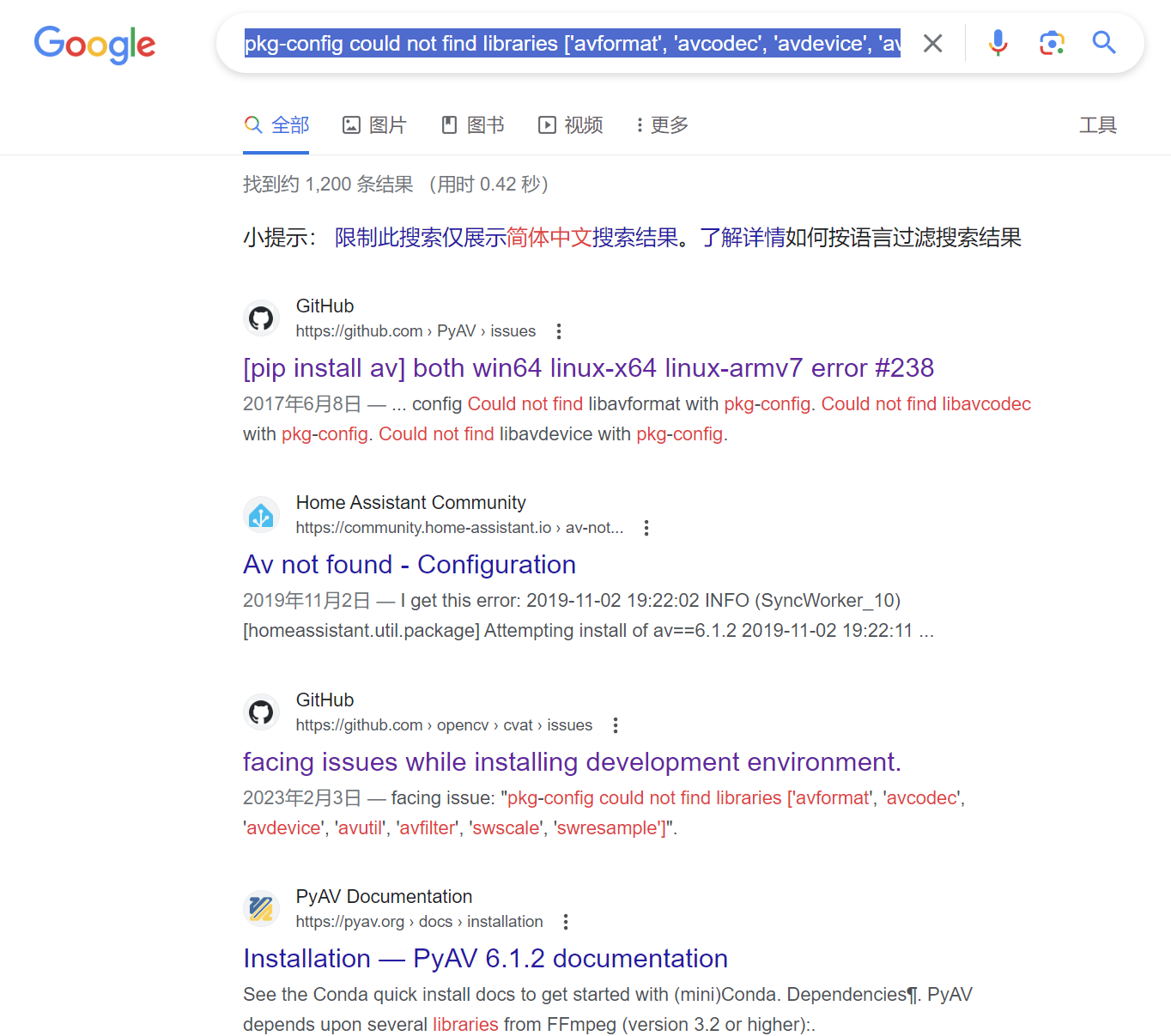
查询Google:
=============================
Python报错:pkg-config could not find libraries ['avformat', 'avcodec', 'avdevice', 'avutil', 'avfilter', 'swscale', 'swresample']的更多相关文章
- Python报错总结丶自定义报错
Python报错总结: 常见异常 1,NameError: name 'a' is not defined:未定义函数名 2,IndentationError: uninden ...
- Python报错module 'scipy.misc' has no attribute 'xxx'
Python报错module 'scipy.misc' has no attribute 'imresize' 解决办法: 安装Pillow包,命令如下: pip install Pillow 然后重 ...
- selenium python 报错“ unable to find binary in default location”
selenium python 报错如下: raise exception_class(message, screen, stacktrace)selenium.common.exceptions.W ...
- 解决Python报错:local variable 'xxx' referenced before assignment(引)
解决Python报错:local variable 'xxx' referenced before assignment(引) 解决Python报错:local variable 'xxx' refe ...
- python 报错 wxPyDeprecationWarning: Using deprecated class PySimpleApp.
如题:python 报错 提示为 : wxPyDeprecationWarning: Using deprecated class PySimpleApp. 解决:将 wx.PySimpleApp() ...
- PyCharm 中文 字符 python 报错 的 完美 解决方案!
PyCharm 中文 字符 python 报错 的 完美 解决方案! #_*_ coding:utf-8_*_ https://www.python.org/dev/peps/pep-0263/ 到p ...
- Python报错ModuleNotFoundError: No module named 'numpy'
转载:https://blog.csdn.net/qq_39779233/article/details/103224712 Python报错ModuleNotFoundError: No modul ...
- Windows2008 r2 x64下安装FTP工具File Zilla server报错:could not load tls libraries filezilla
安装file zilla server的时候报错: could not load tls libraries filezilla 搜索了下发现是新版本有这个问题,降低到0.9.43就没这个问题了
- 报错libtest: error while loading shared libraries: libuv.so.1: cannot open shared object file: No such file or directory
使用g++编译.运行libuv的demo错误解决 我们通过例子来讲述监视器的使用. 例子中空转监视器回调函数被不断地重复调用, 通过例子我们也可以了解到: 由于设置了监视器, 所以调用 uv_run ...
- 运行 puppeteer 报错 chrome: error while loading shared libraries: libpangocairo-1.0.so.0: cannot open shared object file: No such file or directory
运行 puppeteer 报错 chrome: error while loading shared libraries: libpangocairo-1.0.so.0: cannot open sh ...
随机推荐
- 增补博客 第六篇 python 电子算盘
珠算测试器 题目描述]设计一个珠算测试器,要求能够完成珠算加减法的测试.具体的要求功能如下:(1)用户启动测试,输入用户名后系统随机生成特定数目的加减法测试题:(2) 要求测试使用表盘式或数字时秒表进 ...
- Thread交互及interrupt示例
package com.test.docxml; /** Thread交互及interrupt示例 * 线程模拟:一个在睡觉,一个在敲墙,敲墙完成之后,把睡觉的吵醒了. */ public class ...
- tampermonkey脚本 百度搜索屏蔽CSDN
// ==UserScript==// @name 屏蔽CSDN// @namespace http://tampermonkey.net/// @version 20 ...
- 个人网站接入Google Ads的一点心得
前言 前段时间花了一些精力尝试和摸索主题接入 Google Ads 的问题,算是阶段性成功了吧,这次简单分享一下,如果有缘看到这篇文章,应该会有些启发. 1. 展示效果 上篇文章说到,前两天我在我的两 ...
- spark共享变量---广播变量和累加变量
从三个方面来分析:1.什么时候使用,2.原理是什么3.性能上有什么优化 累加变量:--(自定义累加器很重要) 使用场景:累加器的一个常见用途是在调试时对作业执行过程中的事件进行计数,如:统计日志中空行 ...
- 复习 - js基础语法
今天继续复习了js基础语法 最后一天了 学完了进入dom bom的复习 今天发现了很多经典案例 我都不知道一个随笔放的完不 逻辑性感觉还是蛮强的 主要就是作用域 对象 内置对象等一些的操作嘛 话不多 ...
- Java中字符串去除空格
1. str.trim(); 去掉首尾空格 2. str.replace(" ", ""); 去掉所有空格,包括首尾.中间 String str = " ...
- SpringBoot注解配置文件映射属性和实体类
配置文件加载 方式一 Controller上面配置@PropertySource({"classpath:pay.properties"}) 添加属性@Value("wx ...
- 转载 | win11右键菜单改为win10的bat命令(以及恢复方法bat)
原文来自这里:https://blog.51cto.com/knifeedge/5340751 版权归:IT利刃出鞘 本质上就是写入注册表. 一.右键菜单改回Win10(展开) 1. 新建文件:win ...
- mysql:Windows修改MySQL数据库密码(修改或忘记密码)
今天练习远程访问数据库时,为了方便访问,就想着把数据库密码改为统一的,以后我们也会经常遇到MySQL需要修改密码的情况,比如密码太简单.忘记密码等等.在这里我就借鉴其他人的方法总结几种修改MySQL密 ...