
Casdoor 开始
Casdoor 是一个基于 OAuth 2.0 / OIDC 的中心化的单点登录(SSO)身份验证平台,简单来说,就是 Casdoor 可以帮你解决用户管理的难题,你无需开发用户登录、注册等与用户鉴权相关的一系列功能,只需几个步骤进行简单配置,与你的主应用配合,便可完全托管你的用户模块,简单省心,功能强大。
官网有 demo 体验,及文档。本文是依照文档「服务器安装」「使用 Docker 运行」于 Ubuntu 22 上的实践记录。
安装环境
安装 Go
# 下载,依据系统选择 Linux x86-64 的发布包

curl -O -L https://go.dev/dl/go1.20.4.linux-amd64.tar.gz

# 解压

tar -xzvf go1.20.4.linux-amd64.tar.gz

# 重命名,带上版本号

mv go go1.20.4.linux-amd64

# 软链,便于配置或切版本

sudo ln -sfT `pwd`/go1.20.4.linux-amd64 /usr/local/go

# 配置,GOPATH 用自己的工作目录

cat <<-EOF >> ~/.bashrc

# go

export GOROOT=/usr/local/go

export GOPATH=\$HOME/Codes/Go

export PATH=\$GOROOT/bin:\$GOPATH/bin:\$PATH

EOF

# 检查

go version

go env
安装 Node.js
# 下载,选了当前最新的 LTS 版本,可用

curl -O -L https://nodejs.org/dist/v18.16.0/node-v18.16.0-linux-x64.tar.xz

# 解压

tar -xvf node-v18.16.0-linux-x64.tar.xz

# 软链,便于配置或切版本

sudo ln -sfT `pwd`/node-v18.16.0-linux-x64 /usr/local/node

# 配置,GOPATH 用自己的工作目录

cat <<-EOF >> ~/.bashrc

# node

export NODE_HOME=/usr/local/node

export PATH=\$NODE_HOME/bin:\$PATH

EOF

# 检查

node -v

npm -v
安装 Yarn
npm install yarn -g

# 检查

yarn -v
安装 MySQL
sudo apt update -y

# 安装

sudo apt install mysql-server -y

# 检查

systemctl status mysql.service

# 或启动

systemctl start mysql.service
配置 MySQL:
1 修改 root 用户的密码,
sudo mysql

ALTER USER 'root'@'localhost' IDENTIFIED WITH mysql_native_password BY 'YourPassword';

exit
不然,执行 mysql_secure_installation 会遇到如下错误:
... Failed! Error: SET PASSWORD has no significance for user 'root'@'localhost' as the authentication method used doesn't store authentication data in the MySQL server. Please consider using ALTER USER instead if you want to change authentication parameters.
2 执行配置脚本 mysql_secure_installation 把不安全的功能都给关了,
$ sudo mysql_secure_installation

Securing the MySQL server deployment.

Enter password for user root:

The 'validate_password' component is installed on the server.

The subsequent steps will run with the existing configuration

of the component.

Using existing password for root.

Estimated strength of the password: 100

Change the password for root ? ((Press y|Y for Yes, any other key for No) : n

 ... skipping.

By default, a MySQL installation has an anonymous user,

allowing anyone to log into MySQL without having to have

a user account created for them. This is intended only for

testing, and to make the installation go a bit smoother.

You should remove them before moving into a production

environment.

Remove anonymous users? (Press y|Y for Yes, any other key for No) : y

Success.

Normally, root should only be allowed to connect from

'localhost'. This ensures that someone cannot guess at

the root password from the network.

Disallow root login remotely? (Press y|Y for Yes, any other key for No) : y

Success.

By default, MySQL comes with a database named 'test' that

anyone can access. This is also intended only for testing,

and should be removed before moving into a production

environment.

Remove test database and access to it? (Press y|Y for Yes, any other key for No) : y

 - Dropping test database...

Success.

 - Removing privileges on test database...

Success.

Reloading the privilege tables will ensure that all changes

made so far will take effect immediately.

Reload privilege tables now? (Press y|Y for Yes, any other key for No) : y

Success.

All done!
3 恢复 sudo mysql 登录,
用客户端的话,跳过这一步。
# 密码登录

mysql -u root -p

# 恢复 sudo mysql 登录

ALTER USER 'root'@'localhost' IDENTIFIED WITH auth_socket;

# 退出

exit
安装 MySQL 客户端:
# 例如,用 MySQL Workbench

sudo snap install mysql-workbench-community

# 或者,用 phpMyAdmin 等
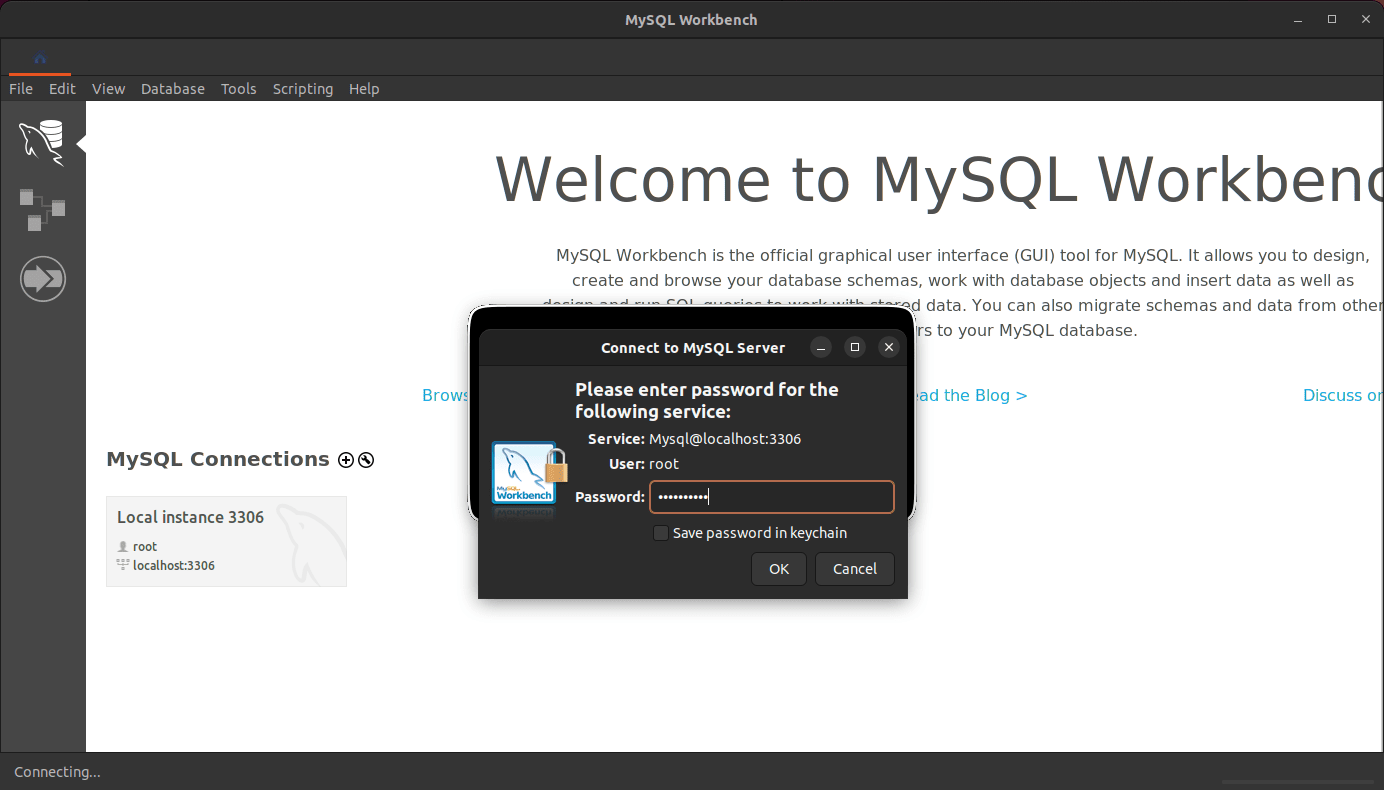
选择 Local 实例,用密码登录,
创建一个名为 casdoor 的数据库,
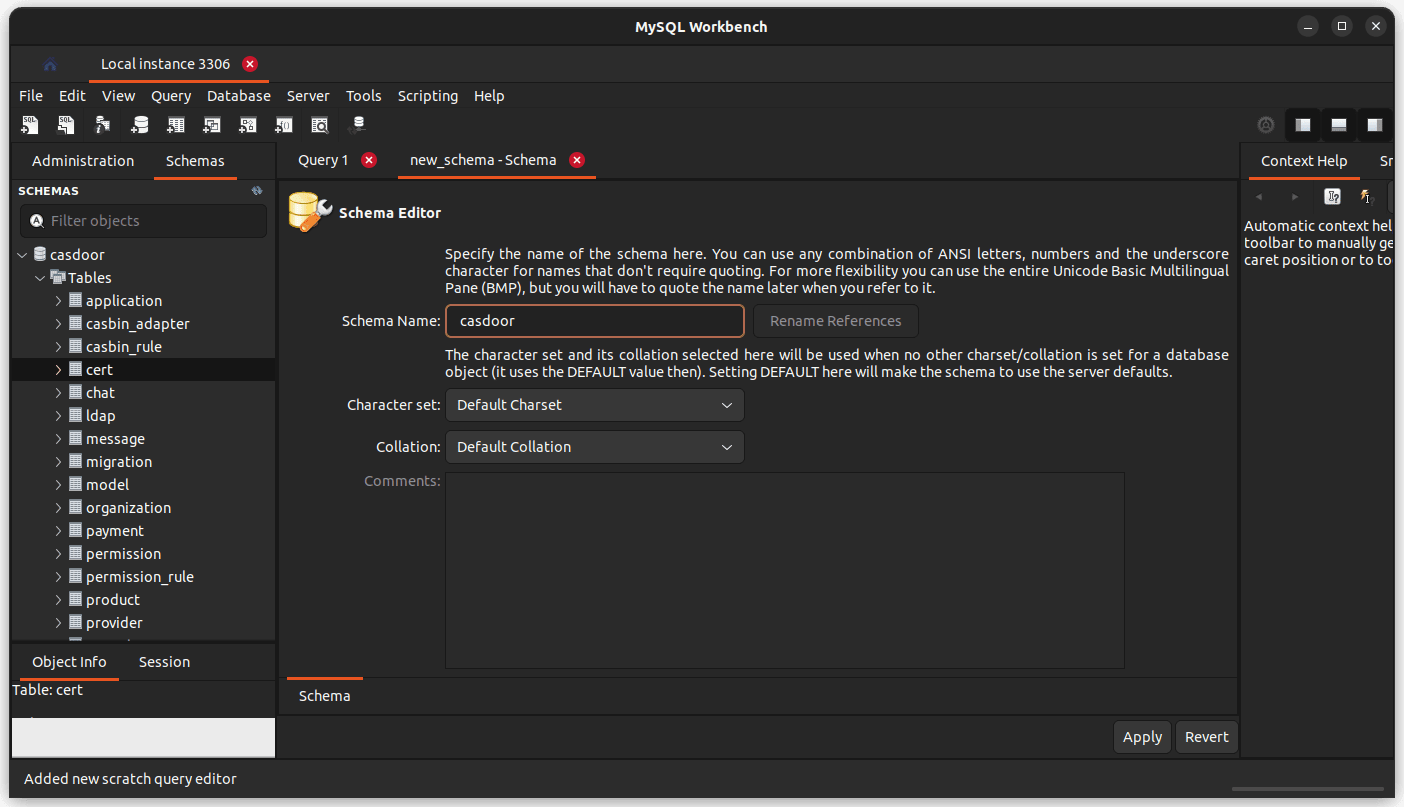
另外,可创建一个名为 casdoor 的新用户,专门管理该数据库。
获取源码
进工作目录,获取 Casdoor 源码,
# 获取源码

git clone --depth 1 https://github.com/casdoor/casdoor.git
配置
配置位于 casdoor/conf/app.conf,
appname = casdoor

httpport = 8000

runmode = dev

copyrequestbody = true

driverName = mysql

dataSourceName = root:123456@tcp(localhost:3306)/

dbName = casdoor

tableNamePrefix =

showSql = false

redisEndpoint =

defaultStorageProvider =

isCloudIntranet = false

authState = "casdoor"

socks5Proxy = "127.0.0.1:10808"

verificationCodeTimeout = 10

initScore = 2000

logPostOnly = true

origin =

staticBaseUrl = "https://cdn.casbin.org"

isDemoMode = false

batchSize = 100

ldapServerPort = 389

languages = en,zh,es,fr,de,id,ja,ko,ru,vi

quota = {"organization": -1, "user": -1, "application": -1, "provider": -1}
目前先只配置数据库字段 driverName dataSourceName dbName。更多字段说明,见官方文档「服务器安装 / 通过-ini-文件配置」。
运行
开发模式
运行后端:
cd casdoor/

go run main.go
如果发生错误 checksum mismatch,可执行:
go clean -modcache

rm go.sum

go mod tidy

# 还不行,切个代理,再试一次

#  可能代理缓存不一致;可写进 ~/.bashrc

export GOPROXY="https://goproxy.cn,direct"
运行前端:
cd casdoor/web

yarn install

yarn start
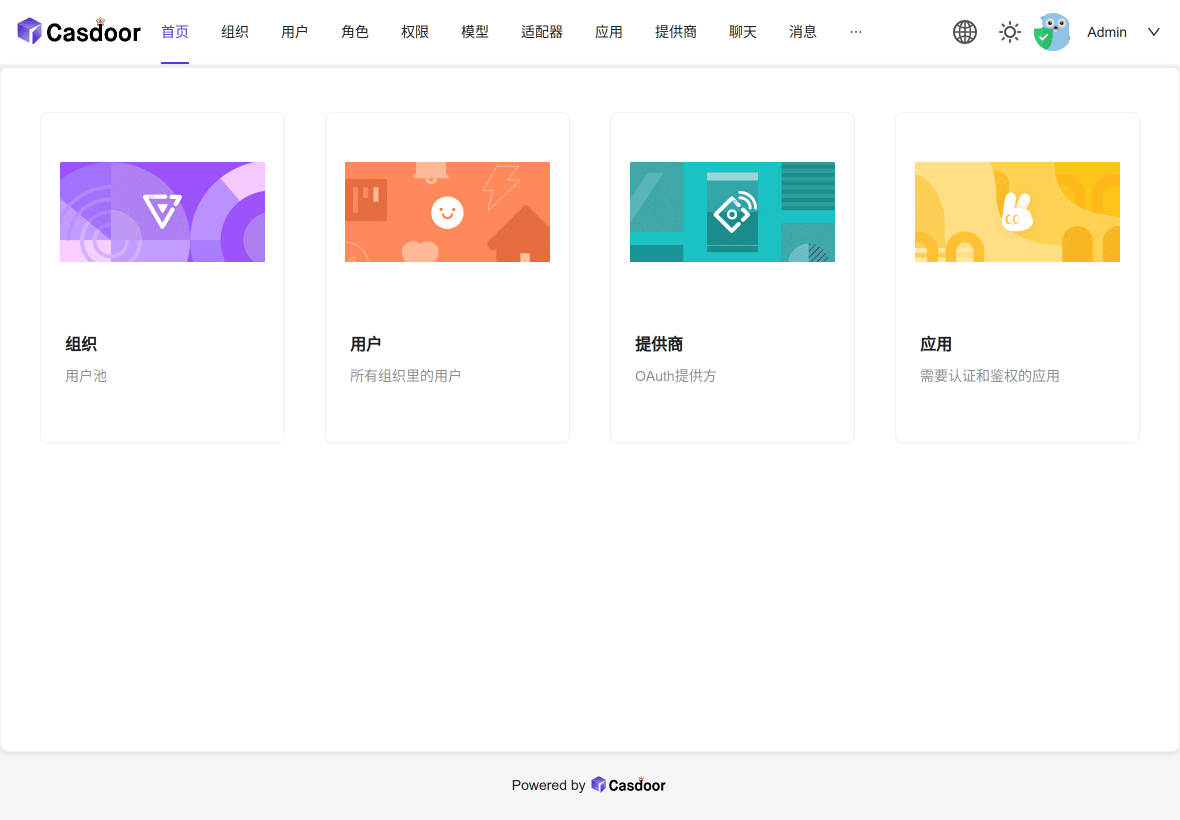
访问 http://localhost:7001/,用户 admin 密码 123 登录,
生产模式
运行后端:
cd casdoor/

go build

./casdoor
运行前端:
cd casdoor/web

yarn install

yarn build
容器运行
Docker 准备
Install Docker Desktop on Ubuntu,
$ docker -v

Docker version 23.0.6, build ef23cbc

$ docker compose version

Docker Compose version v2.17.3
Docker 运行
Casdoor 可以使用 docker-compose 运行,它带有独立的数据库,
cd casdoor/

docker compose up
可以如下修改,用本地已有的数据库,
- 编辑
docker-compose.yml- 删掉
services/casdoor下,entrypoint里的--createDatabase=true参数depends_on里的db依赖
- 删掉
services/db的所有配置
- 删掉
version: '3.1'

services:

  casdoor:

    restart: always

    build:

      context: ./

      dockerfile: Dockerfile

      target: STANDARD

    entrypoint: /bin/sh -c './server'

    ports:

      - "8000:8000"

    volumes:

      - ./conf:/conf/
- 编辑
Dockerfile删掉ENTRYPOINT ["/server"]之后的 db 内容- 遇到
go build提示版本问题,可修改FROM golang:1.17.5 AS BACK升下版本,如1.20.4 - 遇到
go test不过,- 若下载问题,可命令前加
export GOPROXY="https://goproxy.cn,direct" &&用代理 - 若
TestGetVersionInfoFail,可git pull --unshallow拉取更多 commits 即可
- 若下载问题,可命令前加
- 遇到 apk 安装问题,可以注掉
RUN sed -i 's/https/http/' /etc/apk/repositories - 遇到 yarn fresh packages 永不终止,可以注掉
yarn config set registry https://registry.npmmirror.com
- 遇到
此外,再写个独立的 docker-secret.yaml 来放 services/casdoor 的数据库配置:
version: '3.1'

services:

  casdoor:

    environment:

      driverName: "mysql"

      dataSourceName: "casdoor:password@tcp(host.docker.internal:3306)/"

      dbName: "casdoor"
最后,
# 运行服务

$ docker compose -f docker-compose.yml -f docker-secret.yml up

[+] Running 2/0

  Network casdoor_default      Created                                                                                                 0.0s

  Container casdoor-casdoor-1  Created                                                                                                 0.0s

Attaching to casdoor-casdoor-1

casdoor-casdoor-1  | 2023/05/14 06:00:00 Listening on 0.0.0.0:389

casdoor-casdoor-1  | 2023/05/14 06:00:00.000 [I]  http server Running on http://:8000
访问 http://localhost:8000/,用户 admin 密码 123 登录。
结语
Casdoor 这里选择源码方式安装,是考虑做定制化修改;使用容器编译和运行,是考虑发布和部署。
至于 Casdoor 功能如何、怎么使用,要阅读官方文档多做了解,同时也在运行环境里实际玩上一玩。
GoCoding 个人实践的经验分享,可关注公众号!
Casdoor 开始的更多相关文章
- Casdoor + OAuth 实现单点登录 SSO
简介 Casdoor 是一个基于 OAuth 2.0 / OIDC 的中心化的单点登录(SSO)身份验证平台,简单来说,就是 Casdoor 可以帮你解决用户管理的难题,你无需开发用户登录.注册等与用 ...
- 《HelloGitHub》第 73 期
兴趣是最好的老师,HelloGitHub 让你对编程感兴趣! 简介 HelloGitHub 分享 GitHub 上有趣.入门级的开源项目. https://github.com/521xueweiha ...
随机推荐
- 给临时停车号码牌插上翅膀:lua脚本语言加入—鲁哇客智能挪车号码牌技术升级之路
预计6月中旬上线的,带语音的智能挪车号码牌,会新增lua编程脚本的支持.类似于我们的手机,从功能机到智能机的进化,有着划时代的意义:产品功能不再由厂家决定,她可由lua编程脚本书写,随时编辑修改. l ...
- .bat 脚本替换文件内容
rem 定义变量延迟环境,关闭回显 @echo off&setlocal enabledelayedexpansion rem 读取a.txt所有内容 for /f "eol=* t ...
- 整合Swagger2
整合Swagger2 1.Swagger介绍 前后端分离开发模式中,api文档是最好的沟通方式. Swagger 是一个规范和完整的框架,用于生成.描述.调用和可视化 RESTful 风格的 Web ...
- Ipmitool命令之ipmitool user(用户管理)
常见的用户配置命令: (1)查看用户清单 root@master:~# ipmitool user list 1 ID Name Callin Link Auth IPMI Msg Channel P ...
- 在golang中如何正确判断接口是否为nil
本文主要来分析一下在golang中,如何判断interface是否为nil,以及相关注意事项. 正常情况下,我们声明一个interface类型的变量,默认值将会返回nil,以golang自带的io.W ...
- MySQL学习(七)varchar和char区别
varchar:用于存储可变长字符串,是最常见的字符串数据类型.比定长类型更节省空间,因为它仅使用必要的空间.varchar需要使用1或2个额外字节记录字符串的长度:如果列的最大长度小于或等于255字 ...
- 使用go的并发性来解决Hilbert酒店问题
译自:Designing for Concurrency: the Hilbert's Hotel Problem in Go,本文使用go的并发性来解决Hilbert酒店问题.本文比较有意思的是它对 ...
- 从开源模型、框架到自研,声网 Web 端虚拟背景算法正式发布
根据研究发现,在平均 38 分钟的视频会议里面,大概会有 13 分钟左右的时间用于处理和干扰相关的事情.同时研究也表明在参加在线会议的时候,人们更加倾向于语音会议,其中一个关键原因就是大家不希望个人隐 ...
- Vditor在原生JS中如何结合后端使用
目录 1.Vditor介绍 2.如何在原生JS中结合后端使用 2.1 背景 2.2 正确使用方式 2.2.1 编辑页面 2.2.2 回显页面(修改页面) 2.2.3 预览页面 3.小结一下 1.Vdi ...
- Java面试——缓存
一.什么是缓存 [1]缓存就是数据交换的缓冲区(称作:Cache),当某一硬件要读取数据时,会首先从缓存中查询数据,有则直接执行,不存在时从磁盘中获取.由于缓存的数据比磁盘快的多,所以缓存的作用就是帮 ...