
pytest-pyppeteer:在pytest中运行pyppeteer
pytest-pyppeteer
pytest-pyppeteer是我写的一个 pytest 插件,支持在 pytest 中运行pyppeteer,起因是为了解决工作中的一个测试需求,现在将其开源并做简单介绍。
背景
为什么不用 selenium?
最根本的原因是 selenium 的配置比较繁琐,最常见的问题是需要保持 webdriver 和浏览器版本的一致性。
pyppeteer 的简单介绍
pyppeteer 是 puppeteer的非官方 python 版本,几乎实现了和其相同的 API,可以非常方便的去操作 Chrome 浏览器。
pyppeteer 的局限性
目前最明显的问题是没有提供跨浏览器的解决方案,最新的 puppeteer 已经提供对 Firefox 的支持,但是 pyppeteer 可能还需要一些时间。
安装
推荐使用pipenv管理虚拟环境,并替换为国内 pip 源。
$ pipenv install pytest-pyppeteer
仅支持 python >= 3.7
快速开始
用下面这个测试用例来说明:断言电影《活着》的豆瓣评分大于 9.0。
from dataclasses import dataclass

from pytest_pyppeteer.models import Browser

@dataclass(init=False)

class Elements:

    """收集所有使用到的页面元素,可以为 XPath 或者 CSS Selector。"""

    # 查询输入框

    query = "#inp-query"

    # 点击搜索

    apply = ".inp-btn > input:nth-child(1)"

    # 第一条结果

    first_result = (

        "#root > div > div > div > div > div:nth-child(1) > div.item-root a.cover-link"

    )

    # 评分

    rating = (

        "#interest_sectl > div.rating_wrap.clearbox > div.rating_self.clearfix > strong"

    )

async def test_lifetimes(pyppeteer: Browser):

    page = await pyppeteer.new_page()

    await page.goto('https://movie.douban.com/')

    await page.type(Elements.query, "活着")

    await page.click(Elements.apply)

    await page.waitfor(Elements.first_result)

    await page.click(Elements.first_result)

    await page.waitfor(Elements.rating)

    rating = await page.get_value(Elements.rating)

    assert float(rating) >= 9.0
执行测试用例,看一下效果:
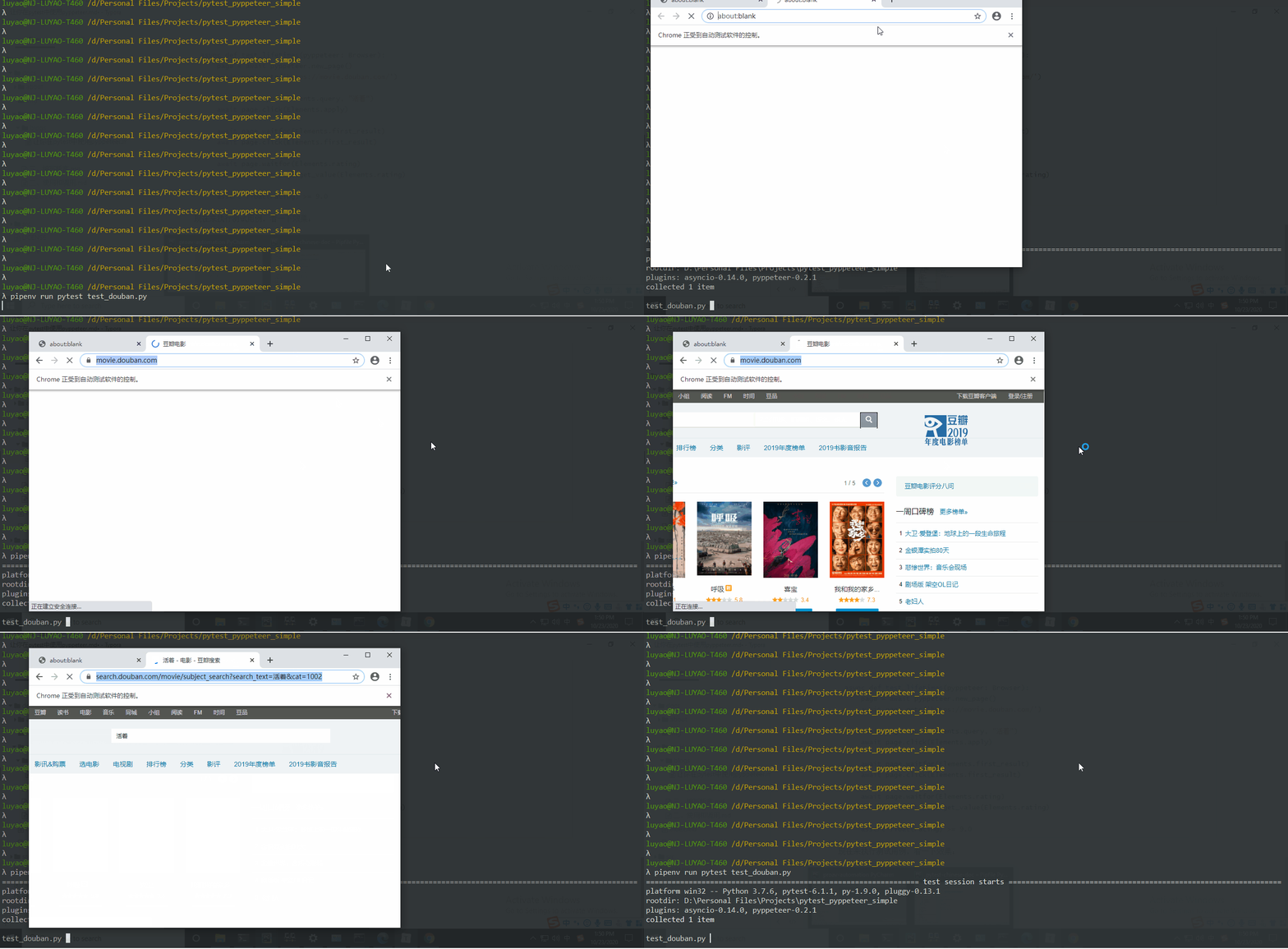
这里我们无需指定浏览器的路径,pytest-pyppeteer 会在对应平台默认的安装路径下搜寻 Chrome 的可执行文件。
也可以通过 --executable-path命令行选项显示的指定 Chrome 的路径。
或者,在你的conftest.py文件中指定:
@pytest.fixture(scope="session")

def executable_path(executable_path):

    if executable_path is None:

        return "path/to/Chrome/or/Chromium"

    return executable_path
其它支持的命令行选项,包括:
--headless:使用浏览器的无头模式;--args:为浏览器指定其它参数。例如:指定代理服务器:$ pytest --args proxy-server "localhost:5555,direct://" --args proxy-bypass-list "192.0.0.1/8;10.0.0.1/8"
--window-size:指定浏览器的大小,默认是 800*600;--window-size 0 0表示最大化浏览器;
同时操作多个浏览器
用下面这个测试用例来说明:断言书籍《活着》的豆瓣评分高于其电影的评分。
import asyncio

from dataclasses import dataclass

from pytest_pyppeteer.models import Browser, Page

@dataclass(init=False)

class Elements:

    """公共对象库"""

    query = "#inp-query"

    apply = ".inp-btn > input:nth-child(1)"

@dataclass(init=False)

class BookElements(Elements):

    url = "https://book.douban.com/"

    first_result = '(//*[@class="item-root"]/a)[1]'

    rating = "#interest_sectl > div > div.rating_self.clearfix > strong"

@dataclass(init=False)

class MovieElements(Elements):

    url = "https://movie.douban.com/"

    first_result = (

        "#root > div > div > div > div > div:nth-child(1) > div.item-root a.cover-link"

    )

    rating = (

        "#interest_sectl > div.rating_wrap.clearbox > div.rating_self.clearfix > strong"

    )

async def query_rating(pyppeteer: Browser, name: str, elements: Elements):

    """获取电影或者书籍的评分。"""

    page: Page = await pyppeteer.new_page()

    await page.goto(elements.url)

    await page.type(elements.query, name)

    await page.click(elements.apply)

    await page.waitfor(elements.first_result)

    await page.click(elements.first_result)

    await page.waitfor(elements.rating)

    rating = await page.get_value(elements.rating)

    return rating

async def test_multiple_pyppeteer(pyppeteer_factory):

    pyppeteer1 = await pyppeteer_factory()

    pyppeteer2 = await pyppeteer_factory()

    movie_rating, book_rating = await asyncio.gather(

        query_rating(pyppeteer1, "活着", MovieElements),

        query_rating(pyppeteer2, "活着", BookElements)

    )

    assert book_rating >= movie_rating
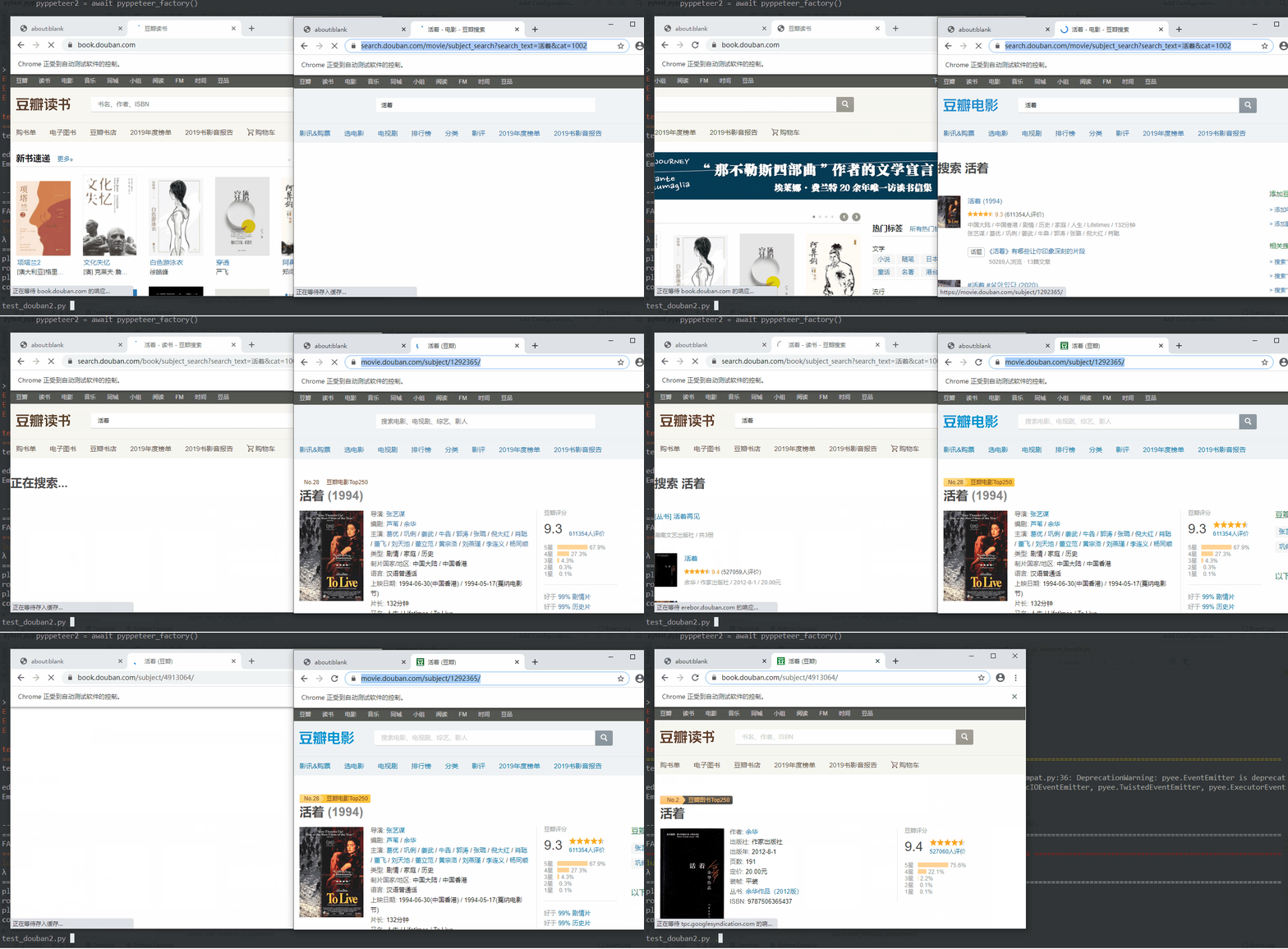
通过pyppeteer_factory 可以获取多个浏览器实例,再利用 python 标准库asyncio可以很方便的执行异步操作,节省时间。
执行测试用例,看一下效果:
Github 仓库
更多功能可以访问:https://github.com/luizyao/pytest-pyppeteer,如果能帮助到你的话,可以给个 star,也欢迎提 issue 和 pr。
pytest 中文文档(v6.1.1)
之前翻译过 pytest v5.1.3 的官方文档并开源,目前计划更新到 v6.1.1 版本。
项目更多进度可以访问:https://github.com/luizyao/pytest-chinese-doc/tree/6.1.1
pytest-pyppeteer:在pytest中运行pyppeteer的更多相关文章
- 不能在Python Console中运行pytest
在Python Console中运行pytest发现报错了 这是为什么?因为Python Console已经是进入python之后的环境,就像在python自带的IDLE中运行pytest pytes ...
- pycharm运行Pytest,有没有将Pytest写入Python代码中的区别
初学pytest. 将pytest写进Python代码中 不同运行方式都可正常运行 =======================**********************========= ...
- pytest——pycharm中右击运行(run)没有问题,在terminal中运行pytest报错:E ModuleNotFoundError: No module named
参考了这个解决办法:https://blog.csdn.net/qq_36829091/article/details/82180866 我的是Windows,linux的和Windows的解决办法有 ...
- pytest(3):pytest运行参数介绍
前言 pytest 带有很多参数,可以使用 pytest --help 来查看帮助文档,下面介绍几种常用的参数: 无参数 读取路径下所有符合规则的文件,类,方法,函数全部执行.使用方法如下: py ...
- 【pytest系列】- pytest测试框架介绍与运行
如果想从头学起pytest,可以去看看这个系列的文章! https://www.cnblogs.com/miki-peng/category/1960108.html 前言 目前有两种纯测试的测 ...
- pytest文档2-用例运行规则
用例设计原则 文件名以test_*.py文件和*_test.py 以test_开头的函数 以Test开头的类 以test_开头的方法 所有的包pakege必须要有__init__.py文件 help帮 ...
- pytest系列(四)- pytest+allure+jenkins - 持续集成平台生成allure报告
pytest是什么 pytest是python的一款测试框架,拥有unittest的功能并比它更丰富. allure是什么 有非常多的优秀的测试框架,但却是有非常少优秀的报告工具可以展示非常清楚的用例 ...
- Pytest单元测试框架-Pytest环境安装
unittest是python自带的单元测试框架,它封装好了一些校验返回的结果方法和一些用例执行前的初始化操作,使得单元测试易于开展,因为它的易用性,很多同学也拿它来做功能测试和接口测试,只需简单开发 ...
- Pytest单元测试框架——Pytest+Allure+Jenkins的应用
一.简介 pytest+allure+jenkins进行接口测试.生成测试报告.结合jenkins进行集成. pytest是python的一种单元测试框架,与python自带的unittest测试框架 ...
随机推荐
- 基于MAXIMO的发电行业EAM解决方案
1. 行业背景 随着我国以“厂网分开,竞价上网”为特点的电力市场的起步和发展,发电厂.发电集团成为独立企业参与市场竞争,原有的“生产型”管理模式已经不再适应市场的需求.发电企业在重视安全质量.保证电力 ...
- SSH 框架常见错误
新手学习SSH框架的时候总会遇到很多问题,一碰到404 或者500错误就不知道怎么解决. 404错误是很常见的一个错误,如果没有用框架基本上只可能是没有这个路径或者文件,但是用了框架之后404的原因就 ...
- 利用 esp8266 搭建简单物联网项目
接上一篇博客,这次还是关于 esp8266 --> 物联网 一.云端数据监控:DHT11 + NodeMcu +Dweet.io 接上一篇博客的接线及相关配置不变( DHT11 + NodeMc ...
- python3-day3
一.函数基本语法及特性 重复用到的代码通过def封装起来,用到的时候直接调用函数名字:语法 1 def 函数名字(内容): 2 需要执行的动作 什么是函数: 函数一词来源于数学,但编程中的「函数」概念 ...
- (转载)什么是B树?
本文转载自网络. 如有侵权,请联系处理!
- p.array 的shape (2,)与(2,1)的分别是什么意思
numpy.ndarray.shap是返回一个数组维度的元组. (2,)与(2,1)的区别如下: ndarray.shape:数组的维度.为一个表示数组在每个维度上大小的整数元组.例如二维数组中, ...
- 074 01 Android 零基础入门 01 Java基础语法 09 综合案例-数组移位 06 综合案例-数组移位-主方法功能3的实现
074 01 Android 零基础入门 01 Java基础语法 09 综合案例-数组移位 06 综合案例-数组移位-主方法功能3的实现 本文知识点:综合案例-数组移位-主方法功能3的实现 说明:因为 ...
- 为自己的网页博客添加L2Dwidget.js看板娘
如果是博客园,直接在设置-->页脚 HTML 代码,加上下面代码: 1 <!-- L2Dwidget.js L2D网页动画人物 --> 2 <script src=" ...
- SpringSecurity原理
一.认证的两种方式的介绍 1. 基于Session的认证方式 在之前的单体架构时代,我们认证成功之后都会将信息存入到Session中,然后响应给客户端的是对应的Session中数据的key,客户端会将 ...
- 用composer安装captcha_src()不成功
1,要么就是TP的框架配置有问题建议重新下载 2,要么就是下载captcha_src的语句有问题 正确的语句 composer require topthink/think-captcha 1.* ...