
Jedis入门
一:介绍
1.Jedis的官网
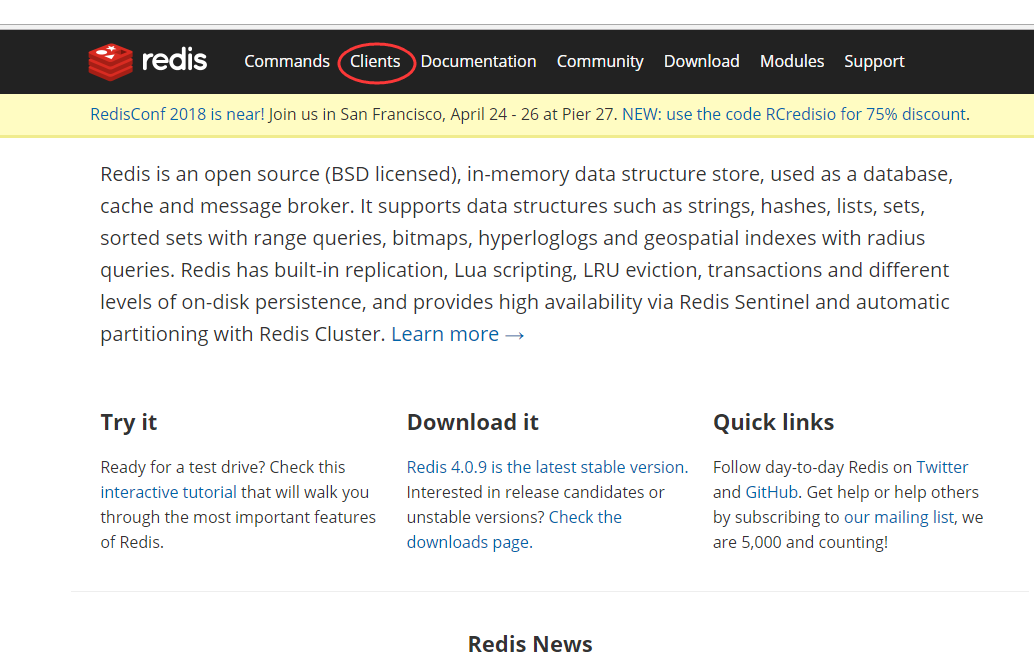
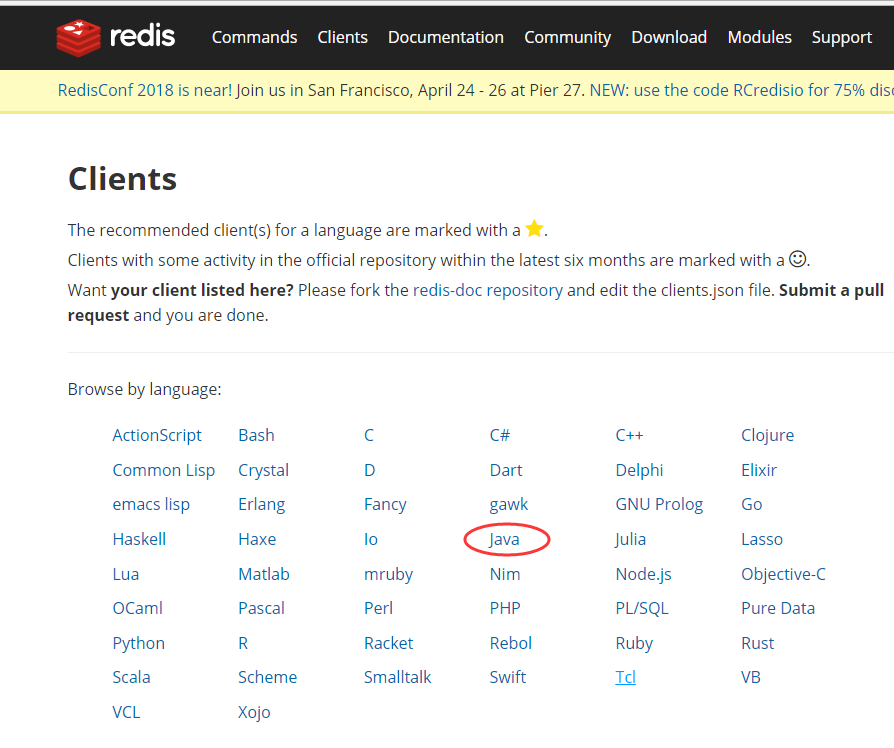
2.使用
这个可以从上面的连接进入github。
https://github.com/xetorthio/jedis
3.使用方式
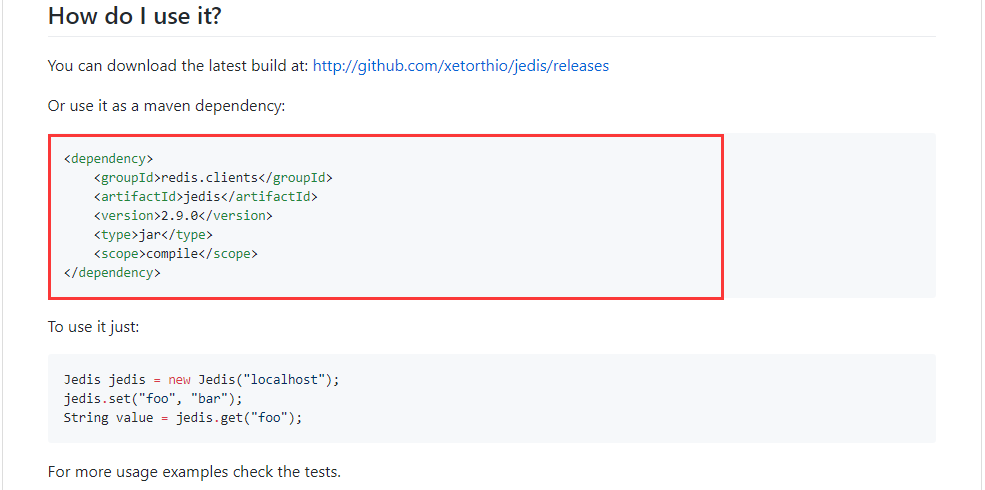
或者使用jar包,不过这里我使用官网推荐的maven管理方式。
二:验证是否可以连接主机
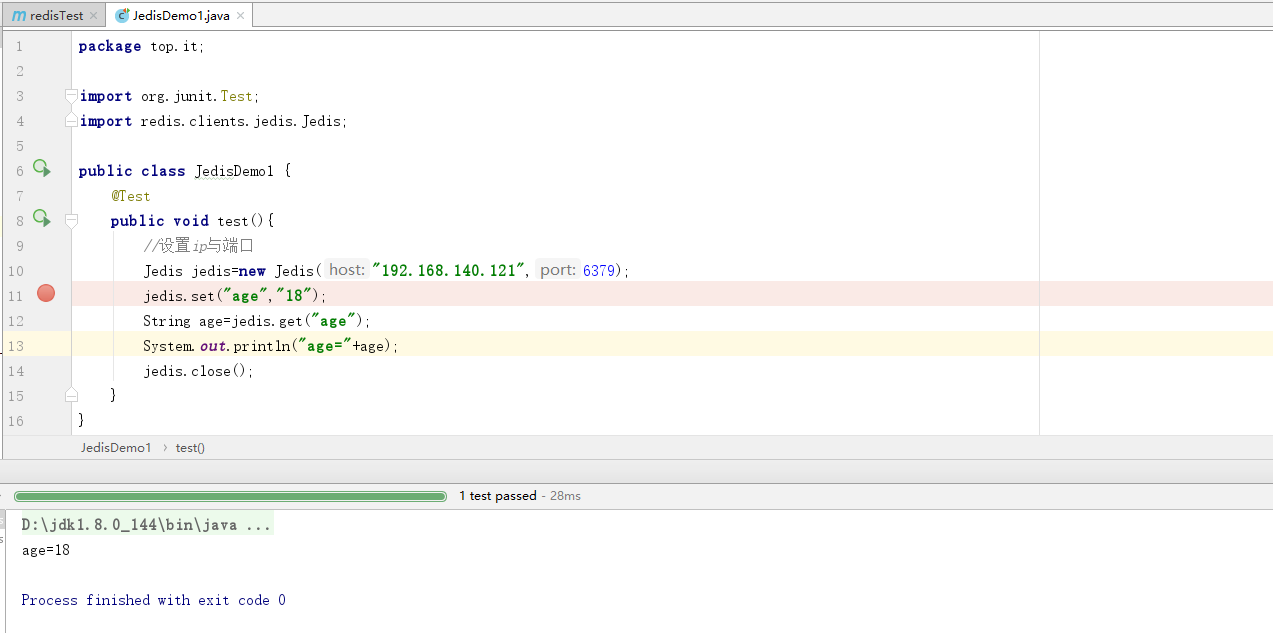
1..先写一个小程序测试一下
 package top.it;

 import org.junit.Test;

 import redis.clients.jedis.Jedis;

 public class JedisDemo1 {

     @Test

     public void test(){

         //设置ip与端口

         Jedis jedis=new Jedis("192.168.140.121",6379);

         jedis.set("age","18");

         String age=jedis.get("age");

         System.out.println("age="+age);

         jedis.close();

     }

 }
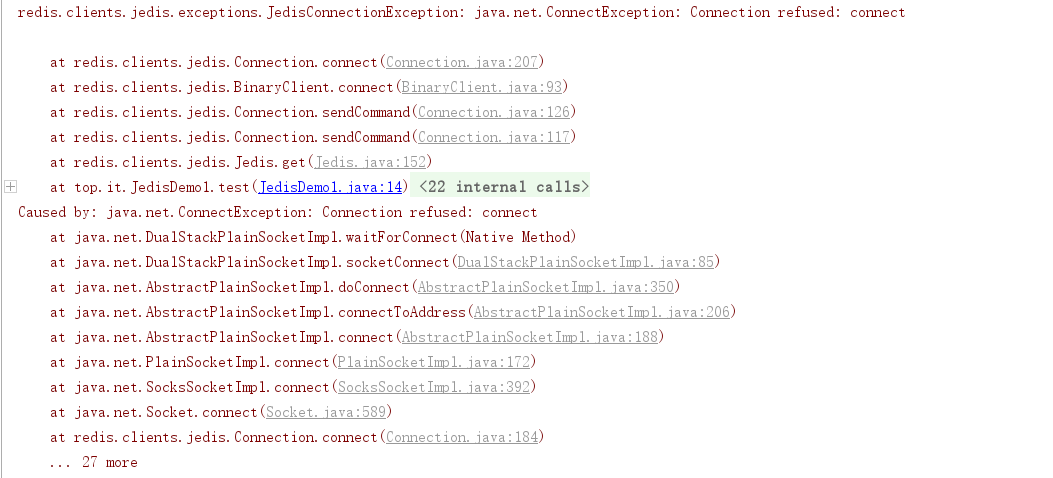
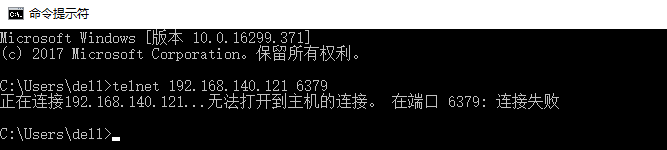
2.程序报错
3.cmd下
telnet 192.168.140.121 6379
4.解决方式
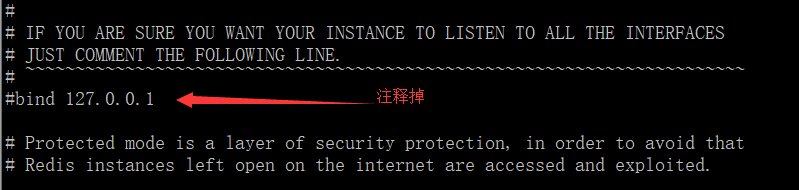
在配置文件中注释。
5.又出现的下一个问题
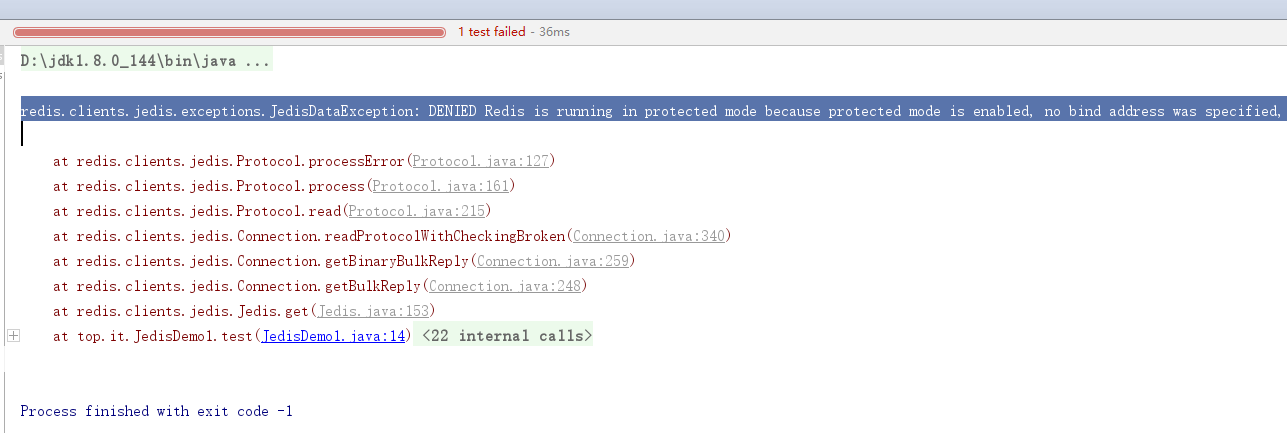
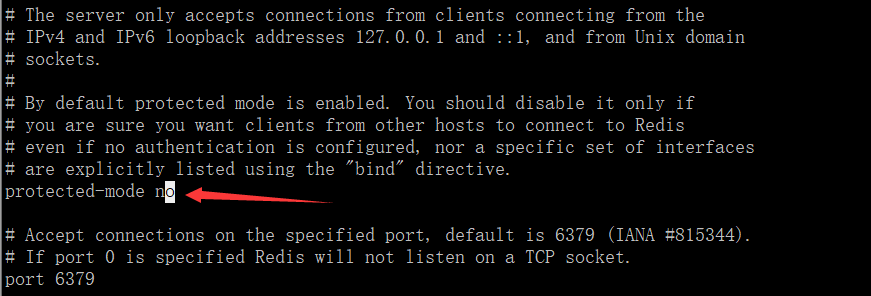
redis.clients.jedis.exceptions.JedisDataException: DENIED Redis is running in protected mode because protected mode is enabled, no bind address was specified, no authentication password is requested to clients. In this mode connections are only accepted from the loopback interface. If you want to connect from external computers to Redis you may adopt one of the following solutions: 1) Just disable protected mode sending the command 'CONFIG SET protected-mode no' from the loopback interface by connecting to Redis from the same host the server is running, however MAKE SURE Redis is not publicly accessible from internet if you do so. Use CONFIG REWRITE to make this change permanent. 2) Alternatively you can just disable the protected mode by editing the Redis configuration file, and setting the protected mode option to 'no', and then restarting the server. 3) If you started the server manually just for testing, restart it with the '--protected-mode no' option. 4) Setup a bind address or an authentication password. NOTE: You only need to do one of the above things in order for the server to start accepting connections from the outside.
6.解决方式
7.效果
三:验证项目
1.pom文件
 <?xml version="1.0" encoding="UTF-8"?>

 <project xmlns="http://maven.apache.org/POM/4.0.0"

          xmlns:xsi="http://www.w3.org/2001/XMLSchema-instance"

          xsi:schemaLocation="http://maven.apache.org/POM/4.0.0 http://maven.apache.org/xsd/maven-4.0.0.xsd">

     <modelVersion>4.0.0</modelVersion>

     <groupId>top.redis.it</groupId>

     <artifactId>redisTest</artifactId>

     <version>1.0-SNAPSHOT</version>

     <dependencies>

         <dependency>

             <groupId>redis.clients</groupId>

             <artifactId>jedis</artifactId>

             <version>2.9.0</version>

             <type>jar</type>

             <scope>compile</scope>

         </dependency>

     </dependencies>

 </project>
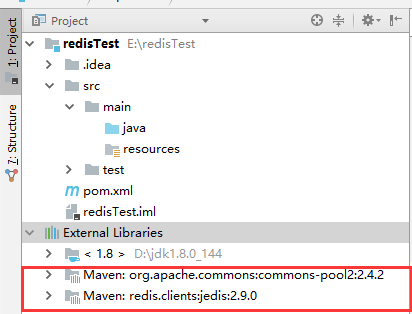
2.出现了2个jar
3.程序一
 package top.it;

 import org.junit.Test;

 import redis.clients.jedis.Jedis;

 public class JedisDemo1 {

     @Test

     public void test(){

         //设置ip与端口

         Jedis jedis=new Jedis("192.168.140.121",6379);

         jedis.set("age","18");

         String age=jedis.get("age");

         System.out.println("age="+age);

         jedis.close();

     }

 }
4.程序二----连接池
     @Test

     public void test2(){

         //设置ip与端口

         JedisPoolConfig jedisPoolConfig=new JedisPoolConfig();

         jedisPoolConfig.setMaxTotal(30);

         jedisPoolConfig.setMaxIdle(10);

         JedisPool jedisPool=new JedisPool(jedisPoolConfig,"192.168.140.121",6379);

         Jedis jedis=null;

         try {

             jedis=jedisPool.getResource();

             jedis.set("address","Beijing");

             System.out.println("address:"+jedis.get("address"));

         }catch (Exception e){

             e.printStackTrace();

         }finally {

             if (jedis!=null){

                 jedis.close();

             }

             if (jedisPool!=null){

                 jedisPool.close();

             }

         }

     }
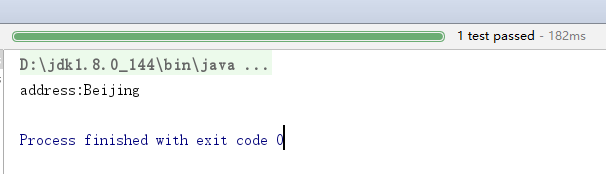
5.效果
Jedis入门的更多相关文章
- linux系统下安装jdk,mysql,tomcat 和redis 和jedis入门案例
Day47笔记Linux+redis入门 Day47 知识讲解:Jedis 1.Linux上jdk,mysql,tomcat安装(看着文档安装) 准备工作: 因为JDK,TOMCAT,MYSQL的 ...
- jedis入门实例
在使用传统的关系数据库,我们都需要依赖一个所谓的实现了jdbc规范的驱动程序来连接数据库,这些驱动程序由各大数据库厂商提供.这些驱动就是jar包,里面就是封装了对数据库的通信协议,我们通过简单的调用就 ...
- jedis入门一
一.下载Jedis的依赖包jedis-2.1.0.jar,然后将其添加到classpath下面. 1. 定义连接:Redis暂时不要设置登录密码 Jedis jedis = new Jedis(&qu ...
- 峰Redis学习(2)Jedis 入门实例
参考博客:http://blog.java1234.com/blog/articles/314.html 第一节:使用Jedis 连接Redis 新建maven项目: pom.xml: <pro ...
- jedis入门教程
1 jedis介绍 2 java连接Redis 1 导入jar包 2 连接实例 @Test //获得单一的jedis对象操作数据库 public void test1(){ //1.获得连接对象 设置 ...
- Redis学习笔记(4)—— Jedis入门
一.Jedis介绍 Redis不仅是使用命令来操作,现在基本上主流的语言都有客户端支持,比如Java.C.C#.C++.php.Node.js.Go等. 在官方网站里列的一些Java客户端,有jedi ...
- Mac上的redis安装与jedis入门
Redis 是一个开源(BSD许可)的,内存中的数据结构存储系统,它可以用作数据库.缓存和消息中间件 安装与配置 (1) https://redis.io/download下载redis stable ...
- Redis安装部署、Jedis的使用
一.NoSQL概述 为什么需要NoSQL High performance -高并发读写 Huge Storage - 海量数据的高效率存储和访问 High Scalability && ...
- 【原】实战-Java如何使用Redis
实战-Java如何使用Redis Redis的Client支持的语言非常丰富,如下: ActionScript Bash C C# C++ Clojure Common Lisp Crystal D ...
随机推荐
- linux4.10.8 内核移植(二)---初步裁剪、分区修改和文件系统
一.初步裁剪 在内核根目录下 执行: make menuconfig 1.1 system type裁剪 选择 SAMSUNG S3C24XX SoCs Support 进入其中,这里是配置我们的单板 ...
- prim算法,克鲁斯卡尔算法---最小生成树
最小生成树的一个作用,就是求最小花费.要在n个城市之间铺设光缆,主要目标是要使这 n 个城市的任意两个之间都可以通信,但铺设光缆的费用很高,且各个城市之间铺设光缆的费用不同,因此另一个目标是要使铺设光 ...
- android logger 日志工具
https://github.com/orhanobut/logger 基础使用:https://blog.csdn.net/github_33304260/article/details/54799 ...
- python3爬虫二
1.获取列表页文章url集合: scrapy shell http://blog.jobbole.com/all-posts/ response.css('div.post-meta a.archiv ...
- CSS在项目中常用的属性总结
1.媒体查询 2.如何快速生成适配各种浏览器的属性. 3.全面进军移动app开发.
- 统一过程模型(UP)
1.前言 本文主要对迭代开发的一种方法 统一过程(UP),进行概要说明,以作为<UML和模式应用>这本书的补充. 2. 统一过程概述 统一过程 统一过程(RUP/UP,Rational U ...
- MySQL占用IO过高解决方案【转】
1.日志产生的性能影响: 由于日志的记录带来的直接性能损耗就是数据库系统中最为昂贵的IO资源.MySQL的日志包括错误日志(ErrorLog),更新日志(UpdateLog),二进制日志(Binlog ...
- eclipse自动添加注释
自动添加注释 快捷键:alt shift jwindows-->preference Java-->Code Style-->Code Templates code-->new ...
- java工程操作redis
启动redis服务 redis-server redis.windows.conf 添加驱动 <dependency> <groupId>redis.clients</g ...
- cocos2d-x在App中的应用
cocos2d-x是一个应用广泛的开源游戏引擎,主要是应用与开发2D游戏,开源运行于多个平台,如果只是针对于移动端平台而言,可以运行于android和ios平台. cocos2d-x目前的版本是3.1 ...