
ubuntu下的代码格式化工具
indent -kr -i4 SimpleMail.java 可以用,但是太简单
astyle 这个工具不错
http://astyle.sourceforge.net/
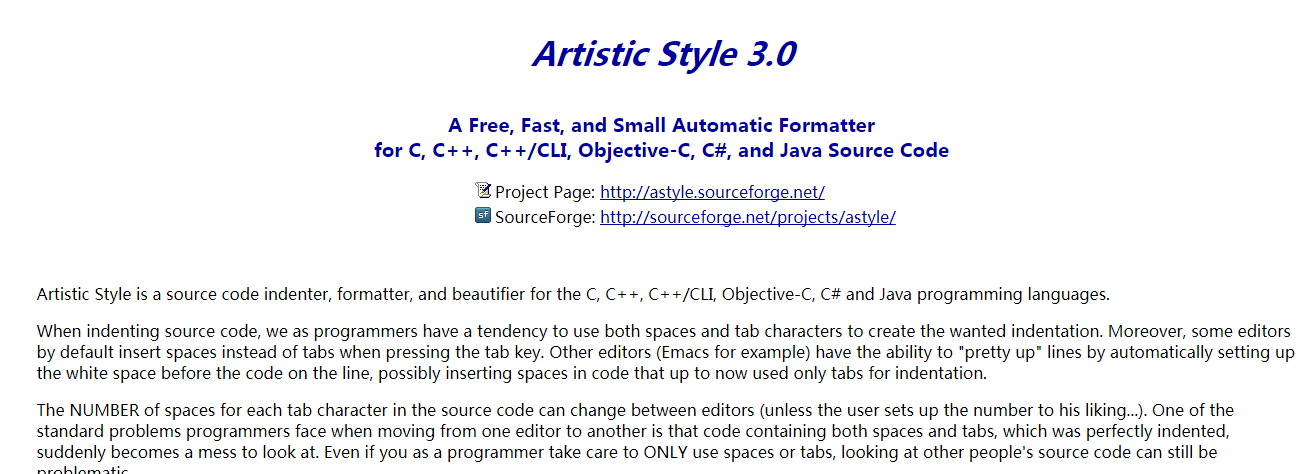

astyle --style=java --style=allman -f SimpleMail.java
发送邮件的java代码!!亲测可以用
import javax.mail.*;

import javax.mail.internet.*;

import javax.mail.Authenticator;

import javax.mail.PasswordAuthentication;

import java.util.Properties;

public class SimpleMail

{

    private static final String SMTP_HOST_NAME = "smtp.host.com";

    private static final String SMTP_AUTH_USER = "no-replay@xxxx.com";

    private static final String SMTP_AUTH_PWD = "password";

    public static void main(String[]args) throws Exception

    {

        new SimpleMail().test();

    }

    public void test() throws Exception

    {

        Properties props = new Properties();

        props.put("mail.transport.protocol", "smtp");

        props.put("mail.smtp.host", SMTP_HOST_NAME);

        props.put("mail.smtp.auth", "true");

        Authenticator auth = new SMTPAuthenticator();

        Session mailSession = Session.getDefaultInstance(props, auth);

        // uncomment for debugging infos to stdout

        // mailSession.setDebug(true);

        Transport transport = mailSession.getTransport();

        MimeMessage message = new MimeMessage(mailSession);

        message.setContent("This is a test", "text/plain");

        message.setFrom(new InternetAddress("xxx.com"));

        message.addRecipient(Message.RecipientType.TO, new InternetAddress("12354656@qq.com"));

        transport.connect();

        transport.sendMessage(message, message.getRecipients(Message.RecipientType.TO));

        transport.close();

    }

    private class SMTPAuthenticator extends javax.mail.Authenticator

    {

        public PasswordAuthentication getPasswordAuthentication()

        {

            String username = SMTP_AUTH_USER;

            String password = SMTP_AUTH_PWD;

            return new PasswordAuthentication(username, password);

        }

    }

}
ubuntu下的代码格式化工具的更多相关文章
- Ubuntu下Matlab代码中中文注释乱码解决方案
环境:Ubuntu18.04,Matlab R2017b. 把matlab文件从windows拷贝到Ubuntu中,打开发现原先的中文注释全部乱码.真正原因是因为windows中.m文件采用的是gbk ...
- ubuntu下下载并安装H265(hm.x.x代码和X265代码)
H265,现今是High Efficiency Video Coding的别称,详细的概述见维基百科,详细的开发见官方网站. 一.下载并编译官方的测试源码HM.x.x: 1 ubuntu下安装svn: ...
- 我在 Ubuntu 下使用 Sublime 编写 python 代码时遇到并解决的问题
Ubuntu 下 Sublime 无法输入中文 解决方法如下: sudo apt-get update && sudo apt-get upgrade 克隆项目到本地 : git cl ...
- Ubuntu下使用git提交代码至GitHub
一.Ubuntu下安装Git Ubuntu12.04 LTS默认是已经安装Git的,可以使用 git --version 测试是否安装. 如果没有安装,使用命令: sudo apt-get insta ...
- ubuntu下安装 openssl&&编译运行测试代码
检查是否已安装 openssl: sudo apt-get install openssl 如果已安装执行以下操作:sudo apt-get install libssl-devsudo apt-ge ...
- ubuntu下eclipse打开win下的代码中文出现乱码
问题出现的原因:因为windows下默认的编码是GBK,在ubuntu下是UTF-8所以,所以在windows下的注释,在ubuntu下就变成了乱码. 解决的方案: 1) eclipse->w ...
- 在Ubuntu下搭建ASP.NET 5开发环境
在Ubuntu下搭建ASP.NET 5开发环境 0x00 写在前面的废话 年底这段时间实在太忙了,各种事情都凑在这个时候,没时间去学习自己感兴趣的东西,所以博客也好就没写了.最近工作上有个小功能要做成 ...
- Ubuntu下开启php调试模式,显示报错信息
在Ubuntu下php的缺省设置是不显示错误信息的,如果程序出错会显示“无法处理此请求的错误提示”,这在开发环境下非常不方便. 其实我们只要编辑下apache的配置文件就好 1.我的apache 配置 ...
- Torch7在Ubuntu下的安装与配置
Torch7的本系列教程的主要目的是介绍Torch的入门使用.今天首先分享一下Torch7的安装.(在Ubuntu14.04安装torch7) 为什么选择Torch Torch的目标是在建立科学算法的 ...
随机推荐
- python自动化测试学习笔记-2-字典、元组、字符串方法
一.字典 Python字典是另一种可变容器模型,且可存储任意类型对象,如字符串.数字.元组等其他容器模型. 字典的每个键值(key=>value)对用冒号(:)分割,每个对之间用逗号(,)分割, ...
- CSS发布时间
* 1996年W3C正式推出了CSS1.* 1998年W3C正式推出了CSS2.* CSS2.1是W3C现在正在推荐使用的.* CSS3现在还处于开发中.
- Spring Cloud (12) 服务网关-基础
通过前几篇介绍,已经可以构建一个简单的微服务架构了,如下图: 通过eureka实现服务注册中心以及服务注册发现,通过ribbon或feign实现服务的消费以及负载均衡,通过spring cloud c ...
- Redis 的简单运算
Redis 的简单运算 命令 说明 备注 incr key 在原字段上加 1 只能对整数操作 incrby key increment 在原字段上加上整数 (increment) 只能对整数操作 de ...
- Canvas清空
当canvs与bitmap绑定时,canvas上绘制会导致bitmap改变内容,而且内容时叠加的.这时候需要清空bitmap上的内容,可以用以下做法. Paint paint = new Paint( ...
- Android Studio 快捷键整理
Alt+回车 导入包,自动修正 Ctrl+N 查找类Ctrl+Shift+N 查找文件Ctrl+Alt+L 格式化代码Ctrl+Alt+O 优化导入的类和包Alt+Insert 生成代码(如ge ...
- javascript之console篇
javascript中的console使用得当,将会事半功倍,对bug,性能等的跟踪,优化是个不错的利器! 1.基本日志消息打印: console.debug(msg); console.info() ...
- C#的一些知識點
不能將屬性以ref或out的方式傳遞 看上去屬性和字段差不多,可是屬性本質上是個方法,并不是真正指向一個内存位置,所以不能像字段那樣能以ref或out方式傳遞. Lookup運行一個鍵對應多個值,但無 ...
- PHP7安装Memcache+Memcached缓存加速WordPress教程
PHP7安装Memcache+Memcached缓存加速WordPress教程 2016年1月19日 6,691 Views 生活方式 PHP7最显著的变化就是性能的极大提升,已接近Facebook开 ...
- 用Grunt进行CSS文件压缩
假设你的项目的CSS文件全部放在项目目录下名为css的文件夹中,现在将它压缩合并成一个名为main-min.css的文件,放在css-min文件夹下. (1)首先保证机器安装了node.js. (2) ...