
uwp 之语音识别
xml code
----------------------------------------------
<Page
x:Class="MyApp.MainPage"
xmlns="http://schemas.microsoft.com/winfx/2006/xaml/presentation"
xmlns:x="http://schemas.microsoft.com/winfx/2006/xaml"
xmlns:local="using:MyApp"
xmlns:d="http://schemas.microsoft.com/expression/blend/2008"
xmlns:mc="http://schemas.openxmlformats.org/markup-compatibility/2006"
mc:Ignorable="d"
Background="{ThemeResource ApplicationPageBackgroundThemeBrush}">
<StackPanel>
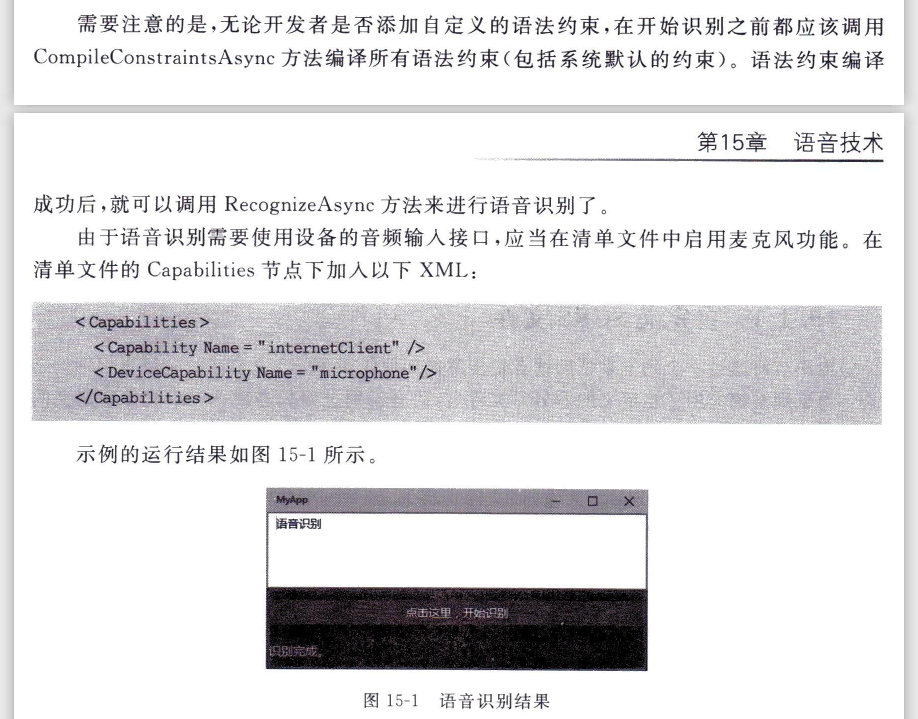
<TextBox Name="txtInput" Height="100" TextWrapping="Wrap"/>
<Button Margin="0,15,0,10" Content="点击这里,开始识别" Click="onClick" HorizontalAlignment="Stretch"/>
<TextBlock Name="tbDisplay" FontSize="16" Margin="3,13,0,0" Foreground="Yellow"/>
</StackPanel>
</Page>
C# code
-----------------------------------------------------
public sealed partial class MainPage : Page
{
public MainPage()
{
this.InitializeComponent();
this.NavigationCacheMode = NavigationCacheMode.Required;
}
/// <summary>
/// Invoked when this page is about to be displayed in a Frame.
/// </summary>
/// <param name="e">Event data that describes how this page was reached.
/// This parameter is typically used to configure the page.</param>
protected override void OnNavigatedTo(NavigationEventArgs e)
{
// TODO: Prepare page for display here.
// TODO: If your application contains multiple pages, ensure that you are
// handling the hardware Back button by registering for the
// Windows.Phone.UI.Input.HardwareButtons.BackPressed event.
// If you are using the NavigationHelper provided by some templates,
// this event is handled for you.
}
private async void onClick(object sender, RoutedEventArgs e)
{
Button btn = sender as Button;
btn.IsEnabled = false;
using (SpeechRecognizer recognizer = new SpeechRecognizer())
{
try
{
// 编译所有语法协定
SpeechRecognitionCompilationResult compilationResult = await recognizer.CompileConstraintsAsync();
if (compilationResult.Status == SpeechRecognitionResultStatus.Success)
{
// 开始识别
SpeechRecognitionResult recogResult = await recognizer.RecognizeAsync();
// 显示识别结果
if (recogResult.Status == SpeechRecognitionResultStatus.Success)
{
tbDisplay.Text = "识别完成。";
txtInput.Text = recogResult.Text;
}
}
}
catch (Exception ex)
{
tbDisplay.Text = "异常:" + ex.Message;
}
}
btn.IsEnabled = true;
}
}
uwp 之语音识别的更多相关文章
- uwp 自定义语音识别规则
xml code ---------------------------------------------------- <Page x:Class="MyApp.MainPage ...
- Win10/UWP开发—使用Cortana语音指令与App的前台交互
Win10开发中最具有系统特色的功能点绝对少不了集成Cortana语音指令,其实Cortana语音指令在以前的wp8/8.1时就已经存在了,发展到了Win10,Cortana最明显的进步就是开始支持调 ...
- 提供给Android和iOS开发人员的UWP移植向导
(此文章同时发表在本人微信公众号"dotNET每日精华文章",欢迎右边二维码来关注.) 题记:前几天微软发布了一个针对Android和iOS开发人员理解Windows Apps概念 ...
- Win10/UWP开发—使用Cortana语音指令启动前台App
这两天进群(53078485)找大咖的童鞋比较多,只是大咖比较忙,目前Demo还没有要到,这里先给大家转载一篇Aran大咖的博客学习下,以下是原文: Win10开发中最具有系统特色的功能点绝对少不了集 ...
- Windows 10 IoT Serials 5 - 如何为树莓派应用程序添加语音识别与交互功能
都说语音是人机交互的重要手段,虽然个人觉得在大庭广众之下,对着手机发号施令会显得有些尴尬.但是在资源受限的物联网应用场景下(无法外接鼠标键盘显示器),如果能够通过语音来控制设备,与设备进行交互,那还是 ...
- UWP 手绘视频创作工具技术分享系列 - 有 AI 的手绘视频
AI(Artificial Intelligence)正在不断的改变着各个行业的形态和人们的生活方式,图像识别.语音识别.自然语言理解等 AI 技术正在自动驾驶.智能机器人.人脸识别.智能助理等领域中 ...
- 老周发布 UWP 应用的隐私策略(通用)
UWP 应用隐私策略 前注 本声明通用于老周所发布的所有 UWP 应用,下文简称“应用”.开发者全称:周家安,下文简称“老周”. 1.免责声明 您在使用应用过程中,请遵守<中华人民共和国宪法& ...
- C#的语音识别 using System.Speech.Recognition;
using System; using System.Collections.Generic; using System.Linq; using System.Speech.Recognition; ...
- UWP 律师查询 MVVM
APP简介 律师查询是基于聚合数据的律师查询接口做的,这个接口目前处于停用状态,但是,由于我是之前申请的,所以,还可以用,应该是无法再申请了. 效果图 开发 一.HttpHelper 既然是请求接口的 ...
随机推荐
- maven解析依赖报错:Cannot resolve com.baomidou:mybatis-plus-generator:3.4.2
不能解析依赖: <dependency> <groupId>com.baomidou</groupId> <artifactId>mybatis-plu ...
- [NOIp2017]宝藏 题解
非常巧妙的 \(O(n^23^n)\) 做法. 题目的本质是要求一棵生成树,使得其每条边的长度与这条边的起点深度乘积的和最小. 我们使用状压 DP,考虑到当前状态与已经打通的点和深度有关,不妨设 \( ...
- 虚拟机安装的kali操作系统实现共享文件夹
虚拟机共享文件夹设置. 1.[虚拟机]-->[设置] 2.先在本地新建一个共享文件夹,然后将此文件夹的路径添加到虚拟机 3.进入kali操作系统,运行命令sudo vmhgfs-fuse .ho ...
- git clone 中途停止不动
参考链接1:https://blog.csdn.net/weixin_36965307/article/details/105046699 参考链接2:https://blog.csdn.net/le ...
- Qt 入门 ---- 布局管理
这是运行后的程序界面: 这是点击右上角"最大化"之后的程序界面: 接下来讲一下如何进行自动布局解决窗口拉伸问题. ① 原理: 在项目"设计"模式的左侧有如下两个 ...
- Java中Arrays数组的定义与使用
初始化 Java中数组是固定长度,数组变量是个对象. NullPointerException 空指针异常. ArrayIndexOutOfBoundsException 索引值越界. 数组三种初始化 ...
- 为MySQL的source命令导入SQL文件配置参数
为MySQL的source命令导入SQL文件配置参数 执行 mysql -uroot -p 输入密码后进入 MySQL 命令提示符 set charset utf8; source /root/xxx ...
- BSTestRunner增加历史执行记录展示和重试功能
之前对于用例的失败重试,和用例的历史测试记录存储展示做了很多的描述呢,但是都是基于各个项目呢,不方便使用,为了更好的使用,我们对这里进行抽离,抽离出来一个单独的模块,集成到BSTestRunner中, ...
- .Net Core微服务——Consul(4):主从、集群
延续上一篇的话题继续,顺便放上一篇的传送门:点这里. 集群的必要性 consul本身就是管理集群的,现在还需要给consul搞个集群,这是为啥?因为consul单点也容易挂啊!万一管理集群的consu ...
- 20初识前端HTML(1)
1 .HTML 1.1 网页的组成 文字 图片 链接 等元素构成.除了这些元素之外 网页中还可以包含音频 视频 等 1.2 WEB前端开发的流程 现在主流的开发流程: 前后端分离的开发模式. 美工:p ...