
vuepress & package.json lock version
vuepress & package.json lock version
npm 锁版 bug
npm lock version
holy shit
{

  "name": "app",

  "version": "0.1.0",

  "private": true,

  "scripts": {

    "serve": "vue-cli-service serve",

    "build": "vue-cli-service build",

    "docs:dev": "vuepress dev docs",

    "docs:build": "vuepress build docs",

    "test:unit": "vue-cli-service test:unit",

    "lint": "vue-cli-service lint"

  },

  "dependencies": {

    "core-js": "3.6.5",

    "vue": "2.6.11",

    "element-ui": "2.14.1",

    "async-validator": "1.11.5",

    "vue-router": "3.2.0",

    "vuex": "3.4.0"

  },

  "devDependencies": {

    "@vue/cli-plugin-babel": "4.5.0",

    "@vue/cli-plugin-eslint": "4.5.0",

    "@vue/cli-plugin-router": "4.5.0",

    "@vue/cli-plugin-unit-jest": "4.5.0",

    "@vue/cli-plugin-vuex": "4.5.0",

    "@vue/cli-service": "4.5.0",

    "@vue/eslint-config-prettier": "6.0.0",

    "@vue/test-utils": "1.0.3",

    "babel-eslint": "10.1.0",

    "eslint": "6.7.2",

    "eslint-plugin-prettier": "3.1.3",

    "eslint-plugin-vue": "6.2.2",

    "lint-staged": "9.5.0",

    "node-sass": "4.12.0",

    "prettier": "1.19.1",

    "sass-loader": "8.0.2",

    "vue-template-compiler": "2.6.11",

    "vuepress": "1.8.0"

  },

  "gitHooks": {

    "pre-commit": "lint-staged"

  },

  "lint-staged": {

    "*.{js,jsx,vue}": [

      "vue-cli-service lint",

      "git add"

    ]

  }

}
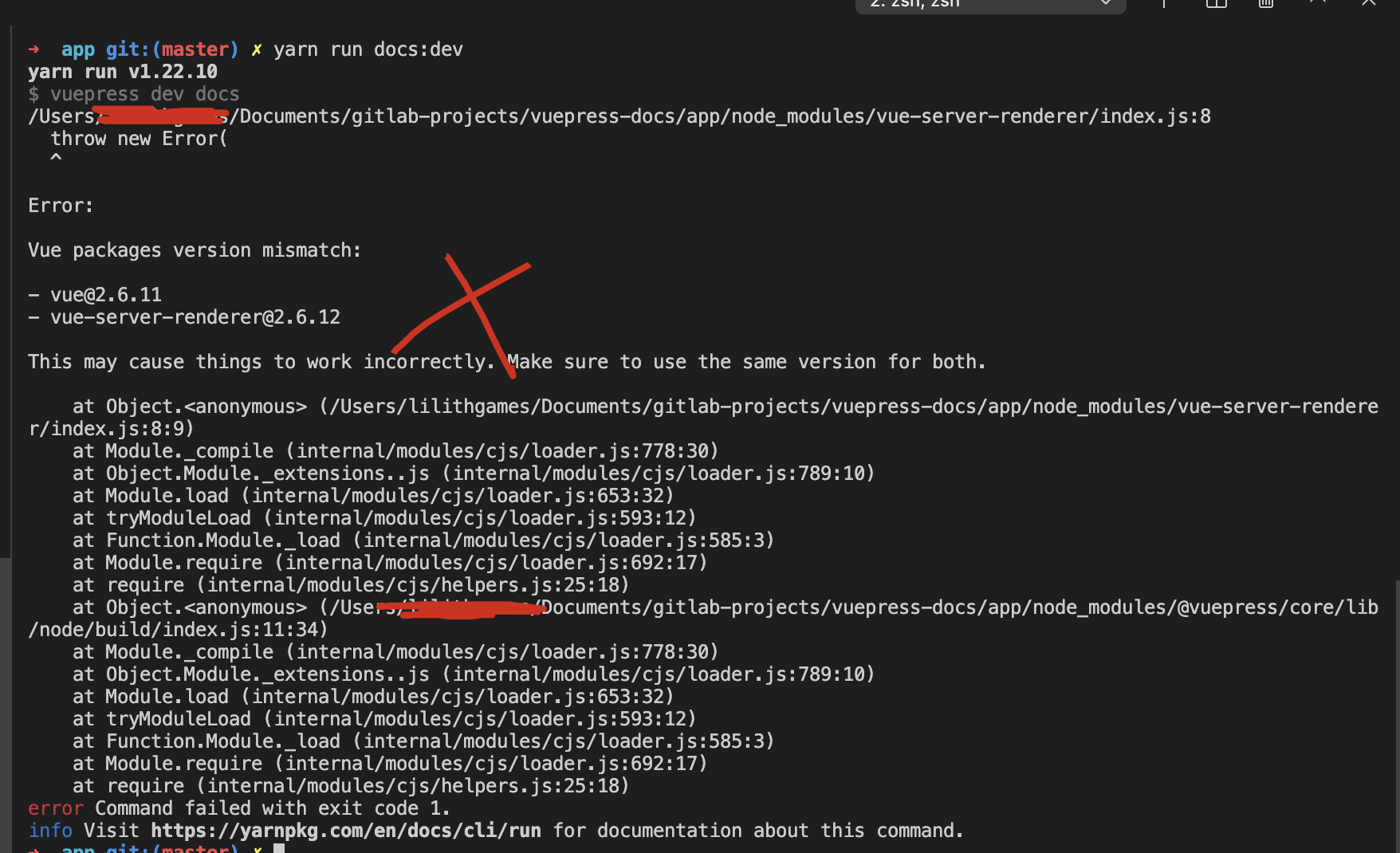
yarn run docs:dev

yarn run v1.22.10

$ vuepress dev docs

/Users/xgqfrms/Documents/gitlab-projects/vuepress-docs/app/node_modules/vue-server-renderer/index.js:8

  throw new Error(

  ^

Error:

Vue packages version mismatch:

- vue@2.6.11

- vue-server-renderer@2.6.12

This may cause things to work incorrectly. Make sure to use the same version for both.

    at Object.<anonymous> (/Users/xgqfrms/Documents/gitlab-projects/vuepress-docs/app/node_modules/vue-server-renderer/index.js:8:9)

    at Module._compile (internal/modules/cjs/loader.js:778:30)

    at Object.Module._extensions..js (internal/modules/cjs/loader.js:789:10)

    at Module.load (internal/modules/cjs/loader.js:653:32)

    at tryModuleLoad (internal/modules/cjs/loader.js:593:12)

    at Function.Module._load (internal/modules/cjs/loader.js:585:3)

    at Module.require (internal/modules/cjs/loader.js:692:17)

    at require (internal/modules/cjs/helpers.js:25:18)

    at Object.<anonymous> (/Users/xgqfrms/Documents/gitlab-projects/vuepress-docs/app/node_modules/@vuepress/core/lib/node/build/index.js:11:34)

    at Module._compile (internal/modules/cjs/loader.js:778:30)

    at Object.Module._extensions..js (internal/modules/cjs/loader.js:789:10)

    at Module.load (internal/modules/cjs/loader.js:653:32)

    at tryModuleLoad (internal/modules/cjs/loader.js:593:12)

    at Function.Module._load (internal/modules/cjs/loader.js:585:3)

    at Module.require (internal/modules/cjs/loader.js:692:17)

    at require (internal/modules/cjs/helpers.js:25:18)

error Command failed with exit code 1.

info Visit https://yarnpkg.com/en/docs/cli/run for documentation about this command.
default OK
"element-ui": "^2.14.1", & "async-validator": "1.11.5",
{

  "name": "app",

  "version": "0.1.0",

  "private": true,

  "scripts": {

    "serve": "vue-cli-service serve",

    "build": "vue-cli-service build",

    "docs:dev": "vuepress dev docs",

    "docs:build": "vuepress build docs",

    "test:unit": "vue-cli-service test:unit",

    "lint": "vue-cli-service lint"

  },

  "dependencies": {

    "core-js": "^3.6.5",

    "vue": "^2.6.11",

    "element-ui": "^2.14.1",

    "async-validator": "1.11.5",

    "vue-router": "^3.2.0",

    "vuex": "^3.4.0"

  },

  "devDependencies": {

    "@vue/cli-plugin-babel": "~4.5.0",

    "@vue/cli-plugin-eslint": "~4.5.0",

    "@vue/cli-plugin-router": "~4.5.0",

    "@vue/cli-plugin-unit-jest": "~4.5.0",

    "@vue/cli-plugin-vuex": "~4.5.0",

    "@vue/cli-service": "~4.5.0",

    "@vue/eslint-config-prettier": "^6.0.0",

    "@vue/test-utils": "^1.0.3",

    "babel-eslint": "^10.1.0",

    "eslint": "^6.7.2",

    "eslint-plugin-prettier": "^3.1.3",

    "eslint-plugin-vue": "^6.2.2",

    "lint-staged": "^9.5.0",

    "node-sass": "^4.12.0",

    "prettier": "^1.19.1",

    "sass-loader": "^8.0.2",

    "vue-template-compiler": "^2.6.11",

    "vuepress": "^1.8.0"

  },

  "gitHooks": {

    "pre-commit": "lint-staged"

  },

  "lint-staged": {

    "*.{js,jsx,vue}": [

      "vue-cli-service lint",

      "git add"

    ]

  }

}
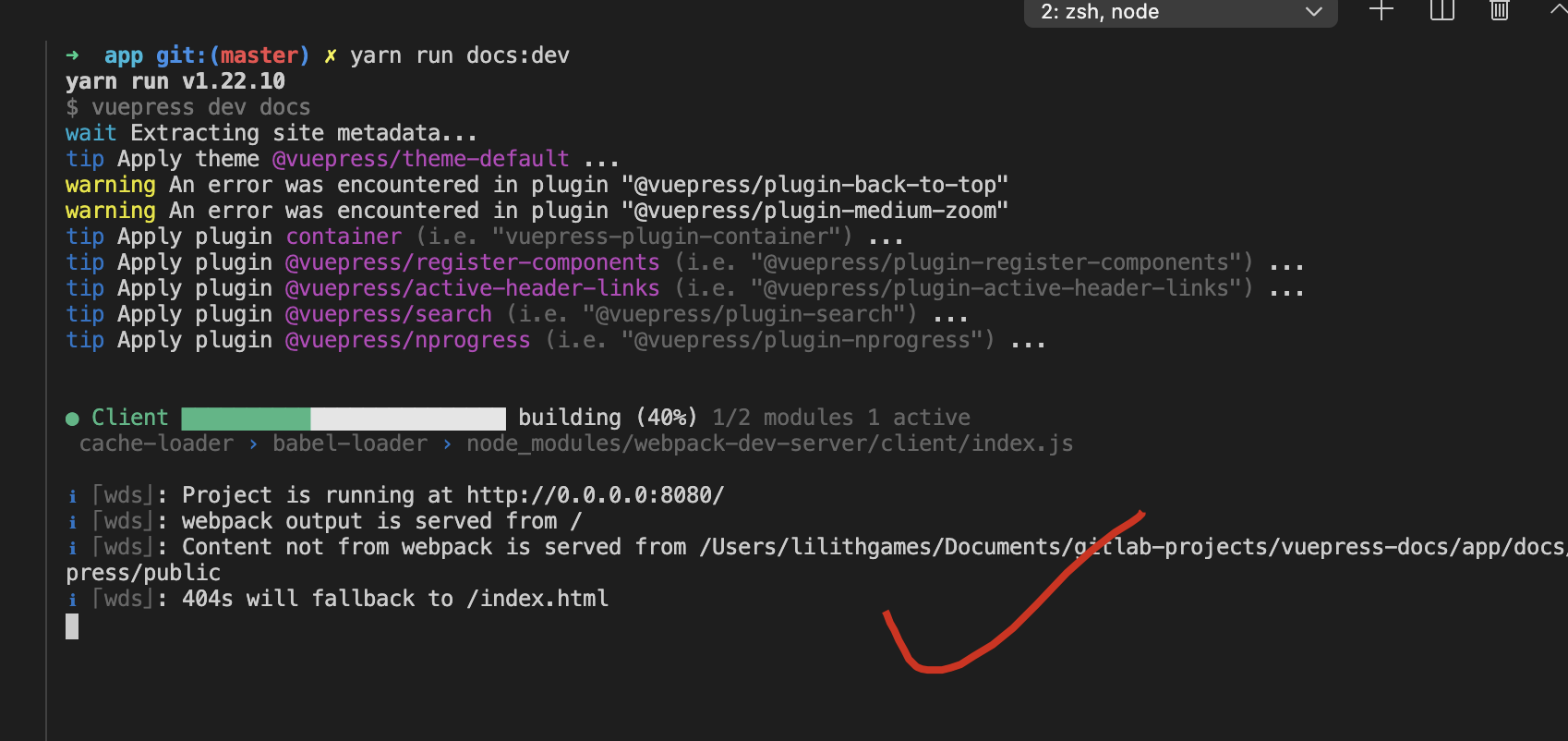
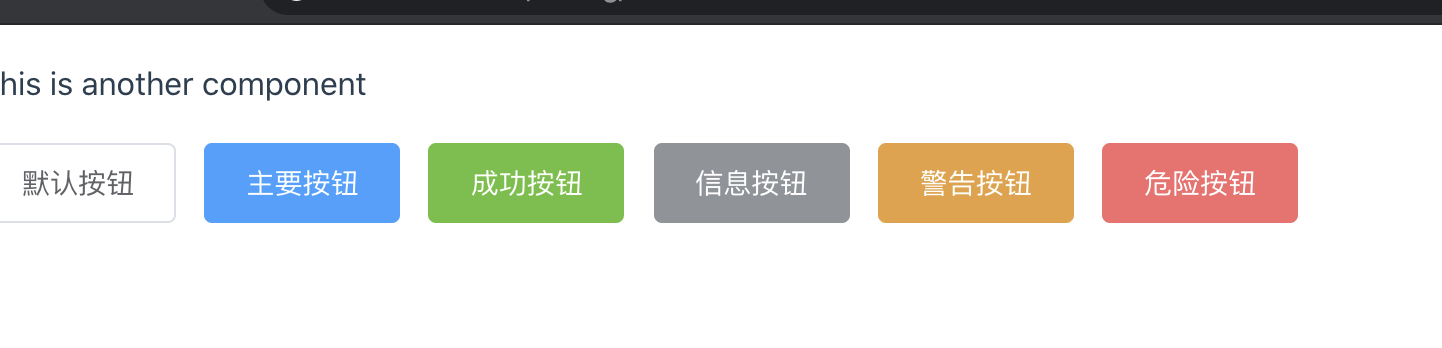
element-ui
$ npx vuepress info

Environment Info:

  System:

    OS: macOS 10.15.7

    CPU: (8) x64 Intel(R) Core(TM) i5-1038NG7 CPU @ 2.00GHz

  Binaries:

    Node: 10.16.3 - /usr/local/bin/node

    Yarn: 1.22.10 - /usr/local/bin/yarn

    npm: 6.9.0 - /usr/local/bin/npm

  Browsers:

    Chrome: Not Found

    Edge: 87.0.664.60

    Firefox: 84.0

    Safari: 14.0.2

  npmPackages:

    @vuepress/core:  1.8.0

    @vuepress/theme-default:  1.8.0

    vuepress: ^1.8.0 => 1.8.0

  npmGlobalPackages:

    vuepress: Not Found
version conflict bug ???
- unlock version
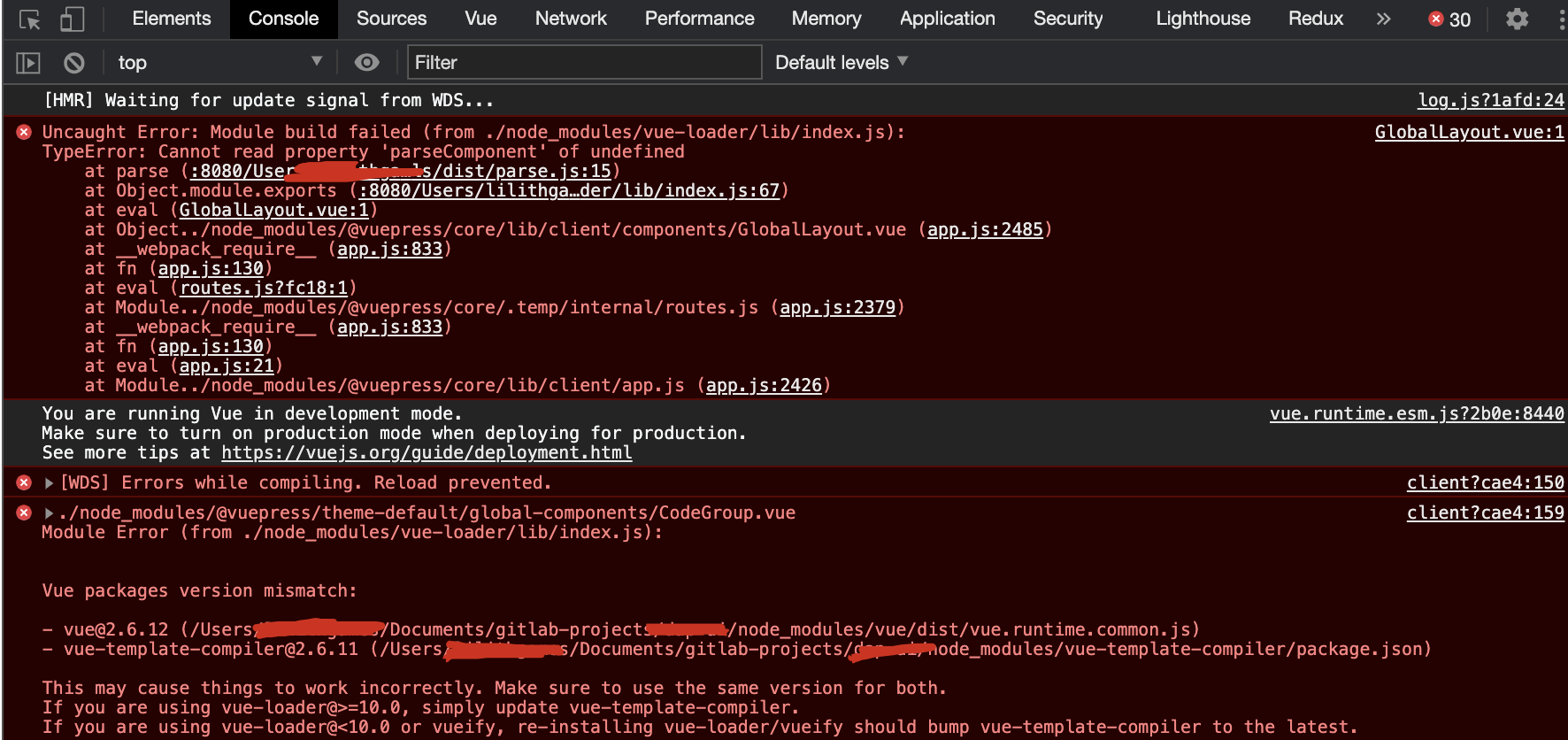
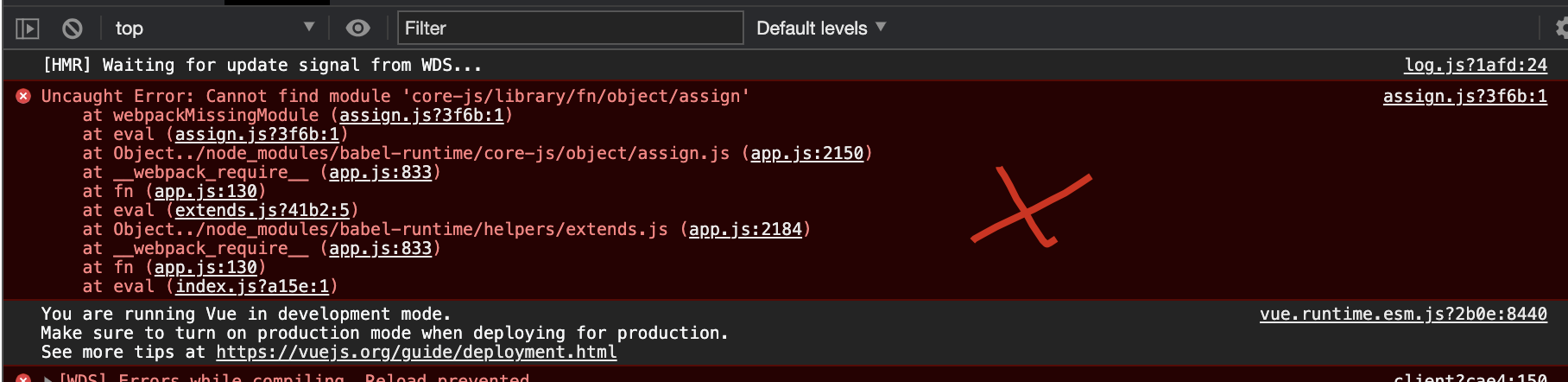
[HMR] Waiting for update signal from WDS...

GlobalLayout.vue:1 Uncaught Error: Module build failed (from ./node_modules/vue-loader/lib/index.js):

TypeError: Cannot read property 'parseComponent' of undefined

    at parse (:8080/Users/xgqfrms/Documents/gitlab-projects/dap-ui/node_modules/@vue/component-compiler-utils/dist/parse.js:15)

    at Object.module.exports (:8080/Users/xgqfrms/Documents/gitlab-projects/dap-ui/node_modules/vue-loader/lib/index.js:67)

    at eval (GlobalLayout.vue:1)

    at Object../node_modules/@vuepress/core/lib/client/components/GlobalLayout.vue (app.js:2485)

    at __webpack_require__ (app.js:833)

    at fn (app.js:130)

    at eval (routes.js?fc18:1)

    at Module../node_modules/@vuepress/core/.temp/internal/routes.js (app.js:2379)

    at __webpack_require__ (app.js:833)

    at fn (app.js:130)

    at eval (app.js:21)

    at Module../node_modules/@vuepress/core/lib/client/app.js (app.js:2426)

vue.runtime.esm.js?2b0e:8440 You are running Vue in development mode.

Make sure to turn on production mode when deploying for production.

See more tips at https://vuejs.org/guide/deployment.html

client?cae4:150 [WDS] Errors while compiling. Reload prevented.

errors @ client?cae4:150

client?cae4:159 ./node_modules/@vuepress/theme-default/global-components/CodeGroup.vue

Module Error (from ./node_modules/vue-loader/lib/index.js):

Vue packages version mismatch:

- vue@2.6.12 (/Users/xgqfrms/Documents/gitlab-projects/dap-ui/node_modules/vue/dist/vue.runtime.common.js)

- vue-template-compiler@2.6.11 (/Users/xgqfrms/Documents/gitlab-projects/dap-ui/node_modules/vue-template-compiler/package.json)

This may cause things to work incorrectly. Make sure to use the same version for both.

If you are using vue-loader@>=10.0, simply update vue-template-compiler.

If you are using vue-loader@<10.0 or vueify, re-installing vue-loader/vueify should bump vue-template-compiler to the latest.
- lock version
- add
yarn add async-validator@1.11.5
https://github.com/vuejs/vuepress/issues/2275#issuecomment-760187485
refs
xgqfrms 2012-2020
www.cnblogs.com 发布文章使用:只允许注册用户才可以访问!
vuepress & package.json lock version的更多相关文章
- package.json相关疑惑总结
语义版本控制(node-semver) X.Y.Z,主要版本X,次要版本Y,补丁Z X:代表一个破坏兼容性的大变化: Y:表示不会破坏任何内容的新功能: Z:表示不会破坏任何内容的错误修复: pack ...
- package.json详解
1.概念 Node.js项目遵循模块化的架构,当我们创建了一个Node.js项目,意味着创建了一个模块,这个模块的描述文件,被称为package.json 亦即:模块的描述文件 = package.j ...
- npm package.json属性详解
概述 本文档是自己看官方文档的理解+翻译,内容是package.json配置里边的属性含义.package.json必须是一个严格的json文件,而不仅仅是js里边的一个对象.其中很多属性可以通过np ...
- NodeJS中 package.json各属性分析
package.json 中包含各种所需模块以及项目的配置信息(名称.版本.许可证等)meta 信息. Name:它属于必须字段,在package.json中最重要的就是name和version字段, ...
- package.json for npm中依赖外部组件时常用的版本符号含义
package.json中会有dependencies定义了项目依赖的外部组件,这些外部组件的依赖都是带有版本符号以表示被依赖组件的版本范围. { "dependencies" : ...
- nwjs 配置文件package.json 转载
配置文件package.json nw在启动应用程序时,首先要读取package.json文件,初始化基本属性,下面我们看看package.json的完整参数.每个参数配置都标有注释. { /**指定 ...
- npm中package.json详解
通常我们使用npm init命令来创建一个npm程序时,会自动生成一个package.json文件.package.json文件会描述这个NPM包的所有相关信息,包括作者.简介.包依赖.构建等信息,格 ...
- NodeJS中 package.json 解析
package.json 中包含各种所需模块以及项目的配置信息(名称.版本.许可证等)meta 信息. 包含可配置项 name 名称 应用描述 description 版本号 version 应用的配 ...
- 初学Node(二)package.json文件
package.json简介 package.json在Node项目中用于描述项目的一些基本信息,以及依赖的配置,一般每一个Node项目的根目录下都有一个package.json文件. 在项目的根目录 ...
随机推荐
- django之orm单表查询
这几天重新学习了一下django的orm,以此作为记录来分享. Part1:修改配置,生成表 在写数据和查数据之前,首先先得把django配置一下,具体配置如下: 1.先在公共项目的settings中 ...
- ESPNet/ESPNetV2:空洞卷积金字塔 | 轻量级网络
ESPNet系列的核心在于空洞卷积金字塔,每层具有不同的dilation rate,在参数量不增加的情况下,能够融合多尺度特征,相对于深度可分离卷积,深度可分离空洞卷积金字塔性价比更高.另外,HFF的 ...
- win server 2019服务器的iis配置以及网站的简单发布
1.首先远程连接到服务器 2.打开服务器管理器 3添加角色和功能 4.安装类型:选择基于角色或基于功能的安装 →服务器角色:从服务器池中选择服务器 5.服务器角色选择Web服务器(iis) 6.功能 ...
- windows2012-2016亲测安装mysql8.0
先去官网下载点击的MySQL的下载 下载完成后解压 解压完是这个样子 不要手动创建Data文件夹和my.ini文件, cmd命令窗口进入bin目录,如果已经做了环境变量那随意在哪里打开. mysqld ...
- Netty之JAVA BIO模型
一.JAVA BIO模型 1.I/O模型 I/O 模型简单的理解:就是用什么样的通道进行数据的发送和接收,很大程度上决定了程序通信的性能 Java 共支持 3 种网络编程模型/IO 模式:BIO.NI ...
- timeout of 20000ms exceeded
前端:axios请求超时 axios 中有两种超时错误,一种是 HTTP 的超时,另一种是你自定的超时时间. 请求多次,设置拦截器 ---在main.js设置全局的请求次数,请求的间隙 推荐解决方法: ...
- HADOOP 之坑
hadoop 标签: ubuntu hdfs API 概述 通过API访问hdfs文件系统,出现错误:WARN util.Shell:Did not find winutils.exe:{} HADO ...
- RPC 框架要实现这个功能,我们可以使用泛化调用。那什么是泛化调用呢?我们带着这个问题,先学习下如何在没有接口的情况下进行 RPC 调用。
RPC 框架要实现这个功能,我们可以使用泛化调用.那什么是泛化调用呢?我们带着这个问题,先学习下如何在没有接口的情况下进行 RPC 调用.
- Redis集群动态增加和删除节点
一.添加节点 1.首先将需要添加的节点启动: 这里启动redis6383.conf和redis6393.conf两个节点 查看原有节点: 3个主节点所对应的哈希槽(hash slo ...
- Java SPI 与 Dubbo SPI
SPI(Service Provider Interface)是JDK内置的一种服务提供发现机制.本质是将接口实现类的全限定名配置在文件中,并由服务加载器读取配置文件,加载实现类.这样可以在运行时,动 ...