
Go | Go 使用 consul 做服务发现
Go 使用 consul 做服务发现
前言
前面一章讲了微服务的一些优点和缺点,那如何做到
一、目标
二、使用步骤
1. 安装 consul
我们可以直接使用官方提供的二进制文件来进行安装部署,其官网地址为 https://www.consul.io/downloads
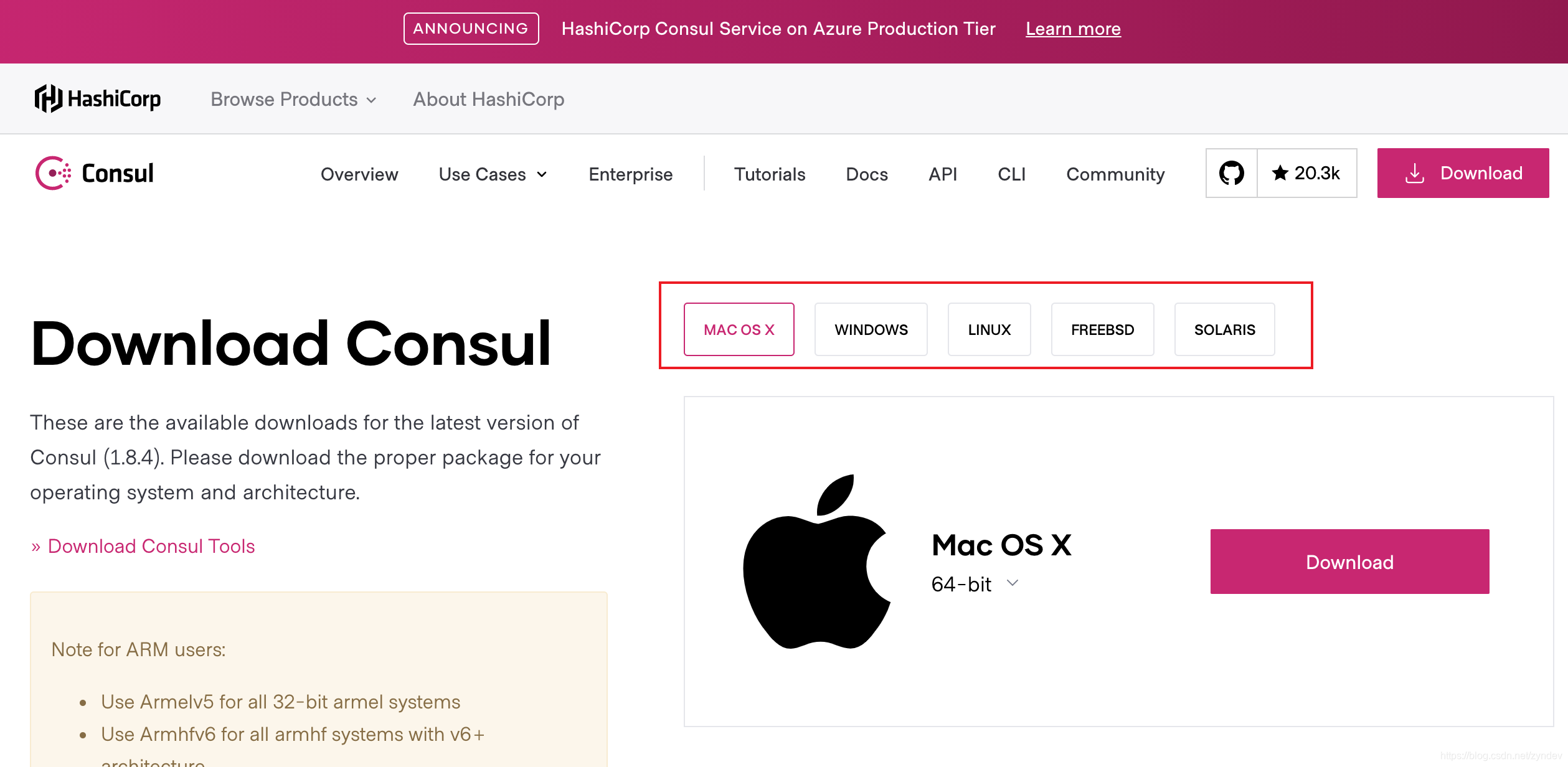
下载后为可执行文件,在我们开发试验过程中,可以直接使用 consul agent -dev 命令来启动一个单节点的 consul
在启动的打印日志中可以看到 agent: Started HTTP server on 127.0.0.1:8500 (tcp), 我们可以在浏览器直接访问 127.0.0.1:8500 即可看到如下
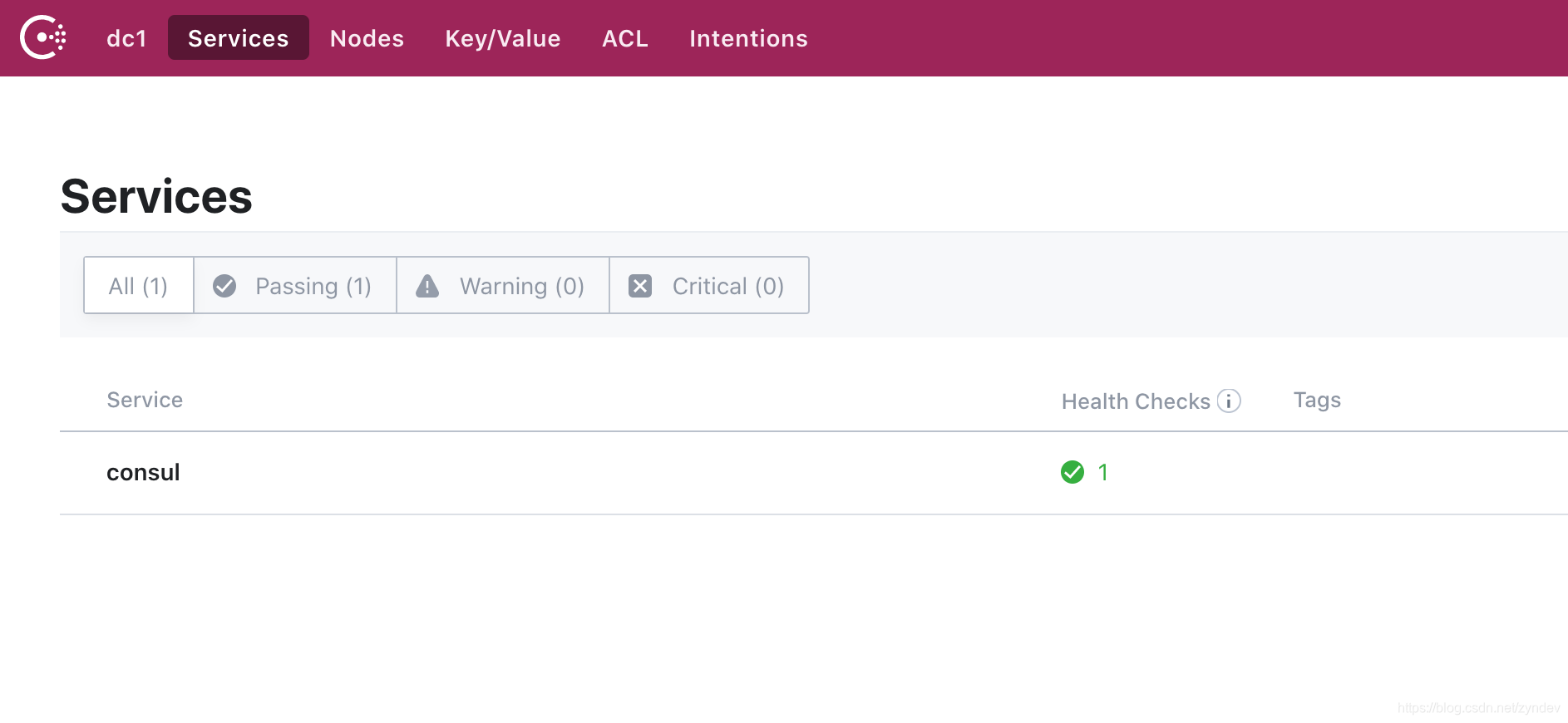
这里我们的 consul 就启动成功了
2. 服务注册
在网络编程中,一般会提供项目的 IP、PORT、PROTOCOL,在服务治理中,我们还需要知道对应的服务名、实例名以及一些自定义的扩展信息
在这里使用 ServiceInstance 接口来规定注册服务时必须的一些信息,同时用 DefaultServiceInstance 实现
type ServiceInstance interface {

	// return The unique instance ID as registered.

	GetInstanceId() string

	// return The service ID as registered.

	GetServiceId() string

	// return The hostname of the registered service instance.

	GetHost() string

	// return The port of the registered service instance.

	GetPort() int

	// return Whether the port of the registered service instance uses HTTPS.

	IsSecure() bool

	// return The key / value pair metadata associated with the service instance.

	GetMetadata() map[string]string

}

type DefaultServiceInstance struct {

	InstanceId string

	ServiceId  string

	Host       string

	Port       int

	Secure     bool

	Metadata   map[string]string

}

func NewDefaultServiceInstance(serviceId string, host string, port int, secure bool,

	metadata map[string]string, instanceId string) (*DefaultServiceInstance, error) {

	// 如果没有传入 IP 则获取一下,这个方法在多网卡的情况下,并不好用

	if len(host) == 0 {

		localIP, err := util.GetLocalIP()

		if err != nil {

			return nil, err

		}

		host = localIP

	}

	if len(instanceId) == 0 {

		instanceId = serviceId + "-" + strconv.FormatInt(time.Now().Unix(), 10) + "-" + strconv.Itoa(rand.Intn(9000)+1000)

	}

	return &DefaultServiceInstance{InstanceId: instanceId, ServiceId: serviceId, Host: host, Port: port, Secure: secure, Metadata: metadata}, nil

}

func (serviceInstance DefaultServiceInstance) GetInstanceId() string {

	return serviceInstance.InstanceId

}

func (serviceInstance DefaultServiceInstance) GetServiceId() string {

	return serviceInstance.ServiceId

}

func (serviceInstance DefaultServiceInstance) GetHost() string {

	return serviceInstance.Host

}

func (serviceInstance DefaultServiceInstance) GetPort() int {

	return serviceInstance.Port

}

func (serviceInstance DefaultServiceInstance) IsSecure() bool {

	return serviceInstance.Secure

}

func (serviceInstance DefaultServiceInstance) GetMetadata() map[string]string {

	return serviceInstance.Metadata

}
定义接口
在上面规定了需要注册的服务的必要信息,下面定义下服务注册和剔除的方法
type ServiceRegistry interface {

	Register(serviceInstance cloud.ServiceInstance) bool

	Deregister()

}
具体实现
因为 consul 提供了 http 接口来对consul 进行操作,我们也可以使用 http 请求方式进行注册和剔除操作,具体 http 接口文档见 https://www.consul.io/api-docs, consul 默认提供了go 语言的实现,这里直接使用 github.com/hashicorp/consul/api
import (

	"errors"

	"fmt"

	"github.com/hashicorp/consul/api"

	"strconv"

	"unsafe"

)

type consulServiceRegistry struct {

	serviceInstances     map[string]map[string]cloud.ServiceInstance

	client               api.Client

	localServiceInstance cloud.ServiceInstance

}

func (c consulServiceRegistry) Register(serviceInstance cloud.ServiceInstance) bool {

	// 创建注册到consul的服务到

	registration := new(api.AgentServiceRegistration)

	registration.ID = serviceInstance.GetInstanceId()

	registration.Name = serviceInstance.GetServiceId()

	registration.Port = serviceInstance.GetPort()

	var tags []string

	if serviceInstance.IsSecure() {

		tags = append(tags, "secure=true")

	} else {

		tags = append(tags, "secure=false")

	}

	if serviceInstance.GetMetadata() != nil {

		var tags []string

		for key, value := range serviceInstance.GetMetadata() {

			tags = append(tags, key+"="+value)

		}

		registration.Tags = tags

	}

	registration.Tags = tags

	registration.Address = serviceInstance.GetHost()

	// 增加consul健康检查回调函数

	check := new(api.AgentServiceCheck)

	schema := "http"

	if serviceInstance.IsSecure() {

		schema = "https"

	}

	check.HTTP = fmt.Sprintf("%s://%s:%d/actuator/health", schema, registration.Address, registration.Port)

	check.Timeout = "5s"

	check.Interval = "5s"

	check.DeregisterCriticalServiceAfter = "20s" // 故障检查失败30s后 consul自动将注册服务删除

	registration.Check = check

	// 注册服务到consul

	err := c.client.Agent().ServiceRegister(registration)

	if err != nil {

		fmt.Println(err)

		return false

	}

	if c.serviceInstances == nil {

		c.serviceInstances = map[string]map[string]cloud.ServiceInstance{}

	}

	services := c.serviceInstances[serviceInstance.GetServiceId()]

	if services == nil {

		services = map[string]cloud.ServiceInstance{}

	}

	services[serviceInstance.GetInstanceId()] = serviceInstance

	c.serviceInstances[serviceInstance.GetServiceId()] = services

	c.localServiceInstance = serviceInstance

	return true

}

// deregister a service

func (c consulServiceRegistry) Deregister() {

	if c.serviceInstances == nil {

		return

	}

	services := c.serviceInstances[c.localServiceInstance.GetServiceId()]

	if services == nil {

		return

	}

	delete(services, c.localServiceInstance.GetInstanceId())

	if len(services) == 0 {

		delete(c.serviceInstances, c.localServiceInstance.GetServiceId())

	}

	_ = c.client.Agent().ServiceDeregister(c.localServiceInstance.GetInstanceId())

	c.localServiceInstance = nil

}

// new a consulServiceRegistry instance

// token is optional

func NewConsulServiceRegistry(host string, port int, token string) (*consulServiceRegistry, error) {

	if len(host) < 3 {

		return nil, errors.New("check host")

	}

	if port <= 0 || port > 65535 {

		return nil, errors.New("check port, port should between 1 and 65535")

	}

	config := api.DefaultConfig()

	config.Address = host + ":" + strconv.Itoa(port)

	config.Token = token

	client, err := api.NewClient(config)

	if err != nil {

		return nil, err

	}

	return &consulServiceRegistry{client: *client}, nil

}
测试用例
注册服务的代码基本完成,来测试一下
func TestConsulServiceRegistry(t *testing.T) {

	host := "127.0.0.1"

	port := 8500

	registryDiscoveryClient, _ := extension.NewConsulServiceRegistry(host, port, "")

	ip, err := util.GetLocalIP()

	if err != nil {

		t.Error(err)

	}

	serviceInstanceInfo, _ := cloud.NewDefaultServiceInstance("go-user-server", "", 8090,

		false, map[string]string{"user":"zyn"}, "")

	registryDiscoveryClient.Register(serviceInstanceInfo)

	r := gin.Default()

	// 健康检测接口,其实只要是 200 就认为成功了

	r.GET("/actuator/health", func(c *gin.Context) {

		c.JSON(200, gin.H{

			"message": "pong",

		})

	})

	err = r.Run(":8090")

	if err != nil{

		registryDiscoveryClient.Deregister()

	}

}
如果成功,则会在 consul 看到 go-user-server 这个服务
3. 服务发现
在服务发现中,一般会需要两个方法
- 获取所有的服务列表
- 获取指定的服务的所有实例信息
接口定义
type DiscoveryClient interface {

	/**

	 * Gets all ServiceInstances associated with a particular serviceId.

	 * @param serviceId The serviceId to query.

	 * @return A List of ServiceInstance.

	 */

	GetInstances(serviceId string) ([]cloud.ServiceInstance, error)

	/**

	 * @return All known service IDs.

	 */

	GetServices() ([]string, error)

}
具体实现
来实现一下
type consulServiceRegistry struct {

	serviceInstances     map[string]map[string]cloud.ServiceInstance

	client               api.Client

	localServiceInstance cloud.ServiceInstance

}

func (c consulServiceRegistry) GetInstances(serviceId string) ([]cloud.ServiceInstance, error) {

	catalogService, _, _ := c.client.Catalog().Service(serviceId, "", nil)

	if len(catalogService) > 0 {

		result := make([]cloud.ServiceInstance, len(catalogService))

		for index, sever := range catalogService {

			s := cloud.DefaultServiceInstance{

				InstanceId: sever.ServiceID,

				ServiceId:  sever.ServiceName,

				Host:       sever.Address,

				Port:       sever.ServicePort,

				Metadata:   sever.ServiceMeta,

			}

			result[index] = s

		}

		return result, nil

	}

	return nil, nil

}

func (c consulServiceRegistry) GetServices() ([]string, error) {

	services, _, _ := c.client.Catalog().Services(nil)

	result := make([]string, unsafe.Sizeof(services))

	index := 0

	for serviceName, _ := range services {

		result[index] = serviceName

		index++

	}

	return result, nil

}

// new a consulServiceRegistry instance

// token is optional

func NewConsulServiceRegistry(host string, port int, token string) (*consulServiceRegistry, error) {

	if len(host) < 3 {

		return nil, errors.New("check host")

	}

	if port <= 0 || port > 65535 {

		return nil, errors.New("check port, port should between 1 and 65535")

	}

	config := api.DefaultConfig()

	config.Address = host + ":" + strconv.Itoa(port)

	config.Token = token

	client, err := api.NewClient(config)

	if err != nil {

		return nil, err

	}

	return &consulServiceRegistry{client: *client}, nil

}
测试用例
func TestConsulServiceDiscovery(t *testing.T) {

	host := "127.0.0.1"

	port := 8500

	token := ""

	registryDiscoveryClient, err := extension.NewConsulServiceRegistry(host, port, token)

	if err != nil {

		panic(err)

	}

	t.Log(registryDiscoveryClient.GetServices())

	t.Log(registryDiscoveryClient.GetInstances("go-user-server"))

}
结果
consul_service_registry_test.go:57: [consul go-user-server      ] <nil>

consul_service_registry_test.go:59: [{go-user-server-1602590661-56179 go-user-server 127.0.0.1 8090 false map[user:zyn]}] <nil>
总结
通过使用 consul api 我们可以简单的实现基于 consul 的服务发现,在通过结合 http rpc 就可简单的实现服务的调用,下面一章来简单讲下 go 如何发起 http 请求,为我们做 rpc 做个铺垫
参考

Go | Go 使用 consul 做服务发现的更多相关文章
- 使用Consul做服务发现的若干姿势
从2016年起就开始接触Consul,使用的主要目的就是做服务发现,后来逐步应用于生产环境,并总结了少许使用经验.最开始使用Consul的人不多,为了方便交流创建了一个QQ群,这两年微服务越来越火,使 ...
- Consul做服务发现
使用Consul做服务发现的若干姿势 https://www.cnblogs.com/bossma/p/9756809.html 从2016年起就开始接触Consul,使用的主要目的就是做服务发现,后 ...
- Api网关Kong集成Consul做服务发现及在Asp.Net Core中的使用
写在前面 Api网关我们之前是用 .netcore写的 Ocelot的,使用后并没有完全达到我们的预期,花了些时间了解后觉得kong可能是个更合适的选择. 简单说下kong对比ocelot打动我的 ...
- go-micro使用Consul做服务发现的方法和原理
go-micro v4默认使用mdns做服务发现.不过也支持采用其它的服务发现中间件,因为多年来一直使用Consul做服务发现,为了方便和其它服务集成,所以还是选择了Consul.这篇文章将介绍go- ...
- .NET Core HttpClient+Consul实现服务发现
简介 随着.NET Core的不断发展与成熟,基于.NET Core实现微服务的解决方案也越来越多.这其中必然需要注册中心,Consul成为了.NET Core实现服务注册与发现的首选.类似的解决方案 ...
- 阿里巴巴为什么不用 ZooKeeper 做服务发现?
阿里巴巴为什么不用 ZooKeeper 做服务发现? http://jm.taobao.org/2018/06/13/%E5%81%9A%E6%9C%8D%E5%8A%A1%E5%8F%91%E7%8 ...
- .NET Core HttpClientFactory+Consul实现服务发现
前言 上篇文章.NET Core HttpClient+Consul实现服务发现提到过,HttpClient存在套接字延迟释放的问题,高并发情况导致端口号被耗尽引起服务器拒绝服务的问题.好在微软意识到 ...
- etcd学习(3)-grpc使用etcd做服务发现
grpc通过etcd实现服务发现 前言 服务注册 服务发现 负载均衡 集中式LB(Proxy Model) 进程内LB(Balancing-aware Client) 独立 LB 进程(Externa ...
- 一个故事,一段代码告诉你如何使用不同语言(Golang&C#)提供相同的能力基于Consul做服务注册与发现
目录 引言 什么是微服务 传统服务 微服务 什么是服务注册与服务发现 为什么要使用不同的语言提供相同的服务能力 服务协调器 服务注册 Golang C#(.NetCore3.1) 服务发现 通过Htt ...
随机推荐
- akka-streams - 从应用角度学习:basic stream parts
实际上很早就写了一系列关于akka-streams的博客.但那个时候纯粹是为了了解akka而去学习的,主要是从了解akka-streams的原理为出发点.因为akka-streams是akka系列工具 ...
- 干货 | 45张图庖丁解牛18种Queue,你知道几种?
在讲<21张图讲解集合的线程不安全>那一篇,我留了一个彩蛋,就是Queue(队列)还没有讲,这次我们重点来看看Java中的Queue家族,总共涉及到18种Queue.这篇恐怕是市面上最全最 ...
- 20190916-01linux文件与目录结构 000 001
1./bin 是Binary的缩写,这个目录存放着最经常使用的命令 2./sbin s就是Super User的意思,这里存放的是系统管理员使用的系统管理程序 3./home 存放普通用户的主目录,在 ...
- centos7安装jdk11
我下载的网址是http://jdk.java.net/11/ 找安装包的事就说到这里了.我是因为公司用的jdk8,但是,我给个人研究东西的时候,目前定的版本是jdk11 .另外,现在基本全线转到了op ...
- JVM调优和深入了解性能优化
JVM调优的本质: 并不是显著的提高系统性能,不是说你调了,性能就能提升几倍或者上十倍,JVM调优,主要调的是稳定.如果你的系统出现了频繁的垃圾回收,这个时候系统是不稳定的,所以需要我们来进行JVM调 ...
- 8成以上的java线程状态图都画错了,看看这个-图解java并发第二篇
本文作为图解java并发编程的第二篇,前一篇访问地址如下所示: 图解进程线程.互斥锁与信号量-看完还不懂你来打我 图形说明 在开始想写这篇文章之前,我去网上搜索了很多关于线程状态转换的图,我惊讶的发现 ...
- 关于while (~scanf("%d %d", &m, &n))的用法
其功能是循环从输入流读入m和n,直到遇到EOF,有如下关系: while (~scanf("%d %d", &m, &n)) ↔ while (scanf(&quo ...
- 多图证明,Java到底是值传递还是引用传递?
开篇先来曝答案,在 Java 语言中,本质只有值传递,而无引用传递,解释和证明详见正文. 说到值传递和引用传递我们不得不提到两个概念:值类型和引用类型. 1.值类型 通俗意义上来说,所谓的值类型指的就 ...
- js中的选择排序和冒泡排序
var arr = [12,25,8,16,14]; console.log("排序前数组,",arr) //选择排序:第一轮,找出数组中最小的数,将第一项和最小的数互换位置.第二 ...
- 如何使用二维码进行表白-一键制作二维码,gif二维码制作
" 如何使用二维码进行表白-一键制作二维码" 二维码在我们现在生活中随处可见,因为一次突发奇想,那我们可不可以制作一个自己的二维码呢!然后让女朋友去扫描一下----嘿嘿嘿--不行, ...