
OAuth2.0-1
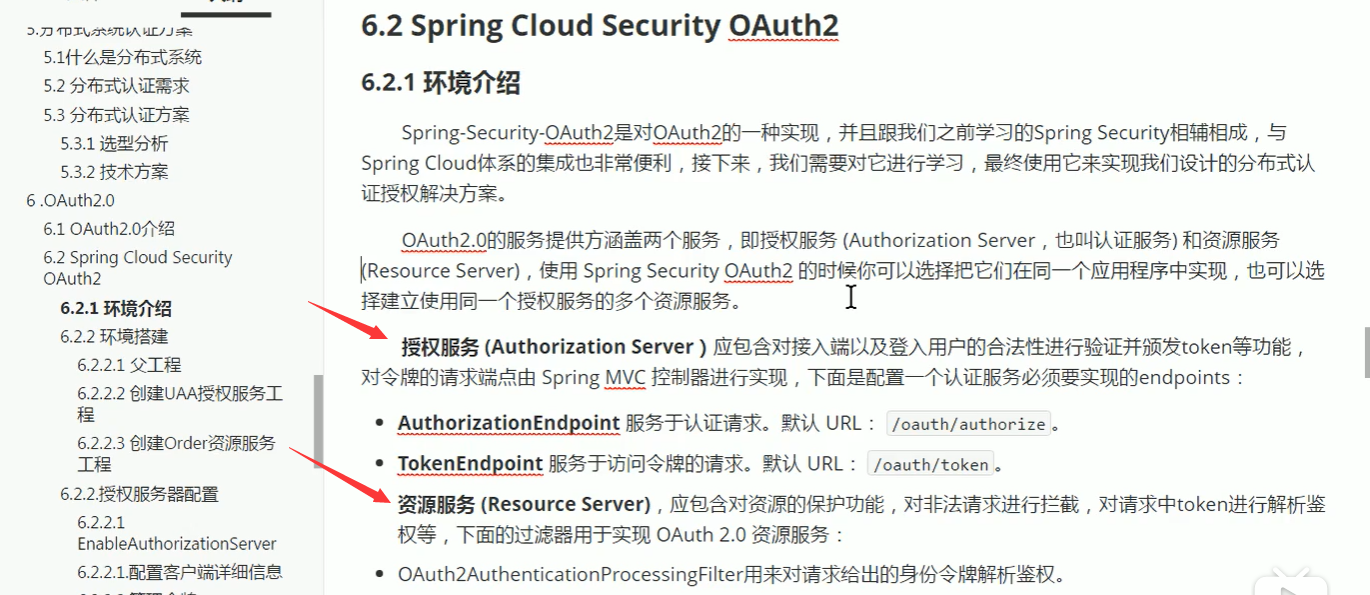
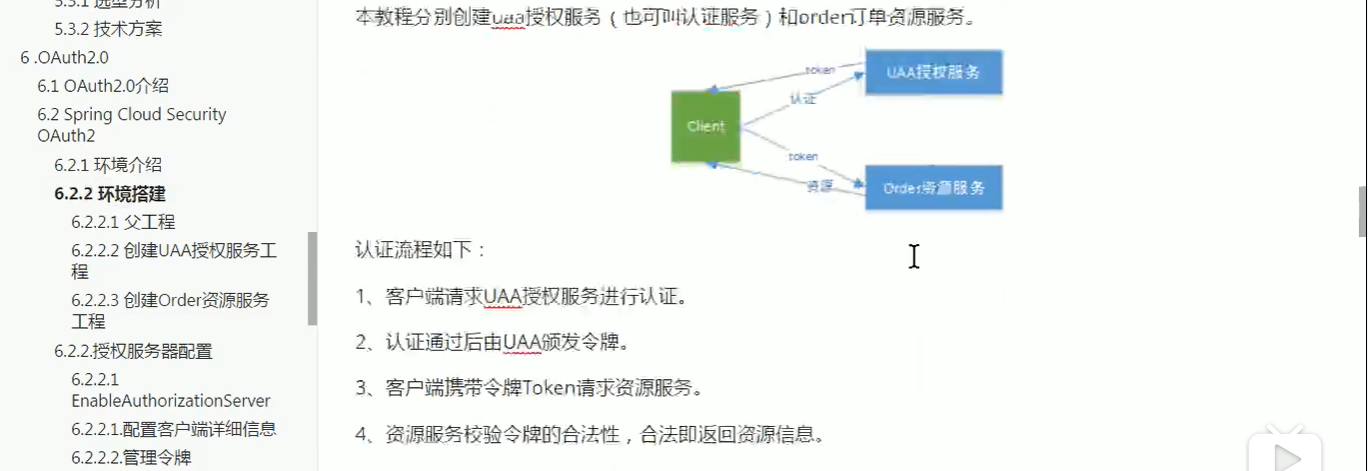
分布式授权解决方案:

其中授权服务一般放在网关服务上,资源服务指的是,挂在网关下得各个微服务
网关授权客户端》客户端拿到token》客户端拿到token到网关验证,获取token明文》各个资源端拿着token明文放到security得上下文中访问相应得资源
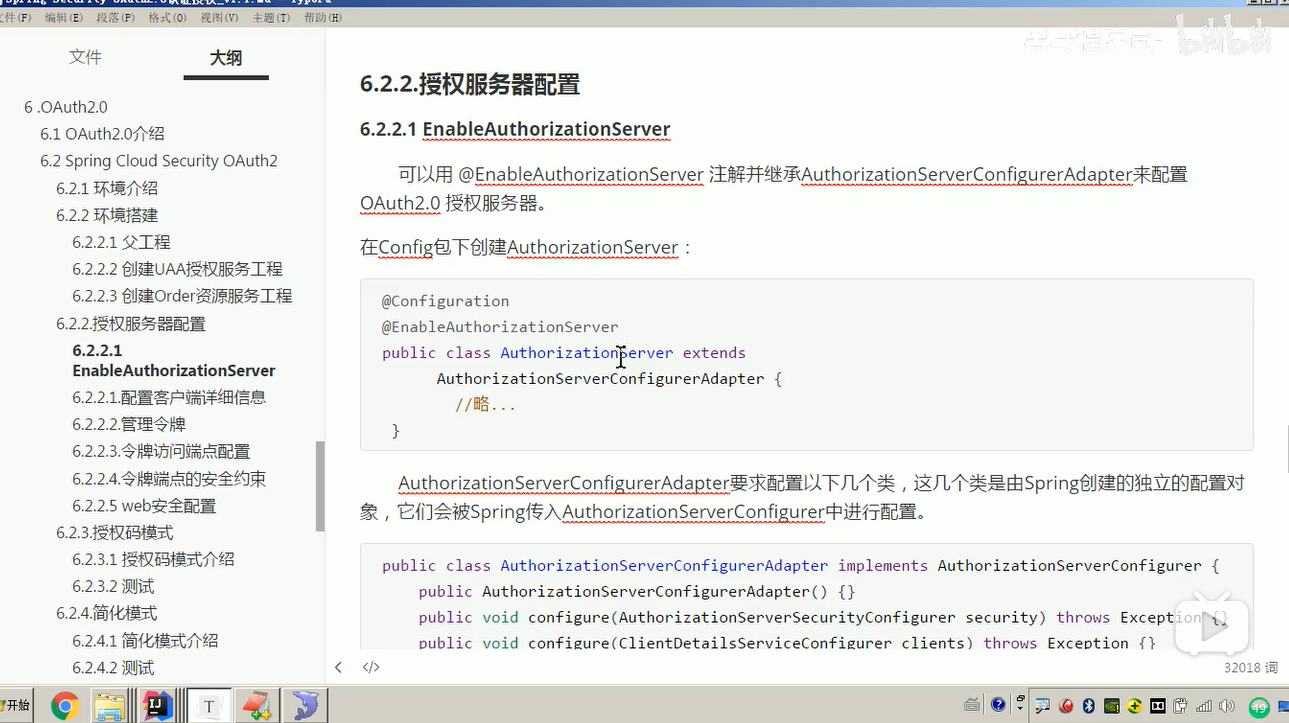
授权服务配置:
/**

 * 授权服务配置

 */

@Configuration

//开启oauth2,auth server模式

@EnableAuthorizationServer

public class AuthorizationServerConfig extends AuthorizationServerConfigurerAdapter {
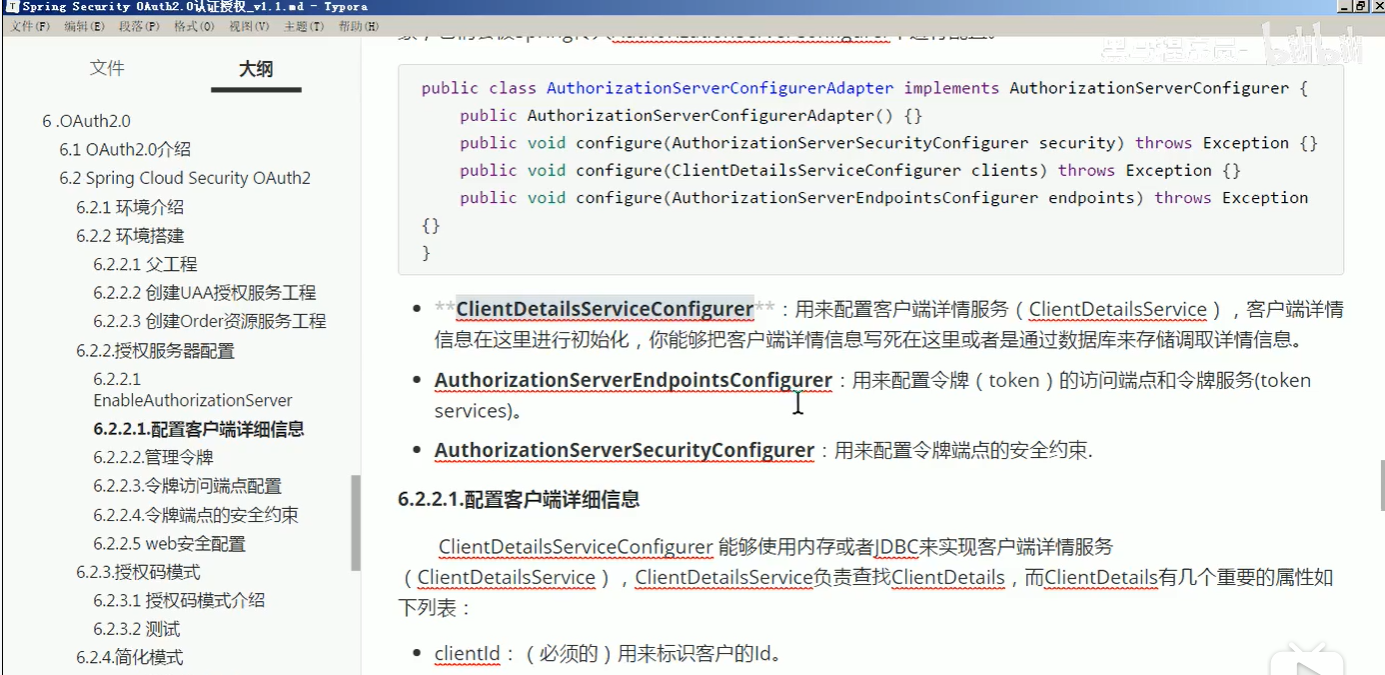
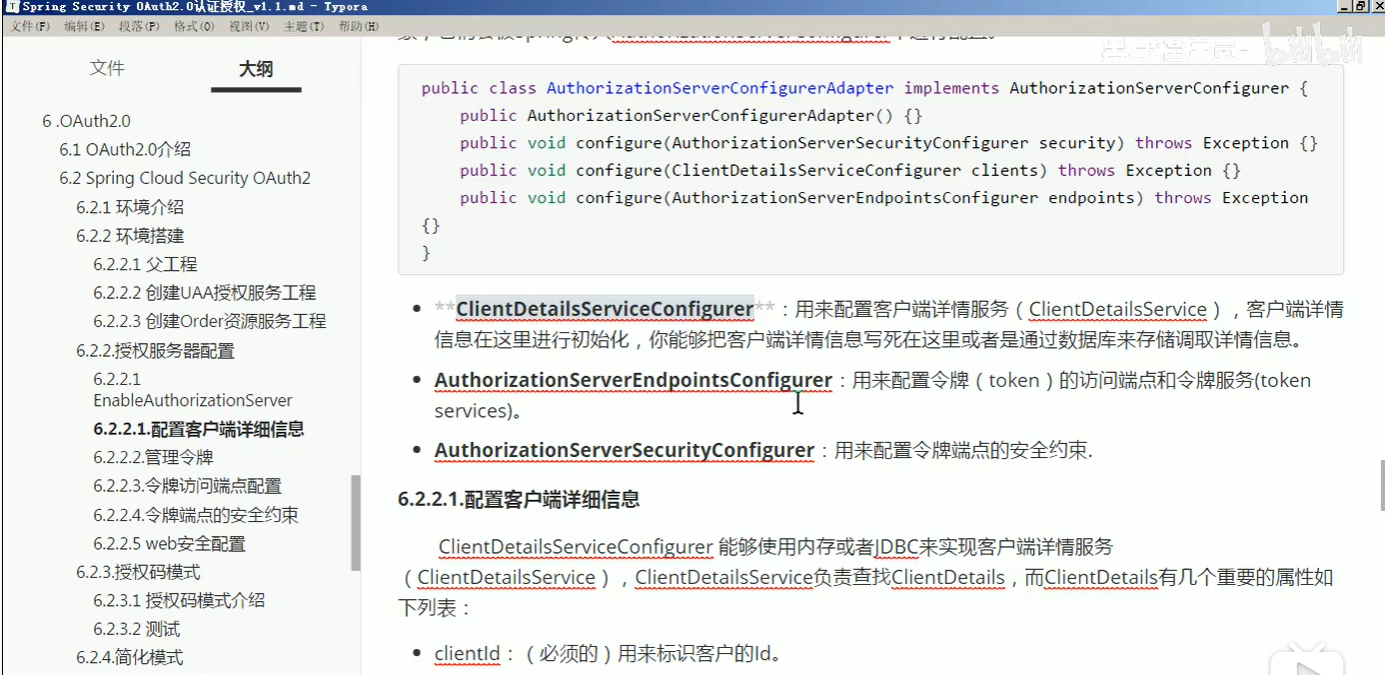
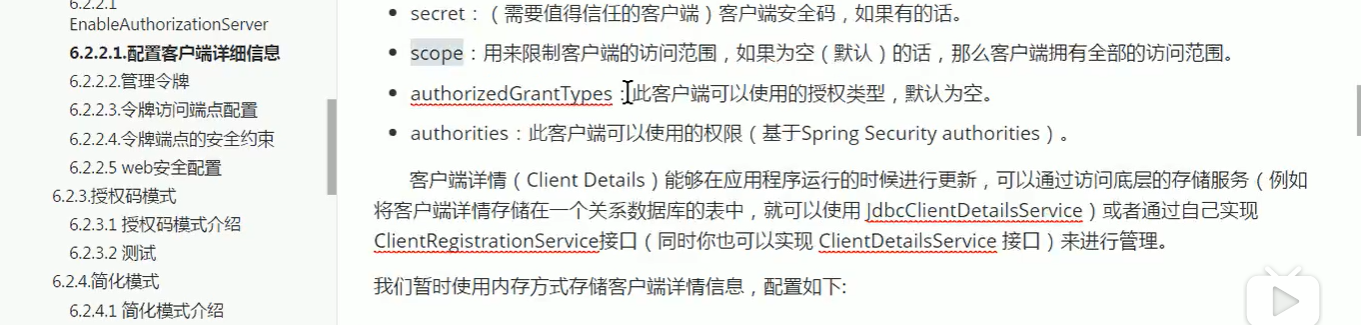
客户端详情服务类似于userdetailservice;一个针对客户,一个针对客户端
这3步的配置代码:
package lee.config;

import org.springframework.beans.factory.annotation.Autowired;

import org.springframework.context.annotation.Bean;

import org.springframework.context.annotation.Configuration;

import org.springframework.http.HttpMethod;

import org.springframework.security.authentication.AuthenticationManager;

import org.springframework.security.crypto.password.PasswordEncoder;

import org.springframework.security.oauth2.config.annotation.configurers.ClientDetailsServiceConfigurer;

import org.springframework.security.oauth2.config.annotation.web.configuration.AuthorizationServerConfigurerAdapter;

import org.springframework.security.oauth2.config.annotation.web.configuration.EnableAuthorizationServer;

import org.springframework.security.oauth2.config.annotation.web.configurers.AuthorizationServerEndpointsConfigurer;

import org.springframework.security.oauth2.config.annotation.web.configurers.AuthorizationServerSecurityConfigurer;

import org.springframework.security.oauth2.provider.ClientDetailsService;

import org.springframework.security.oauth2.provider.code.InMemoryAuthorizationCodeServices;

import org.springframework.security.oauth2.provider.token.AuthorizationServerTokenServices;

import org.springframework.security.oauth2.provider.token.DefaultTokenServices;

import org.springframework.security.oauth2.provider.token.TokenStore;

@Configuration

//开启oauth2,auth server模式

@EnableAuthorizationServer

public class AuthorizationServerConfig extends AuthorizationServerConfigurerAdapter {

    @Autowired

    private PasswordEncoder passwordEncoder;

    //配置客户端

    /**1.配置客户端,允许哪些客户端来调用服务

     * 类似于userdetailservice 用来查询客户端详情信息的

     * @param clients

     * @throws Exception

     */

    @Override

    public void configure(ClientDetailsServiceConfigurer clients) throws Exception {

        clients.inMemory()

                //client的id和密码

                .withClient("client1")

                .secret(passwordEncoder.encode("123123"))

                //给client一个id,这个在client的配置里要用的

                .resourceIds("resource1")

                //允许的申请token的方式,测试用例在test项目里都有.

                //authorization_code授权码模式,这个是标准模式

                //implicit简单模式,这个主要是给无后台的纯前端项目用的

                //password密码模式,直接拿用户的账号密码授权,不安全

                //client_credentials客户端模式,用clientid和密码授权,和用户无关的授权方式

                //refresh_token使用有效的refresh_token去重新生成一个token,之前的会失效

                .authorizedGrantTypes("authorization_code", "password", "client_credentials", "implicit", "refresh_token")

                //授权的范围,每个resource会设置自己的范围.

                .scopes("scope1", "scope2")

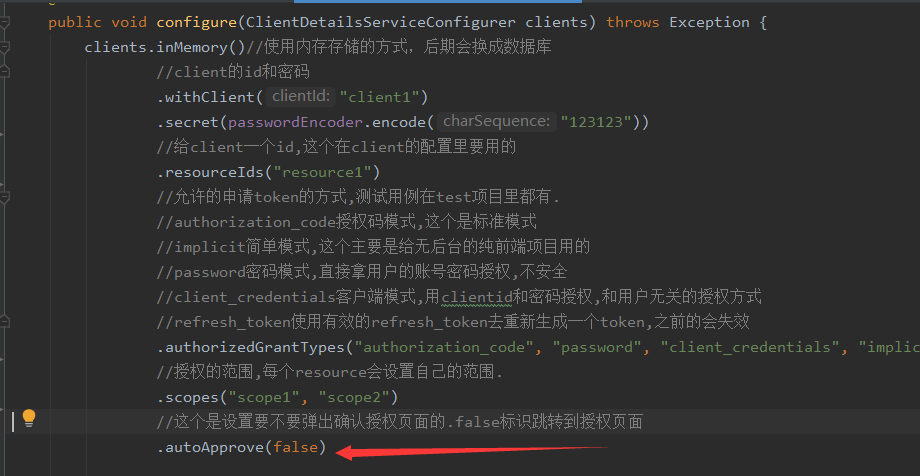
                //这个是设置要不要弹出确认授权页面的.

                .autoApprove(false)

                //这个相当于是client的域名,重定向给code的时候会跳转这个域名

                .redirectUris("http://www.baidu.com");

                /*.and()

                .withClient("client2")

                .secret(passwordEncoder.encode("123123"))

                .resourceIds("resource1")

                .authorizedGrantTypes("authorization_code", "password", "client_credentials", "implicit", "refresh_token")

                .scopes("all")

                .autoApprove(false)

                .redirectUris("http://www.qq.com");*/

    }

    @Autowired

    private ClientDetailsService clientDetailsService;

    @Autowired

    private TokenStore tokenStore;

    //配置token管理服务

    @Bean

    public AuthorizationServerTokenServices tokenServices() {

        DefaultTokenServices defaultTokenServices = new DefaultTokenServices();

        defaultTokenServices.setClientDetailsService(clientDetailsService);

        defaultTokenServices.setSupportRefreshToken(true);

        //配置token的存储方法

        defaultTokenServices.setTokenStore(tokenStore);

        defaultTokenServices.setAccessTokenValiditySeconds(300);

        defaultTokenServices.setRefreshTokenValiditySeconds(1500);

        return defaultTokenServices;

    }

    //密码模式才需要配置,认证管理器

    @Autowired

    private AuthenticationManager authenticationManager;

    //把上面的各个组件组合在一起

    /**2.配置令牌怎么生成令牌怎么存储令牌等

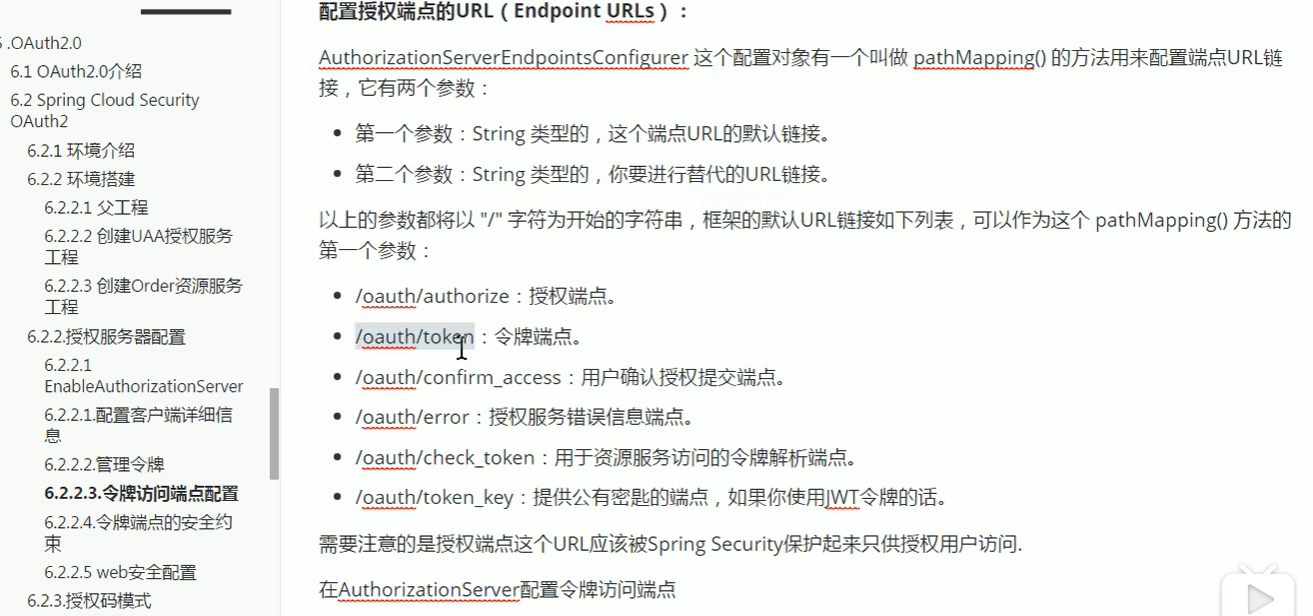
     * 配置令牌访问端点和令牌服务。其实就是配置令牌访问的url

     * @param endpoints

     * @throws Exception

     */

    @Override

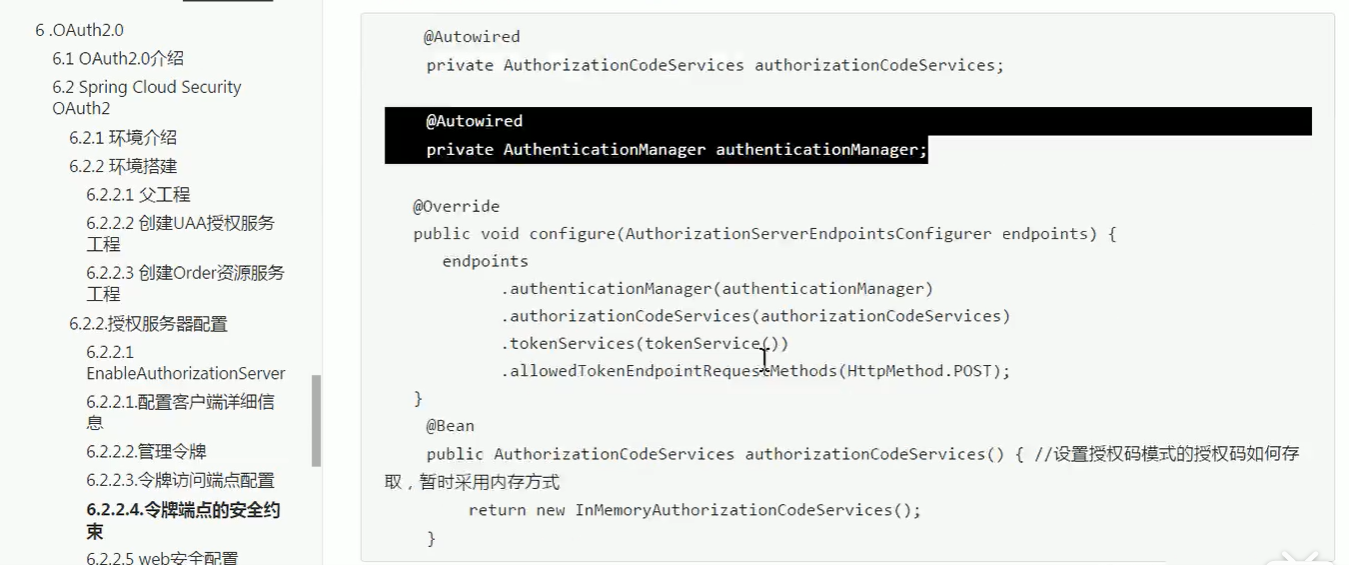
    public void configure(AuthorizationServerEndpointsConfigurer endpoints) throws Exception {

        endpoints.authenticationManager(authenticationManager)//认证管理器

                .authorizationCodeServices(new InMemoryAuthorizationCodeServices())//授权码管理

                .tokenServices(tokenServices())//token管理

                .allowedTokenEndpointRequestMethods(HttpMethod.POST);

    }

    //配置哪些接口可以被访问

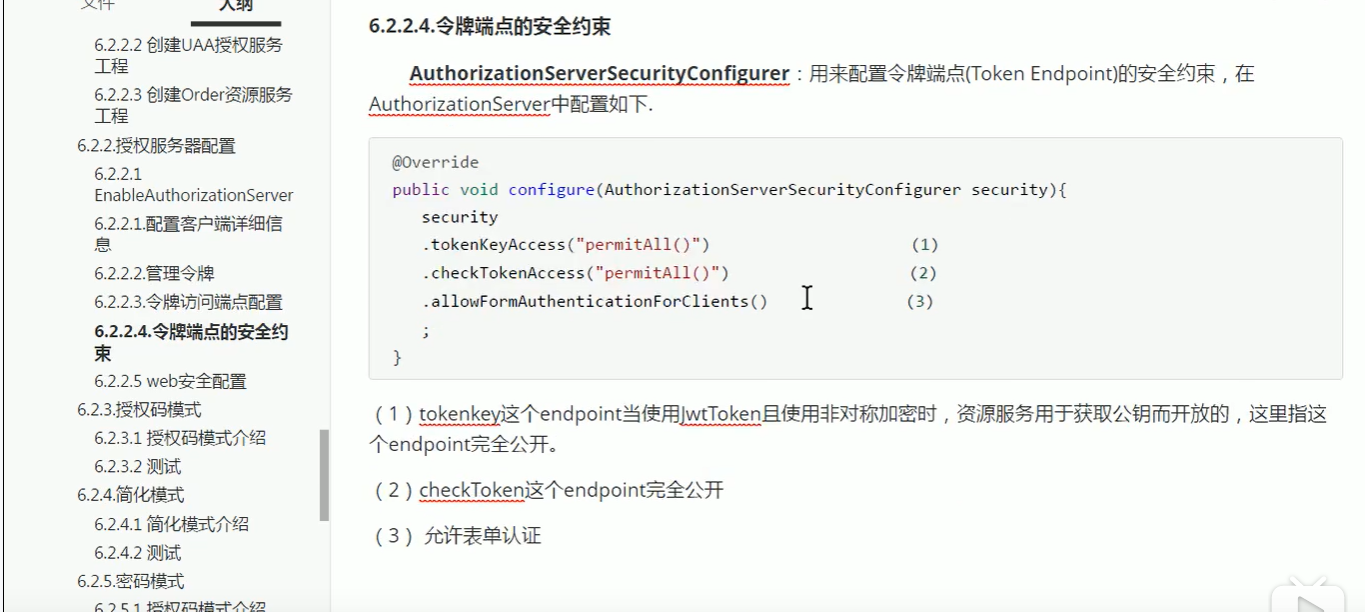
    /**3.配置令牌端点安全约束,不是任何人都能来申请令牌的(例子里我们放开了限制)

     * 类似于

     * .antMatchers("/manager/index").hasAnyAuthority("Role_List")

     * @param security

     * @throws Exception

     */

    @Override

    public void configure(AuthorizationServerSecurityConfigurer security) throws Exception {

        security.tokenKeyAccess("permitAll()")///oauth/token_key公开

                .checkTokenAccess("permitAll()")///oauth/check_token公开

                .allowFormAuthenticationForClients();//允许表单认证

    }

}
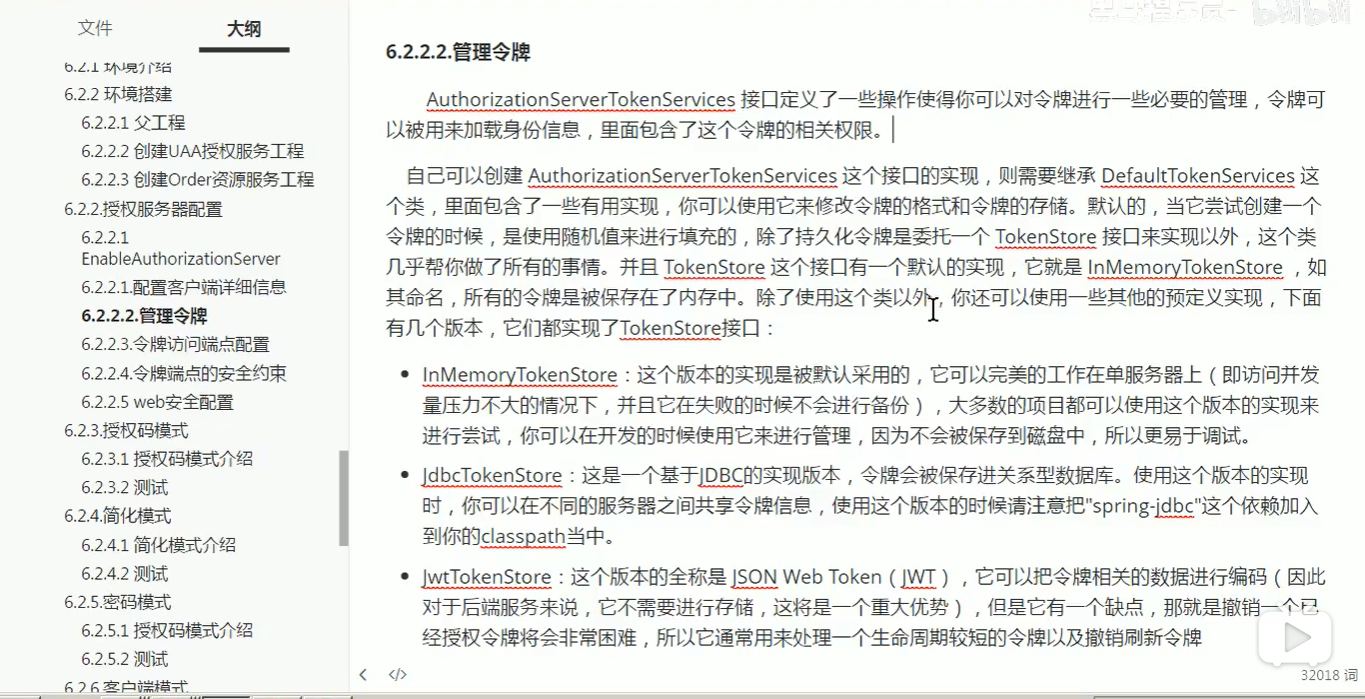


@Configuration

public class TokenConfig {

    //配置token的存储方法

    @Bean

    public TokenStore tokenStore() {

        //配置token存储在内存中,这种是普通token,每次都需要远程校验,性能较差

        return new InMemoryTokenStore();

    }

}

    @Autowired

    private TokenStore tokenStore;

    //配置token管理服务

    @Bean

    public AuthorizationServerTokenServices tokenServices() {

        DefaultTokenServices defaultTokenServices = new DefaultTokenServices();

        defaultTokenServices.setClientDetailsService(clientDetailsService);

        defaultTokenServices.setSupportRefreshToken(true);//支持刷新令牌

        defaultTokenServices.setTokenStore(tokenStore); //配置token的存储方法-例子采用内存存储

        defaultTokenServices.setAccessTokenValiditySeconds(300); //令牌有效期

        defaultTokenServices.setRefreshTokenValiditySeconds(1500); //刷新令牌有效期 默认3天

        return defaultTokenServices;

    }
此服务配置注入在授权服务AuthorizationServerConfig里
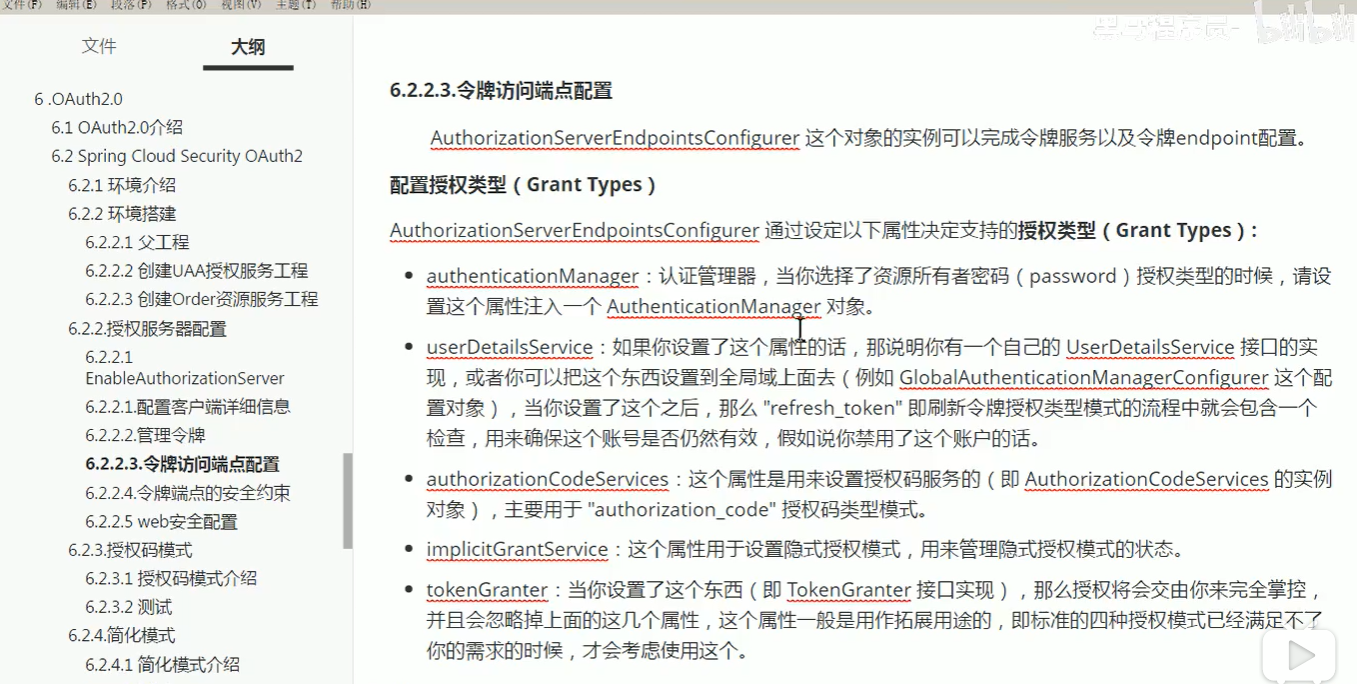
代码如下:
package lee.config;

import lee.model.MyUserDetails;

import org.springframework.context.annotation.Bean;

import org.springframework.context.annotation.Configuration;

import org.springframework.security.authentication.AuthenticationManager;

import org.springframework.security.config.annotation.method.configuration.EnableGlobalMethodSecurity;

import org.springframework.security.config.annotation.web.builders.HttpSecurity;

import org.springframework.security.config.annotation.web.configuration.WebSecurityConfigurerAdapter;

import org.springframework.security.core.userdetails.User;

import org.springframework.security.core.userdetails.UserDetailsService;

import org.springframework.security.crypto.bcrypt.BCryptPasswordEncoder;

import org.springframework.security.crypto.password.PasswordEncoder;

import org.springframework.security.provisioning.InMemoryUserDetailsManager;

@Configuration

@EnableGlobalMethodSecurity(securedEnabled = true, prePostEnabled = true)

public class WebSecurityConfig extends WebSecurityConfigurerAdapter {

    @Bean

    public PasswordEncoder passwordEncoder() {

        return new BCryptPasswordEncoder();

    }

    //密码模式才需要配置,认证管理器

    @Bean

    @Override

    protected AuthenticationManager authenticationManager() throws Exception {

        return super.authenticationManager();

    }

    @Override

    protected void configure(HttpSecurity http) throws Exception {

        http.csrf().disable()

                .authorizeRequests()

                .anyRequest().permitAll()

                .and()

                .formLogin()

                .and()

                .logout();

    }

    @Override

    @Bean

    public UserDetailsService userDetailsService() {

        /**

         * 基于内存创建用户

         */

        InMemoryUserDetailsManager manager=new InMemoryUserDetailsManager();

        manager.createUser(User.withUsername("zhangsan").password(passwordEncoder().encode("123")).authorities("admin").build());

        manager.createUser(User.withUsername("lisi").password(passwordEncoder().encode("123")).authorities("user").build());

        return manager;

/*

        return s -> {

            if ("admin".equals(s) || "user".equals(s)) {

                return new MyUserDetails(s, passwordEncoder().encode(s), s);

            }

            return null;

        };*/

    }

}
至此授权服务就已经搭建好了;下面我们进行测试一下:
一、授权服务
1.授权码模式
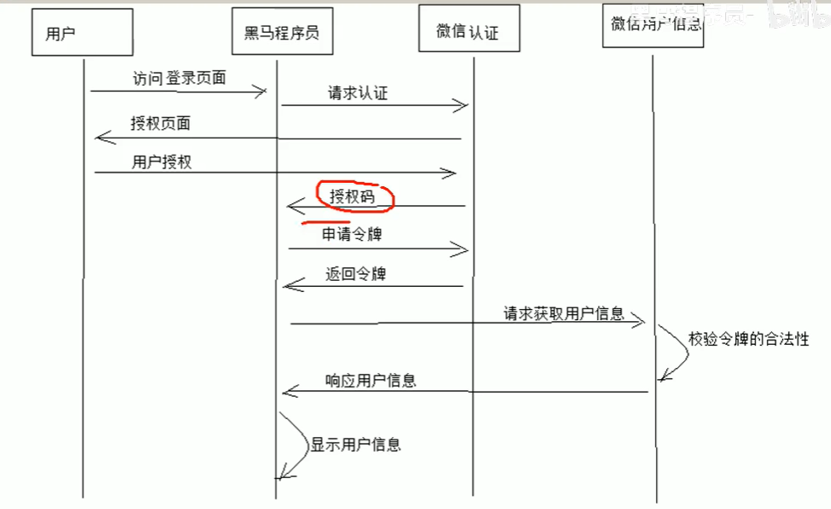
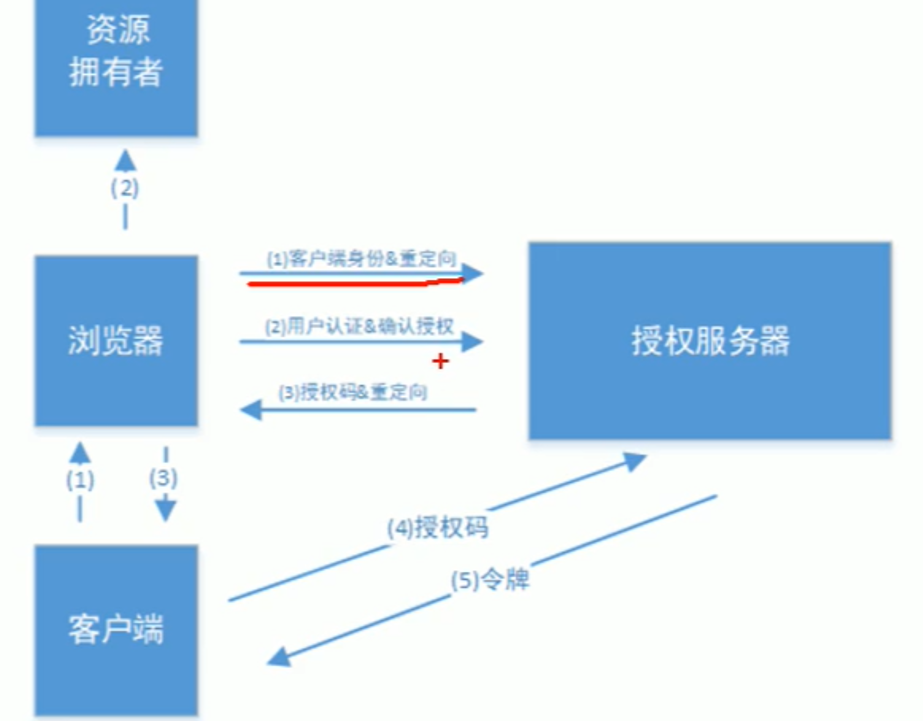
1.1浏览器访问
这代表我的页面(假如我的页面是百度)需要用9001的服务器进行登录(就像很多页面可以用QQ登陆一样)
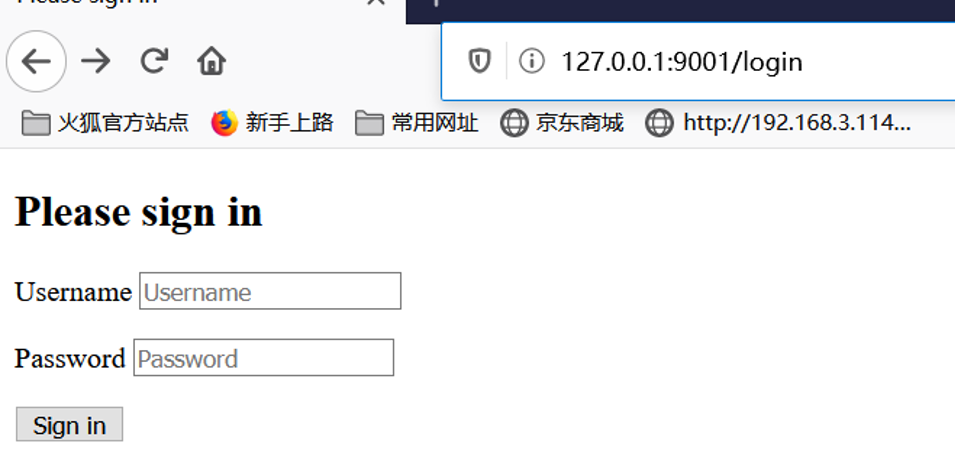
这时候会跳转到9001的登录页面:
登录后,会跳转授权页面给该app授权,授权后会在重定向的页面带上授权码:
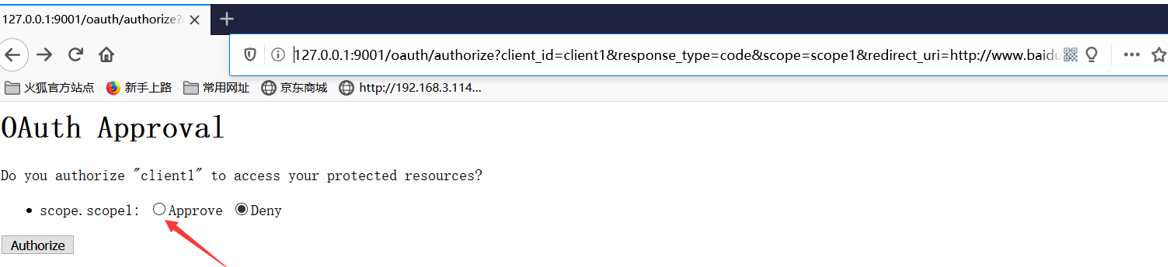
1.2拿到授权码后可以用授权码、之前在9001申请的appId和secret去获取令牌

刷新令牌:当访问令牌无效的时候可以用刷新令牌重新去申请访问令牌;
2.简化模式
浏览器访问
返回如下:
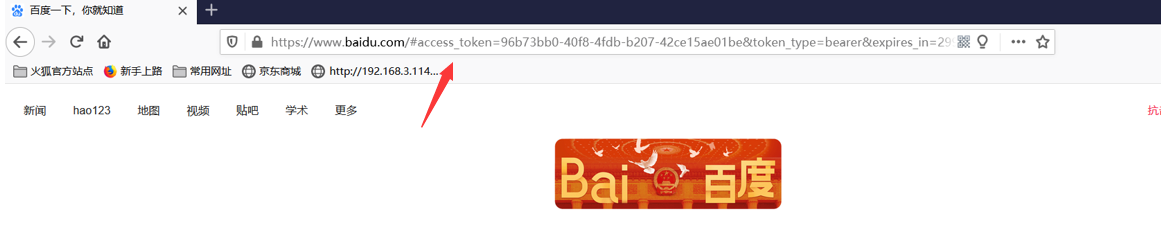
重定向连接会直接带上token信息:
简化模式用于没有服务器端的第三方单页面应用,因为没有服务器就无法接受授权码。
3.密码模式
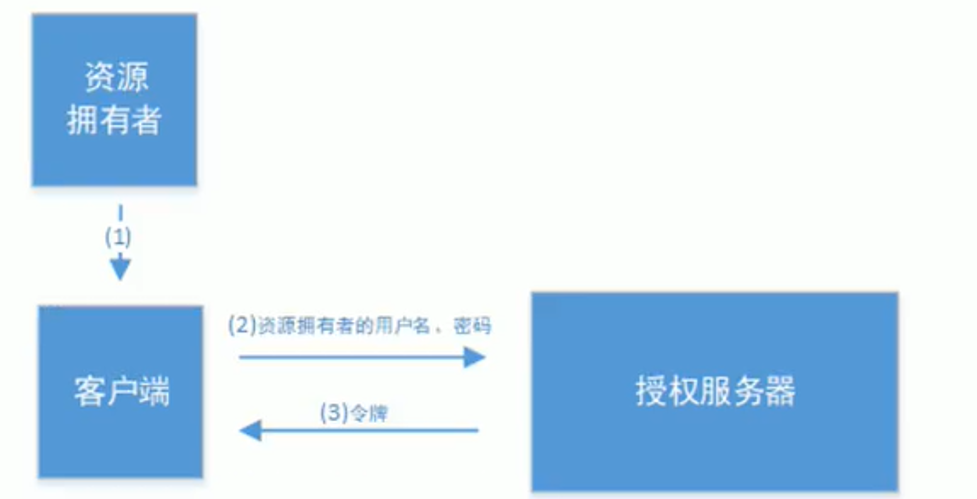
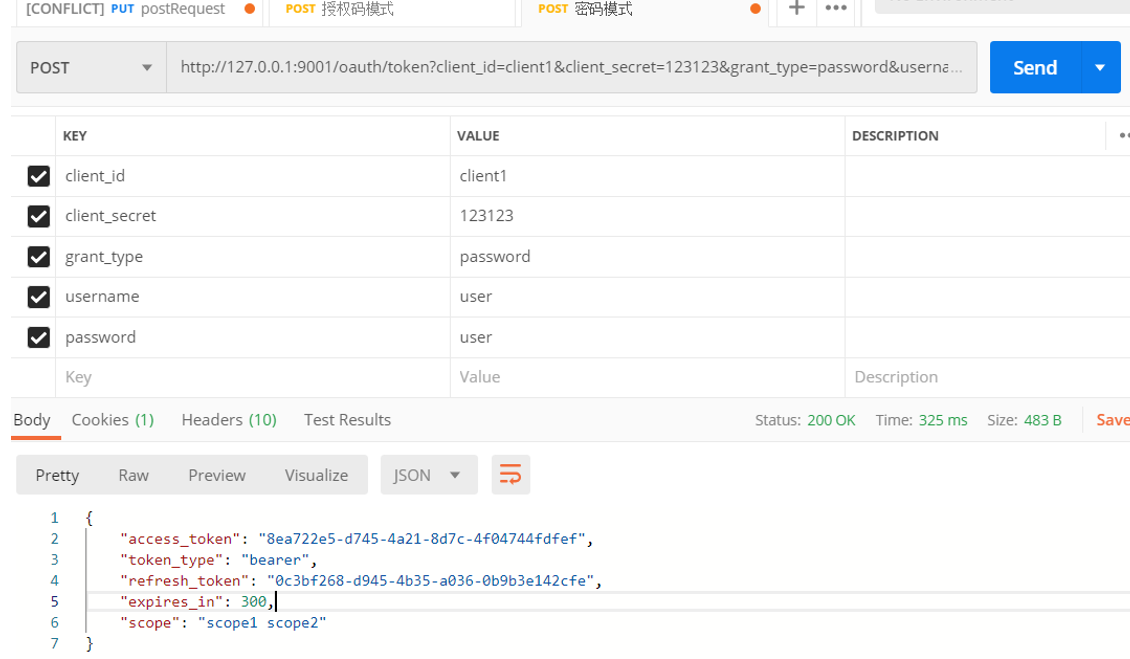
该模式会将密码泄露给客户端,所以这种模式只能用于client是我们自己开发的情况下,因此密码模式一般用于我们自己开发的第一方原生app。
直接申请返回令牌:
4.客户端模式
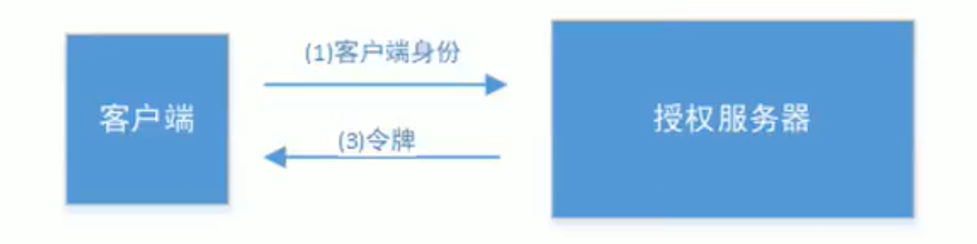
只需要client_id、client_secret 和grant_type授权类型即可申请令牌
Postman调用如下:
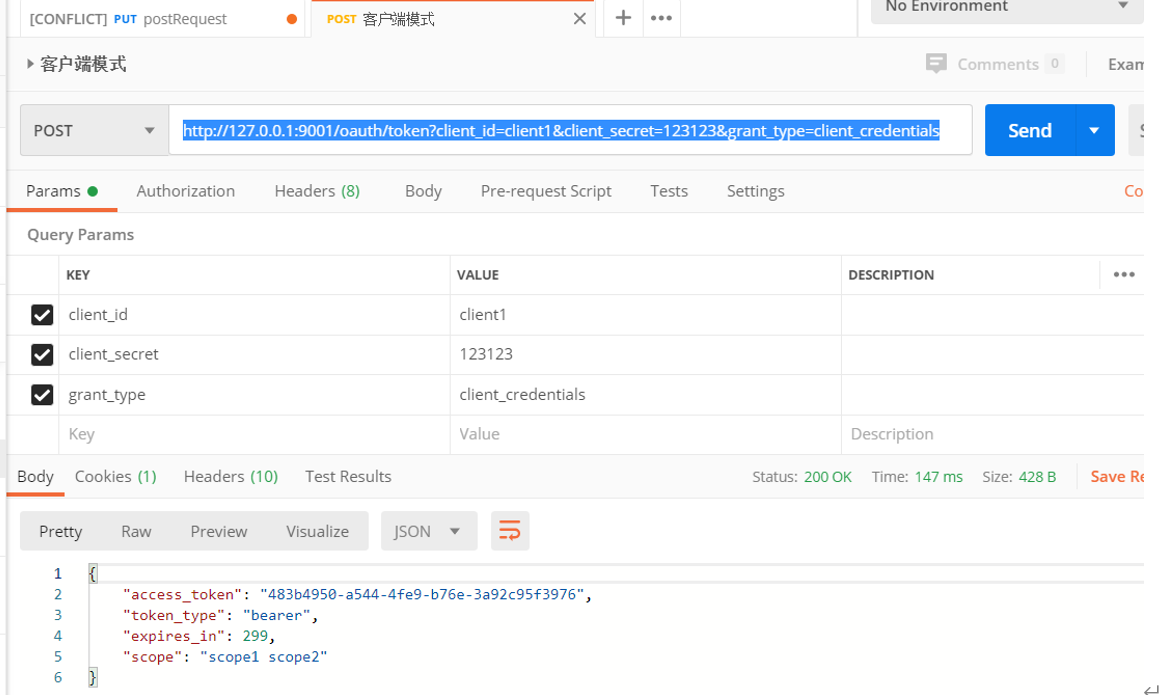
该模式用于在我们完全信任客户端的情况下,而client也是安全的;比如合作方对接,拉取一组用户信息。或者系统内部调用。
二、资源服务配置
/**

 * 资源服务配置

 */

@Configuration

//开启oauth2,reousrce server模式

@EnableResourceServer

public class ResourceServerConfig extends ResourceServerConfigurerAdapter {
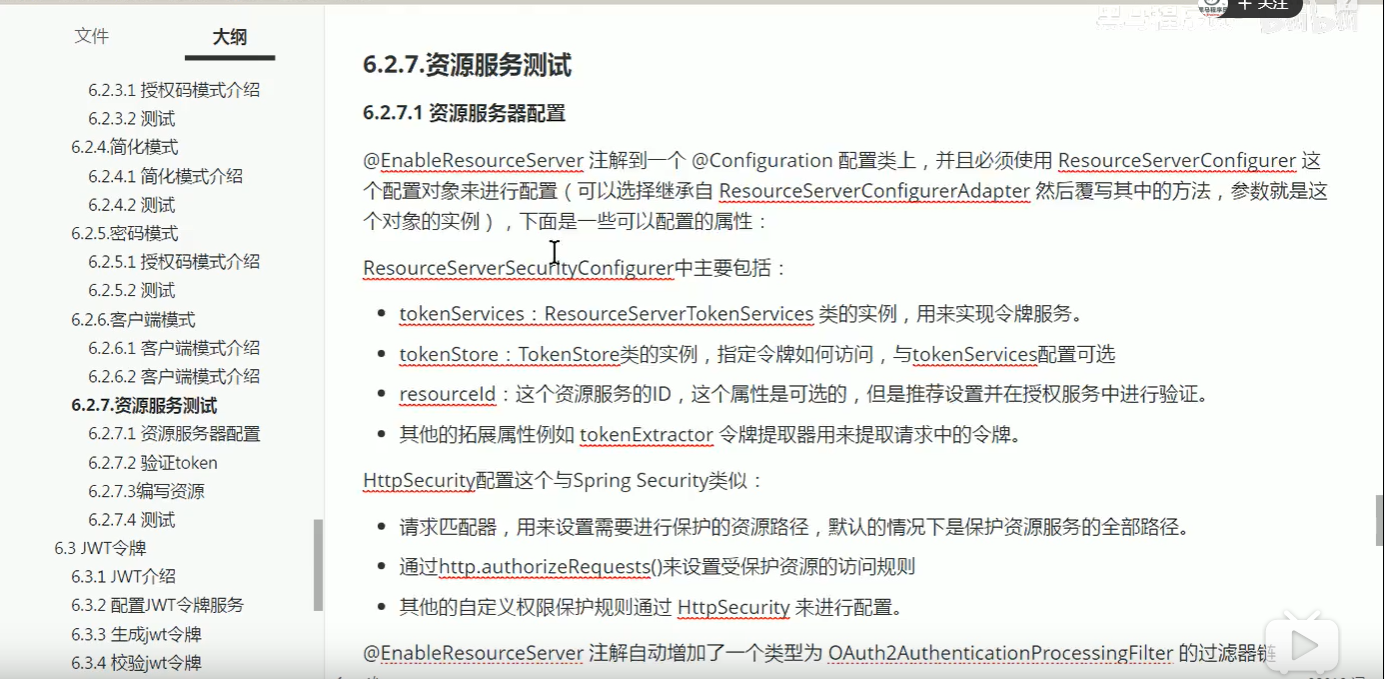
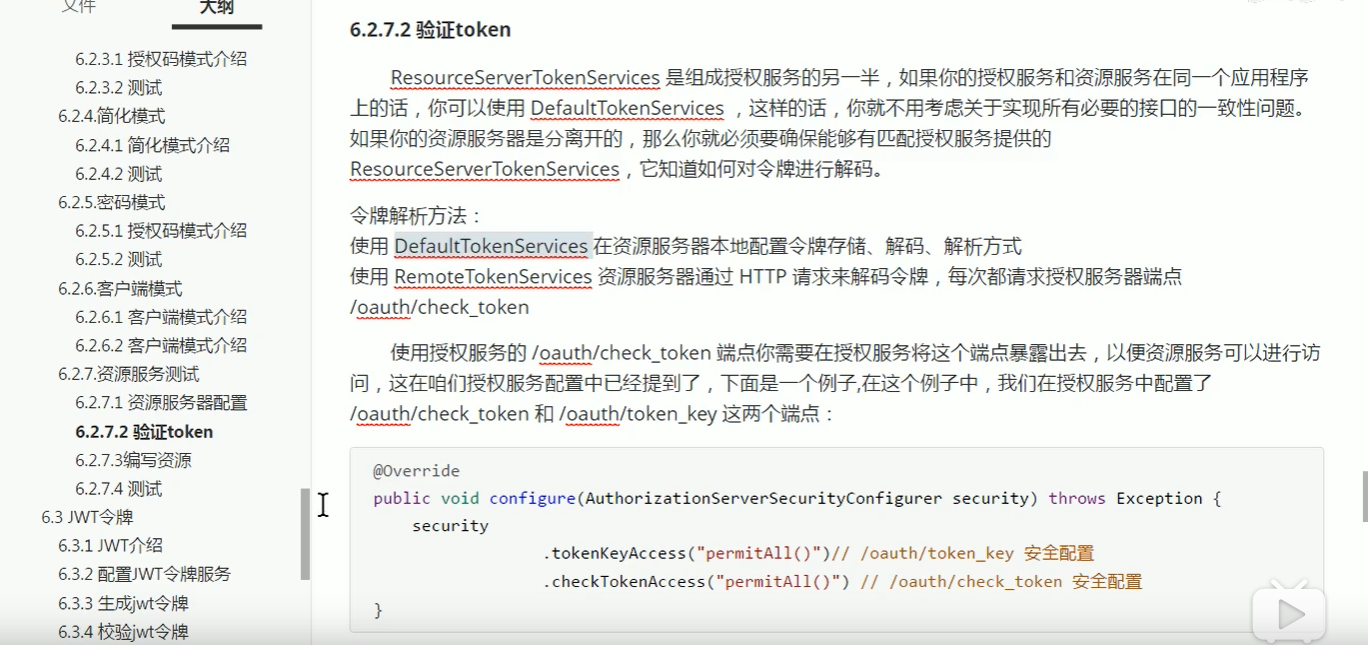
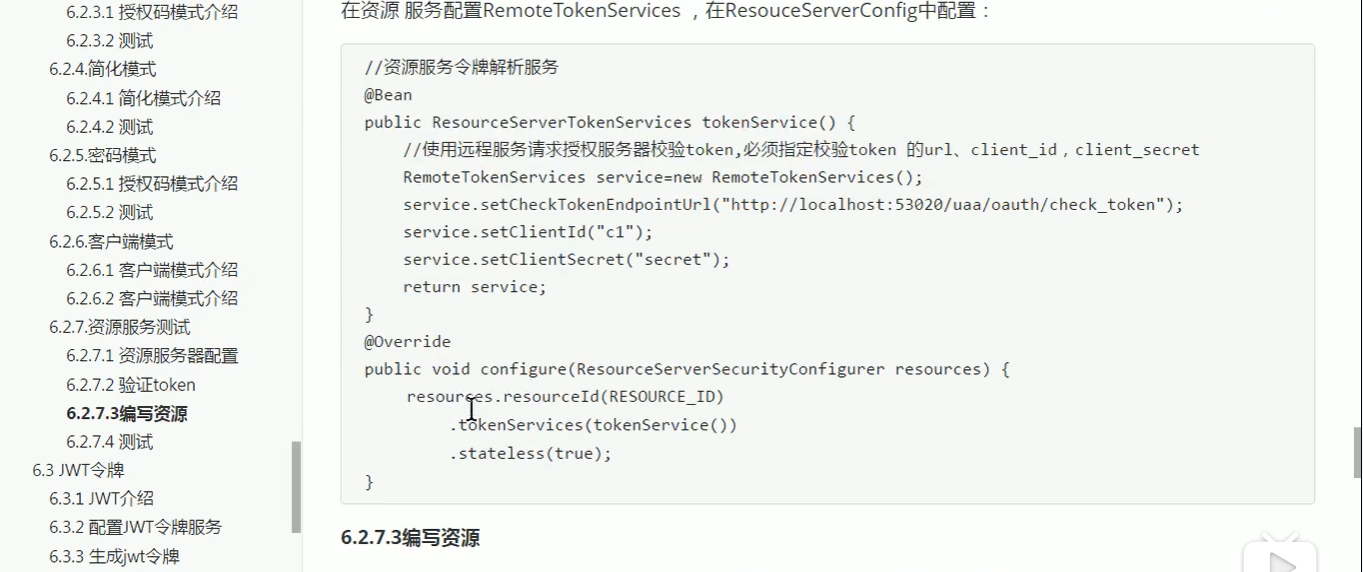
以上配置得代码:
/**

 * 资源服务配置

 */

@Configuration

//开启oauth2,reousrce server模式

@EnableResourceServer

public class ResourceServerConfig extends ResourceServerConfigurerAdapter {

    public static final String RESOURCE_ID="resource1";//资源id

    @Override

    public void configure(ResourceServerSecurityConfigurer resources) throws Exception {

        resources

                //设置我这个resource的id, 这个在auth中配置, 这里必须照抄

                .resourceId(RESOURCE_ID)//该资源id

                .tokenServices(tokenServices())

                //这个貌似是配置要不要把token信息记录在session中

                .stateless(true);

    }

    /**

     * 配置资源访问规则

     * @param http

     * @throws Exception

     */

    @Override

    public void configure(HttpSecurity http) throws Exception {

        http.csrf().disable()

                .authorizeRequests()

                //本项目所需要的授权范围,这个scope是写在auth服务的配置里的

                .antMatchers("/**").access("#oauth2.hasScope('scope1')")

                .and()

                //配置要不要把token信息记录在session中

                .sessionManagement().sessionCreationPolicy(SessionCreationPolicy.STATELESS);

    }

    /**

     * 令牌验证服务

     * @return

     */

    @Bean

    public RemoteTokenServices tokenServices(){

        //远程token验证, 普通token必须远程校验

        RemoteTokenServices services = new RemoteTokenServices();

        //配置去哪里验证token

        services.setCheckTokenEndpointUrl("http://127.0.0.1:9001/oauth/check_token");

        //配置组件的clientid和密码,这个也是在auth中配置好的

        services.setClientId("client1");

        services.setClientSecret("123123");

        return services;

    }

}
配置资源
@RestController

public class IndexController {

    @RequestMapping("user")

    @PreAuthorize("hasAnyAuthority('user')")

    public String user() {

        return "user";

    }

    //测试接口

    @RequestMapping("admin")

    @PreAuthorize("hasAnyAuthority('admin')")

    public String admin() {

        return "admin";

    }

    @RequestMapping("me")

    public Principal me(Principal principal) {

        return principal;

    }

}
另外还要配置安全访问控制WebSecurityConfig 才能使权限生效:
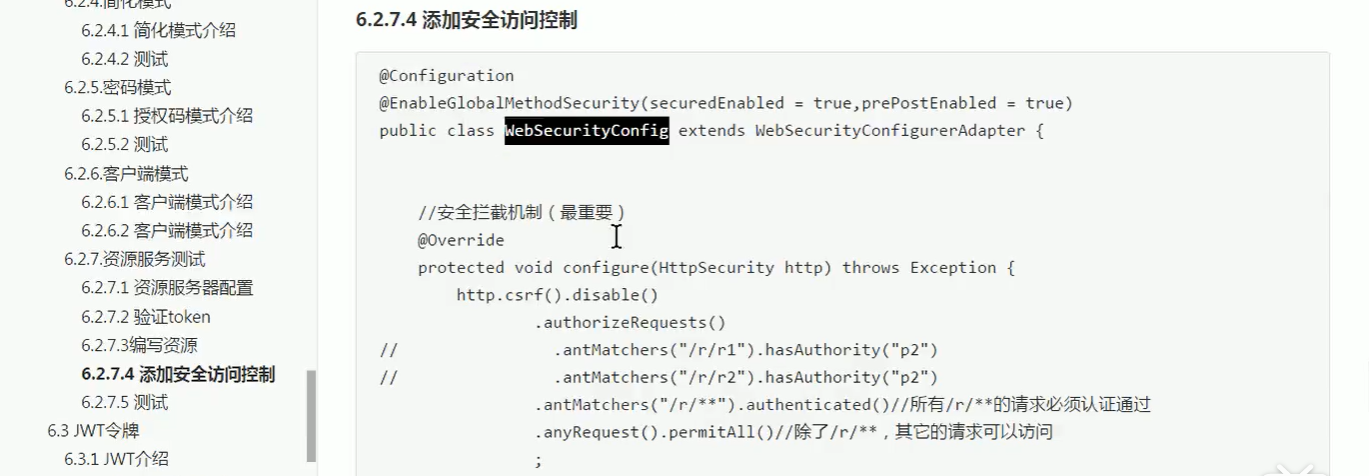
由于资源是基于方法得授权,基于web得授权就可以屏蔽掉了
@Configuration

@EnableGlobalMethodSecurity(securedEnabled = true, prePostEnabled = true)

public class WebSecurityConfig extends WebSecurityConfigurerAdapter {

    //安全拦截机制

    @Override

    protected void configure(HttpSecurity http) throws Exception {

        http.csrf().disable()

                //由于拦截的是接口方法无需配置拦截url 只需要在controller配置即可

                .authorizeRequests()

                .anyRequest().permitAll();

    }

}
校验令牌:http://127.0.0.1:9001/oauth/check_token
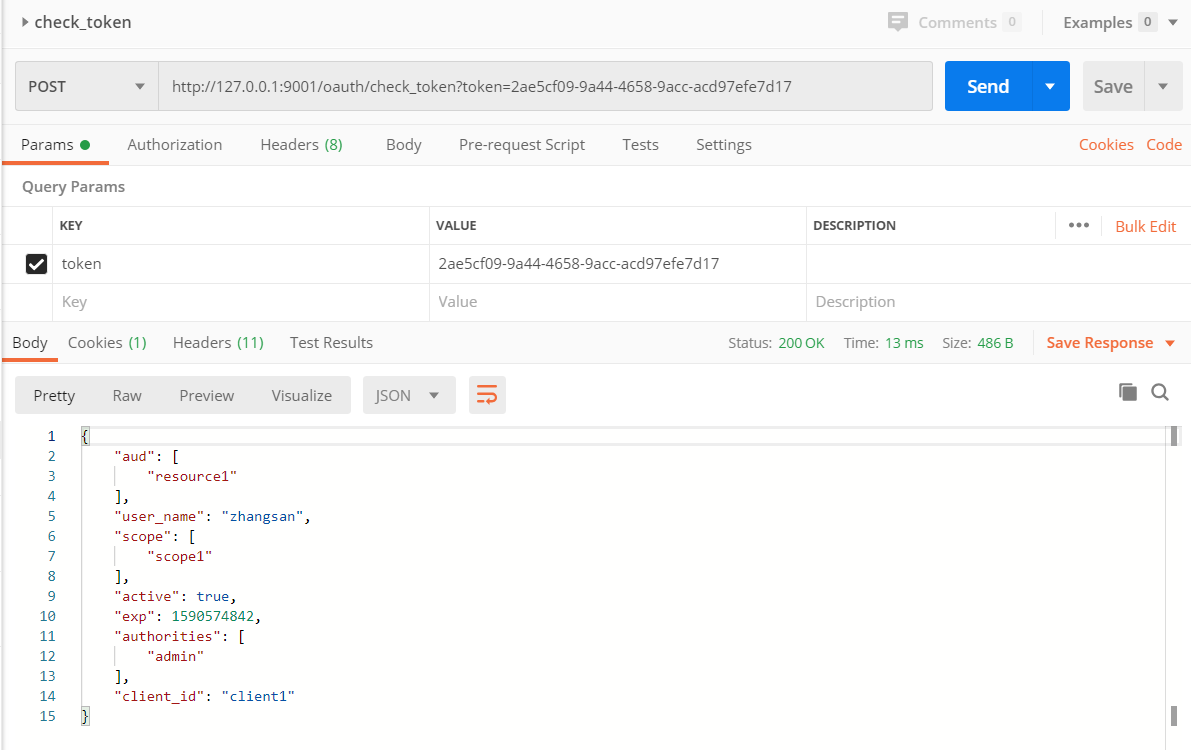
校验令牌会带回所有有用户所有权限信息,资源服务拿到这些权限信息后可以去申请相应得资源
带令牌访问资源:
需要在header里面带入令牌:Key:” Authorization” value:” Bearer+空格+token”
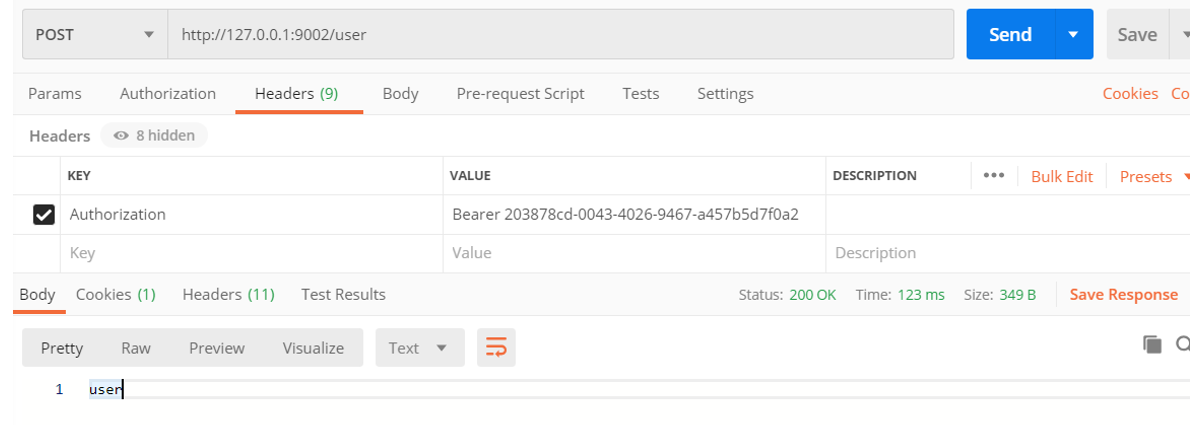
实际工作应用:若要用授权码模式 需要事先给定客户端一个 权限编码 并且在调用方法得时候 验证这个权限编码是否有权限调用接口
如果用账号密码模式 道理也一样
JWT令牌见下一章:
OAuth2.0-1的更多相关文章
- SimpleSSO:使用Microsoft.Owin.Security.OAuth搭建OAuth2.0授权服务端
目录 前言 OAuth2.0简介 授权模式 (SimpleSSO示例) 使用Microsoft.Owin.Security.SimpleSSO模拟OpenID认证 通过authorization co ...
- 分享一个单点登录、OAuth2.0授权系统源码(SimpleSSO)
SimpleSSO 关于OAuth 2.0介绍: http://www.ruanyifeng.com/blog/2014/05/oauth_2_0.html 系统效果: 登录界面: 首页: 应用界面: ...
- 【OAuth2.0】Spring Security OAuth2.0篇之初识
不吐不快 因为项目需求开始接触OAuth2.0授权协议.断断续续接触了有两周左右的时间.不得不吐槽的,依然是自己的学习习惯问题,总是着急想了解一切,习惯性地钻牛角尖去理解小的细节,而不是从宏观上去掌握 ...
- 深入理解OAuth2.0协议
1. 引言 如果你开车去酒店赴宴,你经常会苦于找不到停车位而耽误很多时间.是否有好办法可以避免这个问题呢?有的,听说有一些豪车的车主就不担心这个问题.豪车一般配备两种钥匙:主钥匙和泊车钥匙.当你到酒店 ...
- OAuth2.0 四种授权模式
OAuth2.0简单笔记(四种授权模式) 金天:坚持写东西,不是一件容易的事,换句话说其实坚持本身都不是一件容易的事.如果学习有捷径,那就是不断实践,不断积累.写笔记,其实是给自己看的,是体现积累的一 ...
- 微信开放平台开发——网页微信扫码登录(OAuth2.0)
1.OAuth2.0 OAuth(开放授权)是一个开放标准,允许用户让第三方应用访问该用户在某一网站上存储的私密的资源(如照片,视频,联系人列表),而无需将用户名和密码提供给第三方应用. 允许用户提供 ...
- 微信公众平台开发——微信授权登录(OAuth2.0)
1.OAuth2.0简介 OAuth(开放授权)是一个开放标准,允许用户让第三方应用访问该用户在某一网站上存储的私密的资源(如照片,视频,联系人列表),而无需将用户名和密码提供给第三方应用. 允许用户 ...
- spring security oauth2.0 实现
oauth应该属于security的一部分.关于oauth的的相关知识可以查看阮一峰的文章:http://www.ruanyifeng.com/blog/2014/05/oauth_2_0.html ...
- http、tcp、udp、OAUTH2.0网络协议区别
一.先来一个讲TCP.UDP和HTTP关系的 1.TCP/IP是个协议组,可分为三个层次:网络层.传输层和应用层. 在网络层有IP协议.ICMP协议.ARP协议.RAR ...
- OAuth2.0说明文档
OAuth2.0说明文档 1.OAuth 2.0 简介 OAuth为应用提供了一种访问受保护资源的方法.在应用访问受保护资源之前,它必须先从资源拥有者处获取授权(访问许可),然后用访问许可交换访问令牌 ...
随机推荐
- 从 (a==1&&a==2&&a==3) 成立中看javascript的隐式类型转换
下面代码中 a 在什么情况下会打印 1? var a = ?; if(a == 1 && a == 2 && a == 3){ console.log(1); } 这个 ...
- pigctf期末测评
pigctf期末测评 MISC 1 拿到图片,先binwalk一下,如下图 果然发现png图片后面跟了个ZIP,然后提取出来打开发现了一个flag.png,然后查看16进制文件没有发现什么问题,之后查 ...
- JVM 学习笔记(四)
回顾: 在之前的文章中,我们主要体现了当堆内存设置的比较小的情况下,比如:-Xmx20M -Xms20M,在项目运行的过程中,不断往内存中去添加对象, 这时候就会出现OOM,也就是内存溢出,本文章将展 ...
- Maven 专题(八):配置(一)常用修改配置
修改配置文件 通常我们需要修改解压目录下conf/settings.xml文件,这样可以更好的适合我们的使用. 此处注意:所有的修改一定要在注释标签外面,不然修改无效.Maven很多标签都是给的例子, ...
- Spring Bean的生命周期 ---附详细流程图及测试代码
一.生命周期流程图: Spring Bean的完整生命周期从创建Spring容器开始,直到最终Spring容器销毁Bean,这其中包含了一系列关键点 假设一个Bean实现了所有的接口,大的概况一下Be ...
- ClickHouse源码笔记2:聚合流程的实现
上篇笔记讲到了聚合函数的实现并且带大家看了聚合函数是如何注册到ClickHouse之中的并被调用使用的.这篇笔记,笔者会续上上篇的内容,将剖析一把ClickHouse聚合流程的整体实现. 第二篇文章, ...
- Just test it!!软件测试测起来!!
(图片: josh@unsplash,字数:700,时间:1分钟) (一) 一切的软件质量保障活动,归根结底,就两种类型. 一种是基于代码执行的,一种是不基于代码执行的. 测试之于肉眼自查.静态检查. ...
- Centos 7 静态IP设置
1.编辑 ifcfg-eth0 文件,vim 最小化安装时没有被安装,需要自行安装不描述. # vim /etc/sysconfig/network-scripts/ifcfg-eth0 2.修改如下 ...
- Python快速入门PDF高清完整版免费下载|百度云盘
百度云盘:Python快速入门PDF高清完整版免费下载 提取码:w5y8 内容简介 这是一本Python快速入门书,基于Python 3.6编写.本书分为4部分,第一部分讲解Python的基础知识,对 ...
- 前端学习(十五):了解 Javascript
进击のpython ***** 前端学习--了解JavaScript Javascript是一种运行在浏览器中的解释型的编程语言 还记得我们在说python的时候提过解释型和编译型的区别 在解释型语言 ...