
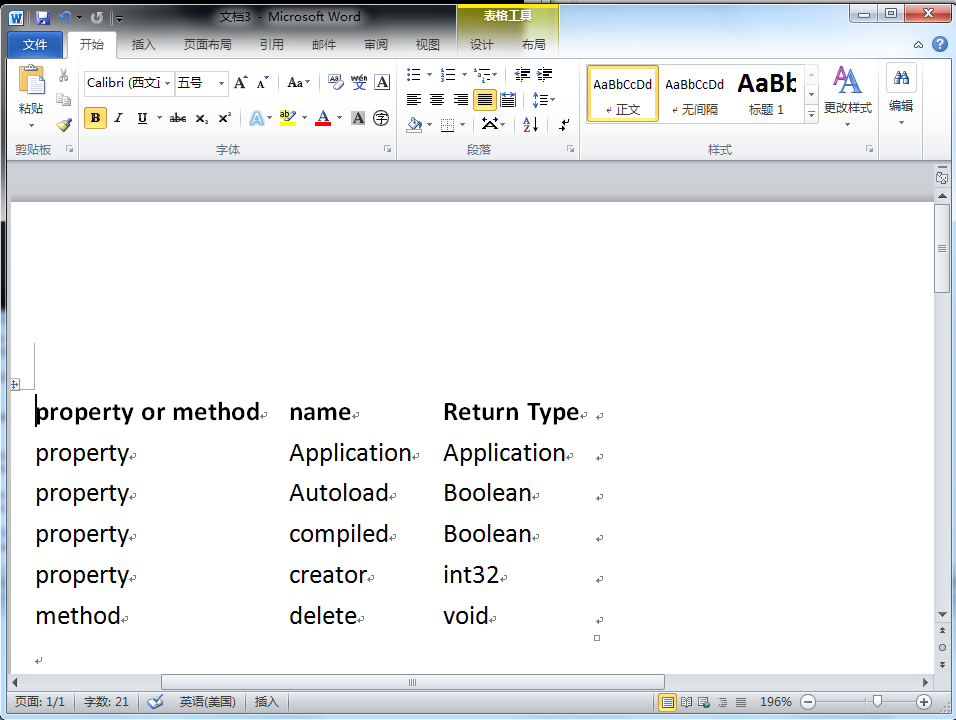
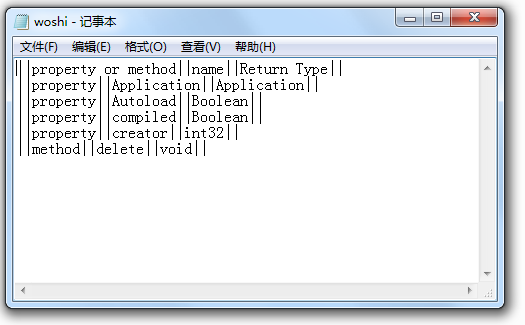
控制台程序读取WIKI形式的TXT文件并一表格的形式显示在Word中
 'Imports System.Collections.Generic

 'Imports System.Text

 'Imports System.IO

 'Imports office = Microsoft.Office.Core

 'Imports word = Microsoft.Office.Interop.Word

 Module Module1

     Sub Main(ByVal args As String()) '这里的参数args是字符串数组,传递的是\bin\Debug\中的文本文件,可以传递多个文件

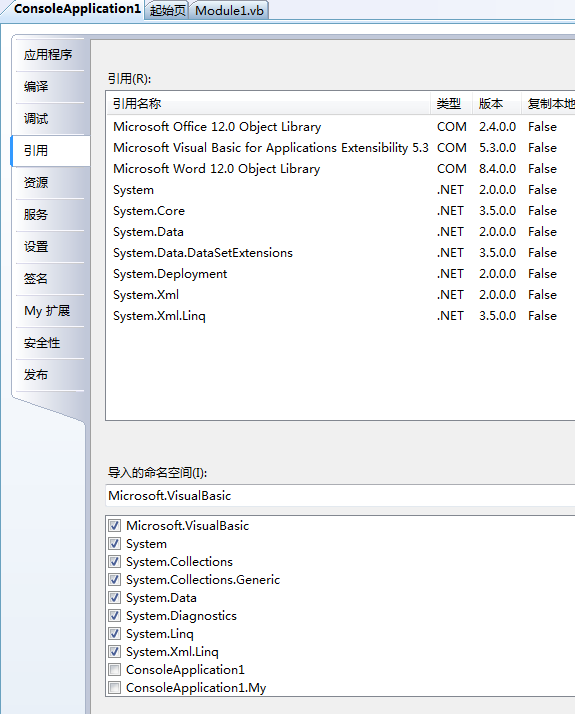
         Dim theApplication As New Microsoft.Office.Interop.Word.Application  '添加引用COM的“Microsoft Word 12.0 Object Library”

         theApplication.Visible = True

         Dim theDocument As Microsoft.Office.Interop.Word.Document

         theDocument = theApplication.Documents.Add()

         Dim reader As System.IO.TextReader          '添加引用COM的“Microsoft Visual Basic for Applications Extensibility 5.3”

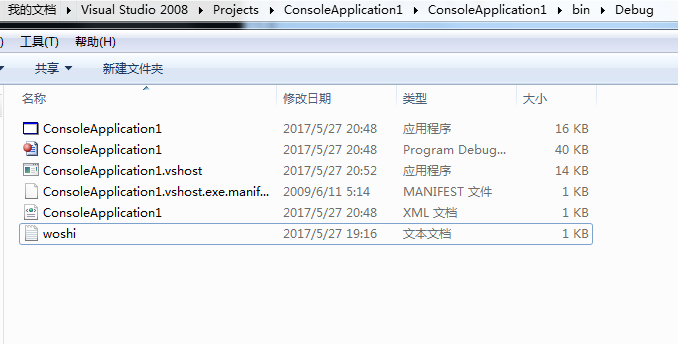
         reader = New System.IO.StreamReader("woshi.txt")  '原语句是reader = New System.IO.StreamReader(args(0))

         'C:\Users\user\Documents\Visual Studio 2008\Projects\ConsoleApplication1\ConsoleApplication1\bin\Debug\woshi.txt

         Dim separators() As String

         separators() = "||"

         Dim rowCount As Integer =

         Dim columnCount As Integer =

         Dim rowList As New System.Collections.Generic.List(Of String)

         Dim row As String = reader.ReadLine()

         While row IsNot Nothing

             rowCount +=

             rowList.Add(row)

             If rowCount =  Then

                 Dim splitHeaderRow As String() = row.Split(separators, StringSplitOptions.None)

                 columnCount = splitHeaderRow.Length -

             End If

             row = reader.ReadLine()

         End While

         Dim range As Microsoft.Office.Interop.Word.Range = theDocument.Range()

         Dim table As Microsoft.Office.Interop.Word.Table = range.Tables.Add(range, rowCount, columnCount)

         Dim columnindex As Integer =

         Dim rowindex As Integer =

         For Each r As String In rowList

             Dim splitrow As String() = r.Split(separators, StringSplitOptions.None)

             For columnindex =  To columnCount

                 Dim cell As Microsoft.Office.Interop.Word.Cell = table.Cell(rowindex, columnindex)

                 cell.Range.Text = splitrow(columnindex)

             Next

             rowindex +=

         Next

         table.Rows().Range.Bold =

         table.AutoFitBehavior(Microsoft.Office.Interop.Word.WdAutoFitBehavior.wdAutoFitContent)

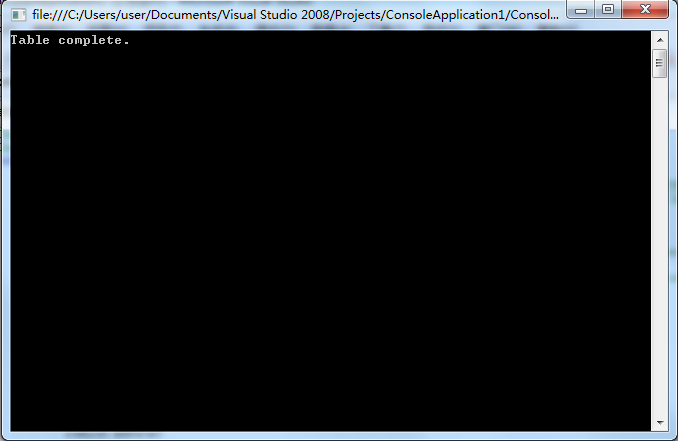
         System.Console.WriteLine("Table complete.")

         System.Console.ReadLine()

         theApplication.Quit(False)

     End Sub

 End Module
控制台程序读取WIKI形式的TXT文件并一表格的形式显示在Word中的更多相关文章
- C# 读取大文件 (可以读取3GB大小的txt文件)
原文:C# 读取大文件 (可以读取3GB大小的txt文件) 在处理大数据时,有可能 会碰到 超过3GB大小的文件,如果通过 记事本 或 NotePad++去打开它,会报错,读不到任何文件. 如果你只是 ...
- 控制台程序读取Excel设置角色权限
摘要: 本人微信公众号:微软动态CRM专家罗勇 ,回复283或者20181118可方便获取本文,同时可以在第一间得到我发布的最新博文信息,follow me!我的网站是 www.luoyong.me ...
- Net Core 控制台程序使用Nlog 输出到log文件
using CoreImportDataApp.Common; using Microsoft.Extensions.Configuration; using Microsoft.Extensions ...
- C语言重定向输入:txt文件内容是中文,重定向输入显示乱码的原因
一.txt文件中的内容是中文,重定向输入显示乱码原因: 是因为文本文件的编码和和编译器的不一致导致的.我文本文件用的编码是UTF-8,而编译器是ANSI,不匹配,所以输出乱码.文本另存为时把编码改为A ...
- C#控制台程序读取项目中文件路径
//使用appdomain获取当前应用程序集的执行目录 string dir = AppDomain.CurrentDomain.BaseDirectory; //使用path获取当前应用程序集的执行 ...
- springboot 控制台程序读取配置文件(原创)
首先新建一个springboot项目,此处省略. 1.新建一个application.properties person.name=kevin person.age=6 person.sex=male ...
- C# 调用控制台程序,并获取输出写入文件
using System; using System.Collections.Generic; using System.Linq; using System.Text; using System.I ...
- windows下控制台程序更改图标和加载资源文件
1.在空项目的Resouce FIles中右击创建一个新的.rc文件. 2.选中这个.rc文件右击在界面中选择导入icon 3.选中icon,将icon的ID更改为IDC_MAINFRAME. 4.重 ...
- 利用Python读取文件名并生成txt文件——以图片文件为例
效果如下: 代码: import os class ReadImageName(): def __init__(self): self.path = '.' def readname(self): f ...
随机推荐
- Robot framework--内置库xml学习(一)
Using lxml By default this library uses Python's standard ElementTree module for parsing XML, but it ...
- redis,memcache二者的区别是?(优缺点)
Memcache和Redis区别: Redis中,并不是所有的数据都一直存储在内存中的,这是和Memcache相比一个最大的区别. Redis在很多方面具备数据库的特征,或者说就是一个数据库系统,而M ...
- hbase知识
HBASE是一个高可靠性.高性能.面向列.可伸缩的分布式存储系统 HBASE的目标是存储并处理大型的数据,更具体来说是仅需使用普通的硬件配置,就能够处理由成千上万的行和列所组成的大型数据. HBASE ...
- RabbitMQ、Redis、Memcache
Memcached Memcached 是一个高性能的分布式内存对象缓存系统,用于动态Web应用以减轻数据库负载.它通过在内存中缓存数据和对象来减少读取数据库的次数,从而提高动态.数据库驱动网站的速度 ...
- php网站多语言
1.获取语言的函数: $lang = substr($_SERVER['HTTP_ACCEPT_LANGUAGE'], 0, 4); //只取前4位,这样只判断最优先的语言.如果取前5位,可能出现en ...
- 安卓——implements——OnClickListener
//实现底部的按钮激活监听 设置不同src class click implements OnClickListener{ @Override public void onClick(View v) ...
- python 日期操作【转】
SQLite中的时间日期函数这是我学习SQLite时做的笔记,参考并翻译了Chris Newman写的<SQLite>中的<Working with Dates and Times& ...
- 9. Palindrome Number(回文数)C++
将int转换为string,注意for循环判断条件的简化 class Solution { public: bool isPalindrome(int x) { ) return false; str ...
- svn中的ignore
首先,svn GUI菜单右键的ignore功能,写的模模糊糊,网上也没啥人给出清晰的解释,stackoverflow推荐用命令行控制 SVN有3中方法配置ignore 1.配置文件 C:\Users\ ...
- Oracle 11.2.0.4.0 Dataguard部署和日常维护(3)-Datauard监控篇
1. v$database 查看当前数据库的角色和保护模式 primary库查看 column NAME format a10 column PROTECTION_MODE format a2 ...