
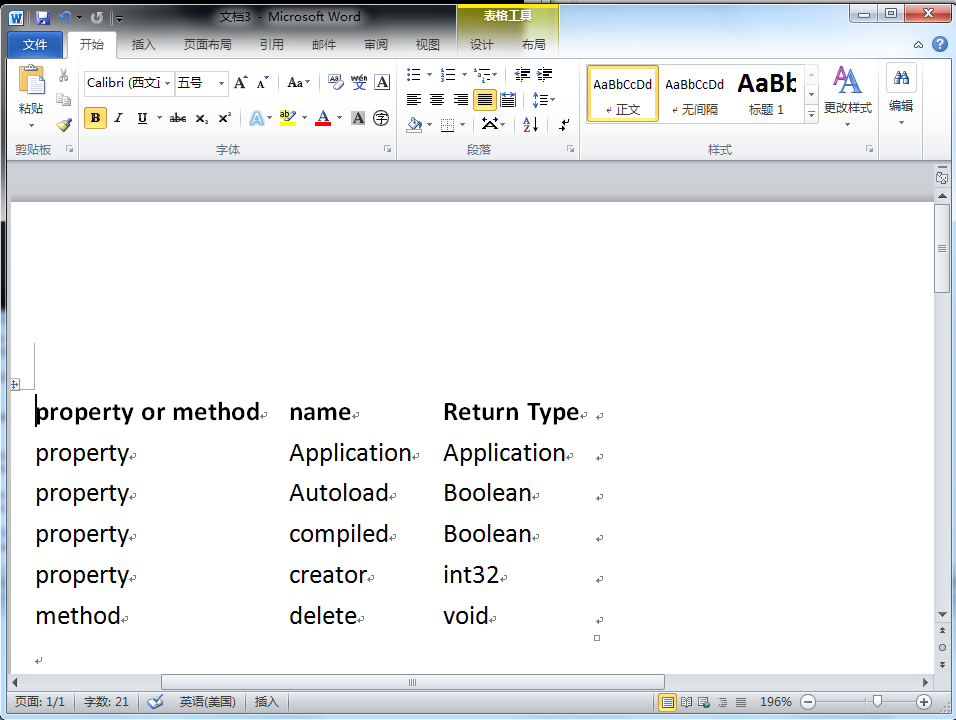
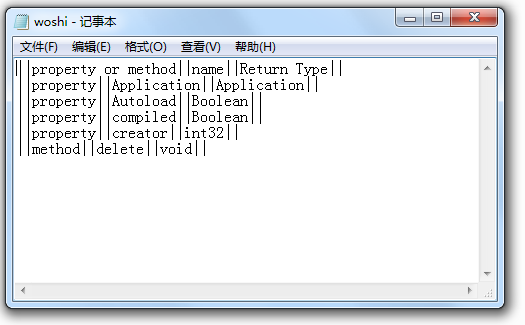
控制台程序读取WIKI形式的TXT文件并一表格的形式显示在Word中
 'Imports System.Collections.Generic

 'Imports System.Text

 'Imports System.IO

 'Imports office = Microsoft.Office.Core

 'Imports word = Microsoft.Office.Interop.Word

 Module Module1

     Sub Main(ByVal args As String()) '这里的参数args是字符串数组,传递的是\bin\Debug\中的文本文件,可以传递多个文件

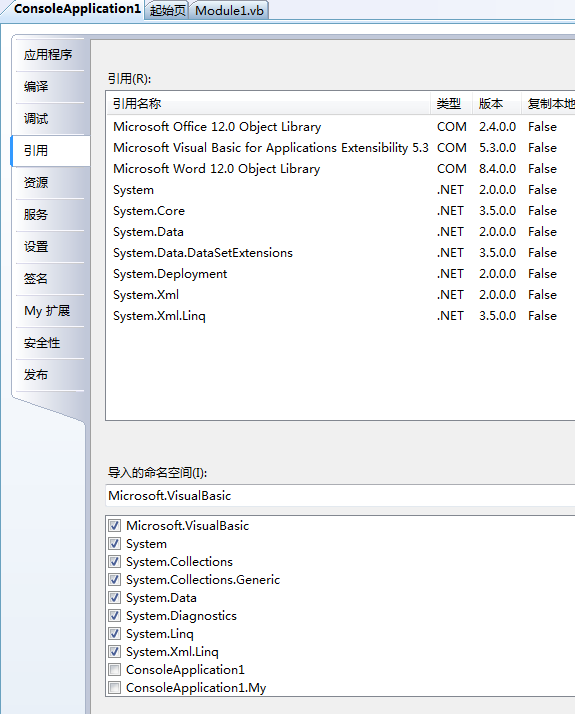
         Dim theApplication As New Microsoft.Office.Interop.Word.Application  '添加引用COM的“Microsoft Word 12.0 Object Library”

         theApplication.Visible = True

         Dim theDocument As Microsoft.Office.Interop.Word.Document

         theDocument = theApplication.Documents.Add()

         Dim reader As System.IO.TextReader          '添加引用COM的“Microsoft Visual Basic for Applications Extensibility 5.3”

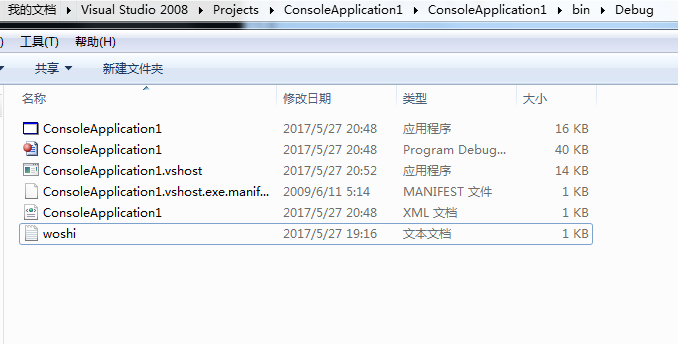
         reader = New System.IO.StreamReader("woshi.txt")  '原语句是reader = New System.IO.StreamReader(args(0))

         'C:\Users\user\Documents\Visual Studio 2008\Projects\ConsoleApplication1\ConsoleApplication1\bin\Debug\woshi.txt

         Dim separators() As String

         separators() = "||"

         Dim rowCount As Integer =

         Dim columnCount As Integer =

         Dim rowList As New System.Collections.Generic.List(Of String)

         Dim row As String = reader.ReadLine()

         While row IsNot Nothing

             rowCount +=

             rowList.Add(row)

             If rowCount =  Then

                 Dim splitHeaderRow As String() = row.Split(separators, StringSplitOptions.None)

                 columnCount = splitHeaderRow.Length -

             End If

             row = reader.ReadLine()

         End While

         Dim range As Microsoft.Office.Interop.Word.Range = theDocument.Range()

         Dim table As Microsoft.Office.Interop.Word.Table = range.Tables.Add(range, rowCount, columnCount)

         Dim columnindex As Integer =

         Dim rowindex As Integer =

         For Each r As String In rowList

             Dim splitrow As String() = r.Split(separators, StringSplitOptions.None)

             For columnindex =  To columnCount

                 Dim cell As Microsoft.Office.Interop.Word.Cell = table.Cell(rowindex, columnindex)

                 cell.Range.Text = splitrow(columnindex)

             Next

             rowindex +=

         Next

         table.Rows().Range.Bold =

         table.AutoFitBehavior(Microsoft.Office.Interop.Word.WdAutoFitBehavior.wdAutoFitContent)

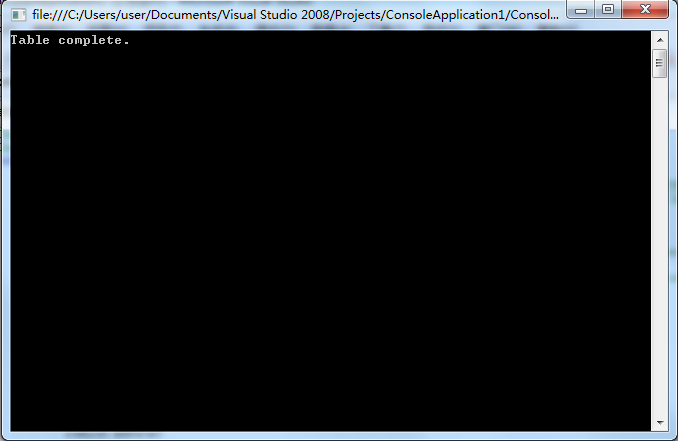
         System.Console.WriteLine("Table complete.")

         System.Console.ReadLine()

         theApplication.Quit(False)

     End Sub

 End Module
控制台程序读取WIKI形式的TXT文件并一表格的形式显示在Word中的更多相关文章
- C# 读取大文件 (可以读取3GB大小的txt文件)
原文:C# 读取大文件 (可以读取3GB大小的txt文件) 在处理大数据时,有可能 会碰到 超过3GB大小的文件,如果通过 记事本 或 NotePad++去打开它,会报错,读不到任何文件. 如果你只是 ...
- 控制台程序读取Excel设置角色权限
摘要: 本人微信公众号:微软动态CRM专家罗勇 ,回复283或者20181118可方便获取本文,同时可以在第一间得到我发布的最新博文信息,follow me!我的网站是 www.luoyong.me ...
- Net Core 控制台程序使用Nlog 输出到log文件
using CoreImportDataApp.Common; using Microsoft.Extensions.Configuration; using Microsoft.Extensions ...
- C语言重定向输入:txt文件内容是中文,重定向输入显示乱码的原因
一.txt文件中的内容是中文,重定向输入显示乱码原因: 是因为文本文件的编码和和编译器的不一致导致的.我文本文件用的编码是UTF-8,而编译器是ANSI,不匹配,所以输出乱码.文本另存为时把编码改为A ...
- C#控制台程序读取项目中文件路径
//使用appdomain获取当前应用程序集的执行目录 string dir = AppDomain.CurrentDomain.BaseDirectory; //使用path获取当前应用程序集的执行 ...
- springboot 控制台程序读取配置文件(原创)
首先新建一个springboot项目,此处省略. 1.新建一个application.properties person.name=kevin person.age=6 person.sex=male ...
- C# 调用控制台程序,并获取输出写入文件
using System; using System.Collections.Generic; using System.Linq; using System.Text; using System.I ...
- windows下控制台程序更改图标和加载资源文件
1.在空项目的Resouce FIles中右击创建一个新的.rc文件. 2.选中这个.rc文件右击在界面中选择导入icon 3.选中icon,将icon的ID更改为IDC_MAINFRAME. 4.重 ...
- 利用Python读取文件名并生成txt文件——以图片文件为例
效果如下: 代码: import os class ReadImageName(): def __init__(self): self.path = '.' def readname(self): f ...
随机推荐
- json包
1.官网下载 2.pom文件下载: <dependency> <groupId>net.sf.json-lib</groupId> <artifactId&g ...
- 用 EasyUEFI 在 Win8/10 中硬盘安装 Ubuntu16.04图文教程
用 EasyUEFI 在 Win8/10 中硬盘安装 Ubuntu 作者:TeliuTe 来源:基础教程网 1.准备Ubuntu安装文件 1)下载带amd的64位 Ubuntu 桌面版光盘镜像文件,如 ...
- Arduino 开关控制小灯持续亮之具体思路
Arduino 开关控制小灯持续亮之具体思路 为什么写这篇文章: 我们用开关控制灯的亮灭的时候,希望只需要按一下按键就可以做到灯一直亮着.而在<Arduino魔法书>中——有弹性的按键这一 ...
- numpy---one
import numpy as np #创建数组(给array函数传递Python序列对象) a = np.array([1,2,3,4,5]) b = np.array((1,2,3,4,5,6)) ...
- Post四种Content-Type
application/x-www-form-urlencoded 这应该是最常见的 POST 提交数据的方式了.浏览器的原生 form 表单,如果不设置 enctype 属性,那么最终就会以 app ...
- salt相关
salt安装 https://docs.saltstack.com/en/latest/topics/installation/index.html#quick-install salt远程 ...
- stark组件base.html
stark 组件基础页面base.html 文件 base.html 1. base.html 页面是 : stark组件增,删,改,查页面的公共部分,如头部导航栏,左侧的用户权限列表栏等. 2. b ...
- ddt 实例
from :https://blog.csdn.net/wushuai150831/article/details/78453549
- ccf碰撞的小球
之前的代码有人运行不成功,自己又看了一下是输入变量顺序输入错了,现在是正确答案- #include<stdio.h> struct node{ int x; int dir; }; int ...
- Highcharts 配置选项详细说明
Highcharts 配置选项详细说明 Highcharts 提供大量的配置选项参数,您可以轻松定制符合用户要求的图表,本章节为大家详细介绍Highcharts 配置选项使用说明: 参数配置(属性+事 ...