
XtraEditors一、总体介绍
一、所有编辑器的公共功能
- 全部都可以绑定数据;
- 全部都可以独立使用或用于由 Developer Express 提供的容器控件 (XtraGrid、XtraVerticalGrid、XtraTreeList 和 XtraBars) 内的内置编辑;
- 全部都使用相同的样式、外观与感觉、以及工具提示机制,因为它们都派生于 BaseEdit 类。
要把某个特定的编辑器嵌入到容器控件中,则必须创建一个相应的 Repository 项。 Repository 项是一个组件,存储了属于某个对应编辑器的属性和事件。 容器控件使用由 repository 项提供的信息,来创建所需的全功能编辑器。
二、编辑器列表


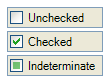

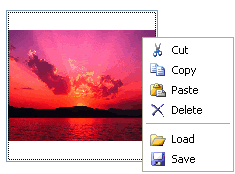
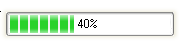
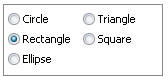


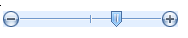
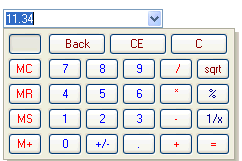
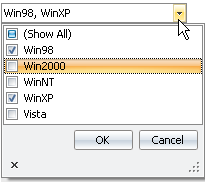
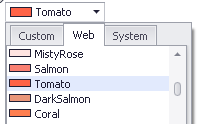
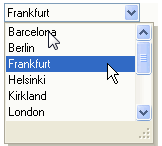
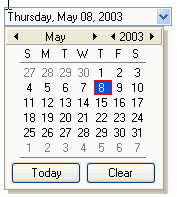
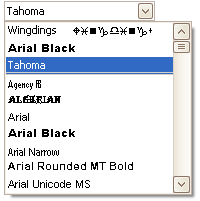
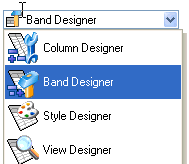
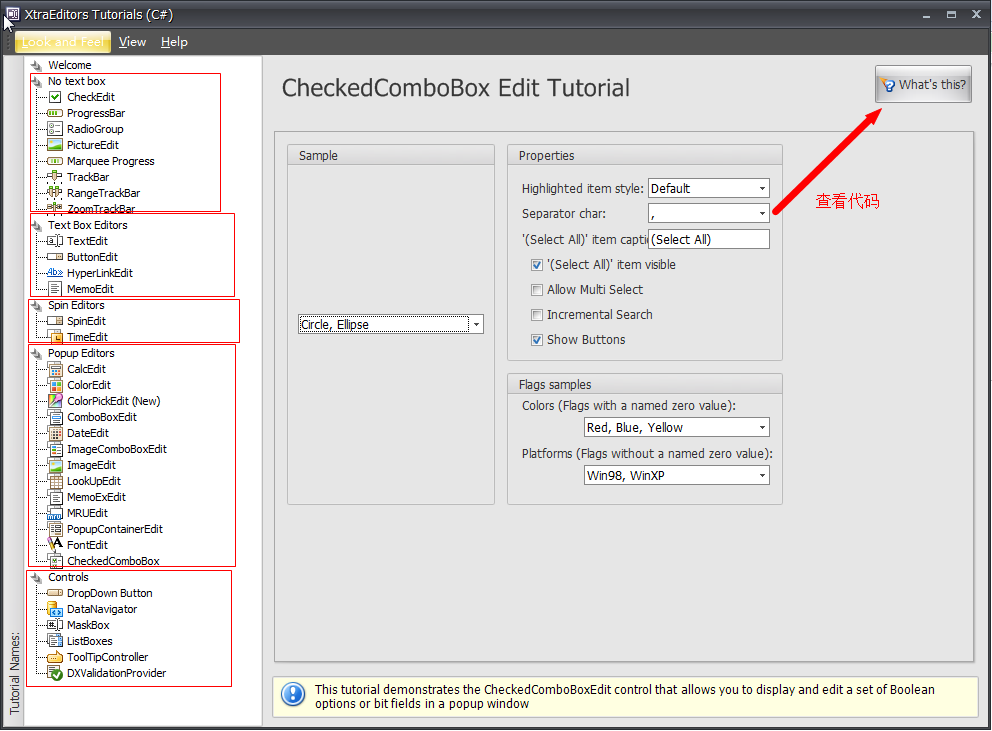
三、控件的演示代码:
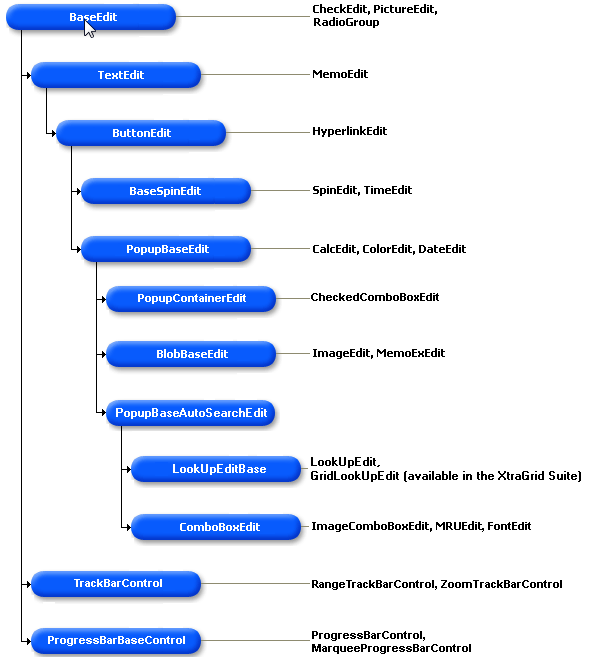
四、编辑器的层次结构
- BaseEdit 的直属子类 (不包括 TextEdit 编辑器)。
该组中的每个编辑器都有自己的功能,并且没有与其他编辑器相同的功能。 - TextEdit 类及其直属子 MemoEdit 编辑器。
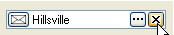
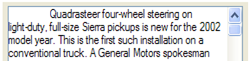
这些编辑器分别显示一个支持单行或多行文本编辑的文本框。 请参阅 文本编辑概述 主题,来获得关于这些编辑器及其子类的特定功能的细节。 - ButtonEdit 类及其直属子 HyperLinkEdit 编辑器。
除了继承的功能之外,这些编辑器还可以显示编辑器按钮。 请参阅 编辑器按钮概述 和 编辑器按钮快捷键 主题,来获得关于定制编辑器按钮的其他信息。 - BaseSpinEdit 类的直属子类 —— SpinEdit 和 TimeEdit 控件。
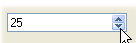
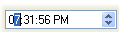
除了继承的功能之外,这些编辑器还允许最终用户使用微调按钮来修改取值。 请参阅 微调按钮 主题,来获得其他信息。 - PopupBaseEdit 类的子类。
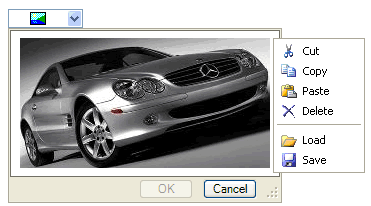
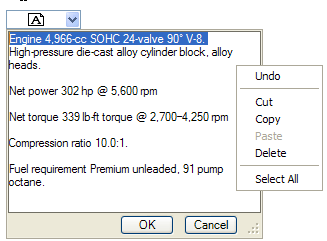
除了继承的功能之外,这些编辑器还可以显示弹出窗口,并且允许控制其可用性、可视性和弹出窗口功能的其他外观。 请参阅 下拉编辑器概述 主题来学习更多内容。 - BlobBaseEdit 类的子类 —— ImageEdit 和 MemoExEdit 控件。
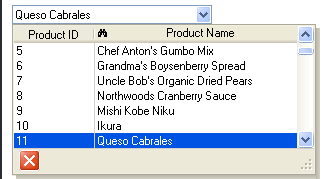
除了继承的功能之外,这些编辑器还提供了使用其弹出窗口编辑 BLOB 数据的功能。 请参阅 BLOB 编辑器 主题,来获得其他信息。 - LookUpEditBase 类的子类实现了查找功能。 该类有两个子类: LookUpEdit 和 GridLookUpEdit 编辑器。
GridLookUpEdit 控件使用一个内嵌 XtraGrid 控件实现了查找功能。 此控件由 XtraGrid 套件提供,并且不包括在 XtraEditors 库中。
要获得更多关于查找功能的信息,请参阅 LookUpEdit 主题。 - ComboBoxEdit 类及其子类 (ImageComboBoxEdit、MRUEdit 和 FontEdit)。
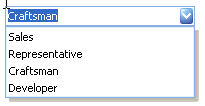
这些编辑器允许最终用户从下拉列表中选取某项取值。 请参阅 组合框编辑器 主题,来获知细节。 - TrackBarControl 类及其子类 (RangeTrackBarControl 和 ZoomTrackBarControl)
呈现滑动栏 —— 显示一个或两个滑动块的控件,允许最终用户选取某个取值或某个取值范围。 - ProgressBarBaseControl 的子类 —— ProgressBarControl 和 MarqueeProgressBarControl。
这些控件适用于指示漫长操作的进度。
BaseEdit
BaseCheckEdit
PictureEdit
ProgressBarBaseControl
RadioGroup
RatingControl
SparklineEdit
TextEdit
TokenEdit
TrackBarControl
TextEdit
MemoEdit
ButtonEdit
HyperLinkEdit
PopupBaseEdit
BaseSpinEdit
SpinEdit
TimeEdit
BlobBaseEdit
ImageEdit
MemoExEdit
CalcEdit
ColorEdit
DateEdit
PopupBaseAutoSearchEdit
ComboBoxEdit
LookUpEditBase
LookUpEdit
TreeListLookUpEdit
GridLookUpEditBase
GridLookUpEdit
SearchLookUpEdit
PopupContainerEdit
CheckedComboBoxEdit
ResourcesPopupCheckedListBoxControl
PopupGalleryEdit
五、与.net基本的控件比较
1. 命名空间(NameSpace)
.net基本控件的类都在System.Windows.Forms的命名空间下,DevExpress的控件类在DevExpress命名空间下
2. 可以代替.net的控件
DevExpress的大部分控件都已可以代替.net的基本控件。如:
- 按钮:
System.Windows.Forms.Button -> DevExpress.XtraEditors.SimpleButton - 文本框:
System.Windows.Forms.TextBox -> DevExpress.XtraEditors.TextEdit - 复选框
System.Windows.Forms.CheckBox -> DevExpress.XtraEditors.CheckEdit - 下拉框:
System.Windows.Forms.ComboBox -> DevExpress.XtraEditors.ComboBoxEdit - 日 期:
System.Windows.Forms.DateTimePicker -> DevExpress.XtraEditors.DateEdit / DevExpress.XtraEditors.TimeEdit
这里就不一一列举了,认真看看,相信一定找出很多可以替代的控件
六、几个比较重要、常用的属性
1:EditValue
DevExpress.XtraEditors.*Edit 的控件都不可少的一个EditValue属性。
如:DevExpress.XtraEditors.*Edit
通常,EditValue会跟Text的值是一样的。
只是EditValue的类型为Object,
而Text的属性为String,
也就是EditValue通常可以代替Text属性。
2. Enable 和 Visable
是否禁用和是否可见
3. Properties
设置控件一些特征
例如 是否只读:
textEdit.Properties.ReadOnly = true;
不允许获得焦点
textEdit.Properties.AllowFocused = false;
禁止空值输入
textEdit.Properties.AllowNullInput = false;
// 当这个属性应用在TimeEdit中,它的清除按钮,将会禁用(灰掉)
禁止编辑器输入
comboBoxEdit.Properties.TextEditStyle = DevExpress.XtraEditors.Controls.TextEditStyles.DisableTextEditor;// 只选模式,不能输入文本
4. Appearance 设置风格。
Dexpress把所有设置控件风格的特性都放到Appearance属性下。
例:
//前景色
simpleButton.Appearance.ForeColor = Color.Red;
//背景色
simpleButton.Appearance.BackColor = Color.Red;
Appearance.TextOptions 文本对齐操作
// 居中对齐
simpleButton.Appearance.TextOptions.HAlignment = DevExpress.Utils.HorzAlignment.Center;
// 自动换行。当控件的宽度容不下文本的长度,会自动换行。
simpleButton.Appearance.TextOptions.WordWrap = DevExpress.Utils.WordWrap.Wrap;
注意:
在某些控件中, Properties属性下才有Apperarance
DevExpress.XtraEditors.TextEdit textEdit = …;
textEdit.Properties.Appearance.ForeColor = Color.Red;
七. 几个常用的控件
1:LookUpEdit
用强大的LookUpEdit代替ComboBox
- ComboBox不支持数据绑定
- 由于DevExpress的ComboBox天生存在数据绑定缺陷,
所以有时我们要做数据绑定这种杀鸡小事时,不得不使用牛刀LooUpEdit。
如下代码,可用实现一个ComboBox:
// 禁止文本输入

this.lookUpEdit1.Properties.TextEditStyle = DevExpress.XtraEditors.Controls.TextEditStyles.DisableTextEditor;

// 默认为null的显示

this.lookUpEdit1.Properties.NullText = "[请选择类别]";

// 加入一个显示列

this.lookUpEdit1.Properties.Columns.Add(new DevExpress.XtraEditors.Controls.LookUpColumnInfo("Name"));

// 不显示页眉(包括列头)

this.lookUpEdit1.Properties.ShowHeader = false;

// 不显示页脚(包括关闭按钮)

this.lookUpEdit1.Properties.ShowFooter = false;

// 要显示的字段,Text获得

this.lookUpEdit1.Properties.DisplayMember = "Name";

// 实际值的字段,EditValue获得

this.lookUpEdit1.Properties.ValueMember = "Value";

// 数据绑定

ICollection list = Global.ClassCategoryList;

// 绑定数据

this.lookUpEdit1.Properties.DataSource = list;

// 设置行数(根据这个自动设置高度)

this.lookUpEdit1.Properties.DropDownRows = list.Count;
2. GridControl
GridControl可以代替.net的System.Windows.Forms.DataGrid控件。
GirdControl只是一个容器控件,必须要求GridView视图作为它的子控件。
GridControl可以包含多个视图,可以实现视图的切换。
每个GridView视图必须包含列(Column)
GridControl支持层级视图
GridControl 经常设置的属性
使用导航器
this.gridControl1.UseEmbeddedNavigator = true;

this.gridControl1.EmbeddedNavigator.Buttons.Append.Visible = false;

this.gridControl1.EmbeddedNavigator.Buttons.CancelEdit.Visible = false;

this.gridControl1.EmbeddedNavigator.Buttons.Edit.Visible = false;

this.gridControl1.EmbeddedNavigator.Buttons.EndEdit.Visible = false;

this.gridControl1.EmbeddedNavigator.Buttons.Remove.Visible = false;

this.gridControl1.EmbeddedNavigator.Buttons.First.Visible = true;

this.gridControl1.EmbeddedNavigator.Buttons.Last.Visible = true;

this.gridControl1.EmbeddedNavigator.Buttons.Next.Visible = true;

this.gridControl1.EmbeddedNavigator.Buttons.NextPage.Visible = true;

this.gridControl1.EmbeddedNavigator.Buttons.Prev.Visible = true;

this.gridControl1.EmbeddedNavigator.Buttons.PrevPage.Visible = true;
GridView 经常设置的属性
// 禁止编辑

this.gridView1.OptionsBehavior.Editable = false;

// 不允许使用过滤

this.gridView1.OptionsCustomization.AllowFilter = false;

// 不允许使用排序

this.gridView1.OptionsCustomization.AllowSort = false;

// 不显示组面板

this.gridView1.OptionsView.ShowGroupPanel = false;

// 如果宽度溢出,自动出现滚动条

this.gridView1.OptionsView.ColumnAutoWidth =true;

// 禁止单元格获得焦点

this.gridView1.OptionsSelection.EnableAppearanceFocusedCell = false;

// 选择的行背景透明

this.gridView1.Appearance.SelectedRow.BackColor = Color.Transparent;
事件
//订阅行焦点改变事件

this.gridView1.FocusedRowChanged += new DevExpress.XtraGrid.Views.Base.FocusedRowChangedEventHandler(this.gridView1_FocusedRowChanged);

//验证编辑器(单元格)值输入

this.gridView1.ValidatingEditor += new DevExpress.XtraEditors.Controls.BaseContainerValidateEditorEventHandler(this.gridView1_ValidatingEditor);

private void gridView1_ValidatingEditor(object sender, DevExpress.XtraEditors.Controls.BaseContainerValidateEditorEventArgs e)

{

 if (gridView1.FocusedColumn == col产品名称)

 {

     if (string.IsNullOrEmpty(e.Value as string)) {

         e.ErrorText = "产品名称不能为空";

         e.Valid = false;

     }

 }

}
//订阅设置行风格事件

this.gridView1.RowStyle += new DevExpress.XtraGrid.Views.Grid.RowStyleEventHandler(this.gridView1_RowStyle);

private void gridView1_RowStyle(object sender, DevExpress.XtraGrid.Views.Grid.RowStyleEventArgs e)

{

 object value = gridView1.GetRowCellValue(e.RowHandle, "中止");

 if (value!=null&&(bool)value) {

 e.Appearance.ForeColor = Color.Red;

 }

}

this.gridView1.CustomColumnDisplayText += new DevExpress.XtraGrid.Views.Base.CustomColumnDisplayTextEventHandler(this.gridView1_CustomColumnDisplayText);

private DataTable _CategoryList;

public DataTable CategoryList {

 get {

 if (_CategoryList == null) {

 _CategoryList=GetData("select * from 产品类别");

 DataColumn pk = _CategoryList.Columns["类别ID"];

 _CategoryList.PrimaryKey = new DataColumn[] {pk};

 }

 return _CategoryList;

 }

}

private void gridView1_CustomColumnDisplayText(object sender, DevExpress.XtraGrid.Views.Base.CustomColumnDisplayTextEventArgs e)

{

 if (e.Column.Name == "col类别ID") {

 e.DisplayText = CategoryList.Rows.Find(e.Value)["类别名称"] as string;

 }

}

// 行单元格对齐

this.gridView1.RowCellDefaultAlignment += new DevExpress.XtraGrid.Views.Base.RowCellAlignmentEventHandler(this.gridView1_RowCellDefaultAlignment);

private void gridView1_RowCellDefaultAlignment(object sender, DevExpress.XtraGrid.Views.Base.RowCellAlignmentEventArgs e)

{

 e.HorzAlignment = DevExpress.Utils.HorzAlignment.Near;

}
3. 界面操作
3.1 根据条件操作行或列风格
3.2 添加RepositoryItem(内嵌元素In-place EditorRepository)
3.3 列汇总
首先,设置this.gridView1.OptionsView.ShowFooter = true;
this.col库存量.SummaryItem.DisplayFormat = “总量:{0}”;
// 六种:Sum,Average,Count,Max,Min,Custom
col单位数量.SummaryItem.SummaryType = DevExpress.Data.SummaryItemType.Sum;
XtraEditors一、总体介绍的更多相关文章
- ABP(现代ASP.NET样板开发框架)系列之1、ABP总体介绍
点这里进入ABP系列文章总目录 基于DDD的现代ASP.NET开发框架--ABP系列之1.ABP总体介绍 ABP是“ASP.NET Boilerplate Project (ASP.NET样板项目)” ...
- 基于MVC4+EasyUI的Web开发框架形成之旅--总体介绍
最近花了很多时间在重构和进一步提炼Winform开发框架的工作上,加上时不时有一些项目的开发工作,我博客里面介绍Web开发框架的文章比较少,其实以前在单位工作,80%的时间是做Web开发的,很早就形成 ...
- TMS320C54x系列DSP的CPU与外设——第2章 TMS320C54x DSP体系结构总体介绍
第2章 TMS320C54x DSP体系结构总体介绍 本章介绍TMS320C54x DSP体系结构的概况,包括中央处理单元(CPU).存在器和片内外设. C54x DSP采用了高级的改进哈佛结构,用8 ...
- 飞达资讯App总体介绍及关系架构图
飞达资讯App总体介绍: 下图为飞达资讯App的关系架构图: 该App关系架构图所需的图片云盘链接地址:http://pan.baidu.com/s/1gfHIe4b 提取密码:x1nr 该App的云 ...
- 基于WebForm+EasyUI的业务管理系统形成之旅 -- 总体介绍
一.系统总体介绍 企业业务管理系统是针对经营企业管理而开发的专业管理软件, 是以“精细管理.过程监控”为设计理念,全面满足企业的信息化管理需求,充分发挥专业.平台.灵活等优点. 集进销存.财务.CRM ...
- EQueue - 一个C#写的开源分布式消息队列的总体介绍(转)
源: EQueue - 一个C#写的开源分布式消息队列的总体介绍 EQueue - 一个纯C#写的分布式消息队列介绍2 EQueue - 详细谈一下消息持久化以及消息堆积的设计
- AngularJs学习笔记1——总体介绍
这周末在家呆了两天,正好中午闲暇时间继续分享Angularjs相关,今天主要分享Angularjs总体介绍及数据绑定部分内容,下面直接进入主题. 1.基本概念: AngularJS是为了克服HTML在 ...
- [转帖]Kubernetes及容器编排的总体介绍【译】
Kubernetes及容器编排的总体介绍[译] 翻译自The New Stack<Kubernetes 生态环境>作者:JANAKIRAM MSV和 KRISHNAN SUBRAMANIA ...
- 基于DDD的现代ASP.NET开发框架--ABP系列之1、ABP总体介绍
点这里进入ABP系列文章总目录 基于DDD的现代ASP.NET开发框架--ABP系列之1.ABP总体介绍 ABP是“ASP.NET Boilerplate Project (ASP.NET样板项目)” ...
- 1.bash总体介绍
1.总体介绍1.1 什么是Bash?Bash(Borune-Again SHell)是一个用于Linux操作系统的shell,即命令解释器Bash与sh兼容,并从ksh和csh引进了一些有用的功能,在 ...
随机推荐
- c#中引用类型作为值参数和引用参数问题
一.分类 C#的值类型包括:结构体(数值类型,bool型,用户定义的结构体),枚举,可空类型. C#的引用类型包括:数组,用户定义的类.接口.委托,object,字符串. 二.参数传递 对于引用类型, ...
- 熟悉一下oncontextmenu事件的知识
定义和使用 只要点击鼠标右键,就触发oncontextmenu事件并打开上下文菜单. 需要注意的是:所有主流浏览器都支持oncontextmenu事件,但其中的contextmenu元素只有FireB ...
- MVC下拉框Html.DropDownList 和DropDownListFor 的常用方法
一.非强类型:Controller:ViewData["AreId"] = from a in Table select ...
- table <thead>表格css‘样式
<table class="table table-bordered table-hover" id=""> <thead> <t ...
- Eclipse中新建Java工程的三个JRE选项区别
整理自:https://blog.csdn.net/wdjhzw/article/details/42086615 官方解释(链接) Use default JRE: When selected, t ...
- 解决:jsp 页面不全,response 内容不完整
前言:今天 jsp 页面输出不完整这个问题困扰了我几个小时,终于发现问题并解决了. 环境: tomcat 8.0.17 x64 jsp springmvc vue 问题: 本来页面正常,但加了几行代码 ...
- php excel原理
- [js常用]百度将文字转化为语音实例
嗷嗷方便的文字转语音,不过用的时候记得到百度语音上申请key,免费的.之前在网络上看到有人写了一部分,自己丰富下,以后用也方便 <!DOCTYPE html PUBLIC "-//W3 ...
- c#+arcAE对图层进行各种渲染操作
转载:http://blog.sina.com.cn/s/blog_6023833e0100t5t0.html using System;using System.Collections.Generi ...
- LeetCode 536----Construct Binary Tree from String
536. Construct Binary Tree from String You need to construct a binary tree from a string consisting ...