
pytest 框架自动化Selenium 之yield 使用
环境
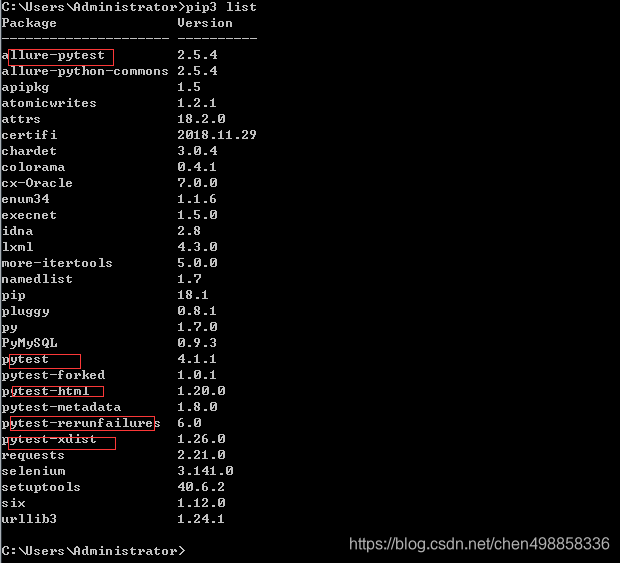
python 3.7 由于3.0-3.5以下部分pytest可能有部分兼容问题安装建议2.7-2.9,3.5-最新
pip install pytest专属 pytest框架包
pip install allure-pytest 专属allure的报告包后面会用到可以不安装这里
pip install pytest-html pytest自己专属报告包
pip install pytest-rerunfailures 失败重跑包也是pytest专属
并发的也可以安下,利用多cpu运行调高用例执行速度
python -m pip install xdist

配置
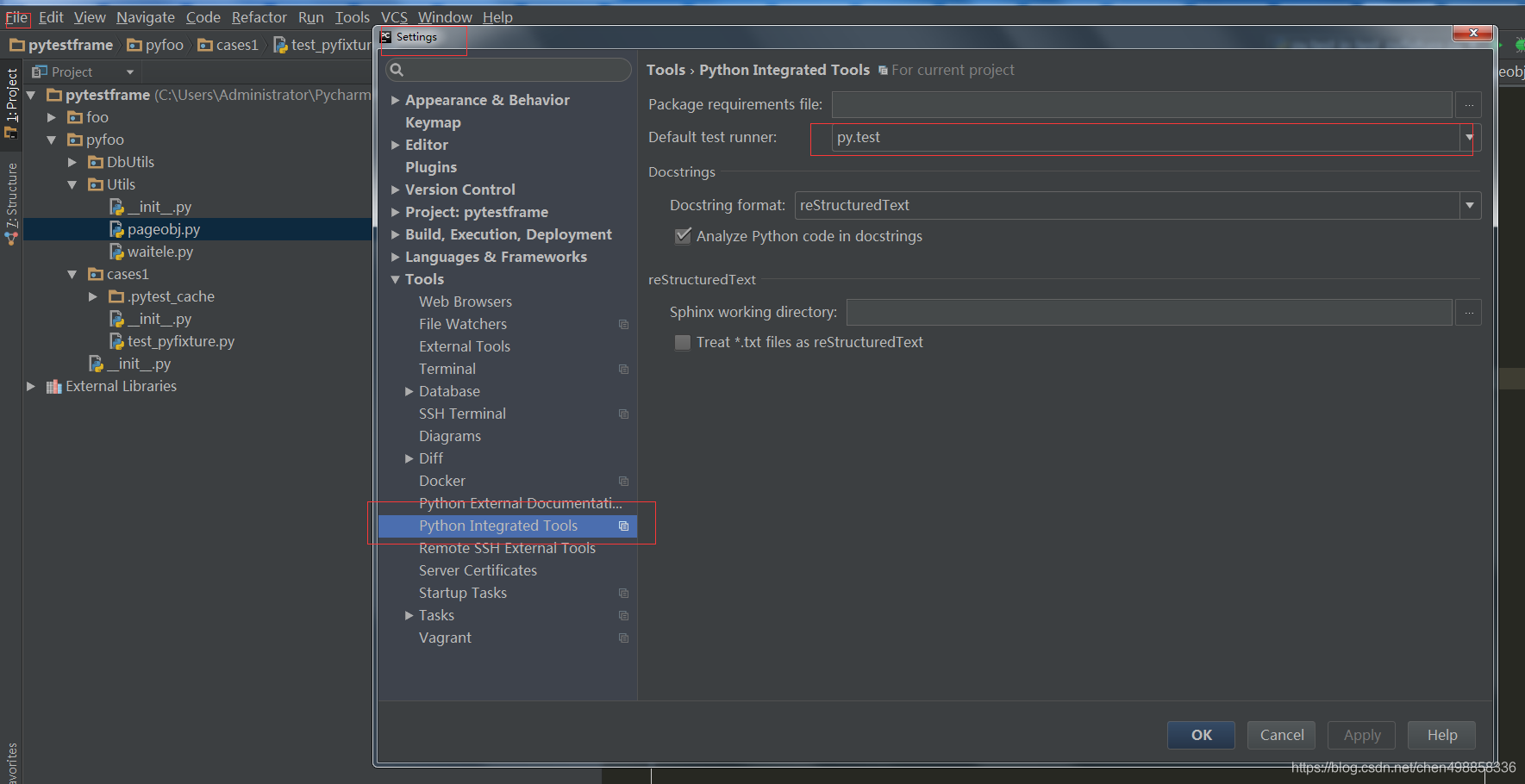
file>>setting>>tools>>Diff>>python integrated tools,选取pytest框架
2.重新封装webdriver定位方法
# coding=utf-8

"""

    @author:  ChenQuan 2019/1/20;

    @:param: rewrite old  find ways and return ele or elements ;

    @:param: Usage:  ele/elements = GetEle().ele_by_id(locator)

    @:param: driver is given by setup/fixture by yield

"""
class GetEle(object):
    def __init__(self,driver):

         self.driver=driver

    def find_element(self,*loc):
        return self.driver.find_element(*loc)

    def find_elements(self,*loc):
        return self.driver.find_elements(*loc)

    def openPage(self,url):
        self.driver.get(url)

    def getTitle(self):
        return  self.driver.current_url
3.编写pytest脚本
pytest命名规则:
包名test_开头或者以_test结尾
用例名称test_格式开头
类名称Test开头
4.脚本解释:
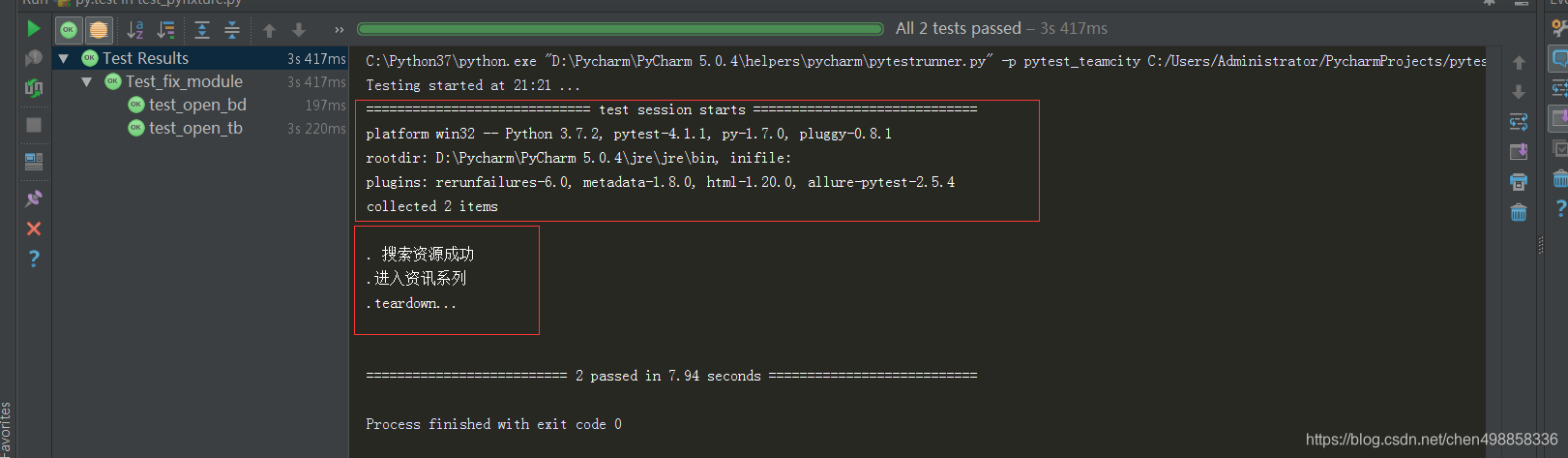
yield 作用是类似return ,在用例执行完成后会返回继续执行yield后面代码,yield将在python4.0以后删除详情见官网
# coding=utf-8

import pytest

from selenium import webdriver

from pyfoo.Utils.pageobj import GetEle

from pyfoo.Utils.pageobj import *

@pytest.fixture(scope="class")

def driver():

    url="http://www.baidu.com"

    driver= webdriver.Chrome()

    driver.get(url)

    yield driver

    driver.close()

    print("teardown...")

@pytest.mark.usefixtures("driver")

class Test_fix_module(object):

    def test_open_bd(self,driver):

        GetEle().find_element(By.IDr,'kw').send_keys("pytest")

        GetEle().find_element(By.ID,'su').click()

        print("搜索资源成功")

    def test_open_tb(self,driver):

        GetEle().find_element(By.XPATH,'//*[@id="s_tab"]/div/a[1]').click()

        print("进入资讯系列")

if __name__ == "__main__":

    pytest.main(['-v','-s','-q'])
pytest 框架自动化Selenium 之yield 使用的更多相关文章
- 自从学会了Python自动化Pytest框架,领导再也不敢在我背后指手划脚了
前言 大家都知道Python有自带的单元测试框架unittest,那为什么还要学习Pytest呢?先了解下Pytest优点 pytest: pytest是一个非常成熟的全功能的Python测试框架,是 ...
- 《Selenium+Pytest Web自动化实战》随到随学在线课程,零基础也能学!
课程介绍 课程主题:<Selenium+Pytest Web自动化实战> 适合人群: 1.功能测试转型自动化测试 2.web自动化零基础的小白 3.对python 和 selenium 有 ...
- Pytest(18)pytest接口自动化完整框架思维导图
pytest接口自动化完整框架思维导图
- python pytest接口自动化框架搭建(一)
1.首先安装pytest pip install pytest 2.编写单测用例 在pytest框架中,有如下约束: 所有的单测文件名都需要满足test_*.py格式或*_test.py格式. 在单测 ...
- requests接口自动化-pytest框架
pytest框架规则 测试文件以test_开头或者以_test结尾 测试类以Test开头,并且不能带有init方法 测试函数以test_开头 断言使用assert pytest框架运行用例 运行单个文 ...
- pytest框架使用教程
Pytest框架 一.简介 pytest:基于unittest之上的单元测试框架 有什么特点? 自动发现测试模块和测试方法 断言更加方便,assert + 表达式,例如 assert 1 == 1 灵 ...
- pytest框架的安装与使用
pytest框架的安装与使用 一,pytest了解 pytest是python的一种单元测试框架,与python自带的unittest测试框架类似,但是比unittest框架使用起来更简洁,效率更高. ...
- 『德不孤』Pytest框架 — 1、Pytest测试框架介绍
目录 1.什么是单元测试框架 2.单元测试框架主要做什么 3.单元测试框架和自动化测试框架有什么关系 4.Pytest测试框架说明 5.Pytest框架和Unittest框架区别 (1)Unittes ...
- 『德不孤』Pytest框架 — 2、Pytest的基本使用
目录 1.Pytest安装 2.Pytest常用插件 3.Pytest运行的第一个例子 4.Pytest框架的运行方式 5.在PyCharm中以Pytest的方式运行测试用例 1.Pytest安装 C ...
随机推荐
- vue.js 项目打包
vuejs是个前端框架,npm run dev的目的在于前端开发的时候可以实时调试.所以npm run dev 只是开发时期会用到,在生产环境中我们应该使用nginx,apahce tomcat等应用 ...
- 12:计算2的N次方
12:计算2的N次方 查看 提交 统计 提问 总时间限制: 1000ms 内存限制: 65536kB 描述 任意给定一个正整数N(N<=100),计算2的n次方的值. 输入 输入一个正整数N ...
- JS 中的布尔运算符 && 和 ||
布尔运算符 && 和 ||的返回结果不一定是布尔值!由此来展开一定的研究及理解. 1.首先先介绍下常见的数据类型转化为bool后的值. (常用地方)在if表达式中,javascript ...
- Spring Boot—06集成前端模板thymeleaf
Spring Boot建议使用这些模板引擎,避免使用JSP,若一定要使用JSP将无法实现Spring Boot的多种特性 pom.xml <dependency> <groupId& ...
- 风云2号云图Mosaic Dataset处理
# ---------------------------------------------------------------------------# -*- coding: utf-8 -*- ...
- 数据是ERP系统搭建的基础,但,不要让数据毁了ERP
很难想象没有数据的ERP是什么样子的.然而,实际情况又是如何的呢? 根据AMT的研究,在那些上线不成功或者上线后掉线的案例中,有高达70%的项目都有一个共同的直接原因,那就是在数据上出了问题.有的是在 ...
- Flutter Stack布局中定位的方式
前言 想要记录一下Stack布局中,定位的两种方式 代码 //……省略无关代码…… child: new Column( children: <Widget>[ new SizedBox( ...
- Pig store用法举例
store:将数据存储到HDFS等文件系统里 将数据保存到/data目录 store data into '/data'; 以逗号为分隔符 store data into '/data' usin ...
- oracle数据泵备份(Expdp命令)
Oracle备份方式主要分为数据泵导出备份.热备份与冷备份三种,今天首先来实践一下数据泵备份与还原.数据泵导出/导入属于逻辑备份,热备份与冷备份都属于物理备份.oracle10g开始推出了数据泵(ex ...
- 关于 ExpressRoute 的虚拟网络网关
虚拟网络网关用于在 Azure 虚拟网络和本地位置之间发送网络流量. 配置 ExpressRoute 连接时,必须创建并配置虚拟网络网关和虚拟网络网关连接. 创建虚拟网络网关时,需要指定几项设置. 其 ...