
[No000017F]如何监控注册表的修改

今天我们将向您展示如何使用我们最喜欢的工具之一Proc Mon,在您更改PC上的组策略设置时查看编辑的注册表项。
使用Proc Mon查看组策略对象修改的注册表设置
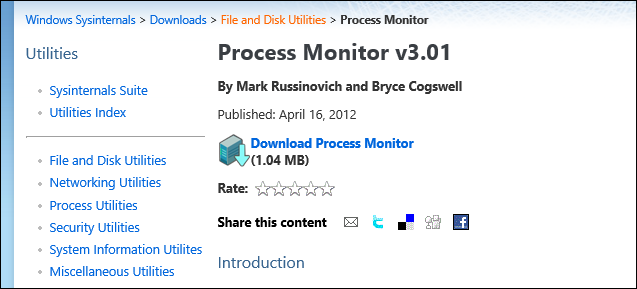
您要做的第一件事就是从Sys Internals网站获取Proc Mon的副本。
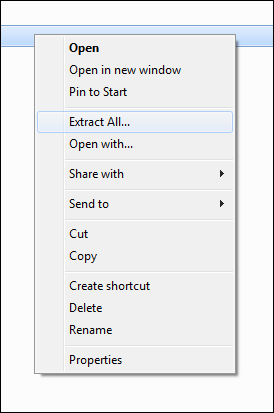
然后,您需要解压缩该文件夹并运行Procmon.exe文件。
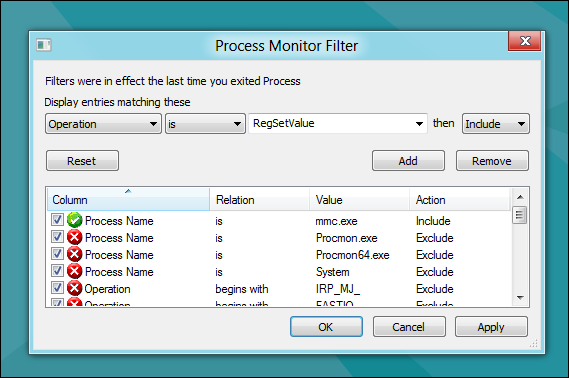
当Proc Mon打开时,您需要添加如下条件:
进程名称是mmc.exe然后包含
然后单击"添加"按钮。

要仅获取更改的注册表项,我们需要添加另一个:
操作是RegSetValue然后包括
然后再次单击"添加"按钮。
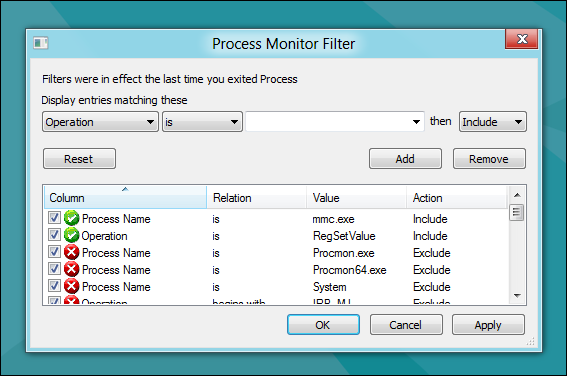
添加完两个规则后,您可以继续并单击"确定"。
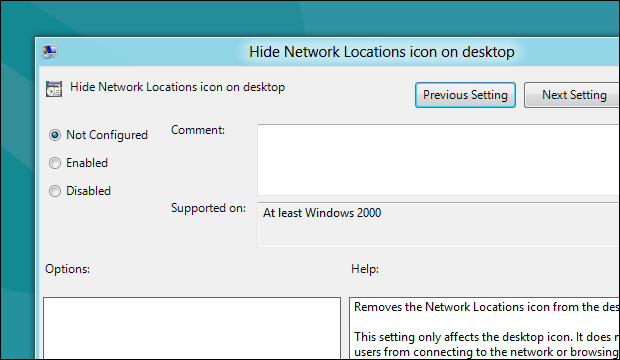
现在转到打开要编辑的组策略设置。
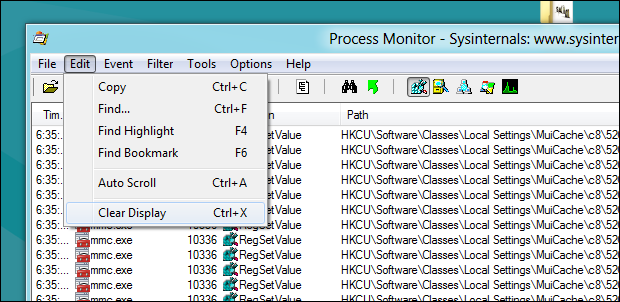
在实际更改设置之前,请切换回Proc Mon并清除日志。
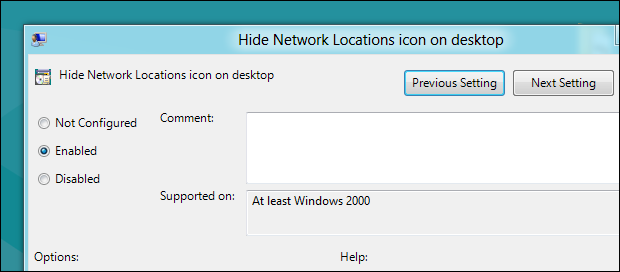
然后转到并更改GPO并单击"应用"。
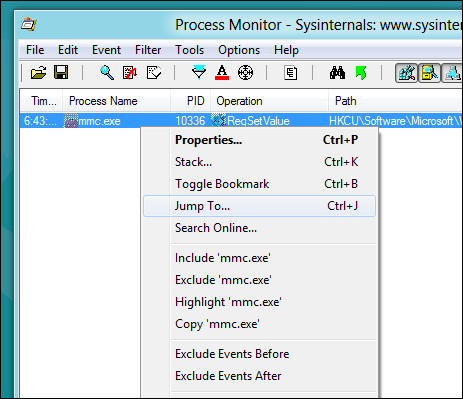
如果切换到Proc Mon,您将看到您有一个注册表项。右键单击它,然后从上下文菜单中选择Jump To ...选项。
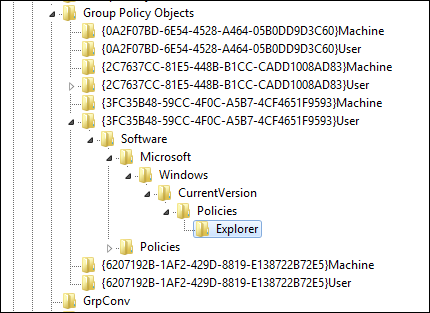
这将启动Regedit并带您到修改后的确切密钥
这就是它们的全部。
How to See Which Registry Settings a Group Policy Object Modifies
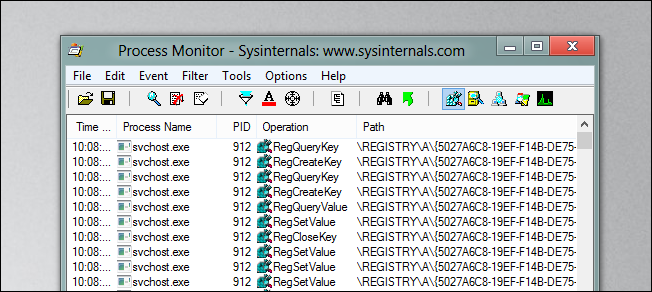
Today we are going to show you how to use one of our favorite tools, Proc Mon, to see which registry keys are edited when you change a Group Policy setting on your PC.
Using Proc Mon to See Which Registry Settings a Group Policy Object Modifies
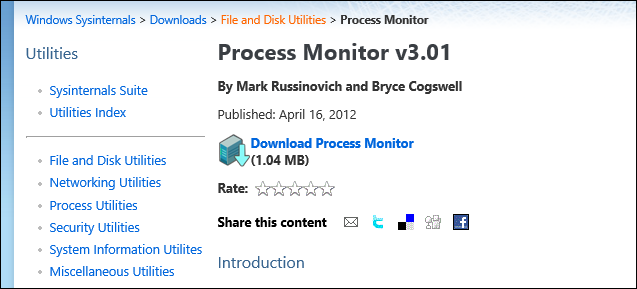
The first thing you will want to do is go and get yourself a copy of Proc Mon from the Sys Internals website.
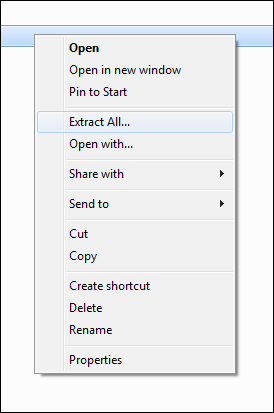
Then you will need to extract the folder and run the Procmon.exe file.
When Proc Mon opens, you will need to add a condition as follows:
Process Name is mmc.exe then Include
Then click the add button.
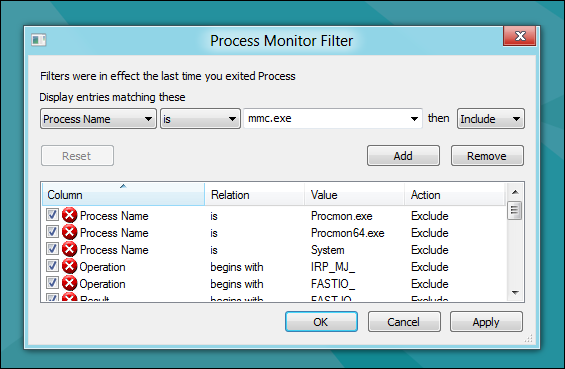
To get only the registry keys that are changed, we need add another one:
Operation is RegSetValue then Include
Then again click the add button.

Once the two rules have been added, you can go ahead and click ok.

Now go and open the Group Policy setting that you wish to edit.

Before you actually change the setting, switch back over to Proc Mon and clear the log.

Then go and change the GPO and click apply.

If you switch over to Proc Mon you will see that you have a registry key(s) there. Right-click on it and select the Jump To… option from the context menu.
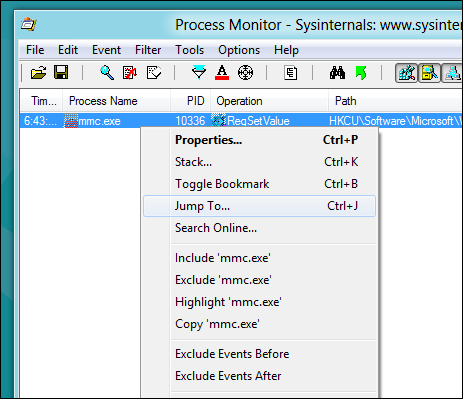
That will fire up Regedit and take you to the exact key which was modified

That's all there is to it guys.
[No000017F]如何监控注册表的修改的更多相关文章
- Win64 驱动内核编程-15.回调监控注册表
回调监控注册表 在 WIN32 平台上,监控注册表的手段通常是 SSDT HOOK.不过用 SSDT HOOK 的方式监控注册表实在是太麻烦了,要 HOOK 一大堆函数,还要处理一些 NT6 系统有而 ...
- 修改注册表来修改IE的设置---资料汇总
原文链接: http://blog.csdn.net/wangqiulin123456/article/details/17068649 附带批处理执行脚本: @echo off &title ...
- Oracle 客户端注册表字符集修改-----解决乱码 .
本地ORACLE连接创建好后,默认是GBK的字符集,如果连接服务器不是同样的GBK字符集就会出现中文乱码的问题,这种情况我们需要修改本地的字符集来和服务器匹配. 通过注册表修改 HKEY_LOCA ...
- Windows注册表中修改CMD默认路径
一.开启注册表“win键+R键”并输入regedit 二.在注册表项 HKEY_CURRENT_USER\ Software\ Microsoft\ Command Processor 新建一个项,并 ...
- Windows注册表中修改UAC(用户账号控制)及批处理脚本
注册表路径: HKEY_LOCAL_MACHINE/SOFTWARE/Microsoft/Windows/CurrentVersion/Policies/System 键说明: ConsentProm ...
- Unity中对注册表进行修改
问题背景: PC端软件开发,当我在Unity中的PlayerSetting中设置好分辨率,每次打包运行后会记忆上次退出时窗口的分辨率(记忆窗口状态),导致下次打开时不是PlayerSetting中的初 ...
- python 用win32修改注册表,修改打开IE浏览器的配置
打开注册表:win+r, regedit,注册表的管理是按照文件夹的形式的. 注册表总共有五项: HKEY_CLASSES_ROOT 是HKEY_LOCAL_MACHINE\Software的子项,保 ...
- 注册表法修改IE8安全级别的方法
最近写客户端工具修复IE浏览器的一些功能,下面是网上找到的东东 1.将当前用户IE安全级别设置为“中”: Windows Registry Editor Version 5.00 [HKEY_CURR ...
- python通过操作windows系统注册表方式修改环境变量
#coding=utf8 import os import sys from subprocess import check_call if sys.hexversion > 0x0300000 ...
随机推荐
- 认知:关于Android 调试的坑
要注意充电线和数据线的区别! 要注意充电线和数据线的区别! 要注意充电线和数据线的区别! 可以通过访问 :chrome://inspect/#devices 查看设备是否正常. 通常电脑也会有提示, ...
- tp5.0中及其常用方法的一些函数方法(自己看)和技巧(不断添加中)
1.目录结构 2.路由 3..控制器 4.模型写法 5.视图标签 6.数据库操作 7.表单验证 8.分页 --------------------------- 1.目录结构 project 应用部署 ...
- [AS3 3D Demo] Stage3D学习过程中开发的3个Demo
1.飞机大战 基于Starling开发,使用了对象池技术的Demo. 2.3D人物2D背景游戏Demo 基于Away3D开发,实现了3D资源管理.寻路和跳跃等功能. 3.全3D游戏Demo 基于Awa ...
- Openfire 单人聊天和多人聊天(发送消息、接收消息)
Openfire 单人聊天和多人聊天(发送消息.接收消息) 一.单人聊天 1)发送消息: 首先要获取一个聊天窗口,getConnection()为获取连接connection的方法,调用getFrie ...
- 学习:ups电池放电时间是怎么计算的?
例如现有20KVA的UPS一台,负载功率为8000W,电池节数为64节,容量为32AH,电池电压为12V,那么UPS电源的放电时间计算方法如下: 负载功率*放电时长=电池放电量*电池电压*逆变率 80 ...
- 范型方法 & 范型参数 & 范型返回值
Java范型类 public class FanXingClassTest { public static void main(String args[]){ Test<Integer> ...
- C# 正则表达式判断是否是数字、是否含有中文、是否是数字字母组合
//判断输入是否包含中文 不管你有没有输入英文,只要包含中文,就返回 true public static bool HasChinese(string content) { //判断是不是中文 st ...
- windows 10系统 上安装scrapy
1.python的安装(我已安装完) 2.pip的安装(我已安装) 3.安装twisted https://www.lfd.uci.edu/~gohlke/pythonlibs/#twisted 命令 ...
- 使用docker安装mysql服务
使用docker官方镜像安装mysql服务 1 拉取mysql镜像,采用网易加速地址 docker pull hub.c.163.com/library/mysql:5.7 2 重命名镜像名 dock ...
- 基于【CentOS-7+ Ambari 2.7.0 + HDP 3.0】搭建HAWQ数据仓库——安装配置OPEN-SSH,设置主机节点之间免密互访
配置root用户免密互访(为了方便,各台系统中使用统一的证书文件)一.安装Open-SSH 1,查询系统中是否安装了openssh [root@]# opm -qa |grep ssh 如已安装,则列 ...