
trinitycore 魔兽服务器源码分析(一) 网络
trinitycore是游戏服务器的开源代码 许多玩家使用魔兽的数据来进行测试 ,使用它来假设魔兽私服。
官方网址 https://www.trinitycore.org/
类似的还有mangos 和 kbengine 不过mangos使用庞大的ACE网络框架
kbengine使用自写网络库 两者均使用了多语言进行开发
作为trinitycore 主要使用c++。代码比较好读,就开启本篇这个代码阅读的坑
代码要求具备c++11的function shared_ptr 指针的相关知识
以及了解阅读过boost asio网络库的文档和示例代码的相关知识
先从网络看起
大致看了下 trinitycore使用boost asio作为网络库
大致就是这么几个代码
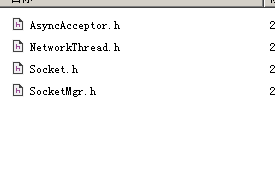
class AsyncAcceptor 顾名思义 是异步accept
构造函数 简单的初始化类中变量 无他
AsyncAcceptor(boost::asio::io_service& ioService, std::string const& bindIp, uint16 port) :
_acceptor(ioService), _endpoint(boost::asio::ip::address::from_string(bindIp), port),
_socket(ioService), _closed(false), _socketFactory(std::bind(&AsyncAcceptor::DefeaultSocketFactory, this))
{
}
void AsyncAcceptWithCallback() 函数
1 使用_socketFactory产生socket指针复制给类变量
tcp::socket* socket;
std::tie(socket, threadIndex) = _socketFactory();
2 将初始化时传入的函数指针AcceptCallback在ACCEPT时候调用
typedef void(*AcceptCallback)(tcp::socket&& newSocket, uint32 threadIndex);
acceptCallback(std::move(*socket), threadIndex);
并再次进入 AsyncAcceptWithCallback函数等待下次accept;
if (!_closed)
this->AsyncAcceptWithCallback<acceptCallback>();
bool Bind()函数将类中accpter与指定的协议绑定bind 并进行监听listen
template<class T>
void AsyncAcceptor::AsyncAccept()函数
不设置回调函数 而是将accept的socket转化为 类型T的指针 并调用T->start();
并且再次进入AsyncAccept()等待下次accept
 /*

  * Copyright (C) 2008-2017 TrinityCore <http://www.trinitycore.org/>

  *

  * This program is free software; you can redistribute it and/or modify it

  * under the terms of the GNU General Public License as published by the

  * Free Software Foundation; either version 2 of the License, or (at your

  * option) any later version.

  *

  * This program is distributed in the hope that it will be useful, but WITHOUT

  * ANY WARRANTY; without even the implied warranty of MERCHANTABILITY or

  * FITNESS FOR A PARTICULAR PURPOSE. See the GNU General Public License for

  * more details.

  *

  * You should have received a copy of the GNU General Public License along

  * with this program. If not, see <http://www.gnu.org/licenses/>.

  */

 #ifndef __ASYNCACCEPT_H_

 #define __ASYNCACCEPT_H_

 #include "Log.h"

 #include <boost/asio/ip/tcp.hpp>

 #include <boost/asio/ip/address.hpp>

 #include <functional>

 #include <atomic>

 using boost::asio::ip::tcp;

 class AsyncAcceptor

 {

 public:

     typedef void(*AcceptCallback)(tcp::socket&& newSocket, uint32 threadIndex);

     AsyncAcceptor(boost::asio::io_service& ioService, std::string const& bindIp, uint16 port) :

         _acceptor(ioService), _endpoint(boost::asio::ip::address::from_string(bindIp), port),

         _socket(ioService), _closed(false), _socketFactory(std::bind(&AsyncAcceptor::DefeaultSocketFactory, this))

     {

     }

     template<class T>

     void AsyncAccept();

     template<AcceptCallback acceptCallback>

     void AsyncAcceptWithCallback()

     {

         tcp::socket* socket;

         uint32 threadIndex;

         std::tie(socket, threadIndex) = _socketFactory();

         _acceptor.async_accept(*socket, [this, socket, threadIndex](boost::system::error_code error)

         {

             if (!error)

             {

                 try

                 {

                     socket->non_blocking(true);

                     acceptCallback(std::move(*socket), threadIndex);

                 }

                 catch (boost::system::system_error const& err)

                 {

                     TC_LOG_INFO("network", "Failed to initialize client's socket %s", err.what());

                 }

             }

             if (!_closed)

                 this->AsyncAcceptWithCallback<acceptCallback>();

         });

     }

     bool Bind()

     {

         boost::system::error_code errorCode;

         _acceptor.open(_endpoint.protocol(), errorCode);

         if (errorCode)

         {

             TC_LOG_INFO("network", "Failed to open acceptor %s", errorCode.message().c_str());

             return false;

         }

         _acceptor.bind(_endpoint, errorCode);

         if (errorCode)

         {

             TC_LOG_INFO("network", "Could not bind to %s:%u %s", _endpoint.address().to_string().c_str(), _endpoint.port(), errorCode.message().c_str());

             return false;

         }

         _acceptor.listen(boost::asio::socket_base::max_connections, errorCode);

         if (errorCode)

         {

             TC_LOG_INFO("network", "Failed to start listening on %s:%u %s", _endpoint.address().to_string().c_str(), _endpoint.port(), errorCode.message().c_str());

             return false;

         }

         return true;

     }

     void Close()

     {

         if (_closed.exchange(true))

             return;

         boost::system::error_code err;

         _acceptor.close(err);

     }

     void SetSocketFactory(std::function<std::pair<tcp::socket*, uint32>()> func) { _socketFactory = func; }

 private:

     std::pair<tcp::socket*, uint32> DefeaultSocketFactory() { return std::make_pair(&_socket, ); }

     tcp::acceptor _acceptor;

     tcp::endpoint _endpoint;

     tcp::socket _socket;

     std::atomic<bool> _closed;

     std::function<std::pair<tcp::socket*, uint32>()> _socketFactory;

 };

 template<class T>

 void AsyncAcceptor::AsyncAccept()

 {

     _acceptor.async_accept(_socket, [this](boost::system::error_code error)

     {

         if (!error)

         {

             try

             {

                 // this-> is required here to fix an segmentation fault in gcc 4.7.2 - reason is lambdas in a templated class

                 std::make_shared<T>(std::move(this->_socket))->Start();

             }

             catch (boost::system::system_error const& err)

             {

                 TC_LOG_INFO("network", "Failed to retrieve client's remote address %s", err.what());

             }

         }

         // lets slap some more this-> on this so we can fix this bug with gcc 4.7.2 throwing internals in yo face

         if (!_closed)

             this->AsyncAccept<T>();

     });

 }

 #endif /* __ASYNCACCEPT_H_ */
//============================================================================
template<class SocketType>
class NetworkThread
类使用多线程执行socket的管理
那么类的成员变量及作用如后
typedef std::vector<std::shared_ptr<SocketType>> SocketContainer; //socket容器进行socket指针的存储管理
std::atomic<int32> _connections; //原子计数 多线程下记录连接数目
std::atomic<bool> _stopped; //原子bool型flag 标记此线程是否停止
std::thread* _thread; //线程指针
SocketContainer _sockets; //socket容器进行socket指针的存储管理
std::mutex _newSocketsLock; //多线程互斥变量
SocketContainer _newSockets; //另一个socket容器
//boost 设置常规变量
boost::asio::io_service _io_service;
tcp::socket _acceptSocket;
boost::asio::deadline_timer _updateTimer;
从 void Run()函数入手
void Run()的功能如下
定时异步执行 Update函数 ,运行_io_service
_updateTimer.expires_from_now(boost::posix_time::milliseconds(10));
_updateTimer.async_wait(std::bind(&NetworkThread<SocketType>::Update, this));
_io_service.run();
void Update()函数
在加锁情况下 将_newSockets容器socket指针添加到_sockets ==》 AddNewSockets();
并移除那些update失败的socket==》_sockets.erase(。。。。。。
再次定时异步调用update
函数作用应该是定时清除无效socket 具体效果还需要在后继代码中看看 template<typename SocketType> 中SocketType的update函数的具体作用
整个类代码如下
 /*

  * Copyright (C) 2008-2017 TrinityCore <http://www.trinitycore.org/>

  *

  * This program is free software; you can redistribute it and/or modify it

  * under the terms of the GNU General Public License as published by the

  * Free Software Foundation; either version 2 of the License, or (at your

  * option) any later version.

  *

  * This program is distributed in the hope that it will be useful, but WITHOUT

  * ANY WARRANTY; without even the implied warranty of MERCHANTABILITY or

  * FITNESS FOR A PARTICULAR PURPOSE. See the GNU General Public License for

  * more details.

  *

  * You should have received a copy of the GNU General Public License along

  * with this program. If not, see <http://www.gnu.org/licenses/>.

  */

 #ifndef NetworkThread_h__

 #define NetworkThread_h__

 #include "Define.h"

 #include "Errors.h"

 #include "Log.h"

 #include "Timer.h"

 #include <boost/asio/ip/tcp.hpp>

 #include <boost/asio/deadline_timer.hpp>

 #include <atomic>

 #include <chrono>

 #include <memory>

 #include <mutex>

 #include <set>

 #include <thread>

 using boost::asio::ip::tcp;

 template<class SocketType>

 class NetworkThread

 {

 public:

     NetworkThread() : _connections(), _stopped(false), _thread(nullptr),

         _acceptSocket(_io_service), _updateTimer(_io_service)

     {

     }

     virtual ~NetworkThread()

     {

         Stop();

         if (_thread)

         {

             Wait();

             delete _thread;

         }

     }

     void Stop()

     {

         _stopped = true;

         _io_service.stop();

     }

     bool Start()

     {

         if (_thread)

             return false;

         _thread = new std::thread(&NetworkThread::Run, this);

         return true;

     }

     void Wait()

     {

         ASSERT(_thread);

         _thread->join();

         delete _thread;

         _thread = nullptr;

     }

     int32 GetConnectionCount() const

     {

         return _connections;

     }

     virtual void AddSocket(std::shared_ptr<SocketType> sock)

     {

         std::lock_guard<std::mutex> lock(_newSocketsLock);

         ++_connections;

         _newSockets.push_back(sock);

         SocketAdded(sock);

     }

     tcp::socket* GetSocketForAccept() { return &_acceptSocket; }

 protected:

     virtual void SocketAdded(std::shared_ptr<SocketType> /*sock*/) { }

     virtual void SocketRemoved(std::shared_ptr<SocketType> /*sock*/) { }

     void AddNewSockets()

     {

         std::lock_guard<std::mutex> lock(_newSocketsLock);

         if (_newSockets.empty())

             return;

         for (std::shared_ptr<SocketType> sock : _newSockets)

         {

             if (!sock->IsOpen())

             {

                 SocketRemoved(sock);

                 --_connections;

             }

             else

                 _sockets.push_back(sock);

         }

         _newSockets.clear();

     }

     void Run()

     {

         TC_LOG_DEBUG("misc", "Network Thread Starting");

         _updateTimer.expires_from_now(boost::posix_time::milliseconds());

         _updateTimer.async_wait(std::bind(&NetworkThread<SocketType>::Update, this));

         _io_service.run();

         TC_LOG_DEBUG("misc", "Network Thread exits");

         _newSockets.clear();

         _sockets.clear();

     }

     void Update()

     {

         if (_stopped)

             return;

         _updateTimer.expires_from_now(boost::posix_time::milliseconds());

         _updateTimer.async_wait(std::bind(&NetworkThread<SocketType>::Update, this));

         AddNewSockets();

         _sockets.erase(std::remove_if(_sockets.begin(), _sockets.end(), [this](std::shared_ptr<SocketType> sock)

         {

             if (!sock->Update())

             {

                 if (sock->IsOpen())

                     sock->CloseSocket();

                 this->SocketRemoved(sock);

                 --this->_connections;

                 return true;

             }

             return false;

         }), _sockets.end());

     }

 private:

     typedef std::vector<std::shared_ptr<SocketType>> SocketContainer;

     std::atomic<int32> _connections;

     std::atomic<bool> _stopped;

     std::thread* _thread;

     SocketContainer _sockets;

     std::mutex _newSocketsLock;

     SocketContainer _newSockets;

     boost::asio::io_service _io_service;

     tcp::socket _acceptSocket;

     boost::asio::deadline_timer _updateTimer;

 };

 #endif // NetworkThread_h__
trinitycore 魔兽服务器源码分析(一) 网络的更多相关文章
- trinitycore 魔兽服务器源码分析(二) 网络
书接上文 继续分析Socket.h SocketMgr.h template<class T>class Socket : public std::enable_shared_from_t ...
- trinitycore 魔兽服务器源码分析(三) 多线程相关
先看LockedQueue.h template <class T, typename StorageType = std::deque<T> >class LockedQue ...
- tiny web服务器源码分析
tiny web服务器源码分析 正如csapp书中所记,在短短250行代码中,它结合了许多我们已经学习到的思想,如进程控制,unix I/O,套接字接口和HTTP.虽然它缺乏一个实际服务器所具备的功能 ...
- nginx源码分析之网络初始化
nginx作为一个高性能的HTTP服务器,网络的处理是其核心,了解网络的初始化有助于加深对nginx网络处理的了解,本文主要通过nginx的源代码来分析其网络初始化. 从配置文件中读取初始化信息 与网 ...
- Android8.1 MTK平台 SystemUI源码分析之 网络信号栏显示刷新
SystemUI系列文章 Android8.1 MTK平台 SystemUI源码分析之 Notification流程 Android8.1 MTK平台 SystemUI源码分析之 电池时钟刷新 And ...
- [1]传奇3服务器源码分析一 LoginGate
服务端下载地址: 点击这里 网上基本上都有分析该源码的分析详解,如:请点击该链接,但容易晕,而且也不全!所以才有了本文! 一.首先来看服务端的LoginGate源码 先来张图比较让人容易理解
- python之epoll服务器源码分析
#!/usr/bin/env python # -*- coding: utf8 -*- import socket, select EOL1 = b'/r/n' EOL2 = b'/r/n/r/n' ...
- [6]传奇3服务器源码分析一GameGate
1. 2. 留存 服务端下载地址: 点击这里
- [5]传奇3服务器源码分析一GameServer
1. 2. 留存 服务端下载地址: 点击这里
随机推荐
- 一切为了落地,为什么要把PP.io设计成三个阶段!
之前的一篇文章,我讲解了PP.io的三个阶段:“强中心”,“弱中心”,“去中心”.今天来解释下,我为什么要分三个阶段逐步实现PP.io去中心化存储网络: 简单地说,就是在区块链不可能三角理论中,我暂时 ...
- 基于CentOS搭建个人Leanote云笔记本
Leanote 依赖 MongoDB 作为数据存储,下面开始安装MongoDB: 1. 下载启动 MongoDB 下载 MongoDB 进入 /home 目录,并下载 MongoDB: cd /hom ...
- 使用Oracle DBLink进行数据库之间对象的访问操作
Oracle中自带了DBLink功能,它的作用是将多个oracle数据库逻辑上看成一个数据库,也就是说在一个数据库中可以操作另一个数据库中的对象,例如我们新建了一个数据database1,我们需要操作 ...
- jdbc链接数据库的url两种写法
首先看下面两个jdbc的url 一:jdbc.url=jdbc:oracle:thin:@100.2.194.200:1521/abc二:jdbc.url=jdbc:oracle:thin:@100. ...
- eclipse常用快捷键整理
Ctrl + F11 按上次方式执行 Ctrl + Shift + / 加上注释/**/ Ctrl + Shift + \ 取消注释/**/ Ctrl + / 加上或消除行注释 Ctrl + D 删除 ...
- Celery 异步任务 , 定时任务 , 周期任务 的芹菜
1.什么是Celery?Celery 是芹菜Celery 是基于Python实现的模块, 用于执行异步定时周期任务的其结构的组成是由 1.用户任务 app 2.管道 broker 用于存储 ...
- java实现pdf按页切分成图片
package com.ces.component.pictrueCut.entity; import java.awt.Image; import java.awt.Rectangle; impor ...
- laravel代码生成器的记录
在使用laravel5.5时,关于代码生成器还有很多的功能不明白 是么回事,在此先记录下来过程. 1.composer reqiure summerblue/generator --dev php a ...
- shareSdk分享图片
/** * 只分享图片 * * @param bitmap bitmap */ private void sharedImage(Bitmap bitmap) { RxPermissions rxPe ...
- SpringBoot 之热部署
默认情况下, 我们修改 class 或者 修改模板文件(templates目录 下面的文件) 等动态资源, 都不会立即自动生效. 在IDEA中, 我通过Ctrl + F9 , 仍然是无效. 当然, 静 ...