
Vue3 动态子页面和菜单栏同步
动态子页面
<router-view></router-view>显示子页面的内容
main.vue
<template>

  <a-layout id="components-layout-demo-top-side">

    <the-header-view></the-header-view>

    <a-layout style="padding: 24px 0; background: #fff">

      <the-sider-view></the-sider-view>

      <a-layout-content :style="{ padding: '0 24px', minHeight: '280px' }">

<!--        <p>会员总数: {{ count }}</p>-->

<!--        <button @click="handleCount">Refresh Count</button>-->

        <router-view></router-view>

      </a-layout-content>

    </a-layout>

<!--    <a-layout-content style="padding: 0 50px">-->

<!--      <a-breadcrumb style="margin: 16px 0">-->

<!--        <a-breadcrumb-item>Home</a-breadcrumb-item>-->

<!--        <a-breadcrumb-item>List</a-breadcrumb-item>-->

<!--        <a-breadcrumb-item>App</a-breadcrumb-item>-->

<!--      </a-breadcrumb>-->

<!--      -->

<!--    </a-layout-content>-->

<!--    <a-layout-footer style="text-align: center">-->

<!--      Ant Design 2018 Created by Ant UED-->

<!--    </a-layout-footer>-->

  </a-layout>

</template>

<script>

import { defineComponent } from 'vue';

import TheHeaderView from "@/components/the-header";

import TheSiderView from "@/components/the-sider";

export default defineComponent({

  components: {

    TheSiderView,

    TheHeaderView,

  },

  setup() {

    return {

    };

  },

});

</script>

<style>

#components-layout-demo-top-side .logo {

  float: left;

  width: 120px;

  height: 31px;

  margin: 16px 24px 16px 0;

  background: rgba(255, 255, 255, 0.3);

}

.ant-row-rtl #components-layout-demo-top-side .logo {

  float: right;

  margin: 16px 0 16px 24px;

}

.site-layout-background {

  background: #fff;

}

</style>
实现效果:
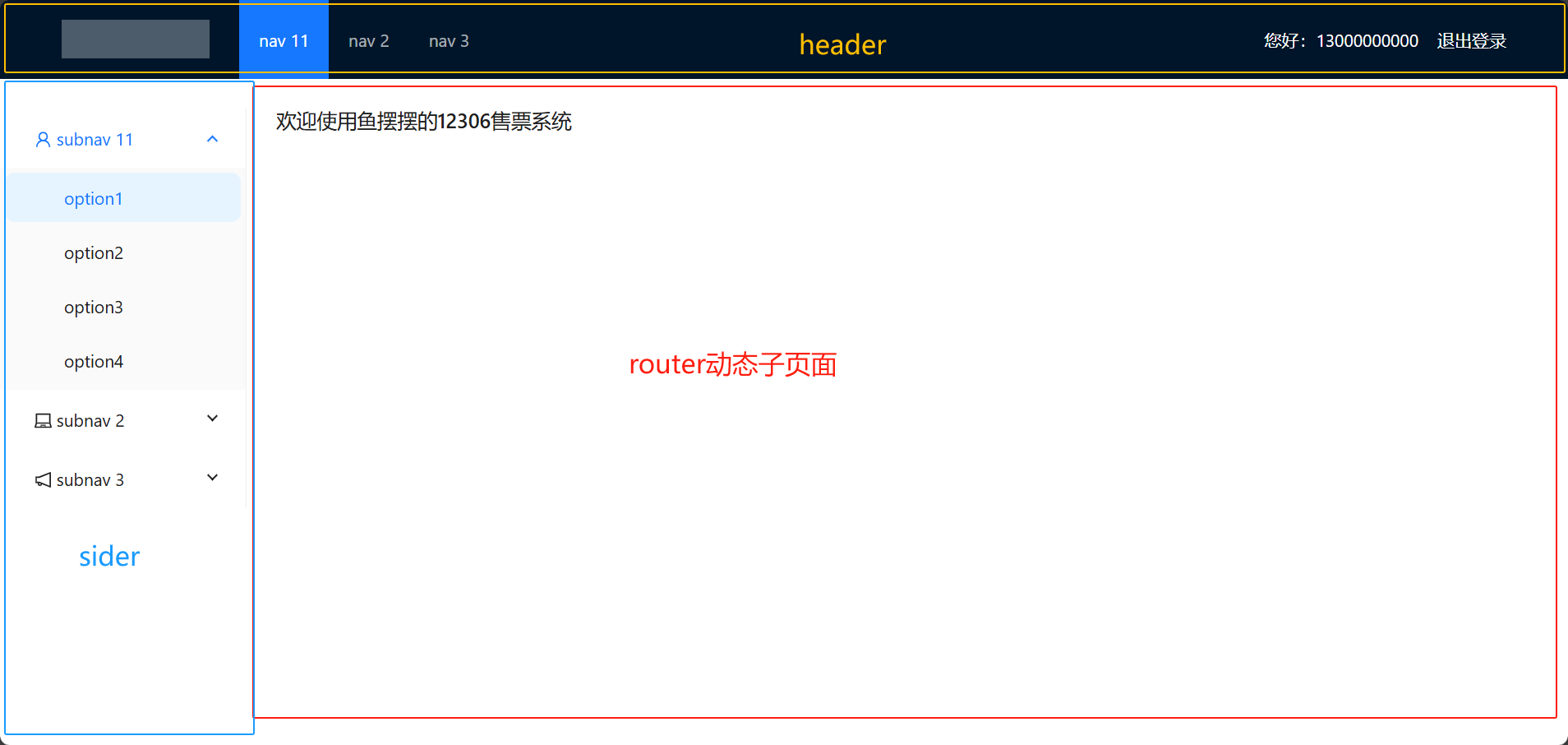
其中header和sider是先前封装的组件
router中显示的就是子页面http://localhost:9001/welcome的内容
给header和sider组件添加menu
menu
<a-menu-item key="/welcome">
<router-link to="/welcome">
<coffee-outlined /> 欢迎
</router-link>
</a-menu-item>
<a-menu-item key="/passenger">
<router-link to="/passenger">
<user-outlined /> 乘车人管理
</router-link>
</a-menu-item>
header
<template>
<a-layout-header class="header">
<div class="logo" />
<div style="float: right; color: white;">
您好:{{member.mobile}}
<router-link to="/login" style="color: white;">
退出登录
</router-link>
</div>
<a-menu
v-model:selectedKeys="selectedKeys1"
theme="dark"
mode="horizontal"
:style="{ lineHeight: '64px' }"
>
<a-menu-item key="/welcome">
<router-link to="/welcome">
<coffee-outlined /> 欢迎
</router-link>
</a-menu-item>
<a-menu-item key="/passenger">
<router-link to="/passenger">
<user-outlined /> 乘车人管理
</router-link>
</a-menu-item>
</a-menu>
<!-- <div>{{member.mobile}}</div>-->
</a-layout-header>
</template>
<script>
import {defineComponent, ref} from 'vue';
import store from "@/store";
export default defineComponent({
name: "the-header-view",
setup() {
let member = store.state.member;
return {
selectedKeys1: ref(['2']),
member
};
},
});
</script>
<!-- Add "scoped" attribute to limit CSS to this component only -->
<style scoped>
</style>
sider
<template>
<a-layout-sider width="200" style="background: #fff">
<a-menu
v-model:selectedKeys="selectedKeys2"
v-model:openKeys="openKeys"
mode="inline"
style="height: 100%"
>
<a-menu-item key="/welcome">
<router-link to="/welcome">
<coffee-outlined /> 欢迎
</router-link>
</a-menu-item>
<a-menu-item key="/passenger">
<router-link to="/passenger">
<user-outlined /> 乘车人管理
</router-link>
</a-menu-item>
<a-sub-menu key="sub1">
<template #title>
<span>
<user-outlined />
subnav 11
</span>
</template>
</a-sub-menu>
<a-sub-menu key="sub2">
<template #title>
<span>
<laptop-outlined />
subnav 2
</span>
</template>
<a-menu-item key="5">option5</a-menu-item>
<a-menu-item key="6">option6</a-menu-item>
<a-menu-item key="7">option7</a-menu-item>
<a-menu-item key="8">option8</a-menu-item>
</a-sub-menu>
<a-sub-menu key="sub3">
<template #title>
<span>
<notification-outlined />
subnav 3
</span>
</template>
<a-menu-item key="9">option9</a-menu-item>
<a-menu-item key="10">option10</a-menu-item>
<a-menu-item key="11">option11</a-menu-item>
<a-menu-item key="12">option12</a-menu-item>
</a-sub-menu>
</a-menu>
</a-layout-sider>
</template>
<script>
import {defineComponent, ref} from 'vue';
export default defineComponent({
name: "the-sider-view",
setup() {
return {
selectedKeys2: ref(['1']),
openKeys:ref(['sub1'])
};
},
});
</script>
<!-- Add "scoped" attribute to limit CSS to this component only -->
<style scoped>
</style>
实现效果:
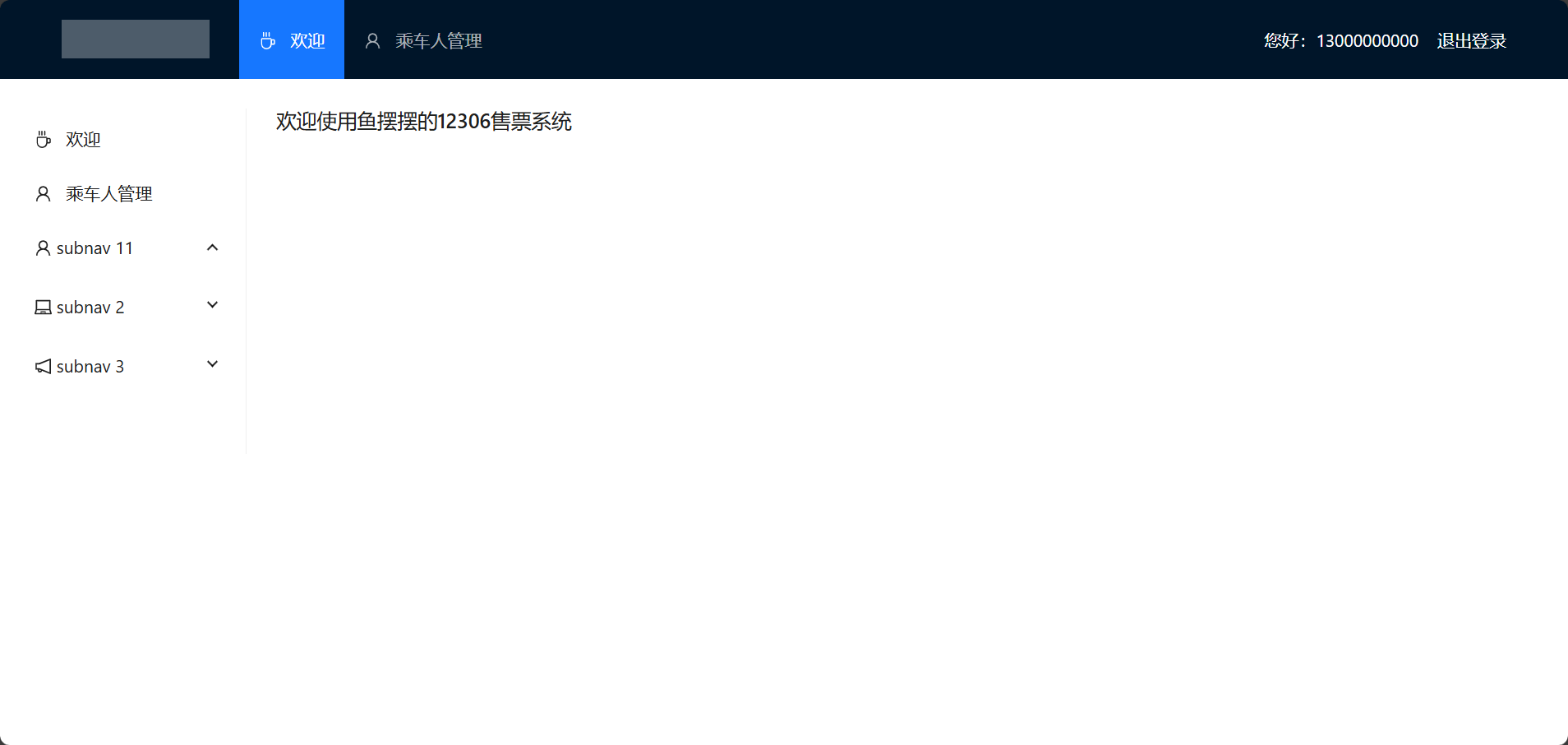
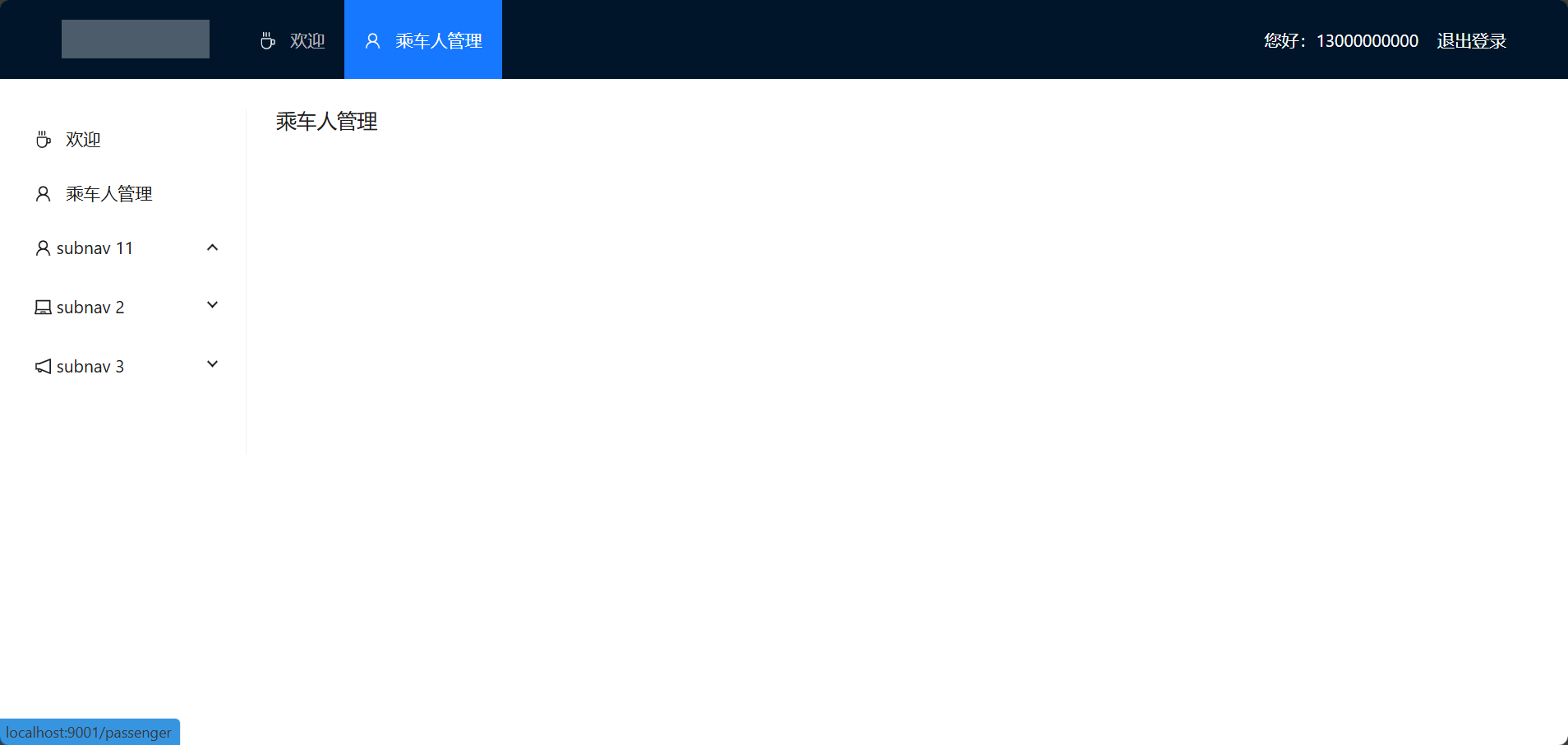
但是,这时的header和sider的菜单显示并不同步,还会出现菜单与内容不符的问题
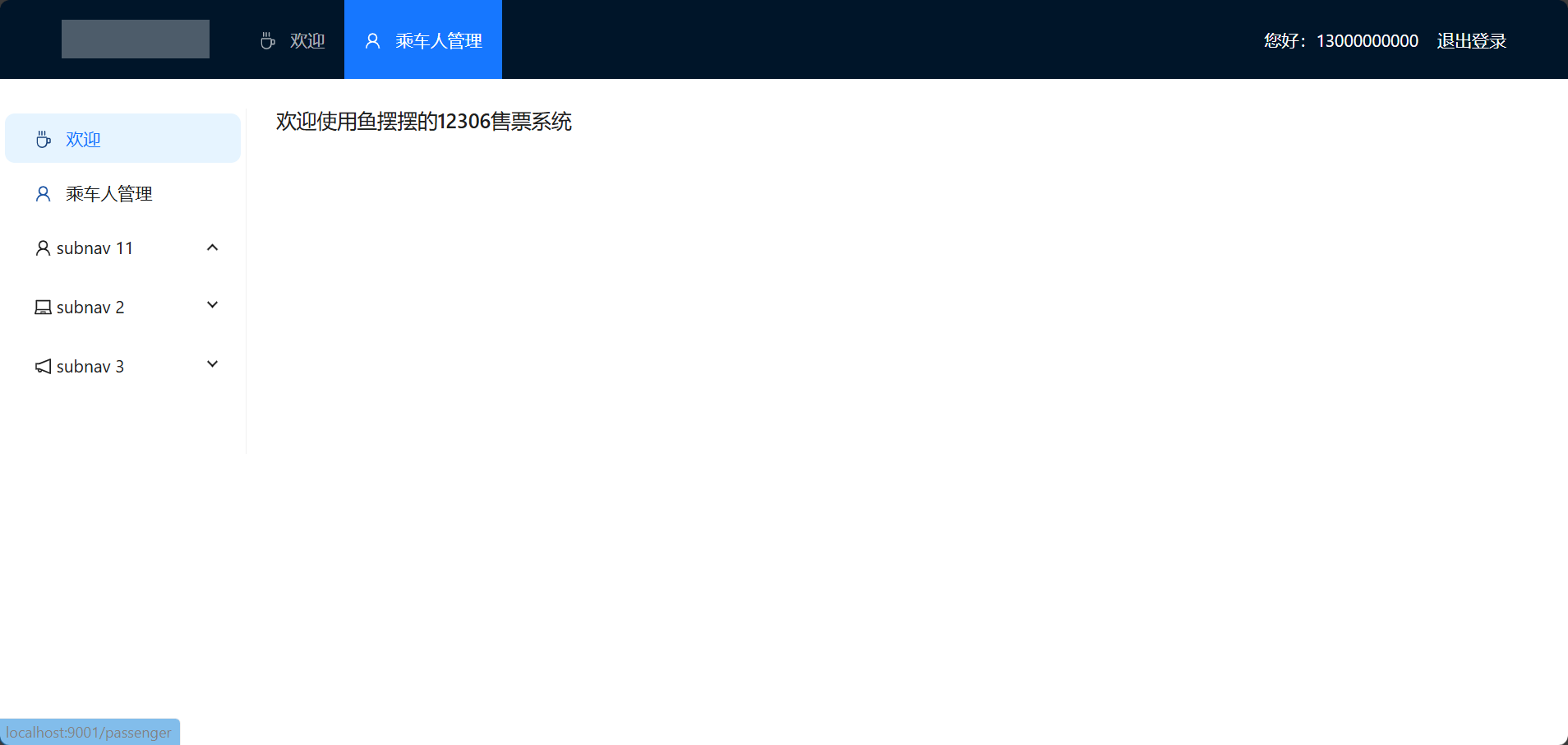
为解决这个问题,在header和sider中分别编写watch,监视地址的router地址的变化
watch
const selectedKeys = ref([]);

    watch(() => router.currentRoute.value.path, (newValue) => {

      console.log('watch', newValue);

      selectedKeys.value = [];

      selectedKeys.value.push(newValue);

    }, {immediate: true});
header
<template>
<a-layout-header class="header">
<div class="logo" />
<div style="float: right; color: white;">
您好:{{member.mobile}}
<router-link to="/login" style="color: white;">
退出登录
</router-link>
</div>
<a-menu
v-model:selectedKeys="selectedKeys"
theme="dark"
mode="horizontal"
:style="{ lineHeight: '64px' }"
>
<a-menu-item key="/welcome">
<router-link to="/welcome">
<coffee-outlined /> 欢迎
</router-link>
</a-menu-item>
<a-menu-item key="/passenger">
<router-link to="/passenger">
<user-outlined /> 乘车人管理
</router-link>
</a-menu-item>
</a-menu>
<!-- <div>{{member.mobile}}</div>-->
</a-layout-header>
</template>
<script>
import {defineComponent, ref, watch} from 'vue';
import store from "@/store";
import router from "@/router";
export default defineComponent({
name: "the-header-view",
setup() {
let member = store.state.member;
const selectedKeys = ref([]);
watch(() => router.currentRoute.value.path, (newValue) => {
console.log('watch', newValue);
selectedKeys.value = [];
selectedKeys.value.push(newValue);
}, {immediate: true});
return {
selectedKeys,
member
};
},
});
</script>
<!-- Add "scoped" attribute to limit CSS to this component only -->
<style scoped>
</style>
sider
<template>
<a-layout-sider width="200" style="background: #fff">
<a-menu
v-model:selectedKeys="selectedKeys"
v-model:openKeys="openKeys"
mode="inline"
style="height: 100%"
>
<a-menu-item key="/welcome">
<router-link to="/welcome">
<coffee-outlined /> 欢迎
</router-link>
</a-menu-item>
<a-menu-item key="/passenger">
<router-link to="/passenger">
<user-outlined /> 乘车人管理
</router-link>
</a-menu-item>
<a-sub-menu key="sub1">
<template #title>
<span>
<user-outlined />
subnav 11
</span>
</template>
</a-sub-menu>
<a-sub-menu key="sub2">
<template #title>
<span>
<laptop-outlined />
subnav 2
</span>
</template>
<a-menu-item key="5">option5</a-menu-item>
<a-menu-item key="6">option6</a-menu-item>
<a-menu-item key="7">option7</a-menu-item>
<a-menu-item key="8">option8</a-menu-item>
</a-sub-menu>
<a-sub-menu key="sub3">
<template #title>
<span>
<notification-outlined />
subnav 3
</span>
</template>
<a-menu-item key="9">option9</a-menu-item>
<a-menu-item key="10">option10</a-menu-item>
<a-menu-item key="11">option11</a-menu-item>
<a-menu-item key="12">option12</a-menu-item>
</a-sub-menu>
</a-menu>
</a-layout-sider>
</template>
<script>
import {defineComponent, ref, watch} from 'vue';
import router from "@/router";
export default defineComponent({
name: "the-sider-view",
setup() {
const selectedKeys = ref([]);
watch(() => router.currentRoute.value.path, (newValue) => {
console.log('watch', newValue);
selectedKeys.value = [];
selectedKeys.value.push(newValue);
}, {immediate: true});
return {
selectedKeys,
openKeys:ref(['welcome'])
};
},
});
</script>
<!-- Add "scoped" attribute to limit CSS to this component only -->
<style scoped>
</style>
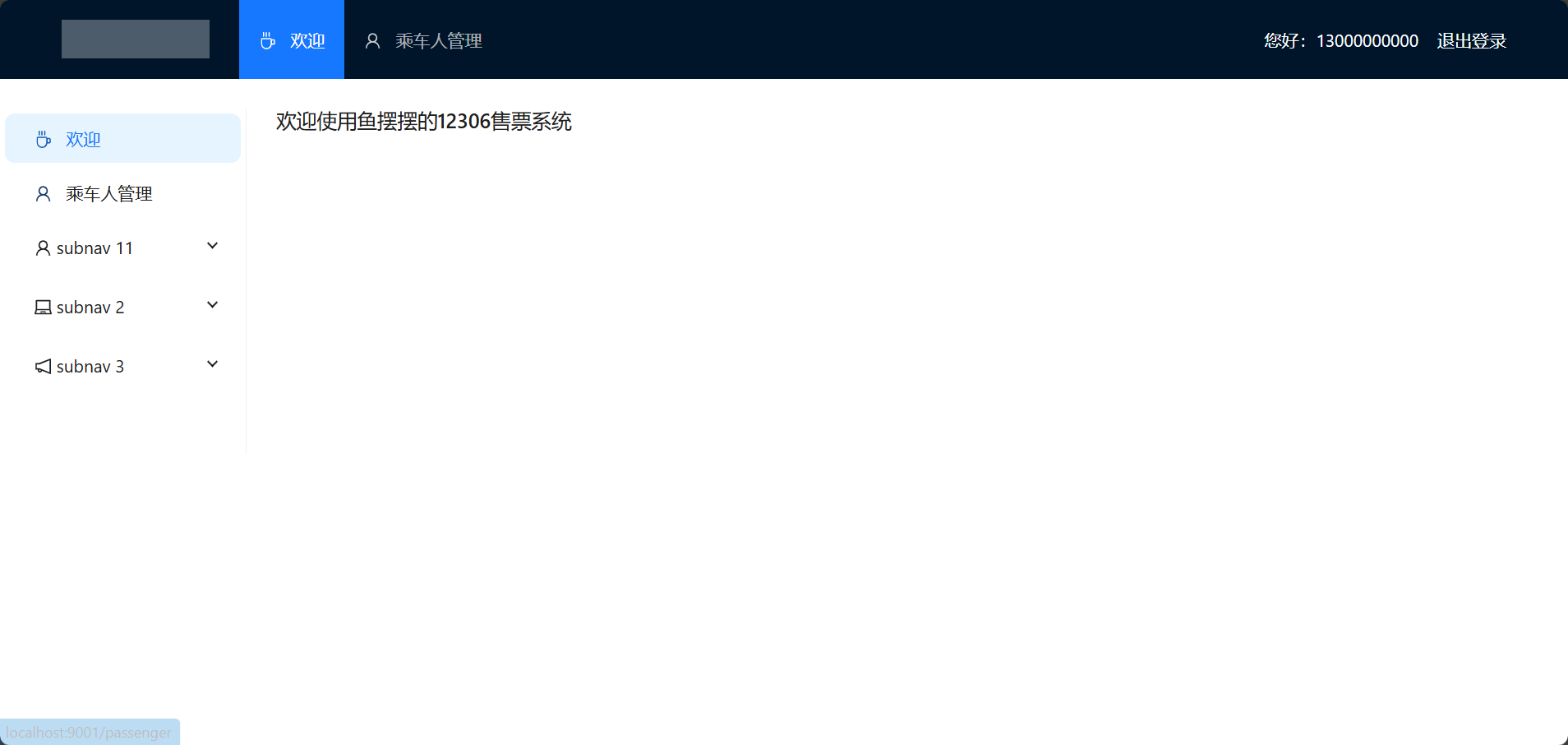
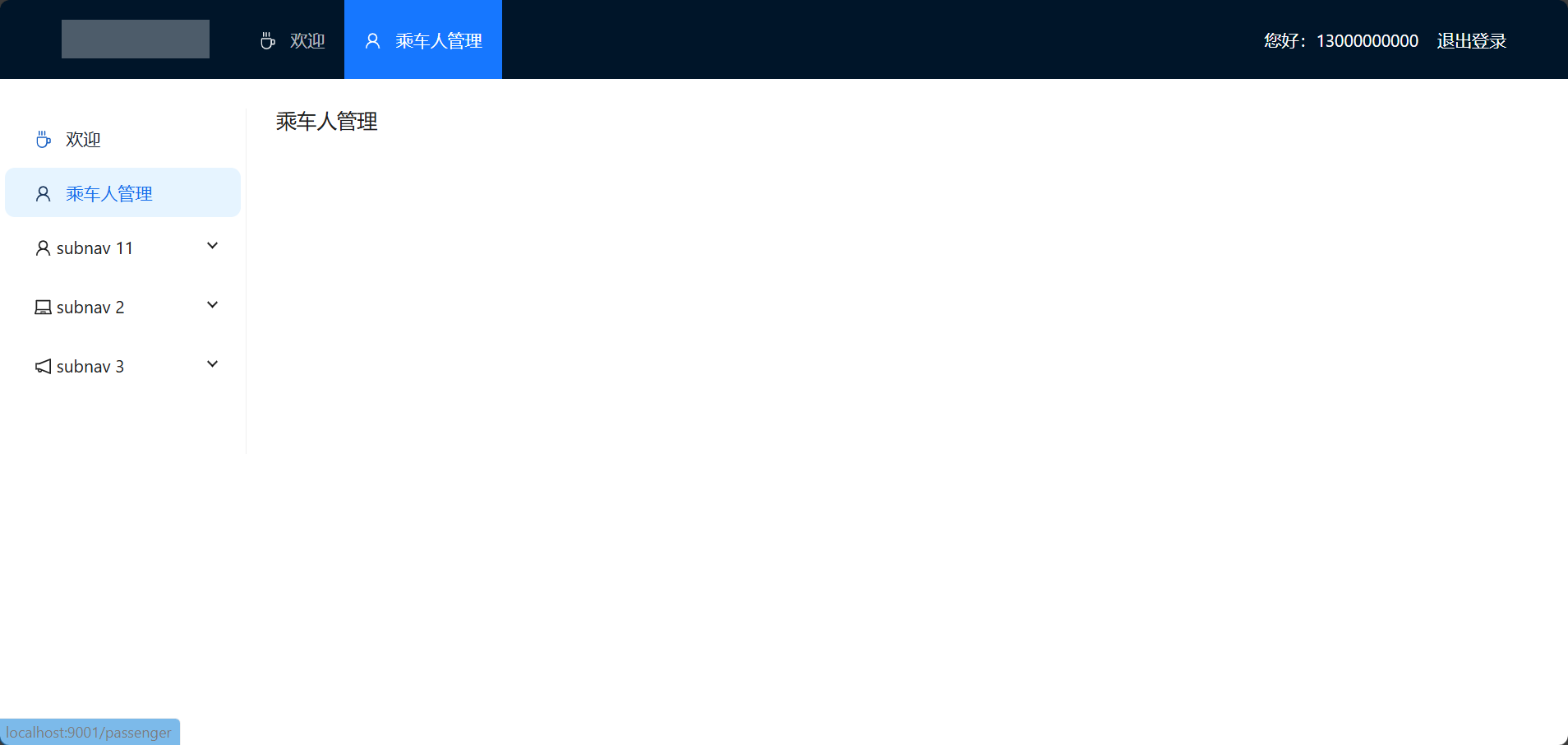
效果:
Vue3 动态子页面和菜单栏同步的更多相关文章
- Js动态获取iframe子页面的高度////////////////////////zzzz
Js动态获取iframe子页面的高度 Js动态获取iframe子页面的高度总结 问题的缘由 产品有个评论列表引用的是个iframe,高度不固定于是引发这个总结. 方法1:父级页面获取子级页面的高度 ...
- 如何实现跨域获取iframe子页面动态的url
有的时候iframe的子页面会动态的切换页面,我们在父页面通过iframe1.contentWindow.window.location只能获取同源的子页面的信息.获取跨域的子页面信息会报错. 这时可 ...
- 获取iframe子页面内容高度给iframe动态设置高度
<!DOCTYPE html><html> <head> <meta charset="UTF-8" /> <meta nam ...
- Js动态获取iframe子页面的高度总结
问题的缘由 产品有个评论列表引用的是个iframe,高度不固定于是引发这个总结. 方法1:父级页面获取子级页面的高度 给元素设置高度 这方法是用在父级页面里的,通过获取子级页面的高度给iframe设置 ...
- 关于easyUI 的tabs 在子页面增加显示tabs的一个问题
在父页面点个链接能动态看到子页面的情况太简单,请看easyUI官网:http://www.jeasyui.com/tutorial/layout/tabs2.php现在说的是在子页面点个按钮也能触发增 ...
- 关于easyUI在子页面增加显示tabs的一个问题
在父页面点个链接能动态看到子页面的情况太简单,请看easyUI官网:http://www.jeasyui.com/tutorial/layout/tabs2.php 现在说的是在子页面点个按钮也能触发 ...
- js里父页面与子页面的相互调用
一.在页面里用 open 打开的子页面: 1.子页面调用父页面的方法,包括子页面给父页面传值: window.opener.methodName(); window.opener.methodName ...
- iframe子页面与父页面元素的访问以及js变量的访问
1.子页面访问父页面元素 parent.document.getElementById('id')和document相关的方法都可以这样用 2.父页面访问子页面元素 document.getEle ...
- 动态渲染页面爬取(Python 网络爬虫) ---Selenium的使用
Selenium 的使用 Selenium 是一个自动化测试工具,利用它可以驱动浏览器执行特定的动作,如点击.下拉等操作,同时还可以获取浏览器当前呈现的页面的源代码,做到可见即可爬.对于一些JavaS ...
- Thymeleaf模版--子页面单独引入CSS、JS文件
https://blog.csdn.net/u010392801/article/details/80465800 ****************************************** ...
随机推荐
- 解决方案 | 一个VBA代码里面非常隐蔽的错误:运行时错误“5”:无效的过程调用或参数
1 代码部分 代码功能:实现使用sumatra打开指定pdf指定页码 代码: Sub OpenPDFatPage() Dim PDFFile As String Dim PageNumber As L ...
- TypeScript 学习笔记 — 泛型的使用(七)
目录 一.指定函数参数类型 单个泛型 多个泛型 二.函数标注的方式 类型别名 type 接口 interface *案例分析: 三.默认泛型 四.泛型约束 五.泛型接口使用 六.类中的泛型 泛型(Ge ...
- Django 通过自定义context_processors实现自定义tag
通过自定义context_processors实现自定义tag by:授客 QQ:1033553122 测试环境 Win7 Django 1.11 实践 步骤1 应用根目录下,新建自定义context ...
- 关于使用UE5打包Android的测试
UE5打包Android,不同于UE4,在官方文档中需要Android studio 4.0或者3.5,还有Android SDK,NDK等 设置SetupAndroid, 在UE5 Editor配置 ...
- 简单认识APP项目
manifests:里面只有一个xml,是app运行配置文件 清单文件 <?xml version="1.0" encoding="utf-8"?> ...
- 一步一步分析HTTPS加密机制
一步一步分析HTTPS加密机制 HTTPS(SSL/TLS)的加密机制虽然是大家都应了解的基本知识, 但是更多的时候我们只是在背诵一些概念, 比如: "对称加密", "非 ...
- ComfyUI插件:ComfyUI Impact 节点(三)
前言: 学习ComfyUI是一场持久战,而 ComfyUI Impact 是一个庞大的模块节点库,内置许多非常实用且强大的功能节点 ,例如检测器.细节强化器.预览桥.通配符.Hook.图片发送器.图片 ...
- LLM并行训练7-混合并行总结
概述 根据前面的系列文章, 对预训练大模型里用到的主要并行加速技术做了一系列拆分分析. 但是在实际的训练里往往是多种并行混合训练. 我们要怎么配置这些并行策略才能让训练框架尽可能的减少通信瓶颈, 提升 ...
- 【Layui】05 进度条 Progress
文档地址: https://www.layui.com/doc/element/progress.html 演示案例: <div class="layui-progress" ...
- Win11、Win10局域网共享文件报错:共享文件夹出现,您的账号已锁定,无法访问
解决方法,见: https://blog.csdn.net/dengww_/article/details/133887598 解决方法: https://blog.csdn.net/dengww_/ ...