
js获取标签的三种方式
<!DOCTYPE html>

<html>

    <head>

        <meta charset="utf-8">

        <title></title>

        <style type="text/css">

            ul li{

                color: black;

            }

            ul li.active{

                color: red;

            }

        </style>

    </head>

    <body>

        <div id="box">MJJ</div>

        <ul id="box2">

            <li class="active"></li>

            <li></li>

            <li></li>

            <li></li>

            <li></li>

        </ul>

        <script type="text/javascript">

            // 1.通过id获取单个节点对象

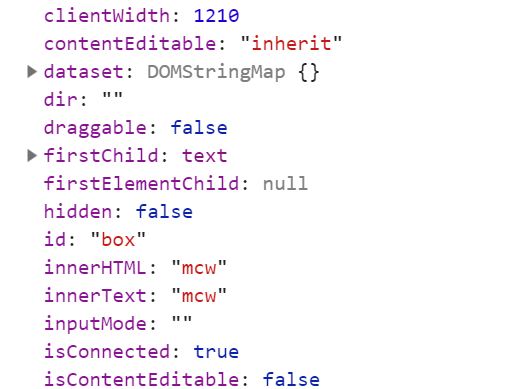
            var box = document.getElementById('box');

            console.log(box);

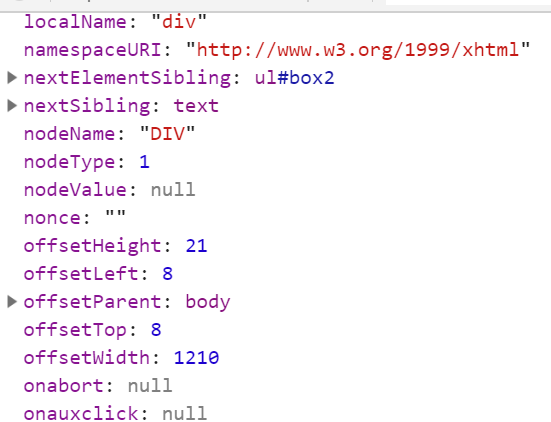
            console.dir(box);

            // // 2.通过标签名来获取节点对象

            // var box2 = document.getElementsByTagName('div');

            // console.log(box2);

            // var lis = document.getElementsByTagName('li');

            // for(var i = 0; i < lis.length; i++){

            //     // lis[i].className = 'active';

            //     lis[i].onclick = function(){

            //         // this指向了绑定onclick的那个对象

            //         // 排他思想

            //         for(var j = 0; j < lis.length; j++){

            //             lis[j].className = '';

            //         };

            //         this.className = 'active';

            //     }

            // }

            // // 3.通过类名获取

            // var lis2 = document.getElementsByClassName('active');

            // // console.log(lis2);

            // // var box = document.getElementById('box2');

            // // console.log(box.children);

        </script>

    </body>

</html>
1、通过id获取
1.1
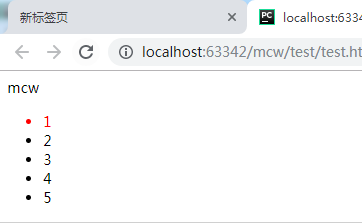
1.2
var box = document.getElementById('box');
console.log(box);
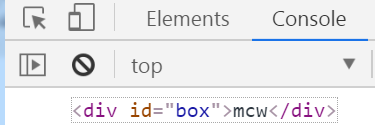
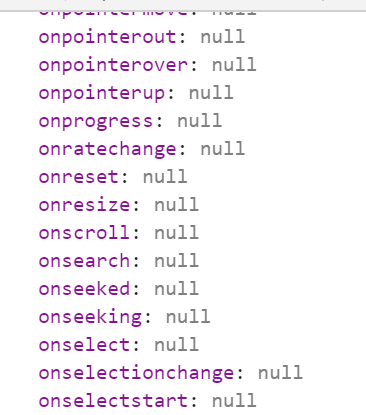
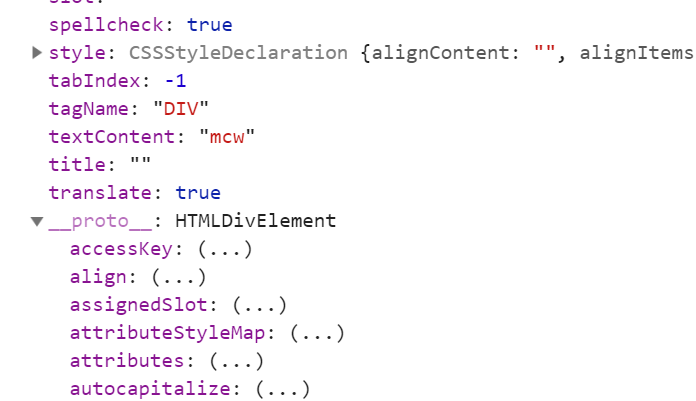
1.3、console.dir(box)
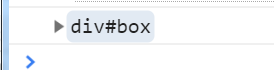
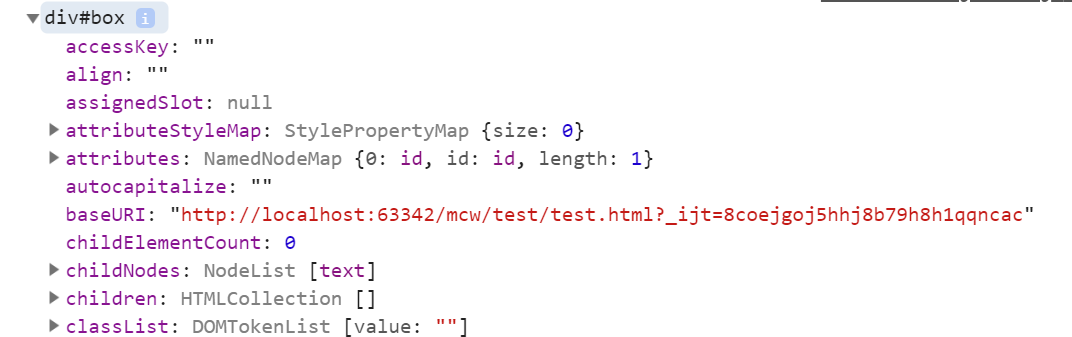
2、通过标签名来获取节点对象
2.1
// // 2.通过标签名来获取节点对象
var box2 = document.getElementsByTagName('div');
console.log(box2);
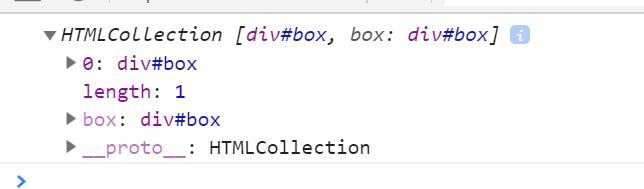
2.2、实现点击哪个li,哪个li变成红色,其它不红。
            var box2 = document.getElementsByTagName('div');

            // console.log(box2);

            var lis = document.getElementsByTagName('li'); //lis数组

            for(var i = ; i < lis.length; i++){

                // lis[i].className = 'active';

                lis[i].onclick = function(){

                    // this指向了绑定onclick的那个对象

                    // 排他思想

                    for(var j = ; j < lis.length; j++){

                        lis[j].className = '';

                    };

                    this.className = 'active';

                }

            }
通过获取元素通过tag名字获得是这个标签的数组。
console.log(lis);
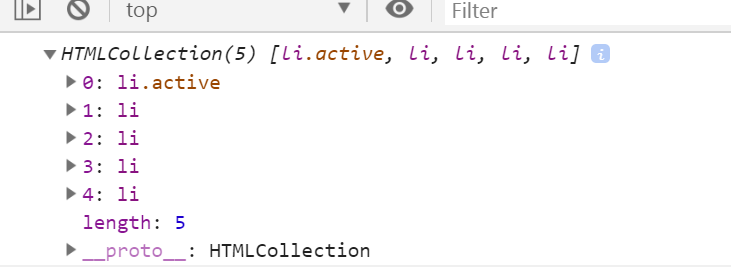
实现点击哪个li,哪个li变成红色,其它不红。
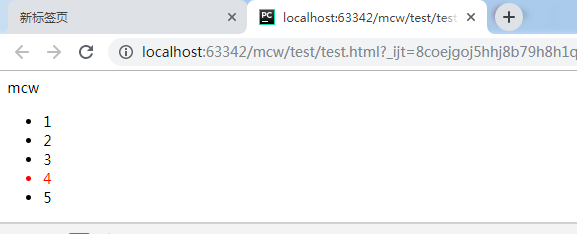
     for(var i = 0; i < lis.length; i++){

                // lis[i].className = 'active';

                lis[i].onclick = function(){

                    // this指向了绑定onclick的那个对象

                    // 排他思想

                    for(var j = 0; j < lis.length; j++){

                        lis[j].className = '';

                    };

                    this.className = 'active';
1)获取所有指定标签元素,是个数组(好像是伪数组把??) #document.getElementsByTagName('li')
2)循环数组元素。点击某个标签之后先将所有的标签class设置为空字符串。 # lis[j].className = ''
3)再给点击到的标签添加类名 #this.className = 'active';
4)类名是有设置了css样式的。红色color值
5)点击之后的操作是onclick事件。给循环的每个数组元素绑定事件。 # lis[i].onclick = function(){};
6)给每个数组元素.onclick绑定事件,需要for循环遍历数组。事件是执行=的匿名函数function(){},将所有的这个li标签去掉类名,再加个有红色属性的类名,这样实现点击谁只有谁有这个类,只有这个标签变红。将所有li标签去掉类名就是在函数中再for循环数组对每个元素类名设置为空字符串
7)如果没有第2步,那么选中之后的标签不会变回黑色,标签不会只是单个变红
2.3、
            var box2 = document.getElementsByTagName('div');

            // console.log(box2);

            var lis = document.getElementsByTagName('li');

            console.log(lis);

            for(var i = ; i < lis.length; i++){

                // lis[i].className = 'active';

                lis[i].onclick = function(){

                    // this指向了绑定onclick的那个对象

                    // 排他思想

                    for(var j = ; j < lis.length; j++){

                        lis[j].className = '';

                    };

                    this.className = 'active';

                    console.log(this);

                    console.log(typeof lis[i]);

                    console.log(lis[i]);

                }

            }
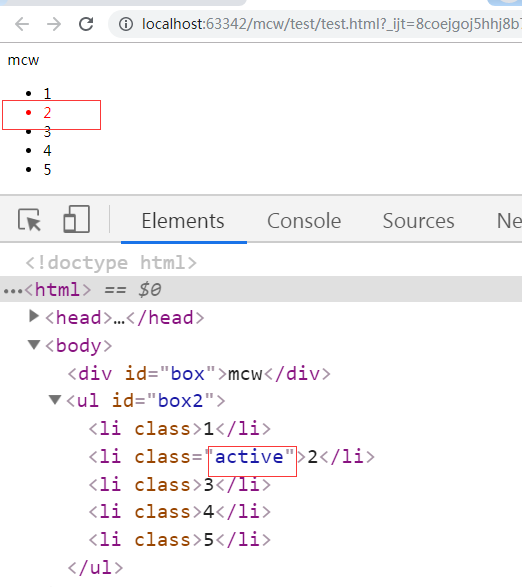
点击li 2 2变红,点击3 3变红 。打印this是每个li标签对象,是单个数组元素。 打印数组每个元素lis[i]类型是未定义,元素是未定义。
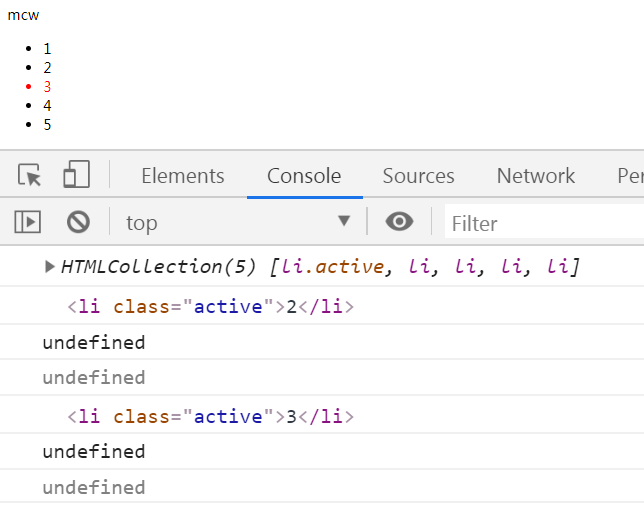
点击时可查看到对应的class在变化:
3、通过类名获取
3.1、
var lis2 = document.getElementsByClassName('active');
console.log(lis2);

4、获取所有子孩子对象 父对象.children
            var box = document.getElementById('box2');

            cd=box.children

            console.log(cd);

            for(var i = ; i < cd.length; i++){

                console.log(i,cd[i])

            }
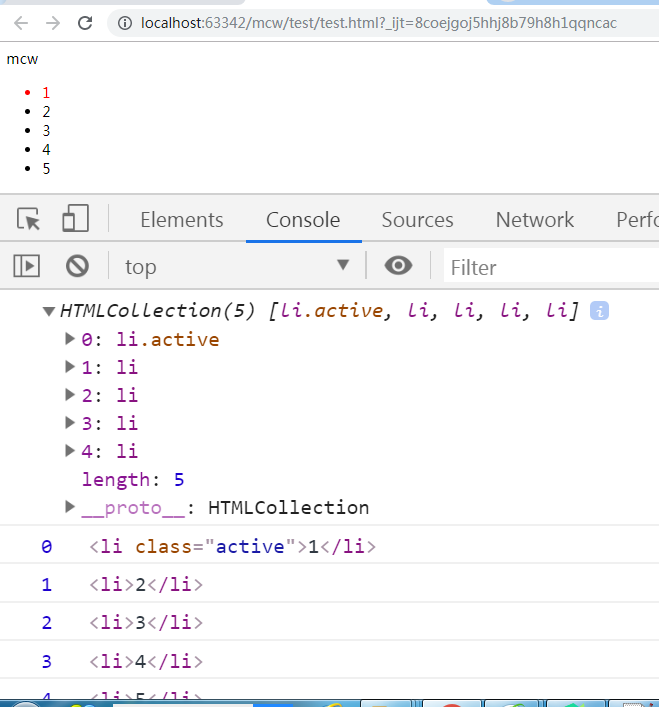
#注意 console.log(i,cd[i])可以打印多个元素
js获取标签的三种方式的更多相关文章
- js获取时间戳的三种方式
js获取时间戳的三种方式 CreateTime--2018年5月23日08:44:10 Author:Marydon // 方式一:推荐使用 var timestamp=new Date().ge ...
- js获取标签的几种方式
一:id获取(全部浏览器兼容) document.getElementById(""); <body> <div id="box">&l ...
- js声明变量的三种方式
JS 声明变量的三种方式 (1)使用变量步骤:a.声明-->b.赋值-->3.调用 正确用法: <script type="text/javascript"> ...
- Struts2(四.注册时检查用户名是否存在及Action获取数据的三种方式)
一.功能 1.用户注册页面 <%@ page language="java" contentType="text/html; charset=UTF-8" ...
- 前端js,css文件合并三种方式,bat命令
前端js,css文件合并三种方式,bat命令 前端js文件该如何合并三个方式如下:1. 一个大文件,所有js合并成一个大文件,所有页面都引用它.2. 各个页面大文件,各自页面合并生成自己所需js的大文 ...
- 获取Type的三种方式
using System;using UnityEngine; public class Type_Test : MonoBehaviour{ private void Awake() { ...
- java 获取时间戳的三种方式
java 获取时间戳的三种方式 CreationTime--2018年7月13日16点29分 Author:Marydon 1.实现方式 方式一:推荐使用 System.currentTimeMi ...
- 【Struts2】Struts2获取session的三种方式
1.Map<String,Object> map = ActionContext.getContext().getSession(); 2.HttpSession session = S ...
- java:struts框架2(方法的动态和静态调用,获取Servlet API三种方式(推荐IOC(控制反转)),拦截器,静态代理和动态代理(Spring AOP))
1.方法的静态和动态调用: struts.xml: <?xml version="1.0" encoding="UTF-8"?> <!DOCT ...
随机推荐
- django2
八 Models 数据库的配置 1 django默认支持sqlite,mysql, oracle,postgresql数据库. <1> sqlite django默认使用sqlit ...
- POJ-2594 Treasure Exploration floyd传递闭包+最小路径覆盖,nice!
Treasure Exploration Time Limit: 6000MS Memory Limit: 65536K Total Submissions: 8130 Accepted: 3 ...
- docsearch & algolia
docsearch & algolia The easiest way to add search to your documentation. https://community.algol ...
- [luoguP1045] 麦森数(快速幂 + 高精度)
传送门 这道题纯粹是考数学.编程复杂度不大(别看我写了一百多行其实有些是可以不必写的). 计算位数不必用高精时刻存,不然可想而知时间复杂度之大.首先大家要知道一个数学公式 logn(a*b)=logn ...
- 守护进程详解及创建,daemon()使用
一,守护进程概述 Linux Daemon(守护进程)是运行在后台的一种特殊进程.它独立于控制终端并且周期性地执行某种任务或等待处理某些发生的事件.它不需要用户输入就能运行而 且提供某种服务,不是对整 ...
- hdu - 1104 Remainder (bfs + 数论)
http://acm.hdu.edu.cn/showproblem.php?pid=1104 注意这里定义的取模运算和计算机的%是不一样的,这里的取模只会得到非负数. 而%可以得到正数和负数. 所以需 ...
- Mayor's posters POJ - 2528
The citizens of Bytetown, AB, could not stand that the candidates in the mayoral election campaign h ...
- Evaluate Reverse Polish Notation(逆波兰式)
Evaluate the value of an arithmetic expression in Reverse Polish Notation. Valid operators are +, -, ...
- JSP的Cookie处理
以下内容引用自http://wiki.jikexueyuan.com/project/jsp/Cookies-handling.html: Cookies是存储在客户端计算机的文本文件,保存各种跟踪目 ...
- linux 用 rsync 快速删除大量小文件
假设我们在目录 /tmp/to_delete 下有很多小文件 a1 a2 a3 f1 f2 f3 现在我们想快速的删除f 开头的文件. 如果文件量大,用rm 可能会失败,而且会很慢, 所以用rsync ...