
Diycode开源项目 UserActivity分析
1.效果预览
1.1.实际界面预览
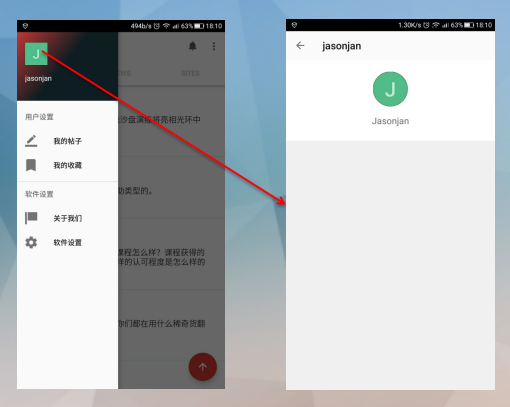
1.2. 这是MainActivity中的代码

这里执行了跳转到自己的用户界面的功能。
1.3.点击头像或者用户名跳转到别人的页面

UserActivity的结构由两部分组成,首先是一个头像,然后是一个列表。
只要点击了用户名或者头像都会跳转到UserActivity页面。除了UserActivity中的头像。
2.布局分析
2.1.布局名称为activity_user,源代码如下:
<?xml version="1.0" encoding="utf-8"?>

<!--

  ~ Copyright 2017 GcsSloop

  ~

  ~ Licensed under the Apache License, Version 2.0 (the "License");

  ~ you may not use this file except in compliance with the License.

  ~ You may obtain a copy of the License at

  ~

  ~    http://www.apache.org/licenses/LICENSE-2.0

  ~

  ~ Unless required by applicable law or agreed to in writing, software

  ~ distributed under the License is distributed on an "AS IS" BASIS,

  ~ WITHOUT WARRANTIES OR CONDITIONS OF ANY KIND, either express or implied.

  ~ See the License for the specific language governing permissions and

  ~ limitations under the License.

  ~

  ~ Last modified 2017-03-08 01:01:18

  ~

  ~ GitHub:  https://github.com/GcsSloop

  ~ Website: http://www.gcssloop.com

  ~ Weibo:   http://weibo.com/GcsSloop

  -->

<LinearLayout

    xmlns:android="http://schemas.android.com/apk/res/android"

    xmlns:app="http://schemas.android.com/apk/res-auto"

    xmlns:gcs="http://schemas.android.com/apk/res-auto"

    xmlns:tools="http://schemas.android.com/tools"

    android:layout_width="match_parent"

    android:layout_height="match_parent"

    android:orientation="vertical"

    >

    <android.support.v7.widget.Toolbar

        android:id="@+id/toolbar"

        android:layout_width="match_parent"

        android:layout_height="wrap_content"/>

    <FrameLayout

        android:layout_width="match_parent"

        android:layout_height="match_parent">

        <android.support.v4.widget.NestedScrollView

            android:id="@+id/scroll_view"

            android:layout_width="match_parent"

            android:layout_height="match_parent"

            android:background="@color/diy_white_bg">

            <LinearLayout

                android:layout_width="match_parent"

                android:layout_height="match_parent"

                android:orientation="vertical">

                <View

                    android:layout_width="0dp"

                    android:layout_height="160dp"/>

                <android.support.v7.widget.RecyclerView

                    android:id="@+id/recycler_view"

                    android:layout_width="match_parent"

                    android:layout_height="wrap_content"

                    android:background="@color/diy_white_bg">

                </android.support.v7.widget.RecyclerView>

            </LinearLayout>

        </android.support.v4.widget.NestedScrollView>

        <FrameLayout

            android:layout_width="match_parent"

            android:layout_height="wrap_content">

            <ImageView

                android:id="@+id/background"

                android:layout_width="match_parent"

                android:layout_height="160dp"

                android:background="@color/diy_black"

                android:src="@color/diy_white"

                />

            <LinearLayout

                android:layout_width="match_parent"

                android:layout_height="match_parent"

                android:orientation="vertical">

                <com.gcssloop.diycode.widget.CircleImageView

                    android:id="@+id/avatar"

                    android:layout_width="68dp"

                    android:layout_height="68dp"

                    android:layout_gravity="center_horizontal"

                    android:layout_marginTop="24dp"

                    android:src="@mipmap/ic_launcher"

                    gcs:border_width="0dp"/>

                <TextView

                    android:id="@+id/username"

                    android:layout_width="wrap_content"

                    android:layout_height="wrap_content"

                    android:layout_gravity="center_horizontal"

                    android:layout_marginTop="16dp"

                    android:text="diytest(测试账号)"

                    android:textSize="18sp"/>

            </LinearLayout>

        </FrameLayout>

    </FrameLayout>

</LinearLayout>
2.2.布局代码与实体对应关系
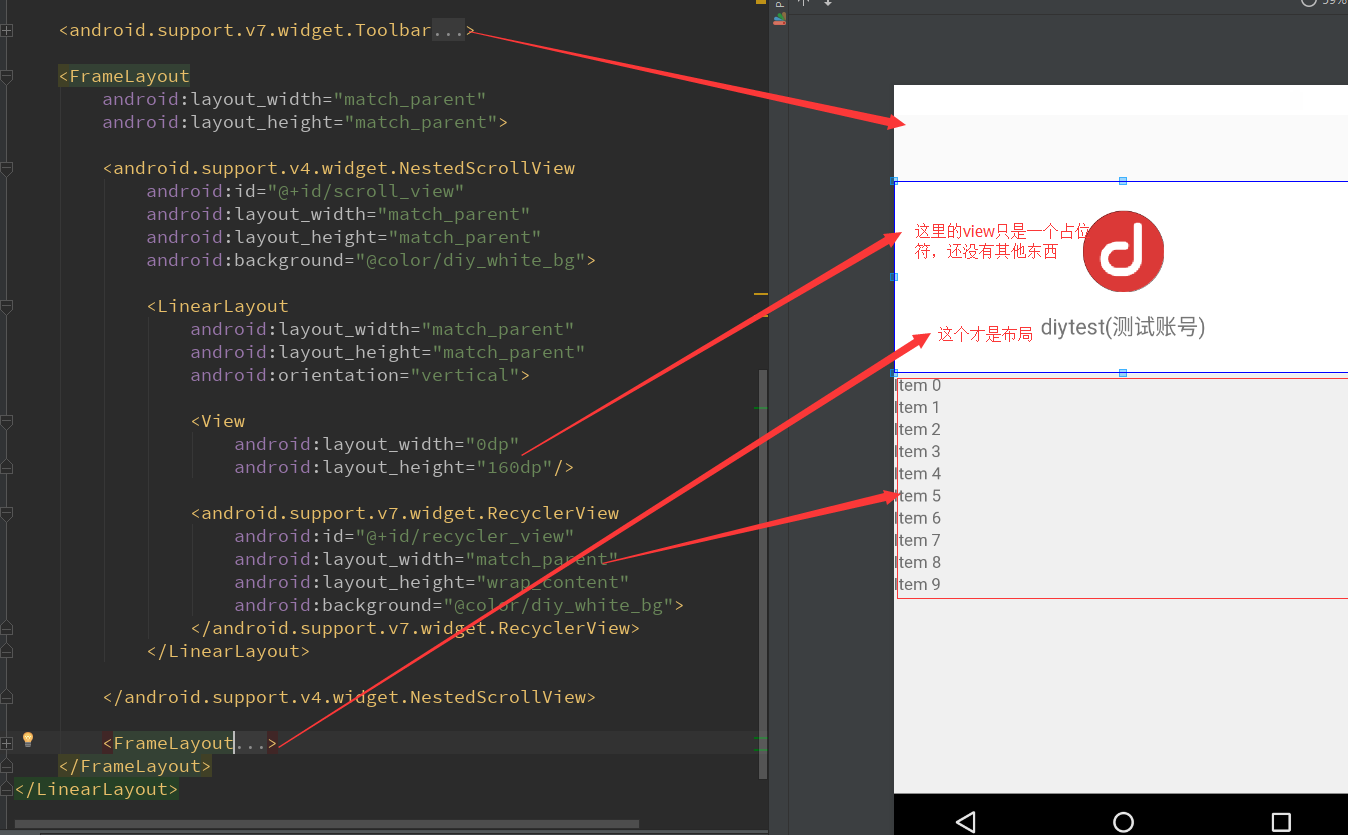
最外层的布局为:LinearLayout
然后下面的子布局: Toolbar + FrameLayout + FrameLayout(最后的FrameLayout是上方的图标)
然后FrameLayout的子布局:NestedScrollView
然后NestedScrollView的布局:LinearLayout
然后LinearLayout下面的布局: View + RecyclerView
3.活动代码分析
3.1.分析所有的成员变量
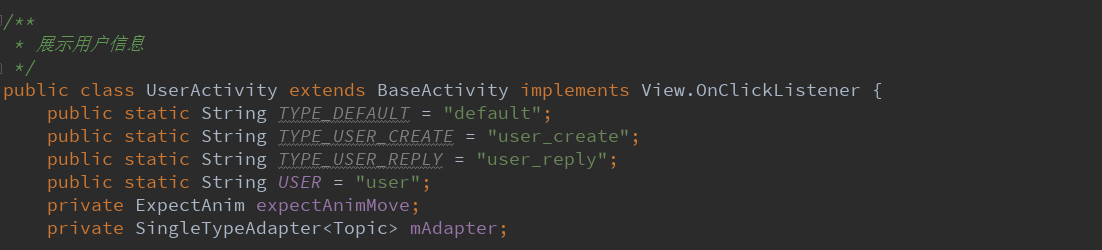
这里用到了一个第三方开源动画库,非常炫酷,觉得非常棒!一些酷炫的特效!下面再讲!
然后是SingleTypeAdapter<Topic>这个估计是用来显示用户发表的帖子列表的适配器。
3.2.第三方动画开源库==>ExpectAnim类
可以做到类似这样的效果。
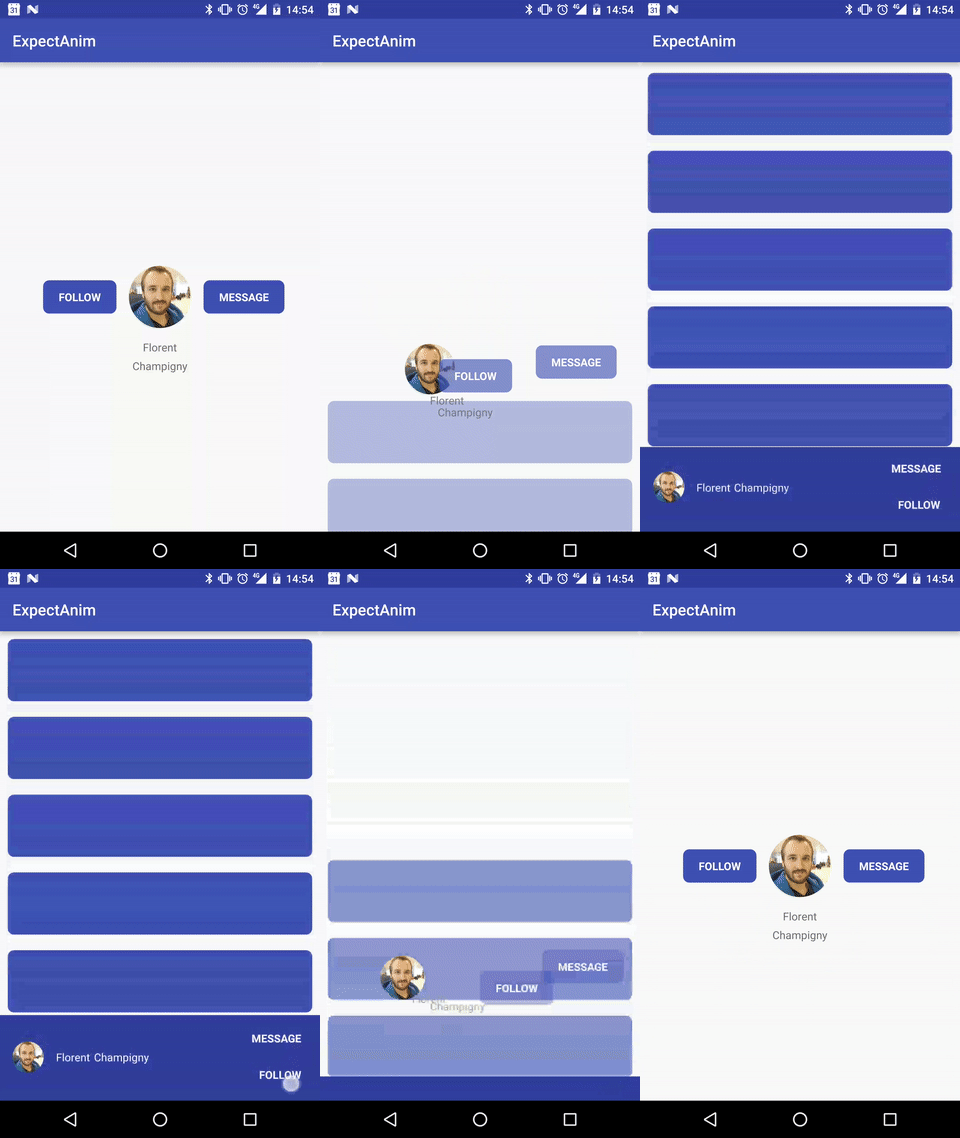
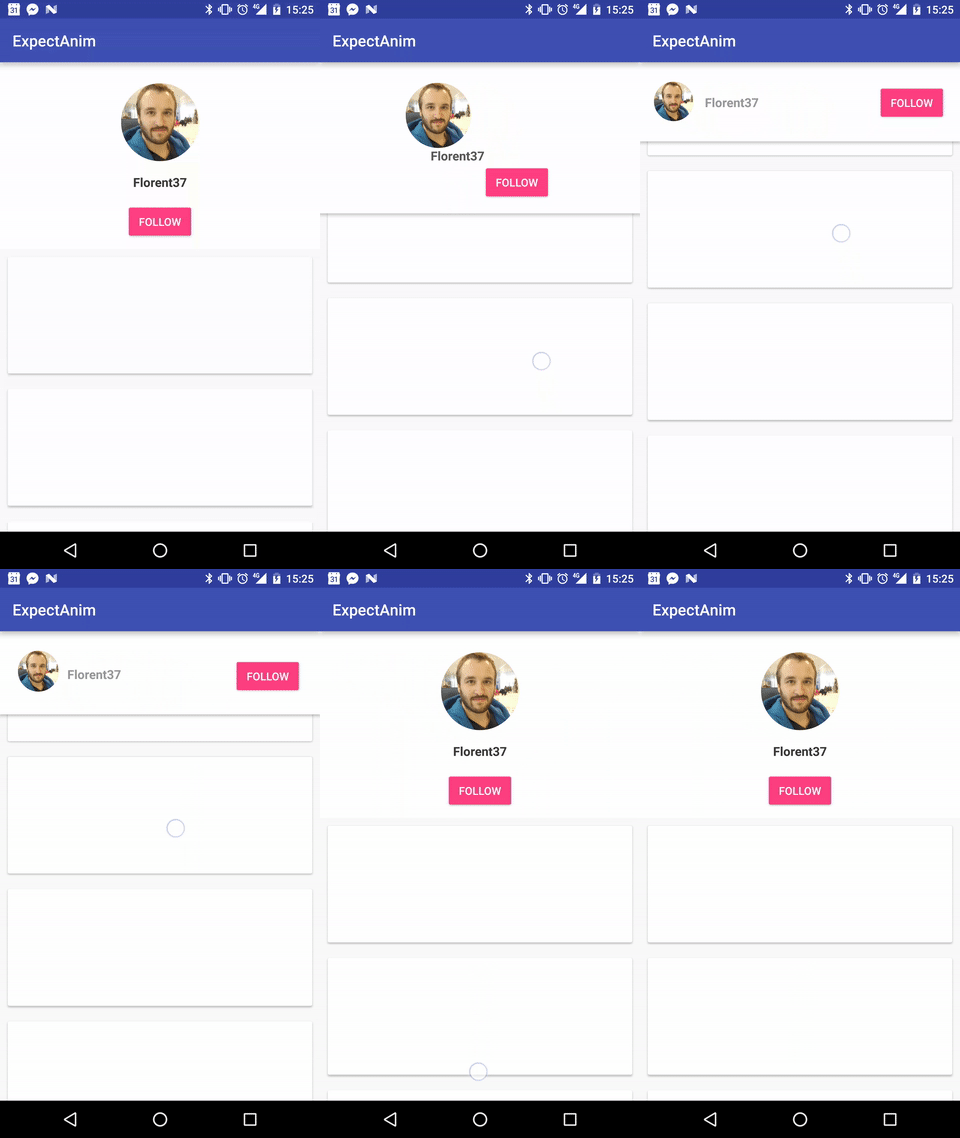
本例用到了第二种方法,在github可以知道如何使用得。
3.3.新建一个实例

外部传进来一个user
然后跳转到一个UserActivity
3.4.获取布局资源id+初始化视图
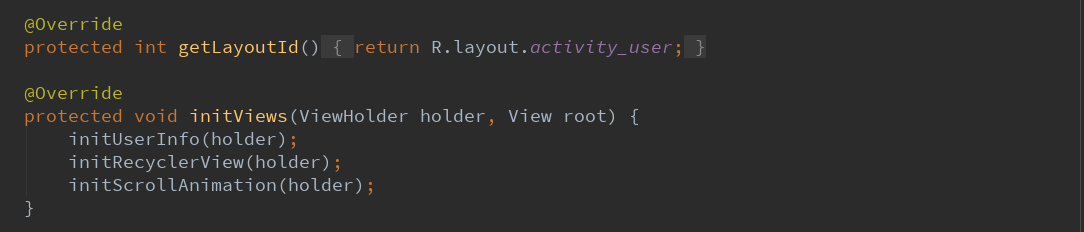
获取布局的id为:R.layout.activity_user
initViews调用3个主要的函数。这里规定了执行顺序和3个入口函数。
3.5.第一个入口函数initUserInfo
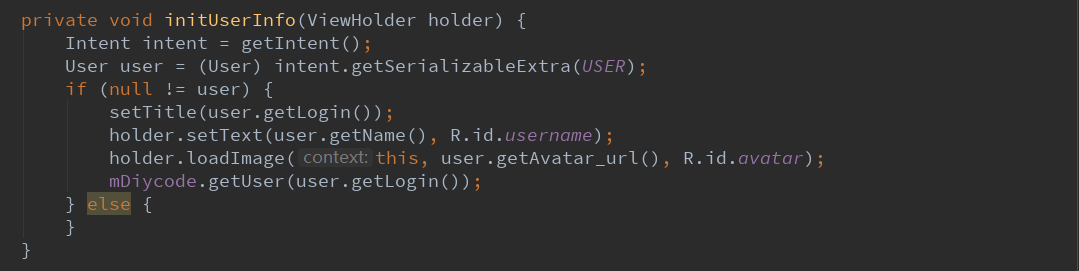
先从intent中获取用户信息。
然后设置视图数据,这里的标题栏应该是昵称或登录名,然后显示在头像下的应该是真实名字。
不明白为什么最后要调用一个API
3.6.第二个入口函数initRecycleView
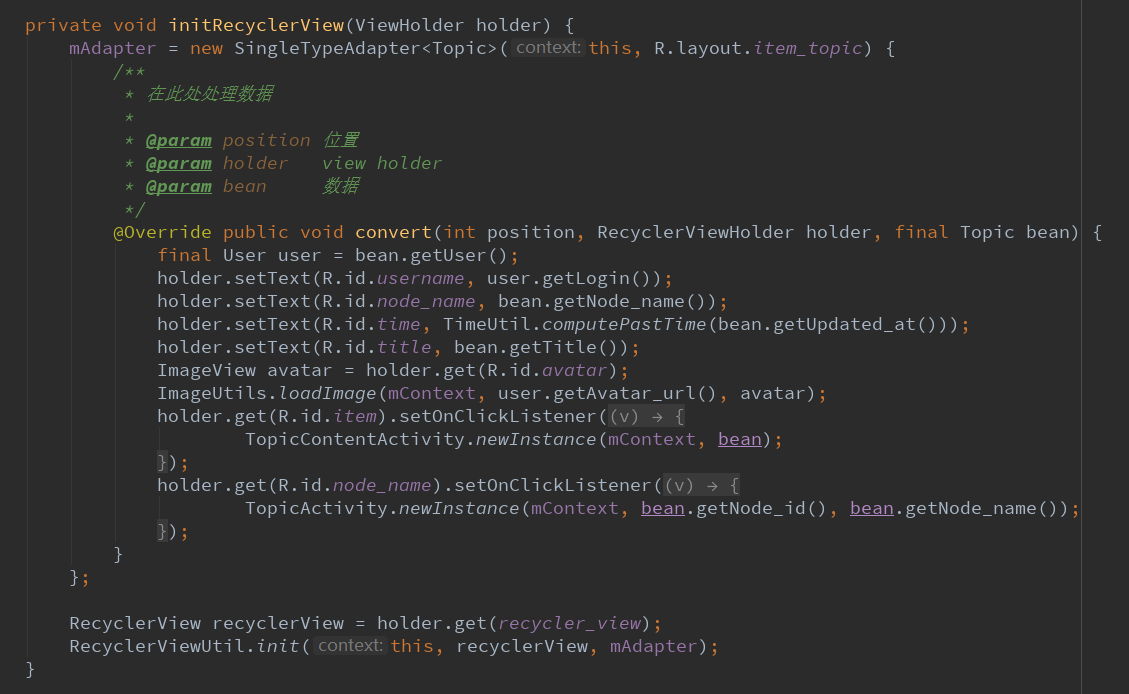
这里的SingleTypeAdapter之前见过,就是一个列表适配器。
首先这个适配器要加载的布局为:item_topic.xml
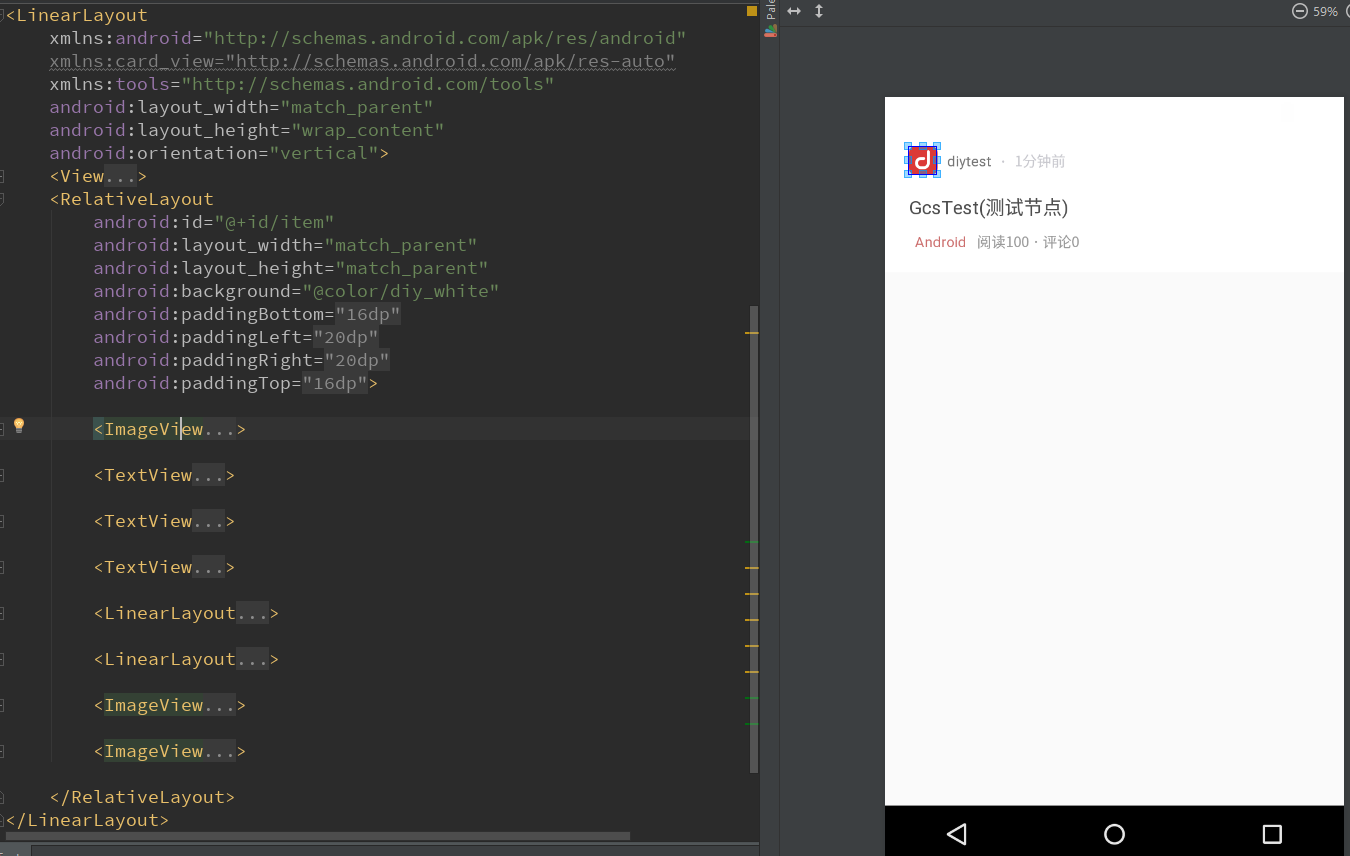
然后是一个处理数据的一个函数convert
这里面详细处理每个控件数据
明白了下方的Android其实是一个节点,点击了将会跳转到这个Android类的所有话题。
所以点击事件的两个跳转就看懂了。
3.7.第三个入口函数==>initScrollAnimation
动画设置
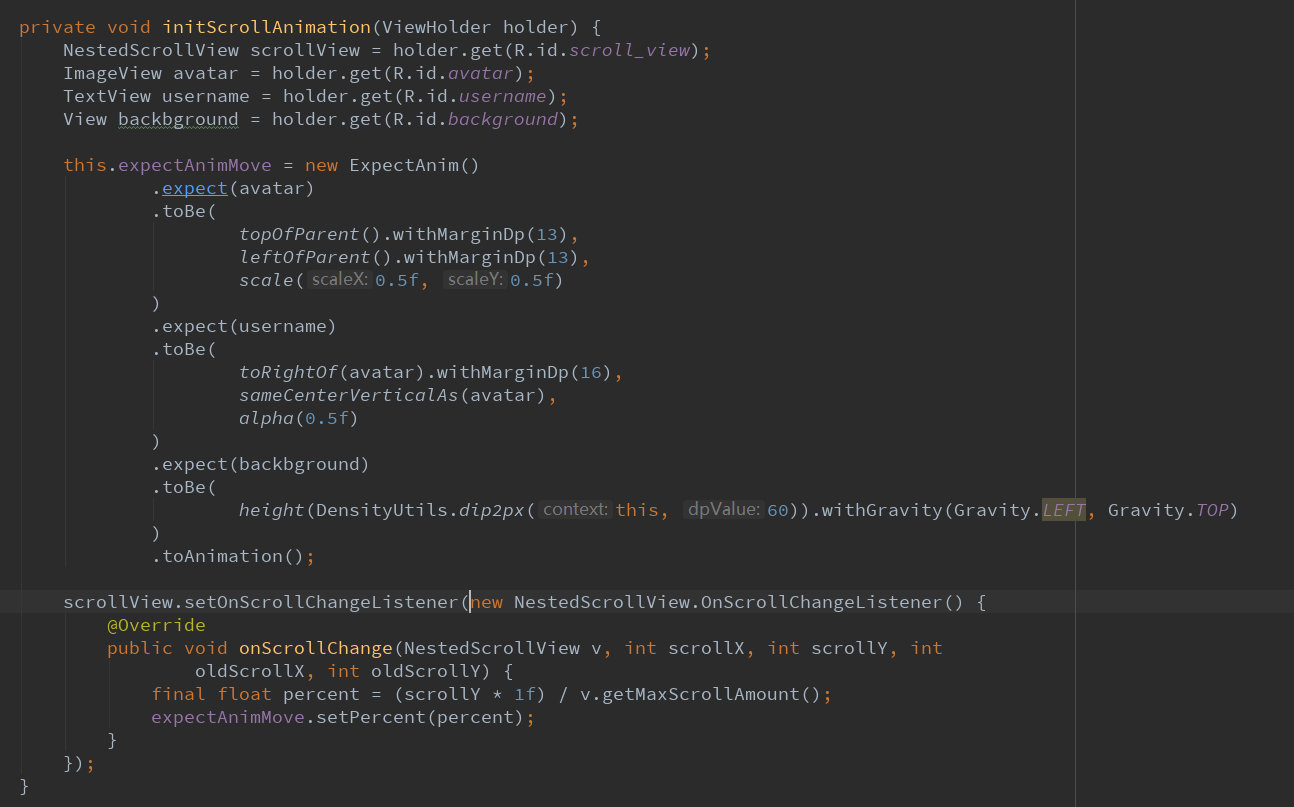
为了达到炫酷的动画效果
首先要获得4个变量:scrollView+头像+用户名+背景
将所有的控件都通过.expect(视图名).toBe()...toAnimation()即可
最后设置一下scrollView的滑动监听,将这个第三方类的实例设置进去即可。
3.8.回调2个EventBus的请求结果
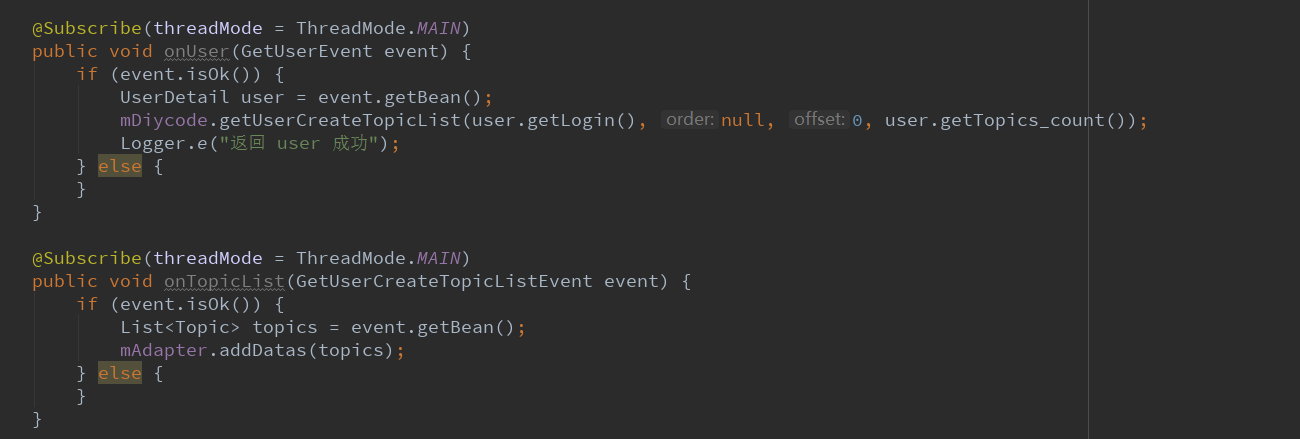
第一个是获得用户信息
第二个是获得话题列表,要将话题列表加入适配器的data中。
3.9.其他必要函数
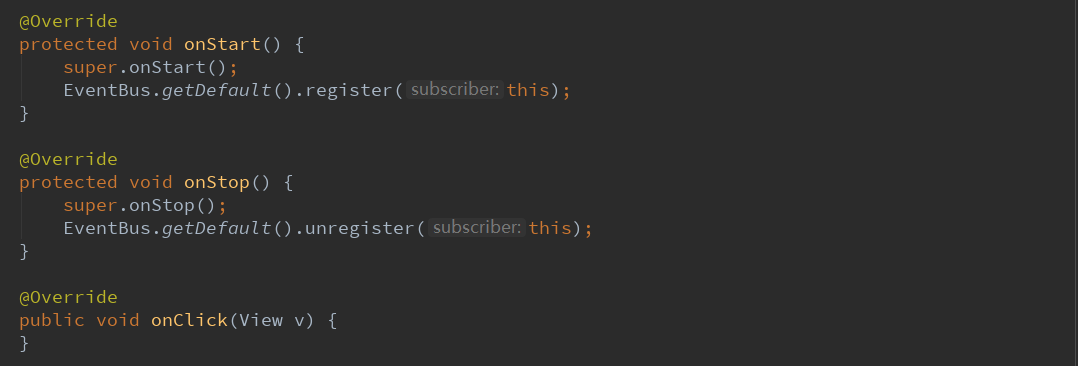
这里是EventBus的注册与反注册。
4.总结一下
4.1.这里学到了一个第三方库动画开源库,感觉还是挺不错的,效果比较好而且简单实用,其作用就是上方显示固定的
数据,然后下方一个ListView,如果滑动ListView的话,上方固定的布局也会发生动画效果。
4.2.这里对API调用的顺序有了新的理解。因为这里第一次调用API是initViews的第一个入口函数initUserInfo,这里是
调用获取用户的信息,mDiycode.getUser()==>回调onUser()==>回调中执行mDiycode.获取话题列表==>
然后回调onTopicList(),然后适配器.addDatas(列表)。
4.3.intent可以传递很多数据,包括一个类。这里传递一个自定义的User类,采用的方法是:
intent.getSerializableExtra("关键字")
4.4.所以每个API调用之后,基本都会需要一个回调,回调函数上方有一个注解,记住就好。
4.5.这里有一个新的知识之前忽略了,就是点击节点也会进入TopicActivity。其实就是将主页面(话题页面)将部分
话题筛选出来,结构也很简单,上方一个Toolbar,然后是一个话题列表。
4.6.这个动画库用法十分简单。先获取几个视图,分别用.expect(视图名).toBe(这里面稍微复杂一点),里面的代码在
github上都有,所以直接替换数据即可。最后给一个ScrollView添加一个滑动函数,表明滑动就会有个动画。
Diycode开源项目 UserActivity分析的更多相关文章
- Diycode开源项目 BaseApplication分析+LeakCanary第三方+CrashHandler自定义异常处理
1.BaseApplication整个应用的开始 1.1.看一下代码 /* * Copyright 2017 GcsSloop * * Licensed under the Apache Licens ...
- DiyCode开源项目 BaseActivity 分析
1.首先将这个项目的BaseActivity源码拷贝过来. /* * Copyright 2017 GcsSloop * * Licensed under the Apache License, Ve ...
- Diycode开源项目 TopicContentActivity分析
1.效果预览以及布局分析 1.1.实际效果预览 左侧话题列表的布局是通过TopicProvider来实现的,所以当初分析话题列表就没有看到布局. 这里的话题内容不是一个ListView,故要自己布局. ...
- Diycode开源项目 MainActivity分析
1.分析MainActivity整体结构 1.1.首先看一下这个界面的整体效果. 1.2.活动源代码如下 /* * Copyright 2017 GcsSloop * * Licensed under ...
- Diycode开源项目 ImageActivity分析
1.首先看一下效果 1.1做成了一个GIF 1.2.我用格式工厂有点问题,大小无法调到手机这样的大小,目前还没有解决方案. 1.3.网上有免费的MP4->GIF,参考一下这个网站吧. 1.4.讲 ...
- Diycode开源项目 LoginActivity分析
1.首先看一下效果 1.1.预览一下真实页面 1.2.分析一下: 要求输入Email或者用户名,点击编辑框,弹出键盘,默认先进入输入Email或用户名编辑框. 点击密码后,密码字样网上浮动一段距离,E ...
- DiyCode开源项目 AboutActivity分析
1.首先看一下效果 这是手机上显示的效果: 1.1首先是一个标题栏,左侧一个左箭头,然后一个图标. 1.2然后下方是一个可以滑动的页面. 1.3分成了7个部分. 1.4DiyCode的图标. 1.5然 ...
- DiyCode开源项目 TopicActivity 分析
1.首先看看TopActivity效果. 2.TopicActivity是一个继承BaseActivity的.前面分析过BaseActivity了.主要有一个标题栏,有返回的图标. 3.贴一下T ...
- Diycode开源项目 SitesListFragment分析
1.效果预览 1.1.网站列表实际界面 1.2.注意这个界面没有继承SimpleRefreshRecycleFragment 前面的话题和新闻继承了SimpleRefreshRecyclerFragm ...
随机推荐
- nodejs 实践:express 最佳实践系列
nodejs 实践:express 最佳实践系列 nodejs 实践:express 最佳实践(一) 项目结构 nodejs 实践:express 最佳实践(二) 中间件 nodejs 实践:expr ...
- [备忘]java 静态块、非静态块、静态函数、构造函数 执行顺序
原文链接:http://liqita.iteye.com/blog/1472717 java中经常有一些静态块,这是用来在生成类之前进行的初始化,无论java还C++语言中的static,都是最先初始 ...
- spring ajax以及页面返回中文乱码问题解决
在spring配置文件中添加 <!--返回中文乱码--> <mvc:annotation-driven > <!-- 消息转换器 --> <mvc:messa ...
- form表单多文件上传
1.html/jsp主页 <%@ page language="java" contentType="text/html; charset=UTF-8" ...
- 编程中的多字节和Unicode
在编译许多程序的时候,我们常常会出现诸如指针转换错误或者const char[] 不能转换成XX的错误,这时很可能就是项目编码的问题了,如果您使用的是VS编程环境,那么打开工程属性,里面就有个选项是给 ...
- Android各大手机系统打开权限管理页面
最近项目上比较忙,终于有空闲时间写写东西了. 相信做过Android的都知道,现在的手机系统五花八门,当我们去请求用户的权限的时候,总是会弹出是否允许的对话框. 而且用户一旦不小心点了拒绝,下次就不再 ...
- C# 获取文件夹下所有的文件
static void getAllFileNameInDir(string path, ref List<string> files) { DirectoryInfo folder = ...
- genlist -s 192.168.21.\*
显示网段192.168.21中可用的主机.
- Oracle数据库基础--建表语法+操作
语法 1.建表 create table 表名( 列名 数据类型, …… ); 2.删除表:drop table 表名; 3.添加列:alter table 表名 add(列名 数据类型); 4.修改 ...
- linux网卡的配置(解决刚刚安装linux,Xshell连接不上问题)
1.输入用户名和密码 2.cd到网卡文件夹 3.对网卡文件进行编辑 vi ifcfg-eth0 然后 a 进行编辑 然后esc退出,shift+zz保存 4.重启网卡 /etc/init.d/netw ...