
[daily][archlinux][fonts] 在linux下管理字体
序:
linux是社区搞出来, 商业应用也都是服务器场景。社区里又都是技术人员。字体又是细节。而且会英文早成了标配。所以没有很多社区以外的人力来搞字体这个毫无回报的东西。
结果很自然的,装linux桌面环境的几个问题之一,就包括了字体。与字体相关的一般问题主要就是中文显示问题。搞定了中文之后基本就不影响使用了。然后当你继续使用下去之后,就会出现更高的要求,就是希望为了美观要求而得到了一个好看的字体。
于是就会牵扯出,分辨率,等宽,高清等问题。但是没关系,因为在搞定中文字体的时候,你已经学会了安装各种各样的字体。然后你就开始疯狂的装字体,微软的,苹果的,安卓的。文泉驿的。。。
那么突然问题就来了,你完全没有办法管理他们,也不知道他们的默认和优先关系。某一个时刻你发现,你的字体失控了。
嗯,以上,就是我此刻遇到的问题。我装了多个字体之后,我的thunderbird中的中文并没有如我预期般的使用 adobe-source-han-sans-cn 作为默认字体,而是不知道一个什么字体,每一撇一捺都在肆意生长。
零: 知识储备
1. 圣教读物
包括了truetype, opentype,bitmap的一般性科普,可以只阅读前边的一小部分。
2. 关于serif, sans serif, monospace Serif和Sans-serif字体的区别
3. 一个大 列表。常用的coding字体,按推荐强度排序。还能preview。
4. 名称解释:Anti-alisaing(抗锯齿)
一: 高清屏下的tty
我有一个24寸2K的显示器。ppi是400? 反正就是很牛逼啦。但是进入tty的时候,特别可怕。字特别的小,几乎瞎掉了我的眼。我就这样眼瞎缭乱的从装arch开始一直到进入了X,在回头去该tty的字体与字号。总之对于高清屏来说,linux tty的默认字体太小太小了。
可是当时,我并没有写blog的习惯,甚至连写笔记的习惯都没有。我还甚甚的以为自己做过的事情永远不会忘记。此刻,我真的忘记了。我只直接,我装了tty下的字体,并且做了一些忘记了是什么样子的设置。嗯,只记得个大概,真的记不得细节。写blog多重要。
首先,我装了个字体。
/home/tong/Src/risinginfo/tss_sys/daemon/appdump [tong@TStation] [:]

> pacman -Qs terminus

local/terminus-font 4.40-

    Monospace bitmap font (for X11 and console)
然后,我设置了这个:
/home/tong/Src/risinginfo/tss_sys/daemon/appdump [tong@TStation] [:]

> cat /etc/vconsole.conf

FONT=ter-v32n
重启(relogin ??),就设好了。
还有个命令,可以实时生效。好像是setfont,记不太清了。。。
/home/tong/Src/risinginfo/tss_sys/daemon/appdump [tong@TStation] [:]

> man vconsole.conf

/home/tong/Src/risinginfo/tss_sys/daemon/appdump [tong@TStation] [:]

> man setfont
不过,所幸,我们还有邪教读物,来重拾这部分知识。。。
二:中文显示我用谁
之前装过用过一阵子的文泉驿。已经卸载了,现在使用adobe。反正,都差不多吧,对于中文,能显示我就满意了。
/home/tong/Amazon [tong@TStation] [:]

> pacman -Qs adobe-source

local/adobe-source-han-sans-cn-fonts 1.004-

    Adobe Source Han Sans Subset OTF - Simplified Chinese OpenType/CFF fonts

/home/tong/Amazon [tong@TStation] [:]

>
三:编程字体很纠结
最开始的时候,在windows下面编程的时候,我的配置是:putty + 白色背景 + Courier New + 10号。一直用了好多年,始终是我的最爱。但是到了linux下面字变得很细,很模糊,于是就不用了。
Cousine(ttf-google-fonts-git),据说是courier new的替代品,这个包好大,正在装,还没用。
最近发现的是Terminus,就是前文提到的那一个。在高清屏KDE下konsole里(14号字)使用还是蛮不错的。
惊喜的发现是,竟然在archcn的源里边找到了ttf版本。不过ttf的虽然细腻,但是偏细长,我反而更喜欢bitmap的。
另外Cousine也很好,不过Terminus在笔记本的屏幕上,因为字号设置的比较小,且没有那么细腻,所以并不好看。。。
/home/tong [tong@TStation] [:]

> pacman -Qs Terminus-font-ttf

local/terminus-font-ttf 4.40.-

    Monospaced bitmap font designed for long work with computers (TTF version)

/home/tong [tong@TStation] [:]

>
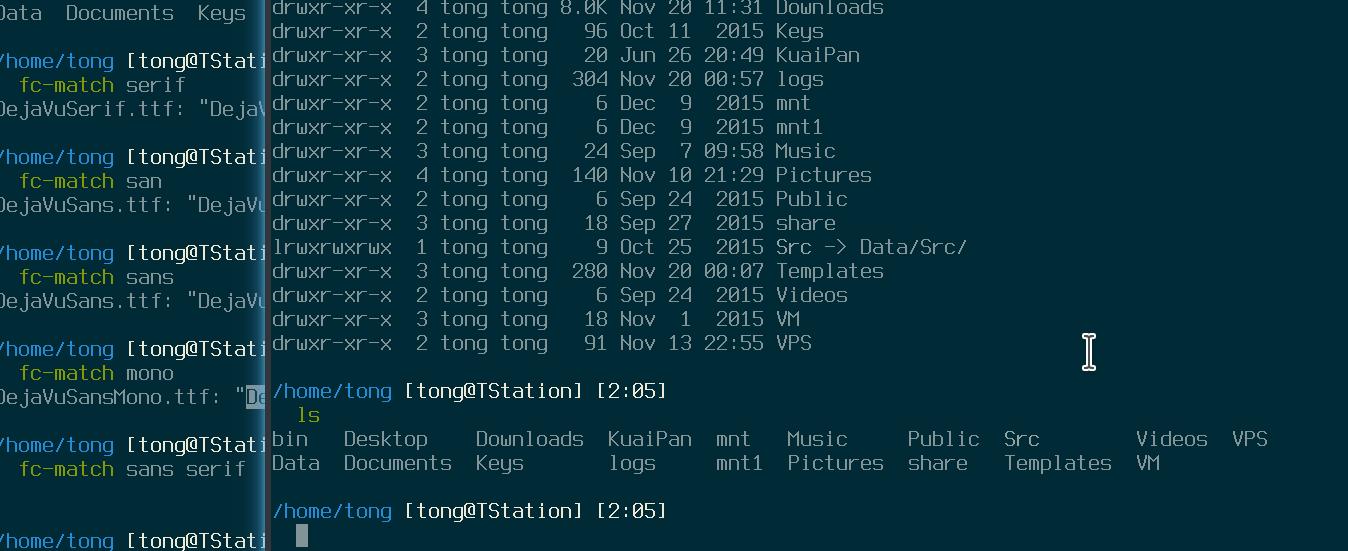
上效果图,一张:
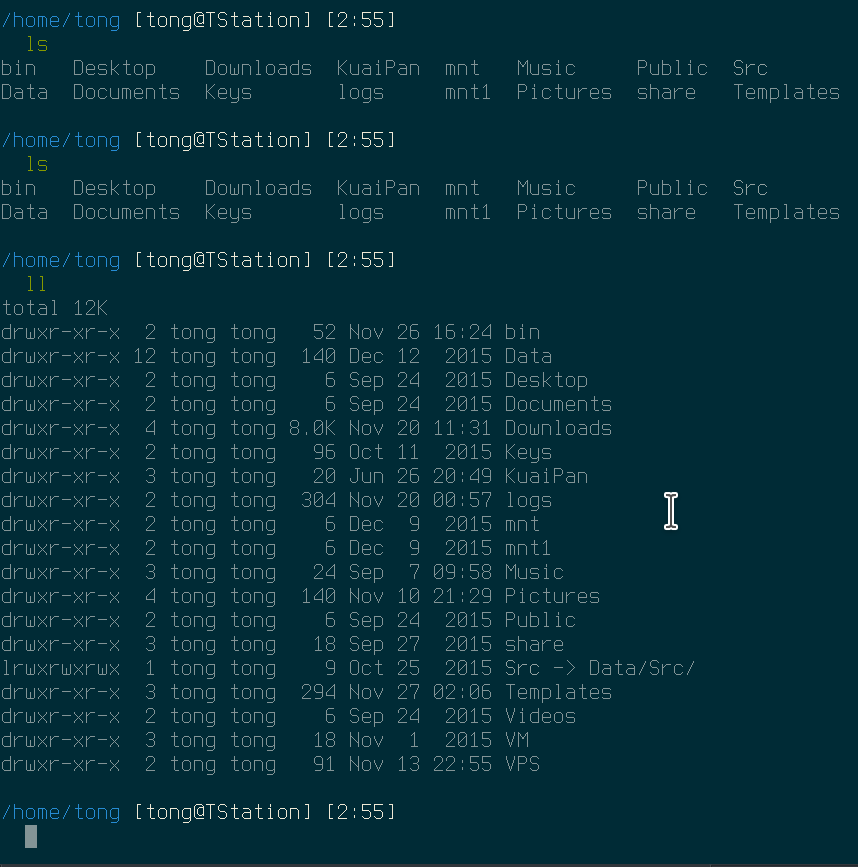
再补一张bitmap terminus 14号,非加粗字体的:
四:到底要怎么管理字体
大多数主流软件的font都是有fonts-conf进行管理的。包括了一系列fc开头的软件。
/home/tong [tong@TStation] [:]

> fc- [tabtab...]

fc-cache     fc-cat       fc-list      fc-match     fc-pattern   fc-query     fc-scan      fc-validate
fonts-conf 读配置文件,配置文件分4类:
1. ~/.fonts.conf, ~/.fonts.conf.d/, ~/.fontconfig/*.cache-* 这三类配置已经不推荐,在不久的将来也不会被兼容。
2. /etc/fonts/fonts.conf, /etc/fonts/conf.avail/ fonts.conf和conf.avail在软件更新的时候会被覆盖。不要做任何更改。
3. /etc/fonts/conf.d/, /etc/fonts/local.conf 系统全局配置。conf.d里面是从conf.avail中软连接过去的。
4. $XDG_CONFIG_HOME/fontconfig/fonts.conf, $XDG_CONFIG_HOME/fontconfig/fonts.d, 用户自定义配置。 在未设置环境变量的情况下,$XDG_CONFIG_HOME默认为 $HONE/.config. 参考内容一,参考内容二。
这还真的挺重要的我觉得,所以我觉得把这段贴出来:
$XDG_DATA_HOME defines the base directory relative to which user specific data files should be stored. If $XDG_DATA_HOME is either not set or empty, a default equal to $HOME/.local/share should be used.

$XDG_CONFIG_HOME defines the base directory relative to which user specific configuration files should be stored. If $XDG_CONFIG_HOME is either not set or empty, a default equal to $HOME/.config should be used.

$XDG_DATA_DIRS defines the preference-ordered set of base directories to search for data files in addition to the $XDG_DATA_HOME base directory. The directories in $XDG_DATA_DIRS should be seperated with a colon ':'.

If $XDG_DATA_DIRS is either not set or empty, a value equal to /usr/local/share/:/usr/share/ should be used.

$XDG_CONFIG_DIRS defines the preference-ordered set of base directories to search for configuration files in addition to the $XDG_CONFIG_HOME base directory. The directories in $XDG_CONFIG_DIRS should be seperated with a colon ':'.

If $XDG_CONFIG_DIRS is either not set or empty, a value equal to /etc/xdg should be used.

The order of base directories denotes their importance; the first directory listed is the most important. When the same information is defined in multiple places the information defined relative to the more important base directory takes precedent. The base directory defined by $XDG_DATA_HOME is considered more important than any of the base directories defined by $XDG_DATA_DIRS. The base directory defined by $XDG_CONFIG_HOME is considered more important than any of the base directories defined by $XDG_CONFIG_DIRS.

$XDG_CACHE_HOME defines the base directory relative to which user specific non-essential data files should be stored. If $XDG_CACHE_HOME is either not set or empty, a default equal to $HOME/.cache should be used.

$XDG_RUNTIME_DIR defines the base directory relative to which user-specific non-essential runtime files and other file objects (such as sockets, named pipes, ...) should be stored. The directory MUST be owned by the user, and he MUST be the only one having read and write access to it. Its Unix access mode MUST be .
环境变量们
所以,实际上用户的配置位置为:$HOME/.config/fontconfig/* 目录。而在实际系统中,即将被废止的配置文件~/.fonts.conf 也正是指向该目录的链接:
/home/tong [tong@TStation] [:]

> ll .fonts.conf

lrwxrwxrwx  tong tong  Sep    .fonts.conf -> /home/tong/.config/fontconfig/fonts.conf

/home/tong [tong@TStation] [:]

>
调整了配置文件之后,运行 fc-cache 命令。新打开的程序就会使用新的字体了。
搞定了wps的问题之后,导致了thunderbird的中文问题。详见:[daily][troubleshoot][archlinux][wps][font] wps文档中的图内容无法显示中文 我现在的目的是,在配置文件中,调整系统默认的中文字体。
首先,我要知道当前的match顺序。使用命令fc-match: 太长了,就不全贴出来了。说实话我也并不太会用这个命令:
[tong@T7:~]

% fc-match -a serif >

[tong@T7:~]

% fc-match -s serif >

[tong@T7:~]
然后,通过man手册中提供的本地文档 /usr/share/doc/fontconfig/fontconfig-user.html , 找到了这样一段内容:
<!--

    use WenQuanYi Zen Hei font when serif is requested for Chinese

-->

<match>

    <!--

        If you don't want to use WenQuanYi Zen Hei font for zh-tw etc,

        you can use zh-cn instead of zh.

        Please note, even if you set zh-cn, it still matches zh.

        if you don't like it, you can use compare="eq"

        instead of compare="contains".

    -->

    <test name="lang" compare="contains">

        <string>zh</string>

    </test>

    <test name="family">

        <string>serif</string>

    </test>

    <edit name="family" mode="prepend">

        <string>WenQuanYi Zen Hei</string>

    </edit>

</match>
依葫芦画瓢,写到用户配置里,如下:
[tong@T7:~]

% cat .config/fontconfig/fonts.conf
<?xml version="1.0"?><!DOCTYPE fontconfig SYSTEM "fonts.dtd">

<fontconfig>

 <dir>~/.fonts</dir>

<match>

        <test name="lang" compare="contains">

                <string>zh</string>

        </test>

        <test name="family">

                <string>serif</string>

        </test>

        <edit name="family" mode="prepend">

                <string>Source Han Sans CN</string>

        </edit>

</match>

<match>

        <test name="lang" compare="contains">

                <string>zh</string>

        </test>

        <test name="family">

                <string>sans</string>

        </test>

        <edit name="family" mode="prepend">

                <string>Source Han Sans CN</string>

        </edit>

</match>

<match>

        <test name="lang" compare="contains">

                <string>zh</string>

        </test>

        <test name="family">

                <string>mono</string>

        </test>

        <edit name="family" mode="prepend">

                <string>Source Han Sans CN</string>

        </edit>

</match>

</fontconfig>
fonts.conf
遗憾的是,并没有用。
顺便读了这个,仅仅用来参考:http://www.cnblogs.com/youxia/p/linux004.html
依据圣教读物,将配置再次做了修改如下:
<?xml version="1.0"?><!DOCTYPE fontconfig SYSTEM "fonts.dtd">

<fontconfig>

 <dir>~/.fonts</dir>

<alias>

        <family>serif</family>

        <prefer>

                <family>DejaVu Serif</family>

                <family>Source Han Sans CN</family>

        </prefer>

</alias>

<alias>

        <family>sans serif</family>

        <prefer>

                <family>DejaVu Sans</family>

                <family>Source Han Sans CN</family>

        </prefer>

</alias>

<alias>

        <family>sans</family>

        <prefer>

                <family>DejaVu Sans</family>

                <family>Source Han Sans CN</family>

        </prefer>

</alias>

<alias>

        <family>mono</family>

        <prefer>

                <family>DejaVu Sans Mono</family>

                <family>Source Han Sans CN</family>

        </prefer>

</alias>

</fontconfig>
fonts.conf
配置生效,也达到了调整顺序的目的(通过fc-match的结果与修改之前对比):
[tong@T7:~]

% fc-match -a serif >

[tong@T7:~]

% fc-match -s serif >

[tong@T7:~]

% diff

8a9,

> SourceHanSansCN-Regular.otf: "Source Han Sans CN" "Regular"

> SourceHanSansCN-Normal.otf: "Source Han Sans CN" "Normal"

> SourceHanSansCN-Light.otf: "Source Han Sans CN" "Light"

> SourceHanSansCN-ExtraLight.otf: "Source Han Sans CN" "ExtraLight"

> SourceHanSansCN-Medium.otf: "Source Han Sans CN" "Medium"

> SourceHanSansCN-Bold.otf: "Source Han Sans CN" "Bold"

> SourceHanSansCN-Heavy.otf: "Source Han Sans CN" "Heavy"

247d253

< SourceHanSansCN-Regular.otf: "Source Han Sans CN" "Regular"

363d368

< SourceHanSansCN-Normal.otf: "Source Han Sans CN" "Normal"

369d373

< SourceHanSansCN-Light.otf: "Source Han Sans CN" "Light"

372d375

< SourceHanSansCN-ExtraLight.otf: "Source Han Sans CN" "ExtraLight"

377d379

< SourceHanSansCN-Medium.otf: "Source Han Sans CN" "Medium"

527d528

< SourceHanSansCN-Bold.otf: "Source Han Sans CN" "Bold"

553d553

< SourceHanSansCN-Heavy.otf: "Source Han Sans CN" "Heavy"

[tong@T7:~]

% diff                                                                                                        ↵

4a5

> SourceHanSansCN-Regular.otf: "Source Han Sans CN" "Regular"

14d14

< MSJH.TTC: "Microsoft JhengHei" "Normal"

79d78

< SourceHanSansCN-Regular.otf: "Source Han Sans CN" "Regular"

[tong@T7:~]
对比
[tong@T7:~]

% fc-match -s serif|head -n

DejaVuSerif.ttf: "DejaVu Serif" "Book"

DejaVuSerif-Bold.ttf: "DejaVu Serif" "Bold"

DejaVuSerif-Italic.ttf: "DejaVu Serif" "Italic"

DejaVuSerif-BoldItalic.ttf: "DejaVu Serif" "Bold Italic"

SourceHanSansCN-Regular.otf: "Source Han Sans CN" "Regular"

times.ttf: "Times New Roman" "Regular"

[tong@T7:~]

%
可是thunderbird的显示依然不正确。这真的让我很为难。。。
又改了一版,因为family名字写错了,serif生效了,另外的没生效。认真阅读/etc/fontconfig/fonts.conf文件,就会发现正确的名字。
<?xml version="1.0"?><!DOCTYPE fontconfig SYSTEM "fonts.dtd">

<fontconfig>

 <dir>~/.fonts</dir>

<alias>

        <family>serif</family>

        <prefer>

                <family>DejaVu Serif</family>

                <family>Source Han Sans CN</family>

        </prefer>

</alias>

<alias>

        <family>sans-serif</family>

        <prefer>

                <family>DejaVu Sans</family>

                <family>Source Han Sans CN</family>

        </prefer>

</alias>

<alias>

        <family>monospace</family>

        <prefer>

                <family>DejaVu Sans Mono</family>

                <family>Source Han Sans CN</family>

        </prefer>

</alias>

</fontconfig>
新fonts.conf
查看thunderbird,问题修正。:-)
[daily][archlinux][fonts] 在linux下管理字体的更多相关文章
- Linux 下 netbeans 字体抗锯齿正解
转自:http://leenjewel.blog.163.com/blog/static/601937922010124444051/ 说来这个不难,主要是我看网上有的写的不是很明确,甚至有的写的根本 ...
- [转载]Linux下终端字体颜色设置方法
原文地址:Linux下终端字体颜色设置方法作者:router 网上类似的文章有很多,但是都是转来转去的,没有经过测试,按照很多文章的方法会造成你设置之后的终端在换行和删除输入字符时终端显示会乱七八糟, ...
- linux下终端字体彩色显示
linux下python彩色显示 跨平台彩色显示库https://pypi.python.org/pypi/colorama jlive@MacBook-Pro:py_demo $pytho ...
- linux 下 NetBeans 字体大小设置
在linux mint 12下安装了 NetBeans7.1.2使用之后,觉得字体不好看,字体普遍特别大,分三个方面改NetBeans的字体. 1. 代码字体大小 点击NetBeans菜单,工具--& ...
- laravel 使用PhantomMagick导出pdf ,在Linux下安装字体
git项目地址:https://github.com/anam-hossain/phantommagick sudo apt-get -y install fontconfig xfonts-util ...
- 在linux下管理iphone
场景: linux发行版:ubuntu 14.04 64bit 3.13.0-67-generic(内核版本) iphone型号:iphone 5c (ios 8.1.3 已越狱) 准备工作(一定要先 ...
- Linux下wps字体问题
1.安装symbol-fonts_1.2_all.deb,自行搜索 2.卸载xfonts-mathml字体 sudo apt-get remove xfonts-mathml
- Linux 下查看字体
1.查看所有字体 命令:fc-list 2.查看中文字体 命令:fc-list :lang=zh 3.查看更多字体 命令:fc-match -v "AR PL UKai CN"
- Linux下终端字体颜色设置方法
颜色=\033[代码;前景;背景m 如:\033[1;32;40m表示高亮显示字体为绿色,背景色为黑色 颜色=\[\033[代码;前景;背景m\] echo -e "this is a \0 ...
随机推荐
- ural 1142. Relations
1142. Relations Time limit: 1.0 secondMemory limit: 64 MB Background Consider a specific set of comp ...
- vwampserver2.5-apache2.4.9允许外部访问的配置
打开..\wamp\bin\apache\apache2.4.9\conf\httpd.conf配置文件, <Directory "c:/wamp/www/"> ...
- JAVA的自动装箱拆箱
转自:http://www.cnblogs.com/danne823/archive/2011/04/22/2025332.html 蛋呢 的空间 ??什么是自动装箱拆箱 基本数据类型的自动装箱(a ...
- TML5如何在移动网页端调用手机图片或者camera
TML5如何在移动网页端调用手机图片或者camera可以参考这篇文章: 如果你开始基于iOS系统(ios6 above) 的web应用,可以考虑这段代码: 点击按钮,会调用你的摄像头相册 附源码文件: ...
- floyd算法 poj2253
#include<iostream> #include<algorithm> #include<cmath> #include<cstdio> usin ...
- Codeforces Beta Round #2 A. Winner
A. Winner time limit per test 1 second memory limit per test 64 megabytes input standard input outpu ...
- ACM: POJ 3660 Cow Contest - Floyd算法
链接 Cow Contest Time Limit:1000MS Memory Limit:65536KB 64bit IO Format:%lld & %llu Descri ...
- 【BZOJ2186】【SDoi2008】沙拉公主的困惑 数论
Description 大富翁国因为通货膨胀,以及假钞泛滥,政府决定推出一项新的政策:现有钞票编号范围为1到N的阶乘,但是,政府只发行编号与M!互质的钞票.房地产第一大户沙拉公主决定预测一下大富翁国现 ...
- 【hdu2795】Billboard
Problem Description At the entrance to the university, there is a huge rectangular billboard of size ...
- 服务器端接受Json数据的绑定实现
1.在方法参数前加上JsonRead<T>的泛型特性 public ActionResult GetData([JsonRead(typeof(PostData))]PostData po ...