
TextBox 英文文档
TextBox
Extend from $.fn.validatebox.defaults. Override defaults with $.fn.textbox.defaults.
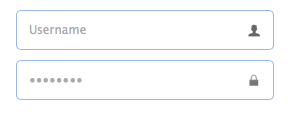
The TextBox component is a enhanced input field that allows users build their form easily. It is the base component for building other complex components such as combo,datebox,spinner,etc.
Dependencies
- validatebox
- linkbutton
Usage Example
Create textbox from markup.
- <input class="easyui-textbox" data-options="iconCls:'icon-search'" style="width:300px">
Create textbox by using javascript.
- <input id="tb" type="text" style="width:300px">
- $('#tb').textbox({
- buttonText:'Search',
- iconCls:'icon-man',
- iconAlign:'left'
- })
Properties
The properties extend from validatebox, below is the added properties for textbox:
| Name | Type | Description | Default |
|---|---|---|---|
| width | number | The width of the component. | auto |
| height | number | The height of the component. | 22 |
| prompt | string | The prompt message to be displayed in input box. | '' |
| value | string | The default value. | |
| type | string | The textbox type. Possible values are 'text' and 'password'. | text |
| multiline | boolean | Defines if this is a multiline textbox. | false |
| editable | boolean | Defines if user can type text directly into the field. | true |
| disabled | boolean | Defines if to disable the field. | false |
| readonly | boolean | Defines if the component is read-only. | false |
| icons | array | The icons attached to the textbox. Each item has the following properties: iconCls: string, the icon class. disabled: boolean, indicate if the icon is disabled. handler: function, the function to process the clicking action on this icon. Code example: $('#tb').textbox({
|
[] |
| iconCls | string | The background icon displayed on the textbox. | null |
| iconAlign | string | Position of the icons. Possible values are 'left','right'. | right |
| iconWidth | number | The icon width. | 18 |
| buttonText | string | The displaying text of button that attached to the textbox. | |
| buttonIcon | string | The displaying icon of button that attached to the textbox. | null |
| buttonAlign | string | Position of the button. Possible values are 'left','right'. | right |
Events
The events extend from validatebox, below is the added events for textbox.
| Name | Parameters | Description |
|---|---|---|
| onChange | newValue,oldValue | Fires when the field value is changed. |
| onResize | width,height | Fires when the textbox is resized. |
| onClickButton | none | Fires when the user click the button. |
| onClickIcon | index | Fires when the user click a icon. |
Methods
The methods extend from validatebox, below is the added methods for textbox.
| Name | Parameter | Description |
|---|---|---|
| options | none | Return the options object. |
| textbox | none | Return the textbox object. The user can bind any events to this editing box.
Code example: var t = $('#tt');
|
| button | none | Return the button object. |
| destroy | none | Destroy the textbox component. |
| resize | width | Resize the component width. |
| disable | none | Disable the component. |
| enable | none | Enable the component. |
| readonly | mode | Enable/Disable readonly mode.
Code example: $('#tb').textbox('readonly'); // enable readonly mode
|
| clear | none | Clear the component value. |
| reset | none | Reset the component value. |
| initValue | value | Initialize the component value. Calling this method does not trigger the 'onChange' event. |
| setText | text | Set the displaying text value. |
| getText | none | Get the displaying text value. |
| setValue | value | Set the component value. |
| getValue | none | Get the component value. |
| getIcon | index | Get specified icon object. |
原文:http://www.jeasyui.com/documentation/index.php#
TextBox 英文文档的更多相关文章
- openstack【Kilo】汇总:包括20英文文档、各个组件新增功能及Kilo版部署
OpenStack Kilo版本发布 20英文文档OpenStack Kilo版本文档汇总:各个操作系统安装部署.配置文档.用户指南等文档 Kilo版部署 openstack[Kilo]入门 [准备篇 ...
- py爬取英文文档学习单词
最近开始看一些整本整本的英文典籍,虽然能看个大概,但是作为四级都没过的我来说还是有些吃力,总还有一部分很关键的单词影响我对句子的理解,因为看的是纸质的,所以查询也很不方便,于是想来个突击,我想把程序单 ...
- 英文文档帮查&翻译计划
以CSDN为首,知乎其次,cnblog带路的一大批博客上充斥着大量低质量的编程入门教程,代码粗制滥造,毫无缩进,没有高亮,东抄西抄.初学者如果长期参照这种垃圾博客来解决问题,将会适得其反,走入歧途. ...
- Python3求英文文档中每个单词出现的次数并排序
[本文出自天外归云的博客园] 题目要求: 1.统计英文文档中每个单词出现的次数. 2.统计结果先按次数降序排序,再按单词首字母降序排序. 3.需要考虑大文件的读取. 我的解法如下: import ch ...
- gitlab安装教程、gitlab官网、英文文档
gitlab官网 https://about.gitlab.com/ gitlab安装和官网英文文档 https://about.gitlab.com/downloads/ 清华大学tuna镜像源 G ...
- Android 英文文档下载地址
通过英文Android API学习Android技术是一个不错选择,当然养鸡的专业户要小心了,以下分享一些下载英文文档的链接(请使用迅雷下载): https://dl-ssl.google.com/a ...
- PHP-redis英文文档
作为程序员,看英文文档是必备技能,所以尽量还是多看英文版的^^ PhpRedis The phpredis extension provides an API for communicating wi ...
- python3 怎么统计英文文档常用词?(附解释)
# coding: utf-8 # In[32]: #import requests #from bs4 import BeautifulSoup #res = requests.get(" ...
- 利用谷歌翻译网站和Adobe Acrobat翻译英文文档,且鼠标放置后显示英文原文(无字数限制)(18/12/11更新)
软件:Adobe Acrobat 网页:https://translate.google.cn/?tr=f&hl=zh-CN 方法: 第一步:用Adobe Acrobat 打开英文 ...
随机推荐
- js-关于性能优化的一些学习总结
性能优化的方法有: 1.减少HTTP请求:合并CSS/JS,使用CSS sprite等 2.压缩CSS/JS/图片 3.样式表放头部,JS放body底部:JS放在head中,将会等到js全部下载解析和 ...
- 【BZOJ-1458】士兵占领 最大流
1458: 士兵占领 Time Limit: 10 Sec Memory Limit: 64 MBSubmit: 782 Solved: 456[Submit][Status][Discuss] ...
- CSS 命名管理 之 BEM
好吧,将 BEM 简单的解释为 “Block-Element-Modifier“, 其实是个不负责任的做法.鬼知道 Block 是什么啊?所以,看了一些似懂非懂的中文解释之后,自己还是得去找些英文来读 ...
- MVC5-3 Result分析
众多的Result 使用MVC进行开发,可以看到有ActionResult.ContentReuslt.JsonResult..等,今天对这些Result进行背后分析.它到底是如何做到的 Action ...
- django 快速搭建blog
如果本文看不懂的,去看的我视频吧!http://www.testpub.cn/ ------------------------------------------- Django 自称是“最适合开发 ...
- django入门记录 1
步骤: 1 安装python和django 2 创建项目python-admin startproject mysite(此处可以替换) 3 至少需要一个数据表,所以要创建一个表 python ...
- hibernate基础增删查改简单实例
hibernate 基础理论知识网上很多,可以百度和google.这里不做多的介绍,以一个User表来开展例子 建一个web-project 我这里用了junit单元测试环境来进行增删查改的测试,别的 ...
- hdu 2039 三角形
题意: 判断三条线段能否组成三角形 解法: 坑!记得用float,用int直接WA. 1: #include<stdlib.h> 2: #include<stdio.h> 3: ...
- 【项目】Http请求在NSMutableURLRequest添加HttpBody的字典params属性
在请求头中加入字典集合的Body,首先把字典转换成json,然后json转换成NSData,然后加入到HTTPBody中,我有已下写法 // 参数paramsNSDictionary * params ...
- 捉襟见肘之UIImagePickerController 和自定义照相机
目标:自拍并结合C++算法,识别人脸信息,第一步骤,调用相机并且自定义界面和转场效果 先复习一下 https://developer.apple.com/library/prerelease/tvos ...