
C# - 操作Word文档小实验
前言
本篇主要记录:VS2019 WinFrm桌面应用程序实现对Word文档的简单操作。
准备工作
搭建WinFrm前台界面
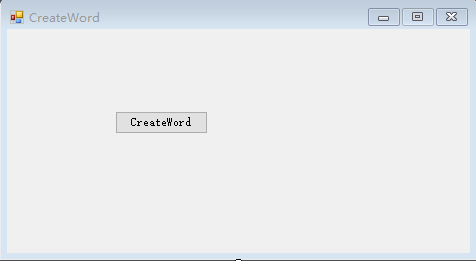
添加必要的控件,如下图
NuGet包管理器
安装Microsoft.Office.Interop.Word包。

核心代码
WordHleper.cs
 using Microsoft.Office.Interop.Word;

 using System;

 using System.Collections.Generic;

 using System.Data;

 using System.IO;

 using System.Linq;

 using System.Reflection;

 using System.Text;

 using System.Threading.Tasks;

 namespace CreateWord

 {

     class WordHelper

     {

         public static void CreateWordFile(string filePath)

         {

             try

             {

                 CreateFile(filePath);

                 //

                 MessageFilter.Register();

                 object wdLine = WdUnits.wdLine;

                 object oMissing = Missing.Value;

                 object fileName = filePath;

                 object heading2 = WdBuiltinStyle.wdStyleHeading2;

                 object heading3 = WdBuiltinStyle.wdStyleHeading3;

                 _Application wordApp = new Application();

                 wordApp.Visible = true;

                 _Document wordDoc = wordApp.Documents.Open(ref fileName, ref oMissing, ref oMissing, ref oMissing, ref oMissing, ref oMissing, ref oMissing, ref oMissing, ref oMissing, ref oMissing, ref oMissing, ref oMissing, ref oMissing, ref oMissing, ref oMissing, ref oMissing);

                 System.Data.DataTable dtDepts = DatabaseHelper.getDept();

                 int ii = ;

                 foreach (DataRow dr in dtDepts.Rows)

                 {

                     string dept = dr["dept"].ToString();

                     Paragraph oPara0 = wordDoc.Content.Paragraphs.Add(ref oMissing);

                     oPara0.Range.Text = string.Format("{0}-{1}", ii + , dept);

                     //oPara0.Range.Font.Bold = 1;

                     //oPara0.Format.SpaceAfter = 5;

                     oPara0.Range.Select();

                     oPara0.set_Style(ref heading2);

                     oPara0.Range.InsertParagraphAfter();

                     System.Data.DataTable dtTemplate = DatabaseHelper.getTemplateByDept(dept);

                     int jj = ;

                     foreach (DataRow dr1 in dtTemplate.Rows)

                     {

                         string template = dr1["template"].ToString();

                         string user1 = dr1["user1"].ToString();

                         string remark = dr1["remark"].ToString();

                         System.Data.DataTable dtData = DatabaseHelper.getDataByDeptAndTemplate(dept, template);

                         int count = dtData.Rows.Count;

                         int row = count + ;

                         int column = ;

                         object ncount = ;

                         wordApp.Selection.MoveDown(ref wdLine, ref ncount, ref oMissing);

                         wordApp.Selection.TypeParagraph();

                         Paragraph oPara1 = wordDoc.Content.Paragraphs.Add(ref oMissing);

                         oPara1.Range.Select();

                         oPara1.Range.Text = string.Format("{0}-{1}、{2}", ii + , jj + , template);

                         //oPara1.Range.Font.Bold = 1;

                         //oPara1.Format.SpaceAfter = 5;

                         oPara1.set_Style(ref heading3);

                         oPara1.Range.InsertParagraphAfter();

                         wordApp.Selection.MoveDown(ref wdLine, ref ncount, ref oMissing);

                         wordApp.Selection.TypeParagraph();

                         //设置表格

                         Table table = wordDoc.Tables.Add(wordApp.Selection.Range, row, column, ref oMissing, ref oMissing);

                         table.Borders.OutsideLineStyle = WdLineStyle.wdLineStyleSingle;

                         table.Borders.InsideLineStyle = WdLineStyle.wdLineStyleSingle;

                         table.Range.Font.Bold = ;

                         table.PreferredWidthType = WdPreferredWidthType.wdPreferredWidthAuto;

                         table.Columns[].Width = 60f;

                         table.Columns[].Width = 100f;

                         table.Columns[].Width = 100f;

                         table.Columns[].Width = 60f;

                         table.Columns[].Width = 100f;

                         //列的合并

                         Cell cell = table.Cell(, );

                         cell.Merge(table.Cell(, ));

                         Cell cell2 = table.Cell(, );

                         cell2.Merge(table.Cell(, ));

                         Cell cell3 = table.Cell(, );

                         cell3.Merge(table.Cell(, ));

                         //赋值

                         table.Cell(, ).Range.Text = "流程名称:";

                         table.Cell(, ).Range.Text = "使用人:";

                         table.Cell(, ).Range.Text = "流程说明:";

                         table.Cell(, ).Range.Text = "节点";

                         table.Cell(, ).Range.Text = "节点名";

                         table.Cell(, ).Range.Text = "处理人员";

                         table.Cell(, ).Range.Text = "处理方式";

                         table.Cell(, ).Range.Text = "跳转信息";

                         table.Cell(, ).Range.Text = template;

                         table.Cell(, ).Range.Text = user1;

                         table.Cell(, ).Range.Text = remark;

                         int kk = ;

                         foreach (DataRow dr2 in dtData.Rows)

                         {

                             table.Cell(kk, ).Range.Text = (kk - ).ToString();

                             table.Cell(kk, ).Range.Text = dr2["NodeName"].ToString();

                             table.Cell(kk, ).Range.Text = dr2["DoName"].ToString();

                             table.Cell(kk, ).Range.Text = dr2["DoType"].ToString();

                             table.Cell(kk, ).Range.Text = string.Empty;

                             kk++;

                         }

                         table.Cell(kk - , ).Range.Select();

                         wordApp.Selection.MoveDown(ref wdLine, ref ncount, ref oMissing);//移动焦点

                         wordApp.Selection.TypeParagraph();//插入段落

                         jj++;

                     }

                     ii++;

                 }

                 //保存

                 wordDoc.Save();

                 wordDoc.Close(ref oMissing, ref oMissing, ref oMissing);

                 wordApp.Quit(ref oMissing, ref oMissing, ref oMissing);

                 MessageFilter.Revoke();

             }

             catch (Exception e)

             {

                 Console.WriteLine(e.Message);

                 Console.WriteLine(e.StackTrace);

             }

         }

         /// <summary>

         /// 创建文件

         /// </summary>

         /// <param name="filePath"></param>

         private static void CreateFile(string filePath)

         {

             if (!File.Exists(filePath))

             {

                 using (FileStream fs = File.Create(filePath))

                 {

                 }

             }

         }

     }

 }
DatabaseHelper.cs
 using System;

 using System.Collections.Generic;

 using System.Data;

 using System.Linq;

 using System.Text;

 using System.Threading.Tasks;

 namespace CreateWord

 {

     public class DatabaseHelper

     {

         /// <summary>

         /// 获取部门

         /// </summary>

         /// <returns></returns>

         public static DataTable getDept()

         {

             DataTable dt = new DataTable();

             dt.Columns.Add("dept");

             for (int i = ; i < ; i++)

             {

                 DataRow dr = dt.NewRow();

                 dr["dept"] = string.Format("部门_{0}_T", i + );

                 dt.Rows.Add(dr);

             }

             return dt;

         }

         /// <summary>

         /// 获取模板

         /// </summary>

         /// <param name="dept"></param>

         /// <returns></returns>

         public static DataTable getTemplateByDept(string dept)

         {

             DataTable dt = new DataTable();

             dt.Columns.Add("template");

             dt.Columns.Add("user1");

             dt.Columns.Add("remark");

             for (int i = ; i < ; i++)

             {

                 DataRow dr = dt.NewRow();

                 dr["template"] = string.Format("小组_{0}_A_{1}", i + , dept);

                 dr["user1"] = string.Format("B_{0}_B_{1}", i + , dept);

                 dr["remark"] = string.Format("C_{0}_C_{1}", i + , dept);

                 dt.Rows.Add(dr);

             }

             return dt;

         }

         /// <summary>

         /// 获取数据

         /// </summary>

         /// <param name="dept"></param>

         /// <param name="template"></param>

         /// <returns></returns>

         public static DataTable getDataByDeptAndTemplate(string dept, string template)

         {

             DataTable dt = new DataTable();

             dt.Columns.Add("NodeName");

             dt.Columns.Add("DoName");

             dt.Columns.Add("DoType");

             for (int i = ; i < ; i++)

             {

                 DataRow dr = dt.NewRow();

                 dr["NodeName"] = string.Format("AA_{0}_{1}", i, template);

                 dr["DoName"] = string.Format("BB_{0}", i);

                 dr["DoType"] = string.Format("CC_{0}", i);

                 dt.Rows.Add(dr);

             }

             return dt;

         }

     }

 }
Messagefilter.cs
 using System;

 using System.Collections.Generic;

 using System.Linq;

 using System.Runtime.InteropServices;

 using System.Text;

 using System.Threading.Tasks;

 namespace CreateWord

 {

     public class MessageFilter : IOleMessageFilter

     {

         //

         // Class containing the IOleMessageFilter

         // thread error-handling functions.

         // Start the filter.

         public static void Register()

         {

             IOleMessageFilter newFilter = new MessageFilter();

             IOleMessageFilter oldFilter = null;

             CoRegisterMessageFilter(newFilter, out oldFilter);

         }

         // Done with the filter, close it.

         public static void Revoke()

         {

             IOleMessageFilter oldFilter = null;

             CoRegisterMessageFilter(null, out oldFilter);

         }

         //

         // IOleMessageFilter functions.

         // Handle incoming thread requests.

         int IOleMessageFilter.HandleInComingCall(int dwCallType, IntPtr hTaskCaller, int dwTickCount, IntPtr lpInterfaceInfo)

         {

             //Return the flag SERVERCALL_ISHANDLED.

             return ;

         }

         // Thread call was rejected, so try again.

         int IOleMessageFilter.RetryRejectedCall(IntPtr hTaskCallee, int dwTickCount, int dwRejectType)

         {

             if (dwRejectType == )

             // flag = SERVERCALL_RETRYLATER.

             {

                 // Retry the thread call immediately if return >=0 &

                 // <100.

                 return ;

             }

             // Too busy; cancel call.

             return -;

         }

         int IOleMessageFilter.MessagePending(System.IntPtr hTaskCallee, int dwTickCount, int dwPendingType)

         {

             //Return the flag PENDINGMSG_WAITDEFPROCESS.

             return ;

         }

         // Implement the IOleMessageFilter interface.

         [DllImport("Ole32.dll")]

         private static extern int CoRegisterMessageFilter(IOleMessageFilter newFilter, out IOleMessageFilter oldFilter);

     }

     [ComImport(), Guid("00000016-0000-0000-C000-000000000046"),

     InterfaceTypeAttribute(ComInterfaceType.InterfaceIsIUnknown)]

     interface IOleMessageFilter

     {

         [PreserveSig]

         int HandleInComingCall(int dwCallType, IntPtr hTaskCaller, int dwTickCount, IntPtr lpInterfaceInfo);

         [PreserveSig]

         int RetryRejectedCall(IntPtr hTaskCallee, int dwTickCount, int dwRejectType);

         [PreserveSig]

         int MessagePending(IntPtr hTaskCallee, int dwTickCount, int dwPendingType);

     }

 }
运行效果

参考资料:
https://wenku.baidu.com/view/95ed9a410640be1e650e52ea551810a6f424c861
https://www.cnblogs.com/hsiang/p/9919605.html
作者:Jeremy.Wu
出处:https://www.cnblogs.com/jeremywucnblog/
本文版权归作者和博客园共有,欢迎转载,但未经作者同意必须保留此段声明,且在文章页面明显位置给出原文连接,否则保留追究法律责任的权利。
C# - 操作Word文档小实验的更多相关文章
- iText操作word文档总结
操作word文档的工具有很多,除了iText之外还有POI,但是POI擅长的功能是操作excel,虽然也可以操作word,但是能力有限,而且还有很多的bug,技术并不成熟,下面就重点介绍一种操作wor ...
- C#操作Word文档(加密、解密、对应书签插入分页符)
原文:C#操作Word文档(加密.解密.对应书签插入分页符) 最近做一个项目,客户要求对已经生成好的RTF文件中的内容进行分页显示,由于之前对这方面没有什么了解,后来在网上也找了相关的资料,并结合自己 ...
- 利用Python操作Word文档【图片】
利用Python操作Word文档
- Java文件操作系列[3]——使用jacob操作word文档
Java对word文档的操作需要通过第三方组件实现,例如jacob.iText.POI和java2word等.jacob组件的功能最强大,可以操作word,Excel等格式的文件.该组件调用的的是操作 ...
- VC操作WORD文档总结
一.写在开头 最近研究word文档的解析技术,我本身是VC的忠实用户,看到C#里面操作WORD这么舒服,同时也看到单位有一些需求,就想尝试一下,结果没想到里面的技术点真不少,同时网络上的共享资料很多, ...
- QTP操作word文档
QTP可以对word文档进行操作,这里最主要展示的是向word文档写入内容,并保存的功能. Option explicit Dim wordApp Set wordApp = createobject ...
- c#中操作word文档-四、对象模型
转自:http://blog.csdn.net/ruby97/article/details/7406806 Word对象模型 (.Net Perspective) 本文主要针对在Visual St ...
- python 操作word文档
因为工作需要操作一些word文档,记录一下学习思路 #-*- encoding: utf8 -*- import win32com from win32com.client import Dispat ...
- 2.QT中操作word文档
Qt/Windows桌面版提供了ActiveQt框架,用以为Qt和ActiveX提供完美结合.ActiveQt由两个模块组成: A QAxContainer模块允许我们使用COM对象并且可以 ...
随机推荐
- Maven学习 --- <distributionManagement>
在使用maven过程中,我们在开发阶段经常性的会有很多公共库处于不稳定状态,随时需要修改并发布,可能一天就要发布一次,遇到bug时,甚至一天要发布N次.我们知道,maven的依赖管理是基于版本管理的, ...
- 阿里面试实战题3----String,StringBuilder,StringBuffer区别
String public final class String implements java.io.Serializable, Comparable<String>, CharSequ ...
- ADO.NET ORM数据库增删改查封装(工具一)
约束 public abstract class BaseModel { public int Id { get; set; } } 连接字符串 public static readonly stri ...
- ASP.NET Core Web 应用程序系列(一)- 使用ASP.NET Core内置的IoC容器DI进行批量依赖注入(MVC当中应用)
在正式进入主题之前我们来看下几个概念: 一.依赖倒置 依赖倒置是编程五大原则之一,即: 1.上层模块不应该依赖于下层模块,它们共同依赖于一个抽象. 2.抽象不能依赖于具体,具体依赖于抽象. 其中上层就 ...
- 在Python中反向遍历序列(列表、字符串、元组等)的五种方式
1. reversed() a = [1, 2, 3, 4] for i in reversed(a): print(i) 2. range(len(a)-1, -1, -1) a = [1, 2, ...
- Python进程池multiprocessing.Pool的用法
一.multiprocessing模块 multiprocessing模块提供了一个Process类来代表一个进程对象,multiprocessing模块像线程一样管理进程,这个是multiproce ...
- JUnit与MSTest
执行test类的每个方法时,需要做一些初始化.比如初始化applicationcontext.JUnit使用@Before注解. import org.junit.Before; import org ...
- java 读取 excel 表格内容
一.添加依赖 <dependency> <groupId>org.apache.poi</groupId> <artifactId>poi</ar ...
- 树莓派 raspbian Linux 系统命令行 快捷键
在 Linux 下使用命令操作的时候,光标的移动令人头痛.命令输入完了,执行之后发现缺少权限,然后不得不移动光标到行首加 sudo,而命令又极长……当我学会了命令行相关的快捷键之后,不仅效率提高了,更 ...
- Linux和Windows的区别
1. 软件与支持 • Windows 平台:数量和质量的优势,不过大部分为收费软件:由微软官方提供重要支持和服务: • Linux 平台:大都为开源自由软件,用户可以修改定制和再发布,由于基本免费没有 ...