
react-native聊天室|RN版聊天App仿微信实例|RN仿微信界面
一、前言
9月,又到开学的季节。为每个一直默默努力的自己点赞!最近都沉浸在react native原生app开发中,之前也有使用vue/react/angular等技术开发过聊天室项目,另外还使用RN技术做了个自定义模态弹窗rnPop组件。
一、项目简述
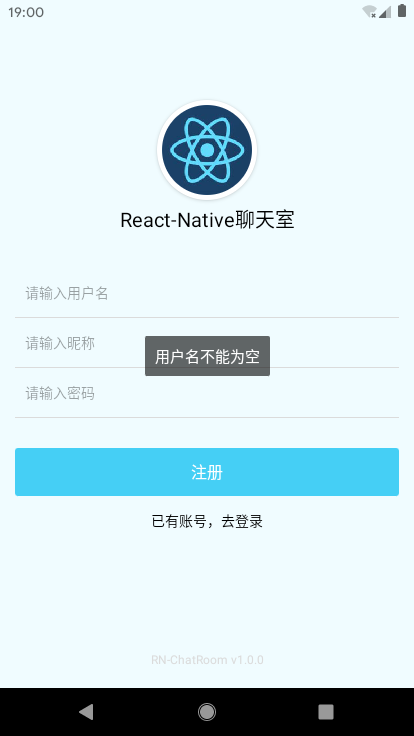
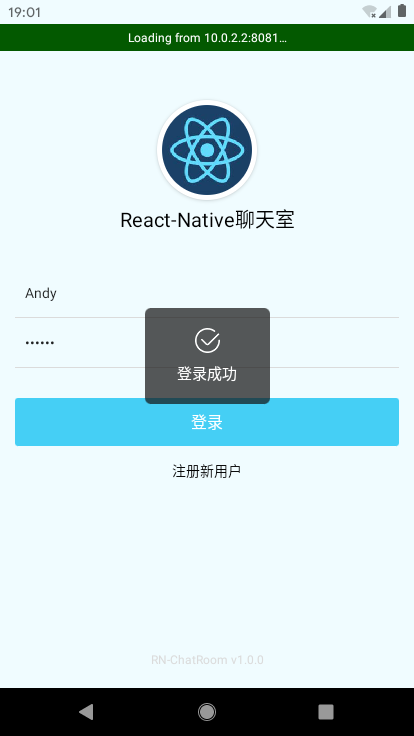
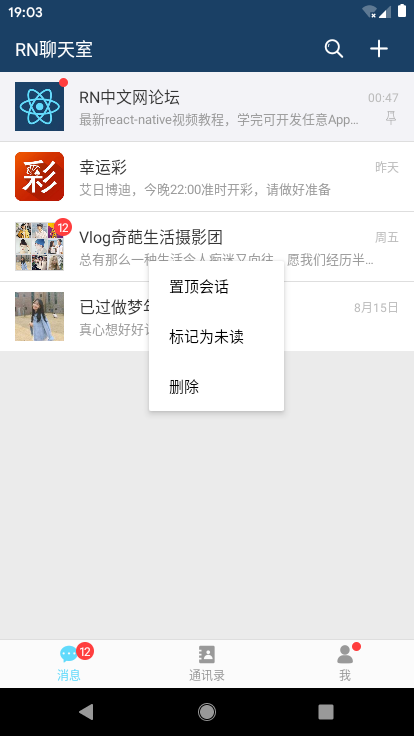
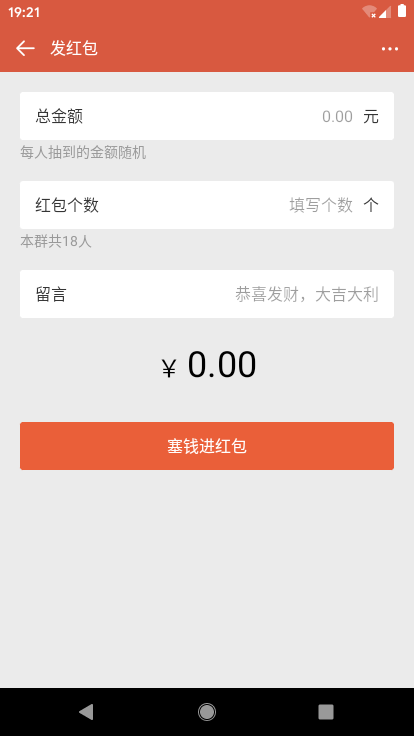
基于react+react-native+react-navigation+react-redux+react-native-swiper+rnPop等技术开发的仿微信原生App界面聊天室——RN_ChatRoom,实现了原生app启动页、AsyncStorage本地存储登录拦截、集成rnPop模态框功能(仿微信popupWindow弹窗菜单)、消息触摸列表、发送消息、表情(动图),图片预览,拍摄图片、发红包、仿微信朋友圈等功能。
二、技术点
- MVVM框架:react / react-native / react-native-cli
- 状态管理:react-redux / redux
- 页面导航:react-navigation
- rn弹窗组件:rnPop
- 打包工具:webpack 2.0
- 轮播组件:react-native-swiper
- 图片/相册:react-native-image-picker
{

  "name": "RN_ChatRoom",

  "version": "0.0.1",

  "aboutMe": "QQ:282310962 、 wx:xy190310",

  "dependencies": {

    "react": "16.8.6",

    "react-native": "0.60.4"

  },

  "devDependencies": {

    "@babel/core": "^7.5.5",

    "@babel/runtime": "^7.5.5",

    "@react-native-community/async-storage": "^1.6.1",

    "@react-native-community/eslint-config": "^0.0.5",

    "babel-jest": "^24.8.0",

    "eslint": "^6.1.0",

    "jest": "^24.8.0",

    "metro-react-native-babel-preset": "^0.55.0",

    "react-native-gesture-handler": "^1.3.0",

    "react-native-image-picker": "^1.0.2",

    "react-native-swiper": "^1.5.14",

    "react-navigation": "^3.11.1",

    "react-redux": "^7.1.0",

    "react-test-renderer": "16.8.6",

    "redux": "^4.0.4",

    "redux-thunk": "^2.3.0"

  },

  "jest": {

    "preset": "react-native"

  }

}
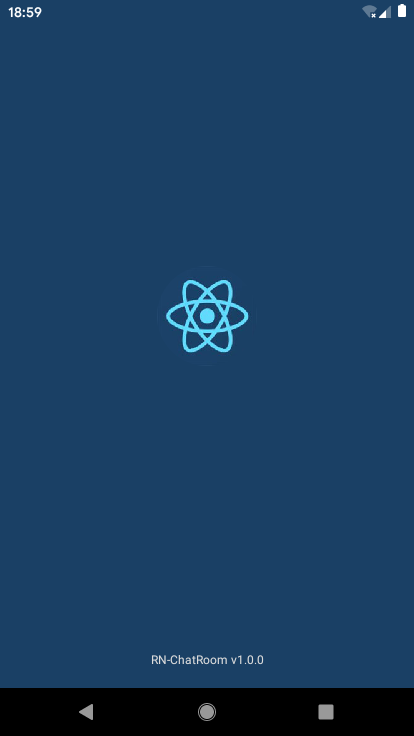











◆ App全屏幕启动页splash模板
react-native如何全屏启动? 设置StatusBar顶部条背景为透明 translucent={true},并配合RN动画Animated
/**

 * @desc 启动页面

 */

import React, { Component } from 'react'

import { StatusBar, Animated, View, Text, Image } from 'react-native'

export default class Splash extends Component{

    constructor(props){

        super(props)

        this.state = {

            animFadeIn: new Animated.Value(0),

            animFadeOut: new Animated.Value(1),

        }

    }

    render(){

        return (

            <Animated.View style={[GStyle.flex1DC_a_j, {backgroundColor: '#1a4065', opacity: this.state.animFadeOut}]}>

                <StatusBar backgroundColor='transparent' barStyle='light-content' translucent={true} />

                <View style={GStyle.flex1_a_j}>

                    <Image source={require('../assets/img/ic_default.jpg')} style={{borderRadius: 100, width: 100, height: 100}} />

                </View>

                <View style={[GStyle.align_c, {paddingVertical: 20}]}>

                    <Text style={{color: '#dbdbdb', fontSize: 12, textAlign: 'center',}}>RN-ChatRoom v1.0.0</Text>

                </View>

            </Animated.View>

        )

    }

    componentDidMount(){

        // 判断是否登录

        storage.get('hasLogin', (err, object) => {

            setTimeout(() => {

                Animated.timing(

                    this.state.animFadeOut, {duration: 300, toValue: 0}

                ).start(()=>{

                    // 跳转页面

                    util.navigationReset(this.props.navigation, (!err && object && object.hasLogin) ? 'Index' : 'Login')

                })

            }, 1500);

        })

    }

}
◆ RN本地存储技术async-storage
/**

 * @desc 本地存储函数

 */

import AsyncStorage from '@react-native-community/async-storage'

export default class Storage{

    static get(key, callback){

        return AsyncStorage.getItem(key, (err, object) => {

            callback(err, JSON.parse(object))

        })

    }

    static set(key, data, callback){

        return AsyncStorage.setItem(key, JSON.stringify(data), callback)

    }

    static del(key){

        return AsyncStorage.removeItem(key)

    }

    static clear(){

        AsyncStorage.clear()

    }

}

global.storage = Storage
声明全局global变量,只需在App.js页面一次引入、多个页面均可调用。
storage.set('hasLogin', { hasLogin: true })
storage.get('hasLogin', (err, object) => { ... })
◆ App主页面模板及全局引入组件
import React, { Fragment, Component } from 'react'

import { StatusBar } from 'react-native'

// 引入公共js

import './src/utils/util'

import './src/utils/storage'

// 导入样式

import './src/assets/css/common'

// 导入rnPop弹窗

import './src/assets/js/rnPop/rnPop.js'

// 引入页面路由

import PageRouter from './src/router'

class App extends Component{

  render(){

    return (

      <Fragment>

        {/* <StatusBar backgroundColor={GStyle.headerBackgroundColor} barStyle='light-content' /> */}

        {/* 页面 */}

        <PageRouter />

        {/* 弹窗模板 */}

        <RNPop />

      </Fragment>

    )

  }

}

export default App
◆ react-navigation页面导航器/地址路由、底部tabbar
由于react-navigation官方顶部导航器不能满足需求,如是自己封装了一个,功能效果有些类似微信导航。
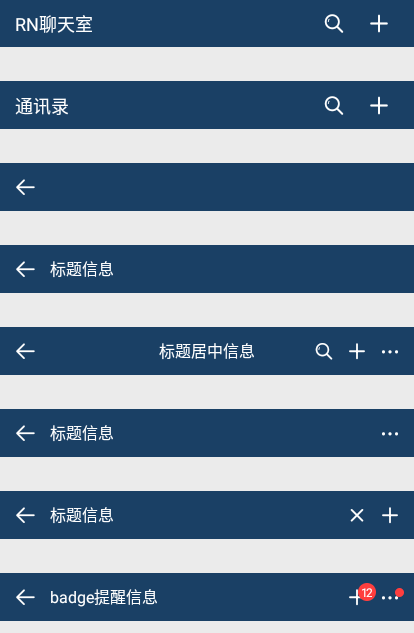
export default class HeaderBar extends Component {
constructor(props){
super(props)
this.state = {
searchInput: ''
}
}
render() {
/**
* 更新
* @param { navigation | 页面导航 }
* @param { title | 标题 }
* @param { center | 标题是否居中 }
* @param { search | 是否显示搜索 }
* @param { headerRight | 右侧Icon按钮 }
*/
let{ navigation, title, bg, center, search, headerRight } = this.props
return (
<View style={GStyle.flex_col}>
<StatusBar backgroundColor={bg ? bg : GStyle.headerBackgroundColor} barStyle='light-content' translucent={true} />
<View style={[styles.rnim__topBar, GStyle.flex_row, {backgroundColor: bg ? bg : GStyle.headerBackgroundColor}]}>
{/* 返回 */}
<TouchableOpacity style={[styles.iconBack]} activeOpacity={.5} onPress={this.goBack}><Text style={[GStyle.iconfont, GStyle.c_fff, GStyle.fs_18]}></Text></TouchableOpacity>
{/* 标题 */}
{ !search && center ? <View style={GStyle.flex1} /> : null }
{
search ?
(
<View style={[styles.barSearch, GStyle.flex1, GStyle.flex_row]}>
<TextInput onChangeText={text=>{this.setState({searchInput: text})}} style={styles.barSearchText} placeholder='搜索' placeholderTextColor='rgba(255,255,255,.6)' />
</View>
)
:
(
<View style={[styles.barTit, GStyle.flex1, GStyle.flex_row, center ? styles.barTitCenter : null]}>
{ title ? <Text style={[styles.barCell, {fontSize: 16, paddingLeft: 0}]}>{title}</Text> : null }
</View>
)
}
{/* 右侧 */}
<View style={[styles.barBtn, GStyle.flex_row]}>
{
!headerRight ? null : headerRight.map((item, index) => {
return(
<TouchableOpacity style={[styles.iconItem]} activeOpacity={.5} key={index} onPress={()=>item.press ? item.press(this.state.searchInput) : null}>
{
item.type === 'iconfont' ? item.title : (
typeof item.title === 'string' ?
<Text style={item.style ? item.style : null}>{`${item.title}`}</Text>
:
<Image source={item.title} style={{width: 24, height: 24, resizeMode: 'contain'}} />
)
}
{/* 圆点 */}
{ item.badge ? <View style={[styles.iconBadge, GStyle.badge]}><Text style={GStyle.badge_text}>{item.badge}</Text></View> : null }
{ item.badgeDot ? <View style={[styles.iconBadgeDot, GStyle.badge_dot]}></View> : null }
</TouchableOpacity>
)
})
}
</View>
</View>
</View>
)
}
goBack = () => {
this.props.navigation.goBack()
}
}
// 创建底部TabBar
const tabNavigator = createBottomTabNavigator(
// tabbar路由(消息、通讯录、我)
{
Index: {
screen: Index,
navigationOptions: ({navigation}) => ({
tabBarLabel: '消息',
tabBarIcon: ({focused, tintColor}) => (
<View>
<Text style={[ GStyle.iconfont, GStyle.fs_20, {color: (focused ? tintColor : '#999')} ]}></Text>
<View style={[GStyle.badge, {position: 'absolute', top: -2, right: -15,}]}><Text style={GStyle.badge_text}>12</Text></View>
</View>
)
})
},
Contact: {
screen: Contact,
navigationOptions: {
tabBarLabel: '通讯录',
tabBarIcon: ({focused, tintColor}) => (
<View>
<Text style={[ GStyle.iconfont, GStyle.fs_20, {color: (focused ? tintColor : '#999')} ]}></Text>
</View>
)
}
},
Ucenter: {
screen: Ucenter,
navigationOptions: {
tabBarLabel: '我',
tabBarIcon: ({focused, tintColor}) => (
<View>
<Text style={[ GStyle.iconfont, GStyle.fs_20, {color: (focused ? tintColor : '#999')} ]}></Text>
<View style={[GStyle.badge_dot, {position: 'absolute', top: -2, right: -6,}]}></View>
</View>
)
}
}
},
// tabbar配置
{
...
}
)
◆ RN聊天页面功能模块
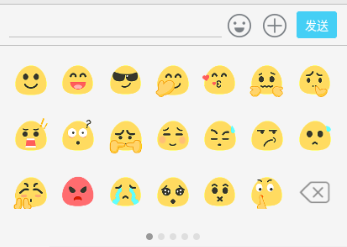
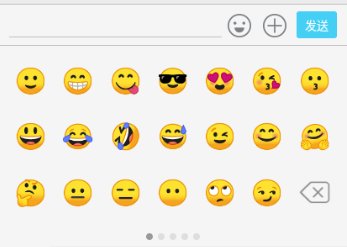
1、表情处理:原本是想着使用图片表情gif,可是在RN里面textInput文本框不能插入图片,只能通过定义一些特殊字符 :66: (:12 [奋斗] 解析表情,处理起来有些麻烦,而且图片多了影响性能,如是就改用emoj表情符。
faceList: [
{
nodes: [
'react-native聊天室|RN版聊天App仿微信实例|RN仿微信界面的更多相关文章
- 基于TCP协议的聊天室控制台版
我之前写过一篇博客,主要是基于TCP协议实现的聊天室swing版,在此再写一个基于TCP协议实现的聊天室控制台版,便于学习和比较. package 聊天室console版.utils; import ...
- JavaSE项目之聊天室swing版
引子: 当前,互联网 体系结构的参考模型主要有两种,一种是OSI参考模型,另一种是TCP/IP参考模型. 一.OSI参考模型,即开放式通信系统互联参考模型(OSI/RM,Open Systems In ...
- Facebook新框架React Native,一套搞定App开发[转]
Facebook新框架React Native,一套搞定App开发 本文来自微信公众号“给产品经理讲技术”(pm_teacher),欢迎关注. 做为一名产品经理,你是否遇到过这样的窘境,“帮我把字体调 ...
- go 聊天室简单版总结
/* * 思路:在登录成功时将用户的id存进在线用户列表中的key value中链接的ws为空,并保存用户的信息. * 当跳转到聊天室时,将用户和聊天室链接的ws存进在线用户列表中的 * 问题:如何在 ...
- 简单聊天室(java版)
这是本人从其他地方学习到的关于聊天室的一个模本,我从中截取了一部分关于客户端和服务端通信的Socket的内容.希望对大家对socket有个了解,我写的这些代码可以实现两人或多人在多台电脑上实现简单的对 ...
- 基于nodejs+webSocket的聊天室(实现:加入聊天室、退出聊天室、在线人数、在线列表、发送信息、接收信息)
1 安装 socket.io模块 npm install "socket.io": "latest" 2 app.js相关 ws = require('soc ...
- 想学React Native?你只需要一个App!(11月5号更新)
最近有点空闲时间,顺手研究下react-native,2013年的时候在老师的指导下使用jQuery Mobile做过手机应用,那个运行速度慢呀!让我对WebApp和PhoneGap这一类的跨平台Ap ...
- 自娱自乐RN版小说APP历程记录
当前rn版本 "react": "16.6.3" "react-native": "0.58.5" 通过react-na ...
- 基于React Native的58 APP开发实践
React Native在iOS界早就炒的火热了,随着2015年底Android端推出后,一套代码能运行于双平台上,真正拥有了Hybrid框架的所有优势.再加上Native的优秀性能,让越来越多的公司 ...
随机推荐
- Response to 16岁的篮球投手
关于篮球,我想写的很多,被偏爱的运动,被赞美的运动,带着青春的万丈光泽. 我们对易建联的苛刻是因为想当然,对大侄子的溺爱是因为急功近利.过于娱乐化和商业化,让一项竞技体育变得像是豆瓣八组的吃瓜盛宴. ...
- jmap 导出 tomcat 内存快照分析
登录系统(注意这里启动 tomcat 的用户) # 获取 tomcat 的 pid 号 ps -ef|grep tomcat # 例如这里 pid 号为 13133 jmap -dump:live,f ...
- MySQL入门——Linux下安装后的配置文件
MySQL入门——Linux下安装后的配置文件 摘要:本文主要了解了在Linux环境下安装MySQL后的配置文件的位置,以及如何创建配置文件. 查看配置文件的加载顺序 找到mysqld的路径 通过wh ...
- JavaScript 运动(加速度运动,弹性运动)
加速度运动(加速度不变的加速运动) function addSpeed(dom){ var a = 5; timer = setInterval(function(){ speed = speed + ...
- CSS学习笔记-动画模块
动画模块: 1.过渡和动画之间的异同 1.1不同点 (1)过渡必须人为触发才能执行 (2)动画不需要人为触发就可以执行 1 ...
- Android MediaPlayer 在 6.0 以上版本使用倍速播放功能说明
Android MediaPlayer 在API 23即6.0版本开始支持倍速播放,下面我们来介绍一下如何使用MediaPlayer进行倍速播放. 一.核心接口 MediaPlayer.setPlay ...
- centos7.6 安装Mysql5.7
#安装Mysqlwget http://dev.mysql.com/get/mysql57-community-release-el7-8.noarch.rpmyum localinstall mys ...
- 【转载】XSS攻击和sql注入
XSS攻击: https://www.cnblogs.com/dolphinX/p/3391351.html 跨站脚本攻击(Cross Site Script为了区别于CSS简称为XSS)指的是恶意攻 ...
- div里面的元素在【垂直 方向】上水平分布 使用calc()函数动态计算
1==>如何让div里面的元素在[垂直 方向]上水平分布.important-dec{ height: 121px; //必须固定高度 flex-direction: column; //垂直排 ...
- EOJ Monthly 2019.11 E. 数学题(莫比乌斯反演+杜教筛+拉格朗日插值)
传送门 题意: 统计\(k\)元组个数\((a_1,a_2,\cdots,a_n),1\leq a_i\leq n\)使得\(gcd(a_1,a_2,\cdots,a_k,n)=1\). 定义\(f( ...