
angular cli 使用echarts
1、安装库
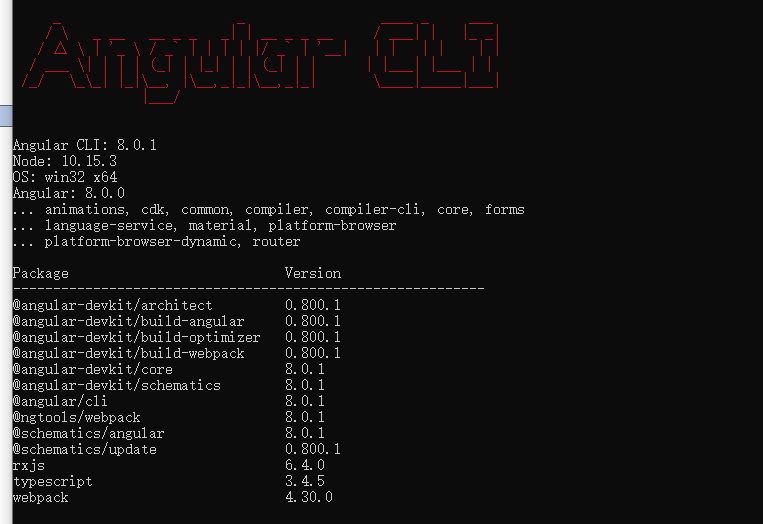
npm install typings echarts --global
npm install ngx-echarts --save
npm install @types/echarts --save
2、app.module引入
import { BrowserModule } from '@angular/platform-browser';

import { NgModule } from '@angular/core';

import { AppRoutingModule } from './app-routing.module';

import { AppComponent } from './app.component';

import { HomeComponent } from './home/home.component';

import {BrowserAnimationsModule} from "@angular/platform-browser/animations";

import {ButtonModule} from 'primeng/primeng';

import { HeaderComponent } from './components/header/header.component';  // header  components

import {NgxEchartsModule} from 'ngx-echarts';

@NgModule({

  declarations: [

    AppComponent,

    HomeComponent,

    HeaderComponent,

    // selfHttp

  ],

  imports: [

    BrowserModule,

    HttpClientModule,

    AppRoutingModule,

    BrowserAnimationsModule,

    ButtonModule,

    NgxEchartsModule

  ],

  providers: [httpInterceptorProviders, apiList,{provide: LocationStrategy, useClass: HashLocationStrategy}],

  bootstrap: [AppComponent]

})

export class AppModule { }
3、具体文件使用
html代码
<div #myCharts echarts [options]="chartOption" class="demo-chart charstDiv" ></div>
ts代码
import { Component, OnInit, Input } from '@angular/core';

import { MessageService } from 'primeng/api';

import * as ec from 'echarts';  // 没有安装ypes/echarts就会报错

@Component({

  selector: 'app-table',

  templateUrl: './table.component.html',

  styleUrls: ['./table.component.css'],

  providers: [MessageService]

})

export class TableComponent implements OnInit {

  chartOption: any;

  constructor(private messageService: MessageService) {

  }

  ngOnInit() {

    this.selectedColumns = this.tablelist.header;

    this.items = [

      {

        label: '查看', icon: 'pi pi-eye', command: (event) => this.showDialog()

      },

      { label: '删除', icon: 'pi pi-trash', command: (event) => this.del() }

    ];

  }

  onRowSelect(event) {

    this.data = {

      labels: [],

      datasets: []

    };

    this.displaySidebar = true;

    // 组装图表

    var data1 = [];

    var data2 = [];

    var data3 = [];

    this.selectedList.forEach((element, index) => {

      data1.push((element.month + '月'));

      // 销量

      data2.push(element.sale);

      // 店铺数

      data3.push(element.comNum);

    });

    this.chartOption = {

      // title: {

      //   text: '堆叠区域图'

      // },

      backgroundColor: '#2c343c',

      tooltip: {

        trigger: 'axis'

      },

      legend: {

        data: ['零售额', '店铺总数',],

        textStyle: {//图例文字的样式

          color: 'white',

          fontSize: 16

        }

      },

      toolbox: {

        orient: 'vertical',

        top: 'middle',

        feature: {

          // dataView: {//数据视图工具,可以展现当前图表所用的数据,编辑后可以动态更新。

          //   show: true,//是否显示组件。

          //   readOnly: false

          // },

          magicType: {//动态类型切换 示例:feature: { magicType: {type: ['line', 'bar', 'stack', 'tiled']}}

            show: true,

            type: ['line', 'bar']

          },

          restore: {//配置项还原。

            show: true

          },

          saveAsImage: {}

        }

      },

      dataZoom: {//dataZoom 组件 用于区域缩放,从而能自由关注细节的数据信息,或者概览数据整体,或者去除离群点的影响。

        type: 'slider',//滑动条型数据区域缩放组件

        start: 0,//起始位置0

        end: 100//结束位置100

      },

      grid: {

        left: '3%',

        right: '4%',

        bottom: '40px',

        containLabel: true

      },

      xAxis: [

        {

          type: 'category',

          boundaryGap: false,

          axisLabel: {

            interval: 0,

            textStyle: {

              color: '#c3dbff',  //更改坐标轴文字颜色

              fontSize: 14      //更改坐标轴文字大小

            }

          },

          data: data1,

          axisLine: {

            lineStyle: {

              color: 'white', //更改坐标轴颜色

            }

          }

        }

      ],

      yAxis: [

        {

          type: 'value',

          axisLabel: {

            interval: 0,

            textStyle: {

              color: '#c3dbff',  //更改坐标轴文字颜色

              fontSize: 14      //更改坐标轴文字大小

            }

          },

          axisLine: {

            lineStyle: {

              color: 'white', //更改坐标轴颜色

            }

          }

        }

      ],

      series: [

        {

          name: '零售额',

          type: 'line',

          stack: '总量',

          areaStyle: {normal: {

            color:new ec.graphic.LinearGradient(0, 0, 0, 1, [  //随机颜色

              { offset: 0, color: 'red' },

              { offset: 0.5, color: 'pink' },

              { offset: 1, color: '#ddd' }

            ])

          }},

          itemStyle: {

            normal: {

              color: function () {

                return '#' + Math.floor(Math.random() * 0xffffff).toString(16); // 随机颜色

              }

            }

          },

          data: data2

        },

        {

          name: '店铺总数',

          type: 'line',

          stack: '总量',

          areaStyle: {normal: {

            color:new ec.graphic.LinearGradient(0, 0, 0, 1, [

              { offset: 0, color: '#9cd4d8' },

              { offset: 0.5, color: '#aec9fe' },

              { offset: 1, color: 'pink' }

            ])

          }},

          itemStyle: {

            normal: {

              color: function () {

                return '#' + Math.floor(Math.random() * 0xffffff).toString(16);

              }

            }

          },

          data: data3

        },

      ]

    }

  }

}
注意:渲染数据的时机要选好,组装数据放在最后组装,如果把chartOption 定义在前面,再给series赋值图表是不会更新的,当然ec的方法里面可能会有,但是确挺麻烦的,优先考虑简单的。
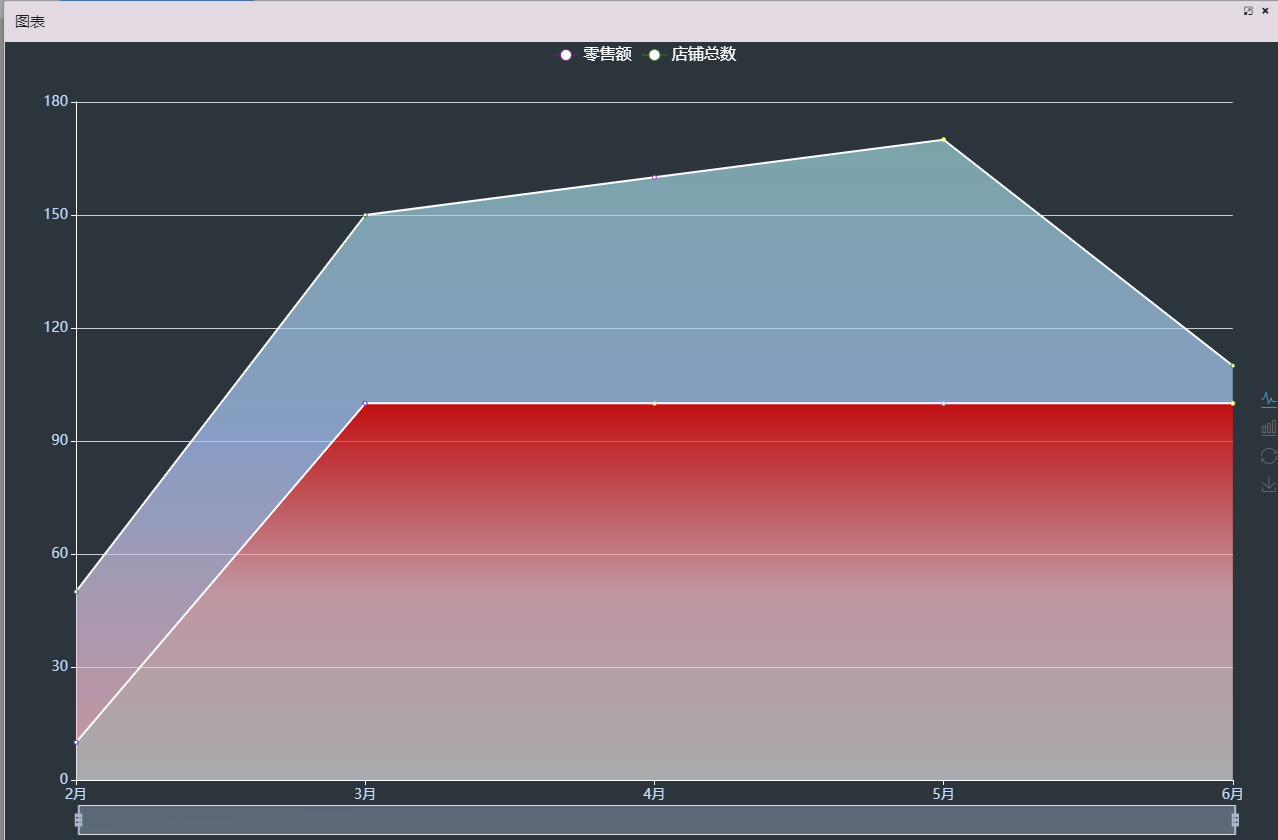
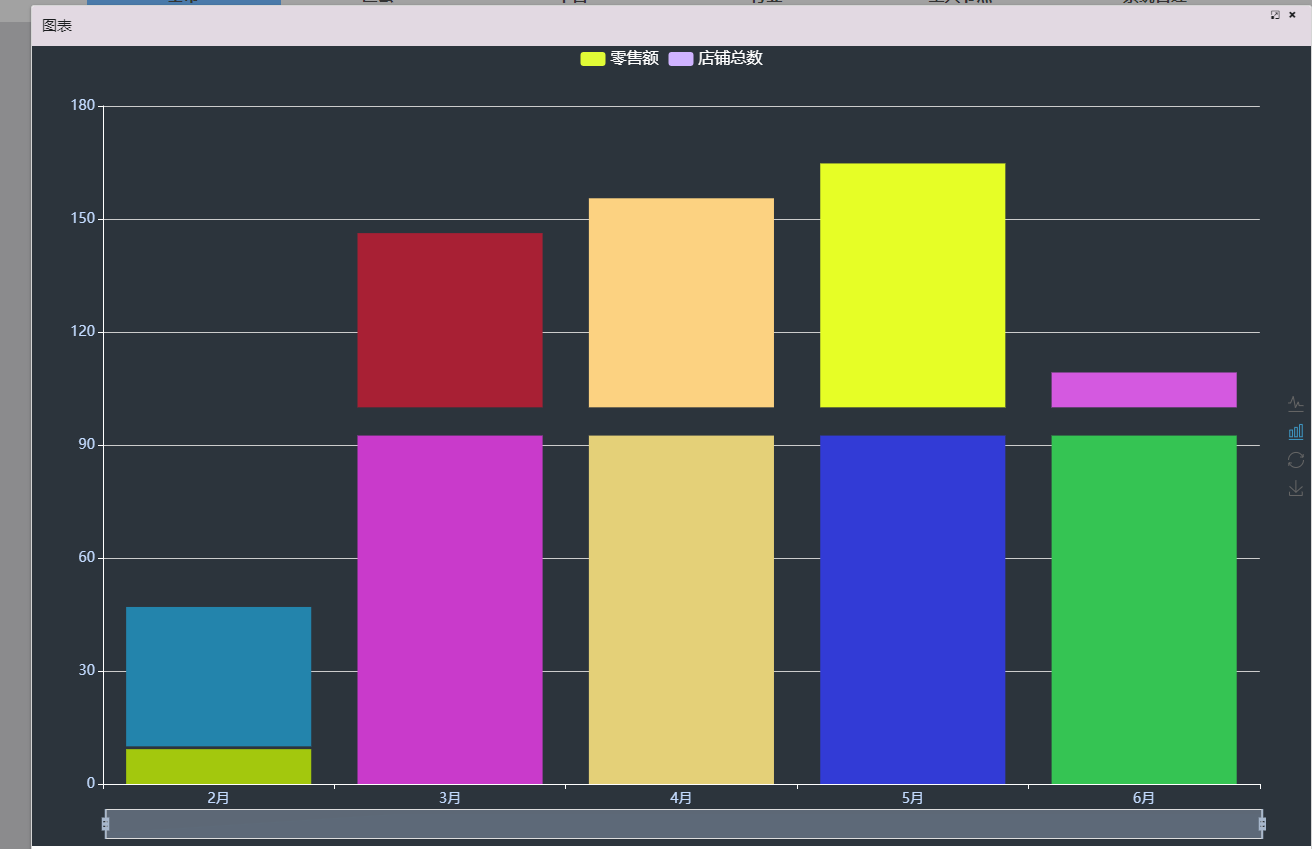
有点colorful了,自己调整下。
angular cli 使用echarts的更多相关文章
- angular cli 反向代理实现跨域
版本: 1.后端实现跨域(php) header("Access-Control-Allow-Origin: *"); // // 响应类型 // header('Access-C ...
- Angular环境准备和Angular cli
Angular4.0来了,更小,更快,改动少 接下来为Angular4.0准备环境和学会使用Angular cli项目 1.环境准备: 1)在开始工作之前我们必须设置好开发环境 如果你的机器上还没有安 ...
- 迈向angularjs2系列(8):angular cli和angular2种子项目
文章目录 1.angular cli快速搭建项目 2.angular2-seed 3.手动配置 题外话:如何更好的阅读本篇文章 一: angular cli的安装 Angular-cli(命令行界面, ...
- Visual Studio Code作为Angular开发工具常用插件安装、json-server安装与使用、angular/cli安装失败问题
前提准备: 搭建好Angular开发环境 1 安装Visual Studio Code 教程简单,不会的去问度娘 2 安装Chrome浏览器 教程简单,不会的趣闻度娘 3 Visual Studio ...
- angular4.0 安装最新版本的nodejs、npm、@angular/cli的方法
在使用ng项目的ui框架时,比如ng-zorro.angular Material,需要安装最新版本的@angular/cli: 配置ng-zorro框架 ng-zorro官网:https://ng. ...
- 使用Angular CLI生成 Angular 5项目
如果您正在使用angular, 但是没有好好利用angular cli的话, 那么可以看看本文. Angular CLI 官网: https://github.com/angular/angular- ...
- Angular4---起步----环境配置安装@angular/cli
学习angular,首先要搭建起angular的手脚架@angular/cli.首先需要NodeJS环境. 1.安装NodeJS 首先检查电脑是否安装了NodeJS环境,打开cmd命令行,运行node ...
- 使用Angular CLI进行单元测试和E2E测试
第一篇文章是: "使用angular cli生成angular5项目" : http://www.cnblogs.com/cgzl/p/8594571.html 第二篇文章是: & ...
- 使用Angular CLI从蓝本生成代码
第一篇文章是: "使用angular cli生成angular5项目" : http://www.cnblogs.com/cgzl/p/8594571.html 这篇文章主要是讲生 ...
随机推荐
- 初步认知jQuery
jQuery:是JavaScript的一个类库全写JavaScript query write less do more JavaScript查询写的更少做的更多 第一步先导入js文件: < ...
- ACM-ICPC 2018 焦作赛区网络预赛 L 题 Poor God Water
God Water likes to eat meat, fish and chocolate very much, but unfortunately, the doctor tells him t ...
- 初步了解JVM第一篇
大家都知道,Java中JVM的重要性,学习了JVM你对Java的运行机制.编译过程和如何对Java程序进行调优相信都会有一个很好的认知. 废话不多说,直接带大家来初步认识一下JVM. 什么是JVM? ...
- Python3 类与对象
目录 面向对象基础 面向过程编程 面向对象编程 类 什么是类 如何定义类 类的基本操作 对象 实例化对象 对象添加特有属性 对象与类的查找顺序 对象的绑定方法 面向对象基础 面向过程编程 面向过程的核 ...
- 从零开始入门 K8s | etcd 性能优化实践
作者 | 陈星宇(宇慕) 阿里云基础技术中台技术专家 本文整理自<CNCF x Alibaba 云原生技术公开课>第 17 讲. 导读:etcd 是容器云平台用于存储关键元信息的组件.阿 ...
- 索引与Order By
Order By 将对结果进行排序,这里的排序最大的特点是资源密集型,尽管多数时候它同时也是CPU密集型的.数据库在进行排序时,必须缓冲临时结果,读取到所有输入,并在完整的排序操作后才能产生第一个输出 ...
- NodeJS2-5环境&调试----process(进程)
argv(参数相关的) /* argv argv0 execArgv execPath */ const { argv, argv0, execArgv, execPath } = process; ...
- Docker中Nginx服务器相关配置
工作中经常需要在服务器上来做一下实验,亲自动手看看效果是否与理论描述的相同.用docker可以很方便的配置所需要的环境,以下内容记录了如何用docker配置一个nginx服务器 下载nginx 从默认 ...
- [ASP.NET Core 3框架揭秘] 配置[4]:将配置绑定为对象
虽然应用程序可以直接利用通过IConfigurationBuilder对象创建的IConfiguration对象来提取配置数据,但是我们更倾向于将其转换成一个POCO对象,以面向对象的方式来使用配置, ...
- .NET Core 3终结点不能映射控制器
今天在学.net core的时候发现了一个问题,终结点死活映射不了自己添加的控制器,后经过研究发现解决方法,可能这个问题不应该叫做问题,可是我是初学者,就把这个问题给拎出来.本人开发环境 VS2019 ...