
CentOS7 搭建gitlab服务器
本文介绍如何在CentOS7.2上搭建Gitlab服务器,并简单介绍如何使用。
Preface
使用的是CentOS7.2的操作系统,安装当前最新版Gitlab服务器,下载地址:清华大学开源软件镜像站。
gitlab-ce-12.0.-ce..el7.x86_64.rpm 610.5 MiB -- :
下载软件包。
# cat /etc/redhat-release

CentOS Linux release 7.2.1511 (Core)

# git --version

git version 1.8.3.1

# wget https://mirrors.tuna.tsinghua.edu.cn/gitlab-ce/yum/el7/gitlab-ce-12.0.2-ce.0.el7.x86_64.rpm

# ls

gitlab-ce-12.0.2-ce.0.el7.x86_64.rpm
安装依赖
gitlab依赖policycoreutils-python,需要先安装相关依赖。
# yum install -y policycoreutils-python
安装Gitlab服务器
使用rpm -i 可直接安装相关软件包。
# rpm -i gitlab-ce-12.0.-ce..el7.x86_64.rpm
warning: gitlab-ce-12.0.-ce..el7.x86_64.rpm: Header V4 RSA/SHA1 Signature, key ID f27eab47: NOKEY

It looks like GitLab has not been configured yet; skipping the upgrade script.

       *.                  *.

      ***                 ***

     *****               *****

    .******             *******

    ********            ********

   ,,,,,,,,,***********,,,,,,,,,

  ,,,,,,,,,,,*********,,,,,,,,,,,

  .,,,,,,,,,,,*******,,,,,,,,,,,,

      ,,,,,,,,,*****,,,,,,,,,.

         ,,,,,,,****,,,,,,

            .,,,***,,,,

                ,*,.

     _______ __  __          __

    / ____(_) /_/ /   ____ _/ /_

   / / __/ / __/ /   / __ `/ __ \

  / /_/ / / /_/ /___/ /_/ / /_/ /

  \____/_/\__/_____/\__,_/_.___/

Thank you for installing GitLab!

GitLab was unable to detect a valid hostname for your instance.

Please configure a URL for your GitLab instance by setting `external_url`

configuration in /etc/gitlab/gitlab.rb file.

Then, you can start your GitLab instance by running the following command:

  sudo gitlab-ctl reconfigure

For a comprehensive list of configuration options please see the Omnibus GitLab readme

https://gitlab.com/gitlab-org/omnibus-gitlab/blob/master/README.md
gitlab默认占用8080端口,因为我们这是临时测试使用,为了不被错杀,建议修改为其它非Web-like端口,如10101等其它端口。
修改端口
修改gitlab配置文件。
# vim /etc/gitlab/gitlab.rb

...

external_url 'http://xx.xx.xx.xx:10101'    # ip:port的形式
重新配置
修改配置文件之后,需重新配置,执行如下命令。
# gitlab-ctl reconfigure

...

Running handlers:

Running handlers complete

Chef Client finished, / resources updated in  seconds

gitlab Reconfigured!
启动服务
配置完成之后,启动服务。
# gitlab-ctl restart

ok: run: alertmanager: (pid 3687) 0s

ok: run: gitaly: (pid 3697) 0s

ok: run: gitlab-monitor: (pid 3714) 0s

ok: run: gitlab-workhorse: (pid 3716) 1s

ok: run: grafana: (pid 3723) 0s

ok: run: logrotate: (pid 3742) 1s

ok: run: nginx: (pid 3750) 0s

ok: run: node-exporter: (pid 3756) 1s

ok: run: postgres-exporter: (pid 3765) 0s

ok: run: postgresql: (pid 3774) 1s

ok: run: prometheus: (pid 3777) 0s

ok: run: redis: (pid 3792) 0s

ok: run: redis-exporter: (pid 3816) 0s

ok: run: sidekiq: (pid 3904) 0s

ok: run: unicorn: (pid 3915) 0s
访问界面
访问刚才在配置文件中设置的http://xx.xx.xx.xx:10101
设置管理员密码
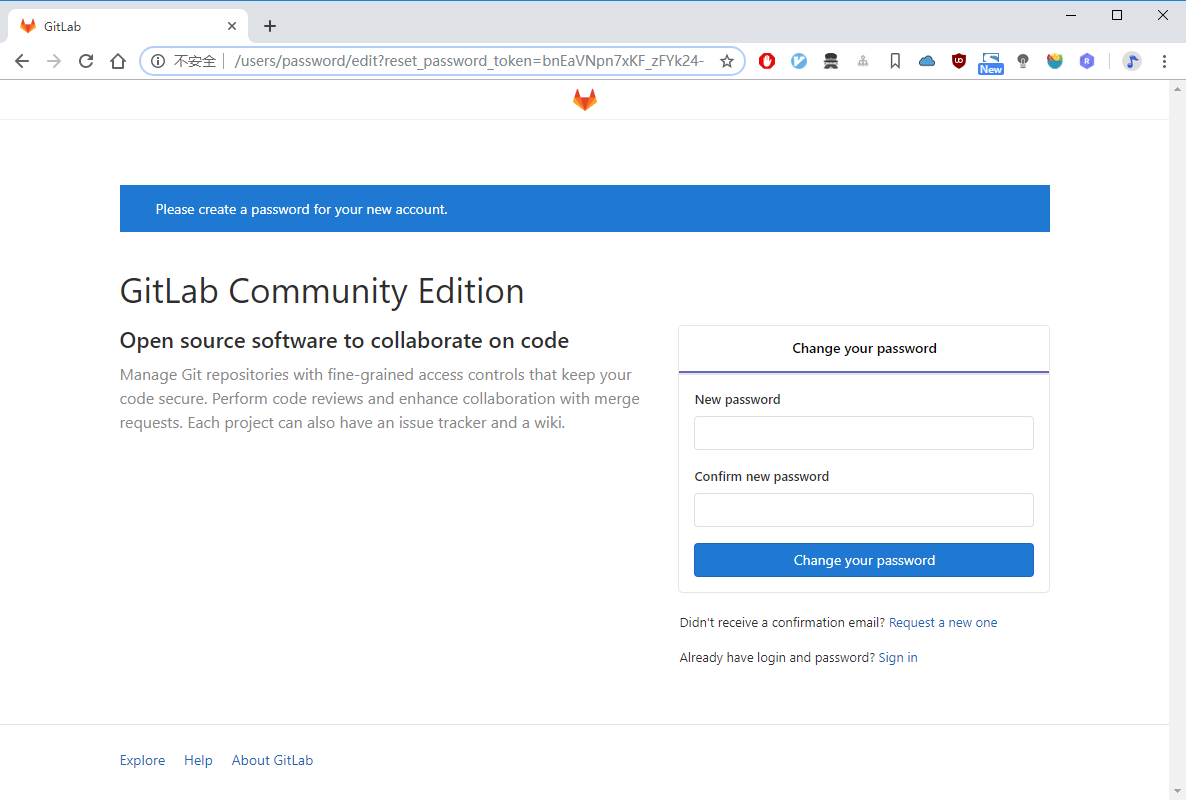
如下界面,设置管理员密码。
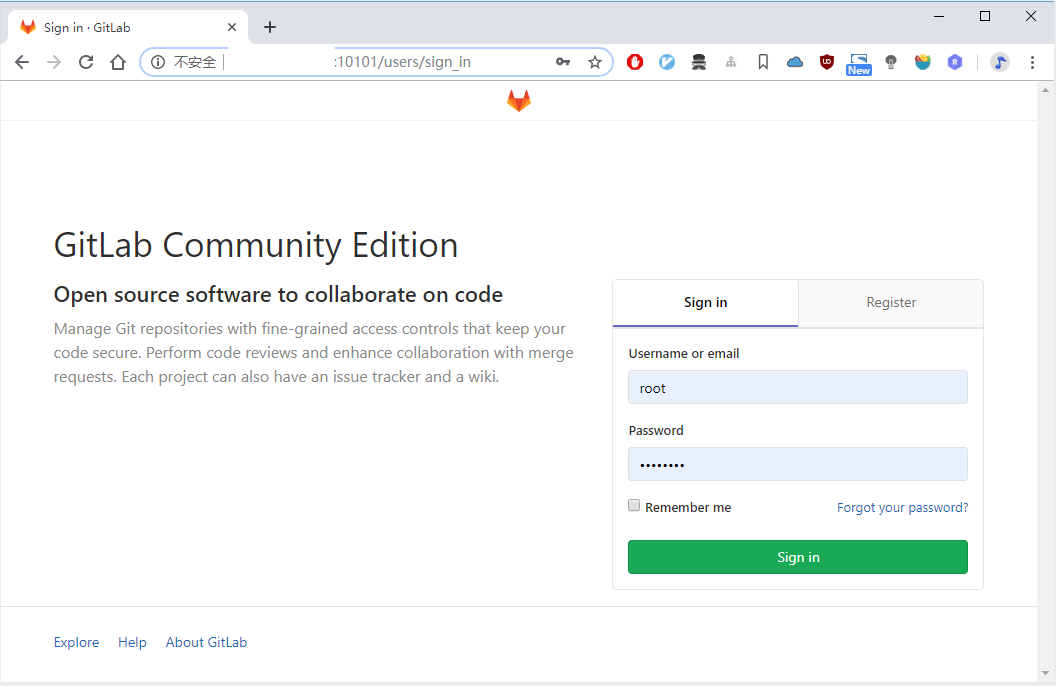
可以选择登录或注册,使用root和刚才设置的管理员口令进行登录。
目前空空如也。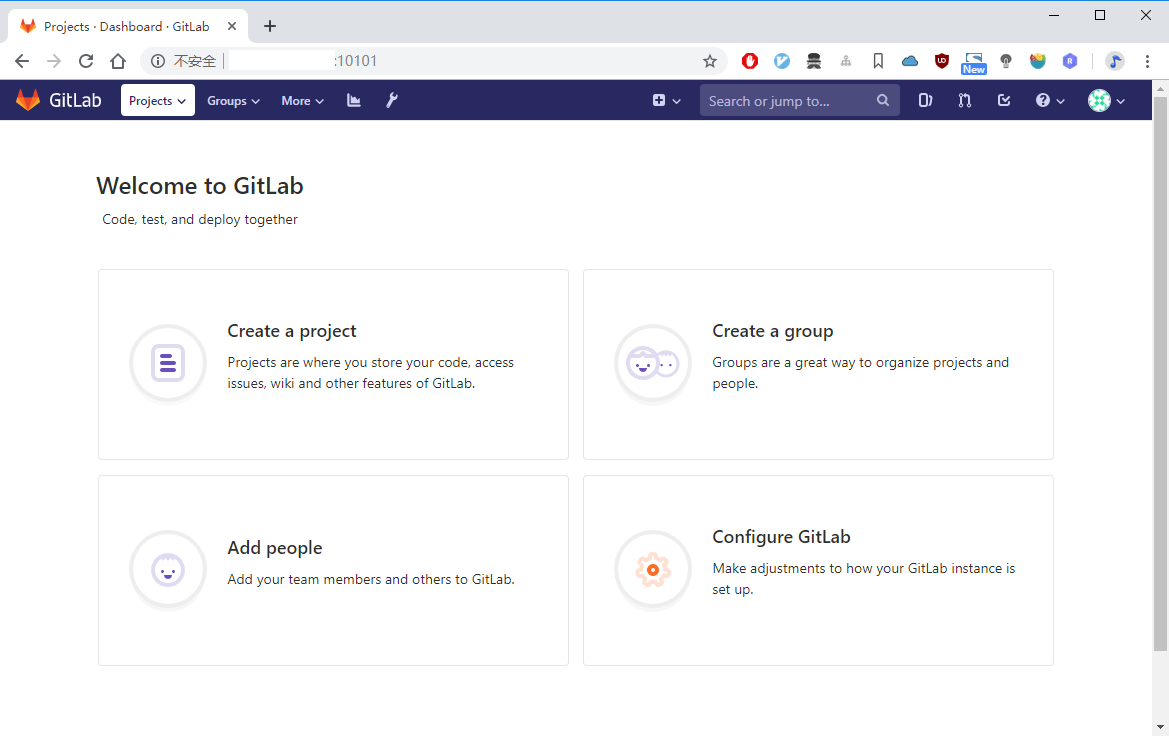
可以创建项目、组、添加用户和进行相关配置,这样Gitlab服务器便安装完成。
CentOS7 搭建gitlab服务器的更多相关文章
- Centos7 搭建Gitlab服务器并配置项目全过程
https://blog.csdn.net/Abysscarry/article/details/79402695 gitlab与jenkins整合搭建 https://blog.csdn. ...
- centos7搭建Gitlab服务器
虚拟机配置信息 内存最好大于或等于4G,之前用2G内存搭建,访问出现502报错信息 不考虑selinux和防火墙问题 搭建之前最好关掉selinux和防火墙 临时调增selinux和关闭防火墙 下载G ...
- centos7搭建gitlab服务器、汉化
1.下载rpm安装包 https://mirrors.tuna.tsinghua.edu.cn/gitlab-ce/yum/el7/gitlab-ce-8.8.5-ce.1.el7.x86_64.rp ...
- Centos7使用docker搭建gitlab服务器
了解到docker的优点,搭建快,运行要求资源低,最重要的是实现的功能和效果都能达到预期,于是决定使用docker来搭建gitlab服务器. 效果图如下: 系统环境:CentOS Linux rele ...
- 搭建GitLab服务器
前言 每一个开发工作者无非身处2中开发环境:1.开源环境 2.闭源开发环境,若你身处闭源环境或对自己代码安全性要求较高,搭建和使用自己GitLab服务器是必不可少的环节. 可以通过各种方式搭建自己的 ...
- Linux系统搭建GitLab---阿里云Centos7搭建Gitlab踩坑
一.简介 GitLab,是一个利用 Ruby on Rails 开发的开源应用程序,实现一个自托管的Git项目仓库,可通过Web界面进行访问公开的或者私人项目安装. 它拥有与GitHub类似的功能,能 ...
- Ubuntu搭建Gitlab服务器
想到Gitlab就必定会想到SVN,因为两者都是代码管理系统,作为开发人员来说,用习惯了SVN的图形化界面和SVN代码更新和提交的方式, 可能就会觉得使用git会比较麻烦,其实不然git使用起来非常方 ...
- CentOS7 搭建 SVN 服务器
CentOS7 搭建 SVN 服务器 介绍SVN: SVN是Subversion的简称,是一个开放源代码的版本控制系统,相较于RCS.CVS,它采用了分支管理系统,它的设计目标就是取代CVS.互联网上 ...
- centos7 搭建WEB服务器
centos7 搭建WEB服务器 2017年09月17日 09:44:50 逝然1994 阅读数:18321 标签: centosapacheweb服务器 更多 个人分类: centos服务器简单配置 ...
随机推荐
- 基于WPF实现双色球
原文:基于WPF实现双色球 版权声明:本文为博主原创文章,未经博主允许不得转载. https://blog.csdn.net/m0_37591671/article/details/82959625 ...
- sklearn、theano、TensorFlow 以及 theras 的理解
sklearn ⇒ 机器学习算法和模型: theras theano TensorFlow 1. 理解模型以及函数,参数返回值的实际意义 一定要注意模型的构造函数,接收的参数列表,以及该模型本身所要解 ...
- Linux性能测试 iostat命令
Linux系统出现了性能问题,一般我们可以通过top.iostat.free.vmstat等命令 来查看初步定位问题.其中iostat可以给我们提供丰富的IO状态数据.iostat 由 Red Hat ...
- 详解Python模块导入方法
python常被昵称为胶水语言,它能很轻松的把用其他语言制作的各种模块(尤其是C/C++)轻松联结在一起.python包含子目录中的模块方法比较简单,关键是能够在sys.path里面找到通向模块文件的 ...
- python 教程 第八章、 第一个python程序
第八章. 第一个python程序 #!/usr/bin/env python import os import sys import time source = [r'G:\s1', r'G:\s2' ...
- 项目管理 BUG管理 —— 禅
眼下市场管理BUG该平台是非常,例如 QC(Quality Center) 国际顶级.功能强大但收费. Bugzilla 开源免费.功能还不错.但界面丑陋,配置繁琐. EasyBUG 在线式.无需配置 ...
- Dijkstra含权图最短路径;审判,不要错过枚举退款保证不会重复;国际象棋八皇后问题
求两节点的最短通路.对于无权图,能够通过图的广度优先遍历求解.含权图一般通过Dijkstra算法求解. import java.util.ArrayList; import java.util.Has ...
- WPF 控件 深度克隆
原文:WPF 控件 深度克隆 http://social.msdn.microsoft.com/Forums/zh-SG/wpfzhchs/thread/e5c87129-966a-4d51-a934 ...
- linux自动挂载远程网盘到本地
sudo vim /etc/fstab 添加如下内容 //192.168.1.110/MyFiles /path/to/mount cifs username=adminz,password=pas ...
- Win10《芒果TV》商店版更新v3.2.2:新增对Win10产品专用会员兑换码支持,全新的最具价值用户纪念奖励
在WinHEC2016宣布Win10和ARM历史性结合之际,<芒果TV>UWP版迅速更新v3.2.2版,主要是新增对Win10产品专用会员兑换码支持,推出全新的最具价值用户纪念奖励(具有唯 ...