
Argo 安装和 workflow 实例配置文件解析
一、Argo 安装配置
1.1 Argo 安装
$ kubectl create ns argo

$ kubectl apply -n argo -f https://raw.githubusercontent.com/argoproj/argo-workflows/master/manifests/quick-start-postgres.yaml

$ kubectl get all -n argo
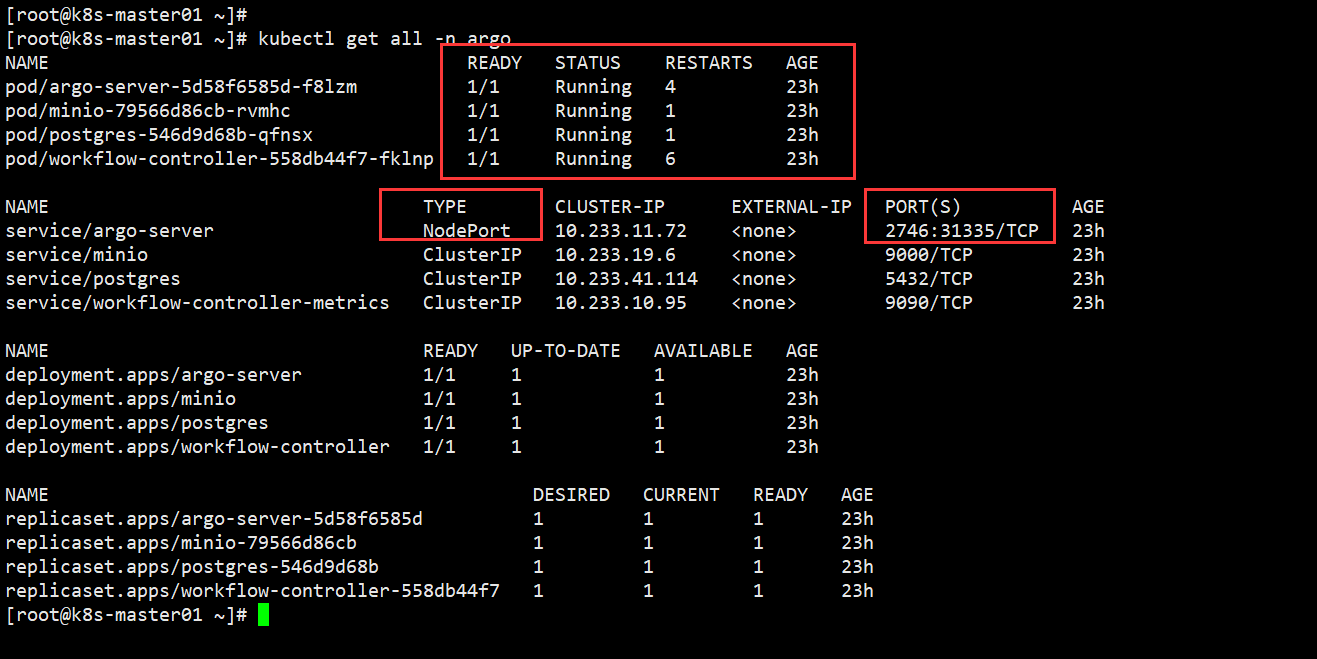
1.2 修改 Argo 服务对外访问
$ kubectl edit svc argo-server -n argo

...

  selector:

    app: argo-server

  sessionAffinity: None

  type: NodePort   # 修改为 NodePort

status:

...
保存退出跟 vim 操作一样,成功退出后等待即可。
1.3 Web 访问 Argo
[root@k8s-master01 ~]# kubectl get svc -n argo

NAME                                  TYPE        CLUSTER-IP      EXTERNAL-IP   PORT(S)          AGE

service/argo-server                   NodePort    10.233.11.72    <none>        2746:31335/TCP   23h

...
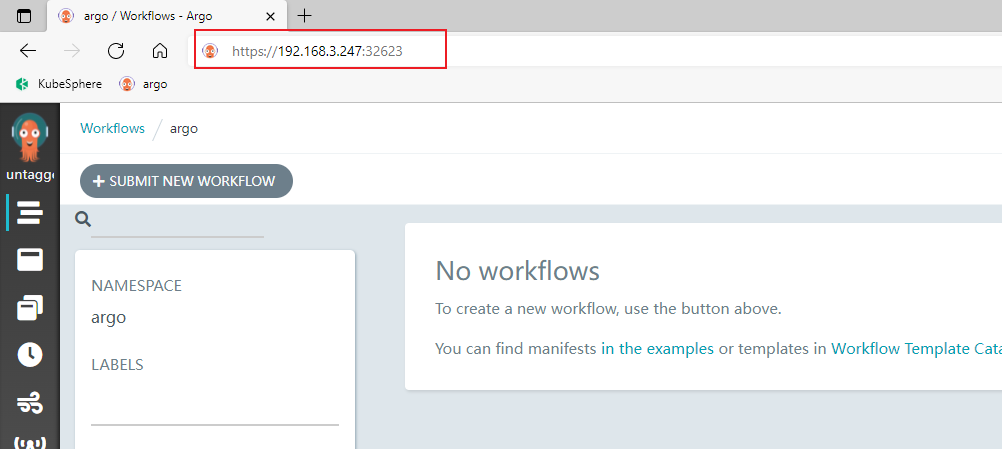
1.4 Linux 安装 Argo CLI
$ curl -sLO https://github.com/argoproj/argo/releases/download/v3.0.2/argo-linux-amd64.gz

$ gunzip argo-linux-amd64.gz

$ chmod +x argo-linux-amd64

$ mv ./argo-linux-amd64 /usr/local/bin/argo

$ argo version
其他版本链接:https://github.com/argoproj/argo-workflows/releases
我安装 v3.2.8 版本时,在命令行创建 workflow 的时候,一直卡住不动,UI 界面也不同步 workflow,后面换一个低点版本就解决该问题了。
如果你也遇到我类似的问题,可以试着换个版本试试。
二、官方工作流实例
2.1 hello-world 实例
构建工作流
[root@k8s-master01 argo]# argo submit -n argo --watch https://raw.githubusercontent.com/argoproj/argo-workflows/master/examples/hello-world.yaml
hello-world.yaml配置文件解析
apiVersion: argoproj.io/v1alpha1

kind: Workflow

metadata:

  generateName: hello-world-   # workflow 名字

  labels:         # 标签

    workflows.argoproj.io/archive-strategy: "false"

  annotations:    # 为用户添加的额外注解

    workflows.argoproj.io/description: |

      This is a simple hello world example.

      You can also run it in Python: https://couler-proj.github.io/couler/examples/#hello-world

spec:

  entrypoint: whalesay   # 表示第一个执行的模板名称,让工作流知道从哪个模板开始执行,类似于 main 函数

  templates:             # 以下是模板内容

  - name: whalesay       # 模板名称

    container:           # 容器内容

      image: docker/whalesay:latest   # 调用 docker/whalesay 镜像

      command: [cowsay]               # 调用 cowsay 命令

      args: ["hello world"]           # 执行内容
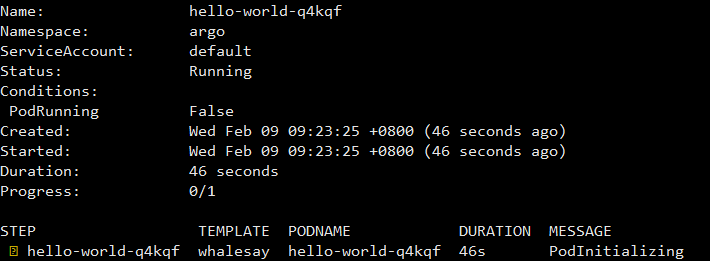
Pod 初始化
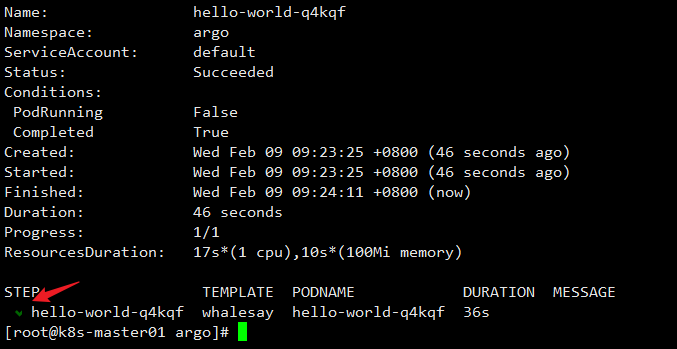
工作流完成
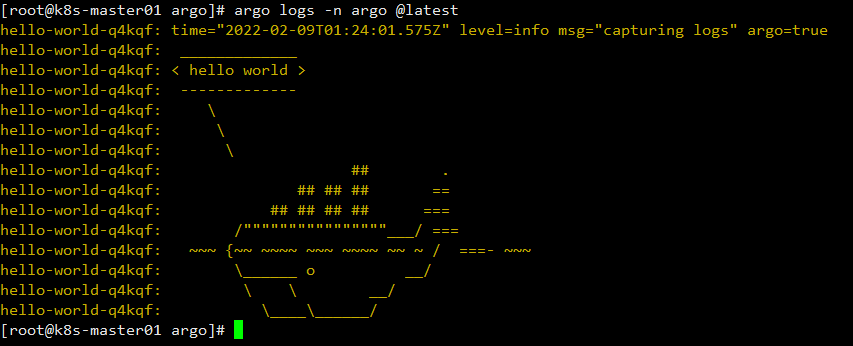
查看 Pod Logs
[root@k8s-master01 argo]# argo logs -n argo @latest

# @latest  查看最新工作流log
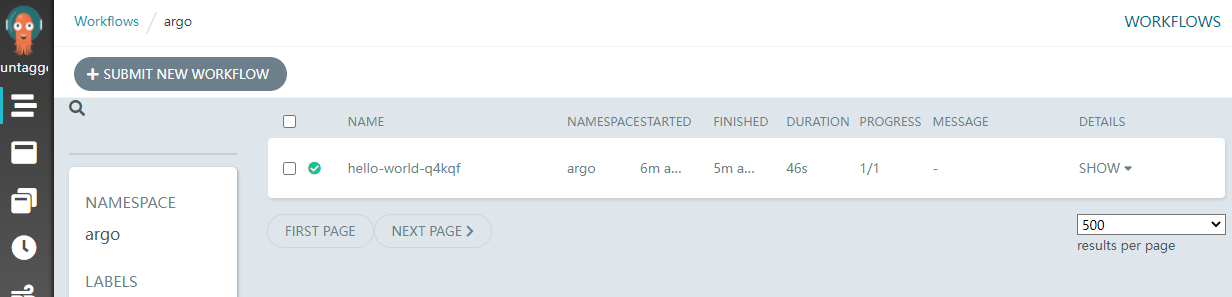
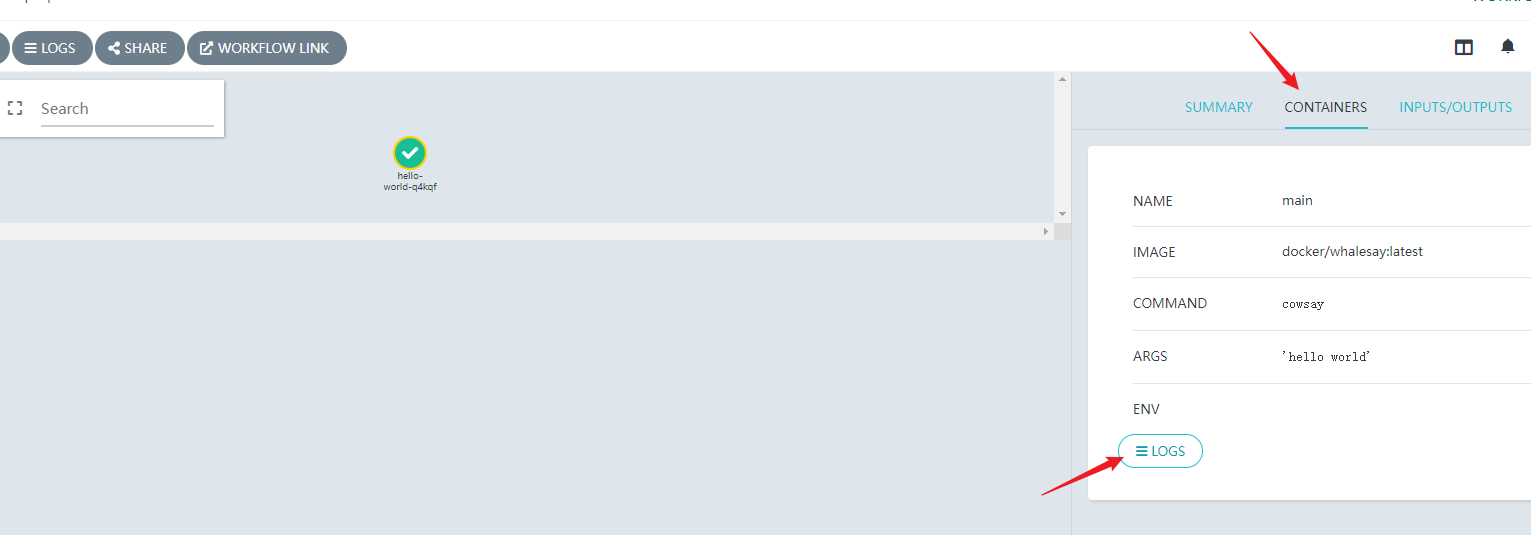
Argo UI 也可以同步查看 Pod 运行信息
2.2 Steps 类型的 workflow
接下来练习稍微复杂点的 Workflow,hello-hello-hello.yml配置文件解析
apiVersion: argoproj.io/v1alpha1

kind: Workflow

metadata:

  generateName: steps-          # Workflow 的名称前缀

spec:

  entrypoint: hello-hello-hello # 表示第一个执行的模板名称,让工作流知道从哪个模板开始执行,类似于 main 函数

  # 该templates中有两个模板,分别是:hello-hello-hello和whalesay

  templates:

  - name: hello-hello-hello     # 第一个模板 hello-hello-hello

    steps:                      # template 的类型是 steps

    # 一个 template 有多种类型,分别为:container、script、dag、steps、resource、suspend

    - - name: hello1            # 在 steps 类型中,[--] 表示顺序执行,[-] 表示并行执行

        template: whalesay      # 引用 whalesay 模板

        arguments:

          parameters:

          - name: message

            value: "hello1"

    - - name: hello2a           # [--] 顺序执行

        template: whalesay

        arguments:

          parameters:

          - name: message

            value: "hello2a"

      - name: hello2b           # [-] 表示跟上一步并行运行

        template: whalesay

        arguments:

          parameters:

          - name: message

            value: "hello2b"

  - name: whalesay   # 第二个模板 whalesay

    inputs:          # input、output 实现数据交互

      parameters:

      - name: message

    container:

      image: docker/whalesay  # 镜像名称

      command: [cowsay]       # 执行命令

      args: ["{{inputs.parameters.message}}"]  # 执行的 value
构建 workflow
[root@k8s-master01 argo]# ls

hello-hello-hello.yml  hello-world.yaml

[root@k8s-master01 argo]# argo submit -n argo hello-hello-hello.yml --watch

# submit    创建工作流

# -n argo   存放的命名空间

# --watch   实时监听工作流
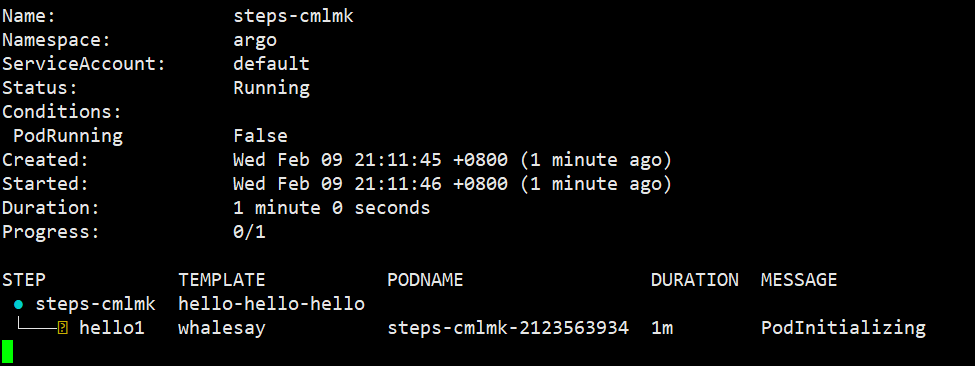
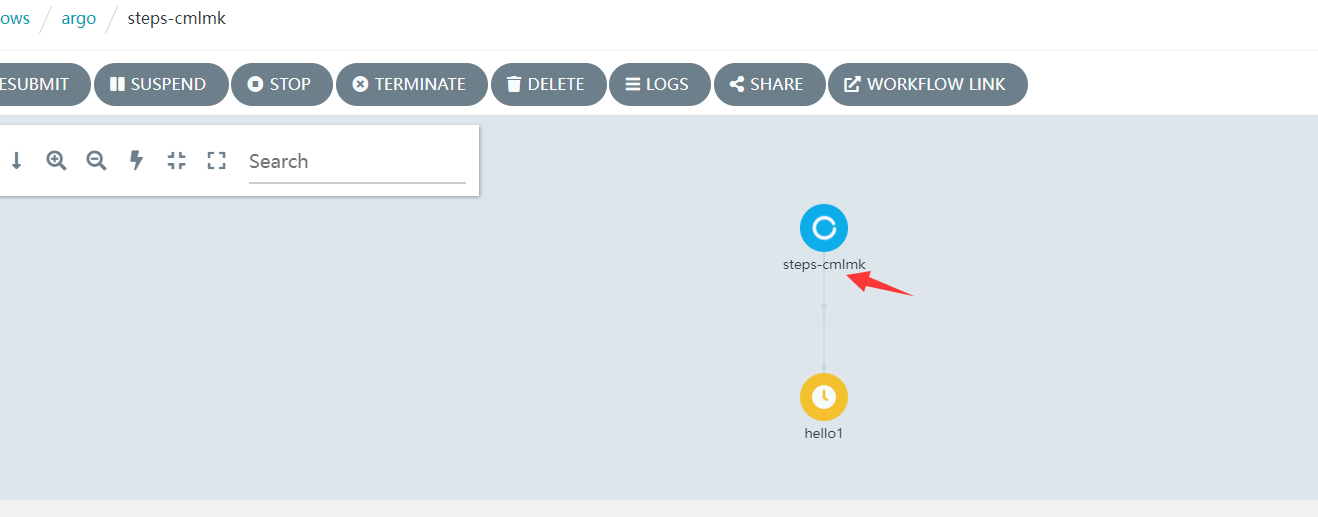
在 Argo Web 界面查看,此时工作流正在构建中
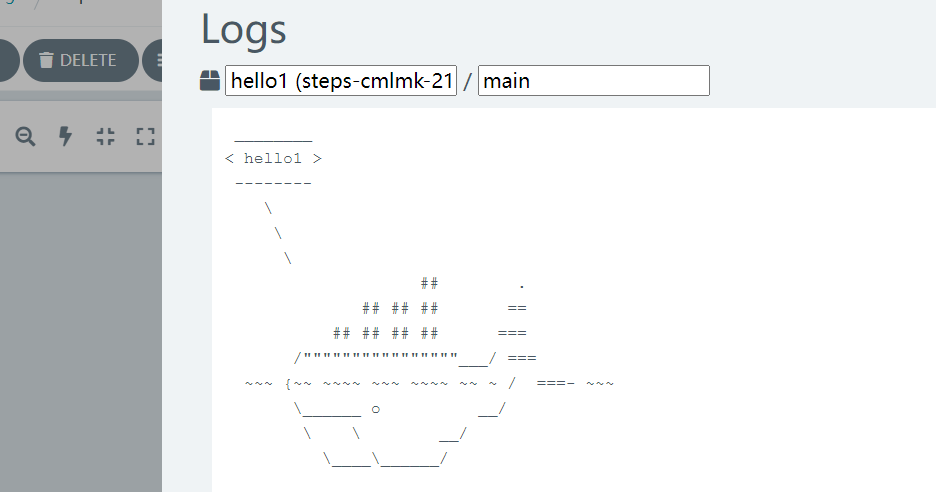
第一个 hello 已经执行完成,并打印相应的信息
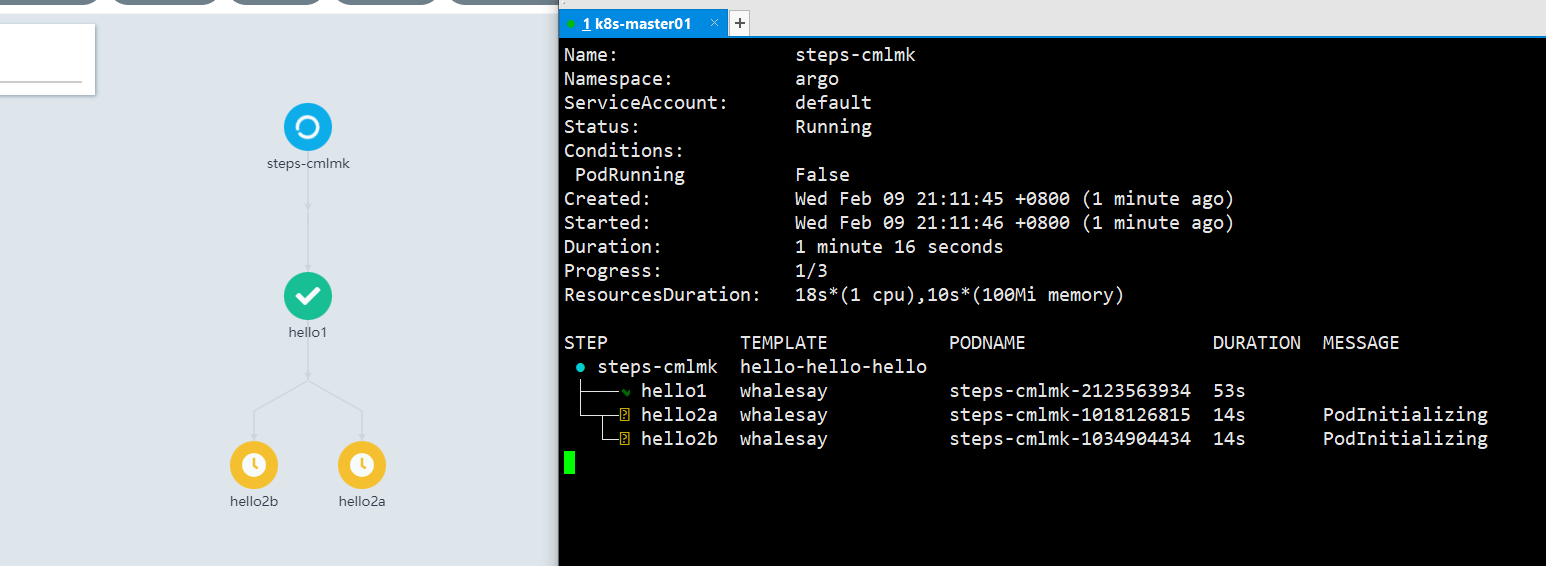
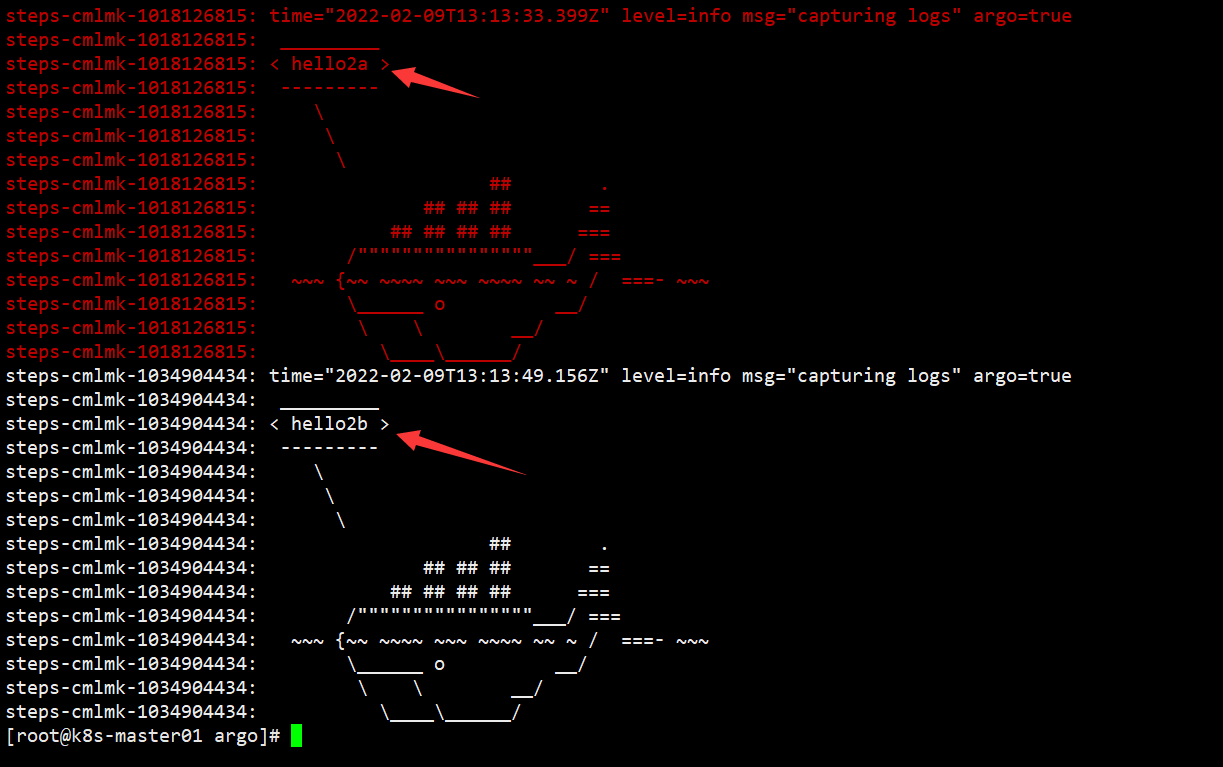
第一个完成之后,接下来 hello2a 和 hello2b 会并行执行
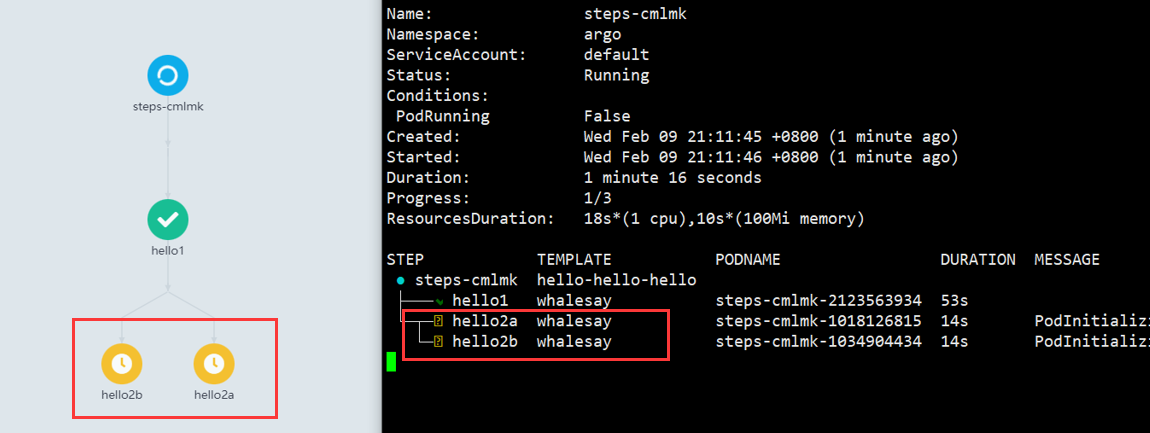
hello2a 和 hello2b 都会打印相关信息,然后结束整个workflow
以上非常基础的 Argo Workflow 学习,连门都没入,希望能和大佬们交流交流。
Argo 安装和 workflow 实例配置文件解析的更多相关文章
- Nginx安装部署以及配置文件解析
Nginx 中的 Location 指令 是NginxHttpCoreModule中重要指令.Location 指令,是用来为匹配的 URI 进行配置,URI 即语法中的”/uri/”,可以是字符串或 ...
- Nginx安装与配置文件解析
导读 Nginx是一款开放源代码的高性能HTTP服务器和反向代理服务器,同时支持IMAP/POP3代理服务,是一款自由的软件,同时也是运维工程师必会的一种服务器,下面我就简单的说一下Nginx服务器的 ...
- ZooKeeper介绍,安装,配置文件解析
什么是ZooKeeper? ZooKeeper是用于维护配置信息,命名,提供分布式同步和提供组服务的集中式服务. 所有这些类型的服务都以分布式应用程序以某种形式或另一种形式使用.每次实施时,都有很多工 ...
- Nginx入门篇(二)之Nginx部署与配置文件解析
一.Nginx编译安装 ()查看系统环境 [root@localhost tools]# cat /etc/redhat-release CentOS Linux release (Core) [ro ...
- Mycat 配置文件解析
Mycat 配置文件解析 一.server.xml 二.schema.xml 2.1 schema.xml文件中配置的参数解释 2.1.1 DataHost 2.1.2 DataNode 2.1.3 ...
- MyBatis配置文件解析
MyBatis配置文件解析(概要) 1.configuration:根元素 1.1 properties:定义配置外在化 1.2 settings:一些全局性的配置 1.3 typeAliases:为 ...
- Hadoop配置文件解析
Hadoop源码解析 2 --- Hadoop配置文件解析 1 Hadoop Configuration简介 Hadoop没有使用java.util.Properties管理配置文件, 也没有使 ...
- MyBatis 源码分析 - 配置文件解析过程
* 本文速览 由于本篇文章篇幅比较大,所以这里拿出一节对本文进行快速概括.本篇文章对 MyBatis 配置文件中常用配置的解析过程进行了较为详细的介绍和分析,包括但不限于settings,typeAl ...
- Linux平台下源码安装mysql多实例数据库
Linux平台下源码安装mysql多实例数据库[root@linux-node1 ~]# netstat -tlunp | grep 330tcp6 0 0 :::3306 :::* LISTEN 6 ...
随机推荐
- 解决vue生产环境app.js或vendor文件过大问题
1.去掉多余的库 将不必要的库卸载掉 npm uninstall xxx 举个例子:例如moment库文件是很大的,在前端可以用js的 new Date实现获取日期,或者可以其他库代替,也可以将mom ...
- 登陆认证框架:SpringSecurity
最近想给自己的小系统搭建一个登录认证服务,最初是想着一套oauth2权鉴就可以,但是发现这个oauth2只是权鉴,具体的登录认证需要由 SpringSecurity来进行实现. 也就是说SpringS ...
- 【算法】01-数据结构概述(注意区分jvm堆与堆/jvm栈与栈)
[算法]01-数据结构概述(注意区分jvm堆与堆/jvm栈与栈) 欢迎关注b站账号/公众号[六边形战士夏宁],一个要把各项指标拉满的男人.该文章已在github目录收录. 屏幕前的大帅比和大漂亮如果有 ...
- 在pycharm中创建py文件——创建你的第一个项目
开启编程第一步 创建一个项目 创建项目了xdm,敲黑板了哈 首先打开你的pycharm,点击New Project新建项目 就会进入到配置你这个项目所要用到的环境,这里我们用python列举 在L ...
- 首次分享,大厂资深测试做Api接口自动化测试的关键思路都在这里了
引言 与UI相比,接口一旦研发完成,通常变更或重构的频率和幅度相对较小.因此做接口自动化的性价比更高,通常运用于迭代版本上线前的回归测试中. 手工做接口测试,测试数据和参数都可以由测试人员手动填写和更 ...
- 图像数据到网格数据-3——实现Cuberille算法
前言 这是本博客网格生成算法系列的第三篇,第一篇里面介绍了最为流行的MarchingCubes算法,第二篇中使用新三角形表来对MC算法进行了简化改进,形成了SMC算法.而这篇将介绍一种新的不同与MC算 ...
- Pytest_fixture(9)
什么是fixture fixture是pytest特有的功能,使用装饰器 @pytest.fixture 标记的函数在其他函数中能被当作参数传入并被调用. fixture有明确的名字,在其他函数,模块 ...
- Tool_Fiddler安装和使用
一.简介 Fiddler(中文名称:小提琴)是一个HTTP的调试代理,以代理服务器的方式,监听系统的Http网络数据流动, Fiddler可以也可以让你检查所有的HTTP通讯,设置断点,以及Fiddl ...
- Pytest_测试用例的执行方式(2)
在pytest框架中,编写测试用例有如下约束: 所有的测试用例文件名都需要满足test_*.py格式或*_test.py格式. 在测试用例文件中,测试类以Test开头,并且不能带有__init__方法 ...
- 总结关于spring security 使用 JWT 和 账户密码登录 整合在一起的新感悟
(1)jwt登录拦截,需要在账户密码认证之前进行jwt认证,因此jwt拦截需要在 UsernamePasswordAuthenticationFilter 之前: (2)jwt验证通过则不需要执行账户 ...