
opencv提供的带参数例程
body { font-family: @微软雅黑; font-size: 8pt; line-height: 1.5 }
html,body { color: inherit; background-color: inherit }
h1 { font-size: 1.5em; font-weight: bold }
h2 { font-size: 1.4em; font-weight: bold }
h3 { font-size: 1.3em; font-weight: bold }
h4 { font-size: 1.2em; font-weight: bold }
h5 { font-size: 1.1em; font-weight: bold }
h6 { font-size: 1.0em; font-weight: bold }
img { border: 0; max-width: 100% }
blockquote { margin-top: 0px; margin-bottom: 0px }
table { border-collapse: collapse; border: 1px solid #bbbbbb }
td { border-collapse: collapse; border: 1px solid #bbbbbb }
F:\06.项目项目\opencv拼接\imageStitching\imageStitching>imageStitching.exe
Rotation model images stitcher.
stitching_detailed img1 img2 [...imgN] [flags]
Flags:
--preview
Run stitching in the preview mode. Works faster than usual mode,
but output image will have lower resolution.
--try_gpu (yes|no)
Try to use GPU. The default value is 'no'. All default values
are for CPU mode.
Motion Estimation Flags:
--work_megapix <float>
Resolution for image registration step. The default is 0.6 Mpx.
--features (surf|orb)
Type of features used for images matching. The default is surf.
--match_conf <float>
Confidence for feature matching step. The default is 0.65 for surf and 0.3 for orb. 这个我可能会单独配置
--conf_thresh <float>
Threshold for two images are from the same panorama confidence.
The default is 1.0.
--ba (reproj|ray)
Bundle adjustment cost function. The default is ray.
--ba_refine_mask (mask)
Set refinement mask for bundle adjustment. It looks like 'x_xxx',
where 'x' means refine respective parameter and '_' means don't
refine one, and has the following format:
<fx><skew><ppx><aspect><ppy>. The default mask is 'xxxxx'. If bundle
adjustment doesn't support estimation of selected parameter then
the respective flag is ignored.
--wave_correct (no|horiz|vert)
Perform wave effect correction. The default is 'horiz'.
--save_graph <file_name>
Save matches graph represented in DOT language to <file_name> file.
Labels description: Nm is number of matches, Ni is number of inliers,
C is confidence.
Compositing Flags:
--warp (plane|cylindrical|spherical|fisheye|stereographic|compressedPlaneA2B1|
compressedPlaneA1.5B1|compressedPlanePortraitA2B1|compressedPlanePortraitA1.5B1|
paniniA2B1|paniniA1.5B1|paniniPortraitA2B1|paniniPortraitA1.5B1|mercator|transve
rseMercator)
Warp surface type. The default is 'spherical'.
--seam_megapix <float>
Resolution for seam estimation step. The default is 0.1 Mpx.
--seam (no|voronoi|gc_color|gc_colorgrad)
Seam estimation method. The default is 'gc_color'.
--compose_megapix <float>
Resolution for compositing step. Use -1 for original resolution.
The default is -1.
--expos_comp (no|gain|gain_blocks)
Exposure compensation method. The default is 'gain_blocks'.
--blend (no|feather|multiband)
Blending method. The default is 'multiband'.
--blend_strength <float>
Blending strength from [0,100] range. The default is 5.
--output <result_img>
The default is 'result.jpg'.
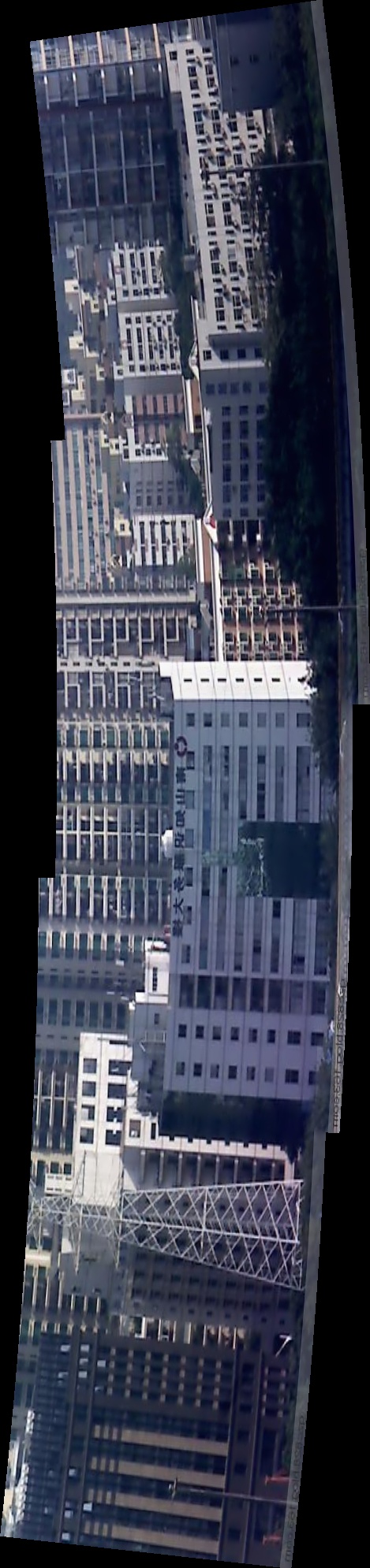
测试图片:


opencv提供的带参数例程的更多相关文章
- OpenCV中的SVM参数优化
OpenCV中的SVM参数优化 svm参数优化opencv SVMSVR参数优化CvSVMopencv CvSVM SVM(支持向量机)是机器学习算法里用得最多的一种算法.SVM最常用的 ...
- C#的泛型的类型参数可以有带参数的构造函数的约束方式吗?
Review后看到标题让我十分羞愧自己语文功底太差,估计...请见谅......我还特地把这句写回开头了...... 问题 前天遇到的一个问题,所以在MSDN发了个问,刚也丰富了下问题,关于泛型的. ...
- Force.com微信开发系列(八)生成带参数的二维码
为了满足用户渠道推广分析的需要,公众平台提供了生成带二维码的接口.使用该接口可以获得多个带不同场景值的二维码,用户扫描后,公众号可以接收到事件推送.目前有两种类型的二维码,分别是临时二维码和永久二维码 ...
- c# 多线程 调用带参数函数
线程操作主要用到Thread类,他是定义在System.Threading.dll下.使用时需要添加这一个引用.该类提供给我们四个重载的构造函数(以下引自msdn). Thread (Pa ...
- c++中在一个类中定义另一个只有带参数构造函数的类的对象
c++中在一个类中定义另一个只有带参数构造函数的类的对象,编译通不过 #include<iostream> using namespace std; class A { public: ...
- c#创建带参数的线程
1.无参数线程的创建 Thread thread = new Thread(new ThreadStart(getpic)); thread.Start(); private void showmes ...
- C# 利用反射动态创建对象——带参数的构造函数和String类型
C# 利用反射动态创建对象——带参数的构造函数和String类型 最近笔者有一个想法需要利用反射动态创建对象(如string,int,float,bool,以及自定义类等)来实现,一直感觉反射用不好, ...
- C#线程调用带参数的方法
在 .NET Framework 2.0 版中,要实现线程调用带参数的方法有两种办法.第一种:使用ParameterizedThreadStart.调用 System.Threading.Thread ...
- 带参数的Mixin
带参数的mixin 在Less中,还可以像函数一样定义一个带参数的mixin, 这种形式叫做 Parametric Mixin,即带参数的混入.如: // 定义一个样式选择器 .borderRadiu ...
随机推荐
- 原来你是这样的JAVA[01]-基础一瞥
1.Java是什么呢? Java不仅是一门语言,而且是一个完整的平台,有一个庞大的库,其中包含了很多可重用的代码和一个提供安全性.跨操作系统的可移植性以及自动垃圾收集等服务的执行环境. 2.JDK 和 ...
- JAVA入门[8]-测试mybatis
上一节通过mybatis-generator自动生成了CategoryMapper接口,pojo等类,接下来我们写几个简单的测试来进行调用. 一.添加依赖 <dependency> < ...
- Django的Form
Django的Form有两个基本用途: 1.用于生成html的Form表单 2.用于后台做表单验证 #!/usr/bin/env python # -*- coding:utf-8 -*- impor ...
- mybatis分页练手
最近碰到个需求,要做个透明的mybatis分页功能,描述如下:目标:搜索列表的Controller action要和原先保持一样,并且返回的json需要有分页信息,如: @ResponseBody @ ...
- redis的list类型
1.简单介绍 redis的list类型其实就是一个每个元素都是string类型的双向链表.所以lpush.rpush.lpop和rpop命令的时间复杂度是O(1),list会记录链表的长度,所以lle ...
- JavaSe:UncaughtExceptionHandler
Java中,出现对于异常的处理,通常是使用try{}catch()来捕获处理的.但是在使用trycatch时,未必会将所有的异常都捕获到,所以方法声明时可以有throws xxxException. ...
- git更新失败Probably the path to Git executable is not valid
git更新代码失败 检查setting配置,发现路径配置错误 找对git的安装目录,修改路径后保存即可
- 智能合约语言 Solidity 教程系列5 - 数组介绍
写在前面 Solidity 是以太坊智能合约编程语言,阅读本文前,你应该对以太坊.智能合约有所了解, 如果你还不了解,建议你先看以太坊是什么 本文前半部分是参考Solidity官方文档(当前最新版本: ...
- HTML基础教程-标题
HTML 标题 在 HTML 文档中,标题很重要. HTML 标题 标题(Heading)是通过 <h1> - <h6> 等标签进行定义的. <h1> 定义最大的标 ...
- 深入理解java虚拟机_前言
2.JVM虚拟机 2.1 概述 java获得广泛认可主要是因为: (1) java是一门结构严谨.面向对象的编程语言; (2) java摆脱了硬件平台的束缚,实现了“一次编写,到处运行”的理想; ...