
How To Use RUN_PRODUCT In Oracle Forms
Run_Product is used to run Oracle Reports (RDF/REP files) in Oracle Forms. It invokes one of the supported Oracle tools products and specifies the name of the module or module to be run. If the called product is unavailable at the time of the call, Form Builder returns a message to the end user.
If you create a parameter list and then reference it in the call to RUN_PRODUCT, the form can pass text and data parameters to the called product that represent values for command line parameters, bind or lexical references, and named queries. Parameters of type DATA_PARAMETER are pointers to record groups in Form Builder. You can pass DATA_PARAMETERs to Report Builder and Graphics Builder, but not to Form Builder.
Example:
Call a Report Builder report, passing the data in record group ’EMP_RECS’ to substitute for the report’s query named ’EMP_QUERY’. Presumes the Emp_Recs record group already exists and has the same column/data type structure as the report’s Emp_Query query.
PROCEDURE Run_Emp_Report IS
pl_id ParamList;
BEGIN
/*
** Check to see if the ’tmpdata’ parameter list exists.
*/
pl_id := Get_Parameter_List(’tmpdata’);
/*
** If it does, then delete it before we create it again in
** case it contains parameters that are not useful for our
** purposes here.
*/
IF NOT Id_Null(pl_id) THEN
Destroy_Parameter_List( pl_id );
END IF;
/*
** Create the ’tmpdata’ parameter list afresh.
*/
pl_id := Create_Parameter_List(’tmpdata’);
/*
** Add a data parameter to this parameter list that will
** establish the relationship between the named query
** ’EMP_QUERY’ in the report, and the record group named
** ’EMP_RECS’ in the form.
*/
Add_Parameter(pl_id,’EMP_QUERY’,DATA_PARAMETER,’EMP_RECS’);
/*
**Pass a Parameter into PARAMFORM so that a parameter dialog
will not appear
**for the parameters being passing in.
*/
Add_Parameter(pl_id, ’PARAMFORM’, TEXT_PARAMETER, ’NO’);
/*
** Run the report synchronously, passing the parameter list
*/
Run_Product(REPORTS, ’empreport’, SYNCHRONOUS, RUNTIME,
FILESYSTEM, pl_id, NULL);
END;
See also: Running Reports In Oracle Forms 10g
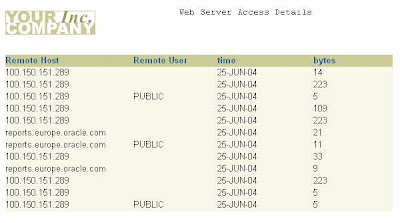
Using Run_Product in Oracle Forms
Reviewed by Avantika on
Mar 22
Rating:
5
How To Use RUN_PRODUCT In Oracle Forms的更多相关文章
- Run_Product Example Form - Oracle Forms 6i
I have already posted in my previous post Running Reports Using Run_Product to run reports in Oracle ...
- Upload Files To FTP in Oracle Forms D2k
Upload Files To FTP in Oracle Forms D2k Use following procedure to upload files to Ftp. PROCEDURE ...
- Oracle Forms 10g Tutorial Ebook Download - Oracle Forms Blog
A step by step tutorial for Oracle Forms 10g development. This guide is helpful for freshers in Orac ...
- Download Oracle Forms 6i
To download Oracle Forms Developer 6i from Oracle click this link http://download.oracle.com/otn/nt/ ...
- Number To Indian Rupee Words in Oracle Forms / Reports
Convert numbers to Indian Rupees format in Oracle Forms / Reports.Create the below mention function ...
- Creating Custom Login Screen In Oracle Forms 10g
Below is the example plsql unit to validate login credentials and after successful validation open a ...
- Writing Text Files On The Client in Oracle Forms 10g
Below is the example to write file on client in Oracle Forms 10g with webutil library package.Note: ...
- Displaying Window In Center In Oracle Forms 6i
Center window automatically in Oracle Forms 6i, use the following procedure by passing window name ...
- Adding List Item Element At Runtime In Oracle Forms
Add combo list / drop down list item element at runtime in Oracle forms.SyntaxPROCEDURE ADD_LIST_ELE ...
随机推荐
- java web sql注入测试(4)--如何防止该类缺陷发生
检查用户输入的合法性,确信输入的内容只包含合法的数据,数据检查应当在客户端和服务器端都执行之所以要执行服务器端验证,是为了弥补客户端验证机制脆弱的安全性.在客户端,攻击者完全有可能获得网页的源代码,修 ...
- 五、Java基础---------if else、switch总结
在前几篇博客中主要是以笔者遇到的一些典型的题目为例子而展开的讨论,接下来几篇将是以知识点的结构进行讲述.本文主要是讲述if ()else .if() else if().switch() case 的 ...
- FastJson之有道翻译
在AndroidMainifast.xml中加入相应的访问权限 <uses-permission android:name="android.permission.INTERNET&q ...
- 如何查看和停止Linux启动的服务
1. 查看Linux启动的服务chkconfig --list 查询出所有当前运行的服务chkconfig --list atd 查询atd服务的当前状态 2.停止所有服务并且在下次系统启动时不再启 ...
- 为什么drop table的时候要在checking permissions花很长时间?
昨天,我drop一个表的时候在checking permissions花了20s+,这个时间花在哪里了呢?经常查找发现我的配置文件innodb_file_per_table=1的,innodb需要遍历 ...
- STM32内存跟FLASH问题
RO: 常量 ZI: 未初始化的全局变量 RW: 初始化的全局变量 Code: 程序本身 Code, RO-data,RW-data ..............flash RW-data, ZIda ...
- php的ssh2扩展安装
折腾半天,结论如下: 1.先需要openssl 用which openssl看是否已安装 2.然后libssh2 用rpm -ql libssh2查看 3.下载源码的shh2x.x.x.tgz的包 4 ...
- Spring注解@Scheduled定时任务
一.首先配置applicationContext-task.xml (1)添加 xmlns:task="http://www.springframework.org/schema/task& ...
- Hadoop集群管理之内存管理
1.内存 Hadoop为各个守护进程(namenode,secondarynamenode,jobtracker,datanode,tasktracker)统一分配的内存在hadoop-env.sh中 ...
- 本人整理的一些PHP常用函数
<?php //===============================时间日期=============================== //y返回年最后两位,Y年四位数,m月份数字 ...